Touch Screen on Toyota Stopped Working After a Valet
Recipe Developer & Kitchen Guide Writer at Choose Vacuum · Certified Home Economist, ServSafe Food Handler · 8+ years developing home recipes and testing everyday kitchen techniques
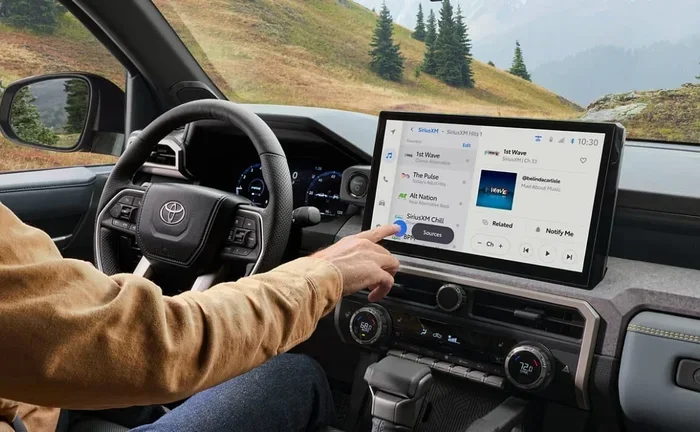
The touch screen on Toyota stopped working after a valet is a common frustration that many car owners face. This issue usually stems from system glitches, power resets, or calibration disruptions triggered during valet service. In this guide, you will learn the exact causes, simple fixes, and prevention steps to get your Toyota display working again quickly.
You hand over your keys to a valet, and when you get your car back, the touch screen on Toyota is completely dead. This is more common than you think, and it can happen to anyone. The good news is that you do not need to panic or rush to the dealership right away. Most of the time, this is a simple fix that you can handle at home.
When the touch screen on Toyota stopped working after a valet, it usually points to a system glitch or a power reset that went wrong. Your Toyota’s infotainment system is sensitive, and even a small interruption can cause the display to freeze or go blank. Let us walk through exactly why this happens and how you can fix it step by step.
Key Takeaways
- Valet service can trigger system resets that cause your Toyota touchscreen to freeze or go black unexpectedly.
- A simple restart often fixes the problem without needing professional help or expensive repairs.
- Recalibrating the touchscreen resolves many issues where taps are not registering in the right spots.
- Prevention tips like using your regular key fob can save you from future touchscreen problems after valet visits.
- Hardware damage is rare but possible, so know the signs that point to a professional repair.
- A factory reset should be your last resort before visiting a Toyota service center.
- Most Toyota touchscreen issues are temporary and resolve within minutes using the right troubleshooting steps.
📑 Table of Contents
Why Your Touch Screen Stops Working After a Valet
When you hand over your car to a valet, several things happen behind the scenes. The vehicle gets turned off, locked, and sometimes moved to a different spot. All of these actions can affect your Toyota’s electronic systems in unexpected ways.
A valet chair is a piece of furniture used for hanging coats and storing small items, but in the car world, the term “valet” refers to a service person who parks your vehicle. When a valet handles your Toyota, they may use a valet key or press buttons that trigger system resets. This can cause your touch display Toyota to stop responding.
Here are the most common reasons your screen goes dark:
- A sudden power cycle that interrupts the Toyota infotainment system mid-boot
- The valet key triggering a security lockout on the touchscreen
- Touchscreen calibration getting disrupted during the valet process
- Software glitches from the car being turned off and on unexpectedly
- The car alarm or security system resetting and affecting the display
Each of these causes is fixable, and most do not require expensive repairs. Understanding the root cause helps you choose the right fix.
What Happens When a Valet Handles Your Toyota
When a valet parks your car, they typically use a spare valet key. This key can start the engine and unlock the driver door, but it should not access the glove box or trunk. However, pressing the start button or turning the ignition can still send a power surge through the Toyota multimedia system.
This power surge can cause the Toyota touchscreen troubleshooting process to kick in unexpectedly. The system may interpret this as a fault and shut down the display to protect itself. It is like when your computer freezes and you have to hold the power button to restart it.
The Role of the Valet Key in Screen Failures
The valet key is designed to limit access to your vehicle. It is a simpler key that does not have all the features of your regular key fob. But when the valet uses it to start the car, the system undergoes a full power cycle. If the infotainment system was in the middle of an update or loading a complex menu, this sudden power loss can corrupt the display software.
This is why many owners report that the car screen frozen after valet happens right after they get the car back. The system was disrupted during a critical moment.
Common Causes of Toyota Touch Screen Failure
System Glitch After Power Cycle
When a valet turns your car off and on, the Toyota multimedia system may not reboot properly. This is similar to when a computer restarts unexpectedly and gets stuck on the loading screen. The touch screen on Toyota may show a black screen or become completely unresponsive.
A car screen frozen after valet is often the result of the system getting stuck during the boot-up process. The Toyota touchscreen troubleshooting steps below will help you resolve this quickly.
Touchscreen Calibration Issues
Your Toyota’s touchscreen relies on precise calibration to register your touches accurately. When a valet moves the car or adjusts the seat, the calibration can shift slightly. This may make the screen seem broken even though the display itself is working fine.
You might notice that taps are not registering in the right spots, or the screen is completely dead. This is a common Toyota display problem that many owners face. The good news is that recalibration is usually simple and fast.
Software Conflicts and Frozen Displays
Modern Toyota vehicles run complex software that controls everything from navigation to audio. When the system gets interrupted by a valet key or power cycle, these programs can conflict with each other. The result is often a Toyota screen unresponsive to any input.
Sometimes the entire Toyota dashboard screen goes dark, and you lose access to Bluetooth, navigation, and climate controls all at once. This can be scary, but it is almost always temporary.
Electrical Interference from the Car Battery
When the car battery voltage drops or fluctuates during a valet parking session, the touchscreen may lose power momentarily. Toyota vehicles are designed to protect the electronics, but a brief power dip can still cause the display to crash. Once the battery stabilizes, the screen should come back on its own. If it does not, a reset usually does the trick.
Step-by-Step Fixes to Restore Your Screen
Quick Restart Methods
The first thing you should try when the touch screen on Toyota stopped working after a valet is a simple restart. This clears temporary glitches and forces the system to reboot cleanly.
Here is how to do it:
- Press and hold the power button on the Toyota screen for 10 to 15 seconds.
- Wait for the screen to go completely dark.
- Release the button and wait 30 seconds.
- Press the power button again to turn the display back on.
If the screen still does not respond, try disconnecting the negative battery terminal for 5 minutes. This fully resets the Toyota touchscreen reset process and clears any stored errors. Make sure you know your radio presets and Bluetooth pairings before doing this, as they may need to be re-synced.
Recalibrating the Touchscreen
If your taps are not registering correctly, the touchscreen may need recalibration. When a person sitting on a chair in the driver’s seat adjusts the seat or steering wheel, it can sometimes affect the touch sensitivity of the display. The same principle applies when a valet adjusts your seat settings.
To recalibrate your Toyota screen:
- Go to the Settings menu on your Toyota infotainment system.
- Look for the Display or Touchscreen option.
- Select the Calibration or Recalibrate function.
- Follow the on-screen prompts to complete the process.
If you do not see a calibration option, try turning the car off and on three times in quick succession. This often triggers a hidden recalibration mode in Toyota vehicles.
Factory Reset as a Last Resort
If none of the quick fixes work, a factory reset may be necessary. This restores the Toyota multimedia system to its original settings. Make sure you have your Bluetooth pairs and navigation preferences saved before doing this.
To perform a factory reset:
- Go to Settings > System > Reset.
- Select Factory Reset or Restore Defaults.
- Confirm your choice and wait for the system to reboot.
This process can take 10 to 15 minutes. Do not turn off the car during this time. Once the reset is complete, your screen should work normally again. You may need to re-enter your preferences, but all your data is stored in the cloud if you have a connected Toyota account.
How to Prevent This From Happening Again
Tips for Using the Valet Key Safely
The Toyota valet key is designed to limit access to your vehicle. It usually only unlocks the driver door and starts the engine. However, pressing certain buttons with the valet key can still affect the infotainment system.
To keep your touch screen safe:
- Always lock the car using your regular key fob, not the valet key.
- Avoid letting the valet adjust the seat or steering wheel settings.
- Turn the touchscreen off manually before handing over the keys.
- Set the system to sleep mode if your Toyota has that option.
These small habits can save you from dealing with a frozen Toyota touchscreen in the future. Prevention is always easier than fixing a problem after it happens.
Regular Maintenance for Your Toyota Display
Just like any electronic device, your Toyota display benefits from regular care. Keep the screen clean with a soft microfiber cloth. Avoid using harsh chemicals that can damage the touchscreen surface.
Also, make sure your Toyota software is up to date. Toyota occasionally releases updates that fix known touchscreen bugs and improve system stability. You can check for updates through the system settings or by visiting your local Toyota dealer.
What to Do Before Handing Over Your Keys
Before you give your keys to a valet, take a few quick steps. Close all open apps on the touchscreen. Turn off the navigation if it is running. Put the system in sleep mode. These small actions reduce the chance of a power cycle causing a display failure.
Also, if your Toyota has a driver profile system, make sure your seat and mirror positions are saved. This way, if a valet adjusts them, you can easily reset them without affecting the touchscreen calibration.
When to Seek Professional Help
Signs That Point to Hardware Damage
Sometimes the touch screen on Toyota stops working not because of a software glitch but because of actual hardware damage. If you notice any of these signs, it is time to see a professional:
- The screen has visible cracks or physical damage.
- Parts of the display are discolored or flickering.
- The screen works intermittently and then stops completely.
- You hear a clicking or buzzing sound coming from the display unit.
- The Toyota screen unresponsive even after a full reset.
Hardware issues are not something you can fix at home, and trying to do so may void your warranty. If you notice any of these signs, stop trying to troubleshoot and head to a service center.
Finding the Right Toyota Service Center
When you need professional help, choose an authorized Toyota service center. They have the right diagnostic tools and software updates specifically designed for your Toyota model.
You can also check if your warranty covers electronic failures. Some Toyota warranties include coverage for touchscreen and infotainment system repairs, especially if the car is relatively new. Call your dealer ahead of time to schedule an appointment and save yourself a wait.
Final Thoughts on Toyota Touch Screen Issues
Dealing with a touch screen on Toyota stopped working after a valet can be stressful, but it is almost always fixable. Start with the simple restart methods, then move to recalibration if needed. A factory reset should be your last resort before visiting a service center.
The key is to stay calm and work through the steps in order. Most of the time, your Toyota touchscreen will come back to life within minutes. And if it does not, a professional can diagnose the issue quickly and get you back on the road.
Take care of your Toyota display, and it will take care of you. Follow the prevention tips above, and you will greatly reduce the chances of this happening again. Your touchscreen is a vital part of your driving experience, and a little care goes a long way in keeping it working perfectly.
Frequently Asked Questions
Why did my Toyota touch screen go black after the valet parked my car?
This usually happens because the valet triggered a power cycle or system reset that interrupted the Toyota infotainment system. The screen may have frozen during a reboot or lost its calibration. Try restarting the system first, and it should come back on.
Can a valet key damage the Toyota infotainment system?
A valet key itself does not damage the system, but using it to start the car can cause a sudden power cycle that disrupts the touchscreen software. This is why it is a good idea to turn off the display manually before handing over the keys.
How long does it take to reset a Toyota touchscreen?
A simple restart takes about 30 seconds. A full factory reset can take 10 to 15 minutes. If the screen is completely frozen, try holding the power button for 15 seconds first before attempting a full reset.
Is it safe to do a factory reset on my Toyota screen?
Yes, a factory reset is safe and will not delete any data stored in your Toyota connected account. However, you may need to re-pair your Bluetooth devices and re-enter your radio presets after the reset.
Will the Toyota touchscreen fix itself after a power cycle?
In many cases, yes. A simple power cycle where you turn the car off, wait a minute, and turn it back on can resolve minor software glitches. If the screen is still unresponsive after a power cycle, try the restart method described in this guide.
How much does it cost to repair a Toyota touch screen?
Costs vary depending on the Toyota model and the nature of the damage. A simple recalibration or reset costs nothing. If the screen needs to be replaced due to hardware failure, expect to pay anywhere from $200 to $800 depending on the model and whether you go through a dealer or an independent shop.
=== CONCLUSION ===
The touch screen on Toyota stopped working after a valet is a frustrating but usually temporary problem. Whether it is a simple glitch, a calibration issue, or a software conflict, you now have the tools to fix it yourself. Start with a restart, try recalibration, and only move to a factory reset if needed. Prevention is your best defense, so use your regular key fob, keep the screen clean, and update your Toyota software regularly. If none of these steps work, a Toyota service center can help you get to the bottom of it. Your touchscreen is an important part of your driving experience, and with the right care, it will keep working smoothly for years to come.

Similar Posts































