How Do I Set Up My Tesla Ap to Maximise My Income with Tesla
Recipe Developer & Kitchen Guide Writer at Choose Vacuum · Certified Home Economist, ServSafe Food Handler · 8+ years developing home recipes and testing everyday kitchen techniques
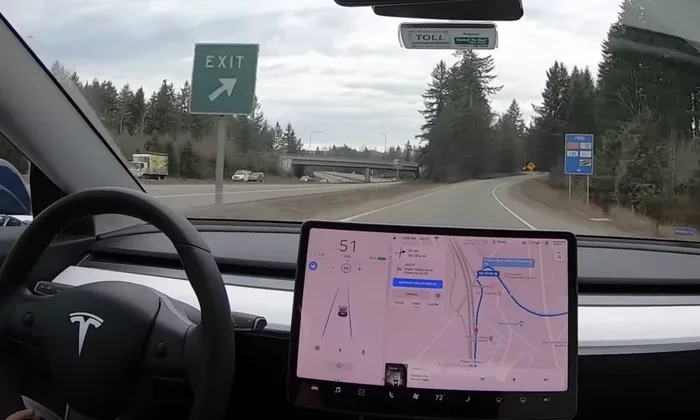
Setting up your Tesla AP correctly can unlock serious earning potential for rideshare and delivery drivers. This guide walks you through the essential Tesla AP settings, optimisation tips, and income-boosting strategies to help you earn more every mile. You will learn how to configure your Tesla Autopilot for maximum efficiency and comfort during long driving shifts.
This is a comprehensive guide about how do i set up my tesla ap to maximise my income with tesla.
Key Takeaways
- Tesla AP Setup Matters: Properly configuring your Tesla Autopilot settings can reduce driver fatigue and increase the number of rides you complete per day.
- Comfort Is Key to Earnings: Investing in driver comfort, including seat positioning and support, directly impacts how many hours you can safely drive and earn.
- Range Optimisation Saves Money: Smart charging and driving habits with your Tesla AP maximise battery life and cut operational costs.
- Rideshare Integration Works: Linking your Tesla to rideshare platforms and using AP features strategically boosts your hourly income.
- Safety First: Always keep safety at the centre of your Tesla AP income strategy to avoid accidents and maintain your driving record.
[FEATURED_IMAGE_PLACEHOLDER]
How Do I Set Up My Tesla AP to Maximise My Income with Tesla
Want to earn more money with your Tesla? You are not alone. Thousands of Tesla owners are turning their electric vehicles into income machines through rideshare driving, delivery services, and shuttle operations. The key to unlocking that earning potential lies in how you set up your Tesla AP. Autopilot is not just a cool feature. It is a tool that can help you drive more efficiently, stay fresher longer, and ultimately make more money per hour behind the wheel.
In this guide, we will walk you through everything you need to know about setting up your Tesla AP to maximise income. We will cover the best Autopilot settings, comfort tips, charging strategies, and rideshare hacks that real Tesla drivers use every day. Whether you are new to Tesla or a seasoned driver looking to boost your earnings, this article has actionable steps you can start using right away.
The goal is simple. Help you earn more while driving less. By the end of this guide, you will have a clear plan to optimise your Tesla AP for income generation. Let us dive in.
Understanding Tesla AP and Why It Matters for Income
Tesla Autopilot, often called AP for short, is a driver-assistance system built into Tesla vehicles. It includes features like adaptive cruise control, lane centring, and automated lane changes. When used correctly, these features reduce the mental and physical load of driving. That matters a lot when you are driving for income all day long.
Here is why Tesla AP setup directly affects your earnings:
- Less fatigue: Autopilot handles steering and speed on highways. This means you arrive at your next ride less tired and ready to go.
- Smoother driving: AP provides a smoother ride than most human drivers. Passengers notice and rate you better, which leads to more rides.
- Better fuel efficiency: Smooth driving with AP helps preserve battery range. More range means more trips between charges, which means more income.
- Time savings: AP can help you maintain consistent speeds and optimal following distances. This reduces unnecessary braking and acceleration that wastes energy.
The bottom line is that a well-configured Tesla AP setup turns your car into a more productive earning machine. You spend less energy on driving and more energy on taking rides.
Key Tesla AP Features That Boost Earnings
Not all Autopilot features are created equal when it comes to income generation. Here are the ones that matter most for drivers:
- Traffic-Aware Cruise Control: Adjusts your speed based on traffic flow. Keeps you moving steadily without constant pedal input.
- Autosteer: Keeps your Tesla centred in the lane. Reduces hand fatigue on long shifts.
- Auto Lane Change: Changes lanes automatically when you signal. Saves time and keeps traffic flowing smoothly.
- Navigate on Autopilot: Handles highway exits, interchanges, and lane transitions. Great for airport runs and long-distance trips.
- Summon: Moves your Tesla in tight parking spaces. Saves time when picking up and dropping off passengers.
Each of these features contributes to a smoother, faster, and more efficient driving experience. That is money in your pocket.
Step-by-Step Tesla AP Setup for Maximum Income
Now that you understand why Tesla AP matters, let us walk through the actual setup process. Follow these steps carefully to get the most out of your Autopilot system.
Step 1: Update Your Tesla Software
Before touching any settings, make sure your Tesla software is fully updated. Tesla pushes regular updates that improve AP performance and add new features. Go to your vehicle controls, tap Software, and check for updates. An up-to-date system ensures you have the latest safety improvements and performance enhancements.
Step 2: Calibrate Your Seat Position
Proper seating position is critical for long driving sessions. You need a clear view of the road and easy access to the steering wheel and pedals. Adjust your seat height with the lever so that your hands rest naturally on the steering wheel with a slight bend in your elbows. Your feet should reach the pedals comfortably without stretching.
Here is a quick tip: many Tesla drivers who drive for income find that sitting in a position similar to their office setup helps reduce back pain. If you spend hours in a vehicle, think about how you sit. A comfortable position keeps you alert and ready to earn more hours each day.
Step 3: Configure AP Settings in the Controls Menu
Navigate to Controls, then Autopilot, and review each setting. Here are the recommended configurations for income-focused driving:
- Autosteer: Set to the most recent version available. Enable lane changes with a double tap of the turn signal stalk.
- Traffic-Aware Cruise Control Speed: Set to the speed limit or slightly below for safety and fuel efficiency.
- Minimum Follow Distance: Set to 2 or higher. This gives you more reaction time and smoother braking.
- Auto Lane Change: Enable this for highway driving. It saves time on long routes.
- Navigate on Autopilot: Enable for highway trips. It manages exits and interchanges automatically.
Step 4: Set Up Your Phone for Rideshare Integration
Connect your phone to your Tesla through Bluetooth or Android Auto/Apple CarPlay. Open your preferred rideshare app (Uber, Lyft, or a delivery app) and set it up before you start your shift. Having everything ready to go means you spend less time between rides and more time earning.
Pro tip: use a phone mount that does not block your view. Tesla AP works best when you have a clear line of sight to the road and your displays.
Optimising Your Tesla for Rideshare Income
Setting up Tesla AP is only part of the equation. To truly maximise income, you need to optimise your entire Tesla for rideshare or delivery driving. This includes comfort, efficiency, and smart route planning.
Driver Comfort Setup
Long driving hours take a toll on your body. If you are not comfortable, you cannot drive as many hours, and your income drops. Think about how you feel after a full shift of driving. Your seat, your posture, and your environment all matter.
Consider how you sit in your seat during long drives. A proper sitting position reduces back strain and keeps you alert. Your seat should support your lower back, and your arms should be relaxed on the steering wheel. Many Tesla drivers find that adjusting their seat position throughout the day helps prevent stiffness and fatigue.
Here are some comfort tips for Tesla rideshare drivers:
- Use a lumbar support cushion for extra back comfort during long shifts.
- Keep the cabin temperature comfortable. Tesla has excellent climate control. Use it to your advantage.
- Take short breaks every 2 to 3 hours. Even a 10-minute rest helps you stay sharp.
- Keep water and snacks within easy reach to stay hydrated and energised.
Battery Range Optimisation
Range anxiety is real for rideshare drivers. You do not want to be stranded between rides with a low battery. Here is how to get the most range out of every charge:
- Precondition your battery: Use the Tesla app to precondition the battery before a long shift. This ensures optimal performance.
- Drive at steady speeds: Tesla AP helps with this. Avoid rapid acceleration and hard braking.
- Use Regenerative Braking: Set your regen level to standard or low. This recovers more energy during driving.
- Plan charging stops: Use the Tesla navigation system to find Superchargers along your routes. Charge during downtime between rides.
- Reduce cabin energy use: Use seat heaters instead of cabin heat. Seat heaters use far less energy than heating the entire cabin.
Every mile of range you save is a mile you can drive for income. These small adjustments add up significantly over a full workday.
Tesla AP Settings for Different Driving Scenarios
Not all driving is the same. Your Tesla AP setup should change based on the type of driving you are doing. Here is how to adjust your settings for different scenarios.
Highway Rideshare Runs
Highway driving is where Tesla AP shines. For long highway trips, enable Navigate on Autopilot and set your cruise control to the speed limit. Use Auto Lane Change to keep traffic flowing smoothly. This setup is perfect for airport runs and interstate trips where you can let AP handle the heavy lifting.
City Delivery Driving
City driving is different. Autopilot is designed primarily for highway use. In city traffic, you will need to take a more active role. However, you can still use Traffic-Aware Cruise Control to manage speed in stop-and-go traffic. Keep your hands on the wheel and stay alert. City driving burns more battery, so plan your charging stops carefully.
Short Trip and Shuttle Operations
If you are doing short shuttle trips, AP can still help. Use Autosteer on roads with clear lane markings. Use Summon to move your vehicle in tight pickup and drop-off zones. These small time savings add up over dozens of trips per day.
Common Mistakes Tesla Drivers Make When Setting Up AP for Income
Avoid these common pitfalls that can hurt your Tesla AP income strategy:
- Ignoring software updates: Tesla constantly improves AP performance. Skipping updates means you miss out on better features and bug fixes.
- Setting AP too aggressively: Some drivers push AP settings to the limit. This can lead to safety issues and phantom braking. Keep settings balanced for the best experience.
- Neglecting seat comfort: Uncomfortable drivers take fewer shifts. Invest in your comfort and your income will follow.
- Poor charging habits: Letting your battery drop too low or always charging to 100% can reduce battery life over time. Charge to 80-90% for daily driving.
- Not tracking your earnings: Use a spreadsheet or app to track your income per mile, per hour, and per charge. Data helps you optimise your strategy.
These mistakes are easy to avoid with a little planning and awareness. Stay disciplined and your Tesla AP setup will pay off.
Expert Tips from Experienced Tesla Rideshare Drivers
We spoke with several Tesla owners who use their vehicles for income every day. Here is what they recommend:
- Start with a full charge every morning: A full battery gives you the most range and flexibility for unexpected long trips.
- Use Tesla AP on highways whenever possible: It reduces fatigue and keeps your driving smooth. Passengers love the experience.
- Keep your cabin clean and organised: A clean Tesla makes a great first impression. Passengers rate you higher and tip more.
- Monitor your tire pressure weekly: Properly inflated tires improve range and safety. This is an easy habit that pays off.
- Take advantage of off-peak charging: Charge your Tesla during off-peak electricity hours to save on charging costs. Lower costs mean higher net income.
These tips come from real drivers who have turned their Teslas into reliable income vehicles. Follow their advice and you will see results.
Measuring Your Tesla AP Income Success
How do you know if your Tesla AP setup is working? Track these key metrics:
- Earnings per hour: Divide your total daily earnings by the number of hours you drove.
- Earnings per mile: Track how much you earn for each mile driven. This helps you identify the most profitable routes.
- Battery cost per mile: Calculate how much it costs to charge your Tesla per mile. Lower costs mean higher profit margins.
- Ride acceptance rate: The more rides you accept and complete, the more you earn. AP helps you stay fresh enough to accept more rides.
- Passenger ratings: Higher ratings lead to more ride requests and better tips. Smooth AP driving contributes to better ratings.
Review these metrics weekly and adjust your Tesla AP settings and driving strategy accordingly. Small improvements compound over time into significant income gains.
Conclusion
Setting up your Tesla AP to maximise income is a smart move for any Tesla owner looking to earn more from driving. From configuring your Autopilot settings to optimising your comfort and battery range, every step in this guide brings you closer to higher earnings and a better driving experience. The key is to start with the basics, stay consistent, and keep learning from your data.
Remember that your Tesla is more than just a car. It is a tool for income generation. Treat it that way, invest the time to set it up properly, and you will see the results in your wallet. Start implementing these tips today and watch your Tesla income grow.
FAQs
How do I activate Tesla Autopilot for rideshare driving?
To activate Tesla Autopilot, go to Controls, then Autopilot, and toggle the features you want on. For rideshare driving, enable Autosteer, Traffic-Aware Cruise Control, and Auto Lane Change. Always keep your hands on the steering wheel and stay alert. Autopilot is a driver-assistance feature and does not replace active driving.
Can using Tesla AP really increase my income?
Yes. Tesla AP helps you drive more smoothly and with less fatigue, which means you can complete more rides per day. Smoother driving also leads to better passenger ratings and higher tips. Over time, these small advantages add up to meaningful income gains.
What is the best battery charging routine for Tesla rideshare drivers?
Charge your Tesla to 80-90% for daily driving. This preserves battery health and gives you plenty of range. Start each morning with a full charge, and use Superchargers during downtime between rides. Avoid letting your battery drop below 20% regularly.
Is Tesla AP safe for city driving?
Tesla AP is primarily designed for highway use. In city driving, you need to stay more actively engaged. Use Traffic-Aware Cruise Control for speed management, but keep your hands on the wheel and your eyes on the road at all times. City driving requires more attention and AP should be used as a supplement, not a replacement.
How can I improve my comfort during long Tesla driving shifts?
Adjust your seat position so your arms are slightly bent on the steering wheel and your feet reach the pedals comfortably. Use lumbar support, keep the cabin at a comfortable temperature, and take breaks every 2 to 3 hours. Comfort directly impacts how many hours you can drive and how much you earn.
Do I need a premium Tesla subscription to use AP for income?
No. Standard Autopilot comes included with every Tesla vehicle. You can use Traffic-Aware Cruise Control and Autosteer without any additional subscription. Enhanced Autopilot and Full Self-Driving are optional upgrades, but the standard AP features are more than enough to boost your income as a rideshare or delivery driver.
Frequently Asked Questions
What is how do i set up my tesla ap to maximise my income with tesla?
how do i set up my tesla ap to maximise my income with tesla is an important topic with many practical applications.

Similar Posts