Is your Shark Vertex vacuum losing suction, making strange noises, or the brush roll isn’t spinning? This guide is your first-aid kit. We break down the most common Vertex problems into simple, step-by-step diagnostic and fix procedures you can do at home. From clogged hoses and dirty filters to battery care and brush roll maintenance, we’ll help you identify the issue and restore your vacuum’s power without needing a service call. Regular maintenance is the key to preventing most headaches.
Let’s be honest: there are few household frustrations quite like pulling out your trusty Shark Vertex vacuum, ready to tackle a mess, only to find it’s lost its legendary suction power, the brush roll has given up, or it’s making a noise that sounds like a small animal in distress. Your first instinct might be to panic or call customer service, but hold on. The vast majority of Shark Vertex troubleshooting boils down to a handful of common, fixable issues that you can diagnose and solve yourself in under ten minutes with a few simple tools.
This guide is built from the ground up for the DIYer. We won’t use confusing technical jargon. Instead, we’ll walk through each symptom logically, like a mechanic diagnosing an engine. You’ll learn exactly where to look, what to feel for, and how to perform the essential maintenance that keeps your Vertex performing at its peak for years. Think of this as your vacuum’s personal health manual. A healthy vacuum is a powerful, efficient cleaning companion. Let’s get yours back in shape.
Key Takeaways
- Loss of suction is almost always a clog or a filter issue. Start by checking and cleaning the hose, wand, and all filters before considering internal problems.
- A non-spinning brush roll usually means a jam or a engaged brush roll shut-off. Always turn the vacuum off and unplug it before checking for hair, string, or carpet fiber wraps.
- Strange noises (squealing, grinding) are warning signs. They often indicate a foreign object in the brush roll housing, a damaged brush roll, or a failing bearing.
- Preventative maintenance is non-negotiable for performance. A quick wipe-down after each use and a deeper monthly clean of filters, brush rolls, and bins prevents 90% of common issues.
- Cordless model problems often trace back to battery health. Understand proper charging habits and know the signs of a degrading battery to maximize runtime.
- Always consult your specific model’s manual. While this guide covers Vertex series fundamentals, your model number (e.g., IZ362, AZ6002) can have unique features or filter types.
[FEATURED_IMAGE_PLACEHOLDER]
📑 Table of Contents
- Diagnosing the Symptom: Loss of Suction
- The Brush Roll Won’t Spin: A Jam or a Switch?
- Strange Noises: Squeals, Grinds, and Rattles
- Cordless Vertex-Specific Issues: Battery & Runtime
- The Maintenance Mistake That Causes Most Problems
- When to Seek Professional Help
- Conclusion: Your Vacuum’s Best Friend is You
Diagnosing the Symptom: Loss of Suction
This is the #1 complaint, and for good reason. When suction drops, the vacuum feels useless. But before you despair, understand that Shark’s suction path is a sealed system from floor to bagless bin. A weakness anywhere in that chain reduces overall power. The good news? The culprit is almost always a simple clog or a dirty filter, and it’s easy to find.
The Three-Point Suction Check: Hose, Filters, Bin
You must systematically check the entire path. Start at the business end and work your way back to the motor.
- The Wand and Hose: Detach the wand from the vacuum body and the hose from the wand. Look through both. Use a bright flashlight. If you see a dark obstruction, that’s your problem. For stubborn clogs, try carefully feeding a long, flexible coat hanger (with the end bent into a small hook) through the hose. You can also try the classic “reverse blow” method: detach the hose, put the vacuum’s exhaust port (the back) against a wall or outside, and turn it on for a few seconds. The blast of air can often dislodge a clog from the other side.
- The Filters: Your Vertex has at least two: a foam pre-motor filter and a pleated HEPA or felt post-motor filter. Both must be clean. The pre-motor foam filter catches large debris and protects the motor. If it’s gunky, airflow chokes. Remove it and rinse it thoroughly with cool water. Never put it back in damp; let it air-dry completely for 24 hours. The post-motor filter is critical for exhaust air quality. Tap it lightly over a trash can to dislodge dust. If it’s very dirty, it needs replacing—do not wash it unless your manual explicitly states it’s washable.
- The Bin and Lid Seal: Empty the bin. Now, inspect the rubber gasket/seal around the lid. If it’s torn, warped, or has a hair caught in it, you have an air leak. The vacuum will struggle to create suction because air is being sucked in from the top instead of the floor. Clean the gasket and the sealing surface meticulously. If the seal is damaged, you must replace the lid assembly.
Hidden Culprits: The Brush Roll Housing and Crevice Tool
Don’t forget the accessories. The crevice tool and upholstery brush can harbor dense plugs of hair and lint. Use a bottle brush or a long, thin tool to clean inside them. Also, check the opening where the wand connects to the brush roll housing. A piece of carpet fiber or a sock can lodge right there, blocking flow.
The Brush Roll Won’t Spin: A Jam or a Switch?
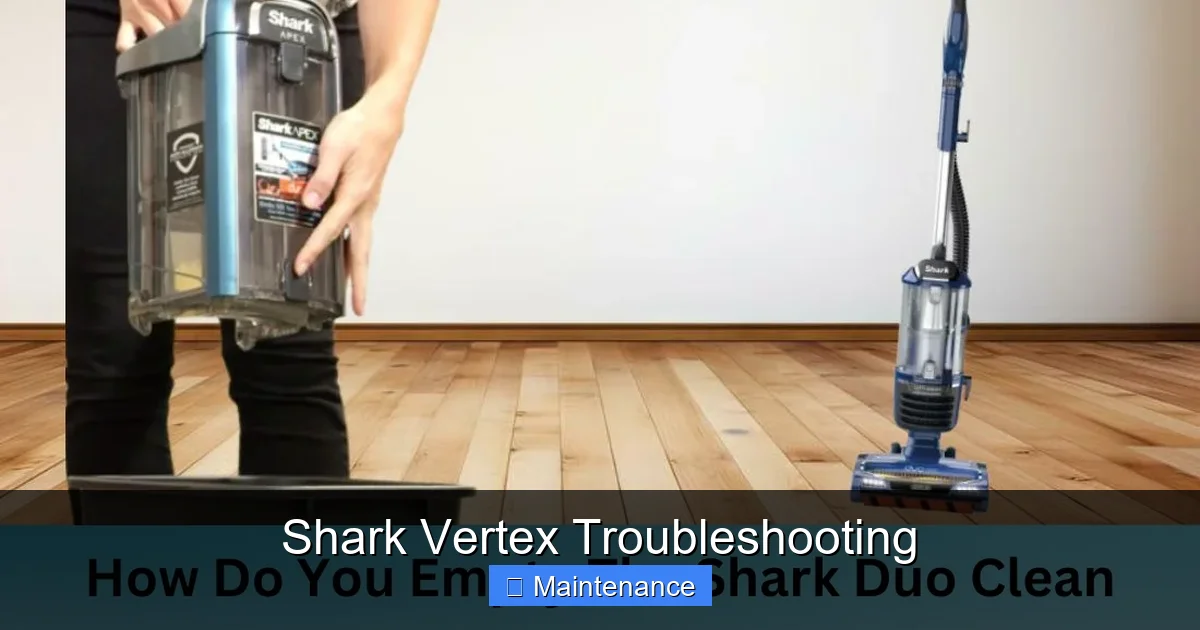
When the brush roll (the rotating bar with bristles) is stationary, your vacuum is essentially just an air pump—it’s great for hard floors but useless on carpet. This is another extremely common issue with a very logical fix sequence.
Visual guide about Shark Vertex Troubleshooting
Image source: sharkvacuum.blog
Step 1: The Emergency Stop Switch
Shark Vertex models have a crucial safety feature: a brush roll shut-off. If the vacuum detects too much resistance (like a thick rug) or if you tilt it too far back, it will automatically stop the brush roll to protect the motor. First, check the switch. It’s usually a red button on the top or back of the floor nozzle. Press it firmly to reset it. Sometimes it gets accidentally triggered. If it clicks and the brush roll starts, you’ve solved it.
Step 2: The Manual Jam Inspection
If the reset doesn’t work, you have a physical jam. Always unplug the vacuum first. Flip the vacuum over. Locate the two screws (often Torx screws) securing the brush roll housing cover. Remove them and lift off the clear plastic cover. Now you have full access.
- Visually inspect the brush roll. Look for hair, string, Christmas tree needles, or carpet fiber tightly wrapped around the bearings on each end. This is the #1 cause. Use scissors or a seam ripper to carefully cut and remove the debris. Do not pull; you might damage the bearings.
- Check the belt. Some Shark Vertex models use a belt to drive the brush roll (especially the older corded ones). If the belt is broken, stretched, or has jumped off the pulley, the brush roll won’t turn. You’ll need to replace it. Cordless/AirGlide models often have a direct-drive motor, so no belt is present.
- Spin the brush roll by hand. It should rotate smoothly. If it’s gritty, stiff, or has side-to-side play, the bearings are worn out. The brush roll assembly needs replacing.
Step 3: The Drive Coupling (for Belted Models)
If the brush roll is clear and spins freely, but still doesn’t turn when the vacuum is on, the drive coupling (the plastic piece that connects the motor shaft to the belt pulley) may be broken. This part takes a lot of stress. Inspect it for cracks or if it’s come off the motor shaft. Replacement is necessary.
Strange Noises: Squeals, Grinds, and Rattles
Your vacuum’s voice tells its story. A healthy Shark Vertex has a consistent, powerful motor hum. Any deviation is a diagnostic clue.
Visual guide about Shark Vertex Troubleshooting
Image source: sharkvacuum.blog
The High-Pitched Squeal or Whistle
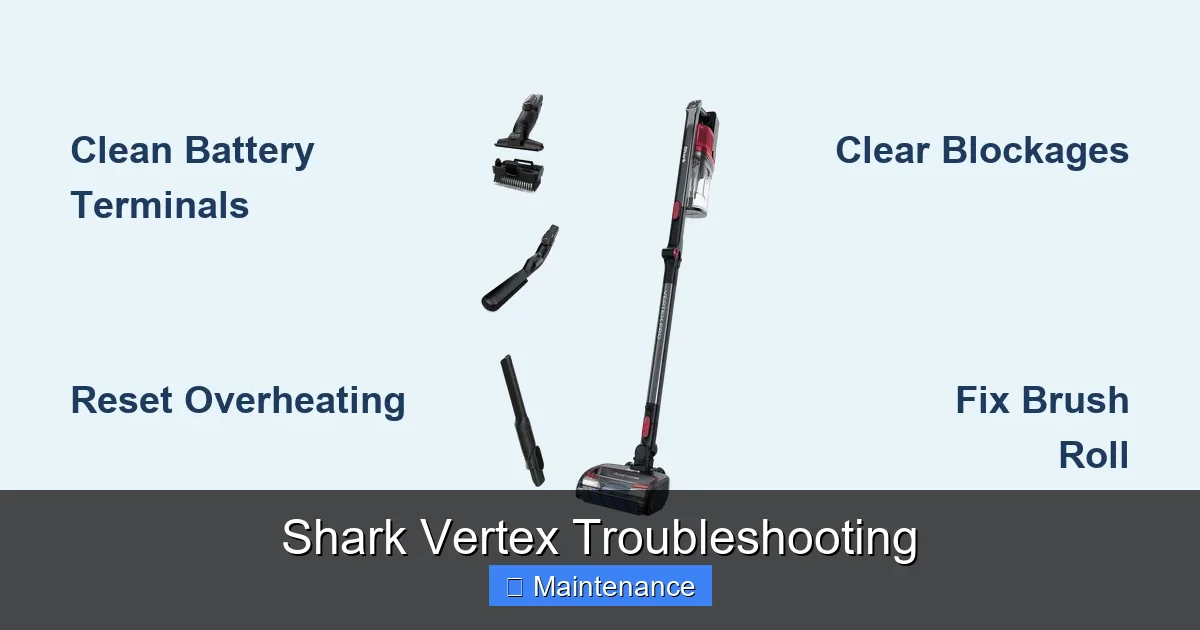
This is almost always an air leak. Re-trace the suction path from the previous section. The most frequent spot is the seal between the main vacuum body and the dust cup/bin. Empty the bin, remove it, and inspect the rubber seal on the vacuum body and the mating surface on the bin. Any debris, a misaligned seal, or a tear will cause a whistling sound as air is pulled through the gap. Also check all hose connections.
The Grinding or Rumbling Noise
This is more serious and usually points to the brush roll assembly.
- Foreign Object: A coin, paperclip, or small toy is caught in the brush roll housing, jamming the brush roll against the housing. Turn off and unplug immediately. Remove the brush roll housing cover and extract the object.
- Worn Brush Roll Bearings: As mentioned, if the bearings are shot, the metal shaft grinds against the plastic housing. The brush roll will feel gritty when spun by hand. Replacement is the only fix.
- Debris in Motor Fan: Rare, but possible. A large piece of paper or plastic could have been sucked through and is now hitting the motor’s cooling fan. This usually requires professional disassembly.
The Intermittent Rattling or Thumping
This often happens only on carpet. It could be the brush roll bristles hitting the floor unevenly if the brush roll is worn or warped. It could also be a loose screw or panel on the vacuum body. Tighten all visible screws, especially on the floor nozzle and main body. If the noise persists, the brush roll itself may be damaged and need replacing.
Cordless Vertex-Specific Issues: Battery & Runtime
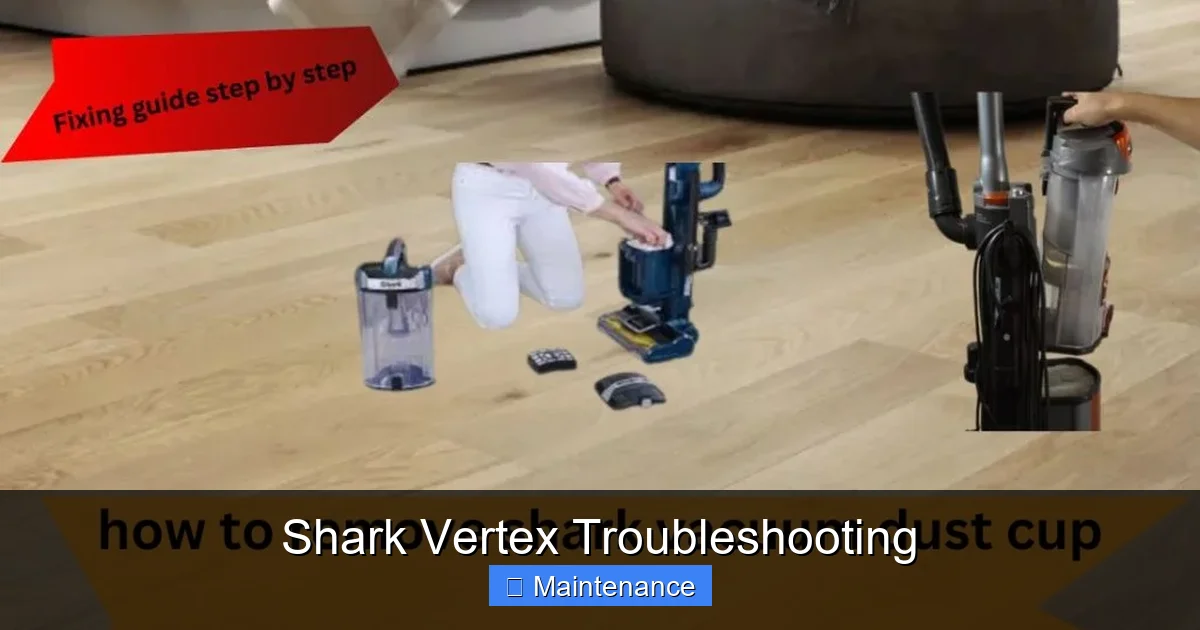
Cordless models like the Vertex IZ series introduce a new variable: the lithium-ion battery. Troubleshooting here shifts from pure airflow to power management.
Visual guide about Shark Vertex Troubleshooting
Image source: sharkvacuum.blog
Sudden, Drastic Loss of Runtime
If your fully charged vacuum now dies after 5 minutes instead of 40, the battery is likely at the end of its life (typically 2-3 years with regular use). However, first rule out these simpler causes:
- Extreme Temperatures: Using or storing the vacuum in very hot or very cold environments severely degrades battery performance. Always use and charge at room temperature.
- Deep Discharge: Lithium batteries hate being run to 0%. If you consistently use the vacuum until it shuts off, you shorten its lifespan. Try to recharge when you see the low battery indicator.
- Charger & Port: Ensure the charger is the correct, undamaged Shark model. Clean the charging contacts on both the vacuum and charger with a dry cotton swab. A poor connection prevents a full charge.
Battery Won’t Take a Charge
If the charging light doesn’t come on or stays red/amber:
- Test with a different, known-good outlet.
- Check the charger for damage.
- Inspect and clean the charging port on the vacuum. Debris can block the connection.
- If all else fails, the battery itself may have failed and needs replacement. Contact Shark or an authorized service center for the correct replacement battery for your specific model number.
The Maintenance Mistake That Causes Most Problems
We’ve talked about fixing specific issues. Now, let’s talk prevention. The single biggest cause of Shark Vertex problems is neglecting the post-motor HEPA filter. People clean the foam filter but forget the fine pleated one. This filter clogs slowly, silently strangling your suction over months. You won’t notice day-to-day, but your vacuum’s performance will steadily decline. Make it a monthly ritual: tap out the post-motor filter. If it’s visibly gray with dust, it’s time for a new one. Keep a spare on hand. Also, after every few uses, wipe the inside of the dust cup with a dry cloth to prevent fine dust from caking on the sensors and seals.
When to Seek Professional Help
You are a capable troubleshooter, but there are limits. If you’ve:
- Completely cleared all clogs in the hose, wand, and brush roll housing.
- Replaced or thoroughly cleaned both filters and ensured they are 100% dry.
- Inspected and found the brush roll bearings are smooth and the belt (if applicable) is intact.
- Checked all seals and gaskets for damage.
- And the problem (loss of suction, noise) persists…
…the issue is likely internal. It could be a failed motor, a cracked internal hose, or a damaged fan assembly. At this point, the cost and complexity of DIY repair often exceed the value of the vacuum. Contact Shark Customer Support or an authorized service center. Have your model number (on the back plate) ready. They can diagnose if a repair is economical or if replacement is a better option.
Conclusion: Your Vacuum’s Best Friend is You
Shark Vertex vacuums are engineered for power and durability, but they are machines that need care. The troubleshooting steps outlined here—checking for clogs, cleaning filters, clearing brush rolls, and listening to noises—form a powerful diagnostic toolkit. By adopting a simple routine of quick cleans after use and a deeper monthly inspection, you’ll not only solve problems as they arise but prevent the vast majority of them from ever happening. You’ll extend the life of your vacuum, protect its motor, and ensure that every time you plug it in (or press the power button), you get the full, fierce cleaning power you paid for. Don’t let a simple jam or a dirty filter rob you of a clean home. Get hands-on, get troubleshooting, and keep your Vertex roaring.
Frequently Asked Questions
Can I wash the pre-motor foam filter with soap?
No. Shark recommends rinsing the foam filter with cool water only. Soap or detergent can leave a residue that damages the filter media and may harm the motor if air passes through it. Always let it air-dry completely for 24 hours before reinserting.
My Shark Vertex smells like burnt plastic. What should I do?
Unplug the vacuum immediately. This is a serious warning sign. It could mean a clogged filter causing the motor to overheat, a foreign object burning in the brush roll housing, or an internal electrical fault. Do not use it. Check and clean all filters and clear any visible blockages. If the smell persists after cleaning, the motor may be failing and requires professional inspection.
How often should I replace the post-motor HEPA filter?
There’s no fixed timeline, as it depends on usage and environmental dust levels. As a rule, inspect it monthly by tapping it over a trash can. If dust plumes out or it looks visibly soiled, replace it. For an average household with pets, expect to replace it every 6-12 months with regular use.
My cordless Vertex won’t turn on, and the charger light is green. What gives?
A solid green light on the charger usually means the battery is fully charged. If the vacuum won’t power on, the issue is likely the battery itself or its connection. First, ensure the battery is locked securely into the vacuum body. Remove it, check the contacts for debris, and re-seat it firmly. If it still won’t turn on, the battery may have completely failed and needs replacement.
Is it normal for the vacuum to get hot?
Yes, the motor housing will get warm during use, especially on high power or with heavy debris. However, it should not be too hot to touch comfortably. If the body is scorching hot, or if you smell overheating (like burning dust), you have a severe airflow restriction. Turn it off, unplug it, and immediately check for clogs and clean all filters.
Can I use my Shark Vertex to pick up liquids or wet debris?
Absolutely not. The Shark Vertex series, including most cordless models, is designed for dry debris only. Using it on liquids can cause catastrophic damage to the motor and electrical components, voiding your warranty. For wet spills, use a dedicated wet/dry vacuum or mop.