Is your Shark Vertex vacuum refusing to start? This is a common but often solvable issue. The root cause typically involves the battery, charging system, or internal sensors. Don’t rush to replace it—systematic troubleshooting can diagnose and fix the problem. Start with simple checks like ensuring a full charge and cleaning the charging contacts, then progress to reset procedures and sensor cleaning. Most power-on failures are preventable with regular maintenance. This guide provides a clear, step-by-step path to identify and resolve why your Shark Vertex won’t turn on, saving you time and money.
You’re all set to tackle the living room floor, you grab your trusty Shark Vertex, press the power button, and… nothing. No hum, no light, just silence. That sinking feeling is all too familiar for many cordless vacuum owners. Before you envision the cost of a new battery or a replacement vacuum, take a deep breath. The phrase Shark Vertex not turning on is a common troubleshooting query, and the good news is that the solution is frequently simple, inexpensive, and something you can handle yourself. This vacuum is a workhorse, but like any sophisticated tool, it has specific needs and safety systems that can interrupt power. This guide will walk you through every possible reason, from the utterly basic to the more complex, in a logical, easy-to-follow manner. We’ll diagnose the problem together.
Key Takeaways
- Battery is Priority #1: A deeply depleted or faulty battery is the most frequent culprit. Always verify a full charge cycle and inspect physical battery contacts for debris.
- Charger & Port Health is Critical: Issues with the charger, cable, or the vacuum’s charging port (including bent pins) mimic battery failure. Test with a known-good charger if possible.
- Sensors & Brush Roll Can Trigger Shutdowns: Clogged sensors or a jammed brush roll activate safety cut-offs. Regular cleaning of these components is essential maintenance.
- A Hard Reset Often Works: A complete power cycle reset can clear temporary electronic glitches. The process involves removing the battery and holding the power button.
- Physical Damage Warrants Professional Help: If you’ve dropped the vacuum or see internal damage, cease DIY attempts and contact Shark Support to avoid voiding the warranty.
- Prevention is Easier Than Repair: Consistent, simple maintenance—like clearing debris after each use and storing on the charger—prevents most “not turning on” scenarios.
📑 Table of Contents
Understanding the “Why”: The Most Common Culprits
When your Shark Vertexcordless vacuum cleaner refuses to power up, the issue falls into a handful of predictable categories. Thinking of it like a doctor’s diagnosis helps. Is it the “heart” (battery)? The “nervous system” (sensors/electronics)? Or a “blocked artery” (obstruction)? Identifying the category narrows the search dramatically. Rushing to check the battery first is smart, but you must also consider what happened just before it stopped working. Did you vacuum up something large? Was it left off the charger for weeks? Did it get banged around? Context is everything. Most Shark Vertex not turning on situations stem from one of five core areas: battery depletion or failure, charger malfunction, clogged sensors or airways triggering safety locks, a tripped internal thermal fuse, or a need for a full electronic reset. We will explore each in depth.
The Battery: The Heart of the Matter
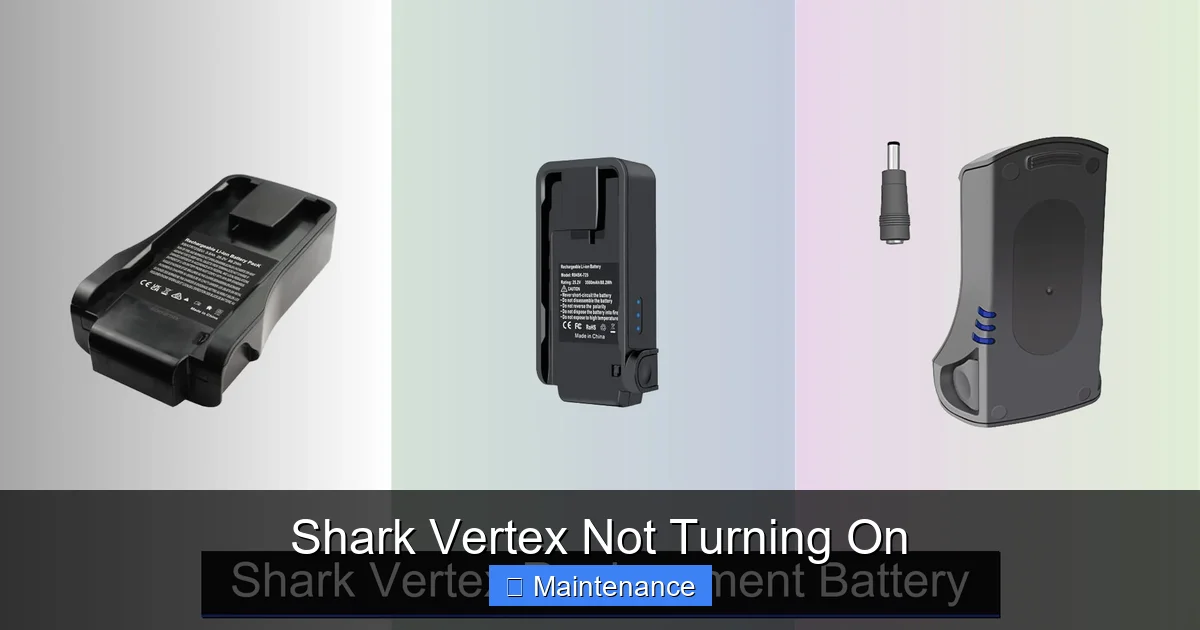
The lithium-ion battery is the lifeblood of your cordless Shark Vertex. It’s also the component most likely to cause a power-on failure. These batteries degrade over time and have specific charging requirements. A “not turning on” symptom is often the battery’s final, desperate signal that it can no longer hold a charge or deliver power. However, before condemning the battery, you must rule out simpler issues.
- Deep Discharge: If the vacuum was stored unused for a long period (2-3 months), the battery can dip into a deep discharge state. A standard charger may not recognize it or have enough power to revive it. The vacuum will appear completely dead.
- Failed Charge Cycle: The vacuum wasn’t on the charger properly, the charger isn’t plugged in, or the charging port is dirty. The battery simply never got replenished.
- Battery End-of-Life: Lithium-ion batteries have a lifespan of 2-4 years with regular use. After hundreds of charge cycles, their capacity drops significantly. A battery that charges to 100% but dies in 2 minutes is failing, but one that won’t charge at all or won’t turn on even when seated on the charger is often truly at the end.
- Physical Battery Fault: The battery pack itself can develop internal shorts or damaged cells. This is less common but possible, especially if the vacuum has been dropped.
The Charging System: The Lifeline
You could have a perfectly good battery, but if it’s not receiving power, it’s useless. The charging system includes the wall adapter, the charging cable, the charging contacts on the vacuum, and the charging port itself. A break anywhere in this chain results in a vacuum that won’t turn on.
Start with the charger. Is the indicator light on when it’s plugged into the wall? If not, the outlet, charger, or cable is faulty. Swap it with a compatible charger if you can. Next, inspect the vacuum’s charging port—usually located on the back or underside. Use a flashlight. Are the metal pins bent, broken, or covered in dust, hair, or gunk? Even a thin layer of debris can prevent the metal-to-metal contact needed for charging. Clean it gently with a dry, soft toothbrush or a cotton swab dipped in a tiny amount of isopropyl alcohol. Do the same for the corresponding pins on the charger’s plug. Also, ensure the vacuum is seated correctly on the charging dock; sometimes the alignment is off.
Step-by-Step Diagnostic & Fix Protocol
Let’s get systematic. Follow this flowchart of checks in order. Each step eliminates a possibility and gets you closer to the solution. Grab your user manual if you have it—it’s your best friend here.
Visual guide about Shark Vertex Not Turning On
Image source: sharkvacuum.blog
Step 1: The Obvious & Immediate Checks
Before anything else, perform these 60-second checks. They solve a surprising number of cases.
- Is the battery actually installed? For models with a removable battery, ensure it’s clicked firmly into place. It’s easy to think it’s in when it’s actually slightly dislodged.
- Is the vacuum on the charger correctly? Place it firmly on the docking station, ensuring it’s sitting flush and the charging contacts are mating.
- Check the charger’s LED: Most Shark chargers have a light. A red light typically means charging; a green light means fully charged. No light means no power to the charger or a fault. Try a different wall outlet.
- Charge for a full 3-4 hours. If the vacuum was completely dead, it needs a long, uninterrupted initial charge. Don’t expect it to power on after 15 minutes.
Step 2: Inspect & Clean the Charging Interface
As mentioned, dirty contacts are a prime suspect. Power off everything and unplug the charger. Use a dry microfiber cloth to wipe both the charging pins on the vacuum and the plug on the charger. For stubborn grime, dampen the cloth slightly with water or 90% isopropyl alcohol, wring it out thoroughly, and clean. Never spray liquid directly onto the vacuum. Allow it to air dry for 10 minutes before attempting to charge again.
Step 3: Perform a Hard Reset
This is the most effective electronic troubleshooting step. It clears the vacuum’s internal memory and can resolve software glitches that prevent startup. The process varies slightly by model, but the universal method is:
- Remove the battery from the vacuum (if removable).
- Unplug the charger from both the wall and the vacuum.
- Locate the power button. Press and hold it down for 10-15 seconds. This drains residual power from the capacitors.
- Reinsert the battery firmly, ensuring it clicks.
- Plug the charger into the wall, then into the vacuum.
- Place the vacuum on the dock. Let it charge for at least one hour before trying to power it on.
For models with a non-removable battery, simply hold the power button for 30 seconds while the vacuum is off and unplugged from the charger.
Sensor and Brush Roll Obstructions: The Hidden Triggers
Your Shark Vertex is packed with safety sensors. One critical sensor detects if the brush roll is jammed or not spinning freely. If this sensor detects a problem—like a thick rug fringe, a string, or a pet hair clog wrapped around the brush roll bearings—it will lock out the motor to prevent damage. The result is a vacuum that won’t turn on, even with a full battery. Similarly, a clogged filter or a completely blocked air path can cause the motor to overheat instantly, tripping a thermal fuse that requires a cool-down period and reset.
Visual guide about Shark Vertex Not Turning On
Image source: sharkvacuum.blog
How to Check and Clean the Brush Roll
This is a crucial, hands-on step. Flip the vacuum over. You’ll see the brush roll housing. Most Shark Vertex models have a release button or latch to open it. Remove the brush roll. Always unplug or remove the battery before doing any internal inspection. Look for any hair, string, or carpet fibers wound tightly around the ends of the brush roll or around the axle. Use scissors or a seam ripper to carefully cut and remove this debris. Also, check the rubber seals on either side; if they are worn or missing, the sensor might not function correctly. Spin the brush roll by hand—it should rotate smoothly and freely. If it’s stiff or gritty, it needs a more thorough cleaning or replacement.
Cleaning Filters and Air Paths
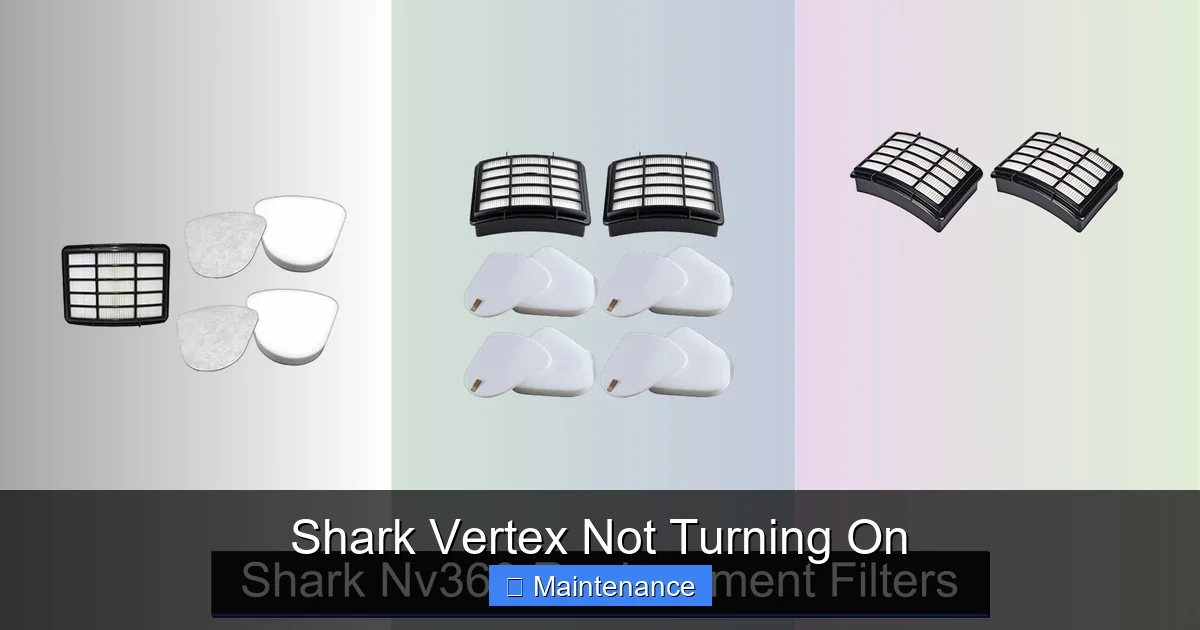
A severely clogged pre-motor foam filter or post-motor HEPA filter can restrict airflow so badly that the motor strains and shuts down. Remove all filters according to your manual. Tap out loose debris. The foam filter is washable with water—let it dry completely for 24 hours before reinserting. The HEPA filter is typically not washable; tap it gently or replace it if it’s dirty. While you have the vacuum open, use a flashlight to look down the air intake通道 (usually where the brush roll is) and out the exhaust port. Clear any visible clogs with a long, flexible brush or a straightened coat hanger (wrapped in tape to avoid scratches).
Internal Faults and Advanced Scenarios
If you’ve meticulously followed Steps 1-3, cleaned the brush roll and filters, and your Shark Vertex still won’t turn on, the problem likely lies deeper within the electronics. This is less common but possible.
Visual guide about Shark Vertex Not Turning On
Image source: sharkvacuum.blog
Diagnosing a Faulty Power Switch
The physical power button itself can wear out or become stuck. Listen for a faint click when you press it. If it feels mushy or doesn’t click, the switch may be faulty. Diagnosing this requires multimeter testing and potentially disassembling the handle, which is complex and risks damaging wiring. For most users, this is the point to consider professional repair, especially if the vacuum is under warranty.
Motor or Circuit Board Failure
This is the most serious and least common cause. A failed motor or a burnt circuit board will render the vacuum dead. Signs include a burnt smell, visible scorch marks, or the vacuum working intermittently before failing completely. These are not DIY fixes for the average user. Replacing the motor or main PCB (Printed Circuit Board) requires soldering skills and component sourcing.
When to Contact Shark Support: Warranty & Repair
Your Shark Vertex likely came with a limited warranty (often 5-7 years for the motor, 1-3 years for other parts). Before giving up, check your proof of purchase and warranty status.
Preparing for Your Support Call/Email
Have this information ready: your model number (found on the rating plate, usually on the back or underside), serial number, date of purchase, and a clear, concise list of all troubleshooting steps you’ve already performed. Saying “I’ve cleaned the brush roll, reset the vacuum, and tried three different outlets” tells support you’ve done the basics, saving time. They may still guide you through additional steps or, if the unit is under warranty, issue a replacement part or authorize a repair.
The Cost-Benefit Analysis of Repair vs. Replacement
If your vacuum is out of warranty, get a repair estimate. A new battery costs $50-$100. A new motor or PCB can be $100-$200+ in parts, plus labor. Compare this to the cost of a new Shark Vertex (which ranges from $300-$600). If the repair is more than 50% of a new unit’s price, replacement might be more economical. Also, consider the age and overall condition of your vacuum.
Preventative Maintenance: Keeping Your Vertex Alive
The best way to solve a Shark Vertex not turning on problem is to prevent it. Incorporate these habits into your routine:
- Charge After Every Use: Don’t let it sit discharged. Develop the habit of placing it back on the dock after each cleaning session.
- Clean the Brush Roll Weekly: Make it a Sunday ritual. Remove wrapped hair and debris before it jams the sensor or motor.
- Wash Filters Monthly: A clean filter ensures optimal airflow and prevents motor strain.
- Inspect Charging Contacts Monthly: A quick wipe with a dry cloth keeps the charging connection pristine.
- Store Properly: Keep it on the charger in a cool, dry place. Avoid extreme temperatures, which kill batteries.
By treating your Shark Vertex with this level of care, you’ll maximize its lifespan and ensure it’s ready to power on whenever you need it. The frustration of a dead vacuum is real, but armed with this knowledge, you’re now the expert. You can diagnose, fix, and prevent the issue, keeping your home clean without unexpected costs.
Frequently Asked Questions
Why does my Shark Vertex have a blinking light but won’t turn on?
A blinking light, especially a red or orange one, is usually a fault code. It commonly indicates a clogged filter, a jammed brush roll, or a battery temperature issue (too hot or too cold). First, clean all filters and the brush roll thoroughly. Then, let the vacuum sit at room temperature for an hour before trying again. Consult your manual for the specific blink pattern meaning.
Can I use my Shark Vertex while it’s charging?
Most Shark Vertex models are designed for cordless use only and cannot operate while plugged into the charger. Attempting to do so will often prevent the vacuum from turning on as a safety feature. Always use it on battery power and return it to the dock to recharge when finished.
How do I know if my Shark Vertex battery is dead?
A truly dead battery will not charge at all—the charger light may not illuminate, and the vacuum remains unresponsive after hours on the dock. A failing battery will charge but drain very quickly (under 5 minutes of runtime). To test, fully charge the vacuum, then run it on a medium setting until it dies. If runtime is significantly less than when it was new (e.g., less than 10-15 minutes), the battery is likely at the end of its life.
My Shark Vertex gets hot and shuts off. Is this related to it not turning on?
Yes. If the motor overheats due to a severe clog (filter, hose, brush roll) or using it on thick carpet for too long, a thermal fuse will trip, shutting the vacuum down. It will not turn back on until it cools completely (30-60 minutes). After it cools, ensure all air pathways are clear before restarting. Repeated overheating can damage components and eventually cause a permanent failure to start.
Is it worth replacing the battery on an older Shark Vertex?
It depends on the vacuum’s age and your satisfaction with its performance. If the vacuum is 3-4 years old, the motor and other parts are likely still in good shape, and a new battery (~$70) can restore it to near-new runtime. If it’s 5+ years old and you’ve had other issues, investing in a new model might be better, as newer models have improved battery tech and suction power.
What should I do if my Shark Vertex got wet?
Do not try to turn it on. Water and electronics are a dangerous mix. Immediately remove the battery (if possible) and place both the vacuum and battery in a warm, dry, well-ventilated area for at least 72 hours. Use silica gel packs or a fan to aid drying. After this period, reassemble and try to charge it. If it powers on, monitor it closely. If it doesn’t, or if you see corrosion, internal damage is likely, and you should contact Shark Support. Using a wet vacuum can cause short circuits and permanent damage.