Is your Shark vacuum suddenly struggling or completely failing on carpet? This is a very common issue, usually caused by simple, fixable problems like a clogged brush roll, full dust cup, or incorrect height setting. Most of the time, you don’t need a professional—just a systematic check of a few key components. By following a logical troubleshooting process from the brush roll to the filters, you can identify and solve the problem in minutes, restoring your vacuum’s powerful carpet cleaning ability.
Key Takeaways
- The brush roll is the prime suspect: Hair, string, and carpet fibers wrap around the brush roll, stopping it from spinning and agitating carpet pile. Always check and clean this first.
- Suction loss is often a clog: A blockage in the hose, wand, or after-filter dramatically reduces airflow. Systematically checking for obstructions is critical.
- Settings matter: Using the wrong floor type setting (e.g., “hard floor” on thick carpet) or an incorrect height adjustment can prevent proper engagement with the carpet.
- Maintenance is preventative: Regularly emptying the dust cup, cleaning filters, and inspecting the brush roll for wear prevents most performance issues before they start.
- Simple fixes are most common: Over 80% of “not working on carpet” issues are resolved by cleaning the brush roll, clearing a clog, or replacing a full dust cup—no tools or service call required.
- Listen and observe: Unusual noises (squealing, grinding) or a burning smell are urgent signals to stop immediately and check for a jammed brush roll or overheating motor.
[FEATURED_IMAGE_PLACEHOLDER]
📑 Table of Contents
- Why Your Trusty Shark Vacuum Suddenly Quits on Carpet
- Section 1: The Usual Suspects – Start with the Brush Roll
- Section 2: The Power of Suction – Diagnosing Airflow Loss
- Section 3: The Floor Settings – Are You on the Right Mode?
- Section 4: Essential Maintenance – Prevention is Key
- Section 5: When the Fix Isn’t Simple – Advanced Troubleshooting
- Section 6: Proactive Measures to Keep Your Shark Working on Carpet
- Conclusion: You’ve Got This
Why Your Trusty Shark Vacuum Suddenly Quits on Carpet
You’ve had your Shark vacuum for years. It’s been a reliable workhorse, tackling pet hair, crumbs, and deep-down dirt. Then, one day, you push it onto the living room rug or hallway carpet, and… nothing. It might make a weird noise, or it just glides over the top without pulling up any debris. The powerful suction you rely on seems to have vanished. Panic sets in. Is it broken? Do you need an expensive repair?
Take a deep breath. A Shark vacuum not working on carpet is one of the most common household appliance hiccups, and the vast majority of the time, the culprit is something wonderfully simple and completely within your ability to fix. Shark designs their vacuums to be powerful and user-friendly, but that powerful suction and spinning brush roll depend on a few key components working in harmony. When one link in that chain fails—be it a clog, a tangle, or a simple setting—performance on carpet, which requires the most effort, drops off dramatically.
This guide will walk you through a systematic, step-by-step diagnosis. We’ll start with the most likely and easiest-to-fix problems and work our way through to the more complex. Think of it like a mechanic’s checklist for your vacuum. By the end, you’ll not only have your Shark vacuum working on carpet again but also understand how to keep it that way. Let’s get started.
Section 1: The Usual Suspects – Start with the Brush Roll
When a vacuum struggles specifically on carpet, the first place to look is the brush roll. That cylindrical bar with bristles (or rubber fins on some models) is what agitates carpet fibers, loosening embedded dirt so the suction can lift it away. If the brush roll isn’t spinning freely, the vacuum will just glide over the surface. It’s the single most common cause of “Shark vacuum not working on carpet.”
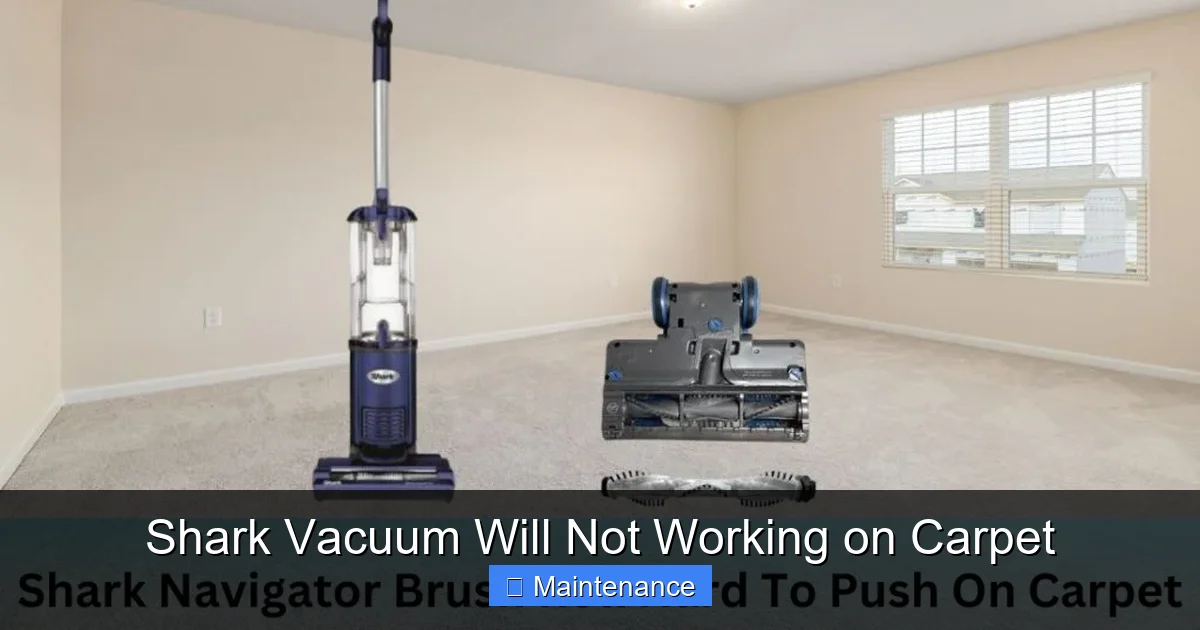
Visual guide about Shark Vacuum Will Not Working on Carpet
Image source: sharkvacuum.blog
How to Inspect and Clean Your Brush Roll
1. Safety First: Always unplug your Shark vacuum before performing any inspection or maintenance. This is non-negotiable.
2. Flip It Over: Lay the vacuum on its back so you can see the underside. Locate the brush roll housing—it’s the long, narrow opening at the front.
3. Check for Obvious Tangles: Use a flashlight. Look for a thick mat of hair, string, carpet fibers, or even a lost toy piece wrapped around the brush roll and its end caps. This is the #1 enemy. Even a small amount of tight winding can create enough friction to stall the motor or prevent the belt from turning it.
4. The Scissor-and-Screwdriver Method: For severe tangles, carefully use a pair of scissors or a seam ripper to cut the material. Slide the blade along the brush roll, cutting the wrap lengthwise. Never pull at tangled hair with brute force; you risk damaging the bristles or the belt. You can also use a flat-head screwdriver to pry out compacted fibers from between the bristles.
5. Remove and Clean (If Needed): On most Shark models, you can remove the brush roll for a thorough clean. Look for a release clip or screws on the end caps. Gently pull the brush roll out. Clean the entire bar, the bearings inside the end caps, and the housing itself. Any debris in the housing will just re-wrap the roll.
6. Check the Bearings: Spin the brush roll by hand after cleaning. It should rotate smoothly and freely. If it feels gritty, stiff, or wobbly, the bearings are likely worn out or clogged with gunk. A brush roll with bad bearings creates immense drag, preventing it from spinning at proper speed even if the belt is engaged. In this case, replacing the brush roll assembly is the most effective fix.
Is the Brush Roll Even Trying to Spin?
After cleaning, plug the vacuum back in (but keep it on its back) and turn it on. Watch the brush roll. Does it spin?
- Yes, it spins freely: Great! The brush roll is likely not the issue. Move on to Section 2 (Suction & Clogs).
- It doesn’t spin at all: The problem is either the drive belt or the brush roll motor (on electric brush roll models).
- It spins very slowly or seems to struggle: This points to a weak motor, a slipping belt, or a brush roll with tight bearings.
The Belt Check: If the brush roll doesn’t spin, the rubber drive belt is the next link. Over time, belts can stretch, slip off the motor pulley, or even break. You’ll need to access the brush roll housing (often by removing a bottom plate) to see the belt. Ensure it’s firmly seated on both the motor shaft and the brush roll pulley. If it’s broken or stretched, replace it. Shark belts are inexpensive and easy to swap.
Section 2: The Power of Suction – Diagnosing Airflow Loss
Even with a perfectly spinning brush roll, if your Shark vacuum isn’t working on carpet, you may have a severe loss of suction. Carpet cleaning demands high airflow to lift the agitated dirt. Any significant leak or clog in the vacuum’s “air path” will cripple performance on deep pile but might seem okay on hard floors.
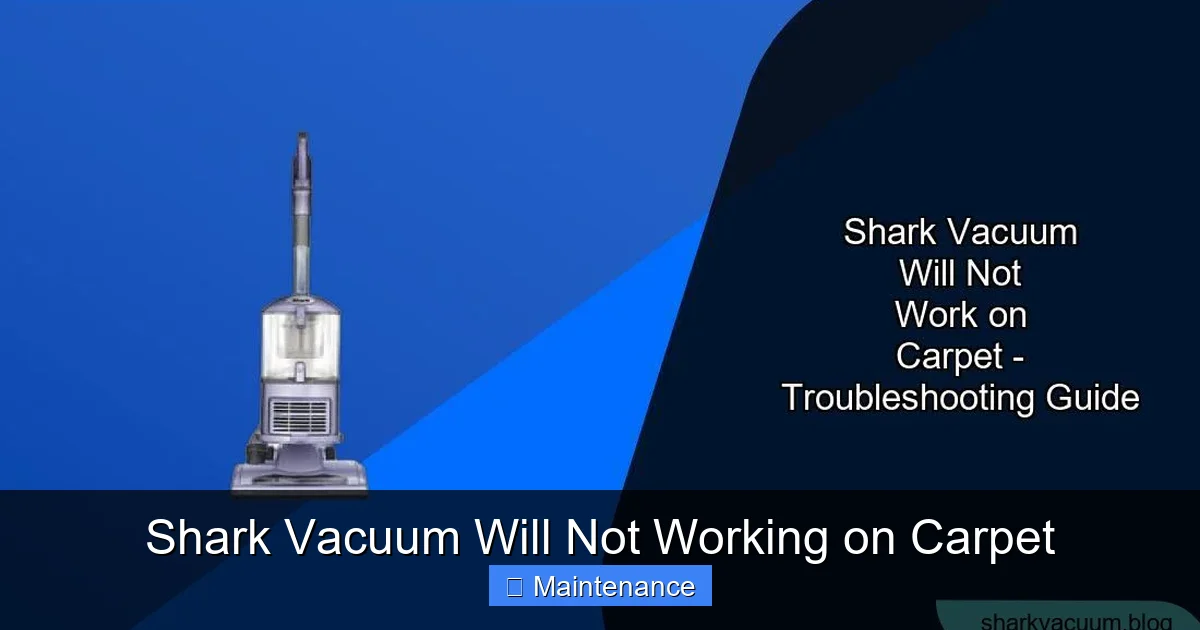
Visual guide about Shark Vacuum Will Not Working on Carpet
Image source: sharkvacuum.blog
The Clog Hunt: A Systematic Approach
Air must travel in one continuous path: from the carpet, through the brush roll housing, up the hose, through the dust cup/filters, and out the exhaust. A blockage anywhere restricts this flow. Here’s how to find it:
Step 1: The Dust Cup and Filters. This is the most common clog point. Is your dust cup completely full? A full cup blocks airflow. Empty it completely. Then, inspect the post-motor filter (usually a white or foam rectangular filter behind the dust cup). If it’s coated in gray dust, it’s clogged. Wash it with cold water (if washable—check your manual) and let it dry completely for 24+ hours before using. A damp filter will damage the motor. Also, check the pre-motor filter (often a foam cylinder inside the dust cup). Clean it too.
Step 2: The Hose and Wand. Detach the hose from the vacuum body and the wand. Look through it. Shine a flashlight from one end. Can you see light through the entire tube? Use a long, flexible brush (a coat hanger works carefully) to dislodge any obstructions like small toys, socks, or compacted hairballs. Pay special attention to the bends where debris loves to collect.
Step 3: The Brush Roll Housing. With the brush roll removed, look up into the housing from underneath. You’ll see a opening that leads to the hose. Is it packed with lint, hair, or carpet fibers? This is a classic spot for clogs, especially if you have pets. Clear it out thoroughly with a tool or your fingers (vacuum off!).
Step 4: The Exhaust Port. Finally, check the air exhaust port on the back or top of the vacuum. Is it blocked by dust or debris? Ensure it’s clear.
Checking for Air Leaks
If you found no clogs, you might have an air leak. Check all connections: is the dust cup sealed properly? Is the hose tightly attached to both the vacuum body and the wand? Are there any cracks or holes in the hose itself? Even a small hole can significantly reduce suction power. Temporarily seal any suspect holes with tape to test.
Section 3: The Floor Settings – Are You on the Right Mode?
Shark vacuums are engineered with multiple floor settings for a reason. Using the wrong setting on carpet is a surprisingly frequent mistake that makes your vacuum seem broken.
Visual guide about Shark Vacuum Will Not Working on Carpet
Image source: sharkvacuum.blog
Understanding the “Floor Type” Selector
Most Shark uprights and stick vacs have a dial or button labeled with icons for Hard Floor, Area Rug, and Carpet (sometimes with “Low-Pile” and “High-Pile” or “Thick” distinctions). This setting does two critical things:
- It adjusts the suction power. Carpet mode typically uses maximum suction.
- It adjusts the brush roll height. On some models, it mechanically raises or lowers the brush roll housing to ensure optimal contact with the floor surface. On carpet, the brush roll needs to be lower to penetrate the pile. On hard floor, it’s raised to prevent scattering debris and to avoid scratching.
The Mistake: Leaving the vacuum on “Hard Floor” mode when cleaning a thick shag or plush carpet. The raised brush roll will barely touch the carpet fibers, so it can’t agitate them. The suction alone won’t pick up embedded dirt, making it seem like the vacuum has lost all power.
The Fix: Locate your floor type selector (usually on the top of the cleaner head or on the main body) and ensure it’s firmly set to the Carpet or Thick Carpet icon. Listen for a click. Then, try vacuuming again.
Manual Height Adjustment
Some Shark models, particularly older uprights, have a manual knob or lever to adjust the height of the cleaner head relative to the carpet. If this is set too high for your carpet’s pile, the brush roll will be too far from the carpet to be effective. Consult your manual for the correct setting for your carpet type (e.g., “3” for high-pile, “1” for low-pile). When in doubt, start with the lowest setting and only raise it if the vacuum becomes excessively difficult to push.
Section 4: Essential Maintenance – Prevention is Key
Once you’ve diagnosed and fixed the immediate problem, the real work begins: establishing a maintenance routine to prevent it from happening again. A neglected Shark vacuum is a Shark vacuum that will stop working on carpet.
The Weekly and Monthly Checklist
- After Every Use: Tap out the dust cup over a trash can. Don’t just empty it when the full indicator comes on; get the fine dust from the bottom too.
- Weekly: Remove the brush roll and use scissors or a dedicated tool to cut away any hair or fiber wrap. Check the brush roll bearings for smooth spinning. Wipe down the exterior and the underside of the cleaner head with a dry cloth.
- Monthly (or with heavy use): Wash the pre-motor foam filter and the post-motor pleated filter (if washable) with cold water. Never use soap or detergent. Squeeze out excess water and let air-dry for a full 24 hours. Never operate the vacuum with a wet filter. Use a vacuum attachment or a soft brush to clean dust from the motor vents and exhaust port.
- Every 6-12 Months: Inspect the drive belt for cracks, stretching, or wear. Replace it proactively if you notice any degradation. Check the brush roll bristles for excessive wear; if they are short, hard, or patchy, replace the brush roll. A worn brush roll cannot agitate carpet effectively.
The Right Tools for the Job
Invest in a small, inexpensive “vacuum maintenance tool” kit. It often includes a specialized brush for cleaning brush rolls, a small screwdriver for belt access, and a crevice tool for hose clogs. Having these on hand makes the 5-minute weekly clean-up effortless instead of a dreaded chore.
Section 5: When the Fix Isn’t Simple – Advanced Troubleshooting
If you’ve meticulously followed Sections 1-4—cleaned the brush roll, cleared all clogs, verified filters are clean and dry, and confirmed the correct floor setting—and your Shark vacuum still will not work properly on carpet, the issue may be more technical.
Signs of a Failing Motor or Internal Component
Loss of suction on all surfaces: If the vacuum now has weak suction even on hard floors, the problem is deeper than just carpet engagement. This strongly points to a failing motor, a severely clogged internal hose (between the dust cup and the motor), or a damaged internal seal.
Burning Smell or Loud Squealing: STOP USING THE VACUUM IMMEDIATELY. A burning odor (like overheating electronics or rubber) indicates the motor is overheating, often because it’s straining against a jammed brush roll or a completely blocked airflow. A high-pitched squeal usually means a belt is slipping violently or a bearing is destroyed. Continued use will cause catastrophic failure.
Brush Roll Motor Failure (Electric Brush Roll Models): Some Shark models (like many Navigator and Vertex lines) have a separate, dedicated motor just for the brush roll. If this motor burns out, the brush roll won’t spin at all, but the main suction motor may still run. You’ll hear the main motor but feel no agitation on carpet. Diagnosing this requires a multimeter and comfort with electronics, or a professional.
Considering Repair vs. Replacement
Weigh the age and original cost of your Shark against the estimated repair cost. A new drive belt, brush roll, or filter set is almost always worth it. A new motor or internal wiring harness can cost $70-$150 in parts alone, plus labor if you don’t DIY. For an older vacuum that originally cost $200-$300, replacement might be more economical. Shark’s customer support can sometimes provide part numbers and troubleshooting help for your specific model number (found on the back plate).
Section 6: Proactive Measures to Keep Your Shark Working on Carpet
Let’s circle back to prevention. The goal is to make “Shark vacuum not working on carpet” a rare event.
Adopt a “Pre-Vacuum” Routine
Before you even turn on your Shark on a carpeted area, do a quick visual scan. Pick up large objects like coins, paperclips, or small toys that could jam the brush roll. If you have long hair or pets, consider a quick once-over with a rubber broom or a pet hair remover tool to lift the worst of the surface hair and mats. This reduces the immediate burden on your vacuum’s brush roll.
Adjust Your Technique
Don’t just push the vacuum forward. For deep cleaning, use a slow, methodical back-and-forth motion, overlapping your strokes. This gives the brush roll more time to agitate the carpet fibers. On very thick or new carpet, make multiple passes over high-traffic areas. The vacuum needs time to lift the dirt that’s been trampled down.
Know Your Carpet’s Limits
Extremely long shag or high-pile rugs can be challenging for any vacuum with a rotating brush roll. The long fibers can wrap the brush roll excessively and may require a vacuum specifically designed for high-pile. If you have such carpets, be prepared for more frequent brush roll maintenance or consider a suction-only canister vacuum for those specific areas.
Conclusion: You’ve Got This
A Shark vacuum that won’t work on carpet is a frustrating but almost always solvable problem. The key is to approach it logically, starting with the most common culprits: the brush roll and clogs. Remember, your vacuum is a simple machine that relies on clear airflow and a freely spinning brush. By becoming familiar with its parts—the brush roll, belt, filters, and hose—and performing regular, basic maintenance, you take control of its performance.
Don’t let a tangled brush roll or a full filter convince you that your Shark is a lost cause. The satisfaction of diagnosing and fixing the issue yourself, saving both time and money, is immense. You’ve invested in a quality machine; now invest a few minutes every month to keep it performing like new. With this guide as your reference, you’re well-equipped to tackle the issue and restore powerful carpet cleaning to your home. Now, go flip that vacuum over and give that brush roll a good look—your clean carpets are waiting.
Frequently Asked Questions
Why is my Shark vacuum not picking up anything on carpet?
The most common reasons are a completely clogged brush roll housing with hair/fibers, a full dust cup, or a severely blocked post-motor filter. Start by emptying the cup and cleaning the brush roll thoroughly. If suction is weak on all floors, check the hose and filters for obstructions.
My Shark vacuum’s brush roll isn’t spinning on carpet. What do I do?
First, unplug the vacuum. Check for and remove any hair or string tightly wrapped around the brush roll. If it spins freely by hand after cleaning, the issue may be a broken or slipped drive belt. If it still doesn’t spin, the brush roll motor (on electric models) or the main motor may be faulty.
Why does my Shark vacuum lose suction only on thick carpet?
This usually indicates an airflow restriction that becomes critical under the higher resistance of carpet. Check for clogs in the brush roll housing, the hose bends, and especially the post-motor filter. A filter clogged with fine dust will restrict flow enough to be noticeable on carpet but might seem okay on hard floors.
My Shark makes a loud squealing noise on carpet. Is it broken?
A loud, high-pitched squeal typically means the drive belt is slipping or a bearing in the brush roll is seized. Stop using the vacuum immediately. Turn it over and check if the brush roll spins freely. If it’s stiff or doesn’t spin, it’s jammed. If it spins but makes noise, the belt may be worn and need replacement.
Can I use my Shark vacuum on an area rug or shag carpet?
Yes, but with caution. First, ensure the floor type selector is set to “Carpet” or “Thick Carpet.” For very high-pile or shag rugs, the brush roll can become excessively tangled. Be prepared for more frequent brush roll cleanings. If the rug has a rubber or plastic non-slip backing, avoid the brush roll to prevent damage, using suction-only mode if available.
How often should I clean my Shark vacuum’s filters to prevent carpet problems?
For optimal performance, check the pre-motor foam filter monthly and wash it if dirty. The post-motor pleated filter should be checked every 3-6 months and washed if your model allows (most do). Always let filters air-dry completely for 24 hours before reinserting. A clogged filter is a prime cause of lost suction on carpet.