Is your Shark vacuum’s brush roll suddenly refusing to spin? This is a very common issue, and the good news is that it’s often something you can fix yourself in minutes. The problem usually stems from a simple blockage like hair or carpet fiber wrap, a tripped thermal fuse, a broken or stretched vacuum belt, or a faulty motor. Always unplug your vacuum before inspecting anything. Start by checking for and removing any debris from the brush roll housing and manually spinning the roller to see if it moves freely. If it’s jammed, clear the jam. If it spins freely but doesn’t run when powered, the issue is likely electrical—a reset, a broken belt, or a failed motor. Follow a systematic troubleshooting process to diagnose and solve the problem, saving you from an expensive service call or premature replacement.
You’re in the middle of cleaning your living room, and you notice something’s off. The suction feels strong, but your Shark vacuum isn’t agitating the carpet. You look down, and there it is: the brush roll, that iconic spinning bar of bristles, is sitting completely still. Panic sets in for a second. Is my vacuum broken for good? Before you resign yourself to a costly repair bill or the sad search for a new vacuum, take a deep breath. A Shark vacuum roller not spinning is one of the most frequent—and most frequently fixable—problems homeowners face. In this comprehensive guide, we’ll walk through every possible cause, from the frustratingly simple to the more complex, and give you the confidence and knowledge to diagnose and often solve the issue yourself. Think of this as your friendly, step-by-step manual for getting that brush roll spinning again.
We’ll break it down logically. First, we’ll cover the absolute essentials: safety and the most common, easiest-to-fix problems. Then, we’ll dive into the anatomy of your Shark’s brush roll system—the belt, the motor, the brush roll itself. With that knowledge, we’ll create a systematic troubleshooting checklist. You’ll learn how to perform a “hand spin test,” how to check for a reset, and how to inspect the belt. We’ll also discuss specific quirks for different Shark series (like the Navigator, Rotator, and Vertex models) and when it’s truly time to call Shark Customer Support or a professional. By the end, you won’t just know how to fix this one problem; you’ll understand your vacuum better, which will help you maintain it and prevent future issues. Let’s get started.
Key Takeaways
- Safety First: Always unplug your Shark vacuum from the wall outlet before performing any inspection, cleaning, or repair to prevent accidental startup and injury.
- Most Common Cause is a Jam: The #1 reason for a non-spinning roller is hair, string, or carpet fiber tightly wrapped around the brush roll or its bearings, physically preventing it from rotating.
- Check the Reset Button: Many Shark models have a built-in thermal fuse that trips if the motor overheats. Locating and pressing the small reset button (often on the back or underside) is a quick, first-step fix.
- The Belt is a Prime Suspect: If the brush roll spins freely by hand but doesn’t turn when the vacuum is on, the rubber drive belt connecting the motor shaft to the brush roll is likely broken, stretched, or slipped off.
- Inspect for Wear and Tear: Over time, brush roll bristles wear down, bearings can seize, and motors can fail. Regular maintenance (cleaning after every few uses) prevents most major failures.
- Know When to Call for Help: If you’ve cleared jams, checked/replaced the belt, reset the vacuum, and the roller still won’t spin, the motor or its wiring may be faulty, requiring professional repair or part replacement under warranty.
📑 Table of Contents
- Understanding the System: How Your Shark Vacuum’s Brush Roll Works
- Safety First: Non-Negotiable Pre-Repair Steps
- The Diagnostic Checklist: A Systematic Approach to a Non-Spinning Roller
- Model-Specific Considerations and Common Pitfalls
- Preventative Maintenance: Keeping Your Brush Roll Spinning for Years
- When to Call it Quits (and Call Shark Support)
Understanding the System: How Your Shark Vacuum’s Brush Roll Works
To diagnose why something isn’t working, you first need to understand what’s supposed to be happening. The spinning brush roll, also called the agitator or brush bar, is the heart of your vacuum’s carpet-cleaning power. Its job is to agitate carpet fibers, knocking loose dirt and debris so the suction can pull it away. This system is a simple but elegant chain of mechanical power.
The Power Chain: From Wall to Bristles
When you plug in your Shark vacuum and flip the switch, electricity flows to the main vacuum motor, creating suction. But a separate, smaller motor (or a gear system off the main motor) is responsible for spinning the brush roll. This power is transferred via a rubber drive belt that loops around a small pulley on the motor shaft and a larger pulley attached to the brush roll. When the motor turns, it rotates the belt, which in turn spins the brush roll at high speed. If any link in this chain is broken—electrical power to the motor, the motor itself, the belt, or the brush roll’s ability to turn freely—the result is a stationary brush roll.
Key Components to Know
- The Brush Roll (Agitator): This is the long cylinder with bristles (or sometimes rubber fins) that you see. It has bearings at each end that allow it to spin smoothly inside the vacuum’s floor head housing.
- The Drive Belt: A critical rubber loop. In most Sharks, it’s an internal belt you access by removing the bottom plate. It can stretch, crack, break, or jump off its pulleys.
- The Brush Roll Motor/Pulley System: This is the small motor or gear assembly that drives the belt. It can fail electrically or mechanically.
- The Thermal Fuse/Reset: A safety feature. If the brush roll motor or main motor overheats (often due to a severe jam), this fuse trips, cutting power to the brush roll to prevent fire. It’s often resettable.
- The Switch and Wiring: The power switch that controls the brush roll (often separate from the suction-only switch) and the wires connecting everything can fail or become loose.
Understanding that the brush roll is a mechanically driven part, not just a magical spinning thing, is crucial. Your troubleshooting will follow this chain: Is there power? Is the motor getting power? Is the belt engaged? Can the brush roll spin freely? We’ll tackle these questions in order.
Safety First: Non-Negotiable Pre-Repair Steps
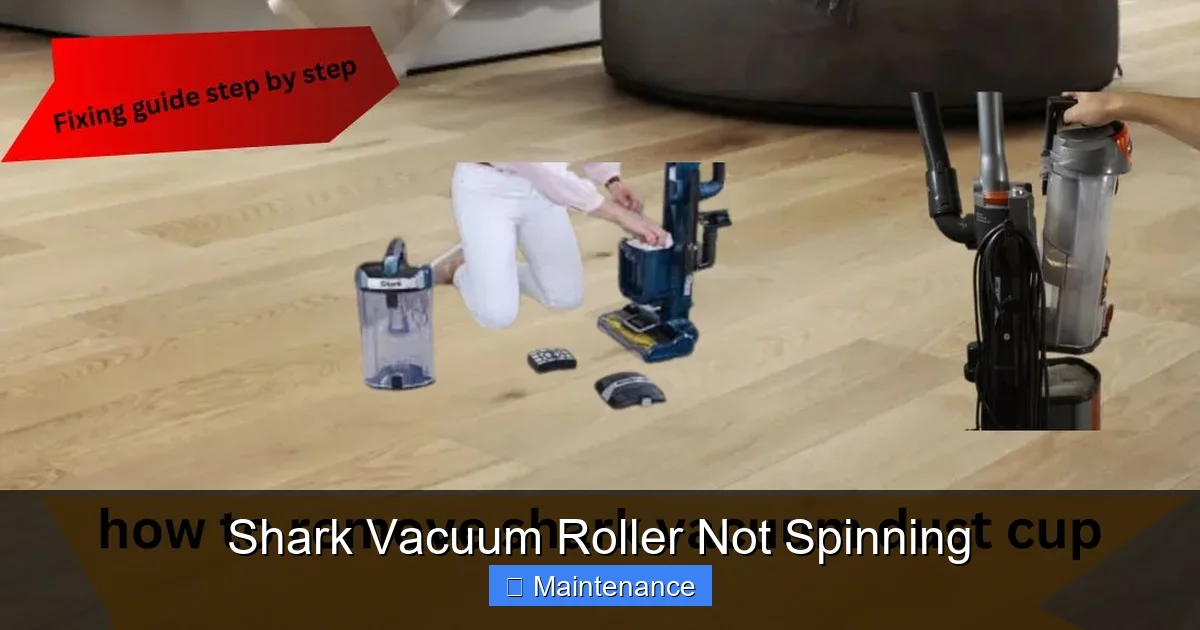
Before you even think about touching a screwdriver, there is one golden rule: ALWAYS UNPLUG THE VACUUM FROM THE WALL OUTLET. This is not a suggestion. It is the single most important step to prevent the vacuum from suddenly roaring to life while your fingers are inside it. The brush roll motor can start instantly when power is applied.
Visual guide about Shark Vacuum Roller Not Spinning
Image source: sharkvacuum.blog
Additionally, be aware of sharp edges on the brush roll bristles and the metal components of the floor head. Handle the brush roll by its plastic end caps. Work on a clean, well-lit surface. If your vacuum has been used recently, the motor and internal parts may be hot. Allow it to cool for 10-15 minutes before beginning. These simple precautions prevent the vast majority of DIY repair accidents.
The Diagnostic Checklist: A Systematic Approach to a Non-Spinning Roller
Don’t just start taking things apart randomly. A methodical process saves time and prevents you from missing the obvious. Follow this checklist in order. For each step, we’ll explain what to do and what you’re looking for.
Visual guide about Shark Vacuum Roller Not Spinning
Image source: sharkvacuum.blog
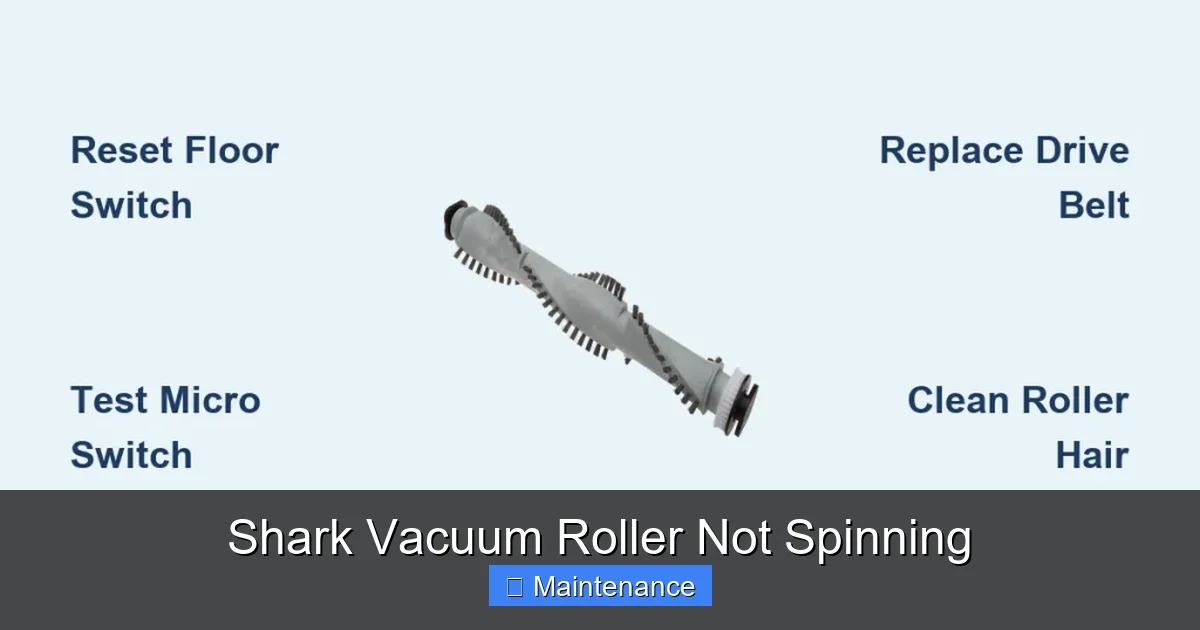
Step 1: The Visual & Manual Inspection (The 60-Second Fix)
This is your first and most powerful diagnostic tool. Flip your Shark vacuum over onto its back so you can see the floor head clearly. Most Shark models have a release lever or screws to remove the bottom protective plate. Take it off and look directly at the brush roll and the belt area.
What to Look For:
- Severe Hair/Fiber Wrap: This is the #1 culprit. Look for a thick, matted layer of hair, carpet string, or pet fur wrapped around the brush roll bristles, especially near the bearings (the plastic caps on each end). This creates so much friction that the motor can’t spin it. Sometimes you’ll see the belt straining against this jam.
- Foreign Objects: Small toys, socks, large hair ties, or pieces of carpet can get lodged in the brush roll housing, jamming the roller completely.
- Belt Condition: Is the belt there? Does it look loose, stretched, cracked, or frayed? Is it sitting properly on both the motor pulley and the brush roll pulley?
- Obvious Breaks: Is the brush roll visibly broken or cracked? Are the bristles worn down to nubs?
The Hand Spin Test: With the vacuum unplugged, reach in and try to spin the brush roll by hand. How does it feel?
- Doesn’t Budge: It’s jammed solid. Your job is 90% done—you just need to meticulously cut and remove all the wrapped debris. Use scissors or a seam ripper, being careful not to cut the bristles. Work from the center outwards. Once it spins freely, reassemble and test.
- Spins with Difficulty/Grinding: The bearings are likely clogged with debris or have failed. You may need to remove the brush roll, clean the bearing housings with rubbing alcohol and a cloth, or replace the entire brush roll assembly.
- Spins Freely and Smoothly: This is a critical clue. If the brush roll itself is not the problem (it spins freely), then the issue lies with the power delivery: the belt, the motor, the switch, or the reset. Your focus shifts from the brush roll to the drive system.
Step 2: Check for a Tripped Thermal Reset
Many Shark vacuums have a resettable thermal fuse to protect the brush roll motor from overheating. This is a small, often red or black, button located on the back of the vacuum body or sometimes on the underside near the motor area. If your vacuum shut off mid-use or the brush roll stopped while the suction continued, the reset is a prime suspect.
How to Reset: Locate the reset button (consult your user manual if you can’t find it). Press it firmly in with a pen or screwdriver until you feel a click. Plug the vacuum back in and test the brush roll function. Important: A reset that immediately trips again means there is still a jam causing the motor to overheat. You must clear the jam first.
Step 3: Inspect and Test the Drive Belt
If the brush roll spins freely by hand but doesn’t move when powered, the belt is your #1 suspect. With the bottom plate already off, you should see the belt. It’s a thin, black rubber loop.
Visual Inspection:
- Is it there? It may have snapped and fallen into the housing.
- Is it loose? It should be taut. A loose, sagging belt won’t transfer power.
- Is it stretched or cracked? Rubber degrades. A stretched belt will slip; a cracked belt will break.
- Is it on the pulleys? It may have jumped off one or both pulleys.
Physical Test: Gently pull on the belt. It should have some resistance and elasticity. If it feels floppy and stretches significantly more than a half-inch, it’s worn out and needs replacement.
Replacement: Replacing a Shark vacuum belt is one of the easiest repairs. Note the belt’s routing (it usually goes around the motor pulley and the brush roll pulley). Purchase the correct replacement belt (model number is on your vacuum’s data plate or in the manual). Stretch the new belt over the pulleys, ensuring it’s seated in the grooves. This alone often solves the problem.
Step 4: Examine the Brush Roll Itself
Even if it spins freely, the brush roll can still be the problem. Remove it from the vacuum (usually by sliding or pulling it out after releasing end caps). Inspect it thoroughly.
- Bearing Condition: Spin each end cap by itself. Do they spin independently and smoothly, or is there resistance? If the bearings are gunked up or seized, clean them. If they are physically damaged or still stiff after cleaning, the brush roll needs replacing.
- Wear and Tear: Are the bristles extremely short, uneven, or missing? Worn bristles reduce cleaning efficiency and can indicate the brush roll is near the end of its life (typically 6-12 months with regular use).
- Cracks or Damage: Any cracks in the plastic roller body mean it must be replaced.
Step 5: Investigate the Motor and Electrical Path
This is the deeper diagnosis, for when the brush roll spins freely, the belt is new and properly installed, the reset is fine, and it still doesn’t spin. The problem is now likely electrical.
- The Brush Roll Switch: Many Sharks have a separate switch for “Carpet” (brush roll on) and “Hard Floor” (brush roll off). Listen for a click when you press the carpet mode button. If it feels mushy or doesn’t click, the switch may be faulty. Testing this usually requires a multimeter and some comfort with electronics.
- The Motor: The small brush roll motor can burn out. You might hear a faint hum when you turn the vacuum on in carpet mode but no spinning. That hum is a sign the motor is getting power but is seized or dead. This is a more advanced repair often requiring soldering or professional service.
- Wiring: Check the wire connections at the brush roll motor and at the switch. A loose or frayed wire can break the circuit. This is visible if you remove the motor cover.
Model-Specific Considerations and Common Pitfalls
While the core principles are universal, Shark’s diverse lineup has some specific quirks.
Visual guide about Shark Vacuum Roller Not Spinning
Image source: sharkvacuum.blog
Shark Navigator & Rotator Series (The Most Common)
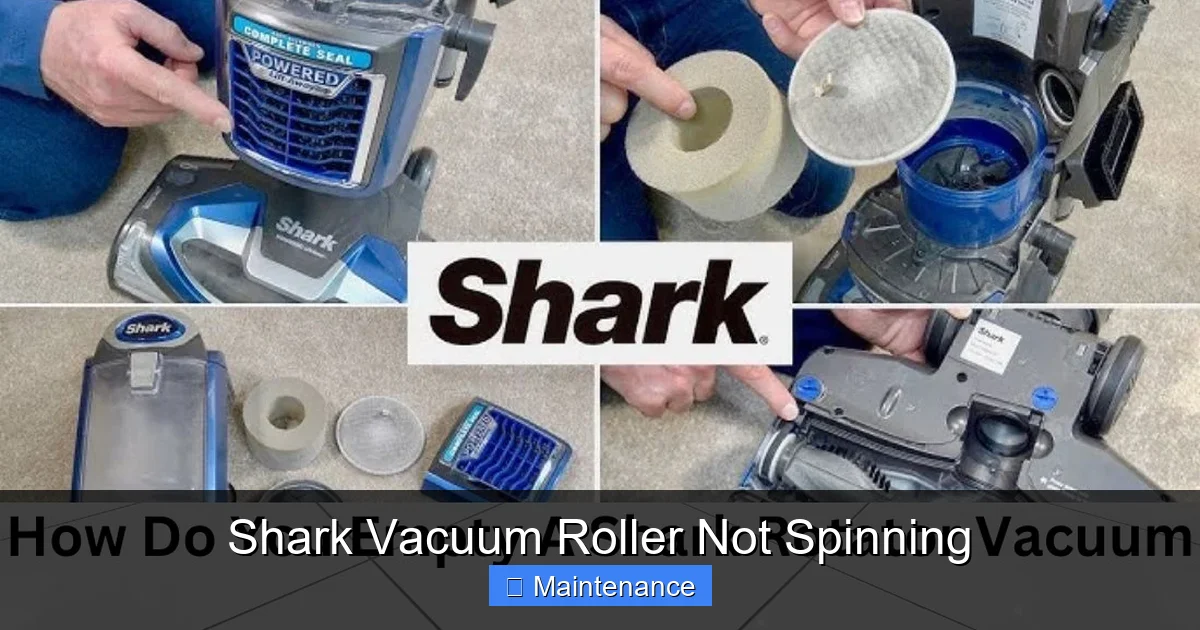
These models (like the NV356, NV352, NV500, etc.) are belt-driven. The steps above apply perfectly. The reset button is typically a small red circle on the back of the canister body. The belt is easy to access and replace. The most common pitfall here is not thoroughly removing hair from the brush roll bearings. Even a small amount of packed hair between the bearing and the housing can create enough drag to stop the roller.
Shark Vertex & IZ Series (Direct Drive)
Some newer, premium Shark models (like certain Vertex and IZ Series vacuums) use a “direct drive” system. In these, the motor is directly attached to the brush roll, eliminating the belt entirely. This is a crucial difference! If you own one of these and the brush roll isn’t spinning:
- Do not look for a belt. There isn’t one.
- The issue is almost certainly a severe jam, a faulty motor, or a tripped reset.
- The brush roll itself is often a single, more complex unit with the motor built-in. If the bearings jam or the motor fails, you typically replace the entire “brush roll motor assembly,” which is more expensive than a simple belt but still a common DIY repair for the handy.
The “Suction-Only” Switch Got Me
This is a classic user error. Many Shark vacuums have a “Brush Roll On/Off” switch or button separate from the main power switch. It’s often located on the handle or the main body. It’s easy to accidentally hit it while cleaning, turning the brush roll off while suction remains on. Always verify this switch is in the “on” or “carpet” position before diving into repairs.
Preventative Maintenance: Keeping Your Brush Roll Spinning for Years
The best fix is the one you never need. A few minutes of regular maintenance will prevent 90% of brush roll failures.
The Post-Cleaning Ritual
After every 2-3 uses, especially if you have pets or long hair, do this:
- Unplug the vacuum.
- Remove the bottom plate.
- Use scissors or a dedicated brush roll cleaning tool to slice through and remove any hair or fibers wrapped around the bristles. Do this from the middle outward, and be meticulous around the bearing caps.
- Wipe the belt and pulleys with a dry cloth to remove dust and debris.
- Spin the brush roll by hand to ensure it moves freely.
This 2-minute habit prevents the gradual buildup that leads to jams and bearing damage.
Know Your Environment
If you have a shag rug, long-pile carpet, or multiple pets with long hair, you’ll need to clean the brush roll more frequently. Consider using the “hard floor” setting (which often turns the brush roll off) on low-pile rugs to reduce wear and tear.
Belt and Brush Roll Replacement Schedule
These are wear items. A good rule of thumb:
- Drive Belt: Inspect every 6 months. Replace every 12-18 months, or immediately if you see cracks, glazing (shiny surface), or stretching.
- Brush Roll: Inspect bristles monthly. Replace when bristles are worn down to less than 1/4 inch, or if the roller feels gritty when spinning. A typical lifespan is 6-12 months with regular use.
When to Call it Quits (and Call Shark Support)
You’ve followed the entire diagnostic tree. You’ve:
- Cleared every last hair from the brush roll and bearings.
- Pressed the reset button (and confirmed the jam is clear).
- Installed a brand new, correct-model belt.
- Verified the brush roll switch is on.
- Confirmed the brush roll spins perfectly freely by hand.
- And the roller still does not spin when the vacuum is on in carpet mode.
At this point, the most likely culprits are a failed brush roll motor (in direct-drive models) or a failed main motor/power circuit. Diagnosing and replacing these components often requires soldering skills, specialized tools, and a deep understanding of the specific model’s wiring diagram. For most people, this is the end of the DIY road.
Your next step is to contact Shark Customer Support. Have your vacuum’s model number (on the data plate, usually on the back or underside) ready. If your vacuum is under the limited warranty (typically 5-7 years for the motor, 1-2 years for other parts), you may be eligible for a free or low-cost replacement part or repair. They can also confirm if your issue is a known problem for your specific model and provide the exact part number you need if you choose to repair it yourself. For vacuums out of warranty, they can still provide parts and repair instructions, or you can use the part number to search for third-party suppliers.
Remember, the cost of a professional repair for a motor can sometimes approach the cost of a new mid-range vacuum. Weigh your options carefully. But for the vast majority of “Shark vacuum roller not spinning” cases, the solution was in that first 60-second manual inspection: a tangled mess of hair and carpet fiber. You’ve got this.
Frequently Asked Questions
Can I use my Shark vacuum in suction-only mode if the brush roll isn’t spinning?
Yes, absolutely. Most Shark models have a separate switch or button to turn the brush roll off for hard floors or delicate rugs. You can safely use the vacuum for suction-only tasks (e.g., cleaning bare floors, upholstery, or above-floor surfaces) while you diagnose the brush roll issue. Just be aware that using it on carpet without the brush roll will be much less effective at removing embedded dirt.
How often should I clean the brush roll and check for hair wrap?
For best results, especially with pets or long hair, you should visually inspect and clean the brush roll after every 2-3 uses. A quick 60-second check and snip of any visible hair will prevent the severe, tight wraps that cause jams and bearing damage. At a minimum, perform a thorough cleaning monthly.
Where is the reset button on my Shark vacuum?
The reset button location varies by model. On most canister-style Sharks (Navigator, Rotator), it’s a small red button on the back of the canister body, near the power cord wrap. On some stick models, it may be on the underside of the main body. Consult your user manual for the exact location. If you can’t find it, look for a small circular hole labeled “Reset.”
How do I know if my Shark has a belt or is direct drive?
Remove the bottom floor head plate. If you see a thin, black rubber loop (the belt) wrapped around a pulley connected to the brush roll, your model is belt-driven. If you see the brush roll shaft connected directly to a motor housing with no belt in sight, it’s a direct-drive model. You can also check your model’s specifications online; terms like “DuoClean” or “Direct Motorized Drive” often indicate a beltless system.
How much does a replacement Shark brush roll or belt cost?
OEM (Shark-branded) replacement belts typically cost between $8 and $20. Brush rolls vary widely: standard bristle brush rolls for older models are often $15-$25, while more complex direct-drive brush motor assemblies for newer models can range from $40 to $80 or more. Always verify your exact model number before purchasing to ensure compatibility.
My brush roll spins but makes a loud grinding/scraping noise. What’s wrong?
A grinding or scraping noise usually indicates that the brush roll bearings are damaged, clogged with debris, or that the brush roll is misaligned or worn down to the point where the bristles are scraping the housing. Remove the brush roll and inspect it. Clean the bearing housings thoroughly. If the bearings themselves feel gritty or don’t spin smoothly, or if the roller body is cracked, the entire brush roll assembly needs to be replaced.