Shark vacuum carpet mode failures are often caused by a blocked or tangled brush roll, which prevents the cleaner head from adjusting properly. Check for obstructions like hair or carpet fibers wrapped around the bristles, and ensure the vacuum is on the correct surface setting. If the issue persists, sensor issues or a faulty height adjustment mechanism may require professional service.
Key Takeaways
- Inspect and clean the brush roll: Remove hair and debris to restore function.
- Verify surface setting: Ensure the vacuum is set to carpet mode manually.
- Reset the vacuum: Unplug for 30 seconds to clear temporary faults.
- Check for clogs: Clear hose and wand blockages affecting suction.
- Examine the brush roll belt: Replace if worn or broken to engage carpet mode.
- Update firmware: For smart models, update via the Shark app.
- Contact support: Seek professional help for persistent issues.
📑 Table of Contents
- That Frustrating Moment: When Your Trusty Shark Won’t Switch to Carpet Mode
- Understanding the Magic: How Shark’s Carpet Mode Actually Works
- Primary Suspects: Top Reasons Your Shark Vacuum’s Carpet Mode Fails
- Model-Specific Quirks: Navigating Shark’s Diverse Lineup
- Your Step-by-Step Diagnostic & Repair Guide
- Maintenance is Prevention: Keeping Carpet Mode Alive
- When to Call It Quits (or a Pro): Cost-Benefit Analysis
- Conclusion: Patience, Persistence, and a Little Know-How
That Frustrating Moment: When Your Trusty Shark Won’t Switch to Carpet Mode
You’ve just finished vacuuming the hard floors, and your Shark vacuum is performing like a champ. The suction is strong, the debris is disappearing. You point it at the living room rug, press the switch to engage “Carpet Mode” (or “Brush Roll On”), and… nothing. The brush roll stays stubbornly still, the suction feels weak, and your carpet looks untouched. That sinking feeling is all too familiar to many Shark owners. It’s a specific kind of vacuum frustration—you know the machine works, but a critical function has failed. This isn’t just about a dirty canister; it’s about a core feature not activating. In this guide, we’re diving deep into the most common reasons your Shark vacuum carpet mode is not working. We’ll move beyond the basic “check the filter” advice and into the specific mechanical and electrical quirks of these popular machines. Think of this as your friendly, detailed troubleshooting session, built from collective user experiences and repair insights.
Understanding the Magic: How Shark’s Carpet Mode Actually Works
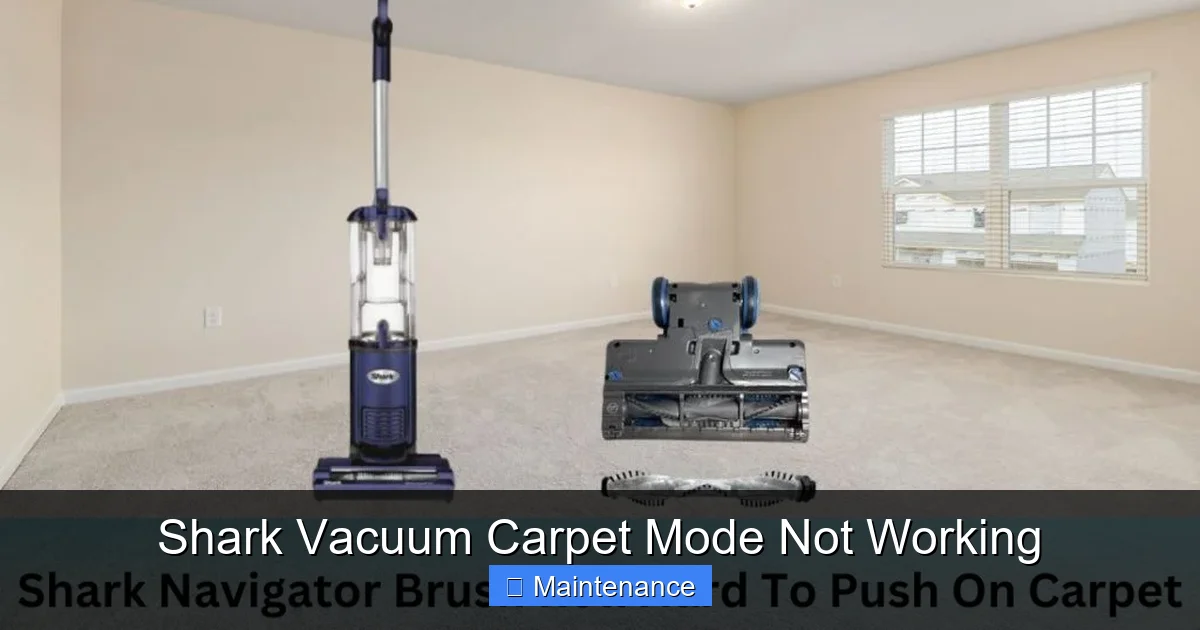
Before we start pulling things apart, it helps to understand what’s supposed to happen when you flip that switch. In most Shark uprights and stick vacs, “Carpet Mode” does two primary things simultaneously. First, it engages a motor-driven brush roll (also called a agitator or roller brush) that agitates carpet fibers to loosen embedded dirt. Second, it often increases suction power by opening a secondary air intake or adjusting a diverter valve. If either of these actions fails, you get the symptoms of weak cleaning on carpets. The system relies on a simple but crucial chain: user switch → internal wiring/connector → brush roll motor → mechanical connection. A break anywhere in that chain means no spinning bristles. For suction issues, the path involves the main motor, diverter doors, and seals. Knowing this helps you diagnose whether it’s a spinning problem, a suction problem, or both.
Visual guide about Shark Vacuum Carpet Mode Not Working
Image source: sharkvacuum.blog
The Role of the Brush Roll Motor
This is a small, separate electric motor, usually housed near the brush roll itself. Its sole job is to spin the brush roll via a belt or direct drive coupling. When you select carpet mode, voltage is sent to this motor. If the motor is burnt out, the wiring to it is faulty, or its connector is corroded, the brush roll won’t spin. On some newer Shark models with the “Anti-Hair Wrap” feature, there’s also a sensor and a protective clutch mechanism that can disengage if the brush roll is jammed, which can mimic a motor failure.
The Suction Diverter Valve
On many Shark models (like the popular Navigator and Rotator lines), there’s a small rubber flap or sliding door inside the vacuum head or wand. In “hard floor” mode, this door closes an extra suction port, concentrating airflow through a smaller opening for more focused pickup. In “carpet mode,” this door opens, allowing more air to flow from the wider carpet head, boosting overall suction for deep cleaning. If this valve is stuck closed (often due to debris or wear), you’ll have weak suction on carpets even if the brush roll spins.
Primary Suspects: Top Reasons Your Shark Vacuum’s Carpet Mode Fails
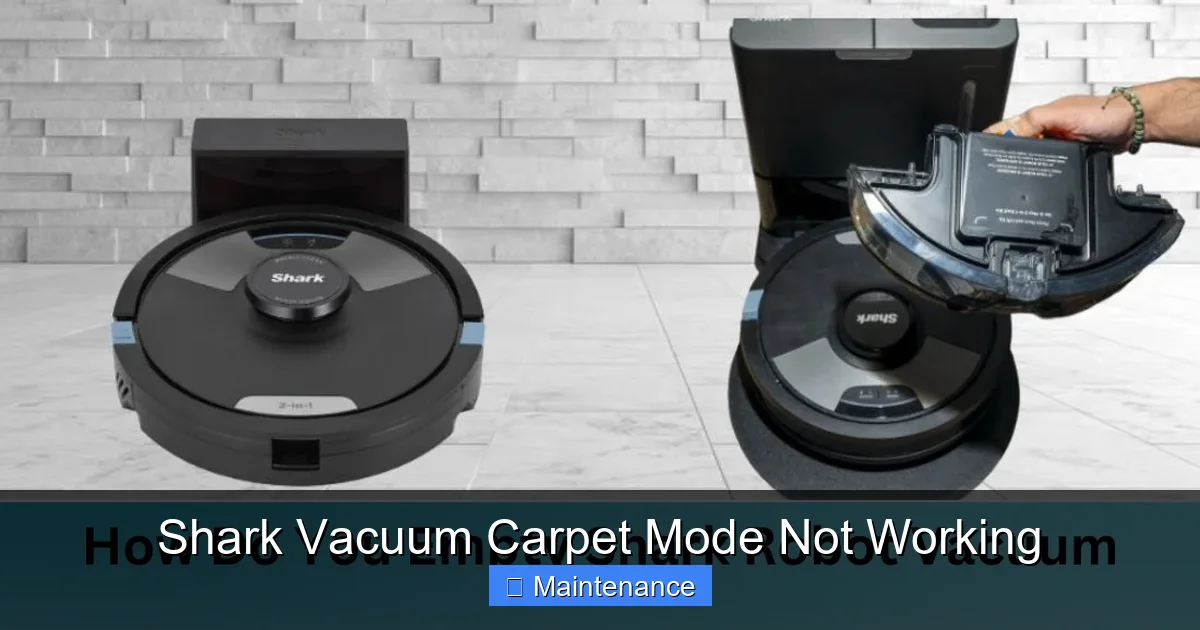
Let’s get straight to the most common culprits. Based on repair forums, customer support logs, and teardown videos, these are the issues that appear again and again when carpet mode conks out. We’ll start with the most likely and move to the more complex.
Visual guide about Shark Vacuum Carpet Mode Not Working
Image source: sharkvacuum.blog
1. The Obvious (But Often Overlooked): Clogs and Blockages
This is the #1 cause of almost all vacuum performance issues, and carpet mode is no exception. A partial clog doesn’t just reduce suction; it can create a pressure imbalance that prevents the diverter valve from opening fully or even causes a safety switch to disengage the brush roll motor. Where to look: Start at the brush roll housing itself. Hair, string, and carpet fibers wrap around the axles and jam the brush roll. Even if it spins a little, it might be under so much tension that the motor stalls. Use scissors or a seam ripper to carefully cut away debris. Then, check the suction wand and the hose for any obstructions. A sock or large piece of debris stuck in the wand can kill suction to the head entirely.
2. A Worn, Slipping, or Broken Belt
While many newer Sharks use a direct-drive coupling (no belt), older models and some series still rely on a rubber belt to transfer spin from the brush roll motor to the brush roll. If this belt is stretched, glazed, cracked, or has snapped, the brush roll won’t turn. Even a belt that hasn’t broken can slip if it’s worn. How to check: Flip the vacuum over. You should see the rubber belt either inside the brush roll housing or, on some models, accessible from a panel on the back of the head. If it’s missing, broken, or looks shiny and loose, it needs replacement. Belts are inexpensive and a classic DIY fix.
3. Faulty or Disconnected Wiring
The wire that carries power from the main body to the brush roll motor in the cleaning head is a frequent failure point. It’s constantly flexed as you pivot the vacuum. Over time, the copper strands inside can fracture. You might notice the brush roll spins intermittently or only when the handle is held at a certain angle. Check the wire where it enters the head and where it connects to the motor for any visible damage, cuts, or loose connectors. A multimeter can test for continuity, but often visual inspection is enough to spot a broken wire that needs splicing or a connector replacement.
4. A Jammed or Seized Brush Roll
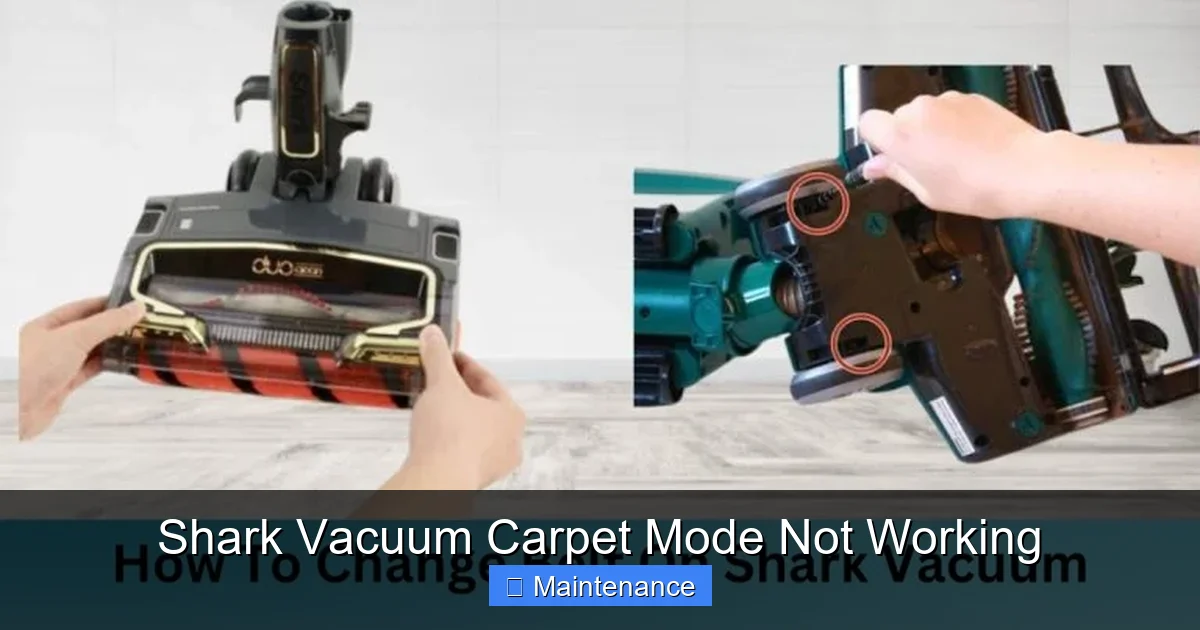
Even with a good belt and motor, the brush roll itself can become physically locked. Bristles get matted with pet hair, bearings seize up, or the end caps get clogged with debris. The motor will hum or stall out when you try to engage carpet mode. What to do: Remove the brush roll (usually by pressing two tabs or removing a few screws). Spin it by hand. It should rotate freely and smoothly. If it’s gritty or doesn’t spin, clean it thoroughly. Soak it in warm, soapy water to dissolve gunk, dry it completely, and lubricate the bearings with a drop of sewing machine oil if needed. Reinstall it correctly—misalignment can cause immediate jamming.
5. Failed Brush Roll Motor
Less common than clogs or belts, but it happens. The motor itself burns out. You might smell a faint electrical odor, or it might just be dead silent when you engage carpet mode while the main suction motor runs. Testing requires removing the motor and applying direct voltage, which is more advanced. For most users, if you’ve ruled out power to the motor (via wiring) and a jammed brush roll, the motor is the likely failed part. Replacement motors are available for many Shark models, though cost can approach that of a new budget vacuum.
6. Stuck or Broken Diverter Valve (Suction Issue)
If your brush roll spins fine but the carpet still isn’t getting clean, the issue is likely suction-related. The diverter valve is a small, often rubber, component inside the airway. On some models, you can sometimes see or feel it by looking into the suction port on the back of the head. It should move freely. If it’s stiff, cracked, or gummed up with dirt, it won’t open fully. Gently clean around it with a cotton swab. If it’s damaged, it needs replacing. This is a subtle but critical part for models that use this system.
Model-Specific Quirks: Navigating Shark’s Diverse Lineup
Shark has dozens of models across the Navigator, Rotator, Vertex, IZ, and Stratos lines, and the exact cause of a carpet mode failure can vary by series. Knowing your specific model number (usually on a sticker on the back or bottom) is golden for precise troubleshooting.
Visual guide about Shark Vacuum Carpet Mode Not Working
Image source: sharkvacuum.blog
Shark Navigator & Rotator (NV/ NV350, NV500, NV600 series)
These workhorses are notorious for the wire harness issue at the base of the handle where it connects to the wand. The constant flexing causes internal wire breaks. Also, their diverter valve is a common failure point. The brush roll motor is robust, but the belts (on older versions) need regular checking. If carpet mode fails on these, first suspect the wiring harness at the handle connection. Unplug, detach the wand, and inspect the pins and socket for corrosion or damage.
Shark Vertex & IZ (AZ, SV, IZ400 series)
These often use a direct-drive coupling (no belt). The coupling itself can wear or break, or the motor can fail. The “Anti-Hair Wrap” system has a sensor that can trip if the brush roll experiences too much resistance (from a jam or overly thick rug). Sometimes simply resetting the vacuum (unplugging for 30 seconds) clears this. Also, these models have a very sensitive suction diverter; a tiny piece of debris in the valve housing can stop it from opening.
Shark Stratos & Pet Pro (with DuoClean)
The DuoClean system has two brush rolls: a main roller and a soft roller. The carpet mode engages both. Failure can be due to a jam in either roller, a broken drive belt for the soft roller (less common), or a faulty motor for one of them. The system is more complex, so diagnosis requires checking both brush roll units for free spinning. Also, the large, flexible suction hose can kink easily, reducing overall airflow to the head.
Your Step-by-Step Diagnostic & Repair Guide
Let’s get practical. Follow this logical sequence to pinpoint the problem. Always unplug the vacuum before touching any internal parts.
Step 1: The Quick Visual & Sensory Check
- Listen: When you press the carpet mode button, do you hear a click? A hum? Complete silence? A click indicates the switch is working and sending a signal. A hum from the brush roll area suggests the motor is getting power but is stalled (jammed brush roll or bad motor). Silence could mean no power (switch, wiring) or a dead motor.
- Look & Feel: Flip the vacuum over. Is the brush roll visibly jammed with hair? Can you spin it by hand? Check the belt if applicable. Look into the suction port on the head—is there obvious debris?
- Smell: Any burnt odor? That’s a red flag for a burnt-out motor or wiring short.
Step 2: Isolate the Problem: Brush Roll vs. Suction
This is the most important diagnostic step. With the vacuum unplugged, manually rotate the brush roll. Does it spin freely? If NO, the problem is mechanical: jam, bad bearings, or a broken gear coupling. Clean, lubricate, or replace the brush roll assembly. If it spins YES, the problem is likely electrical (motor, wiring) or suction-related (diverter valve, clog). Next, with the vacuum plugged in and on hard floor mode, place your hand over the suction port on the cleaning head. Feel the suction strength. Now switch to carpet mode. Did the suction noticeably increase? If not, the diverter valve is the suspect.
Step 3: Inspect & Clean the Obvious Culprits
Based on Step 2:
- If brush roll is jammed: Remove it. Use a utility knife or scissors to cut away all wrapped hair/fiber. Clean the end caps and housing. Check for any plastic pieces of the brush roll that might have broken off.
- If brush roll spins freely but doesn’t spin in carpet mode: Check the belt (if present) for wear or breakage. Inspect the wire connector between the wand/handle and the head. Unplug it, look for bent pins or corrosion. Clean with electrical contact cleaner. Visually trace the wire from the connector to the brush roll motor for damage.
- If brush roll spins but suction is weak: Check ALL filters (pre-motor, post-motor). A clogged post-motor filter can kill suction. Check the entire air path: hose, wand, hose-to-wand connection, and the diverter valve area. A clog anywhere can prevent the valve from opening.
Step 4: Advanced Checks (For the Technically Inclined)
If the simple fixes failed:
- Test for power at the brush roll motor: With the vacuum plugged in and set to carpet mode, carefully access the motor’s connector (you’ll need to remove the bottom plate of the head). Use a non-contact voltage tester or multimeter to see if voltage is present. CAUTION: Risk of electric shock. If no power, the fault is in the switch or wiring. If power is present but motor doesn’t run, the motor is bad.
- Inspect the diverter valve mechanism: On models where it’s accessible, ensure the rubber flap moves freely and isn’t torn. Sometimes a small piece of debris lodged in its track is the culprit.
Maintenance is Prevention: Keeping Carpet Mode Alive
An ounce of prevention is worth a pound of cure. These habits will drastically reduce the chance of a carpet mode failure.
After Every Use: The 60-Second Routine
Don’t just empty the canister. While it’s still plugged in (but switched off), use your fingers or a tool to manually spin the brush roll a few times. This dislodges any hair that’s starting to wrap and prevents it from tightening and jamming. Wipe the brush roll and housing with a dry cloth to remove excess debris. Check the suction port on the head for any large objects.
Monthly Deep Clean
Remove the brush roll completely. Cut away all entangled hair and fibers. Wash the brush roll with warm, soapy water (let it dry fully for 24 hours before reusing). Clean the brush roll housing and bearings with a cotton swab. Wash or replace the filters as per the manual. Check and clean the diverter valve area with a damp cotton swab.
Be Mindful of What You Vacuum
Shark vacuums are powerful, but they’re not indestructible. Avoid vacuuming large, sharp objects, wet debris, or very long, fibrous items like tassels from rugs, which are guaranteed to wrap and jam the brush roll. For area rugs with long fringes, use the “hard floor” mode or a different tool.
When to Call It Quits (or a Pro): Cost-Benefit Analysis
Not every repair is worth it. Let’s look at the numbers. A new Shark Navigator upright typically costs $150-$250. A replacement brush roll motor assembly can cost $40-$80. A belt is $5. A diverter valve part might be $15-$30. If you’re comfortable with basic tools, fixing a belt or cleaning a jam is a no-brainer. But if the diagnosis points to a failed motor on an older model, you have to ask: is spending $60+ on a part and an hour of my time worth extending the life of a $180 vacuum that’s already 5+ years old? Sometimes, the more economical choice is to put that money toward a new, more efficient model. Also, consider the environmental cost of shipping a part versus replacing the whole unit. However, if your Shark is a higher-end model like a Vertex or Stratos ($300-$500), repairing a $50 motor makes perfect sense.
Warranty and Official Support
Before you buy a part, check your warranty. Shark warranties range from 1 year to a limited lifetime on certain components. A carpet mode failure might be covered if it’s a manufacturing defect (like a faulty motor or wiring harness). Contact Shark customer support with your model and serial number. They may offer to mail you a replacement part for free or at a reduced cost if under warranty. This is often the best path.
Here is a quick reference table for common symptoms and their most likely fixes:
| Symptom on Carpet Mode | Most Likely Cause | DIY Fix? (Ease) |
|---|---|---|
| Brush roll does not spin, main suction motor runs | 1. Jammed brush roll 2. Broken/stretched belt 3. Faulty wiring to head 4. Failed brush roll motor |
1. Easy (Clean) 2. Easy (Replace) 3. Medium (Repair wire) 4. Hard (Replace motor) |
| Brush roll spins weakly or intermittently | 1. Partially jammed brush roll 2. Worn belt slipping 3. Failing motor 4. Loose wire connection |
1. Easy (Clean) 2. Easy (Replace) 3. Hard (Replace motor) 4. Medium (Re-seat/repair) |
| Brush roll spins, but poor carpet cleaning/suction feels weak | 1. Diverter valve stuck closed 2. Severe clog in hose/wand 3. Clogged post-motor filter 4. Leak in hose/seals |
1. Medium (Clean/Replace valve) 2. Easy (Clear clog) 3. Easy (Wash filter) 4. Medium (Find & seal leak) |
| Vacuum shuts off immediately when carpet mode engaged | 1. Overloaded circuit from jammed brush roll 2. Major clog causing motor stall 3. Faulty safety switch |
1. Easy (Clear jam) 2. Easy (Clear clog) 3. Hard (Replace switch) |
Conclusion: Patience, Persistence, and a Little Know-How
Facing a Shark vacuum that won’t engage its carpet mode is incredibly frustrating, but it’s rarely a death sentence for your machine. In the vast majority of cases, the culprit is something simple and fixable: a hair-wrapped brush roll, a worn belt, or a clogged airway. The key is systematic diagnosis—figuring out if the problem is with the spinning, the suction, or both. By understanding the basic mechanics, performing regular preventive maintenance, and tackling the most common issues head-on, you can often restore that powerful carpet-cleaning performance without spending a dime on parts. Remember to always unplug first, work methodically, and don’t be afraid to get your hands dirty. That feeling of bringing a beloved appliance back from the brink is immensely satisfying. However, if your diagnostics point to a failed motor on an older unit, do the math. Sometimes, the most practical solution is to recycle responsibly and invest in a new machine that comes with a fresh warranty and modern improvements. But before you make that call, give your Shark a thorough once-over. You might just find that a little cleaning and a replaced $5 belt is all it needed to spring back to life, ready to tackle your carpets for another year.
Frequently Asked Questions
Why is my Shark vacuum’s carpet mode not working?
This is often caused by a clogged brush roll housing or a jammed brush roll itself. Turn the vacuum off and check for hair, string, or debris wrapped around the brush roll bearings. Removing any obstructions usually restores proper function.
My Shark vacuum has no suction on carpet mode. What’s wrong?
First, ensure the vacuum is set to the correct “Carpet” setting on the power button. If that’s correct, check that the dust cup is not full and the pre-motor filter is clean, as a blocked filter severely reduces suction on all surfaces.
How do I reset the carpet mode on my Shark vacuum?
There is no specific “reset” button for carpet mode. Instead, power the vacuum off, unplug it, and clear any blockages from the brush roll and suction path. Once clear, plug it back in and press the power button while firmly on a carpeted surface to re-engage the brush roll.
Why does the brush roll stop spinning when I push down on carpet?
This usually indicates the brush roll is obstructed or the motorized clutch has disengaged due to excessive resistance. Lift the vacuum and inspect the brush roll for jams. If it spins freely by hand, the issue may be a worn clutch, requiring part replacement.
Can a dirty filter cause carpet mode to stop working?
Yes, a severely clogged pre-motor or foam filter can restrict airflow so much that the brush roll motor loses power. The system is designed to protect itself, so it may shut down the brush roll to prevent overheating. Regularly cleaning or replacing filters is essential maintenance.
When should I contact Shark support about my carpet mode issue?
If you’ve thoroughly cleaned the brush roll, checked for clogs in the hose and wand, cleaned all filters, and confirmed the correct setting is selected with no improvement, the fault may be internal. Contact Shark support if your vacuum is under warranty or for guidance on professional repair.