Is your Shark robot vacuum suddenly losing suction or making weird noises? A faulty suction motor is a common culprit, but don’t rush to replace it. Often, the issue stems from simple clogs, dirty filters, or worn components that you can diagnose and fix yourself. This comprehensive guide walks you through understanding your Shark’s motor, pinpointing the exact problem with simple tests, and executing reliable repairs—from clearing blockages to addressing motor wear—saving you significant money and hassle.
Key Takeaways
- Clogs Are Public Enemy #1: Over 70% of “motor failure” diagnoses are actually due to blocked airways, dirty filters, or full dustbins that strain the motor.
- Listen and Feel: The motor’s sound and the vacuum’s vibration are primary diagnostic tools. A high-pitched whine often means a clog; a grinding buzz suggests bearing failure.
- Systematic Diagnosis is Key: Always start with the simplest, most accessible checks (dustbin, filters, main brush) before disassembling the robot or suspecting the motor itself.
- Maintenance Prevents Disaster: A 5-minute weekly cleaning routine of filters, brushes, and sensors prevents 90% of suction-related issues and extends motor life.
- Not All Motors Are Equal: Shark uses different motor designs (brushless vs. brushed) in various series (IQ, AI, ION). Identifying your exact model is critical for correct repairs or part orders.
- Warranty First: Before opening your Shark, check the warranty status. Many suction issues are covered, and unauthorized disassembly can void it.
- DIY vs. Pro: Replacing a motor is a mid-to-advanced repair. If you’re uncomfortable with electronics and soldering, a professional repair or Shark’s out-of-warranty service is the safer, often more cost-effective route.
📑 Table of Contents
- The Frustration of a Silent (or Weak) Suction
- How Your Shark’s Suction System Actually Works
- The Diagnostic Hierarchy: A Systematic Approach to “No Suction”
- Common Fixes for Specific Symptoms
- The Big Decision: To Repair or Replace the Motor?
- Prevention: The 5-Minute Weekly Maintenance Ritual
- Conclusion: Empowerment Over Replacement
The Frustration of a Silent (or Weak) Suction
You set your Shark robot vacuum loose on your floors, confident it will handle the daily dust and pet hair. But instead of the familiar, powerful hum, you hear a feeble whirr, or worse, nothing at all. The bot might still move, but it’s just pushing debris around. Your heart sinks. Shark robot vacuum suction motor not working—it’s one of the most common and frustrating issues owners face. The immediate thought is often, “It’s broken. Time for a new one or an expensive repair.”
Hold that thought. Before you despair or reach for your wallet, it’s crucial to understand that in the vast majority of cases, the problem is not a catastrophic motor failure. The suction motor is a robust component. More frequently, it’s being suffocated, blocked, or is struggling against a failing part that’s easy to inspect and replace. This article is your definitive, step-by-step field guide. We’ll move from “uh-oh” to “aha!” by teaching you how your Shark’s suction system works, how to diagnose the issue like a pro, and how to fix it yourself safely and effectively. Let’s get your Shark back in action.
How Your Shark’s Suction System Actually Works
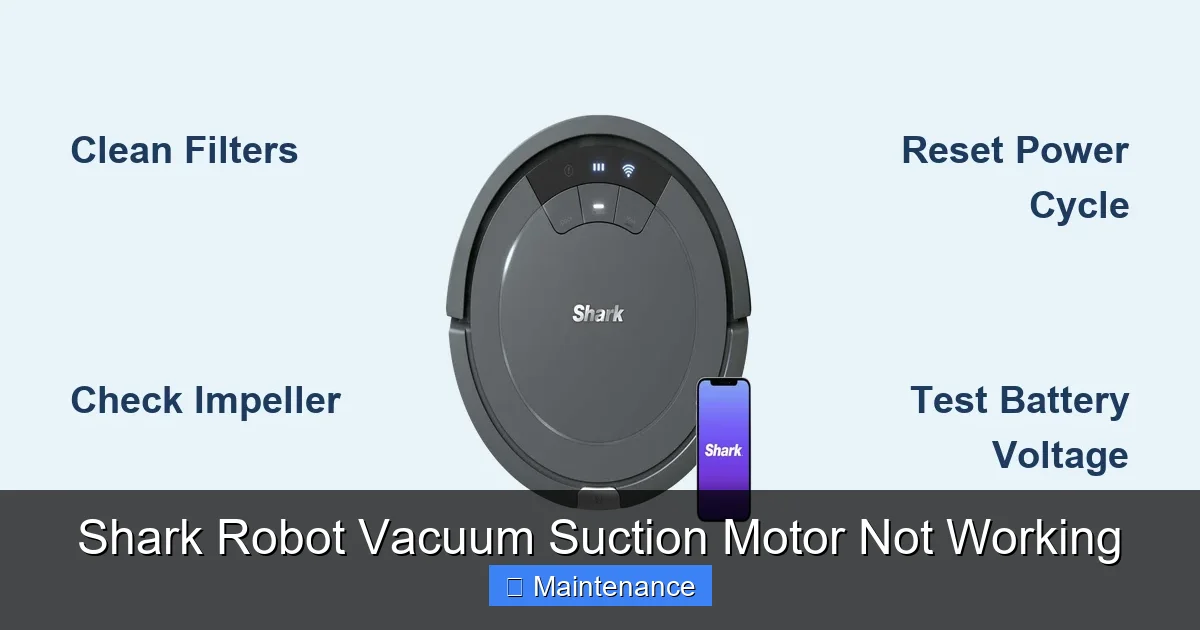
To troubleshoot, you need to understand the journey air takes. Think of your Shark as a powerful, automated straw. The process is linear:
Visual guide about Shark Robot Vacuum Suction Motor Not Working
Image source: sharkvacuum.blog
- Intake: Air (and debris) enters through the brush roll housing and side brushes.
- Pathway: It travels through a series of channels and the main dustbin.
- Filtration: It passes through one or more filters (pre-motor foam filter, post-motor HEPA filter).
- Exhaust: Clean air is expelled from the rear or top vents.
At the heart of this system is the suction motor (also called a fan motor or blower motor). It’s a small, high-speed electric motor that spins a fan blade, creating negative pressure (a vacuum). If any single link in this chain is compromised—a clog in the pathway, a filter packed solid, a brush roll tangled—the motor has to work harder, its efficiency plummets, it can overheat, and it may eventually fail. Our first rule of diagnosis: assume the motor is fine until proven otherwise. The problem is almost always upstream.
Motor Types: Brushless vs. Brushed
Shark primarily uses two motor types:
- Brushless DC Motors (BLDC): Found in newer, premium models (Shark IQ, Shark AI Ultra). They are more efficient, quieter, and have a longer lifespan because they don’t have physical brushes that wear out. Failure is rare and usually electronic (controller issue).
- Brushed DC Motors: Common in older and mid-range ION series. They have carbon brushes that transfer power to the spinning rotor. These brushes wear down over time (typically after 300-500 hours of use) and are a common wear item that can cause weak or no suction.
How to tell? You generally need to open the robot. A brushed motor will have two small wires leading to a brush assembly. A brushless motor has three thick wires and no accessible brushes. Identifying your motor type is the first real step if you suspect the motor itself.
The Diagnostic Hierarchy: A Systematic Approach to “No Suction”
Do not skip this section. A methodical process saves hours of frustration. Follow this order religiously. With the robot powered OFF and removed from its base:
Visual guide about Shark Robot Vacuum Suction Motor Not Working
Image source: i.ytimg.com
Step 1: The 60-Second External Inspection
This solves 50% of problems. Turn the Shark over.
- Brush Roll: Is it matted with hair, string, or carpet fibers? A tangled brush roll creates massive drag, stalling the motor or severely reducing suction. Use the included cleaning tool or scissors to cut and remove all debris. Ensure it spins freely by hand.
- Wheel Wells & Bumpers: Push the wheels. Are they full of hair and grit? Clean them out. Check the rubber bumpers for tears or debris jamming them.
- Side Brushes: Are they bent or clogged? Straighten or clean them.
- Dustbin: Is it completely full? Empty it. Open it and check the inlet port where debris enters. Is it packed solid? Clear it.
- Exhaust Vents: Blow through the rear/top vents. Can air pass easily? If not, the internal pathway is clogged.
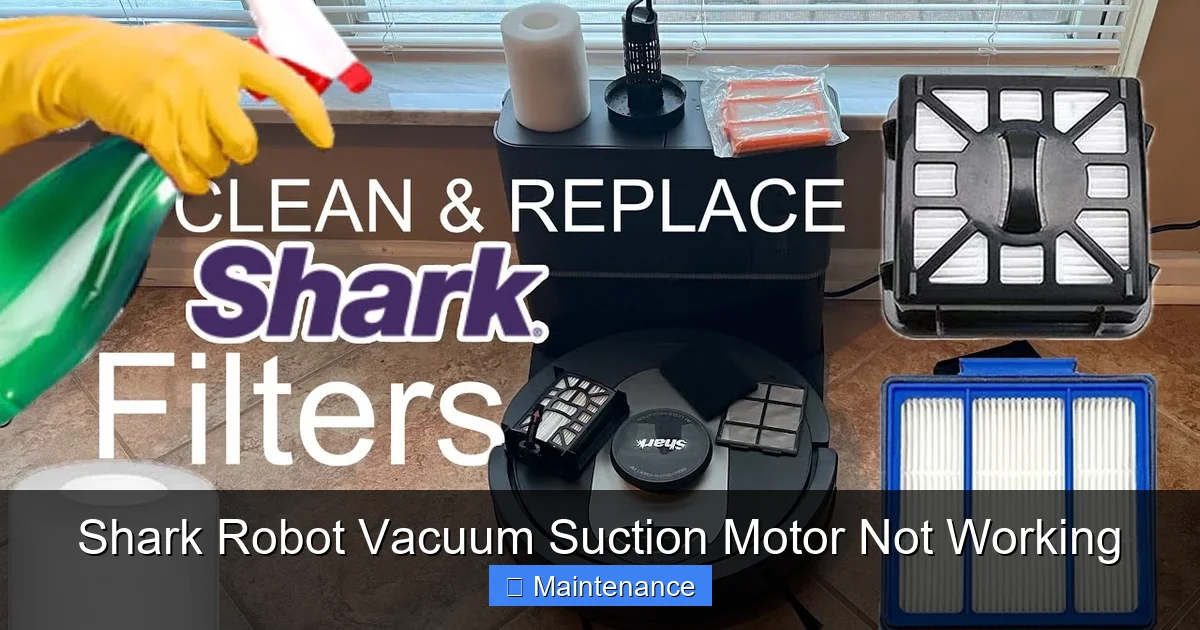
Step 2: The Filter Factor
Filters are the #1 cause of weak suction. They are not “clean once a month” items; they require weekly attention.
- Pre-Motor Foam Filter: Located in the dustbin or a compartment near it. Remove it. It should be off-white and flexible. If it’s dark gray, stiff, and saturated with dust, it’s choking your system. Action: Rinse thoroughly with cold water, squeeze dry, and let air dry for 24+ hours. Never reinstall damp.
- Post-Motor HEPA Filter: Located on the rear or bottom of the robot. This one traps fine dust. Tap it out over a trash can. If washing is permitted (check manual), rinse and dry completely for 48 hours.
Pro Tip: Keep a spare set of filters. Rotating them ensures you always have a dry set ready and extends the life of both sets.
Step 3: The Deep Airway Clean
If filters are clean, the clog is deeper. You’ll need a long, flexible tool (a cable tie, a straightened coat hanger with a hook, or a compressed air canister).
- Access the air path from the brush roll housing to the dustbin. Look for a visible tube or channel.
- Gently insert your tool and feel for blockages. Pull out any matted hair or debris.
- Check the connection between the dustbin and the robot body. A gasket here can fail, causing air leaks that drastically reduce suction.
Step 4: The “Motor On” Test (Advanced)
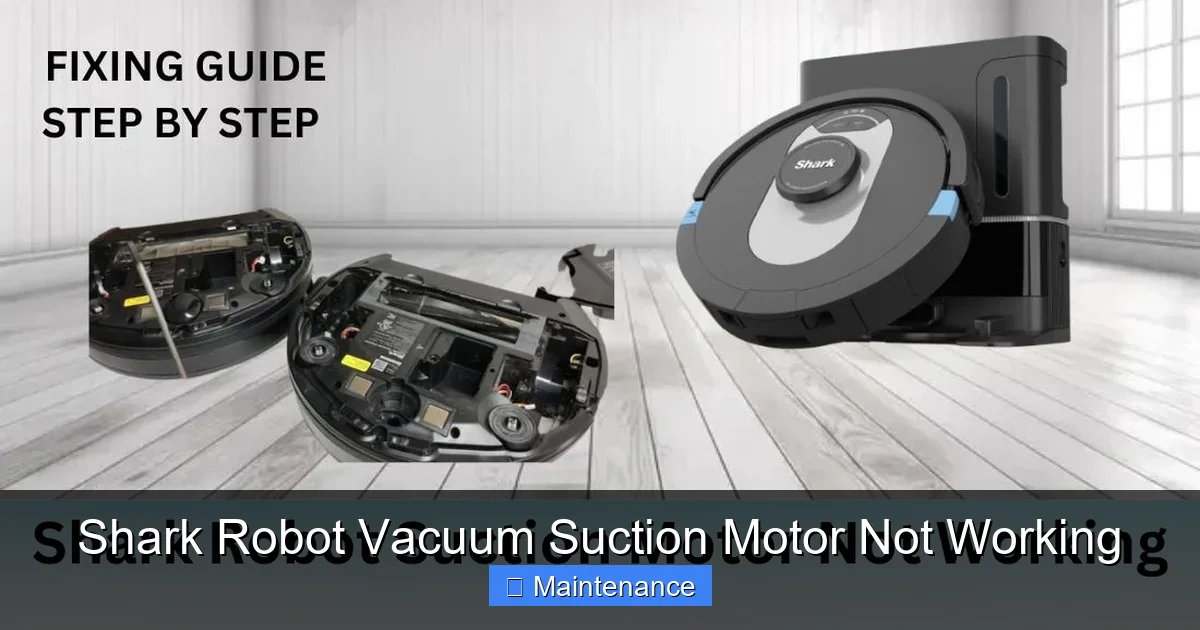
CAUTION: Only proceed if you are comfortable with basic electronics. Unplug the robot. You need to access the motor, which usually requires removing the bottom plate and possibly the top shell.
- Locate the motor. It’s a cylindrical component with a fan on one end and wires on the other.
- Visually inspect. Are there burnt marks, melted plastic, or a strong burnt smell? If yes, the motor is dead.
- With the robot powered on (carefully, with the shell open), listen. Does the motor make a high-pitched whining sound but the fan doesn’t spin? This indicates a seized fan or motor bearing.
- Can you gently spin the fan blade by hand (with power OFF)? It should turn smoothly. If it’s gritty, stiff, or doesn’t spin, the motor bearings are shot.
If the motor spins freely and looks clean, but there’s still no suction, the issue may be the electronic speed controller (ESC) on the mainboard. This is a complex diagnosis.
Common Fixes for Specific Symptoms
Let’s match your symptom to the most likely culprit and fix.
Visual guide about Shark Robot Vacuum Suction Motor Not Working
Image source: sharkvacuum.blog
Symptom: “It’s pushing debris instead of picking it up.”
Diagnosis: Severe clog in the intake pathway or a completely saturated filter.
Fix: Perform Steps 1-3 from the diagnostic hierarchy. Pay special attention to the narrow channel behind the brush roll. This is a notorious clog spot. Use a damp cloth to wipe the inside of the dustbin lid and seal.
Symptom: “It makes a loud, high-pitched whine but has no power.”
Diagnosis: The motor is trying to spin but is physically blocked. This is usually a clogged fan housing or a seized bearing.
Fix: Disassemble to the motor. Check the fan blade for hair wrapped around its axle. Clean meticulously. If the motor shaft itself won’t spin, the bearings are fused. The motor needs replacement.
Symptom: “It works fine for 2 minutes, then shuts off or loses power.”
Diagnosis: Motor overheating due to excessive load (clog/filter) or an internal motor short.
Fix: First, clean everything. If the problem persists after a full clean, the motor’s internal windings may be failing. It will need replacement.
Symptom: “It’s quieter than usual and suction is weak.”
Diagnosis: Partial clog, dirty filter, or (on brushed motors) worn carbon brushes.
Fix: Clean filters and airways thoroughly. If your model has a brushed motor and has 300+ hours of use, consider replacing the brushes. They are an inexpensive part (often $5-$15).
Symptom: “It makes a grinding/buzzing noise and has no suction.”
Diagnosis: Catastrophic motor failure. The internal bearings have disintegrated or the rotor is striking the stator.
Fix: Motor replacement is the only option.
The Big Decision: To Repair or Replace the Motor?
If you’ve isolated the problem to the motor itself, you face a choice. Shark robot vacuums cost $300-$800+. A motor replacement part typically costs $40-$120. The repair requires soldering skills and careful disassembly/reassembly.
When DIY Motor Replacement is Feasible
- You have a older ION model with a brushed motor (easier access, simpler connection).
- You are comfortable with a soldering iron and following detailed iFixit-style guides.
- You can source the exact motor part number from Shark or a reputable supplier (e.g., part # 145-0196 for some ION models).
When to Call Shark or a Professional
- Your robot is still under warranty. Contact Shark Support first. They may ship a replacement unit or authorize a free repair.
- You have a newer brushless model. These often require proprietary tools and have more complex motor controllers.
- You lack soldering skills. A poor solder joint can cause intermittent failures or damage the new motor/mainboard.
- The cost of a professional repair (often $80-$150 labor) is less than 50% of the robot’s current value. For a $400 bot, $150 is a good deal for a certified fix.
Shark’s Official Out-of-Warranty Service: Shark offers a flat-rate repair service for many models. This is often the most hassle-free path. Call them, get a quote, and ship the bot. It’s frequently cheaper than a local appliance repair shop.
Prevention: The 5-Minute Weekly Maintenance Ritual
The best fix is the one you never need. Adopt this simple routine every week after 2-3 runs:
- Empty the Dustbin: After every run is ideal, but at least weekly. Tap it out over a trash can.
- Clean the Filters: Tap the pre-motor foam filter firmly over a trash can to dislodge dust. If it’s visibly dirty, rinse it. Do the same for the HEPA filter. Never wash a “non-washable” filter.
- De-tangle the Brush Roll: Use the included tool or scissors to cut hair wrapped around the brush roll and its bearings. Spin it by hand to ensure it’s free.
- Clear the Wheels: Pick any debris from the wheel wells and axles.
- Wipe the Sensors: Use a dry microfiber cloth to clean the cliff sensors (on the underside) and the charging contacts on the robot and base.
Monthly/Quarterly Deep Clean: Every 1-2 months, perform the full diagnostic hierarchy: deep clean the airways with a flexible tool, wash filters, and inspect the main brush housing for cracks or wear. This proactive care will add years to your Shark’s life and keep its suction at peak performance.
Conclusion: Empowerment Over Replacement
A Shark robot vacuum suction motor not working is a major inconvenience, but it is rarely a death sentence for your appliance. The vast majority of these issues stem from neglect of the simple, consumable parts: filters, brushes, and clear airways. By arming yourself with a systematic diagnostic approach—starting from the outside and working in—you can confidently identify and resolve the problem yourself in under 30 minutes for the cost of zero dollars. This saves you hundreds on potential repairs or replacements. Remember, your Shark is a workhorse, but it needs its airways clear and its filters clean to breathe. Treat it to the weekly 5-minute maintenance ritual outlined above, and you’ll enjoy powerful, consistent cleaning for years. If you do exhaust all DIY steps and the motor is confirmed dead, weigh the cost of a part and your time against Shark’s official repair service or the investment in a new model. Knowledge is power, and now you have the knowledge to make the right call.
Frequently Asked Questions
Could a software glitch cause my Shark robot to lose suction?
No. Suction is a purely hardware-driven function. The software only commands the motor to run at a set speed. If the motor doesn’t spin, the issue is physical: power, blockage, or motor failure. A software reset (rebooting the bot) won’t fix a mechanical problem.
My Shark is under warranty. What should I do first?
Immediately stop disassembling it. Contact Shark Customer Support. Describe the symptoms and your troubleshooting steps (e.g., “I’ve cleaned the filters and brush roll, but there is still no suction”). They will guide you through warranty-eligible steps or arrange a replacement/repair. Unauthorized disassembly often voids the warranty.
How much does it cost to replace a Shark robot vacuum motor?
The motor part itself ranges from $40 to $120 depending on the model. If you install it yourself, that’s the total cost. Professional repair labor adds $80-$150. Shark’s out-of-warranty flat-rate service is typically in the $100-$200 range, which includes parts and labor, and is often the best value for a guaranteed fix.
Is it worth repairing an out-of-warranty Shark with a bad motor?
Generally, yes, if the model is less than 4-5 years old and you like it. A motor repair costs 25-40% of a new unit’s price. For a $500 robot, a $150 repair is economical. For a very old model or one with other failing components (cracked body, bad battery), replacement may be smarter.
Can I use my Shark without the filters to get suction back?
Absolutely not. Running the vacuum without filters will send all the dust and debris directly into the motor, destroying it within minutes. It also blows all the fine dust back into your home, defeating the purpose of vacuuming. Always use properly installed, clean filters.
What’s the #1 thing I can do to prevent motor problems?
Commit to the weekly filter cleaning ritual. A clogged pre-motor foam filter is the single most common cause of motor strain, overheating, and premature failure. Tapping it out over a trash can takes 10 seconds and is the single most impactful maintenance task you can perform.