Is your Shark robot vacuum suddenly losing suction or making strange noises? This is often caused by clogs, dirty filters, or a worn brush roll—not necessarily a dead motor. Most suction issues can be resolved at home with systematic cleaning and checks. This guide walks you through precise troubleshooting steps, from clearing airway blockages to resetting the unit and inspecting critical components. Save money and time by diagnosing the problem yourself before considering a costly motor replacement or professional service.
You’re watching your Shark robot vacuum glide across the floor, but instead of the familiar powerful whir, it’s eerily quiet. Or maybe it’s running but pushing dirt around instead of picking it up. The immediate panic sets in: “Is the motor dead?” Before you resign yourself to an expensive repair or a shopping trip, take a breath. In the vast majority of cases, a Shark robot suction motor that seems like it’s not working is actually suffering from a much simpler, fixable problem. The motor itself is a robust component. It’s the system feeding it—the air pathway, the filters, the brushes—that usually fails first. This guide is your systematic troubleshooting roadmap. We’ll move from the fastest, easiest checks to more involved diagnostics, empowering you to solve the problem yourself with common household tools.
Key Takeaways
- Clogs are the #1 culprit: Always inspect the main brush roll housing, hose, and suction path first. Hair and debris wrap is the most common cause of apparent motor failure.
- Filters must be clean: A saturated pre-motor foam filter or clogged post-motor filter will drastically reduce suction and strain the motor. Clean or replace them monthly.
- Reset your Shark robot: A full power cycle reset (power off, remove battery for 60 seconds) clears error codes and can revive a robot that appears “bricked.”
- The brush roll is critical: A tangled or stiff brush roll creates immense resistance. Remove it, clear all hair, and ensure it spins freely by hand.
- Battery health affects performance: A weak battery can cause the motor to underperform or shut down. Check for swelling and ensure it’s charging to 100%.
- Listen for motor sounds: A humming but non-spinning motor suggests a mechanical jam. A completely silent motor points to electrical failure or a tripped safety switch.
- Warranty first: Before buying parts, check your Shark robot’s warranty status. Many suction motor issues are covered under the limited warranty if diagnosed correctly.
📑 Table of Contents
- Diagnosing the “Suction Motor Not Working” Symptom
- Hunting the #1 Culprit: Airway Clogs and Blockages
- The Filter Factor: Your Motor’s Best Friend or Worst Enemy
- The Brush Roll: More Than Just a Bristle Whirl
- Battery and Electrical System Checks
- When to Seek Professional Help or Consider Replacement
- The Maintenance Mindset: Preventing Future Motor Stress
Diagnosing the “Suction Motor Not Working” Symptom
The phrase “suction motor not working” is a broad user description. It’s crucial to pinpoint the exact symptom because it leads you directly to the cause. Is the robot:
- Completely silent when you press the clean button (no sounds at all)?
- Humming or buzzing but the brush roll doesn’t spin and there’s no suction at the hose?
- Spinning the brush roll but producing little to no suction from the front?
- Making a high-pitched squeal or grinding noise?
Each of these points to a different failure point. A completely silent robot suggests an electrical issue or a tripped safety circuit. A humming motor with no action almost always means a mechanical jam preventing the motor shaft from turning. Weak suction with a spinning brush is the classic sign of a clogged filter or a blocked air pathway. We’ll address each scenario. First, always perform a universal reset.
The Universal Reset: Your First 2-Minute Fix
Modern robot vacuums have sophisticated electronics that can freeze or latch into a safety error state. A full power cycle reset clears this temporary memory and reboots the main control board. For Shark robots, this is the single most effective first step for any “not working” issue, including apparent motor failure.
How to Perform a Full Shark Robot Reset:
- Place the robot on its charging base and ensure it’s powered on.
- Press the power button to turn the robot OFF.
- Remove the robot from the base and locate the battery compartment (usually on the underside).
- Disconnect the battery connector. For most models, you’ll need to unscrew the bottom cover to access it.
- Wait a full 60 seconds. This drains residual power from capacitors.
- Reconnect the battery firmly, screw the cover back on, and place the robot on the base.
- Press the power button to turn it ON. Wait for it to boot up and connect (lights will flash).
After the reset, try a manual clean from the app or by pressing the clean button. If the motor issue persists, move to physical inspection. Note: A reset will erase the robot’s map and schedule, requiring a new mapping run.
Hunting the #1 Culprit: Airway Clogs and Blockages
Think of your Shark robot’s suction system as a simple tube from the floor to the exhaust. Any kink or obstruction in that tube kills suction. The motor might be screaming, but if air can’t flow, you get zero pickup. Clogs are the undisputed leader of “motor not working” complaints. They occur in predictable places.
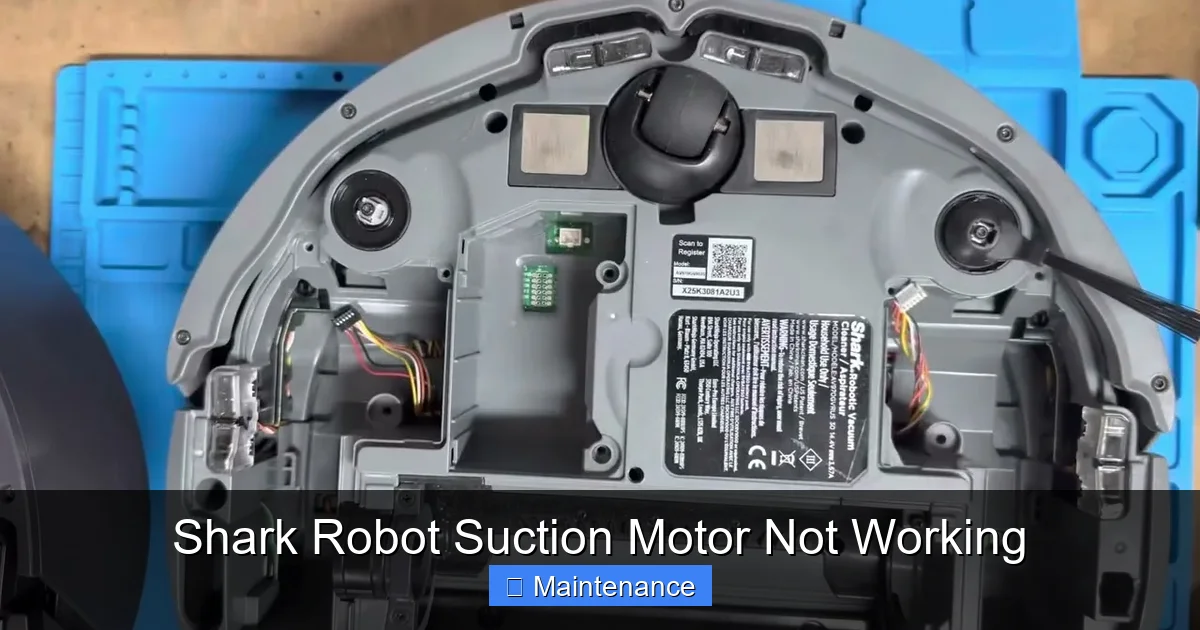
Visual guide about Shark Robot Suction Motor Not Working
Image source: i.ytimg.com
Inspecting the Brush Roll Housing
This is ground zero for clogs. The main roller brush agitates carpet fibers and sweeps debris into the suction intake right behind it. Hair, string, carpet fibers, and large debris wrap around the axles and jam inside the housing.
What to do:
- Flip the robot over. Use the provided cleaning tool or a pair of scissors to carefully cut and remove all hair and debris wrapped around the brush roll and its rubber seals.
- Look deep into the rectangular housing where the brush sits. Shine a flashlight. You’ll often find a felt-like mat of hair packed against the suction intake grate. Use a long tool (like a straightened wire coat hanger with a hook) to gently pry this out.
- Check the small rubber flaps on either side of the housing. If they are stiff or torn, they can seal off the intake. Replace if damaged.
Checking the Main Hose and Exhaust
From the brush housing, air travels through a flexible hose to the motor chamber and out the exhaust port. A small object (a LEGO brick, a wad of paper) can lodge here.
What to do:
- Detach the hose from the motor unit (you’ll need a screwdriver). Visually inspect both ends. Blow through it. If you feel resistance, there’s a clog.
- Use a long, flexible brush (like a bottle brush) to scrub the inside of the hose.
- Finally, check the exhaust port on the top or back of the robot. Ensure it’s not blocked by dust bunnies or placed against a wall while operating.
The Filter Factor: Your Motor’s Best Friend or Worst Enemy
Shark robots typically have a two-stage filtration system: a pre-motor foam filter (catches large particles) and a post-motor filter (HEPA filter, catches fine dust). These are not optional; they are critical. A clogged pre-motor filter starves the motor of airflow, causing it to overheat and lose power. A clogged post-motor filter creates backpressure, having the same effect. A saturated filter feels damp and looks dark gray or black.
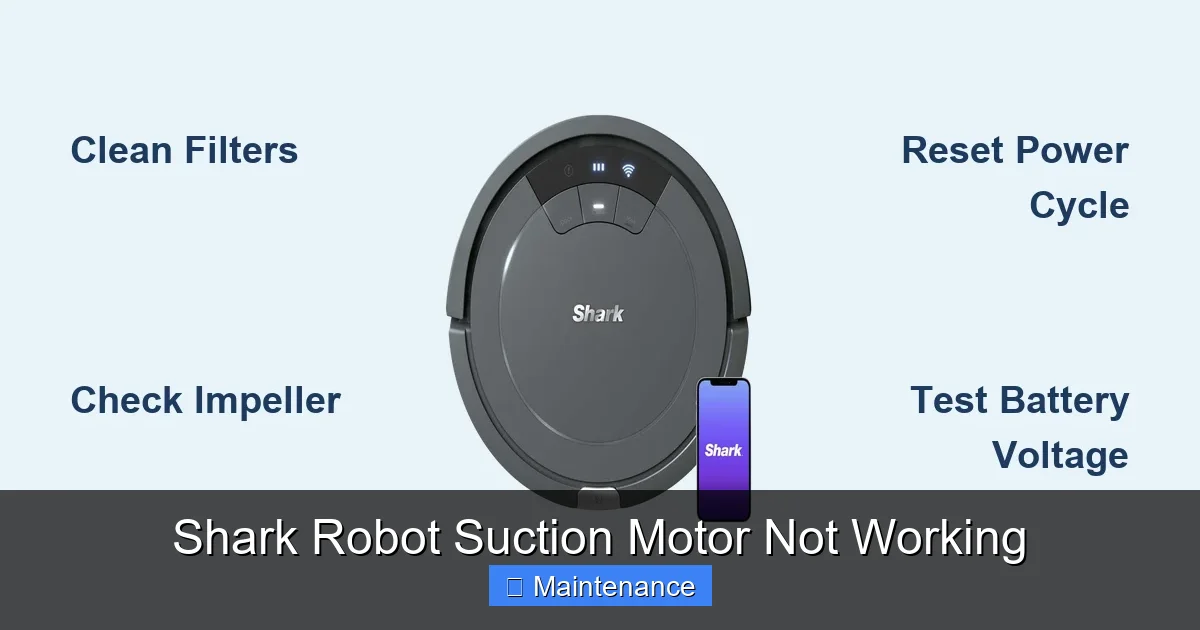
Visual guide about Shark Robot Suction Motor Not Working
Image source: sharkvacuum.blog
Cleaning the Pre-Motor Foam Filter
This is the most common neglected maintenance task. Shark recommends cleaning it every 2-3 uses for best performance.
- Locate the filter compartment (usually on the side or top of the robot). Open it.
- Remove the foam filter. It’s washable.
- Rinse it under lukewarm running water. Gently squeeze it—do not wring or twist, as this can tear the foam.
- Allow it to air-dry completely for at least 24 hours. Never reinstall a damp filter. It will block airflow and damage the motor.
Inspecting and Replacing the Post-Motor (HEPA) Filter
This filter is not washable. It’s made of pleated paper or fabric and must be replaced when dirty.
- Remove the filter from its compartment. Hold it up to the light. If you cannot see light passing through the pleats, it’s time for a new one.
- Gently tap it over a trash can to dislodge loose dust. You can use a soft brush to clean the frame, but do not wash.
- Order the exact Shark replacement filter for your model number (found on the underside label). Using a non-OEM filter can restrict airflow.
Pro Tip: Set a monthly calendar reminder to check both filters. Regular filter maintenance is 80% of preventing motor problems.
The Brush Roll: More Than Just a Bristle Whirl
The brush roll (roller) does dual duty: it agitates carpet debris and helps direct it into the suction path. But if it can’t spin freely, it creates a massive drag on the motor. The motor will either stall (humming) or the robot’s safety system will shut it off.
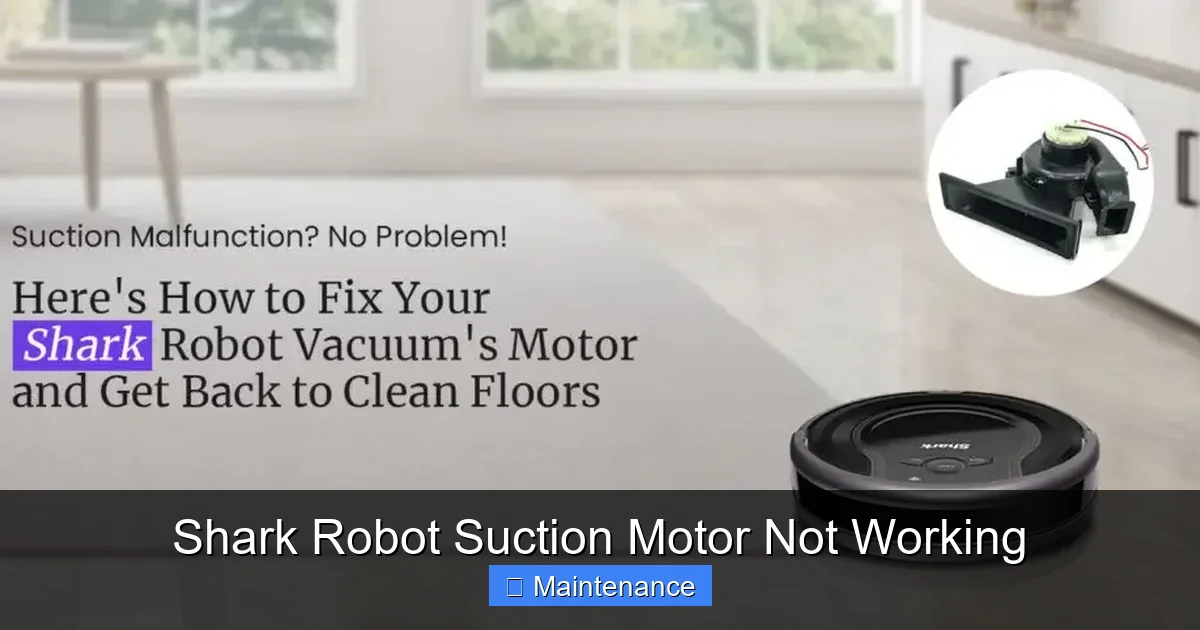
Visual guide about Shark Robot Suction Motor Not Working
Image source: sharkrobovacuum.com
Removing and Inspecting the Brush Roll
You must physically remove it to check properly.
- Flip the robot over. Find the two release latches on either side of the brush roll housing.
- Push the latches inward and pull the brush roll assembly straight out.
- Now, inspect the brush roll itself. Are all the bristles intact? Are they matted with hair? Is the rubber core cracked?
- Spin the brush roll by hand. It should rotate smoothly and silently. Any grinding, clicking, or stiffness indicates worn bearings or a broken internal gear. This is a brush roll replacement.
- Also, check the rubber seals on either end of the brush roll. If they are shredded, they can jam inside the housing.
Replacing the Brush Roll
If the brush roll is damaged or stiff, replacement is straightforward. Buy the exact Shark part number (e.g., “Shark ION Brush Roll”). To install, simply slide the new roll into the housing until it clicks, ensuring the drive gears on each end align with the motor sockets. Re-engage the latches. This is a common wear item and should be replaced every 6-12 months in homes with pets or thick carpet.
Battery and Electrical System Checks
The motor needs proper voltage to run at full speed. A failing battery or a tripped thermal fuse can mimic motor death.
Assessing Battery Health
Aged or damaged lithium-ion batteries lose capacity and can’t deliver the peak amps the motor needs, especially under load on carpet.
- Visual Check: Remove the battery (consult your manual). Look for any swelling, bulging, or leakage. A swollen battery is a fire hazard. Dispose of it properly and replace it immediately.
- Charge Cycle Test: Let the robot charge fully on the base for 3+ hours. Then, run it on a hard floor until it dies. If runtime is dramatically less than when new (e.g., less than 60 minutes), the battery is weak.
- Shark sells replacement batteries. Replacing one is often cheaper than a motor service call.
Thermal Fuse and Safety Switches
Inside the motor housing is a thermal fuse. If the motor overheats (due to clogs or a failing motor), this fuse blows to prevent fire. It will render the motor completely dead. Diagnosing this requires a multimeter to test for continuity, which is an advanced task. For most users, if you’ve cleared all clogs, cleaned all filters, replaced the brush roll, reset the robot, and the motor is still silent, the thermal fuse or the motor itself is likely the culprit. At this stage, professional diagnosis or part replacement is needed.
When to Seek Professional Help or Consider Replacement
You’ve methodically worked through the checklist: reset, cleared every conceivable clog from brush housing to exhaust, washed the foam filter, replaced the HEPA filter, installed a new brush roll, and confirmed the battery is healthy. The robot is now humming but not moving suction power, or it’s completely silent despite a known-good battery. It’s time for a decision.
Diagnosing a Failed Motor
A true motor failure is rare but possible. Symptoms include:
- A distinct burnt smell coming from the robot.
- The motor shaft does not turn at all when the robot is commanded to clean, even with the brush roll and belts removed (this isolates the motor).
- Visible damage or scorch marks on the motor housing.
Replacing a Shark robot vacuum motor is a significant repair. It involves disassembling the robot, desoldering wires, and installing a new unit. The cost of the part plus labor can approach or exceed the price of a new mid-range robot vacuum. For older models (3+ years), replacement is often not economical.
Warranty and Support Pathways
Before you spend a dime, verify your warranty.
- Find your model number on the underside label.
- Visit the Shark-Ninja website and enter your serial number to check warranty status. Most Shark robots have a 1-year limited warranty.
- If under warranty, do not attempt disassembly. Contact Shark Support. They may offer a mail-in repair or replacement. Describe the troubleshooting steps you’ve already taken (cleared clogs, cleaned filters, reset) to show you’ve done due diligence. This can expedite the process.
- If out of warranty, get a quote for motor replacement from an authorized service center. Compare it to the price of a new Shark ION or AI Ultra model. Often, the new model’s improved features and full warranty make it the smarter buy.
The Maintenance Mindset: Preventing Future Motor Stress
An ounce of prevention is worth a pound of cure (or a new motor). Incorporate these simple habits into your routine to keep your Shark robot’s suction power at its peak for years.
Create a Weekly & Monthly Checklist
Weekly (2-3 minutes):
- Empty the dustbin after every run. Tap it out over the trash and wipe the sensors with a microfiber cloth.
- Use the included cleaning tool to quickly remove any hair from the brush roll ends and the side brush.
Monthly (10 minutes):
- Perform the full clog inspection: remove brush roll, check housing, clear hose.
- Wash the pre-motor foam filter and let it dry for 24 hours before reinstalling.
- Visual inspection of the battery for swelling.
- Clean the charging contacts on both the robot and base with a dry cotton swab.
Optimize Your Cleaning Environment
Your robot’s job is harder in certain conditions.
- Hard Floor Focus: Use the robot’s “Hard Floor” mode if available, which reduces suction slightly to improve battery life and quietness without sacrificing cleaning.
- Carpet Preparation: Pick up small objects like socks, cords, and tassels before running. These are prime clog material.
- Pet Hair Strategy: For heavy pet hair, run the robot more frequently (every other day) to prevent deep matting in the brush roll. Consider a dedicated pet hair tool for weekly spot cleaning.
By treating your Shark robot with this level of care, you directly reduce the workload on the suction motor, preventing overheating and premature wear. A well-maintained robot will deliver powerful suction for its entire lifespan.
Conclusion: A Shark robot with “suction motor not working” is rarely a lost cause. The system is designed with user-serviceable maintenance points for this exact reason. By ruling out the simple—clogs, filters, brush roll, battery—you solve the problem 90% of the time. Approach it methodically, starting with the reset and moving to physical inspection. Only after exhausting these steps should you consider a failed motor or the cost-benefit of repair versus replacement. Your robot is an investment; protect it with regular, simple maintenance, and it will pay you back with years of spotless floors.
Frequently Asked Questions
Why is my Shark robot making noise but not picking up dirt?
This almost always indicates a clog or a dirty filter. Turn the robot over and remove any hair wrapped around the brush roll. Then, check and clean the pre-motor foam filter. These two steps resolve most “noisy but ineffective” issues by restoring proper airflow.
How do I know if my Shark robot’s motor is actually dead?
A truly dead motor produces no sound at all when you press the clean button, even after a full reset and with the brush roll removed. If you hear a humming sound, the motor is trying to spin but is mechanically jammed. If it’s silent, the problem could be the motor, a blown thermal fuse, or a severe electrical fault.
How often should I clean the filters on my Shark robot?
The pre-motor foam filter should be rinsed with water and air-dried completely every 2-3 uses for optimal performance. The post-motor HEPA filter should be tapped clean monthly and replaced every 3-6 months, or when you can no longer see light through it.
My Shark robot’s brush roll isn’t spinning. Is that the motor?
Not necessarily. A tangled brush roll is the most common cause. Remove the brush roll assembly and clean all hair from it and the housing. Spin the roll by hand—if it’s stiff or grinds, the brush roll itself is broken and needs replacement. The motor is fine.
Can a low battery cause suction loss?
Yes. A weak or failing battery cannot deliver enough power to run the motor at full speed, especially on carpet. If runtime is significantly reduced and suction drops near the end of a cycle, the battery is the likely culprit and should be tested or replaced.
Is it worth repairing a Shark robot motor?
For models under 2 years old and still under warranty, absolutely—contact Shark Support. For out-of-warranty models, get a repair quote first. Often, the cost of a motor replacement (part + labor) is comparable to buying a new current-model robot with a full warranty, making replacement the more sensible choice for older units.