A burning smell from your Shark robot vacuum is a serious warning sign, not a minor inconvenience. It almost always points to overheating caused by motor strain, a clogged system, or a failing electrical component. Stop using the machine immediately, unplug it, and perform a thorough inspection and cleaning. Addressing this promptly is critical to prevent permanent motor damage or a fire hazard.
Let’s get real for a second. You’re in the middle of your living room, and your trusty Shark robot vacuum is doing its thing, humming along. Then, it hits you. A sharp, acrid, unmistakable burning smell. Your heart skips a beat. Your first thought isn’t about the dust on the floor; it’s about the potential for a very expensive, very dangerous problem in your home. That smell is your Shark robot’s desperate, smoky cry for help. Ignoring it is not an option. This isn’t a “wait and see” situation. This is a “stop, unplug, and diagnose now” emergency. In this complete guide, we’re going to dissect exactly why your Shark robot smells like it’s on fire, what you can safely do about it, and how to make sure it never happens again. Think of this as the emergency manual you hope you never need, but absolutely must have.
Key Takeaways
- Immediate Cessation: A burning odor means stop using the robot immediately and unplug it from the charger to prevent catastrophic failure or fire.
- Primary Culprit is Clogging: The #1 cause is a severely blocked suction path—full dustbin, clogged filter, or tangled brushes—forcing the motor to overwork and overheat.
- Check the Brushes & Bearings: Hair and debris wrapped tightly around the main brush rollers or stuck in brush bearings creates immense drag, straining the motor.
- Battery is a Suspect: A failing, swollen, or overheating lithium-ion battery can emit a distinct chemical or burning smell and is a significant safety risk.
- Internal Dust Fire: Fine dust and hair packed around the motor housing itself can act as tinder, smoldering if the motor gets hot enough.
- Professional Help is Key: If cleaning doesn’t resolve the smell, or if you see damage, the issue is likely internal (motor, wiring, battery) and requires Shark support or a professional.
- Prevention is Routine: The best defense is a strict, weekly cleaning routine of all components—bin, filter, brushes, and wheels—to prevent clogs and strain.
[FEATURED_IMAGE_PLACEHOLDER]
📑 Table of Contents
- Why That Burning Smell is a Five-Alarm Fire (Metaphorically Speaking)
- Immediate Action Plan: The “Stop, Unplug, Inspect” Protocol
- Diagnosing the Unclogged Robot: When Cleaning Isn’t Enough
- Prevention: Your Future Self Will Thank You
- When to Wave the White Flag: Seeking Professional Help
- Conclusion: Heed the Smoke Signal
Why That Burning Smell is a Five-Alarm Fire (Metaphorically Speaking)
Before we grab the screwdriver, we need to understand the enemy. A burning smell from any electrical appliance, especially one with a motor, is the scent of something overheating to the point of breaking down. Insulation on wires is melting. Bearings are seizing. Dust is smoldering. In a Shark robot vacuum, the heat and smell originate from a few key places, and identifying the source is the first step to solving the problem.
The Overworked Motor: The Heart of the Problem
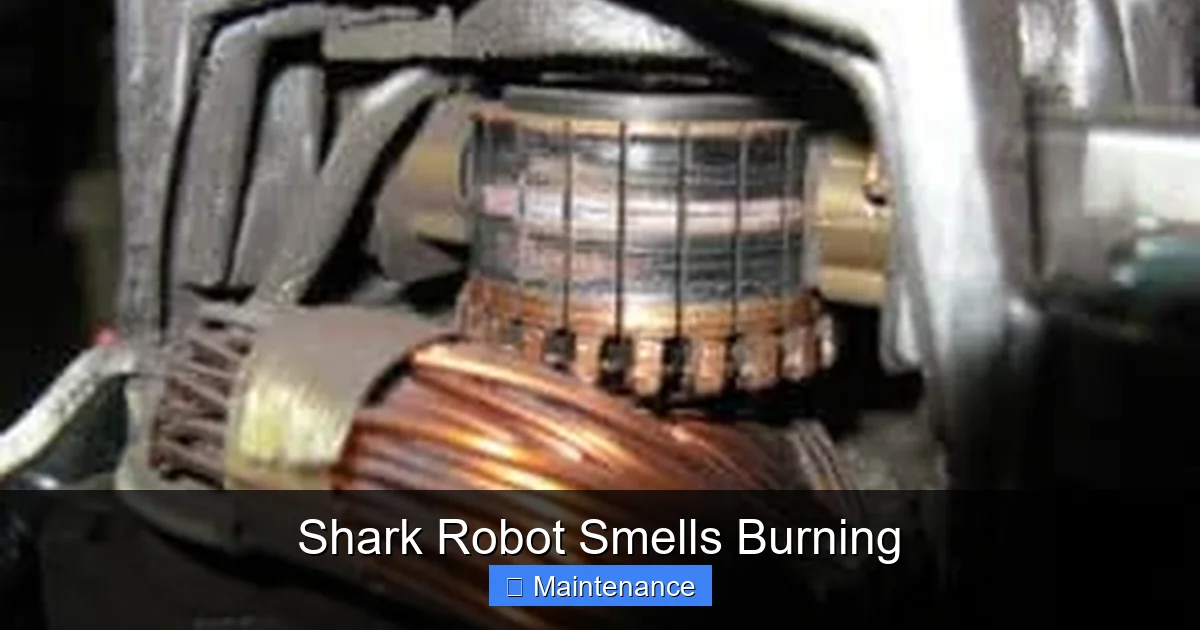
Your Shark robot’s motor is its powerhouse. It’s engineered to spin the main brush roll and create suction through a fan. It’s designed to work hard, but not that hard. When something impedes the motor’s work—like a massive clog—it has to draw more electrical current to maintain power. This extra current generates excessive heat. The motor’s internal windings are coated with enamel insulation. When that insulation gets too hot, it breaks down and produces that classic “burning electronics” odor. If the obstruction isn’t cleared, the heat builds until the motor windings short circuit, leading to a dead vacuum and a repair bill that often exceeds the cost of a new unit.
Friction & Mechanical Seizure: The Silent Strain
Motors hate friction. The main brush roll is mounted on bearings and driven by a belt or directly by the motor. If hair, string, or carpet fibers get impossibly tangled around the brush roll axles or packed into the bearing housings, the brush can’t spin freely. The motor is now trying to spin a brush that is physically resisting. This creates tremendous torque and friction. The motor works harder, heats up, and that heat transfers to the plastic parts nearby, which can also begin to melt or scorch, adding to the smell. You might even notice the robot struggling to move or getting stuck in place before you smell anything.
The Battery: The Chemical Culprit
Modern robot vacuums, including Shark’s lineup, use lithium-ion batteries. These are generally safe and efficient, but they are not indestructible. A failing battery—due to age, damage, overcharging, or a manufacturing defect—can enter a state called “thermal runaway.” The battery’s internal chemistry breaks down, releasing heat and often a distinctive, sharp, chemical-like burning smell (sometimes described as metallic or sweet). A swollen, puffy, or deformed battery is an immediate fire hazard. Do not attempt to charge or use a robot with a swollen battery. Dispose of it properly according to local hazardous waste regulations.
Dust as Tinder: The Smoldering Fire Inside
Here’s a terrifyingly common scenario: fine dust, hair, and debris doesn’t just collect in the dustbin. It gets everywhere. It coats the motor housing, settles on the circuit board, and packs into the nooks and crannies around the fan and exhaust ports. When the motor runs hot, this accumulated layer of dry, fibrous material can literally start to smolder. You might not see flames, but the acrid, dusty-burning smell is a clear indicator. This is a major fire risk because the smoldering can persist and ignite other materials if the robot runs long enough.
Immediate Action Plan: The “Stop, Unplug, Inspect” Protocol
You’ve smelled it. Now what? Panic is not the answer. A methodical, safe approach is. Follow these steps in order. Your safety and the preservation of your home are priority one.
Visual guide about Shark Robot Smells Burning
Image source: sharkvacuum.blog
Step 1: Cease Operation & Disconnect Power
Do not finish the cleaning cycle. Do not try to “finish the room.” Press the stop/pause button, pick up the robot, and carry it to a well-ventilated area away from flammable materials like rugs, papers, or furniture. Immediately unplug the charging base from the wall outlet. If the smell is very strong and you see any sign of smoke, treat it as a potential fire: have a fire extinguisher (Class C for electrical fires) nearby and do not attempt to move the robot if it’s actively smoking. Let it cool in place if safe to do so.
Step 2: Cool Down & Visual Safety Check
Place the robot on a non-flammable surface like a tile floor or metal baking sheet. Let it sit for at least 30-45 minutes to cool completely. Once cool, perform a visual inspection. Do not plug it back in. Look for:
- Physical Damage: Cracks in the plastic casing, melted or discolored plastic near the motor exhaust, brush housing, or wheels.
- Battery Condition: Carefully examine the battery compartment (if accessible on your model). Is the battery swollen, puffy, or distorted in any way? Is there any leakage or crusty residue? If yes, stop here. The battery is the problem and must be replaced by a professional or through Shark support.
- Debris & Clogs: Look into the dustbin cavity. Is it packed solid? Can you see into the exhaust port where air blows out? Is it blocked by a wad of hair?
Step 3: The Full Tear-Down & Deep Clean (Your Most Likely Fix)
For 80% of cases, the burning smell is due to a severe clog forcing the motor to overheat. A surface clean isn’t enough. You need to perform a full disassembly and cleaning. Always ensure the robot is powered off and unplugged from the charger before starting.
- Remove & Empty Dustbin: Take out the dustbin and empty it completely over a trash can. Tap it out vigorously.
- Wash the Filter: Remove the primary foam filter (and any secondary filters). Wash them thoroughly with cool water and mild soap. Never wash a filter with hot water or put it in the dryer. Squeeze out excess water and let it air dry completely for 24-48 hours. A damp filter causes the same problem.
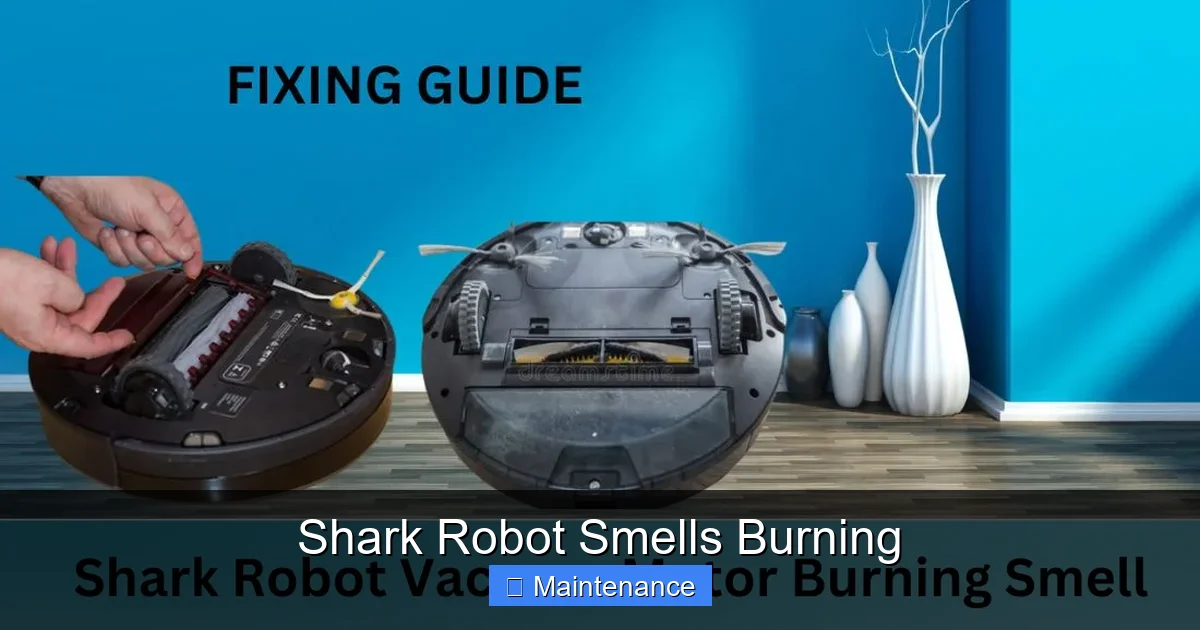
- Remove & Clean Main Brush Roll: Flip the robot over. Release the brush roll cover. Pull out the entire brush roll assembly. This is the critical step. Use a seam ripper, a dedicated brush cleaning tool, or even a razor blade (be extremely careful) to cut and pull out every single strand of hair, carpet fiber, and string wrapped around the brush core and especially around the bearings at each end. A single hair wound tight can stop the brush from spinning.
- Clean Brush Bearings & Housing: With the brush out, check the plastic housings (bearings) that the brush axles sit in. Pick out any packed debris. Wipe everything clean with a dry microfiber cloth. Ensure the brush axle spins freely in the housing by hand.
- Clear Side Brushes & Wheels: Remove the side sweeping brushes (they usually pop off). Clean off any gunk. Pull out the main rubber treads/wheels and clear any hair from the axles and the wheel wells.
- Suction Path & Fan: This is the advanced step. Consult your Shark model’s manual for how to remove the bottom plate to access the fan and motor housing. Using a can of compressed air, carefully blow out all dust and debris from the fan blades, the intake vents on the underside, and the exhaust port on the top/side. You’ll likely see a cloud of dust. This is the smoldering tinder. Be gentle to avoid spinning the fan too fast.
- Wipe Down Exterior: Wipe the entire body with a slightly damp cloth, especially around the exhaust vent.
After a complete, meticulous cleaning, let all parts air dry completely (overnight is best). Reassemble carefully, ensuring the brush roll and belts are properly seated.
Diagnosing the Unclogged Robot: When Cleaning Isn’t Enough
You’ve performed the full tear-down. The filter is bone dry, the brush spins like a dream, the air path is clear. You plug the robot in, and… the smell returns within a minute or two. Now we’re dealing with a failed component. This is the point where most users need to escalate.
Visual guide about Shark Robot Smells Burning
Image source: cleanersadvisor.com
Faulty Motor: The Inevitable Grind
Motors have a finite lifespan, especially in a vacuum that works hard in a dirty environment. The bearings inside the motor itself can wear out, causing internal friction and heat. The motor windings can develop a short. If the motor is the source, the smell will be persistent and you might also hear a change in the motor’s pitch—a higher-pitched whine or a grinding sound. Replacing a robot vacuum motor is typically not a DIY job. It requires soldering skills, specific parts, and calibration. Your path here is Shark customer support for an out-of-warranty repair quote (often not cost-effective) or recycling and replacement.
Failed Wiring or Circuit Board: The Electrical Burn
Shockingly, a single wire’s insulation can be nicked during assembly, rubbed through by a moving part, or degraded by heat over time. A short circuit in the wiring harness or on the main PCB (printed circuit board) will create a very localized, sharp burning smell, often with a hint of ozone. You might see a tiny scorch mark or melted plastic near a connector. This is also a professional repair or replacement scenario.
Battery Failure: The Non-Negotiable Replace
As mentioned, if you have a swollen battery, that is your answer. Even if the battery looks normal but the smell is chemical and persists after all cleaning, the battery’s internal protection circuit may have failed. Do not attempt to replace a Shark robot battery yourself unless you have specific experience. Lithium-ion batteries can be dangerous if punctured or mishandled. Order an official Shark replacement battery and have it installed by an authorized service center if you are not completely confident.
Prevention: Your Future Self Will Thank You
You’ve survived the burning smell scare. Let’s make sure it never happens again. An ounce of prevention is worth a pound of cured motor stench.
Visual guide about Shark Robot Smells Burning
Image source: cleanersadvisor.com
The Weekly Ritual: Non-Negotiable Maintenance
Treat your Shark robot like a performance car. It needs regular, detailed upkeep.
- Daily/After Every Run: Tap out the dustbin over the trash. Wipe the charging contacts on the robot and base with a dry cloth.
- Weekly: Perform the full cleaning ritual described in Step 3. Remove hair from brushes, clean the filter (wash if washable), clear wheels. This is the single most important habit.
- Monthly: Use compressed air on the motor exhaust vent and intake vents. Check side brushes for wear. Inspect the main brush for frayed bristles that need replacing.
- Every 6-12 Months: Replace the primary filter. Check the condition of the main brush roll and rubber side brushes. Replace as needed.
Environment Matters: Clear the Path
Your robot can only handle so much. Be mindful of its environment.
- Pet Hair is the Enemy: If you have pets, you may need to clean the brushes and empty the bin mid-cycle on long cleaning jobs. Consider running the robot more frequently with shorter cycles.
- Rugs & Carpets: High-pile rugs are murder on brush rolls. Use the “No-Go Zone” or virtual wall barriers to keep your robot off delicate or very thick rugs, or use a model with a “Carpet Boost” feature that adjusts power appropriately.
- Clear the Stage: Pick up toys, socks, charging cables, and long curtains before starting a cycle. These items can wrap around the brush and axles, causing immediate and severe drag.
Know Your Robot’s Limits
Don’t expect a budget robot to clean a massive, heavily carpeted home with three large dogs in one 90-minute cycle. Its battery will drain faster, it will work harder, and it will generate more heat. Divide large jobs into zones. Let the robot recharge between sessions. A tired, hot robot is a malfunctioning robot.
When to Wave the White Flag: Seeking Professional Help
You’ve cleaned everything. The battery is fine. The smell persists. Now what?
- Check Warranty Status: Find your Shark robot’s serial number (usually on the bottom) and check the warranty status on Shark’s website. If it’s under the limited warranty (typically 1-2 years), you may be eligible for a free repair or replacement. Contact Shark Customer Care.
- Out-of-Warranty Repair: Request a repair quote from Shark’s authorized service centers. Get the cost. Compare it to the price of a new, comparable model. Often, for a robot vacuum, replacement is the more economical choice unless it’s a very high-end model.
- Recycle Responsibly: If you decide to replace, do not throw the old robot in the trash. It contains electronics and a battery. Use Shark’s take-back program if available, or find a local e-waste recycling facility. This is crucial for environmental safety.
Conclusion: Heed the Smoke Signal
That burning smell from your Shark robot is not a quirk. It’s a fundamental failure signal from a machine under extreme duress. Your immediate, calm response—stop, unplug, and perform a deep, honest cleaning—will solve the vast majority of these incidents. It’s a dirty, sometimes frustrating job, but it’s a far better alternative than a ruined appliance or a house fire. By embedding a rigorous weekly maintenance routine into your life, you transform that anxiety-inducing smell into a thing of the past. You’ll extend the life of your robot, maintain its cleaning power, and enjoy the convenience it offers without the accompanying terror. Remember, a happy, clean Shark robot is a quiet, efficient, and smell-free one. Treat it well, and it will serve you faithfully for years. Ignore its cries for help, and you’ll be shopping for a new one sooner than you think.
Frequently Asked Questions
Is a slight burning smell normal when I first start my Shark robot?
No. A new robot should not emit any burning odor. A very faint, temporary smell from new motor insulation “curing” on the first few runs is sometimes reported, but it should be barely noticeable and disappear quickly. Any persistent or strong burning smell indicates a problem.
Can I just keep running it to finish the cleaning job if the smell is faint?
Absolutely not. This is the worst thing you can do. Continuing to run an overheating motor guarantees permanent damage. The cost of a new motor or a new robot is far higher than the inconvenience of stopping mid-clean. Always stop immediately.
My filter is washable. Could a damp filter cause a burning smell?
Yes, absolutely. A damp filter restricts airflow just as badly as a clogged one. The motor works harder to pull air through the wet media, overheats, and can burn out. This is why the rule is: wash, then air-dry for 24+ hours. Never use a partially dry filter.
The smell is gone after I cleaned everything. Is it safe to use now?
If the smell completely disappears after a thorough cleaning and all parts are 100% dry, then it was likely caused by a severe clog or dust accumulation. You can cautiously resume use. Monitor it closely for the next few cycles. If the smell returns at all, stop and re-inspect or seek help.
My battery is not swollen, but I suspect it. Can I test it?
Without specialized tools, it’s hard to test a battery’s internal health. If you suspect the battery due to a chemical smell and have ruled out all other clogs and debris, the safest course is to replace it with an official Shark battery. Using a suspect lithium-ion battery is a fire risk.
Is it worth repairing an old Shark robot that smells burning?
Usually, no. For models 2-3 years old, the cost of a motor or battery repair plus labor from an authorized center often approaches or exceeds 50-70% of the cost of a new, current-model robot. Consider the age, repair quote, and the technological improvements in newer models before deciding to repair.