A non-spinning brush roll is one of the most common issues with Shark Professional vacuums, and it’s almost always fixable. The problem typically stems from hair and debris wrap jamming the brush roll, a broken or slipped belt, a tripped reset button, or a worn motor. This guide provides a step-by-step troubleshooting process, from the quick 30-second hair removal check to diagnosing belt and motor failures, empowering you to perform basic maintenance and avoid costly service calls for what is often a simple obstruction.
You’re in the middle of cleaning, the suction feels strong, but that familiar, satisfying whirr of the brush roll agitating your carpet is missing. You look down, and the brush head on your trusty Shark Professional Rotator vacuum is just… sitting there. It’s a frustrating and all-too-common moment for owners of this otherwise excellent machine. Before you panic and assume the worst—a expensive motor failure or a trip to the repair shop—take a deep breath. In the vast majority of cases, a Shark Professional Rotator brush not spinning is caused by a simple, fixable issue you can handle yourself in under five minutes with no tools. This guide will walk you through every possible cause, from the most obvious hair wrap to more complex motor problems, giving you the knowledge and confidence to diagnose and often solve the problem yourself.
Think of your vacuum’s brush roll as its heart. It’s the part that actually beats, agitating dirt and debris so the suction can carry it away. When that heart stops, the machine feels dead, even if the motor is humming. The Shark Professional Rotator line, known for its swiveling head and powerful suction, relies on a belt-driven brush roll system. Understanding this basic anatomy—motor, belt, brush roll, reset switch—is the first step to becoming your own vacuum technician. We’ll break down the troubleshooting process logically, starting with the fastest, easiest checks and moving toward more involved inspections. Safety first: always disconnect your Shark vacuum from the wall outlet before performing any inspection or repair.
Key Takeaways
- Hair and debris wrap is the #1 culprit: In 80% of cases, a tangled mass of hair, string, and carpet fibers physically jams the brush roll, stopping it cold. Regular cleaning is non-negotiable for maintenance.
- The reset button is your first diagnostic tool: Shark vacuums have a thermal reset button on the brush roll housing. If it’s popped, unplug the vacuum, clear any jams, and press it firmly to reset. This solves many “sudden stop” issues.
- A broken or slipped belt is a frequent mechanical failure: The rubber belt connecting the motor shaft to the brush roll can stretch, slip off, or snap. Visual inspection is required; replacement is a cheap and easy DIY fix.
- Always unplug before inspecting: Safety is paramount. Never attempt to clear jams or check components with the vacuum plugged in. The brush roll can start unexpectedly.
- Not all spinning issues are the brush roll’s fault: Sometimes the motor itself fails, or there’s an electrical fault in the power nozzle assembly. If the brush roll spins freely by hand and the belt is intact, the motor may be the problem.
- Preventative maintenance is key: Cleaning the brush roll and checking the belt every 2-3 uses, and doing a deep clean monthly, prevents 95% of “not spinning” problems and extends your vacuum’s life significantly.
- Know when to seek professional help: If you’ve cleared all jams, confirmed a good belt, reset the button, and the brush roll still doesn’t spin (or smells burnt), the motor or internal wiring likely needs expert repair.
📑 Table of Contents
The #1 Enemy: Hair, String, and Debris Wrap
Let’s start with the undisputed champion of brush roll jams. As your Shark Professional Rotator moves across carpet, it’s actively sweeping up hair, fibers, string, and even tiny pieces of carpet or rug fringe. This material doesn’t just get sucked into the dustcup; it wraps around the rotating brush roll, getting tangled in the bristles and, more critically, in the bearings on each end. Over time, this forms a dense, felt-like mat that acts as a physical brake, stopping the brush roll dead in its tracks. You might not even see this wrap at first glance, as it’s often compressed against the plastic housing.
How to Perform the 30-Second Hair Wrap Check
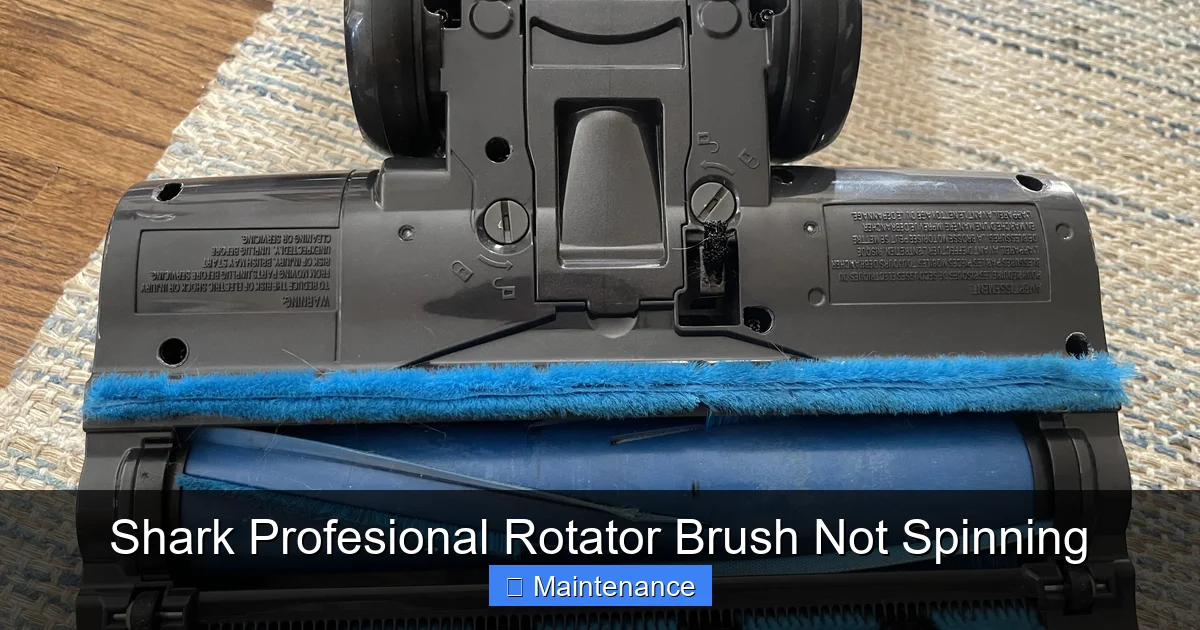
This is the absolute first thing you must do. Flip your Shark Professional Rotator over. Locate the brush roll—it’s the cylindrical component with bristles running along its length, housed in the power nozzle. Using a pair of scissors or a seam ripper (a tool specifically designed for this), carefully cut any visible hair or string wrapped around the brush roll. Don’t just pull; you’ll tighten the wrap. Cut it lengthwise along the brush roll and then pull the pieces away. Next, use your fingers to feel along the plastic end caps on both sides. You’ll often find a dense wad of material packed into the bearing area. Poke and prod it out with a screwdriver or the end of your scissors. Once clear, try to spin the brush roll by hand. It should rotate freely and smoothly for several seconds with minimal friction. If it’s still stiff, the wrap is deeper and requires a more thorough disassembly, which we’ll cover later.
Why This Happens More on Some Sh carpets
If you have pets, long-haired family members, or area rugs with a looped or shaggy pile, you are in the high-risk category for brush roll wrap. The Shark’s powerful brush roll is excellent at deep cleaning but is also very efficient at collecting this material. The location of the brush roll, being low to the ground in a swiveling head, means it directly contacts and pulls on loose fibers. Making hair removal a part of your routine after every 2-3 uses is the single best preventative maintenance you can perform. It takes less than a minute and saves you from a major jam later.
The Belt System: The Critical Link
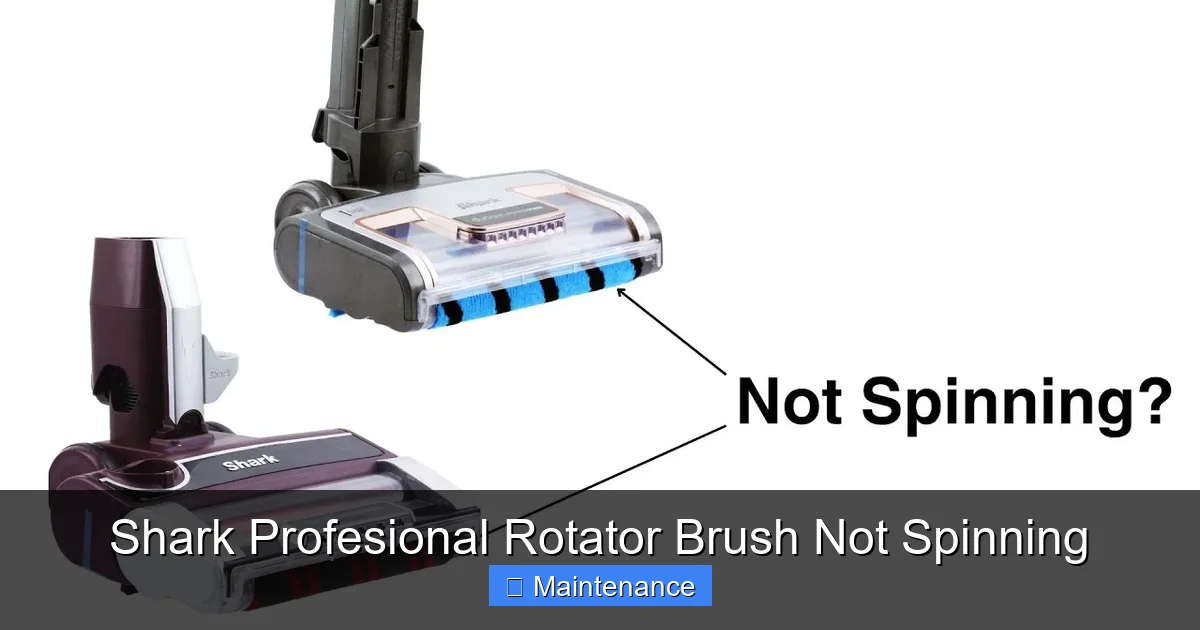
Assuming you’ve cleared all visible debris and the brush roll still doesn’t spin when you turn the vacuum on (but the motor sounds like it’s running), the next most common culprit is the drive belt. This is a long, thin, rubber band-like belt that runs from a small pulley on the vacuum’s motor shaft, around the brush roll, and back to a tensioner pulley. Its job is to transfer the motor’s rotational power to the brush roll. If this connection is broken, the motor will hum, but the brush roll will be motionless.
Visual guide about Shark Profesional Rotator Brush Not Spinning
Image source: i.ytimg.com
Diagnosing Belt Problems
To inspect the belt, you need to access the brush roll housing. On most Shark Professional Rotator models, this involves laying the vacuum flat, locating the screws (often four) on the bottom of the power nozzle, and removing them. The plastic housing will then lift off, exposing the brush roll and belt assembly. With the vacuum unplugged, visually inspect the belt. Look for these signs:
- Broken/Snapped: The belt is in two separate pieces.
- Slipped Off: The belt is completely off both pulleys and may be lying loose inside the housing.
- Stretched and Loose: The belt has lost its elasticity and is so loose it can’t grip the pulleys. You can test this by pressing down on the belt midway between pulleys; it should have some tension but still move.
- Glazed or Worn: The belt looks shiny, cracked, or has chunks missing. This indicates age and heat stress, and it will slip even if it’s on the pulleys.
Replacing the Belt: A Simple, Cheap Fix
If the belt is damaged, replacement is straightforward. You do not need a technician. First, ensure the brush roll spins freely (clear any wrap first!). Then, stretch the new belt over the motor shaft pulley and the brush roll pulley. It’s easiest to hook one side, then rotate the brush roll to stretch the belt over the other side. You should feel a firm resistance. Reassemble the housing, screw it back in, and test. Shark replacement belts are inexpensive (usually under $10) and are model-specific. Always use the exact replacement part number listed in your manual or on Shark’s website to ensure correct size and tension. A new belt often solves a “brush not spinning” problem instantly and gives your vacuum a new lease on life.
The Safety Net: The Thermal Reset Button
Shark vacuums, including the Professional Rotator series, are equipped with a thermal protection switch, often called a reset button. This is a small, red or black button located on the brush roll housing, usually near where the electrical cord connects to the power nozzle. Its purpose is to protect the motor from overheating. If the brush roll jams, the motor strains, heats up rapidly, and the thermal switch trips, cutting power to the brush roll motor. This is a safety feature, not a malfunction. The motor might still run for suction, but the brush roll will not spin.
Visual guide about Shark Profesional Rotator Brush Not Spinning
Image source: i.redd.it
Locating and Using the Reset Button
Finding the button is the easy part. The challenge is that it’s often recessed and may require a pen or paperclip to press. Before you do anything, unplug the vacuum. Clear any jam you found in the brush roll and belt area. Once you’re confident nothing is obstructing the brush roll’s movement, firmly press the reset button. You should feel and hear a distinct click. Plug the vacuum back in and try it. In many cases of a sudden stop, this simple reset is all that’s needed. However, if the button trips again immediately, it means the underlying cause of the motor strain (like a jam or a failing motor) is still present and must be fixed first. Don’t keep resetting it without addressing the root problem, as this can cause permanent motor damage.
Here’s a critical diagnostic step. After unplugging the vacuum and accessing the brush roll, manually rotate it with your fingers. It should spin smoothly and freely for several rotations. If it does, but it still doesn’t spin when the vacuum is on, the problem has moved beyond the mechanical components (belt, wrap) and into the electrical system. The power is not reaching the brush roll motor. This points to a few specific possibilities.
Faulty Power Nozzle Assembly or Wiring
The electrical connection between your Shark’s main body and the swiveling power nozzle (the part with the brush roll) is made through a set of metal contact pins and sockets. Over time, with repeated swiveling and flexing, these connections can become loose, corroded, or broken. Inspect both the male pins on the vacuum body and the female sockets on the power nozzle for any visible damage, bending, or dirt. Clean them gently with a pencil eraser or contact cleaner. If the pins are broken or the socket is melted, the entire power nozzle assembly may need to be replaced.
Failed Brush Roll Motor
The small motor that spins the brush roll is a separate unit from the main suction motor. It can burn out. Signs of a dead motor include a complete silence from the brush roll area (no humming or whirring) when the vacuum is on, or a distinct burnt smell. If you’ve confirmed the belt is good and on, the reset button is set, and the electrical connections are clean and intact, the motor itself is the likely failure point. Replacing the brush roll motor is a more advanced repair, often requiring soldering skills, as the motor is wired directly into the power nozzle’s circuit board. For most users, this is the point where contacting Shark customer support or a qualified appliance repair technician becomes the most practical solution.
Deep Dive Maintenance and Reassembly Best Practices
Even if you’ve fixed the immediate spinning issue, performing a full deep clean ensures the problem doesn’t return in a week. This is also your opportunity to inspect other wear items.
Visual guide about Shark Profesional Rotator Brush Not Spinning
Image source: m.media-amazon.com
Completely Disassembling for a Full Clean
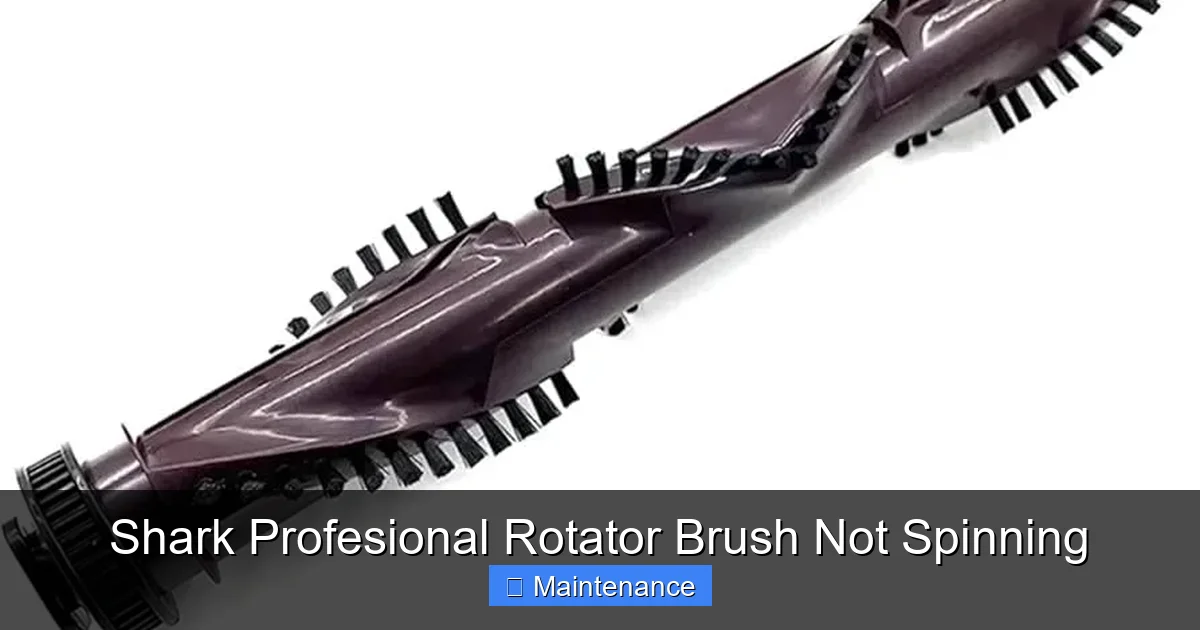
With the housing off, remove the brush roll entirely. Most Shark brush rolls are held by plastic clips or a single screw. With the brush roll out, you can see the entire belt pathway and the underside of the housing. This is where the worst of the debris accumulates. Use a vacuum crevice tool or a compressed air blast (use short bursts, wear safety glasses) to clear out all lint, hair, and dust from the housing, the belt tensioner pulley, and the motor fan area (if accessible). Check the tensioner pulley; it should spin freely. If it’s sticky or jammed, clean it or replace it. Wipe down the brush roll bristles with a damp cloth. Check the bearings at each end of the brush roll. If they feel gritty or don’t spin smoothly when you rotate the roll by hand, the brush roll itself may need replacement. A new brush roll is also a common and inexpensive part.
Reassembly Tips to Avoid Future Problems
When putting everything back together, pay attention to the belt. Ensure it is seated properly on both the motor pulley and the brush roll pulley before securing the housing. The belt should not be twisted. As you lower the housing, watch to make sure the belt doesn’t pop off. Tighten all screws securely but do not overtighten and crack the plastic. Once reassembled, do a final hand-spin test through the brush roll opening (with vacuum unplugged) to ensure the brush roll rotates freely and the belt is tracking correctly. Plug in and test on a low-pile rug to listen for any abnormal noises before returning to regular use.
Prevention: The Best Cure for a Non-Spinning Brush
The old adage “an ounce of prevention is worth a pound of cure” is 100% true for vacuum maintenance. Incorporating a few quick habits into your cleaning routine will make the “Shark Professional Rotator brush not spinning” problem a rare event.
The Post-Cleaning 60-Second Ritual
After you finish vacuuming, while the machine is still in your hand, flip it over. Take 30 seconds to use your fingers or a tool to remove any hair or string visibly wrapped around the brush roll. Then, tap the power nozzle firmly against the floor (over a trash can) to dislodge any debris that may be lodged in the housing. This simple habit removes 90% of the material that would otherwise compact and cause a jam.
Monthly Deep Clean Schedule
Once a month, or more often if you have pets, perform the full disassembly and deep clean described above. This includes removing the brush roll, cleaning the entire housing, checking the belt for wear, and lubricating the brush roll bearings if your model requires it (consult your manual—most modern Sharks have sealed bearings that don’t need lubrication). Also, remember to clean your vacuum’s filters! Clogged filters reduce overall suction and can cause the main motor to work harder, indirectly contributing to thermal issues. Washable foam filters should be rinsed with cold water and air-dried completely for 24 hours before reuse.
By understanding these common failure points and adopting a proactive maintenance mindset, you can keep your Shark Professional Rotator performing like new for years. The “not spinning” issue is rarely a death sentence for your vacuum. It’s usually a straightforward, mechanical problem with a simple solution. Armed with this guide, you’re now equipped to diagnose, fix, and prevent it, saving you time, money, and frustration.
Frequently Asked Questions
My Shark Professional Rotator’s brush roll doesn’t spin, but the suction is strong. What is it?
This is the classic symptom of a brush roll jam or a broken/slipped belt. The main suction motor is running fine, but power isn’t reaching the brush roll. First, unplug the vacuum and check for hair/debris wrap around the brush roll. If clear, inspect the belt for breaks or slippage by removing the bottom housing screws.
I cleared the hair and pressed the reset button, but the brush roll still won’t spin. Now what?
With the vacuum unplugged, manually spin the brush roll by hand. If it spins freely, the mechanical jam is cleared. The issue is now likely a broken belt, a faulty electrical connection between the power nozzle and the canister, or a failed brush roll motor. Visually inspect the belt first, as it’s the easiest and cheapest fix.
Where is the reset button on a Shark Professional Rotator?
The thermal reset button is typically located on the brush roll housing (the power nozzle). Look for a small, red or black circular button, often recessed. It’s usually on the side or back of the plastic housing, near where the electrical cord plugs into the power nozzle. You’ll need a pen or paperclip to press it firmly.
How often should I clean the brush roll on my Shark to prevent problems?
For optimal performance and to prevent jams, you should do a quick visual check and remove any visible hair or string from the brush roll after every 2-3 uses. A full deep clean—removing the brush roll, cleaning the housing, and inspecting the belt—should be done at least once a month, or more frequently if you have pets.
Is it worth repairing a Shark Professional Rotator brush roll motor, or should I just buy a new vacuum?
Brush roll motor replacement is a more complex repair. Since the motor is relatively inexpensive (often $30-$50) but requires soldering and technical skill to install, the cost of a professional repair may approach the value of the vacuum. For most DIYers, replacing the entire power nozzle assembly is simpler but costs more. Consider the age and overall condition of your vacuum. If it’s otherwise in good shape, a belt or brush roll replacement is almost always worth it.
Can using the wrong type of rug or carpet damage the brush roll?
Yes. While the Shark Professional Rotator is designed for carpet, using it on very loose, shag, or looped rugs (like some oriental or berber styles) can cause excessive hair/fiber wrap and can even damage the bristles on the brush roll. The brush roll can get caught in the loops and pull them, or become overloaded with the deep pile. Shark recommends avoiding use on loose rugs or those with long, delicate fringes. Always check your specific model’s manual for its recommended surface types.