A non-spinning brush roller on your Shark Nv552 Navigator is a common, usually fixable issue. The primary culprits are blockages from hair and debris, a worn or broken drive belt, or a tripped thermal reset. This guide walks you through systematic troubleshooting, from simple clogs to belt replacement, and outlines when professional repair or replacement is the smarter choice. Most importantly, always unplug the vacuum before any inspection.
You’re in the middle of cleaning your living room, the Shark Nv552 Navigator is humming along, but you notice something’s off. The suction feels strong, but the brush roller—that vital spinning bar with bristles that agitates carpet fibers—is stubbornly still. Panic sets in for a second. Is my vacuum broken? Is it expensive to fix? Take a deep breath. A Shark Nv552 Navigator brush not spinning is one of the most common issues with upright vacuums, and it’s almost always something you can diagnose and often fix yourself. This guide will be your friendly, step-by-step manual to getting that brush bar turning again. We’ll start with the simplest, most likely fixes and move toward more complex possibilities, all while keeping safety front and center.
Key Takeaways
- Unplug First: Always disconnect the Shark Nv552 from power before inspecting or attempting any repair to prevent injury or damage.
- Clogs Are the #1 Suspect: Hair, string, and carpet fibers wrapping around the brush roller and its bearings are the most frequent cause of a stationary brush.
- Check the Drive Belt: A broken, stretched, or dislodged rubber belt connecting the motor to the brush roller will stop it from spinning.
- Use the Reset Button: The motor has a thermal reset button on the vacuum’s body; pressing it can resolve overheating cut-offs.
- Simple Maintenance Prevents Problems: Regularly cleaning the brush roller and suction path after every few uses prevents the majority of “brush not spinning” issues.
- Know When to Call It Quits: If the motor itself is faulty and the repair cost approaches 50% of a new Shark, replacement is often more economical.
📑 Table of Contents
- Understanding Your Shark Nv552’s Brush Roller System
- Most Common Cause: Clogs and Debris Jams
- The Drive Belt: The Silent Culprit
- Motor and Electrical Issues
- The Reset Button: Your First Troubleshooting Step
- Proactive Maintenance: Keeping the Brush Spinning
- When to Seek Professional Help or Consider Replacement
Understanding Your Shark Nv552’s Brush Roller System
Before we start taking things apart, it helps to understand what makes the brush roller, well, roll. In your Shark Nv552 Navigator, the brush roller (also called the brush roll or brush bar) is a separate component from the main suction motor. It has its own dedicated smaller motor, usually located near the brush roller housing in the cleaner head. This motor is connected to the brush roller via a rubber drive belt. When you turn on the vacuum, both the main suction motor and the smaller brush roller motor engage. The brush roller motor spins a pulley, which turns the belt, which in turn spins the brush roller. A simple, elegant system. When this system fails, the result is a vacuum that can only suction surface debris from hard floors but is useless on carpets because it can’t agitate embedded dirt. The key components are the brush roller itself, the drive belt, the brush motor, the belt tensioner, and the electrical connections that power the brush motor. A failure in any one of these can stop the spin.
The Role of the Brush Roller and Its Components
The brush roller is more than just a spinning bristle brush. It has bearings (or sleeves) on each end that allow it to spin freely within its housing. These bearings are notorious for collecting hair, which can eventually seize the roller. The roller itself is usually a combination of stiff bristles and a rubber strip that helps grab carpet fibers. The drive belt is a critical, often overlooked part. It’s a thin, continuous rubber loop that can stretch, crack, or jump off its pulleys over time. The brush motor is a small, powerful unit that can burn out, but this is less common than mechanical issues. Understanding this helps you target your investigation. If the roller is seized by debris, the belt might be fine but can’t turn the roller. If the belt is broken, the motor might be spinning but has no connection to the roller.
Most Common Cause: Clogs and Debris Jams
Let’s address the elephant in the room: hair. If you have pets, long hair, or even just a lot of carpet, the number one reason your Shark Nv552 Navigator brush is not spinning is a jam. Hair, string, carpet fibers, and even small pieces of clothing (like a stray sock fragment) can wrap tightly around the brush roller’s axle and bearings. This creates so much friction that the motor can’t turn it, or the belt slips because it can’t get a grip. Sometimes, the debris doesn’t even need to be wrapped; a large chunk of material can simply lodge between the brush roller and the housing, physically blocking rotation. The good news? This is almost always the easiest and cheapest fix.
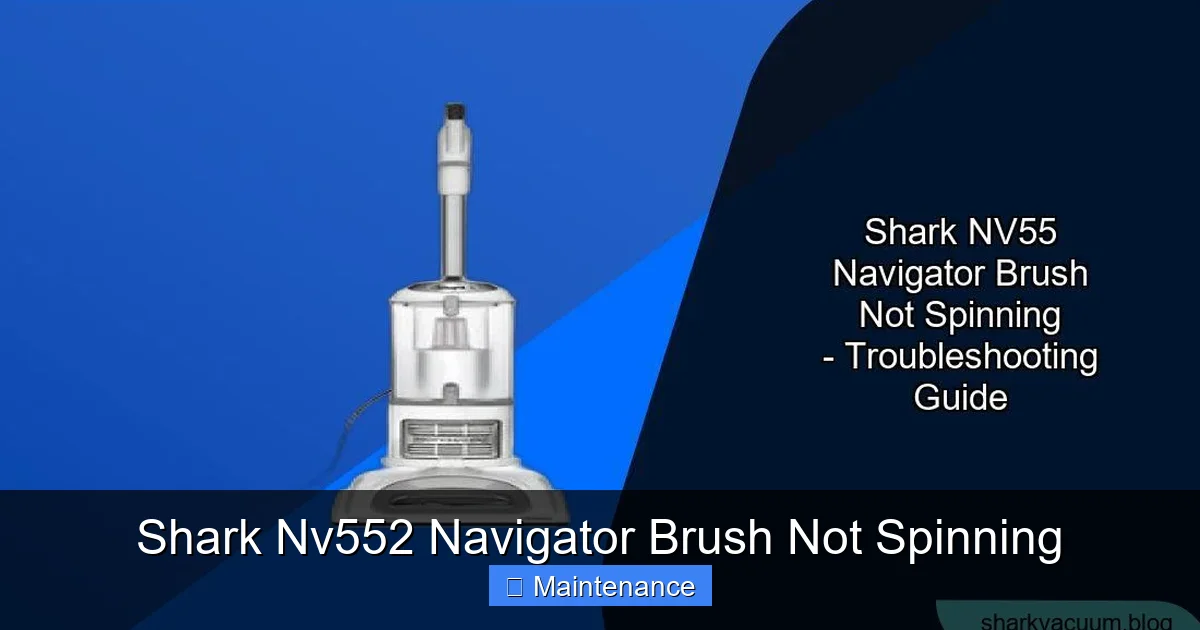
Visual guide about Shark Nv552 Navigator Brush Not Spinning
Image source: sharkvacuum.blog
How to Safely Access and Inspect the Brush Roller
First, and this cannot be stressed enough: unplug the vacuum. Locate the release levers on the cleaner head (foot) of your Shark Nv552. There are typically two red tabs, one on each side near where the handle meets the head. Step on the head with your foot to stabilize it, then squeeze both release levers simultaneously. The entire cleaner head will pivot forward and away from the main body, exposing the brush roller and belt. Gently lay the head on its side for better access. Use a pair of scissors or a seam ripper to carefully cut away any hair or string wrapped around the brush roller. Be meticulous—check both ends where the bearings are. Once the debris is cleared, try to spin the brush roller by hand. It should rotate freely and smoothly. If it still feels gritty or stiff, the bearings may be damaged and the entire brush roller assembly will need replacement.
Clearing the Suction Path and Intake
Sometimes, the clog isn’t on the brush roller itself but further up the path. Large items can get sucked into the intake hole right behind the brush roller, inside the cleaner head housing. After you’ve removed the head, look into this opening. Use a flashlight. You might see a sock, a large piece of paper, or a matted ball of hair. Use long-nose pliers or a bent coat hanger (be gentle to avoid damaging internal parts) to dislodge and remove any obstruction. A clear path from the brush roller to the suction motor is essential for optimal performance and to prevent strain on the brush system.
The Drive Belt: The Silent Culprit
If you’ve cleared all visible debris and the brush roller spins freely by hand, but it still doesn’t spin when the vacuum is on, the drive belt is your next suspect. This rubber belt can fail in several ways. It can snap completely, which is obvious if you see two loose ends. More commonly, it stretches out over time and becomes too loose to grip the pulleys properly. It can also develop a glazed, shiny surface from heat and wear, losing its friction. Finally, it can jump off its pulleys if the tensioner spring breaks or weakens. A broken or slipping belt means the motor might be running (you might hear a higher-pitched whine from the brush motor), but no power is transferred to the brush roller.
Visual guide about Shark Nv552 Navigator Brush Not Spinning
Image source: cdn-fastly.upgradedhome.com
Inspecting and Replacing the Drive Belt
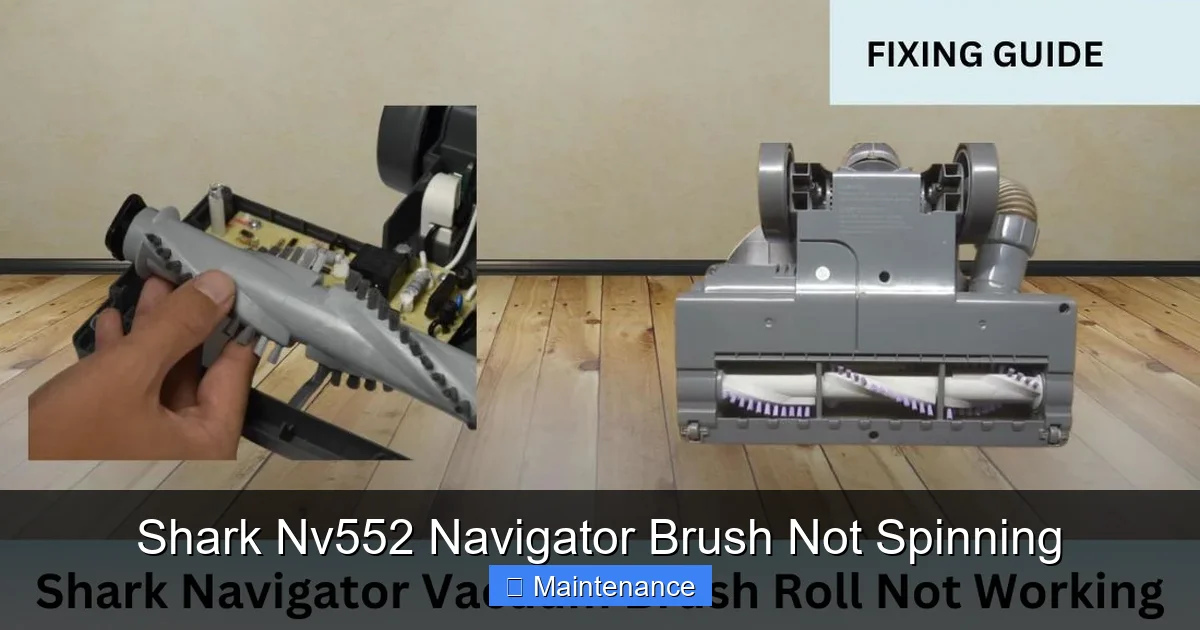
With the cleaner head still detached and tilted, you should see the rubber belt looped around the brush roller and a smaller pulley connected to the brush motor. Pull the brush roller out of its housing for a better view. Check the belt for cracks, fraying, or obvious stretching. A good belt should be taut and have a matte, rubbery feel. To replace it, you first need to remove the brush roller completely. Usually, there are end caps on the brush roller that snap off or are held by a small screw. Remove these to free the roller. Then, stretch the old belt off the motor pulley and off the brush roller. Fit the new belt (ensure you have the correct Shark Nv552 part number) onto the brush roller first, then stretch it over the motor pulley. It can be tricky to get the last bit on; you may need to rotate the pulley while stretching the belt. Reassemble the brush roller into the housing, ensuring it sits properly in its tracks. Snap the end caps back on. Reattach the cleaner head to the main body until it clicks into place.
Motor and Electrical Issues
If you’ve eliminated clogs and a bad belt, the problem likely lies with the brush motor itself or its power supply. The brush motor can burn out due to age, overheating from constant jams, or electrical surges. Additionally, the wiring that runs from the main body down into the swivel neck and into the cleaner head is subject to a lot of flexing and can eventually fray or break. This is a more advanced diagnosis.
Visual guide about Shark Nv552 Navigator Brush Not Spinning
Image source: sharkvacuum.blog
Testing for Power to the Brush Motor
This test requires a multimeter and some comfort with basic electronics. With the vacuum unplugged, you’ll need to access the electrical connector that plugs into the brush motor. This is usually found under a small plastic cover on the cleaner head housing. Disconnect it. Set your multimeter to the continuity setting (the diode symbol). Touch one probe to each of the two metal terminals in the connector. You should get a beep or a reading near zero, indicating a closed circuit. If you get no continuity, the motor is internally fried and needs replacement. If the motor tests fine for continuity, the problem is likely in the wiring harness or the switch that controls the brush roll. Tracing a broken wire often involves checking the flexible cord at the swivel joint where the handle meets the head—this is a common failure point. Look for visible cuts, kinks, or areas where the wire has been repeatedly bent.
The Reset Button: Your First Troubleshooting Step
Before you do any disassembly, there is one critical, ultra-simple step you must try. Your Shark Nv552 Navigator has a built-in thermal safety reset button designed to protect the brush motor from overheating. If the brush roller jams for too long, or if the vacuum is used on very thick carpet for an extended period, this button will trip and cut power to the brush motor as a safety measure. The vacuum will still suction, but the brush won’t spin. The reset button is usually a small, red, circular button located on the back or underside of the vacuum’s main body, near the motor housing. It might be recessed. With the vacuum unplugged, press this button firmly until you feel and hear a click. Plug the vacuum back in and try it on carpet. This simple reset solves a huge percentage of “brush not spinning” complaints. If the button trips again quickly, you have a persistent jam or a motor that is overheating due to another fault.
Proactive Maintenance: Keeping the Brush Spinning
An ounce of prevention is worth a pound of cure. The best way to deal with a non-spinning brush is to never have one. Incorporating a few quick habits into your cleaning routine will dramatically extend the life of your Shark Nv552’s brush system. After every 2-3 uses, especially if you have pets or have been vacuuming a lot of carpet, take two minutes to perform a visual check. Detach the cleaner head and look at the brush roller. Use your fingers or a cleaning tool to pick off any accumulated hair at the ends. Give the roller a few spins by hand to ensure it’s free. This small habit prevents hair from building into a solid, rock-like mass that can damage bearings. Additionally, avoid running the vacuum over large, loose items like paper, string, or small toys. These are the prime culprits for causing immediate, severe jams that can damage belts and motors.
Proper Storage and Deep Cleaning
How you store your vacuum matters. Don’t lay it on its side or store it with heavy items on top of the cleaner head, as this can deform the belt or misalign components. Store it upright. Every 6-12 months, depending on use, perform a deeper clean. Fully remove the brush roller assembly. Wash the bristles with mild soap and water if they are particularly grimy, but ensure they are 100% dry before reinstalling. While you have it apart, inspect the belt for signs of wear, cracks, or glazing. Replacing a belt preemptively is far cheaper and easier than dealing with a broken one that has wrapped itself around the motor shaft. Also, clean out the suction hose and wand with a long, flexible brush to maintain overall airflow, which reduces strain on all components.
When to Seek Professional Help or Consider Replacement
You’ve followed all the steps: cleared every clog, replaced the belt, pressed the reset button, and the brush roller still won’t spin. You’ve tested the motor and it has no continuity. The motor is dead. Now what? At this point, you have to weigh the cost of repair against the value of the machine. A new Shark Nv552 Navigator brush motor assembly, including labor if you take it to a repair shop, can cost anywhere from $80 to $150, depending on your region and the shop. The Nv552 is a mid-range model. If your vacuum is several years old and you paid $200-$250 for it originally, spending $100 on a repair might not make financial sense. Consider the overall condition of the vacuum. Is the suction still strong? Are the hoses and body in good shape? If the rest of the machine is solid, a motor replacement can buy you several more years of service. However, if it’s older and showing other signs of wear, the money might be better applied as a down payment on a new, more efficient model. Also, check your warranty. If the vacuum is still under Shark’s limited warranty (typically 1-5 years depending on the component), a motor failure might be covered, but you must have registered the product and the failure isn’t due to misuse or clogging. Contact Shark customer support first.
Frequently Asked Questions
Where is the reset button on my Shark Nv552 Navigator?
The thermal reset button is a small red button, usually recessed, located on the back or bottom of the main vacuum body near the motor housing. With the vacuum unplugged, press it firmly until you hear a click.
Is replacing the drive belt on the Shark Nv552 difficult?
It’s a moderate DIY task. You need to detach the cleaner head, remove the brush roller, and stretch the new belt onto the motor pulley. The trickiest part is getting the belt over the motor pulley, which requires some dexterity. Most homeowners can do it in 15-20 minutes with basic tools like a screwdriver.
Will Shark cover a motor failure under warranty if I clogged it?
Probably not. Warranty coverage typically excludes damage from misuse, accidents, or neglect—which includes failures caused by not cleaning clogs that lead to overheating. However, if the motor fails without any user-induced clogging, and the vacuum is within its warranty period and you have proof of purchase, you should contact Shark to inquire about a possible warranty claim.
What are the signs that the brush motor itself is burned out?
The primary sign is a silent brush roller when the vacuum is on, even after clearing clogs and replacing the belt. You might also notice a distinct, different smell—a sharp electrical burning odor. You can test for continuity with a multimeter; a motor with no continuity is dead. Sometimes a motor will hum but not turn, which can indicate a seized bearing inside the motor itself, also requiring motor replacement.
How often should I really clean the brush roller on my Shark?
For best results, do a quick visual and manual debris removal every 2-3 uses if you have pets or mostly carpet. Perform a full removal and deep cleaning of the brush roller and housing every 3-6 months. This proactive maintenance is the single most effective way to prevent the vast majority of brush-not-spinning problems.
Is it worth fixing a Shark Nv552 with a dead motor, or should I just buy a new one?
Do the math. If a professional repair (parts + labor) costs more than 40-50% of the price of a comparable new Shark upright, replacement is often the smarter long-term investment. Also, factor in the age and overall condition of your current vacuum. A well-maintained 3-year-old Nv552 with a dead motor might be worth repairing, while a 7-year-old model with multiple issues is not.