A non-spinning brush roll on your Shark Nv200q is a common, often fixable issue. It’s usually caused by clogs, hair wraps, a tripped reset, or a worn belt. This guide provides a systematic troubleshooting approach, from simple cleaning to reset procedures and part replacement, empowering you to diagnose and solve the problem yourself before considering a repair.
You’re in the middle of cleaning, your Shark Nv200q is humming along, and then you notice it. The brush roll—that rotating bar of bristles designed to agitate carpet fibers and lift dirt—has gone completely still. The vacuum still sucks air, but it’s just gliding over the carpet without that vital scrubbing action. Frustration sets in. Before you panic or resign yourself to an expensive repair, take a deep breath. A Shark Nv200q brush not spinning is one of the most common issues with upright vacuums, and in the vast majority of cases, it’s a problem you can diagnose and fix yourself with a little patience and some common household tools. This guide will walk you through every possible cause, from the simplest clog to a failed motor, with clear, step-by-step instructions.
Understanding why the brush roll stops is key. Your Shark Nv200q uses a small but powerful motor in the powerhead (the floor nozzle) to spin the brush roll via a rubber drive belt. The system has a few safety features and points of failure. Something as minor as a thick hairball wrapped around the axles can jam it, or the motor might have overheated and tripped a internal thermal switch. A belt can snap after years of use. The motor itself can burn out. Our job is to systematically check each component. We’ll start with the absolute basics that solve 80% of problems and move toward more complex diagnoses. Remember, always work on a unplugged vacuum. Safety is non-negotiable.
Key Takeaways
- Safety First: Always unplug your Shark Nv200q before inspecting or attempting any repairs to avoid injury or damage.
- Clogs Are The Prime Suspect: The most frequent cause is debris clogging the suction path or jamming the brush roll itself. A thorough clean is the first and most effective step.
- The Reset Button Is Your Friend: The brush motor has a thermal reset switch on the powerhead. Locating and pressing it solves many “sudden stop” problems.
- Inspect the Drive Belt: A broken, stretched, or dislodged belt will prevent the brush roll from turning. This is a common wear item that is often replaceable.
- Check for Wear and Tear: Over time, brush bristles wear down, bearings can seize, and motors can fail. Identifying these signs helps determine if a part replacement is needed.
- Methodical Troubleshooting Wins: Work through potential causes logically—from simple clogs to reset, then belt, then motor—to efficiently identify the root problem.
- Warranty and Professional Help: If the unit is under warranty or you’re uncomfortable with internal repairs, contacting Shark customer service or a certified technician is the safest option.
📑 Table of Contents
- 1. The Usual Suspects: Most Common Causes for a Stationary Brush Roll
- 2. Your First Line of Defense: The Basic Inspection and Cleaning
- 3. The Reset Procedure: Finding and Pressing the Hidden Button
- 4. Belt Inspection and Replacement: The Mechanical Link
- 5. Advanced Diagnostics: When the Problem Isn’t Simple
- 6. Prevention and Long-Term Care: Keeping Your Brush Spinning
1. The Usual Suspects: Most Common Causes for a Stationary Brush Roll
When your Shark Nv200q brush isn’t spinning, the culprit is almost always one of a handful of things. Jumping to the conclusion that the motor is dead is premature. Let’s rank these by likelihood and ease of fix.
1.1. Debris Clogs and Hair Wraps
This is the number one cause, especially in homes with pets or long hair. The brush roll itself becomes a trap. Hair, string, carpet fibers, and small objects wind tightly around the brush roll’s bearings (the plastic end caps that hold it in place) or get caught in the bristles. This creates immense resistance. The motor strains, may make a high-pitched whining sound, and then either stalls or the thermal protection kicks in. Even if the motor runs, the jammed brush won’t turn. You must physically remove this wrap.
1.2. Tripped Thermal Reset Switch
The brush roll motor is a hardworking component. To prevent it from burning out from overheating (often caused by the clogs mentioned above), Shark incorporates a thermal reset switch inside the motor housing. If the motor gets too hot, this switch opens the circuit, cutting power to the brush motor. The vacuum will still have suction because the main suction motor is separate, but the brush roll stops. The good news? This switch is usually user-resettable. Once the motor cools, you can press a small button to restart it.
1.3. A Broken or Slipping Drive Belt
The brush roll is connected to the motor shaft by a rubber timing belt. Over years of use, this belt can stretch, become glazed and slippery, or—most commonly—snap or jump off its track. If the belt is gone or loose on the motor pulley, the motor will spin but the brush roll will stay still. You’ll often hear the motor running but see no brush movement. Inspecting this belt is a critical step.
2. Your First Line of Defense: The Basic Inspection and Cleaning
Before you touch a single screw, you need to perform a visual and tactile inspection. This phase solves most problems and requires no tools beyond maybe a seam ripper, scissors, and a flashlight.
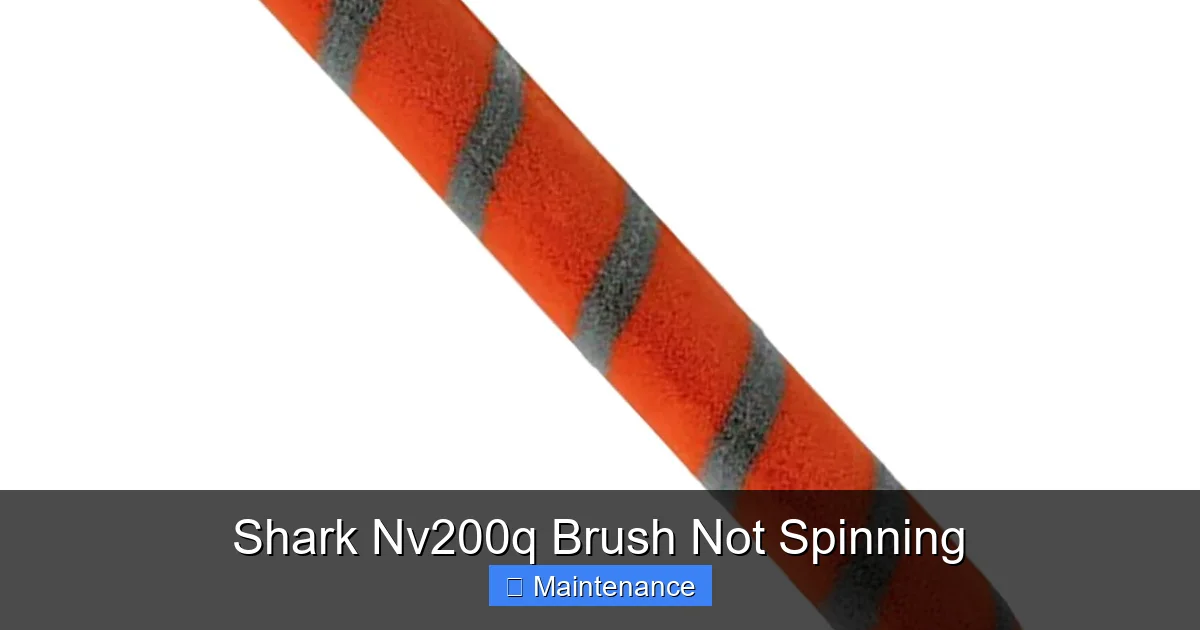
Visual guide about Shark Nv200q Brush Not Spinning
Image source: m.media-amazon.com
2.1. Accessing the Brush Roll
Lay your Shark Nv200q on its back so you can see the underside of the powerhead. There is typically a release lever or a few screws holding the bottom plastic cover (the brush roll housing) in place. Locate and release it. On many models, you can simply flip a lever and the cover pops off. Gently set the cover aside. You should now see the entire brush roll assembly.
2.2. The Hair and Debris Extraction Mission
This is the messy but crucial part. Using your fingers, scissors, or a specialized tool like a “seam ripper” (excellent for cutting wrapped hair), meticulously remove every strand of hair, fiber, and piece of debris from the brush roll bristles. Pay extreme attention to the areas right where the brush roll meets the plastic housing on both ends. This is where hair cinches down and creates a solid, rock-like plug around the metal axles. You must get this completely clean. Also, look inside the suction intake opening (the large hole where dirt enters). Reach in with your hand and pull out any large clumps of debris that may have packed deep inside, creating a blockage that increases drag on the brush roll.
2.3. Check for Free Movement
Once you’ve cleaned it, manually spin the brush roll with your fingers. It should rotate freely and smoothly in both directions. There should be no gritty feeling, no binding, and no wobble. If it still feels stiff or gritty after cleaning, the bearings inside the end caps may be seized or packed with fine dust. This may require replacing the entire brush roll assembly, which is often easier than trying to service the sealed bearings.
3. The Reset Procedure: Finding and Pressing the Hidden Button
If cleaning didn’t solve the problem, or if the brush motor simply doesn’t sound like it’s trying to turn, the thermal reset is your next target.
Visual guide about Shark Nv200q Brush Not Spinning
Image source: sharkvacuum.blog
3.1. Locating the Reset Button
The reset button is almost always on the powerhead itself—the same unit that houses the brush roll motor. You will likely need to remove the brush roll housing (the bottom cover) to see it. Look for a small, circular, red or black button, often recessed into the plastic housing near the motor or along the side. It might be labeled “RESET” or have a small triangle icon. On some Shark models, it’s located on the back of the powerhead, near where the wand connects. Consult your owner’s manual for the exact location on your Nv200q variant, but it’s universally on the floor nozzle unit.
3.2. Performing the Reset
With the vacuum unplugged, firmly press and release this reset button. You should feel and hear a distinct click. This closes the thermal circuit. Now, plug the vacuum back in, turn it on, and engage the brush roll (usually by stepping on the front of the vacuum and tilting the handle back to the upright position, or by flipping a dedicated brush roll switch). Listen for the brush motor sound. If it starts spinning, your problem is solved! However, if it trips again immediately, you have an underlying issue (like a persistent jam or a failing motor) causing the motor to overheat instantly. You must resolve that root cause first.
4. Belt Inspection and Replacement: The Mechanical Link
If the brush roll spins freely by hand and the reset button was already pressed or doesn’t help, the drive belt is the next logical component to check.
4.1. How to Access the Belt
With the brush roll housing already removed (from our earlier cleaning step), the belt is usually visible. It’s a long, thin, black rubber band that loops from a small pulley on the brush roll motor shaft to a larger pulley on the brush roll itself. On some models, you may need to tilt the powerhead further or remove a secondary plastic cover to see it clearly.
4.2. Diagnosing Belt Condition
Inspect the belt thoroughly. Look for these signs:
- Broken/Snapped: Obvious. The belt is in two pieces.
- Missing: The belt has jumped off its pulleys and is either sitting loose in the housing or is gone entirely.
- Glazed/Smooth: The belt surface looks shiny and lacks its original rubbery texture. This means it’s slipping and not gripping the pulleys.
- Stretched: The belt is so loose that it sags significantly or can be twisted easily. A loose belt will slip.
4.3. Replacing the Drive Belt
Replacing the belt on a Shark Nv200q is a straightforward process. Purchase the correct replacement belt (part number is usually found in the manual or on the old belt itself, often something like “Shark Belt NV200” or similar). To install: Stretch the new belt over the motor shaft pulley first (it’s usually the smaller one). Then, rotate the brush roll so one of its bristle rows is facing up, and stretch the other end of the belt over the brush roll pulley. It may require some force and maneuvering to get it seated properly on both pulleys. Ensure it’s sitting flat and not twisted. Reinstall the brush roll and housing, then test.
5. Advanced Diagnostics: When the Problem Isn’t Simple
You’ve cleaned every hair, pressed the reset, and installed a new belt. The brush roll still won’t spin. Now we move to less common, more serious failures.
5.1. The Brush Roll Assembly Itself
The brush roll is more than just bristles. Inside the plastic end caps are bearings. If these bearings are seized (from age, lack of lubrication, or contamination), the entire roll will not turn freely even if you’ve cleaned the outside. You can test this by removing the brush roll entirely from the vacuum. Once it’s out, try spinning each end cap by hand. They should rotate smoothly relative to the central plastic core. If an end cap is frozen to the core, the brush roll is dead. At this point, replacing the entire brush roll assembly is the most cost-effective and simplest repair. It’s a common wear part.
5.2. Motor Failure
This is the least common but most final cause. The small brush roll motor can burn out. Signs of a dead motor: you hear nothing from the powerhead when the brush roll is engaged (not even a whine), and you’ve ruled out the reset button and power connection to the powerhead. The reset button may be fine, but the motor windings themselves have failed. Diagnosing this definitively requires a multimeter to test for continuity, which is beyond most users’ comfort zone. If you’ve exhausted all other options, the motor may need replacing. Given the age and value of the Nv200q, weigh the cost of a new motor against the cost of a new vacuum.
6. Prevention and Long-Term Care: Keeping Your Brush Spinning
An ounce of prevention is worth a pound of cure. A few minutes of regular maintenance will drastically reduce the chance of a non-spinning brush roll.
6.1. Clean After Every Few Uses
Get in the habit. After vacuuming, especially if you have pets or long hair, flip the vacuum over and use scissors or a seam ripper to cut away and remove any hair immediately wrapped around the brush roll. Don’t wait for it to become a solid, rock-like plug. This 60-second habit is the single best thing you can do.
6.2. Check the Belt Periodically
Every few months, during your cleaning, take a moment to look at the drive belt. Is it cracked, glazed, or loose? Replace it before it breaks. A belt is cheap; a damaged floor from a non-agitating vacuum is not.
6.3. Avoid Hazardous Debris
Your Shark is designed for carpet and hard floor debris. Do not use it to vacuum up large, hard objects (coins, LEGO, small toys), wet materials, or very fine powders like plaster dust or flour in large quantities. These can jam the brush roll, clog the system, or damage the motor and bearings.
Conclusion: A Shark Nv200q brush not spinning is a nuisance, but it’s rarely a death sentence for your vacuum. By following this structured approach—starting with a meticulous cleaning, then the reset, then the belt inspection—you will solve the problem yourself 90% of the time. This saves you money, reduces waste, and gives you a deeper understanding of your machine. If you do reach the point of suspected motor or internal wiring failure, and the unit is older, it may be time to consider a replacement. But for most users, a little elbow grease and this guide are all that’s needed to get that brush roll spinning and your carpets truly clean again.
Frequently Asked Questions
Why did my Shark Nv200q brush roll stop working suddenly?
The most common reason is a hair or debris wrap that jammed the brush roll, causing the motor to overheat and trip its internal thermal reset switch. A broken drive belt is another frequent cause. Always start by cleaning the brush roll thoroughly and checking the reset button.
How do I clean the brush roll on my Shark Nv200q?
Unplug the vacuum, lay it on its back, and remove the bottom brush roll housing cover. Use scissors or a seam ripper to cut and remove all hair, string, and fibers wrapped around the bristles and especially around the bearing end caps. Manually spin the roll to ensure it moves freely before reassembling.
Where is the reset button on a Shark Nv200q?
The reset button is located on the powerhead (the floor nozzle unit). You will likely need to remove the brush roll housing cover to see it. Look for a small, circular, often red or black button recessed into the plastic housing. Press it firmly until you hear a click.
How often should I replace the drive belt on my Shark vacuum?
There’s no fixed schedule, as it depends on use. Inspect the belt every 3-6 months for signs of wear like cracks, glazing (a shiny surface), or stretching. Replace it if it shows any damage or if the brush roll slips. A typical belt lasts 1-2 years with regular use.
Is it worth repairing the brush roll motor on an old Shark Nv200q?
Often, no. The cost of a replacement motor plus labor (if you hire someone) can approach or exceed the value of an older vacuum. If the machine is otherwise in good shape and you’re comfortable with DIY, a motor part might be worth it. Otherwise, for an older unit, replacement is usually more economical.
What are the signs that I need a new brush roll assembly?
Signs include: the brush roll does not spin freely by hand even after removing all hair; the plastic end caps are cracked or broken; the bristles are severely worn down to the nub; or you hear a grinding noise from the brush roll area. A new brush roll is a common and relatively inexpensive fix.