A damaged or clogged hose is a primary cause of suction loss in your Shark Navigator upright vacuum. Replacing it is a straightforward, cost-effective DIY fix that restores peak performance. This guide covers how to diagnose hose issues, choose the exact compatible replacement for your specific model (like NV352, NV356, etc.), and provides a detailed, step-by-step installation process. Proper hose maintenance after replacement is also key to preventing future problems.
Key Takeaways
- Diagnose Before You Replace: Not all suction loss is hose-related. Check for clogs, cracks, and detachment points at both ends before ordering a new part.
- Model-Specific Compatibility is Crucial: Shark Navigator hoses are not one-size-fits-all. You must identify your exact model number (found on the back plate) to purchase the correct replacement part number.
- Use Genuine Shark Parts for Best Fit: While third-party hoses exist, genuine Shark Navigator vacuum hose replacements (part numbers like 129F8, 129F9) guarantee perfect alignment with the vacuum’s twist-and-lock mechanism and internal diameter.
- Replacement is a Simple 10-Minute DIY Job: No special tools or technical skills are needed. The process involves unclipping the old hose and clicking the new one into place at both the wand and vacuum body connections.
- Prevent Future Damage with Proper Care: Avoid pulling the vacuum by the hose, stepping on it, or running it over sharp objects. Store the hose loosely to prevent kinks and stress points.
- A New Hose Restores Full System Performance: The hose is a critical airflow conduit. A clear, undamaged hose ensures the vacuum’s motor and brush roll operate efficiently, preventing strain and extending the machine’s overall life.
[FEATURED_IMAGE_PLACEHOLDER]
📑 Table of Contents
- Is Your Shark Navigator’s Suction Weak? The Hose Might Be the Problem
- How to Diagnose a Faulty Hose: Signs It’s Time for a Replacement
- Navigating Compatibility: Finding the EXACT Shark Navigator Hose for Your Model
- Tools and Preparation: Setting Yourself Up for Success
- The Step-by-Step Shark Navigator Vacuum Hose Replacement Guide
- Pro Maintenance Tips: Making Your New Hose Last for Years
- Conclusion: Empower Your Cleaning with a Simple Fix
Is Your Shark Navigator’s Suction Weak? The Hose Might Be the Problem
You love your Shark Navigator upright vacuum. It’s tackled countless spills, pet hair emergencies, and dusty corners. But lately, you’ve noticed it’s not pulling like it used to. The brush roll might still be spinning, but the floor isn’t getting cleaner. Before you panic about a failing motor or consider a whole new vacuum, take a breath. The most common culprit for lost suction in Shark Navigator models is often the simplest part: the hose.
That long, flexible tube that connects your wand and attachments to the main vacuum body is a critical component of the airflow system. It’s also one of the most vulnerable. It gets stepped on, bent around furniture, pulled, and occasionally, even chewed by curious pets. Over time, these actions lead to hidden clogs, tiny cracks, or disconnections at the attachment points. A Shark Navigator vacuum hose replacement is frequently the all-in-one solution to restore your vacuum to its former glory. This isn’t just about swapping a part; it’s about understanding your machine, diagnosing the real issue, and performing a simple fix that saves you money and frustration. Let’s dive into everything you need to know.
How to Diagnose a Faulty Hose: Signs It’s Time for a Replacement
Before you order a new hose, you need to be sure it’s the problem. Misdiagnosis leads to wasted money and time. Here’s a practical, step-by-step method to confirm if your hose is the issue.
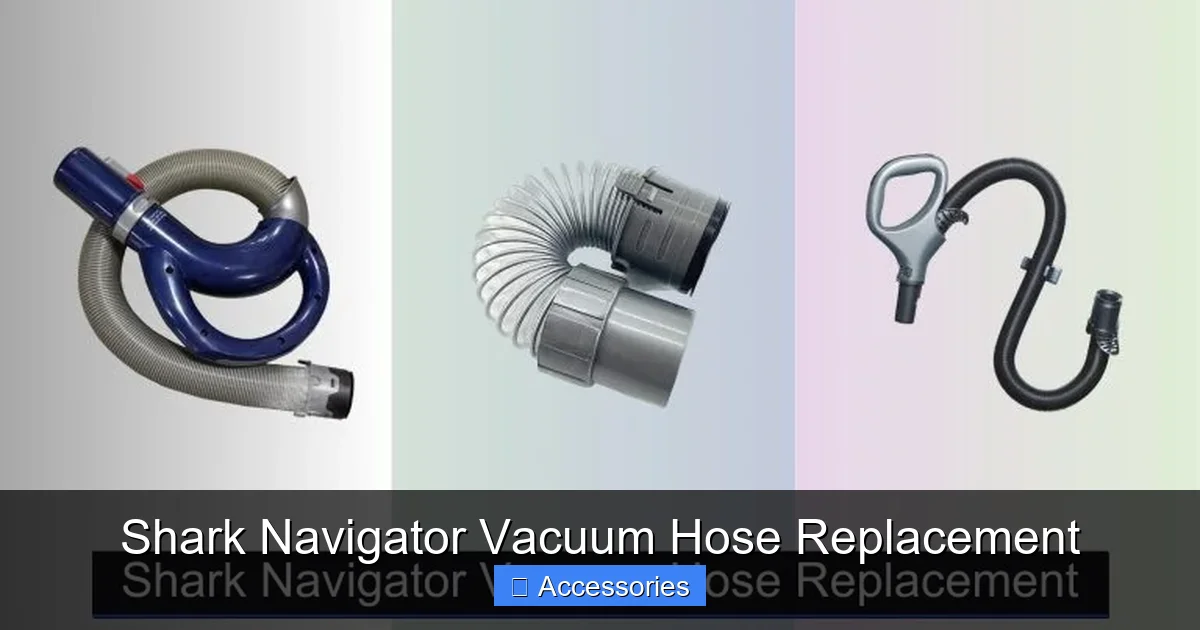
Visual guide about Shark Navigator Vacuum Hose Replacement
Image source: sharkvacuum.blog
The Suction Test: Isolate the Hose
This is the most definitive test. First, detach the hose from the vacuum’s main body. On most Shark Navigators, you’ll find a large, twist-and-lock connector on the back or top of the vacuum canister. Turn it counterclockwise to release the hose. Now, with the vacuum powered on and upright, place your hand over the open hose port on the vacuum body. You should feel a strong, steady pull. If the suction here feels powerful, the problem is downstream—in the hose, wand, or nozzle. If it’s weak here, the issue could be a clog in the main body, a dirty filter, or a failing motor.
Next, reattach the hose but detach the wand and nozzle at the other end. Again, with the vacuum on, place your hand over the open end of the hose. If suction is strong at the vacuum end but weak at the wand end, you have a clog or break inside the hose itself. If it’s weak at both points after reattachment, the leak might be at the connection points, or the clog is severe.
Visual and Physical Inspection: Look and Feel
Unplug the vacuum and fully extend the hose. Give it a good look-over under a bright light. You’re hunting for:
- Cracks and Splits: Often near the ends where the hose bends most frequently, or along the length where it may have been pinched. Even a small crack can bleed significant suction.
- Punctures: Tiny holes from nails, staples, or pet teeth.
- Kinks and Permanent Bends: A hose that doesn’t spring back to its original shape has internal damage restricting airflow.
- Worn or Damaged Connectors: Inspect the plastic tabs on the twist-and-lock ends. Are they broken, missing, or worn smooth? A damaged connector won’t seal properly.
Run your hand along the entire hose. Feel for rough spots, lumps, or sections that feel stiffer than others—signs of internal collapse or debris buildup.
The “Paper Test” for Clogs
For suspected clogs, take a small, lightweight piece of tissue or paper. Turn the vacuum on and hold the open end of the hose (with the wand detached) near the paper. If the paper is sucked up instantly and held firmly, airflow is good. If it flutters weakly or isn’t attracted at all, you have a significant obstruction. You can sometimes clear minor clogs with a long, flexible brush or by carefully using a garden hose (with the vacuum off and disconnected from power!), but a persistent, dense clog often means the hose lining is damaged and trapping debris—time for a new hose.
Navigating Compatibility: Finding the EXACT Shark Navigator Hose for Your Model
This is the most critical step. Shark Navigator is a product line with dozens of model variations over the years (NV350, NV352, NV356, NV360, NV362, NV500, etc.). The hoses are not universally interchangeable. Using the wrong hose can lead to a poor fit, leaks, and continued suction loss. Here’s how to find your perfect match.
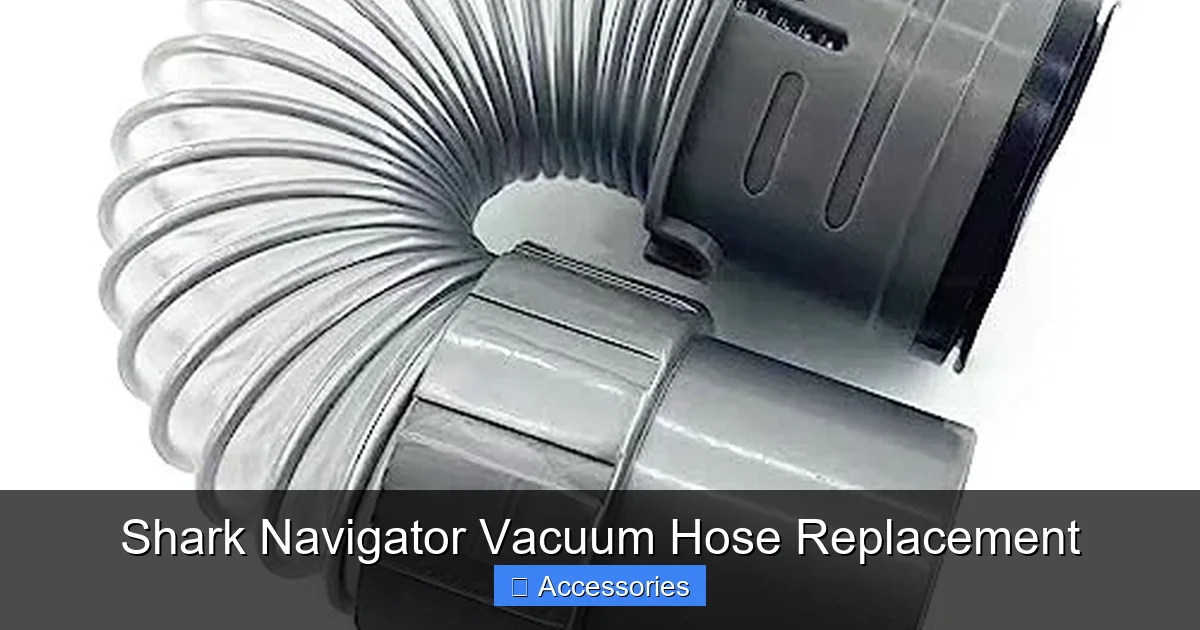
Visual guide about Shark Navigator Vacuum Hose Replacement
Image source: m.media-amazon.com
Locate Your Model Number
Your vacuum’s model number is its unique ID. You’ll find it on a silver sticker, usually on the back or underside of the vacuum’s main body/canister. It’s a combination of letters and numbers, like “NV352” or “NV356Q”. Write this down exactly. This is your golden ticket.
Search by Model, Not Just Series
When shopping for a replacement, do not search for “Shark Navigator hose.” That’s too vague. Search for “Shark Navigator [Your Exact Model Number] hose“. For example, “Shark Navigator NV352 hose.” Reputable parts retailers and Shark’s own website will list the exact part number compatible with your model.
Understanding Part Numbers
The genuine Shark replacement hose has its own part number, which is often consistent across a few similar models. Common part numbers you’ll see include:
- 129F8: Fits many early NV300-NV400 series models.
- 129F9: A very common part for NV350, NV352, NV356, and others.
- 147CF: Used for some later Lift-Away and Rotator models, but always verify with your model number.
A listing should explicitly state “Fits Shark Navigator NV352, NV356” etc. If it doesn’t list your model, do not buy it. Cross-reference the part number on Shark’s official parts finder tool if possible.
Genuine vs. Aftermarket: Is It Worth the Risk?
You’ll find cheaper hoses from third-party manufacturers. While tempting, consider the risks:
- Fit and Seal: Aftermarket hoses may have slightly different plastic molds. The twist-and-lock mechanism may not engage fully, causing air leaks that nullify the replacement.
- Material Quality: Genuine Shark hoses use specific, durable plastics and internal ribbing designed for optimal airflow. Cheap copies can kink easily, have rough interiors that catch debris, or degrade faster.
- Warranty: Using non-genuine parts can sometimes void aspects of your vacuum’s warranty, though this is less common for a hose.
Our Recommendation: For a Shark Navigator vacuum hose replacement, investing in the genuine Shark part (usually $25-$40) is almost always worth the peace of mind and guaranteed performance. The price difference is small compared to the cost of a new vacuum.
Tools and Preparation: Setting Yourself Up for Success
You don’t need a toolbox full of equipment. This is a simple clip-and-click job. But a little prep makes it smooth and frustration-free.
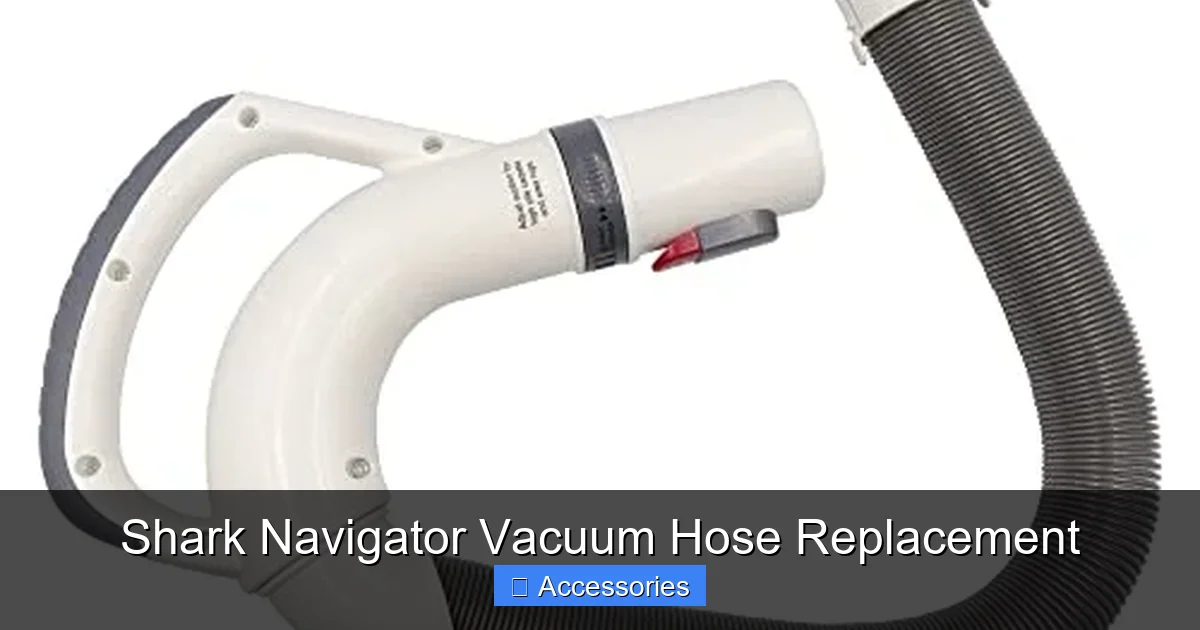
Visual guide about Shark Navigator Vacuum Hose Replacement
Image source: m.media-amazon.com
Gather Your Minimal Toolkit
- Your New Genuine Shark Navigator Hose: Verified for your model, removed from packaging.
- A Small Flat-Head Screwdriver (Optional): Sometimes helpful for gently prying open stubborn plastic clips on the vacuum body if the old hose is stuck.
- A Clean, Soft Towel: To lay the vacuum on its side, protecting your floors and the vacuum’s finish.
- A Flashlight or Phone Light: To see the connection points clearly.
- Your Glasses (if you wear them!): Seriously, those connector tabs are small.
Prepare Your Workspace
Find a well-lit area with enough floor space to lay the vacuum on its side. A kitchen or garage floor is ideal. Place your towel down. Unplug the vacuum from the wall outlet—this is non-negotiable for safety.
Inspect the New Hose
Before you start, uncoil the new hose. Check both ends for any manufacturing defects, like broken tabs or rough molding. Ensure it’s clean and free of debris from packaging. Give it a straighten so it’s pliable and ready to install.
The Step-by-Step Shark Navigator Vacuum Hose Replacement Guide
With diagnosis complete, the correct part in hand, and your space ready, let’s do the swap. The process is nearly identical across all Navigator upright models. Total time: 5-10 minutes.
Step 1: Remove the Old Hose from the Vacuum Body
Locate the main hose connection on the back or top of your Shark Navigator canister. It’s a large, white or gray plastic connector with vertical ridges and a locking mechanism. You’ll see two small plastic tabs on either side of the connector. To release, you do not pull straight out. Instead, push the connector inward slightly (toward the vacuum body) and then turn it counterclockwise (left) about a quarter-turn. You should feel a slight click and the connector will loosen. Now you can pull the hose straight off the vacuum port. Be gentle; if it’s stuck, use your flat-head screwdriver to gently pry one of the release tabs inward while turning.
Step 2: Detach the Hose from the Wand/Nozzle End
At the other end of the hose, where it connects to your wand or nozzle (the part you hold), you’ll find a smaller, similar twist-and-lock connector. The process is the same: push the connector in slightly and turn it counterclockwise until it releases, then pull the hose free. If your model uses a simple push-fit connector (less common), you may need to press a release collar while pulling.
Step 3: Clean the Connection Points
This is a pro tip. While you have access, use a damp cloth to wipe out the vacuum body’s hose port and the inside of the wand connector. Remove any accumulated dust, hair, or gunk. This ensures a perfect seal with the new hose and prevents immediate re-clogging.
Step 4: Attach the New Hose to the Wand/Nozzle First
It’s often easier to start at the wand end. Align the tabs on the new hose’s small connector with the slots on the wand. Push the connector firmly onto the wand until it is fully seated. Now, push the connector inward slightly and turn it clockwise (right) until you hear/feel a solid click. The connector should not twist further. Give it a gentle tug to confirm it’s locked. You’ve just mastered the twist-and-lock!
Step 5: Connect the Hose to the Vacuum Body
Now, bring your vacuum (still on its towel) and the hose. Align the large connector’s tabs with the slots on the vacuum’s port. Push it on fully. Push in slightly and turn clockwise until it clicks. Again, give it a firm but gentle tug to ensure it’s locked. The hose should now be securely attached at both ends.
Step 6: The All-Important Test
Plug the vacuum back in. Stand it upright. Turn it on. Before you even touch the floor, listen. The sound should be the familiar, strong roar of your Shark, not a high-pitched whine indicating an air leak. Now, place your hand over the wand end (with the nozzle off). You should feel a powerful, consistent suction. Finally, run it over a small area of bare floor. If the suction feels strong and the brush roll is agitating properly, you’ve succeeded! If you still have weak suction, double-check that both ends are clicked securely. A half-locked connector is a common oversight.
Pro Maintenance Tips: Making Your New Hose Last for Years
You’ve fixed the problem. Now, protect your investment. A new hose is a great opportunity to build habits that prevent future damage.
Handling and Storage: The Golden Rules
- Never, ever use the hose as a handle. Do not lift, move, or carry the vacuum by gripping the hose. This stresses the connectors and can cause internal separation. Always use the main handle on the vacuum body.
- Beware of sharp edges and corners. When cleaning, be conscious of where the hose is. Dragging it across table legs, metal bed frames, or baseboard nails can cause punctures.
- Store it loosely. Don’t wrap the hose tightly around the vacuum or in a tight coil. This creates permanent kinks. The Shark Navigator’s built-in hose hooks are designed for a large, loose loop. Use them. If storing separately, hang it over a hook or lay it in a broad figure-eight.
Cleaning the Hose
Hoses don’t need frequent internal cleaning, but if you’ve sucked up something fine and dusty (like drywall dust or massive amounts of pet hair), a clog can develop. For a deep clean:
- Detach the hose from both ends.
- Take it outside or to a tub.
- Run a gentle stream of water through the hose from one end to the other. Do not use a high-pressure washer.
- Shake out excess water and hang it to dry completely for 24 hours before reattaching. A wet hose can mold and damage your vacuum’s filters.
Never use chemical cleaners or stiff brushes inside the hose, as they can damage the smooth inner lining.
Inspect Regularly
Make a habit of giving your hose a quick visual and feel check every few months. Catching a small crack early means you can replace it before it becomes a major suction problem. Also, periodically check the connector tabs for wear.
Conclusion: Empower Your Cleaning with a Simple Fix
Your Shark Navigator vacuum is a workhorse built to last. Like any tool, its parts are designed to be replaceable. When that trusty hose gives out, it’s not the end of the world—it’s an opportunity. By learning to diagnose the issue, source the exact genuine Shark Navigator vacuum hose replacement for your specific model, and perform the simple installation yourself, you take control of your appliance’s maintenance. You save the cost of a service call or a new vacuum, and you gain a deeper understanding of how your machine works. That powerful roar of suction you hear after the replacement? That’s the sound of a job well done. Now, go enjoy your fully restored Shark Navigator and the perfectly clean floors it delivers.
Frequently Asked Questions
How do I know if my Shark Navigator hose is bad?
Perform the isolation test: detach the hose and check suction at the vacuum’s port. Strong suction there but weak at the wand end indicates a hose issue. Also, look for visible cracks, holes, or permanent kinks along the hose length, and check that the twist-and-lock connectors engage securely.
What is the part number for a Shark Navigator hose?
The part number depends on your exact model. Common genuine Shark part numbers include 129F8 and 129F9, which fit many NV300-NV400 series models. The only way to be certain is to locate your model number (e.g., NV352) on the vacuum’s label and search for a hose compatible with that specific model.
Can I replace the hose myself, or do I need a professional?
You can absolutely replace it yourself. It requires no tools or technical skill—just a twist-and-lock mechanism at both ends. The entire process takes under 10 minutes. Following a guide like this one ensures you do it correctly.
Where can I buy a genuine Shark Navigator replacement hose?
You can purchase genuine parts directly from Shark’s official website using their parts finder tool. Authorized retailers like Amazon, Best Buy, and appliance parts stores like PartSelect or Encompass also carry genuine Shark hoses when you search by your specific model number.
How long should a Shark vacuum hose last?
With normal use and proper care (avoiding sharp pulls, bends, and storage kinks), a hose can last 3-5 years or more. Hoses in homes with pets, frequent use on rough surfaces, or poor storage habits may wear out sooner.
Will a new hose fix all suction problems?
Not always. A hose is a common cause, but suction loss can also be due to a clogged brush roll, dirty or damaged filters (especially the foam post-motor filter), a full dust cup, or a failing motor. Always diagnose systematically, starting with the hose test, to ensure you’re fixing the correct problem.