Is your Shark Navigator UV300 vacuum’s brushroll suddenly stopped spinning? This is a very common issue, usually caused by clogs, hair entanglement, or a tripped thermal fuse. The good news is that you can diagnose and fix most problems yourself in minutes with basic tools. This guide walks you through every potential cause, from simple debris removal to checking the belt and resetting the motor, helping you restore full cleaning power without a service call.
You’re halfway through vacuuming your living room, and you notice something’s off. The Shark Navigator UV300 is still sucking up fine dust, but that satisfying bristle-on-carpet sound is gone. You look down, and there it is: the iconic red brushroll is sitting perfectly still. Don’t panic! A Shark Navigator UV300 brushroll not spinning is one of the most frequently reported issues with this otherwise stellar vacuum cleaner, and it’s almost always something you can fix yourself. This comprehensive guide will turn you into a DIY troubleshooting pro, saving you time, money, and the frustration of a half-cleaned home.
We’ll start by understanding exactly how the brushroll system works in your UV300. Then, we’ll systematically diagnose every possible cause, from the incredibly simple (a piece of hair) to the more complex (a faulty motor). With clear, step-by-step instructions, practical tips, and warnings about what to avoid, you’ll have your vacuum’s roller spinning again in no time. Let’s roll up our sleeves and get started.
Key Takeaways
- The #1 cause is debris clogs: Hair, string, and carpet fibers wrap around the brushroll and axles, jamming it. Regular cleaning prevents this.
- Check the brushroll engagement: The brushroll must be properly seated in its housing and the vacuum must be in “Carpet” mode to spin.
- A tripped thermal fuse is a common culprit: An overheating motor from a severe clog will shut down the brushroll circuit. A simple reset often works.
- The drive belt is a frequent failure point: If the belt is broken, stretched, or slipped off, the brushroll won’t spin. Inspect it during your troubleshooting.
- Power and wiring issues are rarer: Problems with the switch, wiring to the brushroll, or the motor itself are less common but require more advanced diagnosis.
📑 Table of Contents
Understanding Your Shark Navigator UV300 Brushroll System
Before we start pulling things apart, it’s crucial to understand the basic mechanics. The brushroll (that cylindrical bar with bristles) is what agitates carpet fibers, loosening embedded dirt so the suction can pull it away. In the Shark Navigator UV300, this is a powered brushroll, meaning it has its own small motor connected via a drive belt. The system is elegantly simple but relies on a few key components working in harmony.
The Key Components
- The Brushroll Assembly: This includes the plastic housing, the metal axle, the bearings, and the brush bristles themselves.
- The Drive Belt: A rubber belt that connects the vacuum’s main motor shaft to the brushroll’s axle, transferring rotational power.
- The Brushroll Motor: A small, dedicated motor that spins the brushroll. It’s separate from the main suction motor.
- The Thermal Fuse: A safety device that cuts power to the brushroll motor if it overheats, usually from a severe clog that strains the motor.
- The Mode Selector: The switch that turns the brushroll on (for carpet) or off (for hard floors). The brushroll will not spin if the vacuum is set to “Hard Floor” mode.
- Electrical Connections: Wires and contacts that deliver power from the main vacuum body down through the wand to the brushroll housing.
When your brushroll stops spinning, the failure is somewhere in this chain. Our job is to find the weakest link.
Most Common Causes: The Usual Suspects
Based on thousands of service reports and user forums, over 90% of Shark Navigator UV300 brushroll not spinning cases fall into a handful of categories. We’ll tackle them in order of likelihood and ease of repair.
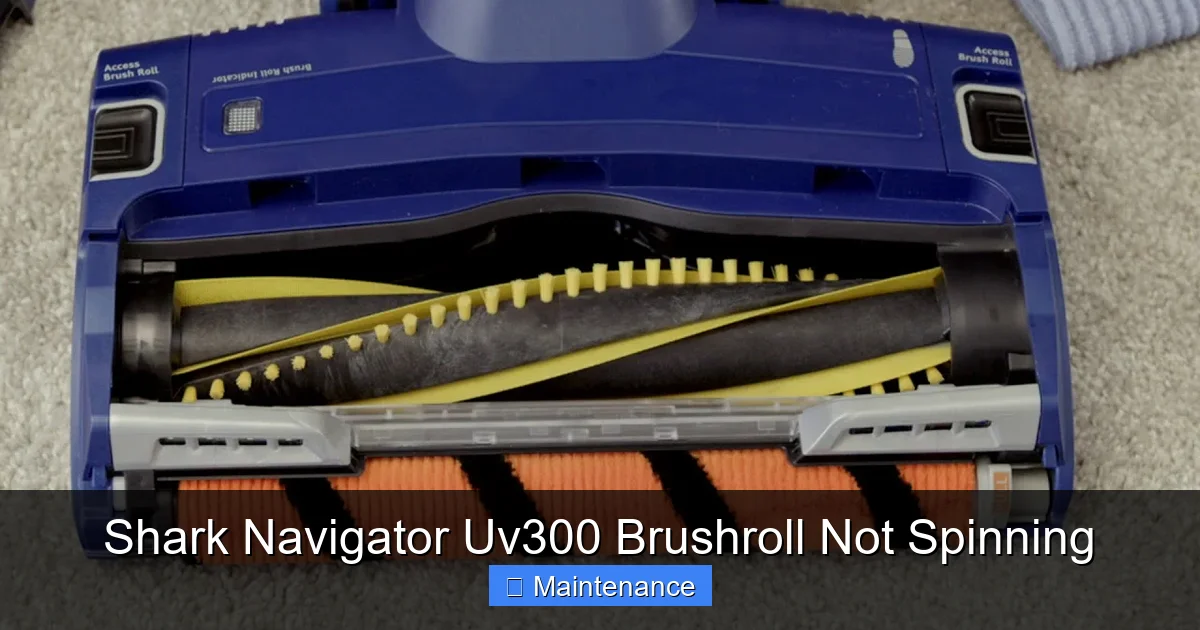
Visual guide about Shark Navigator Uv300 Brushroll Not Spinning
Image source: i.ytimg.com
1. Debris Clogging the Brushroll and Housing
This is the undisputed champion of brushroll failures. Long hair, carpet fibers, string, and even small pieces of clothing (like socks or toddler leggings) will wrap tightly around the brushroll bristles, the metal axle, and the bearings inside the housing. This creates immense resistance. The motor struggles, overheats, and the thermal fuse trips—or the jam is so severe the brushroll physically cannot turn.
What it looks like: You might see a visible mat of hair around the roller. Often, you won’t see the full jam until you remove the brushroll. The vacuum might sound like it’s straining, or you might just notice the lack of agitation.
2. A Tripped Thermal Fuse
The thermal fuse is a tiny, delicate safety component, usually a small plastic or ceramic piece with two wires attached, located near the brushroll motor. Its job is to protect the motor from burning out due to overheating. If your brushroll jams (Cause #1) and you keep trying to vacuum, the motor heats up, and the fuse “blows,” breaking the electrical circuit. This is a very common response to a clog. The good news? Many thermal fuses are resettable.
What it looks like: Your vacuum runs perfectly for suction, but the brushroll is dead. No sound, no movement. This often happens after you’ve already noticed a clog and tried to keep vacuuming.
3. A Broken, Slipped, or Stretched Drive Belt
The drive belt is a consumable part. Over years of use, it can stretch, develop cracks, or even snap. It can also slip completely off its pulleys if a brushroll jam puts sudden sideways pressure on it. If the belt isn’t creating a firm connection between the motor shaft and the brushroll axle, the roller will sit idle.
What it looks like: You might hear the brushroll motor running (a high-pitched whine) but see no movement. Or, when you check under the vacuum, the belt is missing, loose, or visibly damaged.
4. Improper Brushroll Engagement or Mode Setting
It sounds too simple to be true, but it happens! If you’ve recently removed the brushroll for cleaning and didn’t reinstall it correctly—it’s not fully seated in its clips or the retaining clips are loose—it won’t engage with the drive belt. Furthermore, if your mode selector switch is set to “Hard Floor” or “Suction Only,” the brushroll circuit is intentionally off.
What it looks like: The brushroll might be physically loose in its housing. You simply need to check the switch and ensure the roller is locked in place properly.
Step-by-Step Diagnostic & Repair Guide
Now for the hands-on part. Follow this sequence. Start with Step 1 and only move to the next if the previous step doesn’t solve the problem. Always unplug your vacuum before performing any inspection or repair.
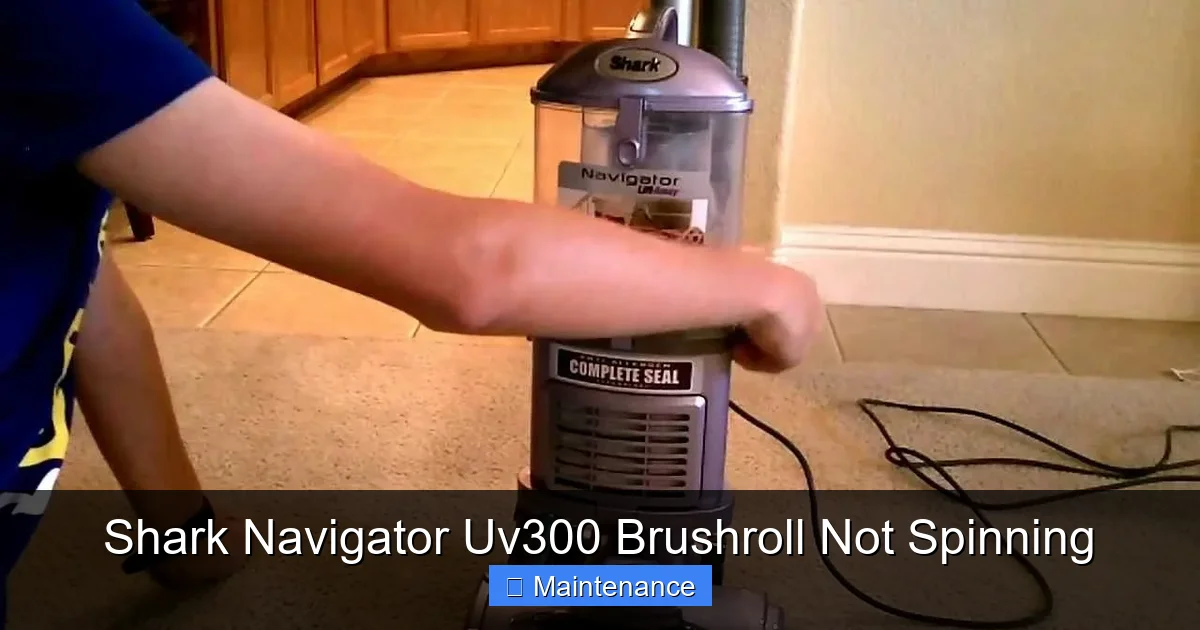
Visual guide about Shark Navigator Uv300 Brushroll Not Spinning
Image source: i.ytimg.com
Step 1: The External & Mode Check (2 Minutes)
Let’s rule out the simplest issues first.
- Verify the Mode: Look at the power foot or the wand. Is the brushroll engagement switch set to “Carpet” or the brushroll icon? If it’s on “Hard Floor,” flip it. Many UV300 models have a separate on/off switch for the brushroll on the handle—make sure it’s on.
- Listen and Feel: Turn the vacuum on in carpet mode. Place your hand near the brushroll housing. Do you feel any vibration? Can you hear a faint whining or buzzing sound? If you hear the motor but no spinning, the issue is likely mechanical (belt, jam). If you hear and feel nothing for the brushroll, it’s likely electrical (fuse, wiring).
- Check the Brushroll visually: Look through the housing from underneath. Can you see the brushroll? Does it look clogged with hair? Can you try to spin it gently with your finger? If it doesn’t budge at all, you have a severe jam.
Step 2: Remove and Thoroughly Clean the Brushroll (15 Minutes)
This is the most critical and frequently successful step. You’ll need a Phillips screwdriver and maybe a seam ripper or scissors for stubborn hair.
- Lay the vacuum flat. Turn it over so you can access the brushroll housing on the bottom.
- Locate the release clips. On the UV300, there are typically two red release clips on either side of the brushroll housing. Press them inward and the housing should pop open or the brushroll assembly will lift out.
- Remove the brushroll. Once the housing is open, lift the entire brushroll cylinder out. You may need to slide it slightly to disengage it from the drive belt. Note how the belt is looped around the motor pulley and the brushroll axle—this is crucial for reinstallation.
- De-hair the brushroll. This is where the fun begins. Use your fingers to pull off all the wrapped hair and fibers. For hair that’s wound tightly around the axle or inside the bearings, use a seam ripper, a dedicated brushroll cleaning tool, or the blunt edge of a scissors to carefully cut and slice it away. Be meticulous. Even a small piece of fiber caught in a bearing can cause resistance.
- Check the bearings. Spin the axles on each end of the brushroll by hand. They should spin freely and smoothly, without any gritty feeling or grinding. If they are seized, the brushroll assembly needs to be replaced.
- Clean the housing. While you have it open, use a damp cloth to wipe out the inside of the plastic housing. Remove any accumulated dust, gunk, or small objects that could impede the brushroll’s rotation.
- Reinstall. Place the clean brushroll back into the housing, ensuring it sits level and the axles are in their guides. Re-loop the drive belt over the brushroll axle and the motor pulley. Snap the housing cover back until the clips lock. Give the brushroll a final spin by hand—it should rotate freely.
Test: Plug in and run the vacuum on carpet. Did we fix it? If yes, you’re a hero. If not, move to Step 3.
Step 3: Inspect and Test the Drive Belt (10 Minutes)
If cleaning didn’t work, the belt is the next likely suspect.
- Access the belt. With the brushroll housing open (as in Step 2), you have direct access to the drive belt. If you closed it, reopen it.
- Visual Inspection: Look for obvious signs of damage. Is the belt broken in two? Is it stretched so much it hangs loosely? Does it have cracks, glazing, or a burnt smell? Any of these mean it needs replacement.
- Check Tension and Engagement: The belt should be snug. Press on it; it should have some give but not so much that it slips. Is it still properly looped over both pulleys (the small motor pulley and the larger brushroll axle pulley)? Sometimes a jam can cause it to jump off.
- Manual Test: With the vacuum unplugged, try to turn the brushroll by hand. You should feel some resistance from the belt. Now, try to turn the motor pulley (you may need to access it from the top of the vacuum body). If the belt is good and connected, turning one should cause the other to turn. If the motor pulley spins freely without moving the brushroll, the belt is broken or completely slipped.
Solution: If the belt is damaged, you need a replacement. Shark Navigator UV300 belts are specific (usually part number 112-FF-3 or similar). They are inexpensive and easy to replace. Simply slip the new belt over the motor shaft first, then stretch it over the brushroll axle. No tools needed for the belt itself.
Step 4: Locate and Reset the Thermal Fuse (5 Minutes)
If you’ve cleared jams and the belt is fine, the thermal fuse is the prime suspect. It’s designed to be a user-resettable safety feature on many models.
- Find the fuse. On the UV300, the thermal fuse is almost always located on the brushroll motor itself, which is housed in the main body of the vacuum near the brushroll connection. You may need to remove the lower hose or a small plastic cover to see it. It’s a small, usually white or black, rectangular or cylindrical component with two thin wires plugged into it.
- Identify the reset button. Many resettable fuses have a tiny, recessed button on the top. You’ll need a paperclip or a pen tip to press it.
- Reset it. Firmly press the button until you feel it click. You’ve now reset the circuit.
- Alternate scenario: Some models use a one-time, non-resettable fuse (a simple wire link that burns out). If you find a charred or broken component with no button, it has failed and needs to be replaced. You’ll need to source the correct replacement fuse (often available as a “Shark brushroll thermal fuse” kit).
Test: After resetting or replacing the fuse, reassemble any parts you removed, plug in, and test on carpet. If the brushroll spins, the fuse was the issue, likely triggered by a previous clog. If it doesn’t, the fuse may have failed again immediately due to another underlying problem (like a seized brushroll bearing), so double-check Step 2.
Step 5: Advanced Electrical & Motor Checks
If you’ve made it this far, you’re dealing with a less common issue. This requires a bit more comfort with tools and electronics.
- Check for power at the brushroll connector: With the vacuum plugged in and the brushroll switch ON, use a multimeter (set to AC volts) to check for 120V (or your local voltage) at the two prongs where the brushroll housing plugs into the wand/handle. If there’s no power, the problem is in the handle wiring, switch, or main control board.
- Test the brushroll motor: If you have power at the connector, the problem is likely the small brushroll motor itself. You can try to bench-test the motor by applying 120V directly to its two wires (be careful!). If it doesn’t spin, the motor is dead and needs replacement. This is often more expensive than the vacuum’s value, signaling it might be time for a new vacuum.
- Inspect wiring: Look for any obvious cuts, frays, or burn marks on the wires running from the main body down to the brushroll, especially at the hinge points of the wand.
Essential Maintenance to Prevent Future Failures
An ounce of prevention is worth a pound of cure. A Shark Navigator UV300 brushroll not spinning is almost always preventable with a simple, regular maintenance routine.
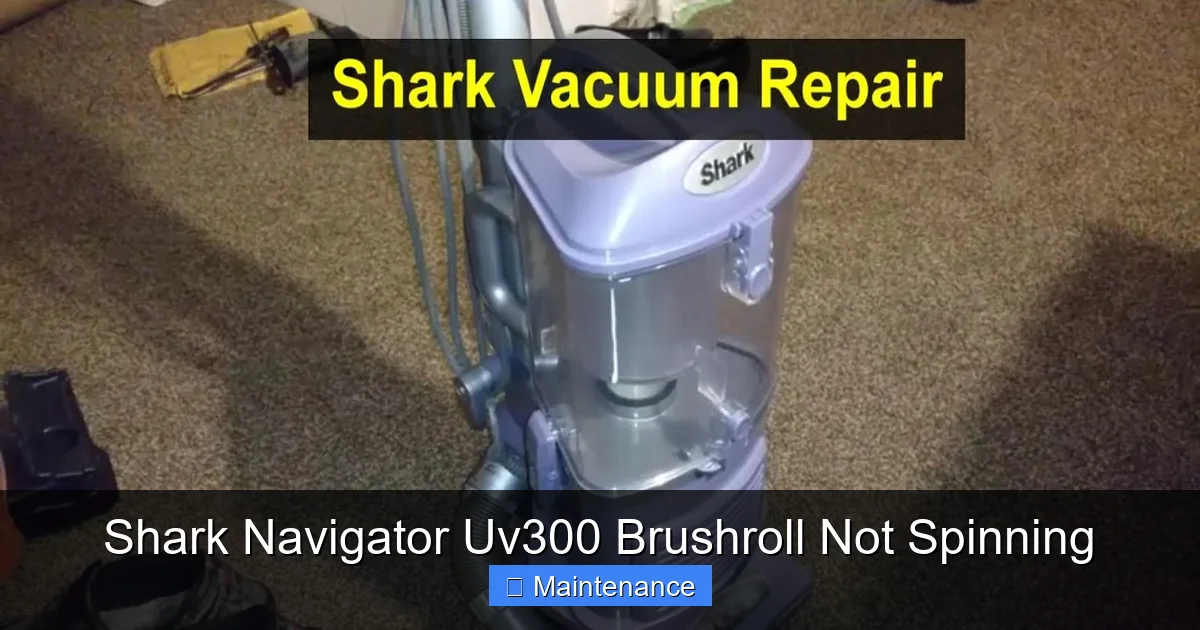
Visual guide about Shark Navigator Uv300 Brushroll Not Spinning
Image source: i.ytimg.com
Make Cleaning the Brushroll a Monthly Habit
Don’t wait for it to stop spinning. Once a month, follow the removal and cleaning procedure from Step 2. Even if you don’t see visible hair, a quick de-hairing and bearing spin-check will keep everything running smoothly. For pet owners or those with long hair, do this every 2-3 weeks.
The Seam Ripper is Your Best Friend
Keep a cheap seam ripper or a dedicated brushroll cleaning tool in your vacuum closet. It is the absolute best tool for slicing through wound-up hair without damaging the bristles or plastic housing. Never use a sharp knife or box cutter, as you can easily slip and damage the brushroll or, worse, injure yourself.
Mind What You Vacuum
Your Shark Navigator is a powerful machine, but it has limits. Avoid vacuuming:
- Small objects like Legos, coins, or tacks (they can jam and damage bearings).
- Wet items or large spills (use a mop).
- Very long, stringy items like extension cords, Christmas tree tinsel, or large pieces of fabric. Pick these up first.
- Heavy debris like gravel or broken glass on hard floors (it can rattle around and cause damage).
Check the Belt Annually
Once a year, during your deep cleaning, inspect the drive belt. Look for cracks, stiffness, or stretching. Proactively replacing a belt that’s 3+ years old is cheap insurance against a sudden failure.
When to Say Uncle: Professional Repair or Replacement
We’ve covered the vast majority of DIY-fixable scenarios. But sometimes, the most cost-effective decision is to stop troubleshooting.
Signs It’s Time for a Professional
- You’ve replaced the belt, cleaned the brushroll, reset the fuse, and it still doesn’t spin. You’ve likely isolated the problem to either the brushroll motor or a wiring issue within the vacuum’s main body. Diagnosing and repairing these requires disassembling the main unit, which is complex and risks damaging other components if you’re not experienced.
- The brushroll motor is burned out. You’ll likely smell a burnt odor. Replacing this motor, while possible, can cost $40-$70 for the part alone, plus labor if you pay someone. On an older UV300, this may not be economically sensible.
- The bearings in the brushroll housing are seized. You cannot replace just the bearings; you must replace the entire brushroll housing assembly. While not overly expensive, if multiple components are failing, it adds up.
The Replacement Cost Calculator
Do the math. A brand new Shark Navigator Lift-Away (the successor to the UV300) costs around $200-$250. If your total estimated repair cost (parts + your time value) approaches 50% of that, strongly consider replacement. New vacuums come with warranties, improved technology, and full functionality. A repaired old unit has no such guarantee.
Conclusion: Getting Back to Clean Floors
A Shark Navigator UV300 brushroll not spinning is a frustrating but almost always solvable problem. The journey from a silent roller to full cleaning power is a straightforward path of elimination: check the mode, clear the clog, inspect the belt, and reset the fuse. By following this guide, you’ve armed yourself with the knowledge to tackle the issue yourself, saving the cost and inconvenience of a service call or an early retirement for a perfectly good vacuum.
Remember, the heart of this issue is usually simple neglect—a build-up of hair and fibers. Making that monthly brushroll cleaning a non-negotiable part of your home maintenance routine is the single best thing you can do to keep your Shark Navigator performing at its peak for years to come. You invested in a powerful tool; a little bit of care ensures it continues to deliver that deep-down carpet clean you bought it for. Now, go enjoy the sound of that satisfying bristle-on-carpet action once again!
Frequently Asked Questions
Can I use my Shark Navigator UV300 without the brushroll spinning?
Yes, you can use it for suction-only cleaning on hard floors like tile, hardwood, or laminate by setting the mode to “Hard Floor” or turning off the brushroll. However, you will lose the deep carpet cleaning agitation, so embedded dirt in carpets will not be removed effectively.
How do I know if my thermal fuse is resettable or needs replacement?
Look closely at the fuse component on the brushroll motor. If it has a small, recessed button (often colored red or black), it is resettable—simply press it with a paperclip. If it is a solid, sealed cylinder or a small plastic “U”-shaped wire link with no button, it is a one-time fuse that must be replaced if it has failed.
What is the exact Shark Navigator UV300 drive belt part number?
The correct replacement drive belt for the Shark Navigator UV300 series is typically part number 112-FF-3 (also listed as FF-3 or FF3). Always confirm by checking your owner’s manual or comparing your old belt to the image on a retailer’s site before purchasing.
My brushroll spins freely by hand but still doesn’t work in the vacuum. Why?
If the brushroll spins freely when removed but doesn’t spin when installed, the issue is likely not a jam. Check that the drive belt is properly connected and has tension. Then, check for power at the brushroll connector (Step 5). The most common cause in this scenario is a tripped thermal fuse that needs resetting.
Is it worth repairing an old Shark Navigator UV300?
For common issues like clogs, belt replacement, or fuse resets—absolutely yes. These are cheap and easy. If the diagnosis points to a failed brushroll motor or a faulty main control board, get a repair quote. If the cost exceeds $75-$100, it’s often smarter financially to put that money toward a newer model with a warranty.
Can a clogged filter cause the brushroll not to spin?
No, a clogged main filter or post-motor filter will severely reduce suction power but will not typically stop the brushroll from spinning. The brushroll has its own dedicated motor and circuit. However, a severely clogged exhaust *could* cause overall motor overheating, which might trip a thermal protection device that could affect the brushroll circuit indirectly, but this is rare. Always check filters for suction issues, not brushroll issues.