Is your Shark Navigator vacuum suddenly losing suction, not turning on, or making strange noises? This is a common issue, often caused by simple clogs, dirty filters, or a tripped thermal cutoff. The good news is that most problems are fixable at home with basic troubleshooting and regular maintenance. Follow our comprehensive guide to diagnose and resolve the issue yourself, saving you time and money on service calls.
You’re in the middle of cleaning, and your trusty Shark Navigator vacuum suddenly sputters, loses all its power, or the brush roll just stops spinning. That familiar feeling of frustration sets in. Before you panic and start searching for a repair shop or a new vacuum, take a deep breath. The phrase “Shark Navigator not working” covers a wide range of symptoms, and the vast majority of them stem from surprisingly simple, fixable causes. This isn’t a sign of a fundamentally broken machine; it’s often a cry for basic maintenance. This guide will walk you through every common problem, from the annoying to the alarming, with clear, step-by-step instructions you can do with tools you already have. We’ll turn you into your own vacuum repair technician.
Key Takeaways
- Loss of suction is usually due to clogs: Check the hose, wand, and brush roll housing for blockages from hair, debris, or large particles that restrict airflow.
- Clean or replace filters regularly: The pre-motor foam and felt filters, plus the post-motor HEPA filter, must be washed monthly (if washable) and replaced every 3-6 months to maintain performance.
- A non-spinning brush roll has common fixes: It’s often jammed with hair, has a broken drive belt (on belt-driven models), or the brush roll bearings are clogged. Cleaning is the first step.
- Battery issues require a reset: For cordless models, a completely drained battery may need a 24-hour reset on the charger. Ensure the charger contacts are clean.
- Strange noises signal specific problems: A high-pitched squeal often means a worn or slipped belt. A grinding noise suggests a bearing failure or debris in the brush roll.
- The thermal cutoff is a safety feature: If the motor overheats from clogs or a full dust cup, it will shut down. Let it cool for 45+ minutes, clear all blockages, then restart.
- Routine maintenance prevents most failures: Emptying the dust cup after every use, checking for brush roll entanglement, and washing filters monthly are the most important habits to adopt.
📑 Table of Contents
- Diagnosing the Problem: What “Not Working” Actually Means
- The Dreaded Loss of Suction: Weak or No Airflow
- Brush Roll Not Spinning: A Common but Fixable Frustration
- Cordless Navigator Woes: Battery and Charging Issues
- Strange Noises: Squeals, Grinding, and Rattles
- The Overheated Shut-Down: Understanding the Thermal Cutoff
- When to Say Uncle: Signs Professional Repair or Replacement is Needed
- Conclusion: Empowerment Through Maintenance
Diagnosing the Problem: What “Not Working” Actually Means
The first step in fixing any issue is accurately describing the symptom. “My Shark Navigator isn’t working” is too vague. Is it completely dead with no lights or sound? Is it running but not picking up dirt? Is the brush roll stationary while the suction seems fine? Pinpointing the exact failure mode is crucial because it directs you to the correct solution. Think of it like a doctor’s diagnosis: a fever has many causes, and the treatment depends on the underlying illness. We’ll break down the most common failure categories.
The Complete Power Failure: No Lights, No Sound
This is the most alarming symptom. You plug in the cord (or press the power button on a cordless model) and absolutely nothing happens. There’s no hum, no LED indicator, nothing. This points to an issue with the electrical path from the wall outlet to the motor. Before assuming the worst, work through this checklist methodically.
- Check the outlet: Plug another device, like a lamp or phone charger, into the same outlet. If it doesn’t work, check your home’s circuit breaker or fuse box. A tripped breaker is a simple fix.
- Inspect the power cord: Unplug the vacuum and closely examine the entire length of the cord. Look for cuts, frays, kinks, or damage where the cord meets the plug or the vacuum body. A broken internal wire will stop power flow. If you see damage, the cord will need professional replacement.
- Test the switch: The power switch is a mechanical part that can wear out. Listen for a faint click when you press it. If it feels loose or doesn’t click, it may be faulty. This is a common repair part for Shark models.
- Cordless model-specific: Ensure the battery is properly seated in its compartment. Remove it and reinsert it firmly. Check the battery contacts on both the battery and the vacuum for dirt or corrosion; clean them gently with a dry cotton swab.
If you’ve checked the outlet, cord, and switch (and battery connection for cordless), and there’s still no power, the fault likely lies within the internal wiring, motor brushes, or a blown thermal fuse. These repairs are more complex and may require professional service or a part replacement if you’re comfortable with basic electronics.
The Dreaded Loss of Suction: Weak or No Airflow
This is by far the most frequent complaint: the vacuum turns on, the motor runs, but it just doesn’t pick up dirt like it used to. You might see debris swirling on the floor or feel a weak draft at the hose end. Suction loss is almost always an airflow problem. The motor is fine, but something is blocking the path air takes from the floor, through the hose, into the dust cup, and out the exhaust. Finding and clearing this blockage is your mission.
Visual guide about Shark Navigator Not Working
Image source: everydaycheapskate.com
Step 1: The Dust Cup and Filters – First Line of Defense
Before you dive into the hose, start at the source. A full dust cup is the #1 cause of sudden suction loss. Empty it completely. Then, focus on the filters. Your Shark Navigator has at least two, often three, filters that trap fine dust to protect the motor and exhaust clean air.
- Pre-Motor Filters (Foam & Felt): These are usually located behind the dust cup door. Remove them. If they are washable (most are), rinse them under cool water until the water runs clear. Do not use soap or detergent. Gently squeeze out excess water—do not wring. Let them air dry completely for at least 24 hours before reinserting. Never operate the vacuum with wet filters; it will damage the motor.
- Post-Motor HEPA Filter: This is the final filter that cleans the exhaust air. It is often not washable. Tap it gently over a trash can to dislodge loose debris. If it’s visibly dirty or more than 6-12 months old, replace it. A clogged HEPA filter creates back-pressure, killing suction.
Pro Tip: Make filter maintenance a monthly ritual. Setting a calendar reminder can save you from months of poor performance.
Step 2: The Hose, Wand, and Extension – Follow the Air Path
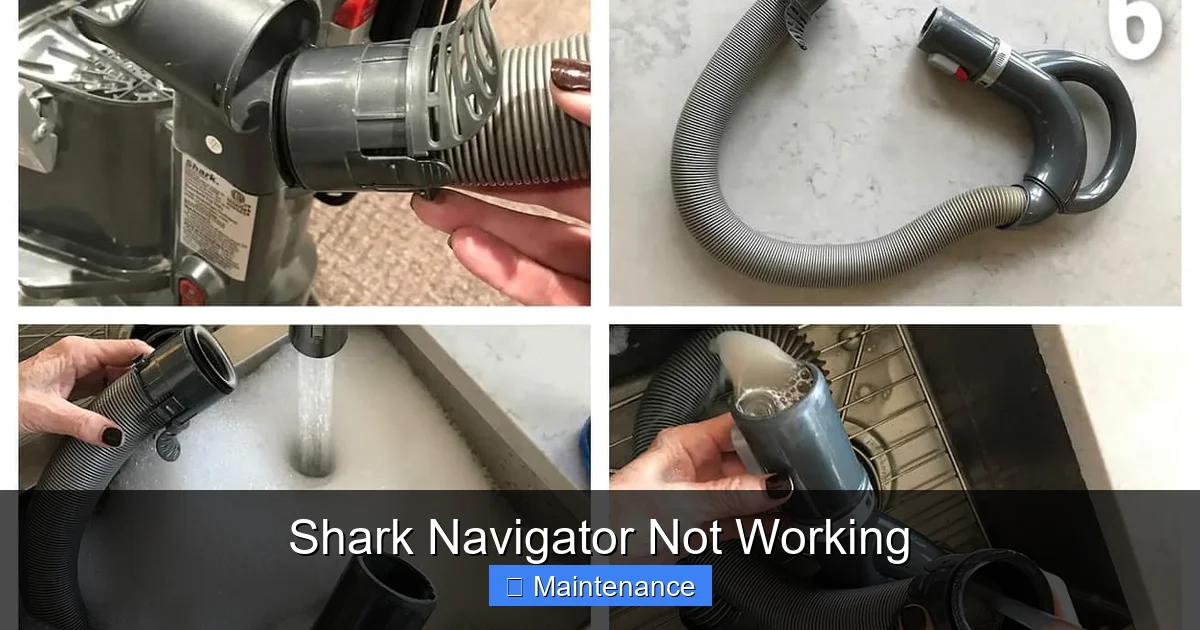
With the dust cup empty and filters clean, the blockage is further down the line. Disconnect the hose from the vacuum body and the wand. Look through it. You should see light. Use a long, flexible brush (a closet rod with a towel attached can work in a pinch) to dislodge any clogs. Pay special attention to the crooked ends where hair and string love to tangle.
Next, check the wand and the telescoping extension tube. Detach them and look through. A common hidden spot is the junction where the wand meets the floor nozzle. Finally, inspect the floor nozzle itself. Flip it over and look at the opening where air enters. Remove any large debris, hair mats, or carpet fibers that have wound around the beater bar housing.
Step 3: The Brush Roll Housing – The Final Check
Lay the vacuum on its side. Locate the circular or rectangular plate on the underside of the floor nozzle. This is the brush roll housing cover. It usually unscrews or pops off. Once open, you’ll see the rotating brush roll. This is a prime spot for clogs. Look for and remove any compacted hair, string, or carpet fibers that are wrapped around the ends of the brush roll or trapped inside the housing. This buildup can be so dense it forms a solid plug, stopping all airflow.
Brush Roll Not Spinning: A Common but Fixable Frustration
You hear the vacuum motor running strongly, and you feel good suction at the hose end, but the brush roll on the floor head is completely still. This means the motor is working, but the power isn’t transferring to the brush. The solution depends on your specific Shark Navigator model, as some use a belt and others use a direct-drive system.
Visual guide about Shark Navigator Not Working
Image source: i.ytimg.com
For Belt-Driven Models (Older Navigators)
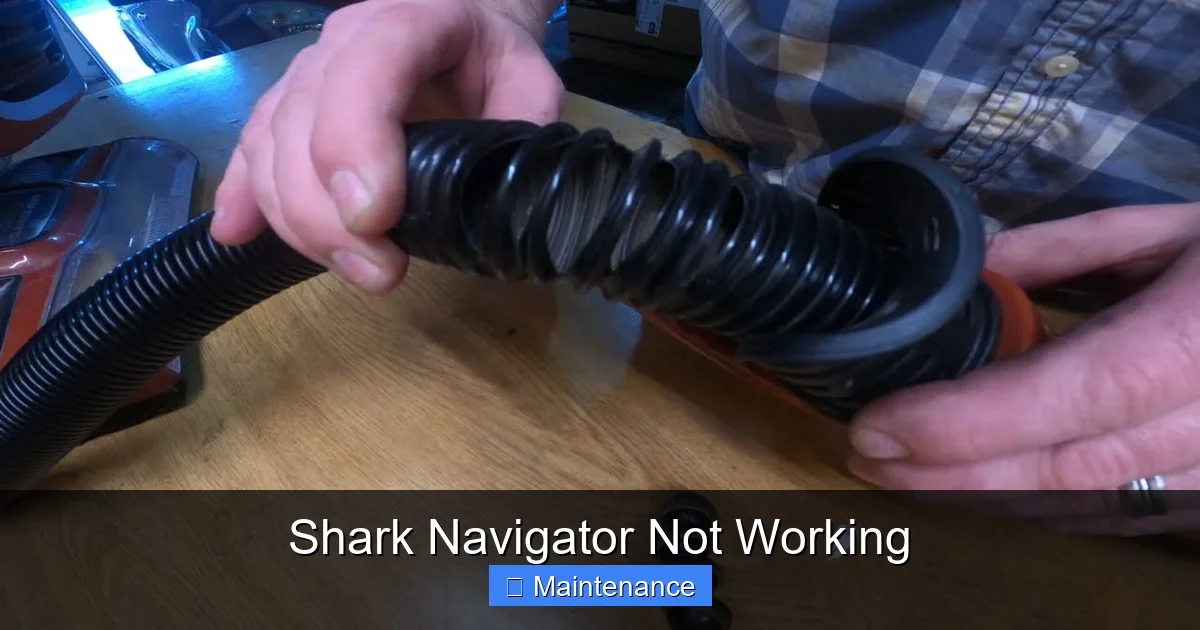
These models have a small rubber belt that connects the motor shaft to the brush roll. Over time, this belt can stretch, slip off, or break.
- Access the brush roll: As described above, remove the brush roll housing cover and take out the brush roll itself.
- Locate the belt: You should see a rubber loop running from a small pulley on the motor (inside the vacuum body) to a larger pulley on the brush roll.
- Inspect the belt: Is it still on the pulleys? Is it cracked, frayed, or stretched? A loose or broken belt won’t transmit power.
- Replacement: If the belt is damaged, you need a new one. Find the exact model number on your vacuum’s label (usually on the back or bottom) and search for “Shark Navigator [Your Model Number] drive belt.” Replacing it is a simple process of stretching the new belt over the two pulleys. Ensure it’s seated properly in the pulley grooves.
For Direct-Drive Models (Most Newer Navigators)
In these models, the motor shaft connects directly to the end of the brush roll. There is no belt. If the brush roll doesn’t spin, the causes are different.
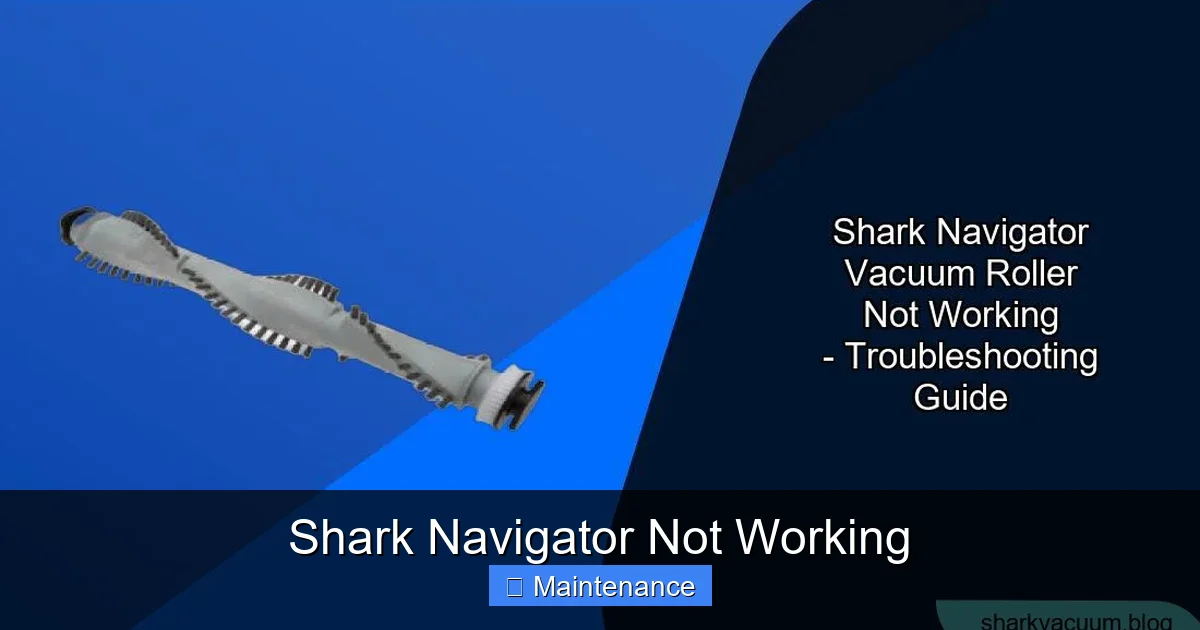
- Severe Jam: The brush roll bearings can be packed so tightly with hair and debris that it physically cannot turn. This is the most common cause. Remove the brush roll and meticulously clean the plastic end caps and the metal axle. Use a small tool like a tweezers or screwdriver to pick out every bit of wrapped fiber. Spin the brush roll by hand—it should rotate freely and smoothly.
- Worn/Damaged Brush Roll: The plastic bristles wear down. If the brush roll is severely mangled or the bearings are seized, the brush roll itself needs replacement.
- Motor Coupler Failure: The plastic piece that connects the motor shaft to the brush roll (the “coupler”) can crack or wear out. This part will need to be replaced. You’ll often see plastic shavings in the brush roll housing if this is the culprit.
Cordless Navigator Woes: Battery and Charging Issues
Cordless Shark Navigators offer great convenience, but they introduce battery-related problems. If your cordless model won’t hold a charge, dies quickly, or won’t turn on, here’s the diagnostic path.
Visual guide about Shark Navigator Not Working
Image source: sharkvacuum.blog
The 24-Hour Reset Procedure
Lithium-ion batteries have a built-in protection circuit. If the battery is drained to zero and left that way for a long time, the circuit can trip and prevent charging. Shark’s official fix is a “hard reset.”
- Remove the battery from the vacuum.
- Place the battery on its official Shark charger. Ensure the charger is plugged into a working wall outlet.
- Leave it on the charger for a full 24 hours, uninterrupted. Do not try to use the vacuum during this time. The charger’s light may behave strangely at first, but leave it.
- After 24 hours, try using the vacuum. Often, this resets the battery’s protection circuit and restores full capacity.
Charging Port and Contact Cleanliness
Dirt, dust, and grime can build up on the metal charging contacts on both the battery and the vacuum’s charging port. This creates an insulating layer that prevents a good electrical connection.
- Use a dry, lint-free cloth or a cotton swab dipped in a tiny amount of isopropyl alcohol to clean the metal contacts on the battery, the charging port on the vacuum, and the pins on the charger itself.
- Ensure everything is completely dry before reassembling and charging.
Battery End-of-Life
All lithium-ion batteries degrade over time. If your vacuum is 2-3 years old and suffers from severely reduced runtime (less than 10-15 minutes on a full charge) despite a reset and clean contacts, the battery itself has likely reached the end of its life. Shark sells replacement batteries for most cordless models. Replacing the battery is often more cost-effective than replacing the entire vacuum.
Strange Noises: Squeals, Grinding, and Rattles
Your vacuum’s sound is a key diagnostic tool. A healthy Shark Navigator has a consistent, moderate-pitched motor hum with the sound of bristles brushing carpet. Deviations from this sound indicate specific problems.
The High-Pitched Squeal or Scream
This is often a classic sign of a slipping or worn drive belt (on belt-driven models). The belt is slipping on the motor pulley and creating a high-frequency noise. It may sound worse when you tilt the vacuum or engage the brush roll. The solution is to inspect and replace the belt as detailed in the brush roll section.
On some direct-drive models, a similar squeal can indicate a failing motor bearing. This is a more serious internal issue.
The Grinding or Gnarling Noise
A deep, metallic grinding sound is serious. It usually means:
- Debris in the Brush Roll: A small piece of plastic, a stone, or a broken-off brush bristle has jammed between the brush roll and its housing. Immediately turn off and unplug the vacuum. Remove the brush roll and check both it and the housing for foreign objects.
- Worn Brush Roll Bearings: The metal bearings inside the plastic end caps of the brush roll have dried out or corroded. The brush roll will feel gritty when you spin it by hand. The fix is to replace the brush roll.
- Motor Bearing Failure: This is less common but possible. The motor’s internal bearings are worn. This produces a deep rumble or grind that changes with motor speed. This repair typically requires professional service or motor replacement.
Rattling and Loose Parts
A rattling noise that sounds like something is bouncing around inside is often a simple issue: a loose screw. The constant vibration of vacuuming can work screws loose on the brush roll housing, the wand connectors, or the motor housing. Go over the entire vacuum with a screwdriver and tighten all visible screws. Also, check that the dust cup is properly and securely locked in place.
The Overheated Shut-Down: Understanding the Thermal Cutoff
Your Shark Navigator is running, then suddenly it powers down by itself, even though it’s not unplugged. You wait a few minutes, and it starts again, only to shut off later. This is the thermal cutoff (or thermal fuse) at work. It’s a critical safety feature designed to prevent the motor from burning out due to overheating.
Why does it overheat? Almost always, it’s because of restricted airflow. The motor is working hard to pull air through a clog, generating excessive heat. The main culprits are:
- A completely full dust cup.
- Clogged filters (pre-motor or post-motor).
- A severe blockage in the hose, wand, or brush roll housing.
- Using the vacuum on a thick, high-pile carpet with the floor head set to a low height, straining the motor.
How to Reset and Prevent Recurrence
- Immediate Action: Unplug the vacuum (or remove the battery). Let it cool down completely. This can take 45 minutes to an hour. Do not try to force it to restart while hot.
- Diagnosis: Once cool, perform a full airflow check. Empty the dust cup. Remove and clean/wash all filters. Disconnect the hose and wand and check them thoroughly for clogs. Open the brush roll housing and clear any debris.
- Restart: After everything is clean and dry, plug the vacuum back in and try again. It should run normally now.
- Prevention: This is the key. Commit to the maintenance schedule: empty the cup after every single use, wash filters monthly, and do a quick hose/brush roll check every few weeks. Never ignore a drop in suction; address it immediately before it causes an overheating shutdown.
When to Say Uncle: Signs Professional Repair or Replacement is Needed
We’ve covered the vast majority of common, fixable issues. But how do you know when the problem is beyond a DIY fix? Here are the red flags that suggest internal component failure:
- Burning smell: A distinct odor of burning plastic or electronics indicates a failed motor, wiring short, or melted component. Unplug immediately and do not use. This requires professional diagnosis.
- Spark or smoke: Any visible sparking from the motor area or smoke is a serious electrical fault. Cease use and contact Shark support or an appliance repair shop.
- Motor runs, but brush roll and suction are both dead: If you’ve verified the brush roll spins freely and there are zero blockages from the floor to the dust cup, but there’s no suction at the hose end, the internal motor fan or impeller may be damaged. This is a major internal repair.
- Repeated thermal cutoff trips after a thorough cleaning: If you’ve done a complete, deep clean of every airflow path and filters, and the vacuum still overheats and shuts down quickly, the thermal cutoff itself may be faulty and triggering prematurely, or the motor may be failing and drawing excess current.
- Age and Cost: If your Shark Navigator is more than 5-7 years old and requires a costly repair like a new motor, it’s worth comparing the repair estimate to the cost of a new mid-range vacuum. Newer models are often more efficient and come with updated features.
Important: Always check your warranty first. Shark vacuums typically come with a 5-year limited warranty (varies by model and purchase date). If your issue is covered, contacting Shark customer service for an authorized repair is your best and often free option. Have your model number and proof of purchase ready.
Conclusion: Empowerment Through Maintenance
That sinking feeling when your Shark Navigator stops working is understandable, but it should be temporary. As we’ve seen, “Shark Navigator not working” is rarely a death sentence for your vacuum. It’s usually a symptom of neglect—a clogged path, a dirty filter, a tangled brush roll, or a tripped safety switch. By arming yourself with this systematic diagnostic approach, you shift from a frustrated user to an empowered problem-solver. Start with the simplest, most common fixes: empty the cup, clean the filters, and clear visible clogs. These three actions resolve over 80% of performance issues. Adopt a routine of monthly filter washing and pre-use brush roll checks. This small investment of time preserves your vacuum’s power, extends its life for years, and ensures that when you push that power button, you get the strong, reliable cleaning performance you paid for. Your Shark Navigator is a workhorse designed to last; treat it with this basic care, and it will faithfully serve you for the long haul.
Frequently Asked Questions
Why is my Shark Navigator turning on but not picking up anything?
This is almost always an airflow blockage. First, empty the dust cup completely. Then, remove and wash the pre-motor foam and felt filters with cool water and let them dry fully for 24 hours. Finally, check the hose, wand, and brush roll housing for clogs from hair or large debris. Clearing these will restore suction.
My Shark Navigator’s brush roll isn’t spinning but the suction is strong. What’s wrong?
For belt-driven models, the drive belt is likely broken, stretched, or slipped off. You’ll need to replace it. For direct-drive models, the brush roll bearings are probably jammed with hair and debris. Remove the brush roll and meticulously clean the end caps and axle until it spins freely. If it’s still stiff, the brush roll itself may need replacing.
My cordless Shark Navigator won’t hold a charge. What do I do?
First, perform a 24-hour hard reset: remove the battery, place it on the charger, and leave it plugged in for a full day without interruption. Also, clean the metal charging contacts on the battery, vacuum, and charger with a dry cloth. If runtime is still very short, the lithium-ion battery has likely degraded and needs replacement.
Why does my Shark Navigator keep shutting off by itself?
This is the thermal cutoff activating due to overheating. The cause is always restricted airflow. Immediately unplug it and let it cool for 45+ minutes. Then, thoroughly clean the dust cup, wash all filters, and check the entire air path (hose, wand, brush housing) for clogs. Regular maintenance prevents this.
What does a loud squealing noise mean?
A high-pitched squeal is typically a slipping or worn drive belt on belt-driven models. The belt needs to be inspected and replaced. On some models, it can also indicate a failing motor bearing, which is a more serious internal issue.
How often should I clean the filters on my Shark Navigator?
You should remove and tap clean the post-motor HEPA filter after every few uses. The pre-motor foam and felt filters should be washed with cool water (no soap) and dried completely every month if you use the vacuum regularly. Never operate the vacuum with wet filters. Replace all filters every 3-6 months for optimal performance.