A non-spinning brush roll on your Shark Navigator is a very common issue, usually caused by clogs, hair wrap, or a tripped brush roll motor fuse. The good news is that in over 80% of cases, you can fix it yourself in under 15 minutes with basic tools. The solution involves a systematic check: unplug the vacuum, remove the brush roll, clear any obstructions, clean the bearings, and reset the internal thermal fuse. Regular maintenance is the key to preventing this frustrating problem from recurring.
You’re in the middle of cleaning your living room. Your Shark Navigator is humming along, suction seems strong, but the characteristic whirring sound of the brush roll agitating the carpet is suspiciously absent. You look down and see it’s just… sitting there. The Shark Navigator brush roll does not work. Don’t panic, and don’t immediately assume the worst. This is one of the most frequent issues with upright vacuums, and it’s almost always something you can diagnose and fix yourself. This guide will walk you through every possible cause, from the simplest hair wrap to more complex internal failures, with clear, safe, and effective steps to get your vacuum back to its full cleaning power.
Key Takeaways
- Hair and fiber wrap is the #1 culprit: Long hair, carpet fibers, and pet fur wind tightly around the brush roll bearings and end caps, creating immense resistance that stops it from spinning.
- Always unplug before inspecting: This is a critical safety step to prevent accidental startup while your fingers are near the moving parts.
- The reset button is your first friend: Many Shark Navigators have a small, red reset button on the brush roll motor housing inside the nozzle. Pressing it can instantly solve a thermal overload trip.
- Cleaning is more important than you think: Even without visible clogs, a layer of dust and gunk inside the brush roll bearings can create enough friction to stall the motor.
- Check the drive belt (if applicable): Some Navigator models use a belt. A broken, stretched, or slipped belt will disconnect the motor’s power from the brush roll.
- A tripped fuse means a deeper issue: If the reset button pops again immediately, it indicates a persistent mechanical obstruction or a failing brush roll motor.
- Prevention is simple and effective: Cleaning the brush roll monthly and checking for wraps after vacuuming high-shed areas extends the life of your vacuum dramatically.
📑 Table of Contents
Understanding the Heart of Your Shark Navigator
Before we dive into fixes, it helps to understand what the brush roll (or agitator) actually does and how it works. The brush roll is a cylindrical tube with bristles, spinning at high speed to agitate carpet fibers, loosening embedded dirt, hair, and debris so the suction can lift it away. In your Shark Navigator, it’s powered by a separate, dedicated motor (the brush roll motor) distinct from the main suction motor. This motor is connected either directly or via a small drive belt. When you switch from hard floor to carpet mode, a clutch or mechanism engages this motor.
The Two-Motor System
This two-motor design is efficient but means there are two points of failure for the brush roll: the power delivery (switch, clutch, belt) and the motor itself. Most problems, however, occur not because the motor has failed, but because something is physically preventing the brush roll from turning, which causes the motor to overheat and shut down as a safety feature. Think of it like a circuit breaker; it trips to prevent a fire. Our job is to find and remove the “overload.”
Why Your Brush Roll Has Stopped: The Most Common Causes
When you encounter a Shark Navigator brush roll not spinning, the cause falls into one of a few categories. Identifying the category narrows down your troubleshooting path significantly.
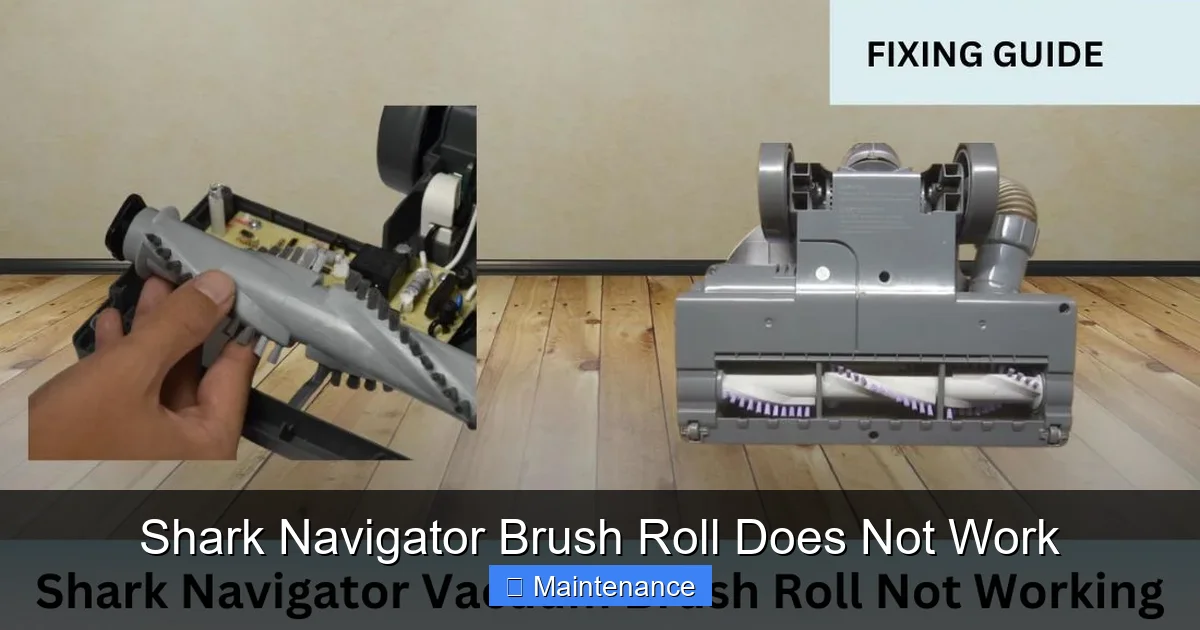
Visual guide about Shark Navigator Brush Roll Does Not Work
Image source: sharkvacuum.blog
1. The Obvious Culprit: Hair, Fiber, and Debris Wrap
This is, by far, the leading cause. Long human hair, pet fur, and carpet fibers don’t just get sucked into the dust cup; they wrap themselves around the ends of the brush roll, specifically where the bearings are housed. As more hair accumulates, it forms a thick, tight band that creates immense friction. The brush roll motor strains against this friction, draws more current, heats up, and triggers its internal thermal fuse, shutting itself off. You often cannot see this wrap just by looking at the top of the brush roll; you must remove it to inspect the ends.
2. Clogs in the Airflow Path
While primarily a suction issue, a severe clog can sometimes affect the brush roll. The Shark Navigator’s design often uses the suction airstream to help cool the brush roll motor. If the hose, wand, or main exhaust is completely blocked, hot air cannot escape, leading to motor overheating and shutdown. This is less common but worth checking if the brush roll feels hot to the touch after a short run.
3. A Tripped Thermal Reset
The brush roll motor has a built-in thermal safety switch. If it gets too hot—due to hair wrap, clogged cooling vents, or simply being used on very thick carpet for too long—it will trip. This is a protective measure, not a permanent failure. The motor will not restart until it cools down and the reset button is manually pressed. Many users don’t know this button exists.
4. Drive Belt Failure (Belt-Driven Models)
Not all Shark Navigator models use a belt; many have a direct-drive motor. If yours has a belt (you can often see it by removing the bottom plate), it can break, stretch, slip off the pulleys, or become coated in sludge and lose traction. A broken belt means zero power transfer from the motor to the brush roll.
5. Faulty Switch or Clutch Mechanism
The switch that engages the brush roll (often the same switch that changes floor settings) or the mechanical clutch can wear out or break. If the circuit isn’t completed or the clutch doesn’t engage, the brush roll motor receives no power, even though the vacuum is on and suctioning.
6. A Failed Brush Roll Motor
This is the least common and most expensive failure. Motors can burn out due to prolonged stress (like undetected hair wrap) or simply wear out over many years. A failed motor will not reset and may emit a burning smell or a faint hum without spinning.
Step-by-Step Diagnostic & Repair Guide
Follow this sequence. It’s designed to start with the fastest, easiest, and most likely fix before moving to more involved steps.
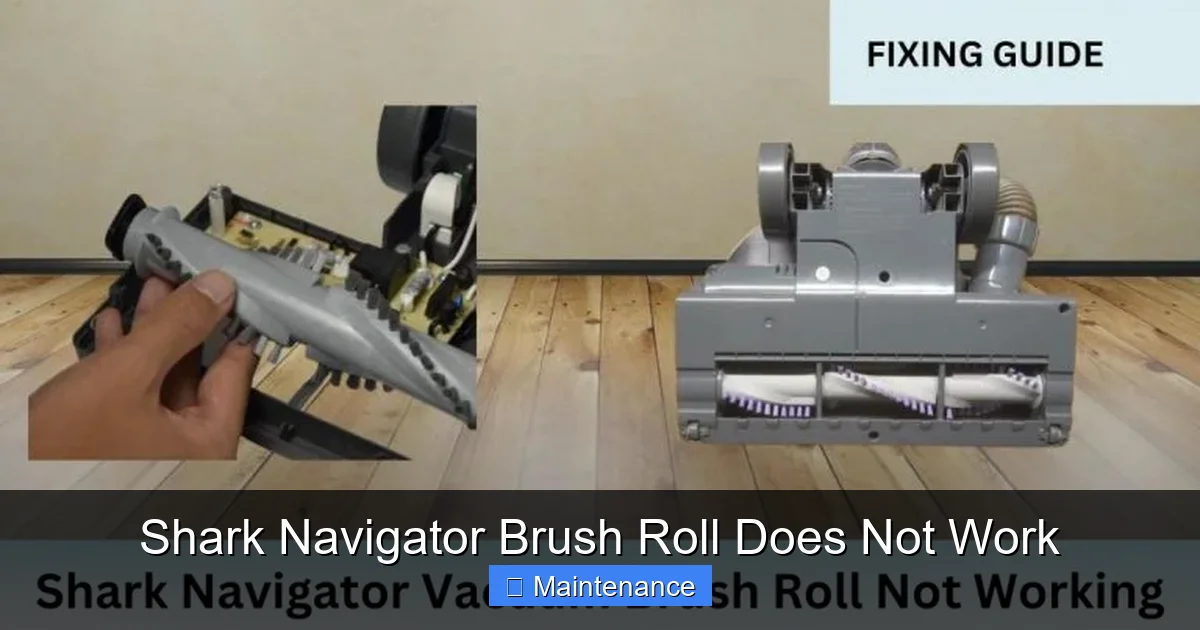
Visual guide about Shark Navigator Brush Roll Does Not Work
Image source: sharkvacuum.blog
Step 1: The Immediate Reset
Unplug the vacuum. This is non-negotiable for safety. Locate the brush roll motor reset button. On most Navigator models, you must lay the vacuum on its back and remove the bottom plastic cover (the nozzle plate). This is usually held in place by 4-6 screws or plastic clips. Once the plate is off, look toward the front of the vacuum, near where the brush roll enters the housing. You should see a small, usually red, rubber button. Press it firmly until you feel it click. Reassemble the bottom plate, plug in the vacuum, and try the brush roll again on carpet mode. If it works, great! But you must now perform Step 2 to find and remove the obstruction that caused the trip, or it will happen again.
Step 2: The Deep Clean – Removing the Brush Roll
This is the most critical step. With the vacuum unplugged and on its back, remove the bottom plate again. The brush roll is usually held by two plastic caps or a single central clip. Gently pull the brush roll straight out. Do not force it; if it’s jammed with hair, you need to cut that hair free first.
- Inspect the Ends: Look at the very ends of the brush roll where the bearings are. You will almost certainly see tightly wound hair, carpet fibers, and a greasy, dusty paste. Use a seam ripper, a pair of scissors, or even a dedicated brush roll cleaning tool to meticulously cut and pull away every strand. Wear gloves if needed.
- Clean the Bearings: Once the hair is off, use a cotton swab dipped in rubbing alcohol to clean out the bearing housings in the vacuum’s nozzle and on the brush roll end caps. Any residue here creates friction.
- Spin the Brush Roll: With it removed, try to spin the brush roll by hand. It should rotate freely and smoothly for several seconds. If it feels gritty, stiff, or makes noise, the bearings are damaged and the entire brush roll assembly needs replacement.
Step 3: Check the Drive System
While the bottom plate is off, inspect the drive area.
- For Belt-Driven Models: Look for the rubber belt. Is it intact? Is it loose or stretched? Is it sitting properly on both the motor pulley and the brush roll pulley? If it’s broken or worn, replace it. Shark Navigator belts are inexpensive and easy to swap.
- For Direct-Drive Models: You’ll see a square plastic gear on the brush roll that meshes with a corresponding gear on the motor shaft. Check for broken teeth on either gear. Also, ensure nothing is jammed between them.
Step 4: Clear the Airway
Reassemble the brush roll temporarily (just to check). With the vacuum unplugged, detach the hose and wand. Look through the entire path from the brush roll housing up through the hose connector. Use a long, flexible brush (like a closet rod cleaning brush) to dislodge any clogs. Check the main exhaust filter and the post-motor filter; if they are caked with dirt, wash them (if washable) and let them dry completely for 24 hours. A clogged exhaust can cause overheating.
Step 5: Test and Observe
Reassemble everything correctly. Plug in the vacuum. Turn it on in the upright position (which usually disengages the brush roll), then push the handle down to the carpet cleaning position. Listen. Do you hear the brush roll motor engage (a distinct whirring sound)? Do you feel the vibration? If it still doesn’t work after a perfect cleaning and reset, move to the next section.
Proactive Maintenance: Preventing the Problem
An ounce of prevention is worth a pound of cure. A few minutes of monthly maintenance will save you hours of frustration.
Visual guide about Shark Navigator Brush Roll Does Not Work
Image source: i.ytimg.com
The Monthly Brush Roll Ritual
Once a month, or after vacuuming a pet-heavy home, perform a quick version of Step 2. Unplug, remove the bottom plate, pull out the brush roll, and do a quick hair-wrap removal and bearing wipe-down. You’ll prevent the buildup that causes the fuse to trip.
Filter Care is Crucial
Washable filters (pre-motor foam filter, post-motor felt filter) should be washed with cold water and mild detergent every 3 months and replaced annually. Non-washable HEPA filters should be tapped out and replaced as per the manual (usually every 6-12 months). Clogged filters restrict cooling airflow to both motors.
Inspect the Belt (If Applicable)
Every 6 months, check the drive belt for cracks, glazing, or stretching. A belt in poor condition is a failure waiting to happen.
Store Correctly
Always store your Shark Navigator in the upright locked position. This prevents stress on the clutch mechanism and keeps the brush roll clear.
When DIY Isn’t Enough: Signs of Major Failure
You’ve performed the deep clean, reset the button, ensured the belt is fine, and cleaned all filters. The Shark Navigator brush roll still does not work. Now it’s time to diagnose a more serious component failure.
Symptom: A Burning Smell or a Humming Sound
If you plug in the vacuum, turn it on, and hear a faint hum or buzz from the brush roll area but the roll doesn’t spin, and you smell something burning, the brush roll motor is likely fried. The windings inside have shorted. This motor is not typically a user-serviceable part and requires professional repair or replacement.
Symptom: The Reset Button Pops Instantly
You press the red reset button, plug in the vacuum, and before you even touch the floor, you hear a click and the button pops out again. This indicates an immediate, severe short circuit or a mechanical block so severe that the motor stalls instantly. Double-check that the brush roll spins freely by hand and that nothing is jammed in the gear/belt area. If it’s clear, the motor is internally shorted and must be replaced.
Symptom: No Sound Whatsoever from the Brush Roll Area
The vacuum runs, suction is strong, but there is zero sound or vibration from the brush roll motor. This points to a power delivery issue: a faulty brush roll on/off switch, a broken wire from the switch to the motor, or a failed clutch engagement mechanism.
Cost-Benefit Analysis: Repair vs. Replace
Shark Navigator vacuums are popular for their performance relative to cost. A new brush roll motor assembly can cost anywhere from $40 to $80, plus your time. A professional repair call will add $60-$100 in labor. If your vacuum is more than 5-7 years old, has other wear-and-tear issues, or you’ve simply gotten great use from it, investing in a new, current-model Shark might be more cost-effective. However, if the vacuum is in otherwise excellent shape, a $50 motor part and an hour of your time can give it 3-5 more years of life.
Conclusion
A Shark Navigator brush roll that does not work is a nuisance, but it is rarely a death sentence for your vacuum. By understanding the simple mechanics at play—the prevalence of hair wrap, the importance of the thermal reset, and the need for clean bearings—you can become your own vacuum repair technician. Start with the safe, systematic approach: unplug, reset, and deep-clean the brush roll. Address the root cause of the overload, not just the symptom. With consistent, proactive maintenance, you can keep your Shark Navigator performing like new for years, ensuring every cleaning session is as effective as the first. Remember, a smoothly spinning brush roll is the key to deep carpet cleaning; don’t let a few strands of hair rob you of that power.
Frequently Asked Questions
Where is the reset button on a Shark Navigator?
It’s located inside the brush roll housing. You must lay the vacuum on its back, remove the bottom nozzle plate (usually by unscrewing it), and look for a small red rubber button near the front where the brush roll enters. Press it firmly.
Can I use my Shark Navigator without the brush roll?
Yes, but with reduced effectiveness on carpets. The vacuum will still suction fine on hard floors. However, you should not use it on carpet mode with the brush roll off, as the design expects the agitation. For best results on carpets, fixing the brush roll is necessary.
How often should I clean my Shark Navigator’s brush roll?
For optimal performance and to prevent jams, we recommend a full removal and cleaning of the brush roll at least once a month. If you have pets or long hair, clean it every 2-3 weeks.
Is a broken drive belt a common reason for the brush roll not to spin?
Yes, but only for belt-driven Shark Navigator models. Many newer models use a direct-drive system with no belt. If your model has a belt, it can break, stretch, slip off, or get coated in debris, all of which will stop the brush roll from spinning.
What if my brush roll spins freely by hand but still doesn’t work in the vacuum?
This indicates the problem is not a physical jam. It points to a power issue: a tripped thermal fuse that won’t stay reset (signaling a motor short), a faulty brush roll on/off switch, a broken wire, or a failed motor itself.
How much does a replacement brush roll motor cost for a Shark Navigator?
An aftermarket replacement brush roll motor typically costs between $35 and $70. An OEM (original equipment manufacturer) part from Shark may be slightly more expensive. Purchasing a complete brush roll assembly (which includes the bearings and caps) is also an option and often simplifies installation.