A non-working brush roll on your Shark Navigator is a common but usually fixable issue. The problem typically stems from clogs, tangled hair, a broken belt, or a tripped reset. Most solutions involve thorough cleaning, inspecting the drive belt, and pressing the reset button. With simple tools and regular maintenance, you can often restore suction and agitation without a service call.
Key Takeaways
- Clogs and tangles are the #1 culprit: Hair, carpet fibers, and debris wrapping around the brush roll bearings are the most frequent cause of a stationary brush.
- The reset button is your first stop: A thermal overload switch may have tripped due to a jam. Locate and press the reset button on the vacuum’s body.
- The drive belt is a critical link: If the belt is broken, stretched, or slipped off, the motor’s power won’t reach the brush roll. Always inspect it.
- Deep cleaning is often required: Removing the brush roll and thoroughly cleaning the end caps and bearings with scissors or a seam ripper is essential.
- Parts wear out and need replacement: Brush rolls become brittle, and belts degrade. Having the correct Shark Navigator replacement part number is key for a lasting fix.
- Prevention is easier than repair: A quick post-vacuuming brush check and cleaning every few uses can prevent 90% of brush roll failures.
📑 Table of Contents
- Why Your Shark Navigator Brush Roll Stops Spinning: The Usual Suspects
- Step 1: The Quick Reset – Your 30-Second First Aid
- Step 2: The Deep Dive – Accessing and Inspecting the Brush Roll Housing
- Step 3: Cleaning, Repairing, and Replacing Parts
- Step 4: Reassembly, Testing, and Final Checks
- Step 5: Prevention – Keeping Your Navigator’s Brush Roll Healthy
- When to Consider Professional Help or Replacement
Why Your Shark Navigator Brush Roll Stops Spinning: The Usual Suspects
You’re cruising along with your Shark Navigator, loving that deep-carpet clean, when suddenly you notice something’s off. The vacuum is still sucking up fine dust from hard floors, but on the carpet? It’s just pushing dirt around. That powerful, whirring agitation you rely on has gone silent. The brush roll—that cylindrical bar with bristles at the bottom of your vacuum head—has stopped spinning. This is one of the most common issues with Shark Navigator upright vacuums, and while incredibly frustrating, it’s almost always diagnosable and fixable at home. Don’t panic and reach for the phone to call customer service just yet. Understanding why it happens is the first step to getting your Shark Navigator back in fighting shape.
The brush roll system is a simple but effective piece of engineering. The main motor powers a small drive belt, which in turn spins the brush roll. For it to fail, something has interrupted this chain of motion. The problem is almost always localized to the brush roll housing itself—the area right at the business end of your vacuum. It’s a battle zone of hair, fibers, and debris. The most frequent offenders are blockages and tangles that create so much resistance the brush stalls, a broken or slipped drive belt that disconnects the power, or a safety reset that has tripped to protect the motor. Less commonly, a motor issue or a completely worn-out brush roll could be to blame. Let’s systematically walk through how to identify and solve the “Shark Navigator brush not working” dilemma.
The Physics of a Stalled Brush: Friction and Resistance
Think about what your brush roll does. It’s designed to agitate carpet fibers, knocking loose dirt and debris so the suction can pull it away. That action creates friction. When hair, string, or carpet strands wind tightly around the axles or get caught in the bristles, they increase that friction dramatically. The motor works harder against this resistance. Shark vacuums have a smart thermal protection circuit. If the motor feels it’s straining too much (like when the brush is jammed), it will automatically shut off power to the brush roll to prevent burning out. This is why your suction might still work on hard floors—the main suction motor is separate—but the brush roll is dead. This is the most common scenario, and it’s a protective feature, not a failure.
Step 1: The Quick Reset – Your 30-Second First Aid
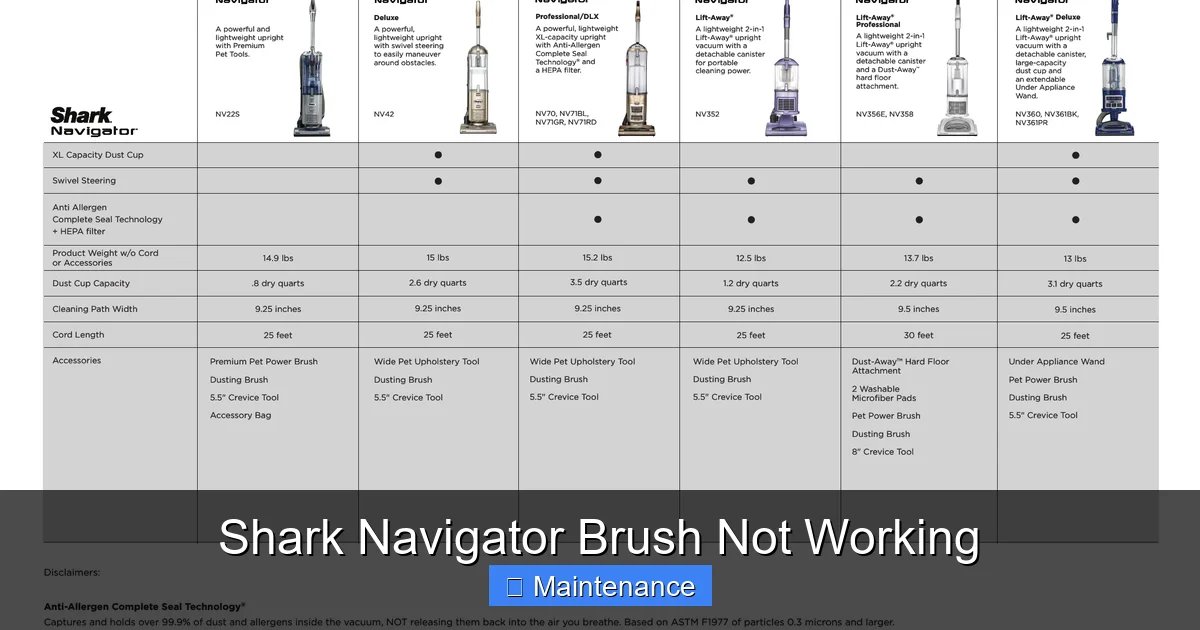
Before you grab a screwdriver, always perform the quickest and easiest check. Your Shark Navigator has a built-in safety mechanism: a reset button. This is a small, usually red or black, button located on the vacuum’s body, often near the motor housing or on the back. Its job is to reset the thermal fuse after an overload. If your brush roll stopped suddenly while you were vacuuming a thick rug or after hitting a tassel, this is almost certainly tripped.
Visual guide about Shark Navigator Brush Not Working
Image source: device.report
How to Reset: Unplug your Shark Navigator from the wall outlet. This is a non-negotiable safety step. Locate the reset button. You may need a flashlight. Press it firmly until you feel it click. Plug the vacuum back in and try using it on a carpet again. If the brush roll springs to life, you’ve solved the problem! However, remember why it tripped. A reset is a temporary fix if the underlying jam or clog isn’t addressed. The thermal switch will likely trip again during your next use if you don’t find and remove the source of the excessive friction. So, a successful reset is a great sign, but it means it’s time for a deep clean.
Where to Find the Reset Button on Different Shark Navigator Models
The location can vary slightly. On most classic upright Navigator models (like the NV350, NV356, NV360), look on the back of the canister or the lower rear portion of the main body. On some stick or convertible models, it might be on the underside of the handheld unit or near the power switch. Consult your user manual if you have it. If not, a quick online search for “[Your Exact Model Number] reset button location” will yield images and videos. The key is that it’s a button you can press with your finger, not a hidden screw.
Step 2: The Deep Dive – Accessing and Inspecting the Brush Roll Housing
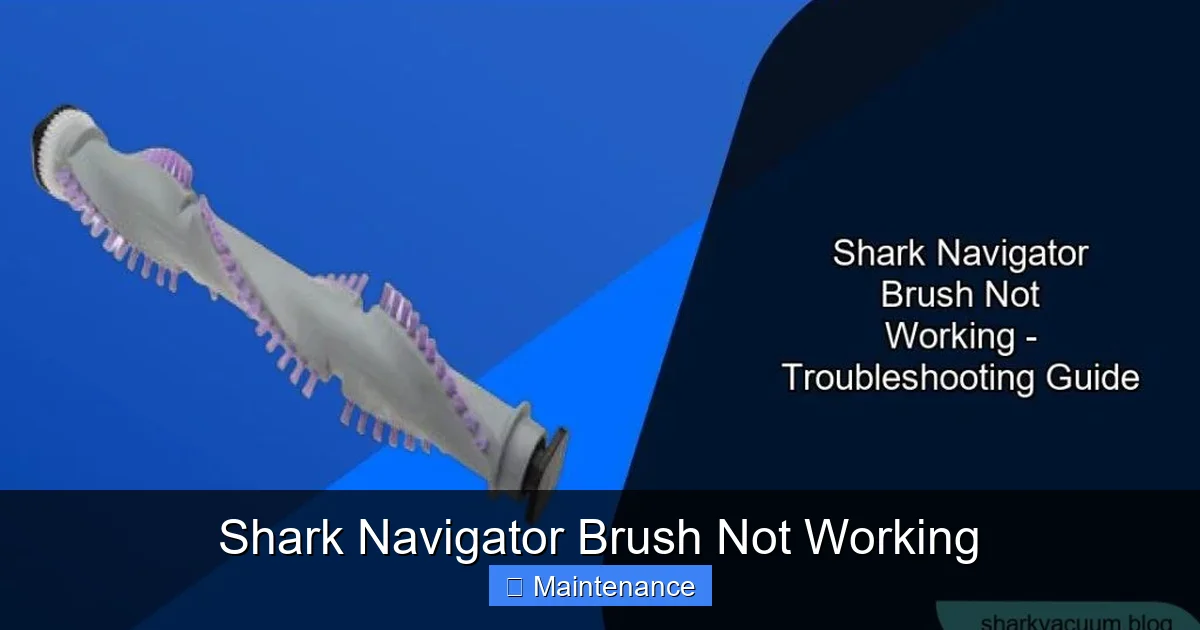
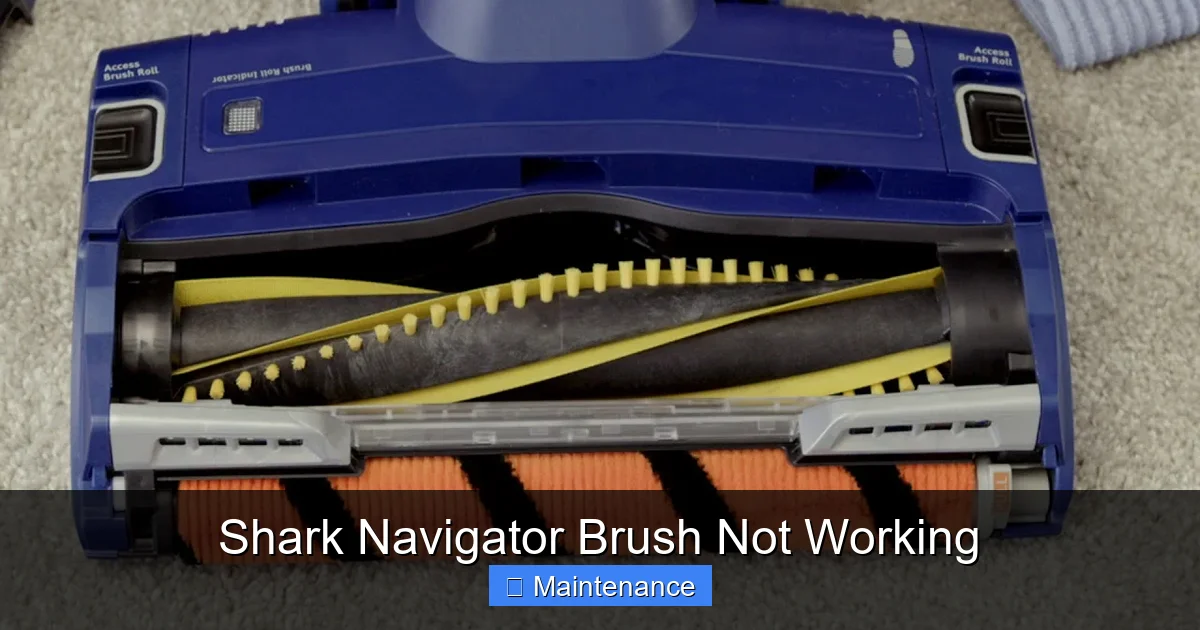
If the reset doesn’t work, or if you want to prevent a future trip, you need to get hands-on with the brush roll. This is where 90% of the fixes happen. You’ll need to flip your Shark Navigator over and examine the soleplate—the big plastic plate at the bottom with the brush roll inside.
Visual guide about Shark Navigator Brush Not Working
Image source: sharkvacuum.blog
Tools You’ll Likely Need: A Phillips-head screwdriver (sometimes a flathead), scissors or a seam ripper (invaluable for cutting hair), a microfiber cloth, and maybe a can of compressed air. Always, always unplug the vacuum before touching any screws or the brush roll.
Removing the Brush Roll for a Thorough Inspection
1. Lay the vacuum on its side. This gives you better access and prevents it from tipping.
2. Locate and remove the screws. There are typically 4-6 screws holding the soleplate to the vacuum body. They may be on the sides or at the rear. Some models have a release lever or clip instead of screws. If it’s a clip, simply pry the plastic tab gently with a flathead screwdriver.
3. Carefully lift off the soleplate. Once screws are removed, the plate should come free. Be mindful of any wiring or hoses connected to it; they usually have enough slack.
4. Extract the brush roll. The brush roll is a long cylinder with plastic end caps. It usually lifts straight up and out. On some models, you may need to slide it sideways or twist it to disengage from a belt. Take note of how it comes out for reinstallation.
5. Inspect the entire assembly. Now you have the culprit in your hands. This is the moment of truth.
What to Look For: The Diagnostic Checklist
- Hair & Fiber Matting: Is the brush roll bristles completely matted down with a thick layer of hair, carpet fibers, or lint? This adds immense drag. You must cut and remove this material. Use scissors to slice through longitudinal mats. For hair wrapped around the axles (the metal pins on each end), use the hook of a seam ripper to tease it out.
- Bearing Blockage: Look into the circular holes at each end of the brush roll where it spins on bearings. Are these holes packed with debris? Any gunk here will stop the roll from spinning freely. Poke it out with a screwdriver tip or use compressed air.
- Bristle Damage: Are the bristles melted, broken, or severely splayed? Damaged bristles can’t move properly and indicate the brush roll has seen better days. It’s likely time for a replacement.
- End Cap Condition: Check the plastic end caps. Are they cracked? Do the bearings inside feel gritty when you spin the roll by hand? Worn bearings mean the roll won’t spin smoothly even if clean.
- The Drive Belt: This is the rubber band-like belt that connects the motor shaft to the brush roll. Is it still there? Is it broken into two pieces, stretched and loose, or has it simply slipped off the motor pulley or the brush roll pulley? A missing or broken belt is an instant fix—replace it.
Step 3: Cleaning, Repairing, and Replacing Parts
Once you’ve diagnosed the issue, it’s time for the fix. This stage involves cleaning, part replacement, or both. Let’s break down the most common solutions based on what you found in Step 2.
Visual guide about Shark Navigator Brush Not Working
Image source: i.ytimg.com
How to Properly Clean a Clogged Brush Roll
If your main issue is hair and debris, cleaning is the cure. Don’t just pick at the surface. You need to liberate the entire roll.
1. Cut and Remove Bulk Hair: Use long, sharp scissors. Slice through hair wrapped around the bristles lengthwise, then pull it off in chunks. Be careful not to cut the bristles themselves.
2. Clear the Bearings: Use a pointed tool (like a bent paperclip or the tip of a utility knife—be careful!) to scrape out packed debris from the bearing housings on each end cap. Spin the brush roll by hand; it should rotate smoothly and quietly. If it’s gritty or stiff, the bearing is contaminated. You can try flushing it with rubbing alcohol, but often the end cap assembly needs replacing.
3. Wash the Brush Roll (Optional but Effective): For a truly fresh start, you can wash the brush roll with warm, soapy water. Make sure to dry it completely (24+ hours) before reinstalling, as moisture can damage the motor if it drips down. Focus on the end caps and the hollow core.
4. Clean the Housing: While the brush roll is out, use your vacuum’s crevice tool or a damp cloth to clean out the entire brush roll housing. Remove any lint, hair, or small objects (like pennies, paperclips) that may have fallen in and jammed the mechanism.
Inspecting and Replacing the Drive Belt
The drive belt is a consumable part. It stretches and wears out.
Visual Inspection: Look for cracks, glazing (a shiny, hardened surface), or obvious thinning. Stretch it gently; if it feels loose and doesn’t spring back, it’s stretched. If it’s not on the pulleys, that’s your problem.
Replacement: You must get the exact belt model for your Shark Navigator. The part number is usually printed on the old belt or listed in your manual. Common part numbers include Shark part # 141-03-02 or # 141-03-01, but verify for your specific model (NV350, NV356, NV360, etc.). To replace: slip the new belt onto the motor shaft pulley first, then stretch it over the brush roll pulley, ensuring it sits in the groove on both. Reinstall the brush roll and spin it by hand to confirm the belt is tracking correctly.
When to Replace the Brush Roll Itself
If after a deep clean the brush roll still doesn’t spin freely, or if the bristles are melted/broken, it needs replacing. A worn brush roll can also damage your carpet over time. Replacement is straightforward: simply remove the old one (as in Step 2) and slide the new one in, making sure it seats properly on the belt and in the housing. Ensure the end caps are intact. A new brush roll with a new belt is often the ultimate fix for an older vacuum.
Step 4: Reassembly, Testing, and Final Checks
You’ve cleaned the brush roll, maybe replaced the belt, and cleared the housing. Now, the careful reassembly.
- Reinstall the Brush Roll: Place it back in the housing, ensuring it’s seated correctly on the drive belt if you have one. It should spin freely by hand.
- Reattach the Soleplate: Align the plate and hand-tighten all screws. Don’t overtighten and crack the plastic. Ensure the plate is flush all around.
- The Critical Pre-First-Use Check: Before plugging it in, turn the brush roll by hand one full rotation. It should move smoothly with no binding. This prevents you from immediately jamming it again if something is misaligned.
- Test on a Safe Surface: Plug in the vacuum. First, test it on a bare floor or low-pile rug. Listen and feel. Does the brush roll spin? Is there any unusual grinding or squeaking noise? If it works on hard floor but not on carpet, there may still be a height-adjustment issue or a clog in the suction path.
Checking the Height Adjustment and Suction Path
Some Shark Navigators have a brush roll height adjustment dial. If set too low on a very thick carpet, it can create so much resistance it stalls. Try setting it to a higher pile setting. Also, a severely clogged hose, wand, or main canister filter can reduce overall suction power, making it seem like the brush isn’t working effectively even if it is spinning. Check and clean all filters (pre-motor and post-motor) and inspect the hose for obstructions.
Step 5: Prevention – Keeping Your Navigator’s Brush Roll Healthy
An ounce of prevention is worth a pound of cure. Integrating a few quick habits into your cleaning routine will save you from this headache in the future.
The Post-Vacuuming 60-Second Brush Check
After every few uses (especially if you have pets or long hair), flip your vacuum over. Use your fingers or the end of a comb to feel along the brush roll bristles. If you feel a mat of hair starting to form, pull it out immediately. It takes 30 seconds and prevents a major jam. This is the single most effective habit you can adopt.
Monthly Deep Cleaning Ritual
Once a month, or at least every 10-15 uses, perform a more thorough cleaning. Remove the soleplate and brush roll as described. Cut away any accumulated hair, clean the bearings, and wipe out the housing. This keeps the vacuum operating at peak efficiency and extends the life of your belt and brush roll.
Mind What You Vacuum
Your Shark Navigator is powerful, but it’s not invincible. Avoid vacuuming up items that are notorious for causing jams: small toys, coins, paperclips, long electrical cords, string, and tasseled rug edges. These are the primary causes of belt breakage and brush roll stalls. If you see something on the floor, pick it up first.
When to Consider Professional Help or Replacement
After following all these steps—resetting, deep cleaning, replacing the belt—your brush roll still doesn’t spin. What now? It’s time to consider deeper issues.
Potential Motor or Switch Failure
The motor that drives the brush roll (separate from the suction motor) could have failed. The switch that controls the brush roll (often a separate “brush roll on/off” button on some models) might be faulty. Diagnosing these issues requires electrical testing, which is more complex and risky for a novice. At this point, contacting Shark Customer Support or a reputable small appliance repair shop is advisable. Weigh the cost of repair versus the value of your vacuum. For an older model, purchasing a new Shark Navigator might be more cost-effective.
Warranty Considerations
If your vacuum is still under Shark’s limited warranty (typically 5-7 years for the motor, 1 year for parts), do not attempt disassembly that voids the seal. Contact Shark directly. They may send you replacement parts for free or guide you through a warranty claim. Forcing open a sealed unit can void the warranty.
Frequently Asked Questions
Why did my Shark Navigator brush roll stop working suddenly?
The most common reason is a jam caused by hair or carpet fibers tangling tightly around the brush roll or its bearings. This creates too much friction, causing the thermal reset switch to trip and cut power to the brush motor. A broken drive belt is the other frequent cause.
How do I clean the brush roll on my Shark Navigator?
Unplug the vacuum, remove the soleplate screws, and lift out the brush roll. Use scissors to cut hair wrapped around the bristles and a seam ripper or bent paperclip to remove debris from the bearing holes on each end cap. Spin the roll by hand to ensure it moves freely before reinstalling.
How can I tell if the drive belt is broken on my Shark Navigator?
After removing the soleplate, look for the rubber belt connecting the motor pulley to the brush roll pulley. If it’s missing, snapped in two, or looks stretched out and loose, it needs replacement. You can also try to turn the brush roll by hand; if it spins freely without the belt engaged, the belt is likely broken or slipped off.
Where is the reset button on a Shark Navigator?
The reset button is a small red or black button, usually located on the back or underside of the vacuum’s main body/canister. You must unplug the vacuum, press the button firmly until it clicks, then plug it back in to reset the thermal protection switch after a brush roll jam.
Should I replace the brush roll or just clean it?
Always try a thorough cleaning first. If the bristles are melted, broken, or severely splayed, or if the bearings feel gritty and don’t spin smoothly even after cleaning, then replacement is necessary. A clean, undamaged brush roll should spin freely and quietly.
Is a non-spinning brush roll a sign of a bigger motor problem?
It’s possible but unlikely. Over 90% of cases are caused by a jammed brush roll, a tripped reset, or a broken/slipped belt. Only after verifying the brush roll spins freely by hand, the belt is intact and properly tensioned, and the reset button has been pressed should you suspect a faulty brush motor or switch, which may require professional diagnosis.