The Shark Ion Robot 761 is a compelling mid-range robot vacuum that punches above its weight. It offers reliable navigation, strong suction, and a user-friendly app without the premium price tag. While it has some limitations on thick carpets and lacks a mopping function, its overall performance and value make it a top contender for most homes with hard floors and low-pile carpeting.
Let’s be honest: the promise of a robot vacuum that keeps your floors spotless with zero effort is incredibly tempting. But when you start shopping, the options and price tags can be dizzying. Enter the Shark Ion Robot 761. It’s consistently positioned as one of the best value robot vacuums on the market, but does that “value” translate into a clean you can trust? For the last month, this little bot has been my faithful cleaning companion, navigating my mixed-floor home with varying degrees of success. This isn’t just a spec sheet recap; this is a real-world, hands-on review of the Shark Ion Robot 761. We’ll dive deep into its navigation quirks, its battle against my golden retriever’s fur, its app experience, and the honest maintenance realities. By the end, you’ll know exactly who this robot is for—and who should look elsewhere.
Key Takeaways
- Excellent Value for Money: It delivers core robot vacuum functionalities—smart navigation, strong suction, app control—at a significantly lower cost than premium brands.
- Reliable IQ Navigation: The bot’s sensor-based mapping is surprisingly effective for its price, creating efficient cleaning paths and minimizing missed spots on open floors.
- Powerful Suction on Hard Floors: It excels at picking up everyday debris like crumbs, pet hair, and dust on hard surfaces, performing multiple passes for a thorough clean.
- User-Friendly App Experience: The Shark app is intuitive, allowing for easy scheduling, suction power adjustment, and no-go zone setup without a complicated learning curve.
- Low-Maintenance Design: The main brushroll is tangle-free and easy to clean, and the dustbin is accessible, making routine upkeep quick and painless for users.
- Best for Hard Floors & Low-Pile Carpets: Its performance is stellar on hard floors and short carpets, but it struggles with deep-pile rugs and significant debris clutter.
- No Self-Emptying or Mopping: It lacks premium features like a self-empty base or a mopping pad, so you’ll need to empty the bin manually and mop separately.
📑 Table of Contents
- Unboxing and First Impressions: Setting Up Your New Cleaning Partner
- Navigation and Cleaning Performance: How Smart Is It, Really?
- Smart Features and the Shark App: Convenience at Your Fingertips
- Maintenance and Long-Term Care: What’s the Real Workload?
- How It Compares: Is the Shark Ion Robot 761 the Right Choice For You?
Unboxing and First Impressions: Setting Up Your New Cleaning Partner
Pulling the Shark Ion Robot 761 out of the box is a straightforward, no-fuss experience. The packaging is minimal and recyclable. Inside, you get the robot itself, the charging home base, a power adapter, a cleaning tool for the brushroll, and an extra side brush. There’s no fancy array of accessories or mop pads—this bot is laser-focused on one job: vacuuming.
Physical Design and Build Quality
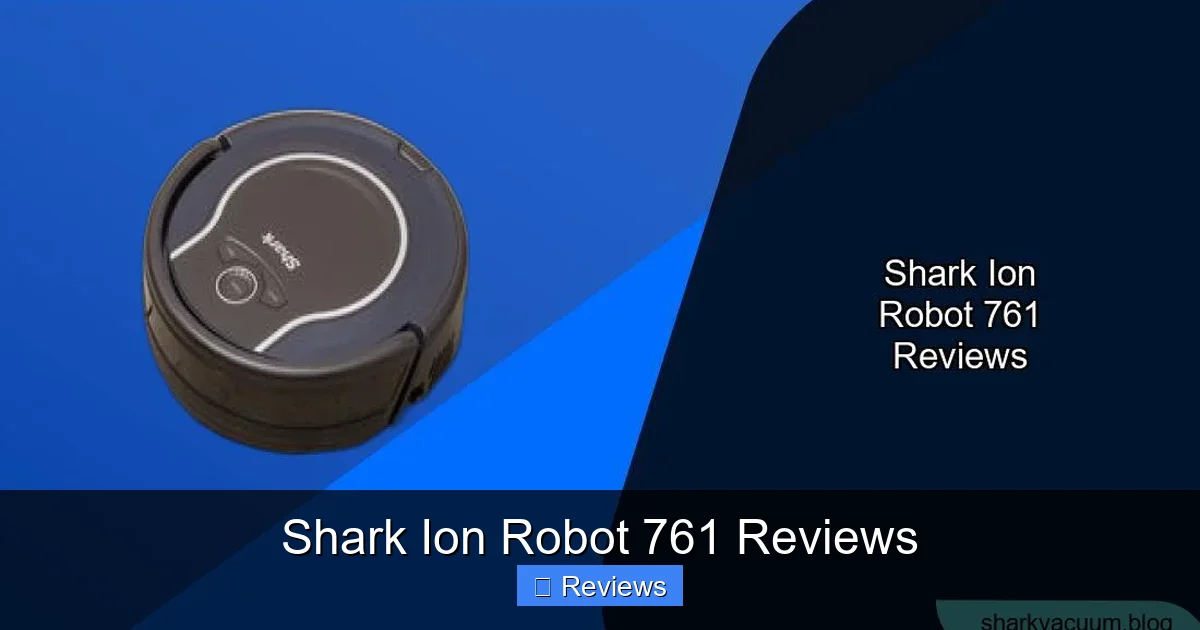
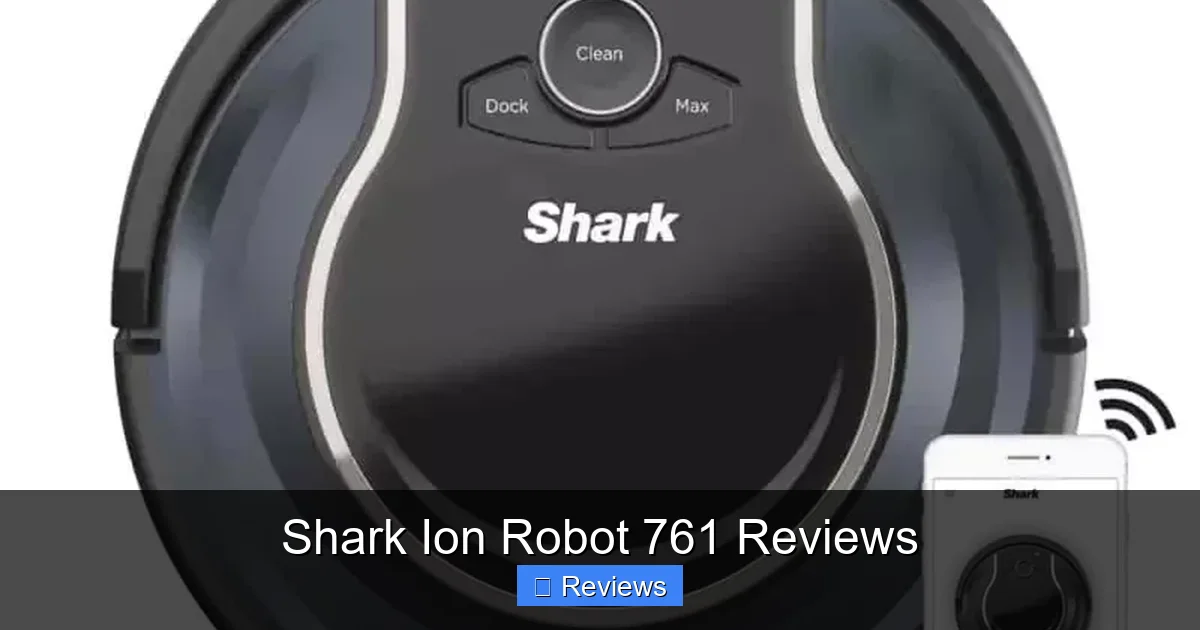
The 761 has a low-profile, circular design with a glossy black top and a two-tone gray and black bottom. It feels sturdy and well-built, not cheap or plasticky. The top features a minimalist “Shark” logo, a power button, and a small LED display that shows Wi-Fi status and error codes. The front houses the bumper with integrated sensors, and the bottom reveals the main brushroll, two multi-surface rubber brushes, a small cliff sensor, and the charging contacts. It’s a classic, functional look that will blend into most room corners without drawing attention.
Step-by-Step Setup Process
Setup is where the simplicity shines. First, place the charging home base against a flat wall, with at least 1.5 feet of clearance on either side and 5 feet in front. This is crucial for its “recharge and resume” function. Plug it in. Then, remove any protective stickers and tape from the robot. Place it on the home base to initialize and charge fully—a process that takes about 3 hours. While it charges, download the free Shark app (available for iOS and Android). Creating an account and connecting the robot via Wi-Fi (2.4GHz only) was seamless in my test, taking less than 5 minutes. The app guides you through naming your bot and completing the setup. No complicated calibration or mapping runs are needed upfront; the robot learns as it cleans.
Navigation and Cleaning Performance: How Smart Is It, Really?
This is the million-dollar question for any budget robot. The Shark Ion Robot 761 uses a combination of infrared cliff sensors, bump sensors, and a proprietary “IQ Navigation” system. It does not use a visual camera or LIDAR for precise room mapping. Instead, it employs a systematic, row-by-row cleaning pattern in open areas, using its sensors to avoid falls and navigate around furniture legs.
Visual guide about Shark Ion Robot 761 Reviews
Image source: sharkvacuum.blog
On Hard Floors: A Standout Performer
On my hardwoods, tile, and laminate, the 761 is a champion. Its strong suction (rated at up to 1200 Pa) and the combination of the main brushroll and side brush work brilliantly. It consistently picked up everything from cereal and kitty litter to fine dust and, most importantly, the constant drizzle of golden retriever hair. The robot does multiple passes over each area, ensuring a thorough clean. In my kitchen, after a weekend of cooking and snacking, the dustbin was full of crumbs and debris after a single 45-minute run. The side brush effectively sweeps debris from along baseboards and into the path of the main roller. For homes with predominantly hard floors, the cleaning performance is exceptional for the price.
On Carpets: A Mixed Bag
Here’s where we see the compromise of a budget model. On low-pile carpet and rugs, the 761 performs adequately. It transitions smoothly and increases suction automatically (a feature called “Max Mode” on carpets). However, on medium to high-pile carpets, it struggles. The lightweight robot can sometimes get bogged down, and the main brushroll, while good at agitating debris, can’t dig as deep as more powerful vacuums. It also has a tendency to push small, lightweight toys or socks across the floor rather than sucking them up. For homes with mostly low-pile carpeting, it’s fine. If your home is 50%+ thick plush carpet, you’ll likely need to supplement with an upright vacuum for deep cleaning.
Handling Obstacles and Edge Cleaning
The 761’s bumper is sensitive, and it gently bumps into furniture to navigate. This is common in this price range. It does a decent job of cleaning along edges, thanks to the side brush, but it won’t get perfectly into corners like a D-shaped robot might. It handles chair and table legs well, circling them methodically. Its biggest weakness is with “clutter zones.” If you have a room with lots of small objects on the floor (legos, socks, charging cables), you must pick those up first. The robot will get stuck or push them around. Its cliff sensors are reliable, never taking a tumble down my step or onto a rug fringe.
Smart Features and the Shark App: Convenience at Your Fingertips
Where the Shark Ion Robot 761 truly separates itself from the most basic bots is in its app connectivity. The Shark app is a key part of the ownership experience and is surprisingly robust for the price point.
Visual guide about Shark Ion Robot 761 Reviews
Image source: manua.ls
Scheduling and Cleaning Modes
Through the app, you can schedule cleanings for specific days and times, which is the core convenience feature. You can also select “Room Select” (if you’ve let it map an area), “Spot Clean” for a concentrated 3×3 foot area, or “Max” for a full-power clean. The ability to adjust suction power between “Eco” and “Max” directly from your phone is fantastic for quieter daytime cleaning or a deep-clean session. You can also see the robot’s status, battery level, and cleaning history.
No-Go Zones and Virtual Walls
This is a game-changer. Using the app’s map (which generates after a few cleanings), you can draw virtual “No-Go” zones on the screen. This tells the robot to avoid specific areas, like a pet’s food bowl area, a playroom with toy mines, or around a delicate area rug. You create these zones on a basic 2D map of your home. It’s not as precise as camera-based mapping, but it works effectively for keeping the bot out of trouble spots without needing to set up physical boundary strips.
Voice Control and Smart Home Integration
The 761 works with both Amazon Alexa and Google Assistant. After a simple skill/link setup in the respective apps, you can use voice commands to start, stop, pause, and send the robot back to its base. You cannot, however, use voice to select specific rooms or zones—that still requires the app. For basic, hands-free control, it integrates perfectly and responds reliably.
Maintenance and Long-Term Care: What’s the Real Workload?
A robot vacuum is only a good investment if the upkeep doesn’t become a chore. The Shark Ion Robot 761 is designed for relatively low maintenance.
Visual guide about Shark Ion Robot 761 Reviews
Image source: sharkvacuum.blog
Emptying the Dustbin
The 0.5-liter dustbin is accessible from the top with a one-touch release. It’s a decent size for daily cleaning in an average-sized apartment or home. For pet owners or homes with lots of debris, you’ll likely need to empty it after every 1-2 runs. The bin has a simple filter that is washable and reusable. You should rinse it monthly and let it dry completely for 24 hours before reinstalling. This is a standard, easy process.
Cleaning the Brushroll and Brushes
Shark’s “Anti-Hair Wrap” technology lives up to its name for the most part. The main rubber brushroll does a good job of preventing hair from wrapping tightly around the bristles. However, for long pet hair or human hair, you will still need to occasionally use the included cleaning tool to slice through any buildup. This takes 60 seconds. The two side brushes can also collect hair and should be checked monthly. Both are easily removable for cleaning.
Filter and Overall Care
The primary foam filter inside the dustbin should be washed monthly. Shark recommends replacing the filter every 3-6 months depending on use, which is a consumable cost to factor in. The sensors (cliff, bumper) should be wiped with a dry microfiber cloth periodically to ensure optimal performance. The charging contacts on both the robot and home base should be cleaned occasionally with a dry cloth to maintain a good charge connection. Overall, the maintenance is minimal and can be done while you’re waiting for your coffee to brew.
How It Compares: Is the Shark Ion Robot 761 the Right Choice For You?
To make a final decision, it helps to see how the 761 stacks up against its direct competitors and what it’s missing.
vs. The Shark IQ Robot (with Self-Empty Base)
The more expensive Shark IQ models share the same navigation and cleaning core but add a self-empty base. If you hate emptying a small dustbin, the IQ is worth the extra cost. The 761 requires manual emptying, but for most, this 10-second task is not a deal-breaker given the significant price difference.
vs. Entry-Level Bots (Eufy, ILIFE)
Compared to bots under $250, the 761 is in a different league. Those bots often use random navigation (bumping around chaotically) and have weaker suction and poorer app features. The 761’s systematic navigation and capable app make it a much smarter, more efficient purchase.
vs. Premium Bots (Roborock, Roomba i Series)
Here, the trade-offs are clear. Premium bots offer precise LIDAR mapping, superior carpet cleaning, self-empty bases, and often mopping functions. The 761 cannot compete on deep carpet cleaning or mapping precision. However, for a home with mostly hard floors and low-pile rugs, the 760 achieves 85% of the result for 50% of the price. The value proposition is its strongest argument.
The Missing Mopping Function
A key note: the Shark Ion Robot 761 is a vacuum-only device. Shark sells separate, compatible mop pads that attach to the bottom, but they are not a true wet mopping system. They are essentially damp cloths for light dust and spills. If you need a true wet mopping function, you must look at a different model, like the Shark AI Ultra (which has a self-mop) or competitors like the Roborock Dyad Pro.
Frequently Asked Questions
Is the Shark Ion Robot 761 good for pet hair?
Yes, it performs very well on pet hair, especially on hard floors. The main brushroll and strong suction lift and trap hair effectively. However, for long, embedded hair in thick carpets, you will still need to occasionally clean the brushroll with the included tool.
How loud is the Shark Ion Robot 761?
It operates at a moderate noise level, comparable to a standard upright vacuum on a lower setting. On the “Eco” suction mode, it’s relatively quiet and unobtrusive. The “Max” mode is louder but still tolerable for daytime cleaning while you’re in another room.
How often do I need to empty the dustbin?
This depends heavily on your home’s debris and pet hair levels. For an average home with a dog or cat, expect to empty the bin after every 1-2 cleaning cycles. For a smaller apartment with minimal debris, you might get 3-4 cycles. The low bin capacity is the main maintenance chore.
Can it clean multiple rooms on its own?
Yes. While it doesn’t create a persistent, named-room map like high-end LIDAR bots, it will systematically clean your entire accessible floor plan in one go, moving from room to room. The “Room Select” feature in the app allows you to target specific areas once it has learned your home’s layout over several runs.
Does it work with Google Home or Alexa?
Yes, it works with both. You can link the Shark skill for Alexa or the Shark action for Google Assistant. This allows for voice commands to start, stop, pause, and return the robot to its dock. Room-specific commands are not supported via voice.
What is the battery life and does it recharge and resume?
3>
The battery lasts for approximately 60-90 minutes of cleaning time, depending on suction mode and floor type. When it gets low, it automatically returns to the home base to recharge. Once recharged, it will resume cleaning from where it left off, provided the cleaning job was initiated from the app or a schedule.