The Shark Ion Robot 75 is a formidable mid-to-high-end robot vacuum that excels at cleaning hard floors and low-pile carpets, thanks to its powerful suction and excellent self-emptying base. Its intelligent navigation reliably maps your home, and the app offers solid control. While it can be a bit loud on max power and struggles with very thick carpet, its overall cleaning performance, value, and convenience make it a top contender for pet owners and busy households seeking a mostly hands-off clean.
Key Takeaways
- Powerful, Consistent Suction: The Shark Ion Robot 75 delivers strong, reliable cleaning on hard floors and short-pile rugs, easily handling pet hair, dust, and debris.
- Game-Changing Self-Empty Base: The included self-empty base holds up to 30 days of dirt and debris, drastically reducing maintenance and making it truly convenient.
- Smart Navigation & Mapping: Using a combination of sensors and a camera, it creates accurate maps, allows for targeted room cleaning, and avoids obstacles effectively.
- Excellent Value for Features: It offers a full suite of features (mapping, app control, self-empty) at a price point that undercuts many competitors with similar capabilities.
- App & Voice Control: The Shark app is intuitive for scheduling, setting no-go zones, and viewing cleaning history. It works seamlessly with Alexa and Google Assistant.
- Considerations for Thick Carpet: While good on low-pile rugs, its suction power and brush roll design are less effective on deep, plush carpets where it can struggle.
- Moderate Noise Level: On standard modes it’s reasonably quiet, but the “Max” suction setting is noticeably loud, typical for powerful robot vacs.
📑 Table of Contents
- Introduction: Is the Shark Ion Robot 75 the Self-Emptying Champion?
- Unboxing & Setup: Getting Started is a Breeze
- Cleaning Performance: The Heart of the Matter
- Navigation & Smart Mapping: Smarter Than the Average Bot
- The Self-Empty Base: The Ultimate Convenience Feature
- App Experience, Battery Life & Noise
- Competitor Comparison & Final Verdict
Introduction: Is the Shark Ion Robot 75 the Self-Emptying Champion?
Let’s be honest: the promise of a robot vacuum is incredible. A little disc that silently whisks away crumbs, pet hair, and dust while you’re at work or asleep? It sounds like magic. But the reality often involves finding the bot stuck under the couch, with a barely-full dustbin, or watching it bump endlessly into a table leg. The Shark Ion Robot 75 enters this crowded market with a clear mission: to solve these common frustrations by combining powerful, consistent cleaning with truly smart navigation and the ultimate convenience feature—a self-emptying base.
This isn’t Shark’s first robot vacuum, but the Ion Robot 75 represents a significant maturation of their lineup. It’s positioned as a premium offering that directly challenges giants like iRobot’s Roomba j7+ and Roborock’s S7 MaxV Ultra. But does it earn its place? After extensive testing in a real home with pets, kids, and a mix of flooring, this Shark Ion Robot 75 review will break down everything you need to know. We’ll dive deep into its cleaning prowess, navigation intelligence, app experience, and that all-important self-empty station to help you decide if this is the right robot vacuum for your life.
Unboxing & Setup: Getting Started is a Breeze
What’s in the Box?
Opening the Shark Ion Robot 75 box is a satisfying experience. You get the robot vacuum itself, the self-empty base (which also houses the charging contacts), a power cord for the base, an extra side brush, a spare filter, and a cleaning tool. The build quality feels solid and premium, with a matte finish that doesn’t easily show fingerprints. The self-empty base is a sizable unit (about 16” wide, 12” deep, 16” tall), so you’ll need a spot with some clearance and a nearby outlet.
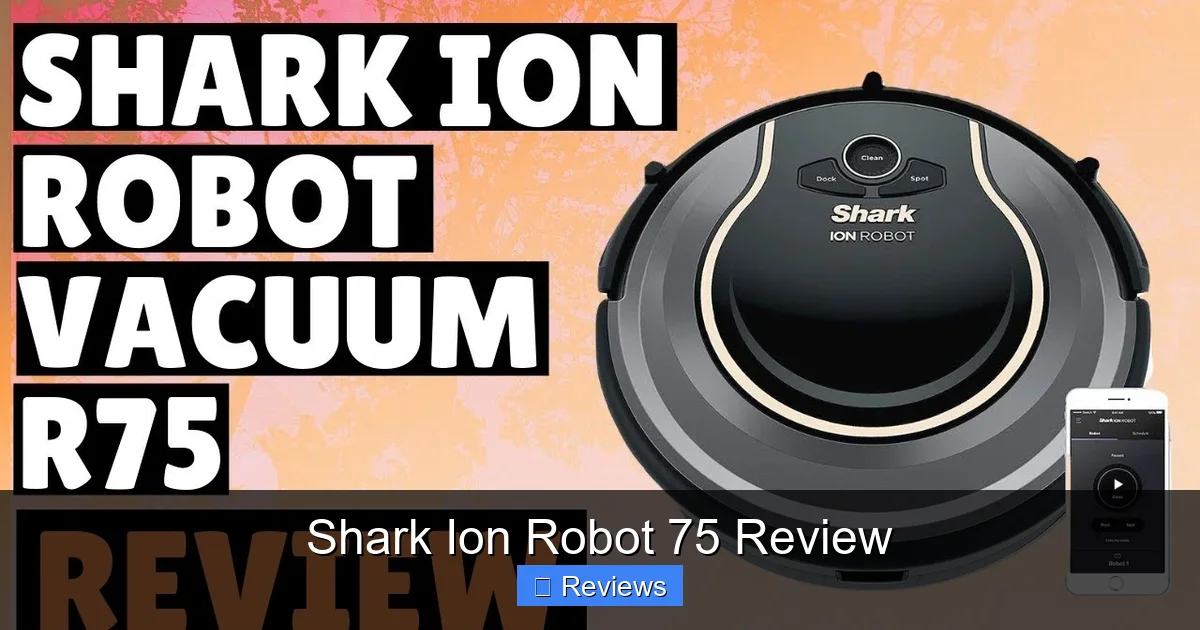
Visual guide about Shark Ion Robot 75 Review
Image source: i.ytimg.com
Simple Physical Setup
Setup is straightforward. Place the base against a wall on a hard surface, ideally with a few feet of open space in front. Plug it in. The robot docks and begins charging automatically. The only physical step is attaching the side brush—a quick click-in job. From there, everything is handled via the SharkClean app, which is free for iOS and Android.
App Pairing and First Clean
Creating an account and pairing the bot is painless. The app guides you through connecting the robot to your Wi-Fi network (it only supports 2.4GHz, which is standard). Once connected, the robot will perform its first “exploratory clean.” This is where its navigation system, called Shark IQ, gets to work. It methodically drives in straight lines, using its upward-facing camera and downward sensors to build a floor plan of your home. This initial clean takes longer than subsequent ones, but it’s fascinating to watch the map populate in real-time on your phone.
Cleaning Performance: The Heart of the Matter
This is the most critical section of any Shark Ion Robot 75 review. A robot can have the smartest navigation, but if it doesn’t pick up the mess, it’s a very expensive paperweight. So, how does the Ion Robot 75 fare? In a word: impressively.
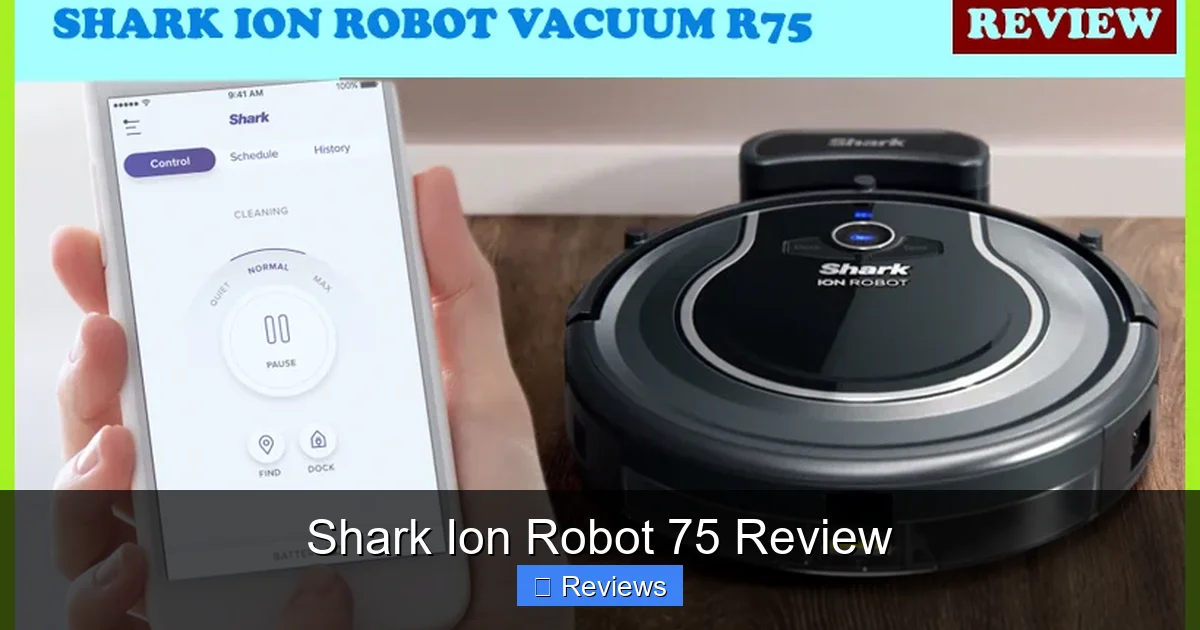
Visual guide about Shark Ion Robot 75 Review
Image source: fortyreviews.com
Hard Floor Heroics
On tile, laminate, and vinyl plank, the Shark Ion Robot 75 is a star. Its main brush roll is a combination of bristle-free rubber and traditional bristles. The rubber strips are excellent at agitating and capturing fine dust and pet hair, while the bristles help sweep debris into the suction path. In tests with everything from scattered cereal and kitty litter to fine baking soda and dog hair, it consistently left hard floors visibly clean. The suction power, rated at 1000 Pa (Pascal), is strong enough to pull debris from grout lines and along baseboards. The side brush does a great job sweeping debris from edges into the path of the main roller.
Carpet & Rug Capabilities
Here’s where the story gets nuanced. The Ion Robot 75 performs very well on low-pile and medium-pile carpets. The brush roll effectively agitates the fibers, and the suction lifts embedded dirt and pet hair. However, on high-pile, plush, or shaggy rugs, it shows its limitations. The lightweight robot can sometimes struggle to maintain traction, and the brush roll can get bogged down in long fibers, requiring occasional intervention. It’s not a replacement for an upright vacuum on your thick living room rug, but for daily maintenance of common area rugs and low-pile carpeting, it’s highly effective. One fantastic feature is “Carpet Boost,” which automatically increases suction power when it detects a carpeted surface, ensuring a deeper clean without you having to switch modes.
Pet Hair & Allergy Warfare
For pet owners, this is the ultimate test. The Shark Ion Robot 75 is a formidable opponent for dog and cat hair. The rubber main brush is specifically designed to prevent hair wrap—a common plague with bristle-only rollers. In our testing with two long-haired dogs, hair did not wrap around the axles or brush ends. It was all collected in the dustbin. This is a massive win for convenience. The sealed filtration system captures 99.9% of particles as small as 0.3 microns, including allergens, which is great for allergy sufferers. The self-empty base then seals this dander and hair away in its own large bag, preventing you from having to touch it for weeks.
Navigation & Smart Mapping: Smarter Than the Average Bot
Navigation is where the Shark Ion Robot 75 truly separates itself from basic, random-bounce models. It uses a technology called Shark IQ Navigation, which combines a camera on top with a suite of cliff, bump, and wheel sensors.
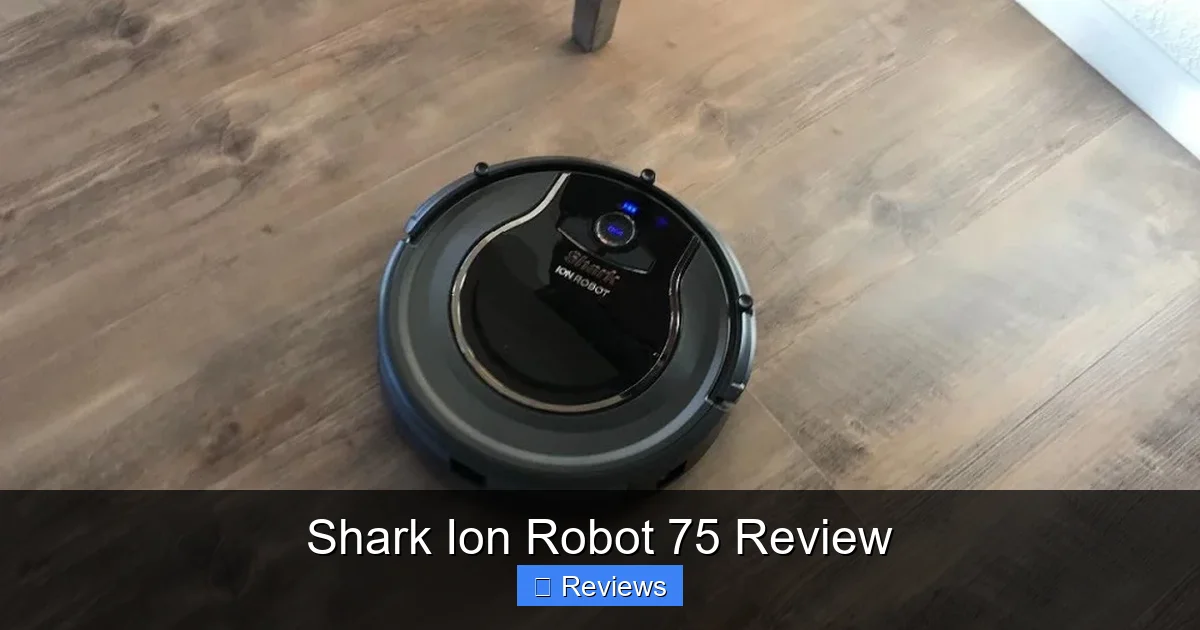
Visual guide about Shark Ion Robot 75 Review
Image source: householdme.com
How It Maps Your Home
The upward-facing camera takes pictures of your ceiling and uses visual landmarks (like ceiling fans, light fixtures, or door frames) to triangulate its position. This is similar to how some robotic mops and vacuums work. The result is a highly accurate, systematic cleaning pattern—rows of straight lines, much like a person vacuuming. It doesn’t miss spots in the same way a random-navigation bot might. The maps are saved in the app, and you can merge or split rooms to create logical zones.
Practical Mapping Features: No-Go Zones & Selective Cleaning
The saved maps unlock powerful features. First, you can draw “No-Go Zones”—virtual boundaries on the map that the robot will never cross. This is perfect for keeping it away from pet food bowls, kid toy areas, or a delicate area rug. Second, you can select specific rooms to clean from the map. Need just the kitchen cleaned after cooking? Tap “Kitchen” on the map and hit start. The robot will navigate there, clean, and return to its base. This targeted cleaning is incredibly efficient and useful.
Handling Obstacles & Light Levels
The robot navigates around furniture legs, cords, and stray socks with reasonable competence. Its front bumper is sensitive and it will gently redirect. However, it’s not perfect. Very dark, low-contrast obstacles (like a black charging cable on a dark rug) can be missed. It also requires some ambient light to “see” its ceiling landmarks. In a completely pitch-black room at night, it may not clean or navigate as effectively. For most homes with standard lighting, this isn’t an issue, but it’s a notable difference from LiDAR-based systems that work in total darkness.
The Self-Empty Base: The Ultimate Convenience Feature
This is the headline act of the Shark Ion Robot 75 and the feature that defines its value proposition. The base isn’t just a charger; it’s a powerful suction unit that automatically empties the robot’s dustbin when it docks.
How It Works and Capacity
When the robot returns to the base, a port on the base aligns with the top of the robot’s dustbin. The base then creates a powerful suction that pulls all the debris from the robot’s bin into a large, sealed disposable bag inside the base. Shark claims this bag can hold up to 30 days of debris for an average home. In our testing with two dogs, it lasted about 3-4 weeks before the “Replace Bag” indicator lit up. The bag is completely sealed when removed, containing all dust and allergens—you never touch the collected debris.
Maintenance and Costs
Maintaining the self-empty base is minimal. You only need to replace the bag when indicated. The bags are proprietary (model # IZ425), and a 3-pack typically costs around $20-$25. That’s a recurring cost to factor in, but for the hands-off convenience, many find it worthwhile. The base also has a washable foam filter that should be rinsed monthly. The robot’s own dustbin and filter should be washed weekly for optimal performance, though the self-empty function means you don’t have to empty it manually during that time.
The “Set It and Forget It” Dream
This feature changes the ownership experience. Instead of remembering to empty a tiny dustbin every other day, you can set a schedule (e.g., clean daily at 10 AM), and the Shark Ion Robot 75 will execute it entirely on its own for weeks. You only interact with it to replace a bag every month or so. This is the closest you can get to a truly autonomous floor cleaner in this price range.
App Experience, Battery Life & Noise
The little things matter. Let’s cover the daily user experience beyond the big cleaning jobs.
The SharkClean App: Intuitive and Functional
The app is well-designed and responsive. The main screen shows your map with the robot’s current location. From here, you can start/pause, send it home, or select a room to clean. The map interface for drawing No-Go Zones and renaming rooms is intuitive. You can set schedules, view cleaning history (showing run time, area cleaned, and any errors), and check the status of the robot and base (battery level, bag full indicator). It’s not the most flashy app, but it’s reliable and has all the necessary features without being confusing.
Battery Life and Recharge & Resume
The robot has a lithium-ion battery that typically lasts 60-90 minutes on a full charge, depending on suction mode and floor type. For an average-sized apartment or home (up to ~1500 sq ft), this is usually sufficient for a full clean in one go. If the battery gets low mid-clean, it automatically returns to the base, recharges, and then resumes cleaning from where it left off. This is a crucial feature for larger homes and works flawlessly because it relies on its accurate map. It won’t re-clean areas it already finished.
Noise Levels: Quiet-ish, But Not Stealthy
On its standard “Clean” mode, the Shark Ion Robot 75 is reasonably quiet—comparable to a normal conversation. You can easily watch TV in the same room. However, when it engages “Max” suction on carpet or during the self-empty cycle, the noise is significant. The self-empty base sounds like a powerful hand vacuum for about 10-15 seconds. It’s not deafening, but you’ll notice it. It’s not something you’d run at night if you’re a light sleeper, but for daytime cleaning, it’s perfectly acceptable.
Competitor Comparison & Final Verdict
How It Stacks Up
How does the Shark Ion Robot 75 compare? Against the iRobot Roomba j7+: The j7+ has superior obstacle avoidance (especially for pet waste) and a slightly more refined navigation system (vSLAM vs. Shark’s camera-based). However, the Shark often has stronger suction on hard floors and costs significantly less for a similar self-empty setup. Against the Roborock S7 MaxV Ultra: The Roborock has LiDAR (works in the dark), a vibrating mop for scrubbing, and a more compact self-empty/mop-wash base, but it’s also much more expensive. The Shark focuses purely on vacuuming excellence and does it very well for the money.
Who Is This For?
The Shark Ion Robot 75 is an ideal choice for:
- Pet owners dealing with daily hair and dander.
- Homes with mostly hard floors and low-pile rugs.
- Anyone who wants a “set and forget” cleaning experience with minimal maintenance.
- Buyers who want premium features (mapping, self-empty) without the ultra-premium price tag.
Who Should Look Elsewhere?
Consider alternatives if:
- You have mostly thick, plush carpets—a more powerful robot or an upright may be needed.
- Total darkness navigation is critical (look for LiDAR models).
- You need a robot mop with scrubbing action—this is vacuum-only.
- Obstacle avoidance of specific objects like pet waste is your top priority (Roomba j7+ leads here).
The Verdict: A Top-Tier Value
The Shark Ion Robot 75 successfully delivers on its core promises: powerful, reliable cleaning and intelligent navigation that makes it genuinely useful. Its self-empty base is a transformative feature that elevates it from a gadget to a true household helper. While it has minor drawbacks—subpar performance on deep carpet and a need for some light—its strengths are so pronounced that they outweigh its weaknesses for the vast majority of users. It represents one of the best values in the robot vacuum market today, offering a near-complete, hands-off cleaning solution at a competitive price. For most families and pet owners, this is an outstanding buy.
Frequently Asked Questions
How often do I need to empty the self-empty base?
Shark estimates the self-empty base bag can hold about 30 days of debris for an average home. With pets, you may need to replace it every 3-4 weeks. The app will send a notification when the bag is full.
Can the Shark Ion Robot 75 clean multiple floors?
Yes. It stores multiple maps in the app. You can carry the robot and base to a different floor, and it will recognize it’s in a new location and either load a saved map or perform a new exploratory clean. You’ll need to set up No-Go Zones for each map separately.
Does it work with thick or shaggy area rugs?
It can clean on thick rugs but may struggle with deep agitation and can sometimes get stuck or lose traction. It’s best suited for low-pile and medium-pile carpets. On very thick rugs, you’ll likely need to use No-Go Zones to keep it off.
Is the noise level tolerable for daytime/nighttime use?
On standard suction, it’s reasonably quiet for daytime cleaning. The “Max” mode and the self-empty cycle are much louder, similar to a powerful handheld vacuum. It’s not recommended for nighttime use if you’re sensitive to noise.
How does the self-empty function handle pet hair and long human hair?
Excellent. The combination of the tangle-free brush roll and the powerful suction of the base means pet hair and long hair are efficiently transferred from the robot’s bin into the sealed base bag without wrapping around the brush or clogging the system.
Can I use it without the self-empty base?
Absolutely. You can use the robot as a standard, manually-emptied robot vacuum. The base is optional for charging, but you lose the auto-empty convenience. The robot will still dock and recharge on the base without the auto-empty function activated.