Is your Shark Ion Flex vacuum refusing to charge? This is a common but frustrating issue often caused by simple problems like dirty charging contacts, a faulty charger, or a battery that has reached the end of its lifespan. Before you panic or buy a new battery, our guide walks you through a systematic diagnostic process, from quick visual checks to advanced testing, and provides clear solutions for each potential cause. Learn how to properly maintain your battery to maximize its life and ensure your Shark Ion Flex is always ready when you need it.
Key Takeaways
- Dirty or damaged charging contacts are the #1 culprit: Regularly clean both the vacuum’s and charger’s metal pins with isopropyl alcohol and a cotton swab to ensure a proper connection.
- Always test with the original charger first: A faulty or incompatible third-party charger is a frequent cause of charging failures. Verify the charger’s output with a multimeter if possible.
- Perform a full battery reset: Removing the battery, pressing the power button for 10-15 seconds, and re-seating it can clear error codes and recalibrate the system.
- Battery degradation is inevitable: Lithium-ion batteries lose capacity over time (typically 2-3 years). If runtime is severely reduced despite a full charge, replacement is likely needed.
- Environmental factors matter: Extreme temperatures (hot or cold) can temporarily or permanently damage the battery. Always charge and store at room temperature.
- Software/firmware can play a role: Check Shark’s website or app for any available firmware updates for your specific Ion Flex model, as updates can improve charging algorithms.
[FEATURED_IMAGE_PLACEHOLDER]
📑 Table of Contents
- Introduction: The Dreaded “Not Charging” Dilemma
- Understanding Your Shark Ion Flex Battery System
- Most Common Reasons Your Shark Ion Flex Battery Won’t Charge
- Step-by-Step Diagnostic and Repair Guide
- Proper Charging Practices for Maximum Battery Longevity
- When to Consider a Replacement Battery
- Preventive Maintenance: Keeping the Problem Away
- Conclusion: Empowerment Through Knowledge
Introduction: The Dreaded “Not Charging” Dilemma
You go to grab your trusty Shark Ion Flex cordless vacuum for a quick clean, only to find it’s completely dead. You plug it into its wall charger, but the familiar charging light never illuminates. The battery indicator remains stubbornly empty. Frustration sets in. This scenario is all too common for owners of powerful cordless vacuums, and the Shark Ion Flex is no exception. A battery that won’t charge can bring your entire cleaning routine to a halt, making it one of the most urgent appliance issues to solve.
The good news is that a “Shark Ion Flex battery not charging” problem is not always a death sentence for your vacuum or its battery. In many cases, the solution is a simple, five-minute fix you can perform at home. The problem often lies not with the battery itself, but with the communication between the battery, the vacuum’s internal circuitry, and the charger. This comprehensive guide is designed to be your definitive troubleshooting companion. We will move from the simplest, most likely checks to more complex diagnostics, empowering you to identify and fix the issue yourself. We’ll also cover essential charging best practices and maintenance tips to prevent this problem from recurring, ensuring your Shark Ion Flex remains a reliable workhorse for years to come.
Understanding Your Shark Ion Flex Battery System
Before we start pulling things apart, it’s helpful to understand what makes your Shark Ion Flex tick. This isn’t just a simple battery in a box; it’s a sophisticated power system with multiple safety and communication checkpoints. Knowing these components helps you understand why a failure occurs.
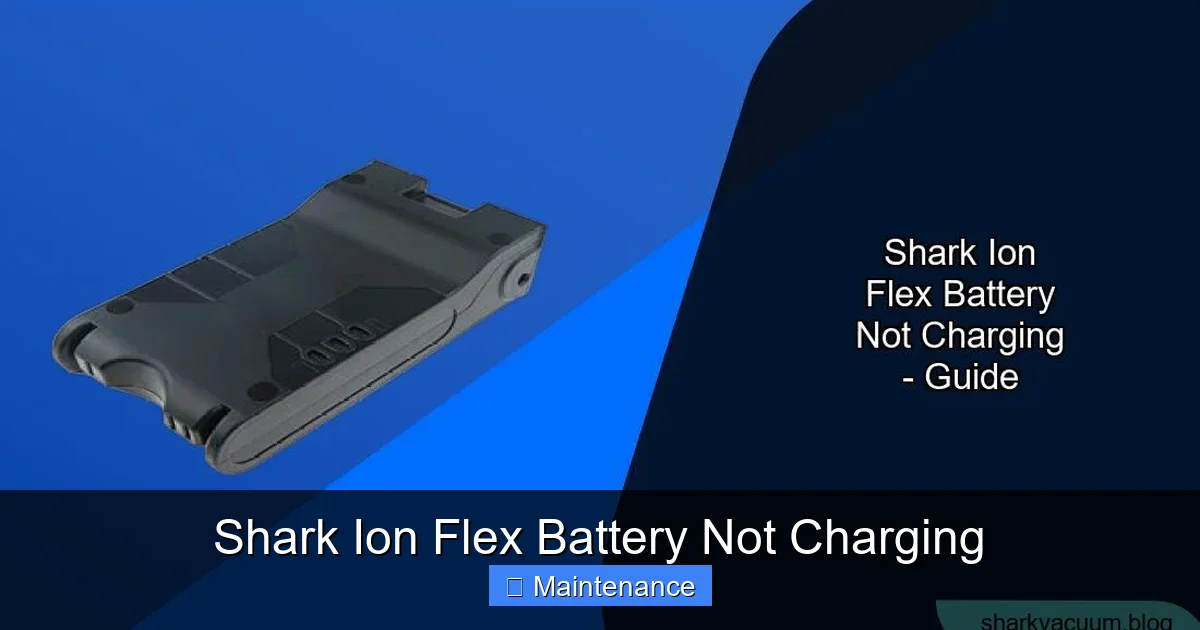
Visual guide about Shark Ion Flex Battery Not Charging
Image source: sharkvacuum.blog
The Heart of the Matter: Lithium-Ion Technology
Your Shark Ion Flex uses a lithium-ion (Li-ion) battery pack, the same technology found in smartphones and laptops. Li-ion batteries are favored for their high energy density (lots of power in a small package) and lack of “memory effect” (you don’t need to fully drain them before charging). However, they have limitations. They degrade with every charge cycle and are sensitive to heat, cold, and deep discharges. A typical Li-ion battery in a cordless vacuum like the Ion Flex is designed for about 300-500 full charge cycles before its capacity drops to 80% of its original level. After a few years of regular use, reduced runtime is normal, but a complete failure to accept any charge points to a different problem.
The Critical Communication Chain
For your vacuum to charge, a silent conversation must happen between three key players:
- The Charger: It provides the correct voltage and current. It also often communicates with the battery or vacuum’s BMS (Battery Management System) to verify it’s a genuine Shark accessory and that the battery is in a safe state to charge.
- The Charging Port & Contacts: These are the physical metal pins on both the vacuum (where you plug in) and the charger plug. They must be perfectly clean and aligned to create an uninterrupted electrical connection.
- The Battery Management System (BMS): This is a small computer chip embedded in the battery pack. Its job is to monitor the battery’s temperature, voltage, and health. It’s the gatekeeper—it can prevent charging if it detects a fault (like overheating, a short circuit, or a cell that’s too low) to protect you and the battery from danger.
A break anywhere in this chain—dirty contacts, a bad charger, a tripped safety cutoff in the BMS—will result in a battery that appears “dead” and won’t charge.
Most Common Reasons Your Shark Ion Flex Battery Won’t Charge
Let’s diagnose the issue by looking at the most frequent offenders, starting with the simplest and most probable.
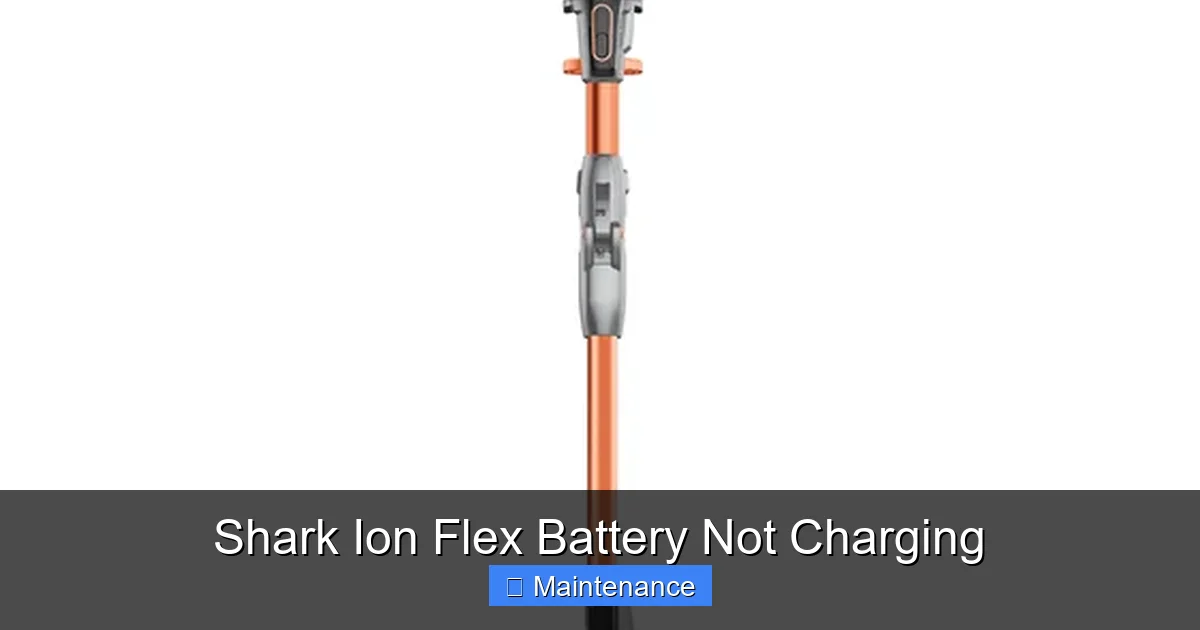
Visual guide about Shark Ion Flex Battery Not Charging
Image source: static-data2.manualslib.com
1. Dirty or Oxidized Charging Contacts
This is the undisputed champion of charging problems. Dust, hair, and general debris from your cleaning sessions gets kicked up and can settle on the metal charging pins on the vacuum’s base and inside the charger’s plug. Over time, this grime can create a thin, non-conductive layer that blocks the electrical current. In humid environments, a slight oxidation (a white or greenish crust) can also form. Solution: Power off and unplug everything. Use a cotton swab dipped in 91% or higher isopropyl alcohol (rubbing alcohol) to gently but thoroughly clean all exposed metal contacts on both the vacuum and the charger. Let them air dry completely for 5-10 minutes before trying again. This simple step solves a huge percentage of charging issues.
2. Faulty or Incompatible Charger
Chargers fail. The internal components can burn out, or the cable can develop a break near the plug. Furthermore, using a non-genuine or third-party charger that doesn’t perfectly match the voltage and amperage requirements can confuse the BMS, which may refuse to charge for safety reasons. Solution: Visually inspect your charger for any damage to the cable or plug. If you have access to a multimeter, you can test the output voltage of the charger (it should match the “Output” label on the charger, typically around 18-22V). The best test is to borrow an identical, known-good charger from a friend or neighbor to see if it powers up your vacuum. If the other charger works, yours is faulty and needs replacement.
3. Battery Has Entered a Deep Discharge or Sleep Mode
Li-ion batteries hate being left completely dead for long periods. If a Shark Ion Flex battery is fully discharged and then left sitting on the shelf for weeks or months, its voltage can drop below a critical threshold (usually around 2.5-3.0V per cell). The BMS will then go into a protective “sleep” or “hibernation” mode, effectively shutting down all functions to prevent permanent damage. In this state, the vacuum won’t turn on, and the charger may not recognize it at all. Solution: This requires a “jump start.” Leave the battery plugged into the charger for an extended period—sometimes 24-48 hours—without interruption. The charger’s trickle charge may be enough to very slowly raise the battery voltage back above the BMS’s cutoff point, waking it up. Be patient and let it sit.
4. Battery Degradation and End-of-Life
Batteries are consumable items. After hundreds of cycles and years of use, the internal cells wear out. A degraded battery may hold very little charge (5-10 minutes of runtime) or, in its final stages, its voltage may become so unstable that the BMS refuses to charge it at all for safety. Solution: If your battery is over 2-3 years old and shows signs of significant capacity loss before this total failure, it’s likely at the end of its life. The only fix is a replacement battery. Always buy a genuine Shark battery or a highly reputable third-party battery with good reviews and safety certifications.
5. Faulty Charging Port or Internal Connection
The charging port on the vacuum itself can become loose, have a broken solder joint, or have an internal wire that has fatigued and broken from repeated plugging/unplugging. Solution: This is a more advanced repair. You need to inspect the port for any physical movement when the charger is plugged in. If it’s wobbly, the internal connection is likely broken. This usually requires soldering skills or a professional repair shop to replace the port assembly.
6. Software/Firmware Glitch
Less common, but possible. The vacuum’s internal software that manages charging could have a bug. Solution: Check Shark’s official website or the SharkClean app (if your model is compatible) for any available firmware updates. Follow their instructions to update the vacuum’s software, which can sometimes resolve charging anomalies.
Step-by-Step Diagnostic and Repair Guide
Now, let’s get systematic. Follow this flowchart of troubleshooting steps in order. Start with Step 1 and only move to the next if the previous step does not resolve the issue.
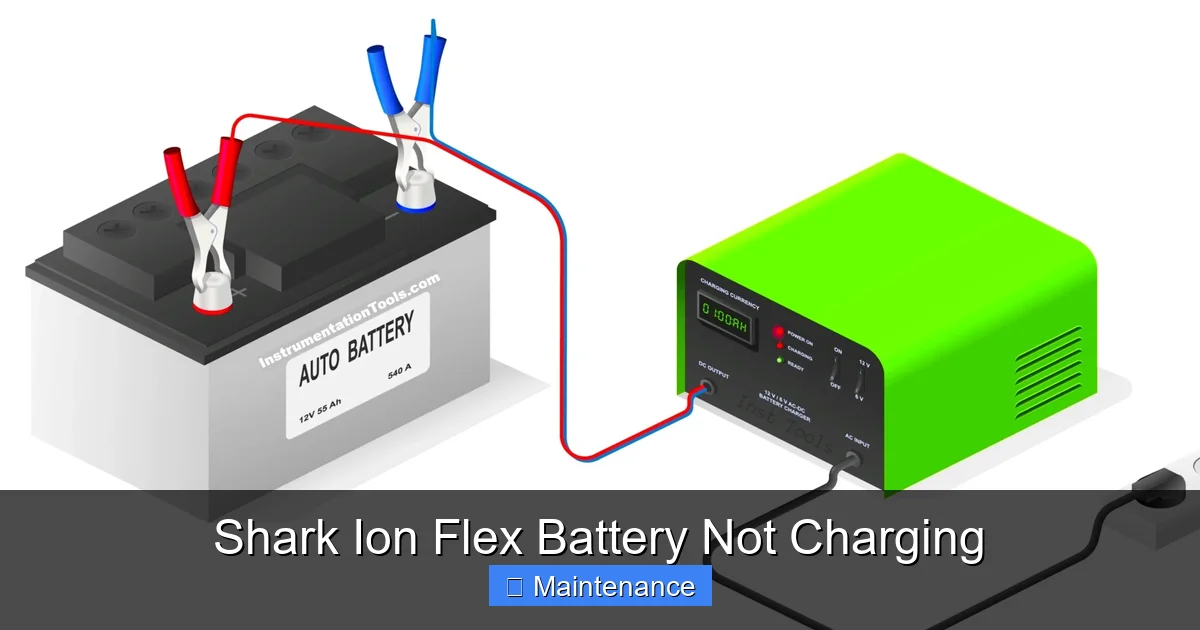
Visual guide about Shark Ion Flex Battery Not Charging
Image source: instrumentationtools.com
Step 1: The Essential Visual & Basic Checks
Unplug the charger from the wall. This is your safety first step.
- Inspect the Charger: Look for frayed cables, bent prongs, or burn marks. Smell it—does it have a burnt electronics odor?
- Inspect the Vacuum’s Charging Port: Use a flashlight. Look for debris, lint, or bent metal contacts inside the port. Gently try to wiggle the port; any significant movement suggests a broken internal connection.
- Check the Battery Release: Ensure the battery is fully seated and locked into the vacuum. A slightly dislodged battery won’t make proper contact with the vacuum’s internal charging terminals.
- Test a Different Outlet: Plug the charger into a different, known-good wall outlet. Avoid power strips if possible.
Step 2: The Deep Clean
As mentioned, this is the most common fix. You will need isopropyl alcohol (90%+ is best) and several cotton swabs.
- Remove the battery from the vacuum.
- Dip a cotton swab in alcohol, squeeze out excess, and meticulously clean every metal contact you can see on the battery’s terminals and inside the vacuum’s battery bay.
- Clean the charging pins on the bottom of the vacuum and the corresponding holes inside the charger’s plug.
- Allow everything to air dry for 10 minutes. Alcohol evaporates quickly and leaves no residue.
- Reinsert the battery firmly. Plug the charger directly into the wall, then into the vacuum.
Wait 5-10 minutes and check for any charging lights. If none, proceed to Step 3.
Step 3: The Extended “Wake-Up” Charge
This addresses a battery in deep sleep.
- Ensure you are using the original Shark charger.
- Plug the charger into the wall, then into the vacuum (with battery installed).
- Leave it connected and undisturbed for a full 48 hours. Do not try to turn the vacuum on during this time.
- After 48 hours, check for any indicator lights. If the battery was in a deep sleep, it should now show some sign of life, even if just a single blinking light.
If still no lights, move to Step 4.
Step 4: The Hard Reset Procedure
This clears any potential error codes stored in the vacuum’s memory that might be blocking the charge cycle.
- Remove the battery from the vacuum.
- Press and hold the power button on the vacuum (the one you normally use to turn it on) for 15-20 seconds. This discharges any residual power from the capacitors.
- While still holding the button (or immediately after), reinsert the battery firmly until it clicks.
- Release the power button.
- Now, plug the charger into the wall and then into the vacuum.
Observe for 5 minutes. If this doesn’t work, proceed.
Step 5: Isolate the Charger
We need to know if the charger is dead.
- If possible, borrow an identical Shark Ion Flex charger from someone. Use it on your vacuum/battery. If it charges, your original charger is faulty.
- If you have a multimeter, set it to DC voltage. Carefully insert the multimeter probes into the charger’s output plug (the part that goes into the vacuum). You should read a voltage very close to what’s printed on the charger’s label (e.g., 20V). If it reads 0V or significantly lower, the charger is dead.
If the charger is confirmed faulty, you must replace it with a genuine model.
Step 6: The Battery Swap Test
This is the definitive test for the battery itself.
- If you have access to another working Shark Ion Flex battery (from a friend, family member, or a local repair shop), install it in your vacuum.
- Plug in your known-good charger.
- If the new battery charges, your original battery is dead and needs replacement.
- If the new battery also fails to charge, the problem is likely with the vacuum’s charging port or internal circuitry, not the battery.
If the vacuum itself is at fault (no power from port), this is a repair best handled by Shark customer service or a qualified electronics repair technician.
Proper Charging Practices for Maximum Battery Longevity
Even if you fix the immediate problem, bad charging habits will kill your new or revived battery prematurely. Adopt these practices to get the most life from your investment.
Ideal Charging Conditions: Temperature is Everything
Lithium-ion batteries are thermally sensitive. The optimal charging temperature is between 60°F and 77°F (15°C to 25°C). Charging in a hot garage (above 95°F/35°C) or a freezing cold basement (below 40°F/4°C) stresses the cells and accelerates degradation. Always charge and store your Shark Ion Flex in a climate-controlled, indoor environment. Never leave it in a hot car.
Embrace Partial Charging, Fear Deep Discharges
You don’t need to run the battery to 0% before charging. In fact, you shouldn’t. Frequent deep discharges (below 20%) are one of the fastest ways to wear out a Li-ion battery. It’s perfectly fine—and beneficial—to top up the battery after each use, even if it’s only at 50%. The BMS and modern chargers handle this without issue. The goal is to keep the battery in the 20%-80% range for daily use if possible, and avoid leaving it at 100% charge on the charger for weeks on end, though occasional topping off is fine.
Long-Term Storage: The 50% Rule
If you plan to not use your Shark Ion Flex for more than a month (e.g., seasonal storage), do not store it fully charged or fully dead. Charge the battery to approximately 50%. This is the most stable state for long-term chemical preservation. Store the battery separately from the vacuum in a cool, dry place. Check and recharge to 50% every 6 months if storing long-term.
Use Only Genuine or Certified Chargers
It can be tempting to buy a cheap, universal charger online. Resist. The Shark Ion Flex’s BMS is designed to communicate with its specific charger. A third-party charger may not provide the correct voltage profile or handshake signal, leading to slow charging, no charging, or even battery damage over time. Invest in the proper charger to protect your battery and vacuum.
When to Consider a Replacement Battery
After following all troubleshooting steps, you may conclude the battery itself is the problem. Here are the definitive signs it’s time for a new one.
Signs of Irreversible Wear
- Severely Reduced Runtime: A fully charged battery that lasts less than 10-15 minutes on a low-power setting is effectively worn out.
- Extreme Voltage Drop: The vacuum powers on normally but dies instantly when you engage the brush roll or suction. This indicates the battery can’t deliver the required current under load.
- Physical Damage: Any visible bulging, swelling, or deformation of the battery pack. DO NOT CHARGE OR USE. Dispose of properly.
- Charging Fails After Reset: You’ve performed the extended 48-hour wake-up charge and hard reset, and the battery still shows no signs of life. The BMS has permanently shut it down.
Choosing a Replacement: Genuine vs. Third-Party
Genuine Shark Battery: The safest, most reliable option. It guarantees perfect compatibility, safety, and performance. It’s also the most expensive. Purchase from Shark directly or an authorized retailer to avoid counterfeits.
Reputable Third-Party Battery: Companies like Tineco, Bissell, or dedicated battery specialists often make compatible packs for Shark models. Look for brands with strong reviews, clear warranties (at least 1 year), and certifications like UL or CE. They offer a cost-effective alternative but may have slightly different cell quality or runtime.
Avoid ultra-cheap, no-name batteries from major marketplaces. They often use inferior cells, lack proper safety circuitry, and can be a fire risk.
Preventive Maintenance: Keeping the Problem Away
An ounce of prevention is worth a pound of cure. Incorporate these habits into your routine.
Monthly Contact Cleaning Ritual
Once a month, take 2 minutes to clean your charging contacts. After emptying the dustbin, grab an alcohol-dampened cotton swab and clean the metal pins on the vacuum’s base and the charger plug. This proactive habit prevents the #1 cause of charging failures.
Smart Usage and Charging Schedule
Don’t wait for the battery to die. Get in the habit of placing the vacuum back on its charger after every use, even if it’s only partially discharged. This keeps it topped up and ready. If you have a heavy cleaning day that uses 80% of the battery, let it charge fully before the next use. Avoid using the vacuum until it completely shuts off.
Environmental Awareness
Make your laundry room or closet the vacuum’s permanent home, not the garage or shed. Ensure the charging station is on a stable, flat surface away from direct sunlight, heaters, or air conditioning vents that could cause temperature extremes.
Regularly Update Firmware
If your Shark Ion Flex model connects to Wi-Fi and an app, check for firmware updates quarterly. Shark occasionally releases updates that optimize battery charging algorithms and improve overall performance.
Conclusion: Empowerment Through Knowledge
A Shark Ion Flex battery that won’t charge is a major inconvenience, but it is rarely an insurmountable problem. By understanding the simple communication chain between your charger, vacuum, and battery, you can methodically diagnose the issue. Start with the free, five-minute fix of cleaning the contacts. Then, move through the systematic steps of extended charging, resetting, and component isolation. In most cases, you’ll either solve the problem yourself or gain enough information to make an informed decision about a replacement charger or battery.
Remember, the battery is a consumable component. With proper care—regular cleaning, avoiding extreme temperatures, and using the correct charger—you can easily extend its useful life to 3-4 years. When the time finally comes for a replacement, opt for a genuine Shark part or a highly reputable third-party equivalent to ensure safety and performance. Your Shark Ion Flex is a powerful cleaning tool; treating its battery with respect ensures it will return the favor with years of reliable, cord-free service. If you’ve exhausted all these steps and are still stuck, don’t hesitate to contact Shark Customer Support directly. They can often provide model-specific advice or warranty support.
Frequently Asked Questions
Can a completely dead Shark Ion Flex battery be revived?
Yes, often. If the battery has entered a deep sleep from being fully depleted, a continuous 48-hour charge with the original charger can sometimes “jump-start” it back to life. This is the first and most important step before declaring the battery dead.
How do I know if my charger is bad?
First, inspect it for physical damage. The best test is to try it on another compatible Shark Ion Flex vacuum. If it works there, your charger is fine. You can also use a multimeter to check if it outputs the correct voltage printed on its label. No output means a faulty charger.
Why does my Shark Ion Flex battery die so fast now?
This is a sign of normal lithium-ion battery degradation. Over 2-3 years of regular use, the battery’s maximum capacity naturally decreases. If runtime has dropped significantly (e.g., from 60 minutes to 15), it’s a sign the battery is wearing out and may soon fail to hold a charge altogether.
Can I use any charger with my Shark Ion Flex?
No. You should only use the genuine Shark charger that came with your vacuum. The Battery Management System (BMS) is designed to work with that specific charger’s voltage and communication protocol. Using a third-party or universal charger can prevent charging, damage the battery, or pose a safety risk.
Is it safe to leave my Shark Ion Flex on the charger all the time?
Yes, but with a caveat. The charger and BMS are designed to stop charging once the battery reaches 100%, so it won’t overcharge. However, keeping a Li-ion battery at a constant 100% state of charge and at room temperature accelerates long-term chemical aging. For maximum longevity, it’s best to use the vacuum and let it cycle between ~20% and 80% when possible, though occasional topping off is perfectly fine.
Where can I buy a replacement Shark Ion Flex battery?
Always check the official Shark website or authorized retailers like Best Buy, Target, or Amazon (sold by Shark) for genuine batteries. For third-party options, search for your exact model number (found on the battery or vacuum) on sites like Amazon, but carefully read reviews and look for sellers with a strong reputation and warranty guarantees. Avoidgeneric listings with no brand name.