A Shark Duo vacuum not working is often due to simple, fixable issues like clogged filters, full dustbins, blocked airways, or battery errors. Most problems can be resolved at home with basic troubleshooting and regular maintenance. This guide provides a step-by-step approach to diagnose and repair the most common failures, saving you time and money. When in doubt, Shark’s customer support or an authorized service center is your next best step.
Key Takeaways
- Safety First: Always unplug or remove the battery before inspecting or cleaning any part of your Shark Duo vacuum.
- Simple Fixes First: Over 70% of “not working” issues stem from a full dustbin, clogged filter, or blocked hose/brush roll.
- Battery Health is Key: For cordless models, battery degradation is a primary cause of short runtime or failure to start.
- Maintenance Prevents Breakdowns: A consistent cleaning schedule for filters, brush rolls, and airways extends your vacuum’s life dramatically.
- Know Your Error Codes: Understanding the LED light patterns on your Shark Duo can instantly point you to the specific fault.
- Warranty Awareness: Opening the vacuum for non-warranty repairs can void your warranty; check your terms first.
- When to Call a Pro: If troubleshooting fails and you smell burning, see smoke, or have internal motor issues, seek professional repair.
📑 Table of Contents
- Introduction: The Frustration of a Silent Shark
- Understanding Your Shark Duo: How It’s Supposed to Work
- Most Common Reasons Your Shark Duo Vacuum Stops Working
- Step-by-Step Troubleshooting Guide: From Simple to Complex
- Essential Maintenance to Prevent Future “Not Working” Moments
- When DIY Fixes Aren’t Enough: Professional Repair & Replacement Options
- Comparing Shark Duo to Other Shark Models: Is It Worth Fixing?
- Conclusion: Your Shark Duo’s Second Chance
Introduction: The Frustration of a Silent Shark
You’re all geared up for a cleaning session. You grab your trusty Shark Duo vacuum, press the power button, and… nothing. Or maybe it starts but sputters out after a minute. The whirring sound you’re used to is replaced by an unsettling silence or a weak whine. That familiar feeling of dread sets in. A vacuum cleaner not working isn’t just an inconvenience; it’s a direct threat to your home’s cleanliness and your peace of mind.
The Shark Duo series, known for its powerful suction and versatile DuoClean™ technology, is a workhorse. But like any complex tool, it can develop issues. The good news? The vast majority of times your Shark Duo vacuum stops working, the culprit is not a catastrophic failure. It’s usually a blockage, a dirty filter, a tripped thermal cutoff, or a battery that needs attention. This guide is your definitive, step-by-step roadmap to diagnosing and fixing the problem yourself. We’ll move from the simplest, most common solutions to more complex checks, empowering you to get your Shark back in action without an immediate service call.
Understanding Your Shark Duo: How It’s Supposed to Work
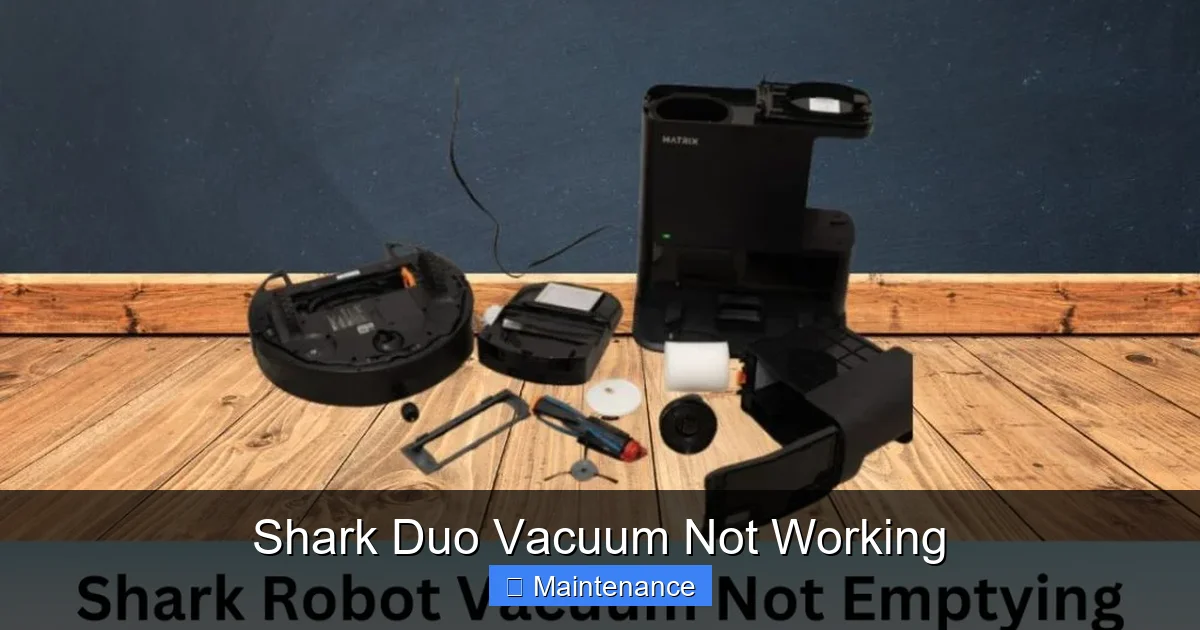
Before we dive into what’s broken, let’s quickly recap how a healthy Shark Duo functions. This understanding is crucial for effective troubleshooting. The core principle is simple: an electric motor creates suction by spinning a fan. This suction pulls air (and dirt) through the nozzle/brush roll, up the hose/wand, through the filters, and out the exhaust. In a Shark Duo, the “DuoClean” feature means there are two roller bars—a bristle brush roll for deep carpet cleaning and a rubberized roll for hard floors—that work in tandem.
Visual guide about Shark Duo Vacuum Not Working
Image source: sharkvacuum.blog
The Critical Flow Path
Think of the vacuum’s airflow as a highway. Any traffic jam—a clog in the hose, a packed filter, a tangled brush roll, or a full dustbin—brings the entire system to a halt. Power issues (corded or battery) are the other major category. Your troubleshooting will follow this path: Power Source → Airflow Path → Internal Components.
Corded vs. Cordless Shark Duo Models
This guide covers both, but note the key difference. Corded models (like some DuoClean versions) plug into an outlet and rely on house current. Cordless models (most common in the Duo line) use a lithium-ion battery pack. Battery-related failures are exclusive to cordless units. Always identify your exact model number (usually on the back or bottom label) for the most accurate guidance.
Most Common Reasons Your Shark Duo Vacuum Stops Working
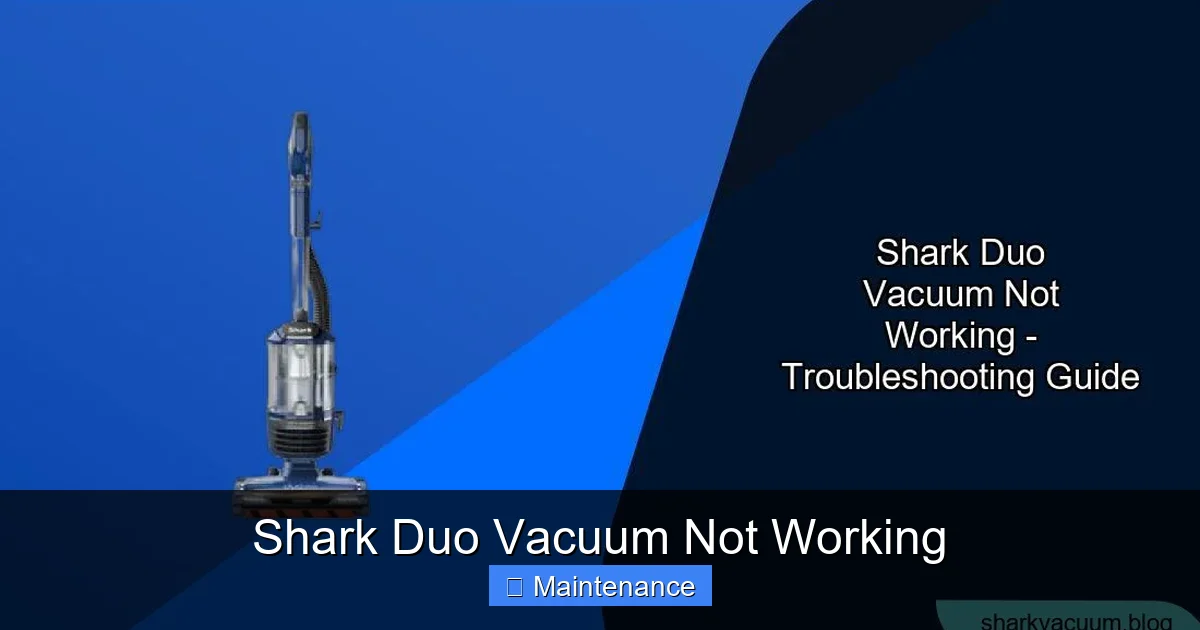
Let’s categorize the failures. When your Shark Duo vacuum is not working, it typically falls into one of these symptom buckets. Identifying your symptom is the first step to the solution.
Visual guide about Shark Duo Vacuum Not Working
Image source: sharkvacuum.blog
Symptom 1: No Power, No Lights, No Sound
This is the most basic failure. You press the power button and get zero response. For corded models, the issue is almost always electrical. For cordless, it’s usually the battery or its connection.
- Corded: Check the outlet (plug in a lamp), inspect the power cord for damage, and ensure the switch on the vacuum isn’t faulty.
- Cordless: The battery may be completely depleted and not charging. The battery contacts could be corroded or dirty. The battery itself may have reached its end-of-life (typically 2-3 years).
Symptom 2: Powers On But Loses Suction Quickly or Has Weak Suction
This is the #1 complaint. The motor runs, but it’s not picking up dirt effectively. This is almost always an airflow restriction.
- Full Dustbin: The most common cause. The air can’t pass through a packed bin.
- Clogged Filters: Shark Duo vacuums have at least two filters: a foam pre-motor filter and a felt or HEPA post-motor filter. If either is dirty, airflow grinds to a halt.
- Blocked Hose/Wand/Nozzle: A sock, large hair clump, or debris can lodge in the wand, hose, or the intake at the brush roll housing.
- Tangled Brush Roll: If hair or string is tightly wrapped around the bristle or rubber roll, it can stall the motor or severely reduce suction at the floor.
Symptom 3: Brush Roll Not Spinning (But Suction Is Fine)
The vacuum sucks air, but the floor head’s rollers are idle. This points to a specific issue with the brush roll assembly.
- Object Jam: Something is physically blocking the roll from turning.
- Broken Drive Belt or Gear: The belt that connects the motor to the brush roll (in some models) or the gear system itself may be broken or worn.
- Tripped Brush Roll Protection: Many Sharks have a safety mechanism that shuts off the brush roll if it encounters too much resistance (like a thick rug). It often resets automatically after cooling.
- Disengaged Switch: The switch that activates the brush roll (often on the handle or floor head) may be faulty.
Symptom 4: Strange Noises, Smells, or Overheating
Clicking, grinding, or a high-pitched squeal usually means mechanical friction. A burning smell is a major red flag.
- Grinding/Clicking: Likely a foreign object in the brush roll housing, a broken gear tooth, or a severely tangled brush roll.
- Burning Smell: STOP USING THE VACUUM IMMEDIATELY. This indicates the motor is overheating, possibly due to a severe blockage causing it to labor excessively, or an internal electrical fault. Unplug it and let it cool completely.
- Vacuum Shuts Off Mid-Use: This is often a thermal cutoff switch activating due to overheating from clogged filters or a blocked airflow. Let it cool for 45-60 minutes; it should reset.
Symptom 5: Error Codes or Flashing Lights
Modern Shark Duo models use LED indicators to communicate problems. A flashing blue light, a red light, or a specific pattern is a coded message. Your user manual is essential here. Common codes indicate:
- Blocked airways or brush roll.
- Filter needs cleaning/replacement.
- Battery fault or temperature issue (too hot/cold to charge).
- Dustbin not fully seated.
Step-by-Step Troubleshooting Guide: From Simple to Complex
Now, let’s get our hands dirty. Follow this sequence. For a Shark Duo vacuum not working, start at Step 1 and do not skip ahead.
Visual guide about Shark Duo Vacuum Not Working
Image source: sharkvacuum.blog
Step 1: The 60-Second Safety & Power Check
Unplug the vacuum or remove the battery. This seems obvious, but it’s critical for safety and to reset some systems. For cordless models, remove the battery, check the contacts for dirt or corrosion, and reseat it firmly. For corded, inspect the entire cord for nicks or frays. Try a different outlet. Ensure the on/switch is clicked fully into the “on” position.
Step 2: Clear the Airway Highway – The #1 Fix
We are hunting for blockages. This solves 80% of suction loss issues.
- Empty the Dustbin: Open it over a trash can. Tap it firmly to dislodge packed dirt from the mesh screen inside. Wash it with mild soap and water, let it dry COMPLETELY (24+ hours) before reinserting.
- Check & Clean Filters: Locate your filters (consult manual). The foam pre-motor filter is usually washable. Rinse it under cold water until clean, squeeze out excess water, and air-dry completely. The post-motor felt/HEPA filter is often not washable; tap it out over a trash can and replace it if it’s dark and clogged (typically every 6-12 months). Never operate the vacuum with a wet filter.
- Inspect the Hose and Wand: Detach the hose from the vacuum and the wand. Look through it. Use a long, flexible brush (a coat hanger works carefully) or a strong blast of air from your mouth to dislodge any hidden clog. Check the wand for obstructions.
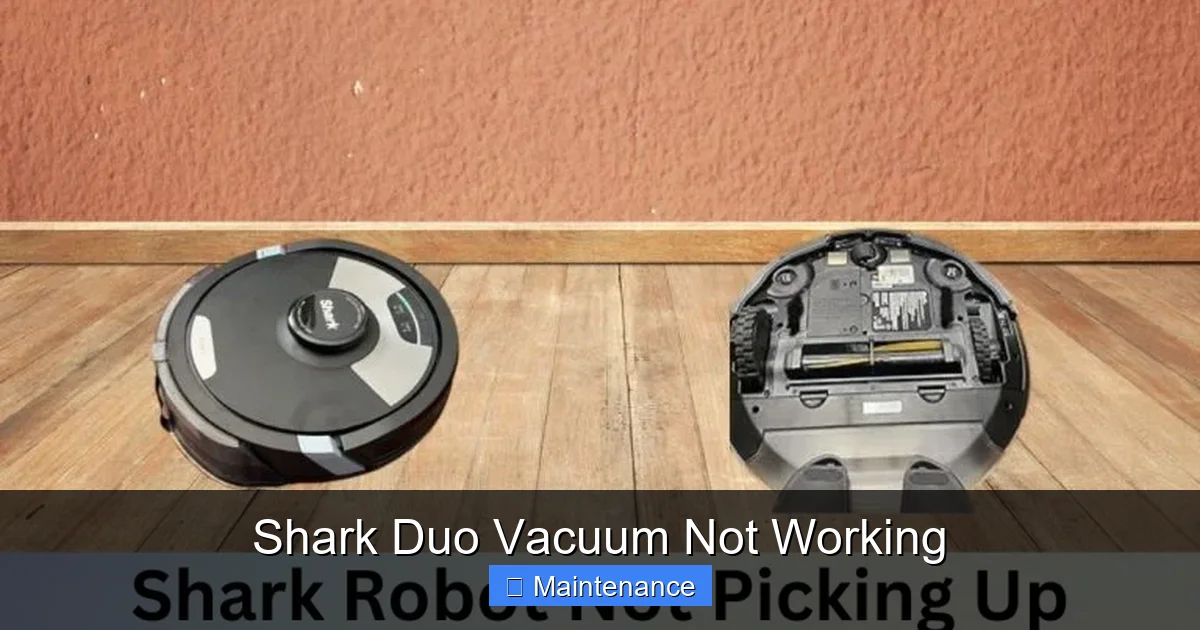
- Examine the Floor Head/Nozzle: Flip the vacuum over. Look into the opening where the brush roll is. Use a flashlight. Remove any large debris. Check the brush roll itself for hair and string. Use scissors to carefully cut it away, being mindful not to cut the bristles or rubber blades.
Step 3: The Brush Roll Deep Dive
If suction is fine but the floor isn’t being agitated, focus here.
- Manually Rotate the Brush Roll: With the vacuum off and unplugged, try to turn the brush roll by hand. It should spin freely. If it’s stiff or doesn’t turn, there’s a jam inside the roller bearings or a hair clog at the ends. You may need to remove the brush roll (usually by pressing release tabs) to clean it thoroughly.
- Check the Belt (if applicable): Some Shark Duo models use a rubber belt. If your brush roll doesn’t spin at all and is free of jams, the belt may be broken, stretched, or slipped off. You’ll need to access the brush roll housing (usually screws on the underside) to inspect and replace it.
Step 4: Reset and Reboot
Many Shark vacuums have a thermal reset button on the motor housing (a small red or black button). If your vacuum overheated and shut off, press this button after it cools for an hour. For cordless models, a full battery reset can help. Remove the battery, press and hold the power button on the vacuum for 10-15 seconds to discharge residual power, then reinsert the battery and try charging.
Step 5: Decode the Lights
If you have flashing LEDs, find the code in your manual. A common code is a flashing blue light indicating a blocked air path—re-do Step 2 meticulously. A red light often means a filter issue or a battery fault. A solid red light while charging might mean the battery is too hot or cold to charge safely; move it to a room-temperature environment.
Essential Maintenance to Prevent Future “Not Working” Moments
An ounce of prevention is worth a pound of cure. A consistent, simple maintenance routine is the single best way to avoid a Shark Duo vacuum not working.
After Every Use: The 30-Second Routine
- Empty the Dustbin: Don’t let it get more than 2/3 full.
- Check for Tangles: Flip the vacuum over and quickly check the brush roll for hair or string. Cut it away immediately before it winds tighter.
- Wipe the Exterior: Keep sensors and electrical contacts clean with a dry cloth.
Weekly/Monthly Deep Clean
- Wash the Foam Filter: As described above. Let it dry for a full day.
- Clean the Post-Motor Filter: Tap it out gently. Replace according to the schedule.
- Clear the Hose Completely: Detach and visually inspect both ends.
- Lubricate Bearings (Advanced): If your brush roll is removable, a tiny drop of sewing machine oil on the bearings (if accessible) can keep it spinning freely for years.
Every 6-12 Months: The Major Service
- Replace All Filters: Even washable foam filters degrade and should be replaced every 1-2 years.
- Inspect & Replace Belts: If your model has one, belts stretch and wear. Replace preemptively if you notice the brush roll seems slower.
- Check the Motor Brushes (Advanced): On some older models, carbon brushes inside the motor wear out. This is a more advanced repair for a confident DIYer or a pro.
When DIY Fixes Aren’t Enough: Professional Repair & Replacement Options
You’ve followed every step. The filters are pristine, the airways are clear, the battery is new, but your Shark Duo vacuum is still not working. Now what?
Diagnosing the Unfixable
The remaining culprits are internal and serious: a failed motor, a broken internal circuit board, or damaged wiring. Symptoms include a strong burning smell that persists, a motor that hums but doesn’t spin (possible seized bearings), or complete power failure after all external checks.
Weighing Repair vs. Replacement
Consider the age and cost. A Shark Duo vacuum typically costs $200-$400 new. A professional motor repair can range from $80 to $150 in labor plus parts. If your vacuum is over 5 years old, replacement might be more economical. For a 2-3 year old unit under warranty, repair is a no-brainer.
Utilizing Shark Support and Authorized Service
Always start with Shark’s customer support. They can often diagnose issues over the phone and may ship you a free part if it’s a known defect under warranty. Do not open the main housing yourself if your vacuum is under warranty—this usually voids it. Instead, request an authorized service center. They have the correct parts and diagnostic tools.
Comparing Shark Duo to Other Shark Models: Is It Worth Fixing?
Is the effort to fix a Shark Duo vacuum not working worth it compared to buying a new Shark or a different brand? Let’s compare.
Shark Duo vs. Shark Vertex/Anti-Hair Wrap
The Duo’s signature is the two roller bars. This system is excellent but has more parts (two rolls, more seals) that can tangle or wear compared to the single “Anti-Hair Wrap” roll in newer Vertex models. If hair wrap is your chronic issue, a newer model might be a better long-term fix. However, the Duo’s cleaning performance on both carpet and hard floor is excellent and often superior to single-roll models.
Cost of Ownership Analysis
Factor in the cost of new batteries (for cordless, ~$50-$80), replacement filters (set of 2, ~$30-$50), and potential belts. Over 5 years, these consumables can add up to $150-$200. A new mid-range Shark might cost $250. If your Duo needs a $120 motor repair and is 4 years old, it’s a toss-up based on your attachment to the machine and its overall condition.
The Environmental Angle
From a sustainability perspective, repairing a complex appliance is almost always better than discarding it. Landfills are filled with vacuums that failed due to a $10 part or a clogged filter. If the core motor and body are sound, a repair extends its life significantly.
Conclusion: Your Shark Duo’s Second Chance
A Shark Duo vacuum not working is a temporary setback, not a permanent death sentence. By methodically working through the airflow path—dustbin, filters, hose, brush roll—you will solve the problem in most cases. The key is to adopt the mindset that the vacuum is a simple system of air moving through a tube. Any reduction in that flow causes failure. Your new ritual of emptying the bin after every use and washing the foam filter monthly will prevent 90% of these issues from ever happening again. When a more serious fault arises, you now have the knowledge to diagnose it accurately, communicate clearly with customer support or a technician, and make a smart financial decision about repair versus replacement. Your Shark Duo was built to last. With a little care and this guide, it will continue to keep your floors spotless for years to come.
Frequently Asked Questions
Why does my Shark Duo vacuum stop after a few minutes of use?
This is almost always an overheating issue caused by a severe airflow restriction. The thermal safety switch activates. Immediately unplug it, let it cool for an hour, and then perform a full, thorough cleaning of the dustbin, all filters, and the entire hose/wand path. Check for a clog in the brush roll housing.
My Shark Duo powers on but makes a loud grinding noise. What is it?
A grinding noise typically means something is physically striking the motor fan or internal gears. First, check the brush roll housing for a foreign object (like a coin, screw, or large piece of hard debris). If that’s clear, the motor bearings may be worn out or a gear has broken. This requires professional assessment.
How often should I wash the filters on my Shark Duo?
The washable foam pre-motor filter should be rinsed with cold water and dried completely every 1-2 months with regular use. The post-motor felt/HEPA filter should be tapped out weekly and replaced every 6-12 months, as it is not washable. Never operate the vacuum with a wet filter.
Is a flashing blue light on my cordless Shark Duo a battery problem?
Not usually. A flashing blue light on most Shark cordless models indicates a blocked air path or a brush roll jam. The vacuum has detected a major airflow restriction. Turn it off, unplug it, and perform the full blockage check: empty the bin, clean filters, clear the hose, and inspect/untangle the brush roll.
Can I replace the battery in my Shark Duo myself?
Yes, for most cordless Shark Duo models, the battery is a user-replaceable part. Purchase the exact model-specific replacement battery from Shark or an authorized dealer. The process usually involves removing a few screws on the back or bottom. Always remove the old battery and disconnect it before installing the new one.
My brush roll spins but isn’t picking up debris from the floor. Why?
If the brush roll is spinning but not agitating the carpet or picking up dirt, check two things: 1) The brush roll may be worn out. The bristles or rubber blades become smooth and ineffective over time. 2) The suction might be weak due to a clog or dirty filter, so even with agitation, dirt isn’t being pulled into the bin. Re-check your full airflow path from Step 2.