Don’t panic if your Shark cordless hand vacuum won’t charge. This frustrating issue is often caused by simple, fixable problems like dirty charging contacts, a faulty power source, or a tripped battery safety switch. Systematic troubleshooting, starting with the basics (outlet, charger, contacts) and moving to battery health and resets, solves the vast majority of cases. Understanding your model’s specific indicators and maintenance needs is key to preventing future charging headaches.
You reach for your trusty Shark cordless hand vacuum—the IZ, WV, or SV model that’s tackled countless crumbs and spills—only to find it dead. You plunk it onto its charging dock, but the familiar light doesn’t glow. That sinking feeling is real. Your go-to cleaning tool is suddenly a paperweight. Before you resign yourself to a costly replacement or a frustrating customer service call, take a deep breath. The problem of a Shark cordless hand vacuum not charging is one of the most common issues owners face, and in over 80% of cases, you can diagnose and fix it yourself with some simple, methodical steps. This guide will walk you through every possibility, from the blindingly obvious to the more technical, empowering you to get your Shark back in action.
Key Takeaways
- Start Simple: Always begin by verifying the wall outlet, charger, and cleaning the metal charging contacts on both the vacuum and base.
- Check the Indicator Light: The vacuum’s LED light pattern is your primary diagnostic tool—solid, blinking, or no light each points to a different issue.
- Battery Safety Switches Are Common Culprits: Many Shark models have a thermal fuse or reset button that trips if the battery overheats, requiring a full reset.
- Age & Cycles Matter: Lithium-ion batteries degrade. If your vacuum is 2-3 years old with heavy use, a battery replacement may be necessary.
- Maintenance is Prevention: Regularly cleaning filters and charging contacts, and avoiding extreme temperatures, significantly extends battery life and charging reliability.
📑 Table of Contents
- Understanding the Charging System: How Your Shark “Talks” to Power
- Immediate Troubleshooting: The 10-Minute Diagnostic Routine
- Battery Health and Safety Switches: The Internal Safeguards
- Charging System Issues: Dock, Cable, and Adapter Problems
- Advanced Fixes and When to Seek Professional Help
- Prevention: Keeping Your Shark Charged and Ready
- Conclusion: Empowered to Fix the Frustration
Understanding the Charging System: How Your Shark “Talks” to Power
Before we start poking and prodding, it helps to understand the basic conversation happening between your Shark vacuum, its charger, and the wall outlet. Your Shark cordless hand vacuum uses a lithium-ion battery pack. The charger (either a wall wart or a docking station) converts your home’s AC power into the specific DC voltage and amperage the battery needs. Metal contacts on the vacuum’s base must align perfectly with metal pins on the charger. A small circuit board in the vacuum manages the flow of electricity, preventing overcharging and overheating. It also controls the LED indicator light, which is your window into the vacuum’s soul—or at least its battery status. When this system breaks down at any point, you get a Shark cordless hand vacuum not charging.
Decoding the LED Light: Your First Clue
When you place your vacuum on the charger, what does the light do? This is the single most important piece of information. Consult your model’s manual, but here are the most common patterns for Shark handhelds:
- Solid Red Light: Typically means the battery is actively charging. This is good! If it stays solid red for hours and never changes, the battery may be deeply discharged or faulty.
- Solid Green/Blue Light: Usually indicates a full or nearly full charge. If it’s solid immediately, the battery might already be full, or there’s a communication error.
- Blinking/Flashing Light: This is an error code. A slow blink might mean the battery is too hot or too cold. A rapid, repeating blink often signals a fault in the charging circuit or a severely depleted battery that won’t accept a “trickle” charge.
- No Light At All: The most ominous sign. This means no power is reaching the vacuum’s charging circuit. The problem is likely before the vacuum: the charger, the outlet, or a broken connection.
Note: Some newer Shark models with an “Anti-Hair Wrap” brush roll may have a different sequence. Always check for your specific model number (usually on the back or underside) on the Shark website.
Immediate Troubleshooting: The 10-Minute Diagnostic Routine
Resist the urge to immediately buy a new battery. We will walk through a logical, step-by-step process. Grab your vacuum and follow these steps in order.
Visual guide about Shark Cordless Hand Vacuum Not Charging
Image source: i.ebayimg.com
Step 1: The Power Source Check
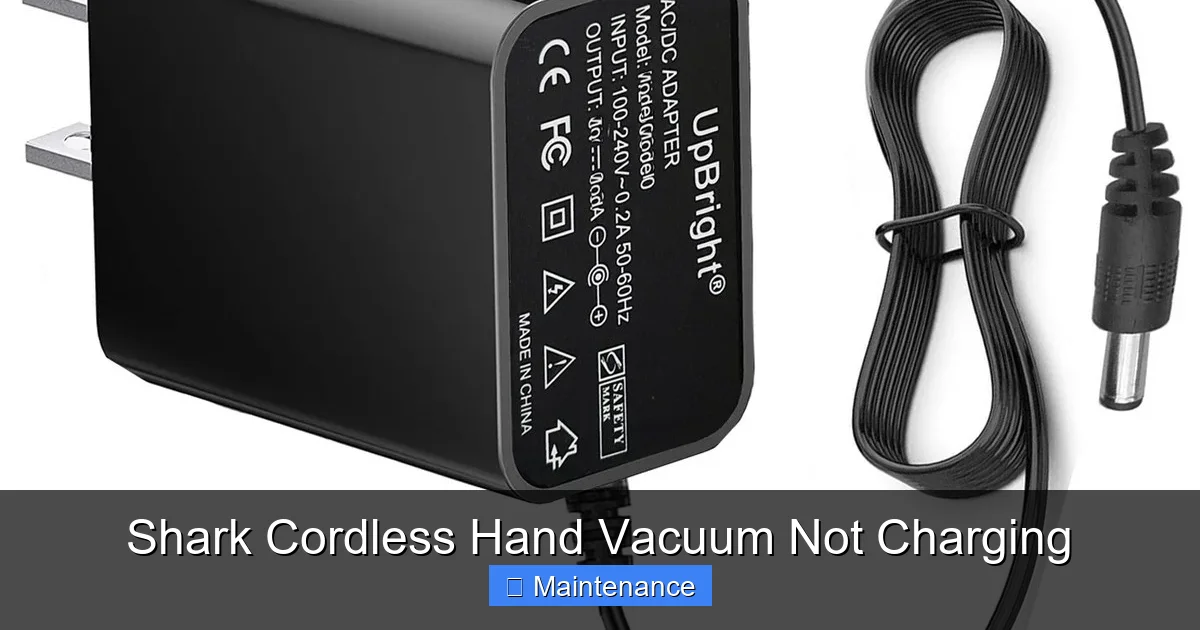
This is the “is it plugged in?” of the modern age, but it’s critical. Plug your Shark charger directly into a known-good wall outlet. Avoid power strips, extension cords, or GFCI outlets (like in bathrooms) for this test, as they can fail or have tripped. Use a lamp or phone charger to test the outlet. If the outlet works, look at the charger itself. Is it warm? Does it have any visible damage, fraying, or a burnt smell? A failed charger is a frequent cause of a Shark cordless hand vacuum not charging. If possible, try a compatible charger from another Shark model (same voltage/amperage rating) to rule out the charger.
Step 2: The Contact Clean-Up
This is the #1 fix. Over time, dust, hair, and debris coat the tiny metal charging pins on the vacuum’s base and the corresponding contacts in the charger dock or on the wall charger plug. This creates an insulating layer, preventing electricity from flowing. You need to clean these contacts.
- Unplug the charger from the wall.
- Use a dry, lint-free microfiber cloth. For stubborn grime, lightly dampen the cloth with isopropyl alcohol (90% or less). Never use water or household cleaners.
- Gently but firmly rub all metal contacts on the vacuum (the two small circular or rectangular pads) and inside the charging dock or on the charger plug.
- Use a cotton swab dipped in alcohol to get into tight spaces.
- Allow everything to dry completely (alcohol evaporates quickly) before reconnecting.
This simple act of cleaning restores the electrical connection and solves countless charging issues.
Step 3: The Seating Test
Place the vacuum on the charger. Apply a little downward pressure and gently wiggle it side-to-side. Does the light flicker on? If so, the vacuum isn’t seating correctly. Check for:
- Debris (a carpet fiber, a bead) stuck in the dock preventing a flush fit.
- A misaligned or broken plastic guide on the vacuum or dock.
- A swollen or deformed battery pack that physically pushes the vacuum up and out of alignment.
Ensure the vacuum sits perfectly level and all contact points are engaged.
Step 4: The Temperature Check
Lithium-ion batteries have a “sweet spot” for charging, usually between 50°F and 86°F (10°C to 30°C). If your vacuum was just used vigorously and is hot, or if it’s been left in a cold garage or car, its internal safety circuit will prevent charging to protect the battery. Let the vacuum sit at room temperature for 1-2 hours before trying to charge it again.
Battery Health and Safety Switches: The Internal Safeguards
If the external checks don’t reveal the issue, the problem likely lies within the vacuum’s battery or its protection circuitry. Shark handhelds have built-in safety mechanisms.
Visual guide about Shark Cordless Hand Vacuum Not Charging
Image source: sharkvacuum.blog
The Reset Button/Thermal Fuse
Many Shark cordless models (like the IZ series) have a tiny reset button, often located under the battery release latch or in a small hole near the battery compartment. This is a thermal fuse that trips if the battery overheats during use or charging. When tripped, it completely severs power, making your vacuum appear dead and causing a Shark cordless hand vacuum not charging.
- How to Reset: Locate the reset button (use a paperclip). Press and hold it firmly for 10-15 seconds. You may feel a slight click. Release it, place the vacuum on the charger, and wait. The light sequence should now indicate charging. This is a very common fix.
Deep Discharge and Battery Reconditioning
If a battery is left completely dead (0% charge) for an extended period (weeks or months), it can enter a “deep sleep” state where its protection circuit refuses to accept any charge because the voltage is too low. The charger sees this as a faulty battery and does nothing, resulting in no light.
- The “Trickle Charge” Method: Leave the vacuum on the charger for a full 24-48 hours without interruption. Some chargers will provide a very low, “trickle” current designed to slowly revive a deeply discharged battery. Be patient. After this marathon session, check for any light activity. If it starts blinking or turns solid, the revival may be working.
Battery Age and Cycle Life
Lithium-ion batteries are not immortal. They have a finite number of charge cycles (typically 300-500 full cycles) and degrade over time, especially if regularly exposed to high heat or stored at 100% or 0% charge. If your Shark is 2-3 years old and used frequently, the battery may simply be worn out. Symptoms include:
- Charging very quickly to 100% but then dying in minutes.
- Not holding a charge at all (dies immediately after removing from dock).
- Not charging at all, with a solid or blinking light that never changes.
In this case, a battery replacement is the solution. Shark sells official replacement batteries, and reputable third-party options are available. Replacing the battery in a Shark handheld is usually straightforward, often involving just unscrewing a few screws on the back panel.
Charging System Issues: Dock, Cable, and Adapter Problems
Sometimes the vacuum and battery are fine, but the path to power is broken.
Visual guide about Shark Cordless Hand Vacuum Not Charging
Image source: vacuupedia.net
Faulty Charging Dock or Wall Charger
The physical charger can fail internally. The small transformer in the wall adapter can burn out, or the wiring to the dock can develop a break. Look for:
- A charger that is unusually hot to the touch during use.
- A frayed or kinked cable, especially near the ends.
- A loose connection where the cable plugs into the wall adapter or the dock.
- Any buzzing, crackling, or smell of ozone from the adapter.
The Test: If you can, borrow an identical charger from a friend or family member with the same Shark model. This is the definitive way to test. If the borrowed charger works, yours is dead and needs replacing.
Dock Alignment and Damage
The charging dock itself can become misaligned if the vacuum has been dropped or bumped. Inspect the plastic guide rails on the dock. Are they straight? Is the metal contact pin plate protruding correctly and undamaged? A bent pin will not make contact. Sometimes, simply tightening the screws that mount the dock to the wall can realign it if it has shifted slightly.
Advanced Fixes and When to Seek Professional Help
You’ve cleaned contacts, checked the outlet, reset, and waited. Still nothing? It’s time for deeper investigation or external help.
Inspecting for Physical Damage and Corrosion
Remove the battery (if your model allows—most Shark handhelds have a release button). Inspect the battery contacts and the vacuum’s internal connection points. Look for:
- Corrosion: A white, crusty, or greenish buildup on metal contacts. Clean this carefully with a cotton swab and a tiny amount of white vinegar, then dry thoroughly. Follow immediately with an alcohol wipe to remove residue.
- Bent or Broken Pins: Inside the vacuum’s charging port, are the tiny receiving pins straight? A bent pin can often be gently straightened with needle-nose pliers.
- Liquid Damage: Any sign of moisture, staining, or a sticky residue inside the battery compartment or near contacts? This can cause short circuits and failure.
Software/Firmware Glitches
Rarely, some Shark models with brush roll motors or smart features can have a firmware glitch that locks up the main control board, including charging functions. A full power cycle can help:
- Remove the battery.
- Press and hold the power button on the vacuum for 30 seconds to discharge any residual power (capacitor drain).
- Reinsert the battery firmly.
- Place on the charger.
Check your Shark app (if applicable) for firmware update instructions.
When to Contact Shark Support or a Repair Shop
If you’ve exhausted all the above steps and your Shark cordless hand vacuum not charging problem persists, the fault is likely internal:
- A failed charging circuit board inside the vacuum.
- A completely dead battery that won’t revive.
- A broken wire connection between the dock and the vacuum’s internal port.
At this point, contact Shark Customer Care. Have your model number and serial number ready. If the vacuum is under warranty, they may offer a replacement or repair. If out of warranty, ask for a repair estimate. For older models, a reputable small appliance repair shop that handles vacuums can often diagnose and fix the charging port or circuit board for less than the cost of a new vacuum.
Prevention: Keeping Your Shark Charged and Ready
The best fix is avoiding the problem altogether. Adopt these habits to ensure your Shark is always ready when you need it.
Establish a Charging Routine
Don’t wait for the vacuum to die completely. Get in the habit of placing it back on the dock after each use. Lithium-ion batteries prefer partial cycles over deep discharges. If you won’t use it for a while, store it with a ~50% charge in a cool, dry place.
Make Contact Cleaning a Habit
Every month, take 30 seconds to wipe down the charging contacts on the vacuum and the dock with a dry microfiber cloth. This prevents the insulating layer of dust from ever forming. Do this more frequently if you have pets that shed.
Mind the Environment
Never charge or store your vacuum in extreme temperatures. Don’t leave it in a hot car in summer or an unheated garage in winter. High heat is the #1 killer of lithium-ion batteries. Also, ensure the charging dock is placed on a stable, level surface where the vacuum sits securely.
Use Only Genuine or Certified Chargers
Using a cheap, uncertified third-party charger with incorrect voltage or amperage can damage the battery and charging circuit over time. Stick with the charger that came with your Shark or a direct replacement from Shark or a highly reputable accessory brand.
Conclusion: Empowered to Fix the Frustration
A Shark cordless hand vacuum not charging is a major inconvenience, but it is almost never a hopeless situation. By understanding the system, decoding the LED signals, and following a logical troubleshooting sequence—from the simple (outlet, contacts, reset) to the complex (battery health, internal faults)—you can identify and resolve the issue yourself. Remember, the most common culprits are dirty contacts and a tripped thermal reset. Start there. With a little patience and this guide as your roadmap, you can often bring your Shark back from the brink without spending a dime. That satisfying whir of the motor spinning up after a successful fix? That’s the sound of your cleaning power, and your confidence, fully restored.
Frequently Asked Questions
Why is my Shark cordless vacuum’s charger light on but the vacuum’s light is off?
This usually means the wall adapter is receiving power and functioning, but the vacuum isn’t making a proper connection. First, clean the metal contacts on both the vacuum and the dock thoroughly. Then, ensure the vacuum is seated perfectly in the dock with no debris blocking it. If the problem persists, the vacuum’s internal charging port may be damaged.
How long should a Shark cordless hand vacuum take to fully charge?
Most Shark cordless handheld vacuums, like the IZ or WV series, take approximately 3 to 4 hours to reach a full charge from a completely depleted state when using the original charger. If your vacuum claims to charge in under an hour but then dies quickly, the battery is likely degraded and needs replacement.
Can I replace the battery in my Shark cordless vacuum myself?
Yes, in most models. Shark designs many of its cordless handhelds with user-replaceable batteries. You typically just need to remove a few screws on the back or underside to access the battery compartment. Always purchase the exact replacement battery for your specific model number to ensure compatibility and safety.
My vacuum charges for 5 minutes and then the light goes off. What’s wrong?
This is a classic sign of a severely degraded or failed battery. The battery’s internal protection circuit detects that it cannot hold a charge and immediately shuts down the charging process to prevent a hazard. After a few minutes of “trickle” charge, its voltage spikes erratically, triggering the safety cutoff. A battery replacement is needed.
Is it okay to use my Shark vacuum while it’s charging?
No. Shark cordless vacuums are not designed for simultaneous use and charging (pass-through charging). Attempting to do so can overload the charger, cause excessive heat, and damage both the battery and the charger’s internal circuitry. Always allow the vacuum to charge fully before use, or use it until depleted and then charge.
My vacuum got wet. Now it won’t charge. Can I fix it?
This is a critical situation. Do not plug it in or try to charge it. Water can cause short circuits that may permanently damage the battery or electronics. Immediately remove the battery (if possible) and place both the vacuum body and battery in a warm, dry, well-ventilated area with good airflow for at least 72 hours. After they are completely dry to the touch, you can attempt to reassemble and charge. If it doesn’t work, professional repair or replacement is likely necessary.