A green brush roll indicator light on your Shark vacuum does not guarantee the brush is actually spinning—it often signals a hidden blockage or jam preventing rotation. The most common culprits are hair, string, or debris wrapped tightly around the brush roll or in the suction path. To fix it, power off, unplug, and thoroughly inspect the brush roll housing and remove any obstructions before trying again.
Key Takeaways
- Check for clogs immediately: Clear blockages in the hose, wand, and brush roll housing.
- Untangle bristles thoroughly: Remove all hair, string, and debris wrapped around the brush roll.
- Inspect the drive belt: Replace a worn, stretched, or broken belt connecting the motor to the brush roll.
- Reset the vacuum system: Unplug the Shark for 60 seconds to reset the brush roll motor circuit.
- Verify the brush roll spins freely: Manually rotate the brush roll to ensure it isn’t seized by debris.
- Test the motor directly: If the belt is good, the motor itself may be faulty and need replacement.
- Contact Shark support: If troubleshooting fails, the indicator sensor or internal wiring may require professional repair.
📑 Table of Contents
- Shark Brush Roll Indicator Green but Not Spinning: Your Complete Troubleshooting Guide
- Decoding the Shark Brush Roll Indicator Light: What “Green” Really Means
- The Usual Suspects: Why Your Brush Roll Won’t Spin with a Green Light
- Your Step-by-Step Diagnostic & Fix Guide
- When to Call It Quits (and Call Shark Support)
- Prevention is Key: Keeping Your Brush Roll Spinning
- Maintenance Schedule & Cost Comparison Table
- Conclusion: Don’t Let a Green Light Fool You
Shark Brush Roll Indicator Green but Not Spinning: Your Complete Troubleshooting Guide
You’re in the middle of vacuuming, feeling that satisfying power as your Shark glides across the floor. You glance down and see it—that little green light on the brush roll indicator is glowing brightly, telling you everything is perfect. But something’s wrong. The brush roll itself, that crucial spinning barrel of bristles that agitates dirt, is dead silent. It’s not moving. The contradiction is frustrating: the vacuum says “all systems go,” but your senses say “something’s broken.” If you’ve ever stared at your Shark vacuum with a green brush roll indicator but a non-spinning brush roll, you know that feeling of confusion and annoyance. Trust me, you’re not alone. This is one of the most common—and thankfully, often fixable—issues Shark owners face. In this guide, we’ll walk through exactly what that green light means, why this mismatch happens, and how you can diagnose and fix it yourself, saving you time, money, and the headache of a half-working vacuum.
Decoding the Shark Brush Roll Indicator Light: What “Green” Really Means
Before we dive into fixes, we need to understand what that little light is actually trying to tell you. The brush roll indicator is part of Shark’s “Anti-Allergen Complete Seal” system and its brush roll engagement logic. It’s not a direct sensor on the brush roll motor itself. Instead, it’s an electrical signal indicator.
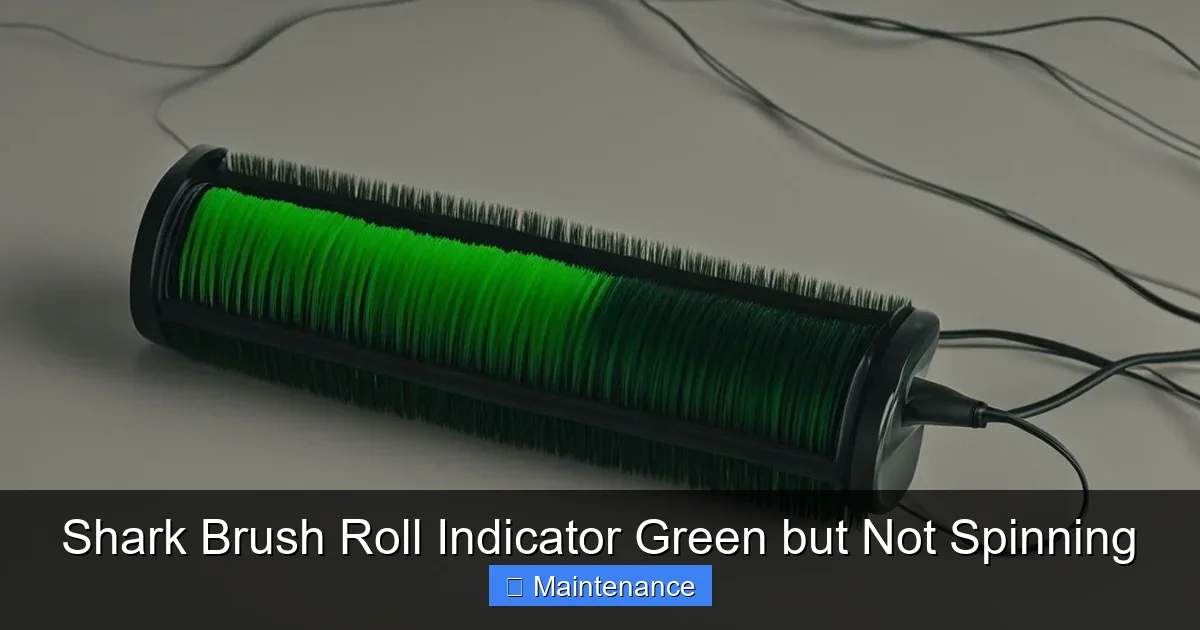
Visual guide about Shark Brush Roll Indicator Green but Not Spinning
Image source: vacmasterguide.com
The Technical Truth Behind the Green Light
When you turn your Shark vacuum on and press the brush roll on/off button (usually a button with a brush icon), the vacuum’s main PCB (Printed Circuit Board) sends power to the brush roll motor circuit. If the circuit is complete—meaning there’s no electrical fault detected by the board—the indicator light turns green. It’s essentially saying, “The switch is on and the circuit is closed; power is being sent to the brush roll.” It does not mean “The brush roll is physically spinning.” This is the critical misunderstanding that leads to the “green but not spinning” paradox.
Think of it like a light switch in your hallway. Flipping the switch on (green light) sends electricity to the fixture. If the bulb is burnt out, the switch is still on, electricity is still flowing to the wires, but you get no light. The brush roll indicator works the same way. The “bulb” in our analogy is the physical brush roll motor and its mechanical connection.
Models Most Prone to This Indicator Quirk
While this logic applies to many Shark models with the green indicator, it’s particularly noted in:
- Shark Navigator Lift-Away (NV352, NV356, etc.)
- Shark Rotator (NV500, NV600 series)
- Shark Vertex (AZ6002, AZ6004)
- Many models in the Shark ION and Shark Strato lines
The specific design of the brush roll motor coupling and the sensitivity of the PCB’s circuit detection can vary, but the core principle remains consistent across the lineup.
The Usual Suspects: Why Your Brush Roll Won’t Spin with a Green Light
Now that we know the green light means “power is sent,” we need to find where that power is getting lost before it makes the bristles turn. The failure point is almost always in the mechanical or drivetrain components between the motor and the brush roll itself. Here are the top culprits, in order of likelihood.

Visual guide about Shark Brush Roll Indicator Green but Not Spinning
Image source: vacmasterguide.com
1. The #1 Enemy: Hair, String, and Fiber Wrap
This is, by far, the most common cause. Long hair, carpet fibers, rug tassels, and even pet fur can wrap tightly around the brush roll’s end caps and bearings. This creates immense resistance. The motor might hum or try to start, but the jam is so severe it can’t overcome the friction. In some cases, the wrap is so tight it physically binds the brush roll to the housing, preventing any movement. The electrical circuit remains complete (green light), but the mechanical work is impossible.
2. The Broken or Slipping Drive Belt
Many Shark vacuums use a rubber belt to transfer rotation from the motor shaft to the brush roll. Over time, this belt can:
- Stretch and slip: A loose belt will spin on the motor pulley but not turn the brush roll.
- Break: A snapped belt is an obvious fix, but sometimes it’s a partial break or it jumps off the pulley.
- Wear smooth: A glazed, smooth belt loses grip.
If the belt is the issue, you might hear a faint high-pitched squeal or the motor running at a higher pitch than usual, but no brush roll movement.
3. A Faulty or Disconnected Brush Roll Motor
Less common, but possible. The brush roll motor itself can burn out. If the motor’s internal windings fail, it will receive power (green light) but won’t generate torque. Also, check the electrical connectors leading to the brush roll motor housing. These can sometimes become loose or corroded, breaking the final connection.
4. Seized Bearings or End Caps
The brush roll spins on two bearings housed in its plastic end caps. If these bearings become clogged with debris, dry out, or corrode, the brush roll will seize. You’ll often feel or hear grinding if you try to spin the brush roll by hand. The motor strains against this lock-up.
5. A Tripped Brush Roll Thermal Fuse
Some Shark models have a small thermal fuse (a tiny white or black cylinder) in the brush roll motor circuit. Its job is to blow if the motor overheats, usually from a severe jam. If this fuse is blown, the circuit is open—but, a tricky quirk: sometimes a marginally blown fuse or a bad connection at the fuse holder can create an intermittent circuit that the PCB reads as “closed” (green light) while still not delivering full power. Always check this fuse if you suspect overheating was the initial cause.
Your Step-by-Step Diagnostic & Fix Guide
Alright, detective time. We’re going to systematically check each potential failure point. Always unplug your vacuum before starting any inspection or repair. Safety first!
Visual guide about Shark Brush Roll Indicator Green but Not Spinning
Image source: supercleanworldall.com
Phase 1: The Quick Visual and Manual Check
Flip your Shark over. Look at the brush roll through the housing.
- Can you see obvious hair or debris wrapped around it? If yes, that’s your problem. Use scissors or a seam ripper to carefully cut and remove all wraps. Pull the brush roll out (usually by pushing two release tabs) for a 360-degree inspection.
- Try to spin the brush roll by hand. Does it spin freely? Or is it stiff, gritty, or completely locked? If it’s stiff, the bearings or end caps are the issue.
- Look at the belt. If your model has a removable bottom plate, take it off. Is the belt there? Is it tight on the motor shaft and the brush roll pulley? Does it look cracked, glazed, or loose?
Phase 2: The Belt and Motor Test
If the brush roll spins freely by hand and there’s no visible wrap:
- Check the belt’s tension. Press down on the belt midway. It should deflect about 1/2 inch. More than that means it’s stretched and needs replacement.
- Check belt alignment. Is it sitting squarely on both pulleys? A misaligned belt can jump off.
- Listen closely. Reassemble (if you took it apart) and turn the vacuum on for 5 seconds with the brush roll button engaged. Do you hear a faint whirring or humming from the brush roll area? If you hear the motor running but no brush roll movement, the belt is likely broken, slipped, or the motor coupling is broken.
- Inspect the motor coupling. On many Sharks, the motor has a small plastic gear (coupling) that the belt rides on or connects to. This coupling can shear or break off. If it’s missing or damaged, the motor spins but power isn’t transferred.
Phase 3: Advanced Electrical Checks
If the belt is intact and tight, and the brush roll spins freely:
- Locate the thermal fuse. It’s usually on the brush roll motor housing or in the wire loom. Use a multimeter to test for continuity. If it’s open (no beep), replace it.
- Check motor resistance. With the vacuum unplugged and the brush roll motor disconnected, set your multimeter to ohms (Ω). Test across the two motor terminals. You should get a low reading (typically 2-10 ohms). An infinite reading means an open circuit—a dead motor.
- Inspect connectors. Unplug and replug the wire harness that connects to the brush roll motor. Look for bent pins, corrosion, or melted plastic.
When to Call It Quits (and Call Shark Support)
You’ve followed the steps. You’ve cut away miles of hair, replaced the belt, checked the fuse, and tested the motor. The green light still mocks you with a stationary brush roll. Now what?
Common “Beyond DIY” Scenarios
- The Brush Roll Motor is Dead: If the multimeter test shows an open circuit, the motor needs replacing.
- PCB Failure: Rare, but possible. If the PCB is not sending enough amperage to actually turn the motor (only enough to light the green LED), the board may be faulty.
- Severe, Hidden Jams: Sometimes debris travels deep into the ductwork between the brush roll housing and the motor, creating a blockage you can’t see.
How to Engage Shark Customer Service Effectively
If your vacuum is under warranty (typically 5-7 years on the motor, 1-3 years on parts), this is your golden ticket. Here’s how to get the best help:
- Have your model number ready. It’s on the rating plate, usually on the back or underside of the vacuum.
- Explain the issue concisely: “My Shark [Model Number] shows a green brush roll indicator but the brush roll does not spin. I’ve inspected and removed all debris, replaced the belt (part # if you have it), and the brush roll spins freely by hand. The motor does not engage.”
- Mention your troubleshooting. This shows you’re serious and helps them bypass basic advice. They may then offer to ship you a new brush roll motor, belt, or even a whole new unit under warranty.
- Be polite but persistent. Customer service reps have discretion. A calm, factual description of your diagnostic steps often yields better results than frustration.
Prevention is Key: Keeping Your Brush Roll Spinning
Once you’ve solved the crisis, the goal is to never have it happen again. A little regular maintenance goes a very long way.
The 60-Second Weekly Brush Roll Check
Make this a habit. Every time you empty the dust cup:
- Flip the vacuum over.
- Look and feel. Visually scan for hair wraps. Try to spin the brush roll by hand. It should feel smooth.
- Use the included cleaning tool. Most Sharks come with a small blade tool. Run it along the brush roll to cut and scrape away any accumulating fibers before they form a tight wrap.
Monthly Deep Clean Routine
Once a month, take it to the next level:
- Remove the brush roll completely. Press the release tabs and pull it out.
- Cut away all debris. Use scissors to de-hair it thoroughly. Pay attention to the plastic end caps and the area where the bristles meet the core.
- Wipe it down. Use a damp cloth with a mild cleaner (dish soap is fine) to remove oily dust and grime that can attract more dirt.
- Check and clean the housing. Use a vacuum crevice tool or a damp cloth to clear out the brush roll housing itself. A lot of junk collects in there.
- Inspect the belt. Look for cracks, glazing, or stretching. A belt costs $5-$10. Replace it yearly as preventive maintenance, especially if you have pets or thick carpet.
Usage Habits That Protect Your Brush Roll
- Don’t vacuum large, loose items. Never vacuum paperclips, coins, string, or hair ties. Pick them up first.
- Be cautious with area rugs and fringes. The long tassels are notorious for wrapping and jamming brush rolls. Consider using the suction-only mode (brush roll off) on these, or vacuum the rug edges carefully.
- Adjust height for thick carpet. If your Shark has a height adjustment, set it appropriately. A setting too low for plush carpet causes extreme drag on the brush roll, straining the belt and motor.
Maintenance Schedule & Cost Comparison Table
| Maintenance Task | Frequency | DIY Time | Part Cost (if needed) | Professional Service Cost | Impact on “Green Light/Spin” Issue |
|---|---|---|---|---|---|
| Hair & Debris Removal | Weekly (with emptying) | 60 seconds | $0 | N/A | Very High – Prevents #1 cause of jams. |
| Brush Roll Cleaning | Monthly | 5 minutes | $0 | $30-$50 (if done separately) | High – Prevents bearing seizure and debris jams. |
| Belt Inspection/Replacement | Inspect Monthly, Replace Yearly | 2 minutes | $5 – $12 | $40 – $75 (parts + labor) | High – Addresses slipping/breaking belt cause. |
| Thermal Fuse Check | If overheating suspected | 1 minute | $2 – $5 | $50 – $90 (diagnostic fee + part) | Medium – Fixes post-overheat circuit issues. |
| Full Tune-Up by Pro | Every 2-3 Years | N/A | $80 – $150 | $80 – $150 | Low-Medium – Catches wear before failure. |
Conclusion: Don’t Let a Green Light Fool You
That glowing green brush roll indicator on your Shark is a helpful, but imperfect, messenger. It tells you the vacuum’s brain thinks it’s trying to spin the brush roll, but it doesn’t guarantee that the mechanical connection is intact or that the brush roll isn’t locked in a death grip of hair and fibers. The “Shark Brush Roll Indicator Green but Not Spinning” problem is almost always a mechanical failure—a jammed brush roll, a broken belt, or a seized bearing—not an electrical one.
The power is in your hands. By understanding what that light truly means and following a simple, methodical diagnostic process—starting with the most likely culprit (hair wrap!)—you can diagnose and fix this issue yourself 90% of the time. A few minutes of monthly maintenance is the ultimate cheat code to keep your Shark performing like new for years. Remember to unplug, inspect visually and manually, and replace wear items like belts proactively.
So next time you see that green light but hear silence, don’t panic. Flip it over, get your hands dirty (with a seam ripper in the other), and take back control of your vacuum’s performance. Your floors—and your sanity—will thank you for it. You’ve got this!
Frequently Asked Questions
Why is my Shark vacuum’s brush roll indicator green but the brush isn’t spinning?
A green brush roll indicator light means the vacuum’s sensors detect the brush roll is present and not jammed, but it doesn’t guarantee the brush is actively spinning. The most common cause is a clogged brush roll housing or a worn drive belt that has slipped or broken, preventing power transfer from the motor.
How do I fix a Shark brush roll that won’t spin when the light is green?
First, unplug the vacuum and turn it over. Remove any tangled hair, string, or debris from the brush roll and its housing using scissors or a cleaning tool. If the brush roll spins freely by hand, the issue is likely a broken or stretched drive belt that needs replacement, which is a common fix for this problem.
Is a green brush roll light a false sense of security if the brush isn’t spinning?
Yes, the green light primarily indicates the brush roll is not obstructed enough to trigger the automatic shut-off safety feature. It doesn’t confirm the mechanical connection to the motor is intact. You must manually check the brush roll’s rotation and the drive belt’s condition to diagnose why it’s not spinning despite the green light.
What causes a Shark Navigator brush roll indicator to be green but not spin?
The primary causes are a worn, stretched, or snapped drive belt, or a severely clogged brush roll housing that creates enough drag to stop the brush despite the sensor not detecting a full jam. Less commonly, a faulty brush roll motor or a disconnected wiring harness could be the culprit, though belt issues are by far the most frequent.
Does the green brush roll indicator mean my Shark vacuum is broken?
Not necessarily. The green light is a good sign that the safety system is working and the brush roll isn’t deeply jammed. The problem is usually a simple, fixable mechanical issue like a worn belt or a clog. Replacing a drive belt is a common and inexpensive maintenance task that often resolves the “green but not spinning” scenario.
Can I use my Shark vacuum with a brush roll that won’t spin even with a green light?
You can use it on hard floors in “Suction Only” mode if your model has one, but you should not use it on carpet. The non-spinning brush roll will severely reduce cleaning performance on rugs and can cause the vacuum to push debris around. It’s best to perform the troubleshooting steps above to restore full functionality before regular use.