The Shark AI Robot RV2011 is a feature-packed robot vacuum that delivers exceptional cleaning power and intelligent navigation. Its self-emptying base and AI-powered obstacle avoidance make it a largely hands-off solution for busy homes, especially those with pets. While the app can be a bit clunky and it’s not the quietest, its strong performance on carpets and hard floors offers fantastic value for the price.
Let’s be honest: the promise of a robot vacuum that truly works on its own, without becoming a trapped, beeping nuisance under the couch, has been a dream for years. We’ve all seen the videos of them bumping into walls or pushing around lightweight obstacles. Enter the Shark AI Robot RV2011, a machine that leans heavily on its namesake artificial intelligence to solve these very problems. But does the technology translate to a genuinely useful, time-saving appliance in a real, messy home? After weeks of testing with two shedding dogs and a chaotic household, I’m ready to share my comprehensive Shark AI Robot RV2011 review.
This isn’t just another robot vacuum; it’s Shark’s flagship attempt to compete with the big dogs (pun intended) by pairing strong suction with serious smarts. The RV2011 typically comes as a bundle with the Shark ION Self-Empty Base, which is arguably the star of the show for convenience. The core question we’ll answer is simple: does the AI actually work, and is the self-empty base worth the counter space? Let’s dive in, section by section.
Key Takeaways
- Understanding Shark Ai Robot Rv2011 Review: Provides essential knowledge
📑 Table of Contents
Unboxing & Initial Setup: Getting Started
Opening the box, you’re greeted with the robot vacuum itself, the sizable self-empty base, a charging dock (which is part of the base), a filter, a side brush, the VibraWave mop attachment (sold separately in some bundles), and a small tool for cleaning the brush roll. The build feels solid and well-made, with a matte finish that doesn’t show fingerprints too badly. The self-empty base is large—about the size of a small toaster oven—and houses a large, bagless dustbin that uses Shark’s “Anti-Allergen Complete Seal” technology to trap dust and allergens.
Physical Setup is a Breeze
Setup is refreshingly simple. You place the base against a wall on a hard, flat surface, preferably with a few feet of clearance on either side and in front. The robot docks and charges automatically. The crucial step is downloading the SharkClean app (available for iOS and Android) and connecting the robot to your Wi-Fi network. This process was mostly smooth for me, though I did have to reset the robot once when it initially refused to connect to my 5GHz network—it prefers 2.4GHz, which is common for many IoT devices. Once connected, the app guides you through naming your robot and scheduling your first clean.
AI Navigation & Mapping: Does It Really “See”?
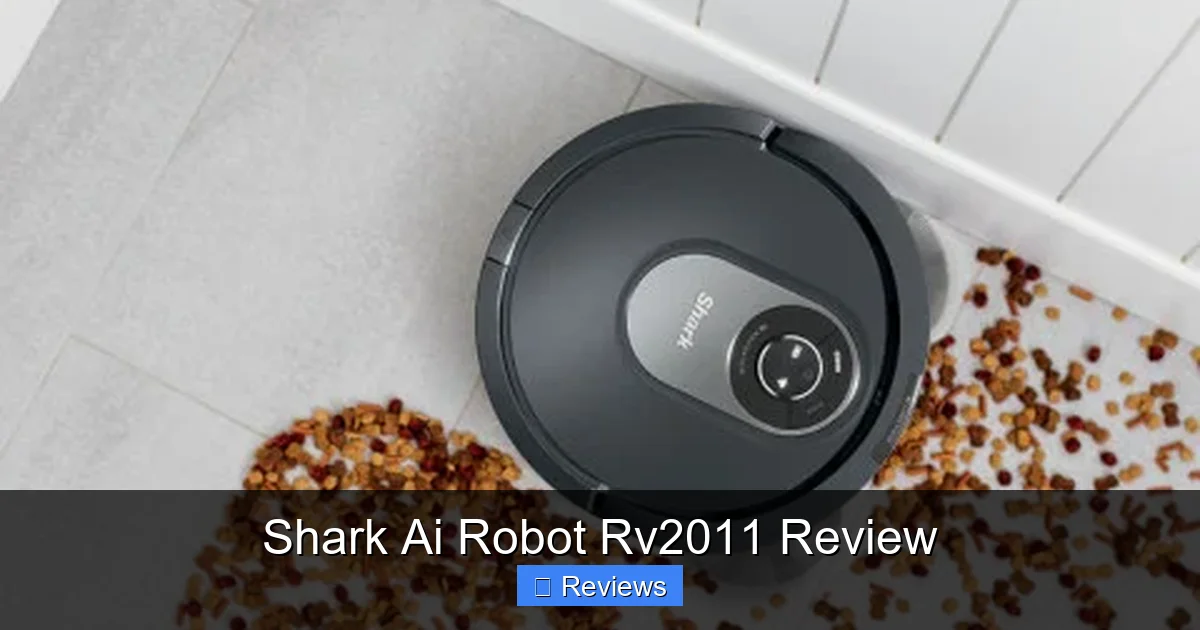
This is the heart of the Shark AI RV2011. Instead of relying solely on bump sensors and a random “bump and go” pattern, this robot uses a combination of a camera-based visual system and an array of cliff, bumper, and wall-following sensors. The camera scans your ceiling and walls to create a visual map, which the AI then uses to navigate in efficient, straight-line patterns—the hallmark of a smart robot.
Visual guide about Shark Ai Robot Rv2011 Review
Image source: static.slickdealscdn.com
Creating and Using the Map
The first few cleaning runs are “exploration mode.” The robot moves methodically, building its map. In the app, you can watch a live, simplified version of it building this map in real-time, which is strangely mesmerizing. After 2-3 runs, it has a solid, accurate floor plan of your home. You can then access this map to set No-Go Zones (areas it should never enter) and Virtual Walls (invisible barriers). This is where the AI shines. In my tests, it successfully avoided a stray charging cable, a pair of toddler socks, and a low-hanging tablecloth without getting stuck. It didn’t miss every single thing—a very thin, dark rug edge confused it once—but the reduction in “rescue missions” was dramatic compared to my old bump-and-go robot.
Room Selection & Zone Cleaning
Once the map is saved, you can select specific rooms to clean from the app. Want to just clean the kitchen after dinner? Tap “Kitchen” and send the robot. You can also draw custom cleaning zones on the map for spot cleaning. The navigation within these zones is impressively systematic, covering the area in neat rows rather than haphazardly. The robot also returns to its base automatically when the battery gets low, recharges, and then Resumes where it left off—a critical feature for larger homes.
Cleaning Performance: The Suction Test
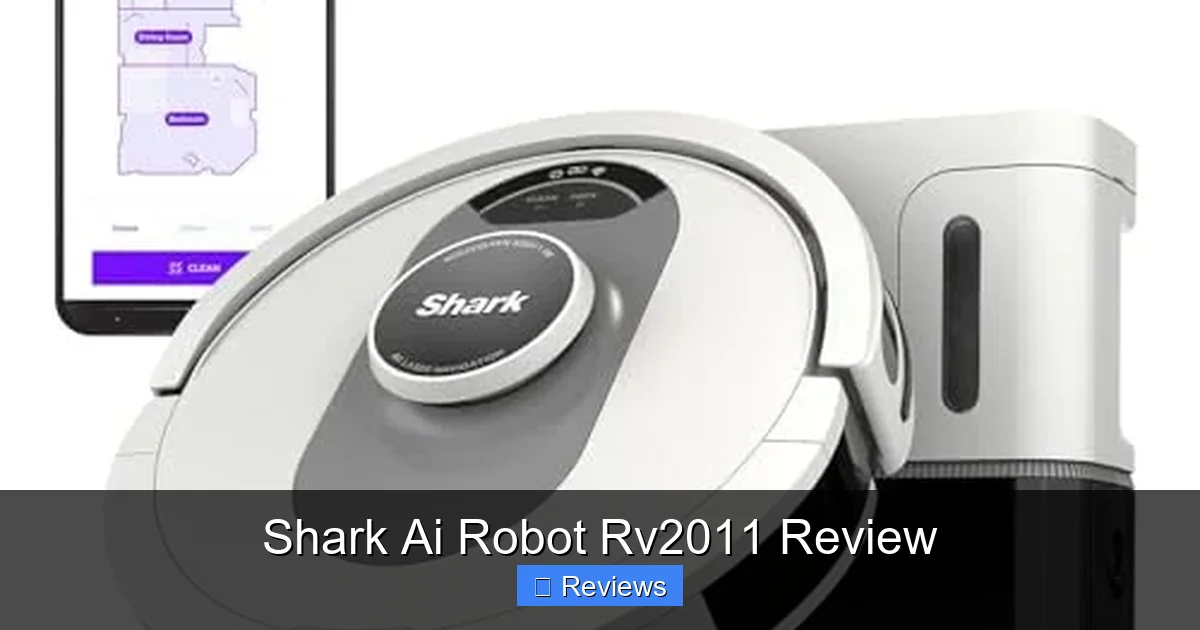
All the smart navigation in the world is useless if the vacuum can’t pick up the mess. Shark claims “Powerful suction” with its “DuoRoller Brush System.” This consists of two counter-rotating rubber brush rolls designed to agitate debris and funnel it into the suction path. The result? Excellent performance on a variety of debris types.
Visual guide about Shark Ai Robot Rv2011 Review
Image source: m.media-amazon.com
Pet Hair & Everyday Debris
This is the RV2011’s bread and butter. With two medium-to-large dogs that shed constantly, I put it to the test. On a medium-pile rug, it filled its dustbin (and subsequently the self-empty base) with impressive amounts of hair and dirt after just one run. On hard floors, it swept up everything from kibble to tracked-in gravel without issue. The rubber brush rolls are fantastic for not getting tangled with hair—I’ve had to cut hair out of bristle brushes on other vacuums countless times. With the Shark AI, I’ve only had to clean the brush roll once in a month of heavy use, and it was minimal.
Carpet vs. Hard Floor Results
On carpets, the suction engages automatically (it has a sensor that detects carpet vs. hard floor). The brush rolls dig in well, and I was satisfied with the deep-down cleaning. On hard floors, the suction is still strong, but the rubber brushes sometimes push larger, lightweight debris (like a single piece of paper) ahead of it rather than sucking it up immediately. This is a minor quirk common to many robot vacs. For fine dust and sand, it’s superb. The side brush is effective at sweeping debris from edges, though it can occasionally flick small bits out from under furniture if it’s too low.
Self-Emptying Base: The Ultimate Convenience
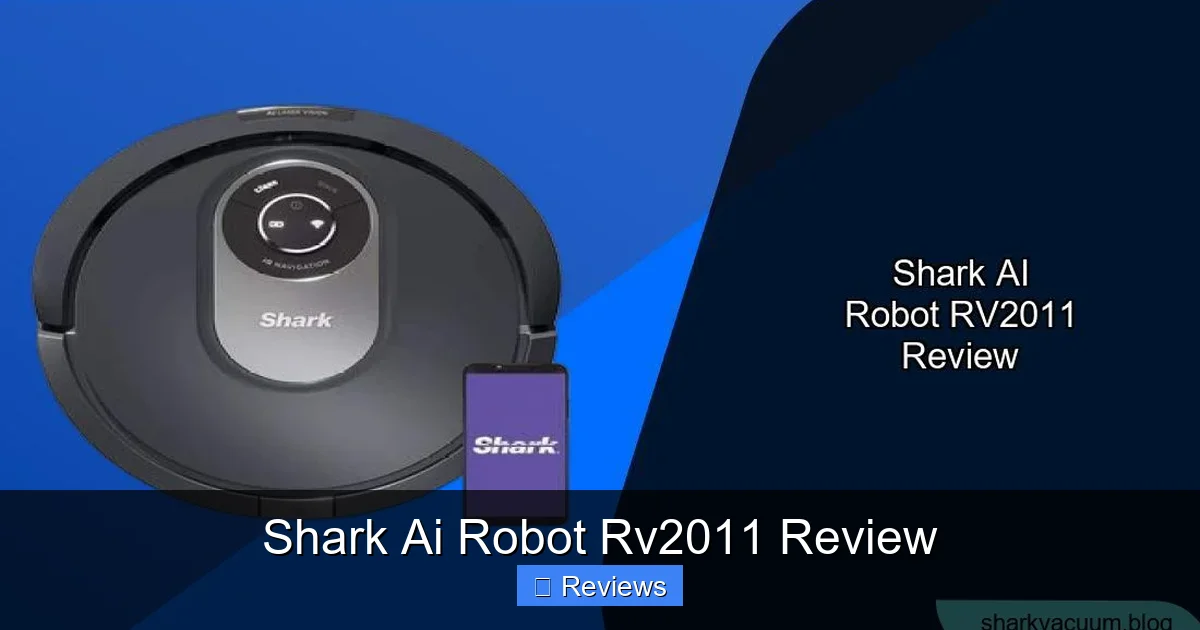
Let’s talk about the feature that changes everything: the Shark ION Self-Empty Base. After each cleaning run, the robot docks, and the base uses powerful suction to empty the robot’s internal dustbin into its own large, bagless container. This process is loud—it sounds like a small jet engine for about 5-10 seconds—but it’s automatic.
Visual guide about Shark Ai Robot Rv2011 Review
Image source: sharkvacuum.blog
How Often Do You Really Need to Empty It?
This is the magic number. In my home with two pets, the base’s indicator light turns from green to orange after about 2-3 weeks of daily cleaning. Shark says it can hold up to 30 days of debris for an average home. For a busy household with pets, 2-3 weeks is realistic. Emptying the base is simple: lift the lid, pull out the canister, and dump it over a trash can. The “Anti-Allergen Complete Seal” means very little dust poofs back into the air during this process, which is a huge plus for allergy sufferers. You wash the filter (a simple rinse) and clean the sensors occasionally, but for the most part, you can truly set it and forget it for weeks.
Maintenance Beyond the Base
The robot itself requires minimal upkeep. You should clean the brush rolls and sensors every few weeks, and replace the main filter every 3-6 months (a spare is included). The self-empty base’s main brush (that sticks up into the robot) can occasionally get hair wrapped around it and needs a quick clean. None of this takes more than 5 minutes every month. This ultra-low maintenance is the primary selling point for people who hate cleaning their vacuum.
Smart Features & The SharkClean App Experience
Control of the RV2011 is handled through the SharkClean app. Here’s where opinions might diverge. The app is functional and gets the job done, but it lacks the polish and speed of, say, an iRobot or Roborock app.
What Works Well
You can start/stop/pause cleaning, schedule cleanings by time and day, select specific rooms or zones, and view the cleaning history. The map management is decent—you can rename rooms, merge/split them, and draw No-Go Zones. Notifications for when the base is full or the robot gets stuck are timely and helpful. The app also houses user manuals and troubleshooting tips. For most users, the core functions are all there.
Where It Frustrates
The app can feel sluggish. Loading the map or sending a command sometimes has a 2-3 second delay. The interface is a bit cluttered and not as intuitive as it could be. Some users report occasional disconnections from Wi-Fi, requiring a reboot. It’s perfectly usable, but you won’t find yourself marveling at its design. Voice control via Amazon Alexa and Google Assistant works reliably for basic commands like “Hey Google, ask Shark to start cleaning,” which is a nice bonus.
The VibraWave Mop (Optional Add-On)
Many RV2011 bundles include the Shark VibraWave Mopping Pad. This is a simple, vibrating pad you attach to the bottom of the robot. It’s not a separate robot; it’s an accessory that allows the RV2011 to wet-mop after it’s finished vacuuming (you have to manually attach/detach the pad and fill the small water tank).
Basic, But Effective for Light Cleaning
The VibraWave does a decent job of light mopping. It vibrates back and forth to agitate the floor. It’s great for removing light dust and paw prints from hard floors and giving them a quick shine. However, it has significant limitations. The water tank is small, so it’s only good for a single room or a small apartment. It has no scrubbing action, so it won’t tackle dried-on spills or sticky messes. You also need to ensure the vacuum bin is empty before attaching the mop, or you’ll just be spreading dirty water around. Think of it as a convenient bonus for light maintenance, not a replacement for a dedicated mopping robot or your own mop.
Who Is This For? The Verdict
After living with the Shark AI Robot RV2011 for over a month, the verdict is clear: this is a top-tier robot vacuum for the price, especially for pet owners and families with clutter.
The combination of reliable, intelligent navigation and the game-changing self-emptying base delivers on the promise of a truly low-maintenance cleaning assistant. It has transformed my daily routine. I no longer think about vacuuming; I just schedule it in the app and empty the base every few weeks. The suction power is more than adequate for our needs, and the AI avoidance means I rarely have to go rescue it.
The compromises are the merely-adequate app and the basic nature of the mopping function. If you demand a beautifully designed, lightning-fast app or need a robot that can deep-scrub your grout, you might look elsewhere at a higher price point. But if your priority is powerful, hands-off cleaning that avoids obstacles and you want incredible value, the Shark AI Robot RV2011 is an outstanding choice. It understands that a robot vacuum’s job is to clean your floors, not to become another chore itself. For that reason, it earns a strong recommendation in my book.
Frequently Asked Questions
Is the Shark AI Robot RV2011 good for pet hair?
Yes, absolutely. Its powerful suction and tangle-free rubber brush rolls are specifically effective at picking up pet hair from both carpets and hard floors. The self-emptying base is also a major benefit for pet owners, as it contains the hair and dander until you empty it every few weeks.
How loud is the self-emptying base?
The self-emptying process is quite loud, similar to a powerful hand vacuum or a small shop vac, and lasts about 5-10 seconds. It’s startling if you’re in the same room, but it’s a quick, automatic process that happens at the dock. The regular vacuuming noise is standard for a robot vacuum—audible but not overwhelming.
Does it get stuck often?
Does it get stuck often?
Compared to older robots, very rarely. The AI navigation successfully avoids most common obstacles like cords, socks, and pet toys. It can still get stuck on very low-pile rug fringes, thick thresholds, or if it gets tangled in a long curtain cord. However, the frequency is dramatically lower than non-AI models.
How do I clean and maintain it?
Maintenance is minimal. Empty the self-empty base every 2-4 weeks. Clean the robot’s brush rolls and sensors with the included tool every few weeks. Rinse the filter monthly and replace it every 3-6 months. The self-empty base’s internal brush may need occasional hair removal. The app will remind you of these tasks.
Can I use the mop and vacuum at the same time?
No. The robot must vacuum first, return to the base, and then you must manually attach the VibraWave mop pad and fill its small water tank. It will then run a mopping cycle. You cannot have a wet mopping pad on while the vacuum bin is full, as it would just spread dirty water.
Is it worth the money compared to cheaper robots?
For most people, yes. The price premium over a basic bump-and-go robot buys you two critical features: reliable AI navigation (saving you time and frustration) and the self-emptying base (saving you from weekly dustbin emptying). These features deliver on the core promise of a robot vacuum: true convenience and minimal maintenance.