If your Shark vacuum’s brush roll isn’t spinning, it’s a common issue with straightforward fixes. The problem usually stems from a jam, a tripped reset, or an incorrect power setting. This guide provides step-by-step instructions for diagnosing and resolving the issue across all Shark Navigator, Vertex, and IZ series vacuums. Regular maintenance is key to preventing future brush roll failures.
Key Takeaways
- The brush roll is essential for deep carpet cleaning: It agitates carpet fibers to lift embedded dirt; if it’s not spinning, you’re only getting surface suction on carpets.
- Always unplug the vacuum before inspection: This is a critical safety step to prevent injury or damage when checking for jams or cleaning the brush roll.
- Check for obstructions first: Hair, string, carpet fibers, and small objects are the most common causes of a brush roll that won’t turn on.
- Use the correct power setting: The brush roll automatically disengages on the lowest suction setting (“Hard Floor” mode) to prevent debris scattering.
- Locate and press the reset button: Most Sharks have a reset button on the brush roll housing; pressing it after clearing jams often restores function.
- Regular cleaning prevents 90% of issues: Monthly removal and cleaning of the brush roll and its end caps eliminates hair wrap and bearing clogs.
- Model variations exist: While principles are universal, the exact location of the reset button and brush roll removal method can differ slightly between Shark series.
📑 Table of Contents
- Understanding Your Shark Vacuum’s Brush Roll: The Heart of Carpet Cleaning
- Step-by-Step: Diagnosing a Non-Spinning Brush Roll
- The All-Important Reset Button: Your Second Chance
- Deep Maintenance: Full Brush Roll Extraction & Cleaning
- Model-Specific Considerations: Navigator, Vertex, IZ, and More
- When Troubleshooting Fails: Signs of a Bigger Problem
- Conclusion: Empowerment Through Understanding
Understanding Your Shark Vacuum’s Brush Roll: The Heart of Carpet Cleaning
So, you’ve got your Shark vacuum out, ready to tackle that high-traffic carpet area, but something feels off. The suction seems strong, but it’s just not picking up the deep-down grime. You press it into the carpet, and it’s a struggle. Chances are, the culprit is the brush roll—that cylindrical bar with bristles (or a rubber finned design on some models) that spins rapidly at the front of your vacuum’s head. Its job is to agitate and lift carpet fibers, allowing the powerful suction to pull out dirt, hair, and debris that’s embedded deep within the pile. Without it spinning, your Shark is essentially just an expensive air mover on carpets, not a true deep cleaner.
Knowing how to turn on brush roll on Shark vacuum systems—or more accurately, how to diagnose why it’s not turning on—is a fundamental skill for any owner. It saves you from unnecessary service calls, extends the life of your machine, and ensures you’re getting the cleaning performance you paid for. This guide will walk you through everything, from the simple click of a switch to a full brush roll extraction and cleaning. We’ll cover the core principles that apply to nearly every Shark model, from the classic Navigator to the advanced Vertex and the stick-style IZ series.
Step-by-Step: Diagnosing a Non-Spinning Brush Roll
Before you start taking things apart, take a breath. A non-spinning brush roll is rarely a sign of a dead motor. In fact, over 80% of cases are resolved with simple troubleshooting. Follow this logical sequence to identify and fix the problem.
Visual guide about Turn on Brush Roll on Shark Vacuum
Image source: images.saymedia-content.com
First, Check the Power Switch & Suction Setting
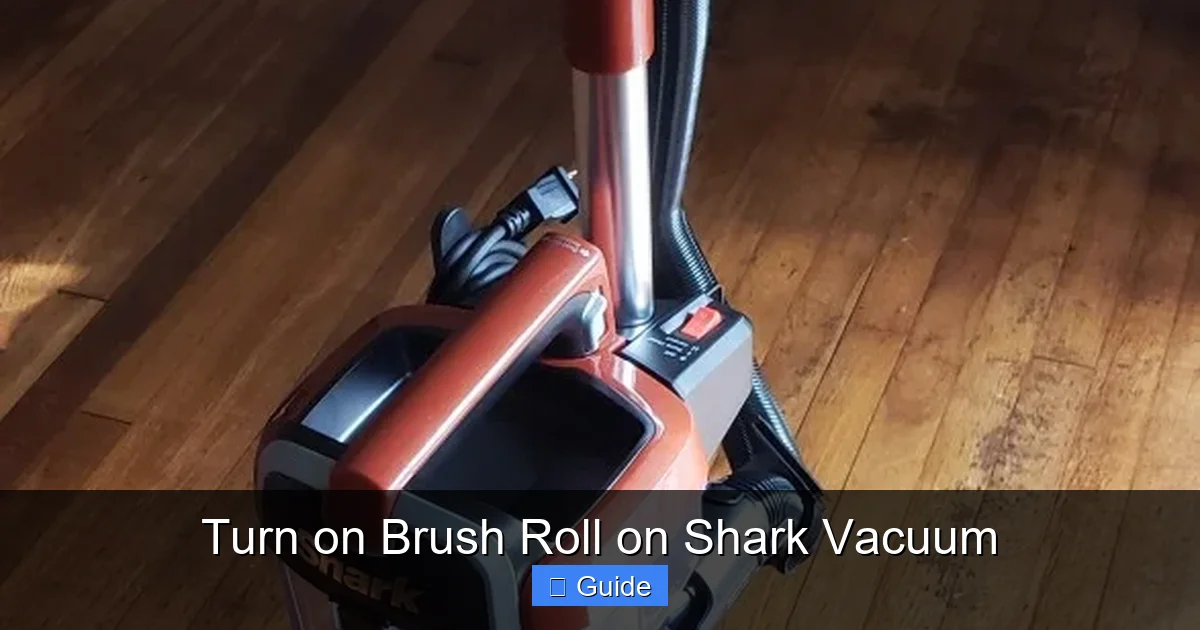
This sounds almost too simple, but it’s the most common oversight. Your Shark vacuum has a dedicated switch or button to control the brush roll. On most upright and canister models, look for a button labeled “Brush Roll” or an icon of a brush near the power button. On stick vacuums like the IZ series, the brush roll engagement is often automatic based on floor type selection, but there is usually a manual override.
- Ensure the brush roll switch is turned ON. It’s easy to hit this accidentally while switching the vacuum on and off.
- Check your suction power setting. Sharks have multiple suction levels. The brush roll will automatically disengage when you select the lowest setting, often labeled “Hard Floor” or represented by an icon of a hard floor. This is a safety feature to prevent scattering debris on smooth surfaces. Turn the dial or press the button to a higher carpet setting (like “Medium” or “Max/Carpet”). You should hear and feel the brush roll engage.
Perform the Visual Jam Inspection
If the switch and setting are correct, the next most likely cause is a jam. A jammed brush roll cannot spin and will often cause a burning smell or cause the vacuum to shut off. Safety first: always unplug your Shark vacuum from the wall outlet before inspecting the brush roll.
Flip your vacuum over. Look directly at the brush roll housing. Can you see the brush roll? Is it coated in a thick mat of hair, carpet fibers, or string? Can you see any large, obvious objects like a sock, a piece of plastic, or a child’s toy lodged in it? Use a flashlight for a better view. Gently try to rotate the brush roll by hand. Does it move freely, or is it stiff or completely locked?
Accessing and Clearing the Jam
Clearing a jam is the most frequent fix for a brush roll that won’t turn on. The process is designed to be user-friendly.
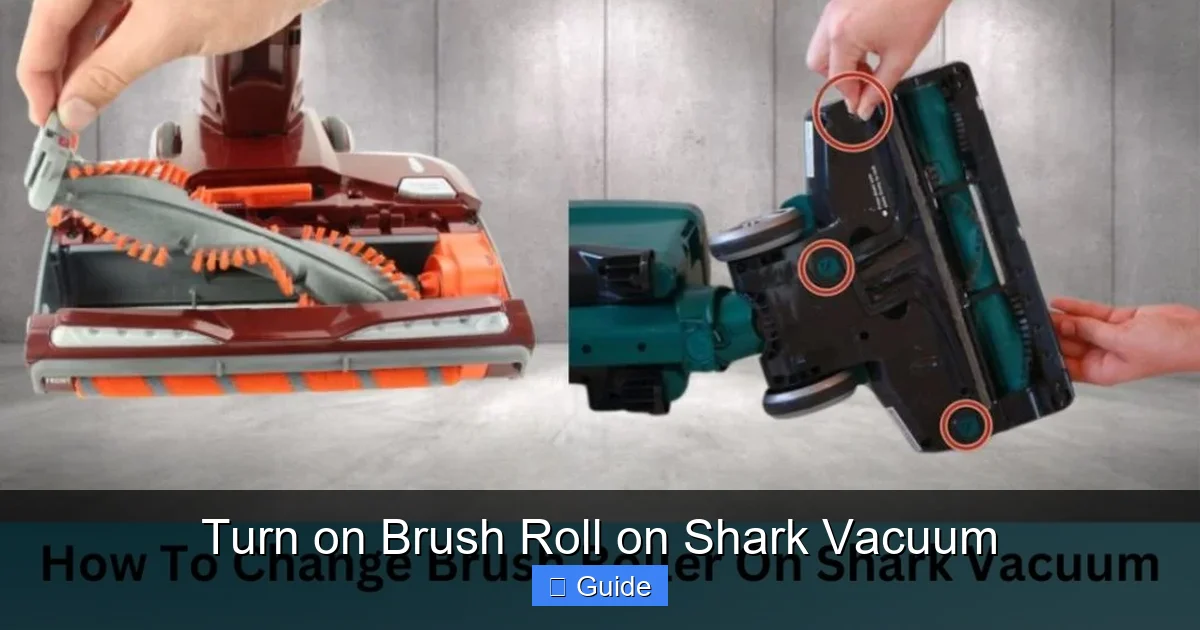
- Release the Brush Roll Housing: Locate the release latches or buttons on the underside of the vacuum head. On most Sharks, there are two red or gray tabs on either side. Press them inward and pull the entire brush roll housing straight out. It should come free easily.
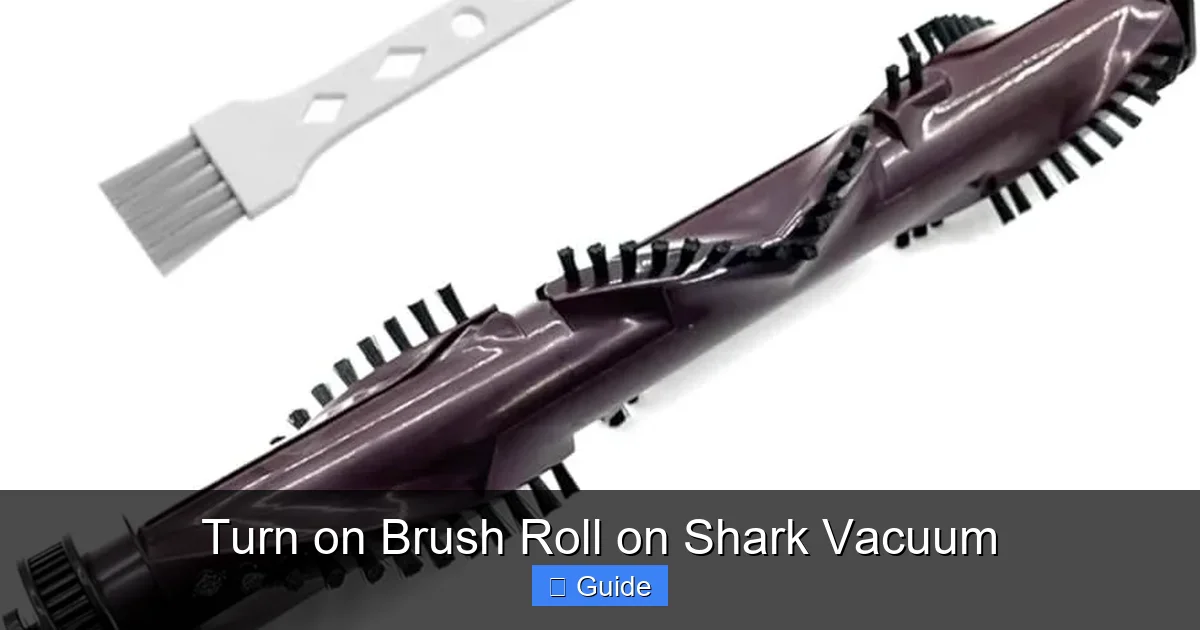
- Remove the Brush Roll: Once the housing is off, you’ll see the brush roll itself. It’s usually held in place by two plastic end caps. Gently pull the brush roll straight out. On some newer models with the “Anti-Hair Wrap” feature, there may be a small lever or button to press to release it.
- Clear the Debris: Now you have full access. Use a pair of scissors (be extremely careful) or a seam ripper to cut away any hair, string, or fibers wrapped around the bristles and axles. Pay special attention to the bearing housings on each end—this is where debris loves to pack in and create friction. Pull out any large objects. A helpful trick is to use a wire coat hanger straightened out to poke and probe deep into the bearing holes.
- Clean the Housing: While you’re here, wipe out the inside of the brush roll housing with a damp cloth. Loose debris in there can also cause jams.
The All-Important Reset Button: Your Second Chance
Shark vacuums are equipped with a thermal overload protector. This is a safety fuse, usually a small red or black button, located on the brush roll motor or within the brush roll housing itself. Its job is to shut off power to the brush roll motor if it overheats—which happens almost instantly when the brush roll is jammed and the motor strains. Once it trips, the brush roll will not spin even after you unjam it, until you manually reset it.
Visual guide about Turn on Brush Roll on Shark Vacuum
Image source: m.media-amazon.com
Finding the Reset Button
The location varies by model series, but here are the most common places:
- On the Brush Roll Housing: Look for a small circular button, often red, on the side or back of the plastic housing you just removed. It might be recessed.
- On the Main Body: On some upright models, it’s on the back of the vacuum’s main canister body, near where the hose connects.
- Under the Brush Roll: A few models hide it underneath, so you may need to look at the housing from the bottom after removal.
Pro Tip: Your Shark’s user manual is the definitive source for your specific model’s reset button location. If you don’t have the physical copy, Shark’s website usually has PDFs you can download by model number.
How to Reset Properly
Once you’ve located the button and cleared all jams:
- Ensure the vacuum is unplugged from the wall.
- Press the reset button firmly until you feel and hear a click.
- Reassemble your vacuum: snap the brush roll back into the end caps, then click the housing back into the vacuum head until it locks securely.
- Plug the vacuum back in and turn it on. Select a carpet mode. The brush roll should now spin freely.
If the reset button immediately pops out again or the brush roll still doesn’t spin after a reset, there is likely still a hidden jam or a deeper mechanical issue (like a burned-out motor or broken belt), and further diagnosis is needed.
Deep Maintenance: Full Brush Roll Extraction & Cleaning
Even if your brush roll is spinning, regular deep cleaning is non-negotiable for longevity and performance. This is the preventative medicine for your Shark vacuum. Aim to do this full extraction and cleaning at least once a month if you have pets or a lot of carpet, and every 2-3 months otherwise.
Visual guide about Turn on Brush Roll on Shark Vacuum
Image source: sharkvacuum.blog
Tools You’ll Need
- Phillips head screwdriver (sometimes needed for stubborn end caps)
- Seam ripper or small, sharp scissors
- A wire coat hanger or similar probing tool
- Microfiber cloths
- Mild soap and warm water
The Complete Cleaning Process
- Disassemble: Follow the steps in the previous section to remove the brush roll housing and then the brush roll itself. This time, we’re going beyond just cutting hair.
- Remove End Caps: Most brush roll end caps simply pull off. Some may have a small retaining clip or screw. Gently pry them off with a flathead screwdriver if needed. Be careful not to break the plastic clips.
- Extract the Axle/Bearing Assembly: Inside each end cap is a small bearing and a metal axle rod. Carefully pull the axle rod out through the brush roll. Clean all these small parts meticulously. Hair and gunk love to pack into the bearing races. Use your seam ripper and cloth to get them spotless.
- Clean the Brush Roll Barrel: With the axle out, you can slide the bristle/fin roller off. Wash it with soapy water, rinse thoroughly, and let it dry completely (overnight is best). Never use harsh chemicals that can degrade the bristles or plastic.
- Inspect the Drive Belt (if applicable): Not all Sharks have a belt (many use a direct-drive motor). If yours does, it will be a rubber belt connecting the motor shaft to the brush roll. Check it for cracks, glazing, or looseness. A slipping or broken belt will cause a non-spinning brush roll. Replace it if damaged.
- Reassemble Carefully: Reinsert the clean axle through the brush roll, attach the clean bearings and end caps, and reinstall the brush roll into the housing. Ensure it spins freely before clicking the housing back into the vacuum head.
Model-Specific Considerations: Navigator, Vertex, IZ, and More
While the core principles above are universal, the devil is in the details. Here’s what to know for popular Shark lines:
Shark Navigator & Classic Uprights
These are the workhorses. They almost always have a belt-driven brush roll and a clearly accessible reset button on the brush roll housing itself. The brush roll removal is straightforward with pull-tabs. The “Brush Roll On/Off” button is prominent on the power handle.
Shark Vertex & DuoClean Models
These have a more complex “DuoClean” head with two brush rolls: a main roller and a secondary soft roller. Both must spin for optimal performance. The reset button may be located on the main body. The removal process is similar but the housing is larger. Pay special attention to cleaning both rollers and their respective bearings.
Shark IZ Series (Stick Vacuums)
Stick vacuums are different. The brush roll is often directly attached to the motor without a belt. The engagement is usually automatic based on the floor mode selected on the body of the stick (Carpet vs. Hard Floor). There is often no separate reset button; the thermal fuse is internal and may require professional service if tripped. However, the clearing of jams is even more critical because the small, enclosed heads clog easily with pet hair. Removal is typically tool-free with a release lever.
Shark Rocket & Handhelds
Similar to the IZ, many Rocket models have a direct-drive brush roll. The principle of clearing jams is the same, but the housing is smaller. The reset button, if present, is usually on the motorized floor head itself.
When Troubleshooting Fails: Signs of a Bigger Problem
If you’ve gone through all the steps—verified the switch, changed the setting, cleared every visible trace of debris, cleaned the bearings, and pressed the reset button—and the brush roll still refuses to spin, you may have a component failure.
Possible Internal Failures
- Burned-Out Brush Roll Motor: The dedicated motor that spins the brush roll has failed. This can happen from prolonged jamming or general wear.
- Broken Drive Belt: If your model uses one, it may have snapped or become so stretched it can’t grip.
- Faulty Switch or Wiring: The brush roll on/off switch or the wiring to the brush roll motor could be damaged.
- Severe Bearing Seizure: The bearings inside the end caps have rusted or corroded solid, seizing the axles.
What to Do Next
At this point, you have two main options:
- Seek Professional Repair: Contact Shark Customer Support or an authorized service center. They can diagnose the exact failed component. For older vacuums, the cost of repair might approach the price of a new unit.
- Consider Part Replacement (Advanced Users): If you’re handy, you can often purchase a replacement brush roll assembly (which includes the bearings and end caps) or a drive belt directly from Shark or third-party suppliers. Replacing the entire brush roll is usually simpler than diagnosing a motor issue.
Remember, a Shark vacuum with a non-functional brush roll is a major loss of utility on carpeted surfaces. Investing in a repair or part replacement is often worthwhile.
Conclusion: Empowerment Through Understanding
Mastering the art of diagnosing and maintaining your Shark vacuum’s brush roll transforms you from a frustrated user into an empowered owner. That powerful spinning brush is the key to true deep cleaning, and keeping it in top shape is straightforward. Remember the golden rule: unplug before you touch. Start with the simple checks—the power switch and suction setting—before moving to the physical jam inspection and reset. Embrace a monthly deep-cleaning routine; spending 15 minutes with a seam ripper and a damp cloth will save you hours of frustration and keep your vacuum performing like new for years.
The ability to turn on brush roll on Shark vacuum systems effectively is really the ability to maintain your machine’s core function. It’s a small investment of time and attention that pays massive dividends in cleaning performance, machine longevity, and your own peace of mind. So next time the brush roll seems quiet, don’t panic. Grab your manual, follow these steps, and get that brush spinning again.
Frequently Asked Questions
Why does my Shark vacuum’s brush roll stop spinning after a few seconds?
This is almost always caused by a thermal overload protector tripping due to a jam. The motor overheats instantly when the brush roll is blocked, causing the vacuum to shut off the brush roll for safety. Clear any debris from the brush roll and bearings, then locate and press the reset button (usually a small red button on the housing).
Is it normal for the brush roll to not spin on hard floors?
Yes, this is by design on most Shark models. When you select the “Hard Floor” mode or the lowest suction setting, the brush roll automatically disengages to prevent scattering debris and to protect delicate floor surfaces. To engage the brush roll, select a carpet mode like “Medium” or “Max.”
How often should I clean my Shark vacuum’s brush roll?
For optimal performance, perform a full removal and deep cleaning of the brush roll, end caps, and bearings at least once a month if you have pets, a lot of carpet, or long hair. For typical use in a home without pets, every 2-3 months is sufficient. A quick visual check and hair removal every few uses is also a great habit.
My Shark has the “Anti-Hair Wrap” feature. Do I still need to clean the brush roll?
Absolutely. The Anti-Hair Wrap feature is fantastic at preventing hair from wrapping around the core of the brush roll, but it does not stop hair and fibers from packing into the bearing housings at each end. These are the spots that cause jams and bearing failure. You must still regularly clean the ends of the brush roll and inside the housing.
Where is the reset button on my Shark IZ465?
Shark IZ series stick vacuums often do not have an external, user-accessible reset button like upright models. The thermal fuse is typically internal. If your IZ’s brush roll stops and you’ve cleared all jams, the issue may require professional service. First, ensure the vacuum is in “Carpet” mode (not “Hard Floor” or “Mini-Mate”) and that the brush roll head is fully clicked into place on the stick body.
Can I use my Shark vacuum without the brush roll on carpet?
You can, but you will be severely disappointed with the cleaning results. Without the brush roll’s agitation, the vacuum can only remove loose, surface-level dirt. It will not lift the deeply embedded soil, hair, and debris that accumulates in carpet fibers. The brush roll is essential for proper carpet maintenance.