A Shark Navigator brush roll not spinning is a common issue, usually caused by clogs, hair wrap, or a tripped reset button. Before calling service, always unplug the vacuum and perform a thorough inspection. Start by checking for and removing any debris or hair tangled around the brush roll and its bearings. Next, locate and press the reset button, typically on the underside. If these fail, inspect the belt drive and motor for damage. Most problems are fixed with cleaning and resetting, saving you time and money.
Key Takeaways
- Safety First: Always unplug your Shark Navigator before inspecting or performing any repairs to prevent injury or damage.
- Hair & Debris is the #1 Culprit: The most frequent cause of a non-spinning brush roll is hair, string, or carpet fibers wrapped tightly around the bristles or bearings.
- The Reset Button is Your First Friend: Shark vacuums have a thermal reset button. If the motor overheats (often from a clog), it trips. Pressing it is the fastest possible fix.
- Check the Drive System: A broken, stretched, or dislodged belt will prevent the brush roll from turning. Inspect it for visible damage or wear.
- Bearings Must Spin Freely: Even if the brush roll looks clear, seized bearings (from lack of cleaning) will stop it. Always spin the brush roll by hand to test.
- Clogs Happen Everywhere: A blockage isn’t just at the brush roll. Check the suction path from the brush roll housing up through the wand and hose.
- Know When to Seek Help: If you’ve cleaned, reset, and inspected the belt without success, the motor or internal wiring may be faulty, requiring professional service.
📑 Table of Contents
- Introduction: Why Your Shark Navigator’s Roller Brush Stopped Spinning
- Section 1: Safety First & Essential Tools
- Section 2: The Most Common Culprit – Hair, String, and Debris Wrap
- Section 3: The Reset Button – Your Quickest Fix
- Section 4: Inspecting the Drive Belt and Pulley System
- Section 5: Advanced Troubleshooting – Clogs and Motor Issues
- Section 6: Prevention is Key – Keeping Your Brush Roll Happy
- Conclusion: You’ve Got This
Introduction: Why Your Shark Navigator’s Roller Brush Stopped Spinning
You’re cruising along with your Shark Navigator, confident in its powerful suction, when you notice something’s off. The carpet isn’t getting that deep-cleaning agitation you’re used to. You look down, and there it is: the iconic brush roll is sitting completely still. Your heart sinks a little. Is it broken? Is it expensive to fix? Before you panic or start shopping for a new vacuum, take a deep breath. A Shark Navigator brush roll not spinning is one of the most common—and often most easily fixed—problems with these fantastic machines.
The brush roll, or roller brush, is the hardworking heart of your vacuum’s carpet cleaning ability. Its spinning bristles agitate carpet fibers, lifting embedded dirt and pet hair so the suction can whisk it away. When it stops, your vacuum essentially becomes a weak suction-only tool on carpets. The good news? The cause is almost always something you can diagnose and fix yourself with a few simple tools and a bit of patience. This guide will walk you through every possible reason, from the simplest hair wrap to more complex internal issues, in clear, step-by-step instructions. Let’s get that brush roll spinning again.
Section 1: Safety First & Essential Tools
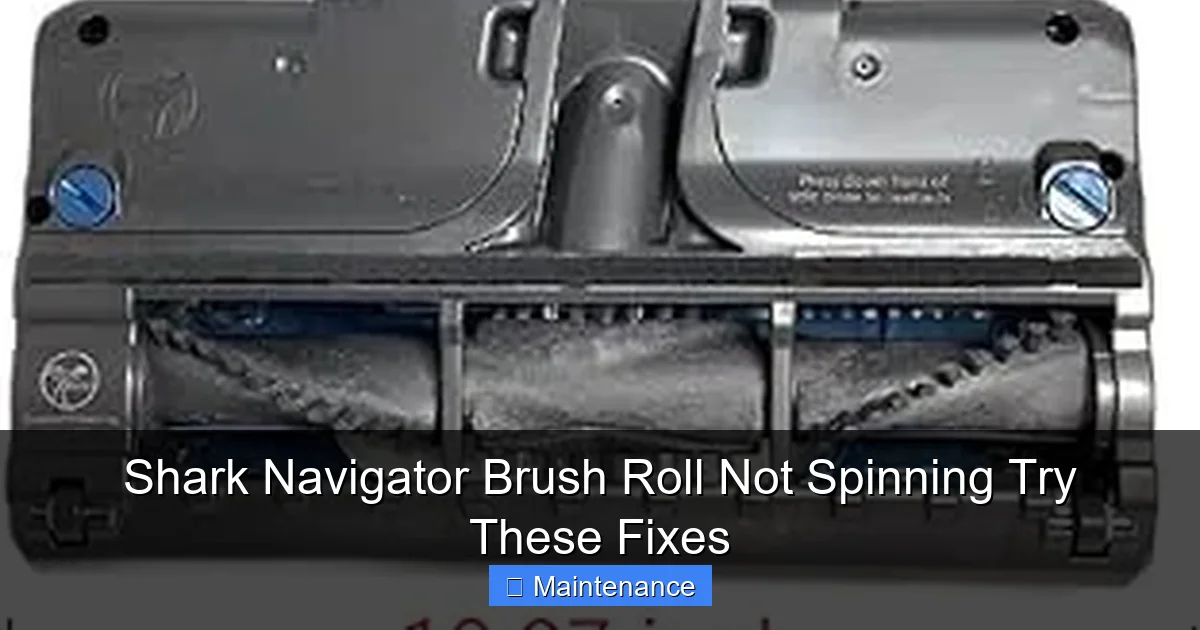
Before we dive into the guts of your Shark Navigator, we must establish a non-negotiable rule: ALWAYS UNPLUG THE VACUUM FROM THE WALL OUTLET before performing any inspection, cleaning, or repair. This protects you from accidental start-up and prevents electrical shorts. It’s the first and most important step.
Visual guide about Shark Navigator Brush Roll Not Spinning Try These Fixes
Image source: m.media-amazon.com
Gathering Your Toolkit
You don’t need a mechanic’s garage. A simple toolkit will suffice:
- Screwdrivers: Typically a Phillips head (#2 is common) for removing the brush roll housing screws. Some models may use Torx bits.
- Scissors or Seam Ripper: For cutting through tightly wound hair and fibers. A seam ripper is excellent for this without damaging bristles.
- Gloves: To protect your hands from dirt and potential sharp debris.
- Flashlight: To see deep into the brush roll housing and along the suction path.
- Bucket of Warm, Soapy Water: For cleaning the brush roll and housing.
- Old Toothbrush or Small Cleaning Brush: To scrub out gunk from bearings and housing crevices.
- Lint-Free Cloth: For drying parts.
Section 2: The Most Common Culprit – Hair, String, and Debris Wrap
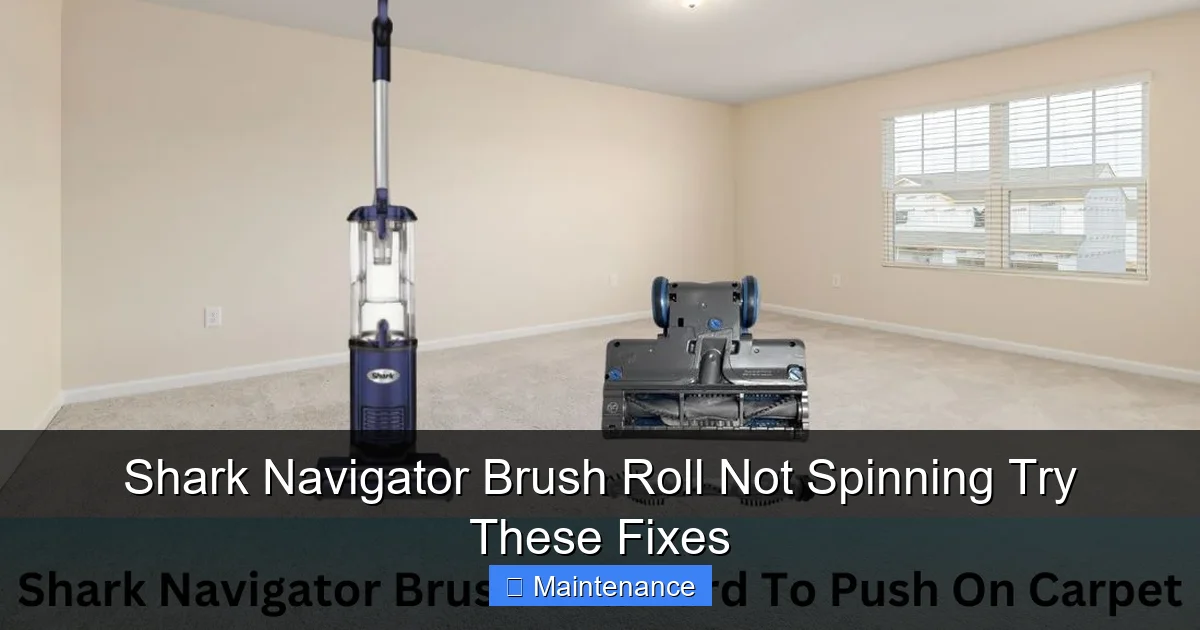
If you have pets, long hair, or thick carpet, this is statistically your problem. Over time, fibers wind themselves around the brush roll bristles and, more critically, around the metal axles and bearings at each end. This creates immense friction, jamming the brush roll solid. It can also put extra strain on the belt and motor.
Visual guide about Shark Navigator Brush Roll Not Spinning Try These Fixes
Image source: sharkvacuum.blog
Step-by-Step Hair Removal Process
1. Lay the Vacuum Flat: Turn your Shark Navigator upside down on a clean surface. The brush roll housing is on the underside.
2. Remove the Brush Roll Housing: Locate the release latches or screws on the housing. Most Shark Navigator models have easy-to-release clips. Press them and lift the housing off to expose the brush roll. If it’s screwed, remove the screws and keep them safe.
3. Extract the Brush Roll: With the housing off, the brush roll should lift out. If it’s stuck, don’t force it. You likely have a severe wrap. Use your scissors to carefully cut through the mass of hair all the way around the brush roll. Cut lengthwise along the roll, not across the bristles.
4. Clean the Bearings: This is crucial. Once the bulk of the hair is off, focus on the plastic end caps. Inside these caps are the bearings (small metal or plastic wheels). Pick out any hair or lint packed into these bearings. They must spin freely. Use your toothbrush and soapy water to clean them out thoroughly. Spin them by hand—they should rotate smoothly without grinding.
5. Clean the Housing: With the brush roll out, inspect the housing. You’ll often find a pile of hair and dirt in the front and back openings. Scoop it out. Use your flashlight to check the suction port where the hose connects. Clear any obstructions here too.
6. Reassemble and Test: Dry all parts completely. Slide the brush roll back into the housing, ensuring it seats properly. Snap the housing back on. Plug in the vacuum and try it on carpet. Listen for the change in sound—the brush roll should make a distinct whirring noise.
Section 3: The Reset Button – Your Quickest Fix
Shark vacuums are equipped with a thermal protection sensor. If the motor gets too hot—often because of a clogged brush roll or full dust cup—it automatically shuts off to prevent damage. This is a safety feature, not a breakdown. The vacuum may still have suction, but the brush roll won’t spin.
Visual guide about Shark Navigator Brush Roll Not Spinning Try These Fixes
Image source: sharkvacuum.blog
Locating and Using the Reset Button
The reset button is a small, usually red or black, circular button. Its location varies by model but is almost always on the underside of the vacuum, near the brush roll area or on the motor housing.
- On many Shark Navigator Lift-Away models, it’s on the bottom of the main canister body, behind a small rubber flap or hole.
- On some upright models, it might be on the rear of the motor housing.
How to Reset:
- Unplug the vacuum.
- Let it cool down for at least 30-45 minutes. If it’s hot to the touch, wait longer.
- Locate the button. You may need a flashlight and a tool like a pen cap to press it firmly until you feel/hear a click.
- Plug the vacuum back in and test the brush roll.
Important: If the reset button trips again immediately after you fix the clog, it indicates a lingering problem (like a still-wrapped brush roll or a failing motor). Do not keep resetting it without addressing the root cause.
Section 4: Inspecting the Drive Belt and Pulley System
The brush roll is powered by a rubber drive belt that connects it to a motor pulley. If this belt is broken, stretched, slipped off, or the pulley is damaged, the brush roll won’t turn even if the motor is running fine.
How to Check the Belt
1. Access the Belt: With the brush roll housing removed (as in Section 2), you should see the belt. It’s a loop of rubber stretched between the motor pulley (a small wheel near the back of the housing) and the brush roll pulley (a larger wheel on one end of the brush roll itself).
2. Visual Inspection: Look for these signs:
- Broken Belt: A clear break. The vacuum will have suction but no brush roll action.
- Slipped Belt: The belt may be sitting on the motor pulley but not engaged with the brush roll pulley, or vice versa. It might look twisted or misaligned.
- Stretched/Worn Belt: A belt that looks elongated, glazed, or has cracks has lost tension and will slip.
- Pulley Damage: Check both pulleys for cracks, melted plastic, or debris jammed in them.
3. The “Hand Spin” Test: With the vacuum unplugged, try to spin the brush roll by hand. It should turn relatively easily (some resistance is normal). If it’s very difficult or impossible to spin, the issue is likely bearing-related (see Section 2). If it spins freely but the belt isn’t moving when you turn the brush roll, the belt is broken or slipped.
Replacing the Belt
If you find a faulty belt, replacement is straightforward. Note your exact Shark Navigator model number (usually on a sticker on the back or underside). Purchase the correct replacement belt (part number is critical). To replace: stretch the new belt over the motor pulley first, then hook it onto the brush roll pulley and rotate the brush roll to seat the belt fully. Reinstall the brush roll and housing.
Section 5: Advanced Troubleshooting – Clogs and Motor Issues
If you’ve cleared hair, reset the button, and the belt is intact, the problem lies deeper in the air pathway or the motor itself.
Following the Suction Path for Clogs
A complete clog anywhere between the brush roll and the dust cup can reduce suction so much that the brush roll motor (which is separate from the suction motor in many Sharks) may not engage or will stall instantly.
- Check the Hose/Wand Connection: Detach the wand/hose from the vacuum body. Look into the opening. Shine a flashlight. Can you see through to the other side? Use a long, flexible brush or a bent coat hanger (carefully!) to dislodge any obstruction.
- Inspect the Dust Cup and Filters: A completely full dust cup or severely clogged pre-motor foam filter and HEPA filter will strangle airflow. Empty the cup completely. Wash the foam filter with cold water (let dry 24hrs). Tap out the HEPA filter; replace if it’s excessively dirty or damaged.
- Check the Exhaust: Finally, look at the exhaust port on the back of the vacuum. If air can’t escape, suction is blocked. Clear any lint or debris here.
When the Motor Might Be the Problem
The brush roll has its own small motor. If you’ve ruled out all mechanical issues (jammed brush, bad belt, clog) and the reset button holds, the motor itself may have failed.
Symptoms of a Failed Brush Roll Motor:
- You hear a faint humming or clicking when you turn the vacuum on, but the brush roll doesn’t move.
- The vacuum works perfectly on hard floors (no brush roll needed) but fails on carpet.
- Smell of burning electronics (unplug immediately).
Diagnosing and replacing the brush roll motor is a more advanced repair involving disassembling the vacuum’s main body. If you’re not comfortable with this, it’s time to contact Shark Customer Support or a qualified appliance repair shop. Check your warranty first!
Section 6: Prevention is Key – Keeping Your Brush Roll Happy
An ounce of prevention saves you from hours of troubleshooting. Incorporate these habits into your cleaning routine:
Routine Maintenance Schedule
- After Every 2-3 Uses: Flip the vacuum over and glance at the brush roll. If you see hair starting to wrap, cut it immediately with scissors before it becomes a solid mass.
- Monthly Deep Clean: Remove the brush roll housing. Take out the brush roll. Cut all hair, wash the brush roll with soapy water (let dry completely before reusing), and meticulously clean the bearings and housing with a toothbrush. This takes 10 minutes and works wonders.
- Filter Care: Follow the manual’s filter cleaning schedule. A clogged filter reduces overall suction, straining all systems.
- Check the Belt Periodically: Every 6 months, inspect the belt for wear. A belt costs $10-15; replacing it proactively is cheap insurance.
- Mind What You Vacuum: Avoid vacuuming large, stringy items like Christmas tree tinsel, hair extensions, or loose plastic bags. These are guaranteed to wrap and jam the brush roll instantly.
Conclusion: You’ve Got This
A Shark Navigator brush roll not spinning can feel like a major setback, but as we’ve seen, it’s almost always a fixable problem. The journey starts with the simple, high-probability fixes: unplug, look for hair wrap, and press the reset button. These two steps solve the vast majority of cases. From there, methodically work through the drive belt and clog checks. By approaching the problem logically and safely, you empower yourself as the fixer, not the frustrated owner.
Remember, your Shark Navigator is a workhorse built for performance. Like any tool, it requires occasional TLC. That deep-cleaning, carpet-raging power you love is housed in that spinning brush roll. Protecting it with regular, simple maintenance ensures it will be ready to tackle your messes for years to come. So next time you see that brush roll standing still, don’t despair. Grab your screwdriver, roll up your sleeves, and get to know the brilliant, repairable machine under your feet. You’ll have it spinning again before your coffee gets cold.
Frequently Asked Questions
Why is my Shark Navigator making a loud noise but the brush roll isn’t spinning?
This usually indicates the brush roll is jammed (by hair or debris) and the motor is straining against the resistance. Unplug immediately, remove the brush roll housing, and clear any obstructions. Forcing it to run in this state can burn out the motor.
My Shark Navigator brush roll spins slowly or intermittently. What’s wrong?
This is often a sign of a worn, stretched drive belt that slips, or bearings that are dirty and not spinning freely. First, clean the brush roll bearings thoroughly. If that doesn’t help, inspect and likely replace the drive belt. A weak reset button that trips under light load can also cause this.
Can I use my Shark Navigator without the brush roll on hard floors?
Yes, absolutely. Most Shark Navigators have a suction-only “hard floor” mode that automatically shuts off the brush roll motor. You can also manually remove the brush roll for delicate rugs or hard floors to avoid scattering debris. The vacuum will still suction effectively.
How often should I replace the drive belt on my Shark Navigator?
There’s no fixed time, but inspect it every 6 months. With regular use and after clearing hair wraps, belts can wear out or lose elasticity. If you notice the brush roll seems to have less power, or if you see cracks, glazing, or stretching on the belt, replace it. A new belt ensures optimal power transfer.
Is it worth repairing an old Shark Navigator brush roll motor?
It depends on the vacuum’s age and overall condition. If the rest of the vacuum is in great shape and the model is still supported with parts, a $30-$50 motor part might be worth it. However, if the vacuum is very old, has multiple issues, or parts are scarce, investing in a new model might be more cost-effective long-term.
My reset button won’t stay in. What does that mean?
If the reset button pops out immediately after you press it (with the vacuum unplugged and cooled), it typically means there is still a serious blockage causing excessive motor strain, or the thermal sensor itself is faulty. Re-check for any and all clogs in the suction path and ensure the brush roll spins freely by hand. If it’s clear, the sensor or motor may need professional service.