Flashing white headlights on your Shark Apex Duo combined with a non-spinning roller is a very specific and common error signal. It almost always indicates a mechanical blockage or jam preventing the brush roll from turning freely, which triggers the vacuum’s safety protection system. The solution involves a systematic, step-by-step diagnosis: first, removing all visible debris from the roller and intake; second, inspecting and often replacing the drive belt; and third, checking the motor and clutch assembly if the first steps fail. This guide provides the detailed, safe procedures to identify and resolve the issue yourself before considering a professional repair.
Key Takeaways
- Flashing Lights = Jam Detection: The flashing white headlights are not a random fault; they are the Shark Apex Duo’s specific warning that the brush roll is physically obstructed or cannot rotate.
- Safety First, Always Unplug: Before any inspection or repair, you must unplug the vacuum from the wall outlet. This prevents accidental startup and protects you from the spinning brush roll.
- Debris is Public Enemy #1: Hair, string, carpet fibers, and small objects are the primary cause of jams. Removing this debris from the roller bearings and the intake hole behind it is the most frequent fix.
- The Belt is a Wear Item: The rubber drive belt connecting the motor shaft to the brush roll stretches, cracks, and breaks over time. A worn or broken belt will cause the roller to stop turning and trigger the warning lights.
- Check the Clutch & Motor: If the roller spins freely by hand after cleaning and the belt is intact, the fault may lie in the clutch assembly (which engages the brush roll) or the brush roll motor itself.
- Reassemble Correctly: Proper reinstallation of the brush roll, ensuring it clicks fully into its locked position, and correctly routing the belt are critical. An incorrect reassembly will cause the same problem to recur.
- Know When to Call for Help: If you’ve completed all mechanical checks (debris, belt, clutch) and the issue persists, the fault is likely internal to the motor or main PCB, requiring Shark customer support or a professional appliance repair service.
📑 Table of Contents
- Understanding the Problem: What Those Flashing Lights Really Mean
- Phase 1: The Preliminary Inspection & Debris Removal
- Phase 2: Diagnosing the Drive System – Belt and Pulley Inspection
- Phase 3: Replacing the Drive Belt – A Step-by-Step Guide
- Phase 4: When the Roller Spins Freely but the Problem Persists – Clutch & Motor
- Prevention: Keeping Your Apex Duo Running Smoothly
- Conclusion: Empowered to Fix
Understanding the Problem: What Those Flashing Lights Really Mean
You’re in the middle of cleaning your living room. Your Shark Apex Duo is humming along, doing its job. Suddenly, you notice the white headlights on the front of the vacuum cleaner start to flash rapidly. At the same time, you feel that familiar, powerful agitation of the brush roll stop. The suction might still be there, but the deep-cleaning roller has gone silent and still. It’s a frustrating and confusing moment. But here’s the key: those flashing lights are not a random error code. They are a deliberate, built-in safety signal from your vacuum’s brain, the Printed Circuit Board (PCB).
The Shark Apex Duo, like many modern upright vacuums, has a sensor system that monitors the brush roll’s ability to rotate freely. When you engage the brush roll (usually by pressing the “Brush Roll” button), the motor tries to spin it. If the PCB detects that the roller is physically jammed and cannot turn—or if it senses an unusual load that would overwork the motor—it immediately cuts power to the brush roll motor to prevent damage. Simultaneously, it triggers the white headlights to flash in a specific pattern to alert you: “Hey, the brush roll is stuck!” This design protects the motor from burning out and the belt from snapping due to excessive strain. So, your troubleshooting mission isn’t about resetting a computer; it’s about finding the physical jam or mechanical failure that’s causing the brush roll to bind.
Phase 1: The Preliminary Inspection & Debris Removal
Before you grab a screwdriver, the most common fix is also the simplest. Over 70% of “flashing lights, roller not turning” cases are caused by a thick mat of hair, carpet fiber, and string wrapped tightly around the brush roll bearings or packed into the intake opening directly behind the roller. This creates so much friction that the motor can’t overcome it. Let’s start there.
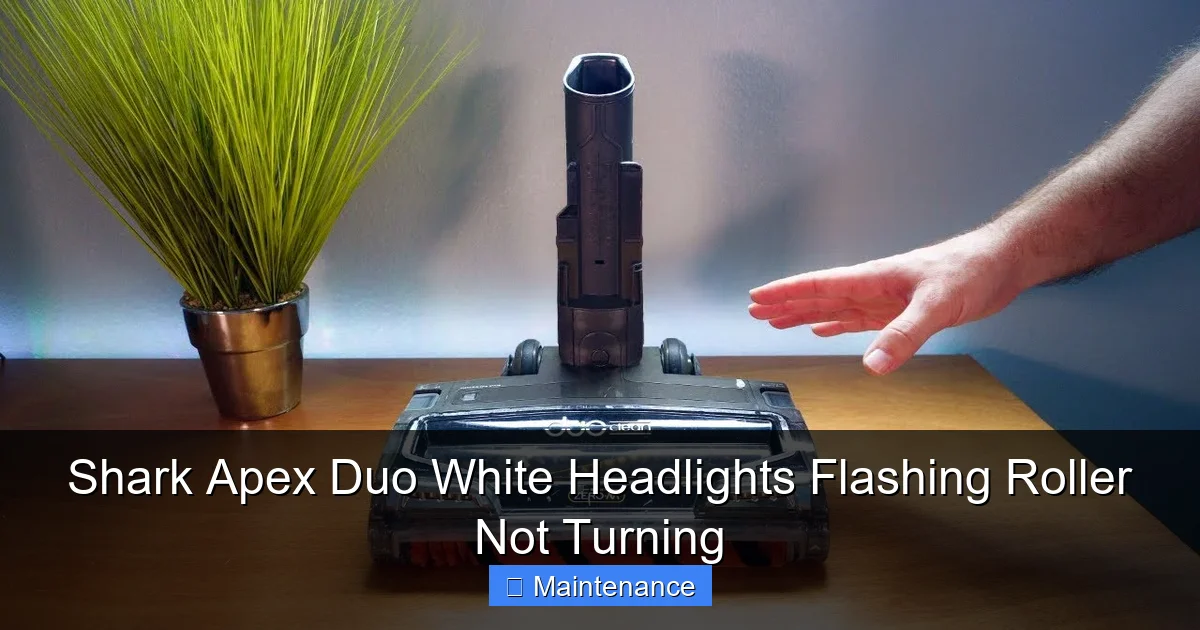
Visual guide about Shark Apex Duo White Headlights Flashing Roller Not Turning
Image source: i.ytimg.com
1.1 Safely Accessing the Brush Roll
First, and this cannot be stressed enough: unplug the Shark Apex Duo from the wall outlet. The brush roll, even when not powered, can be turned by hand if something is jammed, and you could get your fingers caught. With the vacuum unplugged and standing upright on its rear wheels, locate the brush roll release lever or button. This is typically on the underside of the cleaning head, near the front. Press or flip it, and the entire brush roll housing should pivot down, giving you access to the roller. Gently lift the brush roll out of its housing. Take note of its orientation—which side faces the floor and which side has the belt pulley. It’s usually easiest to lay the vacuum on its side for the next steps, but ensure the hose and wand are secure.
1.2 The “De-hairing” Process
Now, inspect the brush roll. You’ll likely see a cylindrical core with bristles (either nylon or rubber) and two plastic end caps with bearings inside. Look for any material—hair, string, rug tassels, pet fur—wrapped around the core, especially near the ends where it can work its way into the bearing housing. You’ll need a few tools: a seam ripper (a tiny, sharp hook), a pair of scissors, and maybe a stiff-bristled cleaning brush.
- Cut First: Use the scissors to carefully cut any long, wrapped strings or hair. Don’t try to pull it off; you’ll just tighten the knot. Cut it into manageable pieces.
- Pick & Scrape: Use the seam ripper or the tip of the scissors to pry and pick out the compacted debris from between the bristles and from the small notches where the bristles are inserted.
- Clear the Bearings: This is the critical step. Look into the hole in the center of each plastic end cap. You should see a small metal bearing. Often, a single hair or thread can work its way into this bearing, causing it to lock. Use the point of your seam ripper or a bent paperclip to gently hook and pull out any debris from these bearing housings. Rotate the roller by hand; it should spin freely with no gritty feeling.
Next, inspect the large intake hole on the underside of the vacuum head, directly behind where the brush roll sits. Reach your hand into this cavity and feel for any large objects (socks, small toys, carpet remnants) that might have been sucked up and are now blocking the roller’s ability to spin. Remove any obstructions.
1.3 The Test Spin
Before re-assembling, do a crucial test. Hold the brush roll horizontally and spin it by hand, rotating it in both directions. It should spin smoothly and freely for several rotations with no catching, grinding, or resistance. If you feel any binding, the debris is not all cleared from the bearings. Go back and repeat the cleaning process. Once it spins perfectly freely, you can move to the next phase. If it’s still stiff after a thorough cleaning, the bearing itself may be damaged, and the brush roll may need replacing.
Phase 2: Diagnosing the Drive System – Belt and Pulley Inspection
If your brush roll now spins freely by hand but the vacuum still flashes and won’t engage it, the problem is in the power transfer system: the belt and the pulleys. The brush roll is driven by a rubber belt that loops from a small motor pulley (inside the vacuum body) to a larger pulley on the brush roll itself. A failure anywhere in this system will cause the symptom you’re seeing.
Visual guide about Shark Apex Duo White Headlights Flashing Roller Not Turning
Image source: sharkvacuum.blog
2.1 Accessing the Belt
To see the belt, you need to open the vacuum’s main housing. Lay the Shark Apex Duo on its side or back for better access. On the underside of the main body (the canister part), you’ll find several screws securing the bottom plastic cover. These are often Torx (star-shaped) screws. Remove all of them and set them aside safely. Gently pry off the bottom cover. You will now see the vacuum’s internal workings: the motor, the fan, the dust container, and the belt routing. The belt is the black rubber loop connecting the motor shaft to the brush roll pulley (which extends through a hole in the housing into the cleaning head).
2.2 The Visual Belt Check
Examine the belt carefully. Look for these common failure points:
- Cracks & Glazing: Does the rubber look dry, cracked, or shiny and hardened? This means it’s aged and has lost its elasticity. It will slip on the pulleys instead of gripping.
- Stretching: Gently pull the belt. It should feel taut and firm. If it stretches significantly or feels loose and floppy, it’s worn out and needs replacement.
- Hot Spots or Melting: Look for any discolored, melted, or gummy spots on the belt. This indicates it has slipped severely at some point, generating extreme heat from friction.
- Breaks or Thin Spots: Any visible break, even a partial one, or a section that is noticeably thinner than the rest, means the belt is compromised.
If you find any of these issues, the belt is the culprit. Shark Apex Duo drive belts are specific to the model (check your manual or the belt code on the old one). They are inexpensive and easy to replace.
2.3 Pulley Alignment and Condition
While you have the bottom cover off, also inspect the two pulleys.
- Motor Pulley: This is on the motor shaft. Ensure it is securely attached and not wobbly. Make sure it’s clean—no dust or plastic shavings packed in its groove.
- Brush Roll Pulley: This is the wheel on the brush roll itself. Check that it is not cracked, warped, or clogged with debris. Ensure it spins freely on the brush roll’s metal axle. Sometimes, the pulley can get glued to the axle with old, melted belt residue.
Misalignment of these pulleys (often caused by a broken motor mount or a bent brush roll) can also cause the belt to jump off or bind. Ensure both pulleys are parallel to each other when the belt is installed.
Phase 3: Replacing the Drive Belt – A Step-by-Step Guide
If your inspection revealed a bad belt, replacement is the fix. Don’t just stretch the old belt back on; install a new one. Here’s how to do it correctly for the Shark Apex Duo.
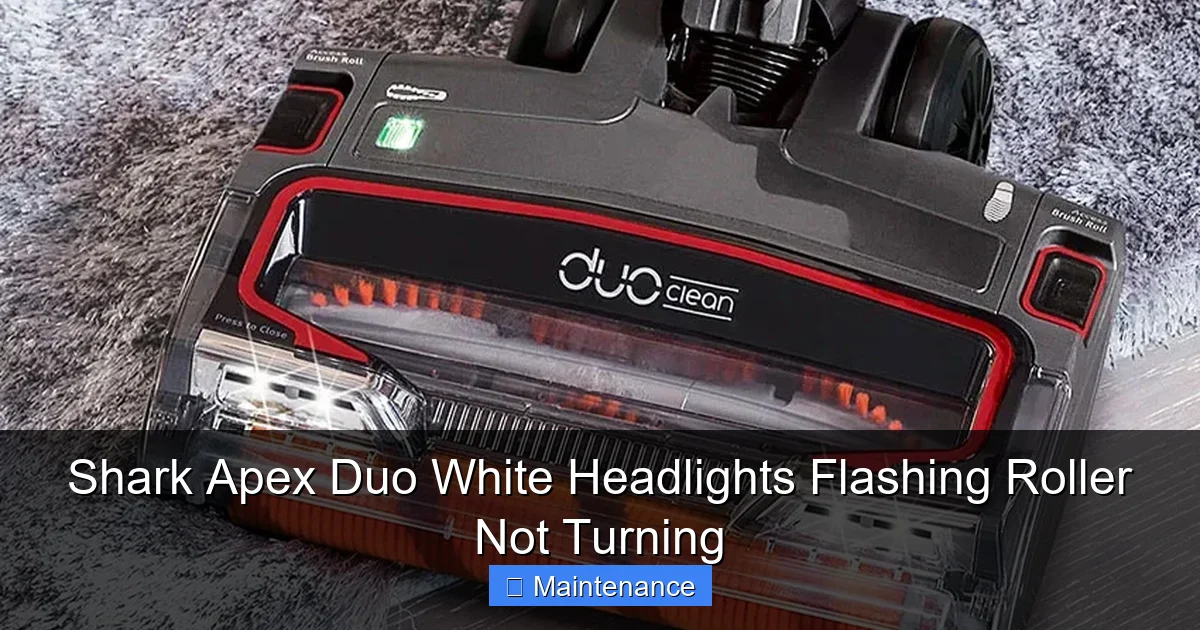
Visual guide about Shark Apex Duo White Headlights Flashing Roller Not Turning
Image source: homekitchtech.com
3.1 Removing the Old Belt
With the bottom cover off, you should have clear access. First, you may need to remove the brush roll again to take tension off the belt. If so, repeat the process from Phase 1 to take it out. Then, simply stretch the belt off the motor pulley and slide it off the brush roll pulley. If it’s stuck, you can use a flathead screwdriver to gently pry it off the pulley, being careful not to damage the pulley rim.
3.2 Installing the New Belt
Take your new, correct-model Shark belt. It’s a simple loop. The trick is getting it on without pinching or twisting it.
- Loop Over Brush Roll Pulley: Stretch the belt and hook it onto the brush roll pulley first. Ensure it sits fully in the pulley’s groove. You may find it easier to do this with the brush roll partially re-inserted into the cleaning head housing, as this can provide a bit of tension.
- Stretch to Motor Pulley: Now, rotate the brush roll (or the motor pulley) to create slack, and stretch the other end of the belt over the smaller motor pulley. It should click into the groove. Ensure the belt is not twisted. It should lie flat, not like a figure-8.
- Check Tension: The belt should be snug. There should be about 1/2 inch of give when you press on the midpoint of the belt’s span. It should not be so tight it strains the motor or brush roll bearings, nor so loose it slips.
3.3 Reassembly and Initial Test
Before putting the bottom cover back on, do a manual test. With the vacuum still unplugged, rotate the brush roll by hand. The belt should move smoothly with it, without jumping or binding. If it binds, the belt is pinched somewhere or the pulleys are misaligned. Once the manual test is smooth, reinsert the brush roll fully into its housing until you hear/feel it click into its locked position. Then, reattach the bottom plastic cover with all its screws. Plug the vacuum in, turn it on, and press the brush roll button. The roller should now spin, and the lights should stop flashing. If they still flash, proceed to the next phase.
Phase 4: When the Roller Spins Freely but the Problem Persists – Clutch & Motor
You’ve confirmed the brush roll spins perfectly freely by hand. You’ve installed a new, correctly tensioned belt. Yet, the white lights flash and the roller doesn’t turn when powered. The fault has now moved past the simple jam and belt. The issue is likely in the component that connects the motor’s power to the brush roll: the clutch assembly or the brush roll motor itself.
4.1 Understanding the Clutch System
The Shark Apex Duo uses a electromagnetic clutch. When you press the “Brush Roll” button, the PCB sends power to a solenoid (an electromagnetic coil). This solenoid engages a clutch plate, which mechanically connects the motor shaft to the brush roll drive system. If this solenoid fails, the clutch plate is worn out, or the clutch mechanism is jammed, the motor will run (you’ll hear it) but no power will transfer to the brush roll. The sensor detects the brush roll isn’t moving and flashes the lights.
4.2 Diagnosing the Clutch
Diagnosing the clutch requires more access. You will likely need to remove the main body of the vacuum from the cleaning head. This usually involves removing a few screws at the back where the wand connects. Consult your user manual for exact instructions for your Apex Duo model year. Once separated, you can locate the clutch assembly—it’s typically a black or gray plastic/metal unit attached to the motor shaft and the drive belt pulley. A common failure is the plastic gear teeth inside the clutch wearing down or breaking. Listen closely: when you press the brush roll button, do you hear a faint click? That click is the solenoid engaging. No click often points to a solenoid or PCB issue. A click but no movement points to a worn clutch gear.
4.3 The Brush Roll Motor
Less common, but possible, is a failure of the dedicated brush roll motor itself (some Shark models have a separate motor for the brush roll). If this motor has burned out, it won’t turn. You can sometimes test it by disconnecting it from the clutch and applying 120V power directly (extreme caution required—only for those comfortable with electrical work). For most users, a failed brush roll motor means the part needs replacement by a technician.
Prevention: Keeping Your Apex Duo Running Smoothly
An ounce of prevention is worth a pound of cure. The flashing light problem is largely preventable with a simple, quick maintenance routine.
5.1 The 30-Second Post-Clean Check
After every few uses, especially if you’ve cleaned up pet hair or long carpet, take 30 seconds to do this: unplug the vacuum, lay it on its side, and manually rotate the brush roll a few full turns by hand. You’ll feel any developing drag immediately. Then, use your fingers or a tool to pick off any visible hair wrapped around the ends. This stops a small problem from becoming a big, jam-inducing knot.
5.2 Periodic Deep Cleaning
Once a month, perform the full debris removal procedure from Phase 1. Even if you don’t see a lot of hair, microscopic fibers and dust can accumulate in the bearings, causing drag over time.
5.3 Belt Lifespan Awareness
Understand that the drive belt is a consumable part. Depending on use, it can last 6 months to 2 years. If you notice the brush roll seems less aggressive, or if the vacuum smells like burning rubber, inspect the belt immediately. Keep a spare on hand if you have heavy shedding pets or thick carpets.
5.4 Mind What You Vacuum
Your Shark Apex Duo is powerful, but it’s not indestructible. Avoid vacuuming large, hard objects (coins, paperclips, small toys), wet messes, or very long, stringy items like tinsel or curtain cords. These are the prime culprits for jams that can damage bearings and belts.
Conclusion: Empowered to Fix
The flashing white headlights and stationary brush roll on your Shark Apex Duo is a clear, solvable cry for help from your vacuum. It’s a mechanical issue, not a mysterious electronic failure. By following this structured, safety-first approach—starting with the simple, high-probability debris jam, moving logically to the drive belt, and finally considering the clutch and motor—you can diagnose and fix the problem in under 30 minutes with basic tools. Remember, the vast majority of these issues are caused by hair and string or a worn belt. Armed with a seam ripper, a new belt, and this guide, you have the power to restore your vacuum’s powerful deep-cleaning action and say goodbye to those frustrating flashing lights. Regular, simple maintenance is the ultimate key to preventing the problem from ever returning.
Frequently Asked Questions
Is it safe to use my Shark Apex Duo if the headlights are flashing and the roller isn’t turning?
No. Continuing to run the vacuum in this state can cause serious damage. The motor is working against a jam, which can overheat and burn out the motor windings or cause the drive belt to snap violently. Always unplug immediately and address the jam.
How often should I replace the drive belt on my Shark Apex Duo?
There’s no fixed schedule, as it depends on usage. For average use in a typical home, inspect the belt every 6 months and expect to replace it every 1-2 years. If you have pets, thick carpets, or notice a drop in cleaning performance, check and replace it more frequently.
Can a broken or stretched belt cause the flashing light warning?
Yes, absolutely. A broken or severely stretched belt means the motor is spinning but no power reaches the brush roll. The brush roll sensor detects it’s not moving and triggers the safety flash. Replacing the belt resolves this specific cause.
What if the brush roll spins freely by hand after cleaning, but the lights still flash?
This indicates the problem is not a jam. The fault is likely in the power-transfer system: a worn-out drive belt, a faulty clutch assembly, or a failed brush roll motor. You should proceed to inspect and replace the belt as the next most common step.
Do I need special tools to fix the flashing roller issue?
For the most common fixes (debris removal, belt replacement), you only need basic household tools: a Phillips-head and/or Torx screwdriver, scissors, and a seam ripper or bent paperclip. For deeper diagnoses involving the clutch, you may need additional Torx bits.
Will Shark customer support help if I have this problem?
Yes, Shark support can provide guidance and, if your vacuum is under the limited warranty (typically 5-7 years for the motor, 1 year for parts), may authorize a repair or replacement if the fault is due to a manufacturing defect. However, they will first guide you through the basic debris and belt checks, as these are considered user-maintenance items. Have your model number (on the back plate) ready.