Is your Shark steam mop leaving your floors dirty or streaky instead of sparkling clean? This frustrating issue is almost always fixable and usually stems from a few common culprits: mineral buildup clogging the steam vents, improper pad usage or technique, or a lack of routine maintenance. By systematically checking your water quality, pad attachment, and internal components, you can diagnose and solve the problem in minutes, not hours. This guide walks you through every potential reason your Shark steam mop is not cleaning, from simple user errors to more complex internal fixes.
You filled the tank, plugged it in, waited for the ready light, and started mopping with high hopes. But instead of the satisfying gleam of a deep-cleaned floor, you’re met with streaks, leftover grime, or worse—a floor that feels sticky or looks dirtier than when you started. The culprit? Your trusty Shark steam mop, once the hero of your cleaning cupboard, is now underperforming. The phrase “Shark steam mop not cleaning” becomes a frustrating reality. Before you resign yourself to scrubbing on your hands and knees or shopping for a costly replacement, take a deep breath. In over 90% of cases, this problem is not a fatal defect but a symptom of a fixable issue. This guide is your diagnostic tool and repair manual. We’ll systematically unpack every possible reason your Shark steam mop is failing to clean, from the simplest oversight to more intricate internal maintenance. Think of this as a friendly conversation with a cleaning expert—we’re going to get your Shark back to its powerful, sanitizing best.
Key Takeaways
- Mineral Buildup is the #1 Enemy: Using tap water causes scale to clog the heating element and steam jets, drastically reducing steam power and causing the “Shark steam mop not cleaning” problem.
- The Pad is More Than a Rag: Using the wrong pad (dry, dirty, wrong type), or not securing it properly, prevents proper steam transfer and can leave residue or scratches.
- Technique Matters Immensely: Moving too fast prevents steam from loosening dirt; moving too slow can re-deposit grime. The “S” pattern with overlapping strokes is key.
- Routine Flushing is Non-Negotiable: Regularly flushing the system with a vinegar-water solution prevents internal clogs and maintains peak steam production.
- Check the Obvious First: Always verify the water tank is properly seated, the unit is plugged in, and the mop head is correctly attached before assuming a major fault.
- White Residue Means Hard Water: A white, powdery film on floors after cleaning is a classic sign of mineral deposits being sprayed out, requiring immediate descaling.
- Age and Wear Are Real Factors: After 2-3 years of frequent use, internal seals and heating elements can degrade, leading to permanently reduced steam output that may require professional repair or replacement.
📑 Table of Contents
- Understanding the “Why”: The Core Principles of Steam Cleaning
- H2: Diagnosing Steam Output Problems: Is Steam Even Being Made?
- H2: The Pad Problem: Your Microfiber is Not Innocent
- H2: The Maintenance Lifeline: Flushing, Descaling, and Storage
- H2: Advanced Troubleshooting: When the Basics Aren’t Enough
- H2: When to Say Goodbye: Recognizing End-of-Life Signs
- Conclusion: Restoring Your Cleaning Power
Understanding the “Why”: The Core Principles of Steam Cleaning
To diagnose why your Shark steam mop is not cleaning, we must first understand how it *should* work. A steam mop isn’t just a hot, wet rag. It’s a closed-loop system designed to convert water into high-pressure, high-temperature steam (typically over 200°F) that is forced through tiny nozzles onto a microfiber pad. The heat and moisture loosen embedded dirt and grease, which is then absorbed and locked into the pad. Failure at any point in this chain—water supply, heating, steam delivery, pad function—results in poor cleaning. When you encounter a “Shark steam mop not cleaning” scenario, you are witnessing a breakdown in this process. The most common breakdowns are:
- Insufficient Steam Production: Weak, sporadic, or no steam.
- Improper Steam Application: Steam is produced but not effectively transferred to the floor.
- Ineffective Soil Removal: Steam works, but dirt isn’t being captured and removed.
Our troubleshooting will follow this flow, starting with the source (water and heating) and moving to the delivery (pads and technique).
The Critical Role of Water Quality
This cannot be stressed enough: the type of water you use is the single most important factor in your Shark steam mop’s long-term performance and cleaning ability. Shark, like all steam appliance manufacturers, explicitly states to use distilled or demineralized water. Why? Tap water is full of dissolved minerals (calcium and magnesium, known as “hard water”). When this water is heated inside the mop’s boiler, these minerals precipitate out and form a crusty, insulating layer of scale on the heating element and inside the steam jets and tubes.
The Consequences of Hard Water:
- Reduced Heating Efficiency: Scale acts like a blanket around the heating element, forcing it to work harder and longer to reach temperature, and eventually, it may not reach the proper temperature at all.
- Clogged Steam Nozzles: The tiny orifices through which steam is ejected are easily blocked by mineral deposits. A partially or fully clogged nozzle results in weak, uneven, or no steam output on that specific area of the mop head.
- White, Powdery Residue: This is the most obvious sign. If you see a fine, white powder on your floors after the mop dries, you are spraying microscopic mineral particles onto your floor. They are unsightly and difficult to remove without another thorough cleaning.
The Fix: Immediately switch to 100% distilled water. For a mop that has been using tap water, a thorough descaling process is required (detailed in the Maintenance section). This simple change alone resolves the “Shark steam mop not cleaning” issue for a massive percentage of users.
H2: Diagnosing Steam Output Problems: Is Steam Even Being Made?
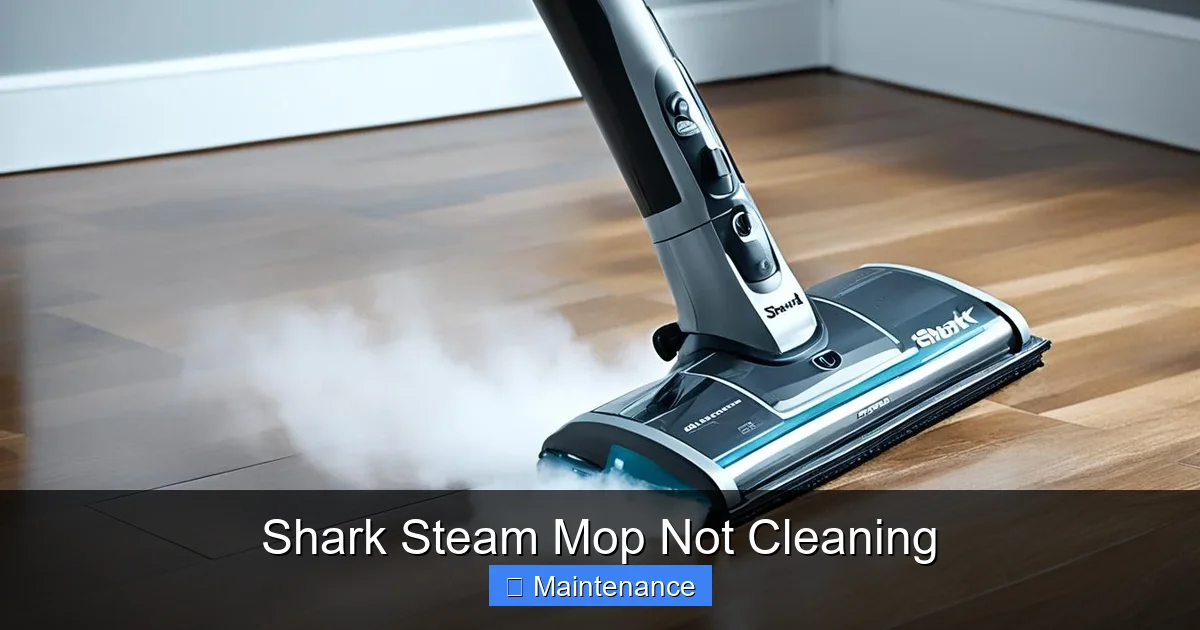
Your first diagnostic step is to confirm if the mop is generating steam at all. Sometimes, the issue is simply that the unit isn’t getting hot or the steam isn’t reaching the head.
Visual guide about Shark Steam Mop Not Cleaning
Image source: howtocleaning.co.uk
The Ready Light and Heat-Up Time
After filling the tank and plugging in your Shark, there is a heat-up period (usually 30-90 seconds). A light or indicator will show when it’s ready. If this light never comes on, check your outlet and power cord. If the light comes on but you feel no heat or steam at the head after the indicated time, the problem is internal. The heating element may be failed (less common) or, far more likely, it is coated in scale from hard water use, preventing it from transferring heat to the water efficiently.
Checking for Clogged Steam Jets
Even if the boiler is producing steam, a clog in the delivery line will starve the mop head. To check this, you need to inspect the underside of the mop head. Locate the steam emission holes—they are tiny, usually arranged in a line or grid. Shine a flashlight on them. Do you see any white, crusty deposits blocking any of the holes? Can you see a clear path through them? A partial clog will cause some jets to work while others sputter, leading to streaks and uneven cleaning. A fully clogged jet means no steam is emitted from that section of the pad, creating a “dead zone” on your floor.
Water Tank Seating and Lid
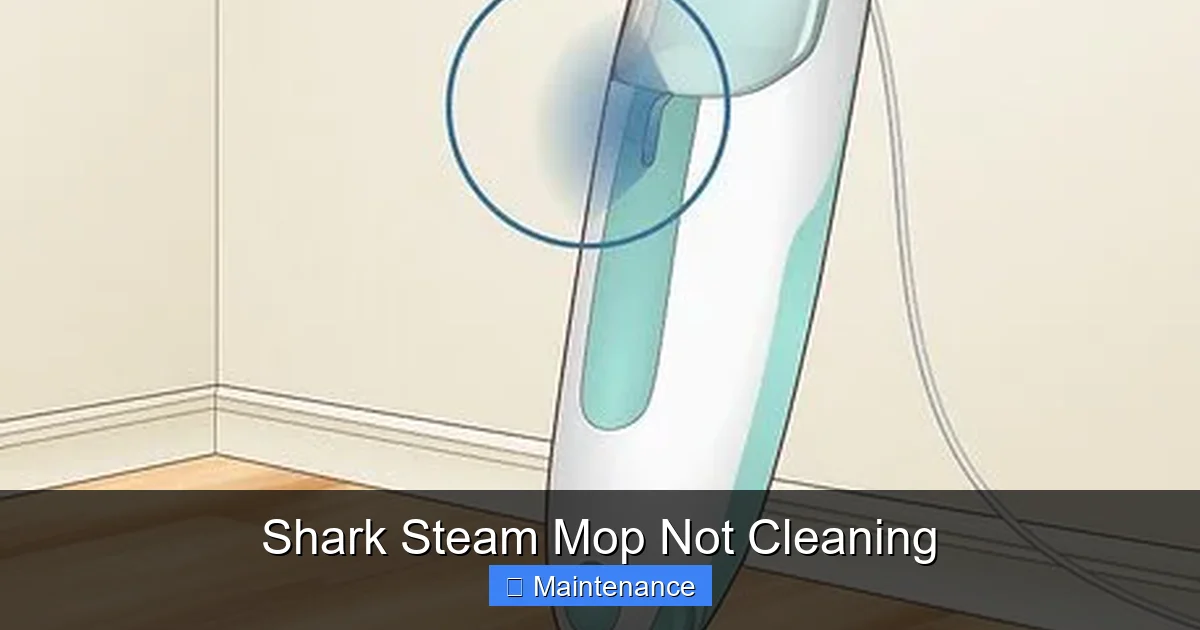
This is an incredibly common and simple oversight. The water tank must click firmly and evenly into its housing. If it’s even slightly misaligned, the seal is broken, and the unit will not draw water into the heating chamber. Similarly, ensure the tank lid is securely fastened. An imperfect seal here also prevents the system from pressurizing correctly. Remove the tank, check for any debris in the housing or on the tank seals, and reinsert it with firm, even pressure until you hear/feel a definitive click.
H2: The Pad Problem: Your Microfiber is Not Innocent
Assuming steam is reaching the head, the next link in the chain is the pad. A malfunctioning pad can make even a perfectly functioning steam mop seem like it’s “not cleaning.”
Visual guide about Shark Steam Mop Not Cleaning
Image source: wikihow.com
Using the Wrong Pad or a Damaged Pad
Shark steam mops use specific, proprietary pad attachment systems (usually loops or clips). Using a generic pad or one from a different model may not attach securely, causing it to bunch up, drag, or not make full contact with the floor. Furthermore, pads wear out. A pad that is:
- Overly saturated with dirt and detergent residue from previous uses (if washed improperly) will simply move dirt around instead of absorbing it.
- Thinned, torn, or has separated layers will not hold enough moisture to generate effective steam transfer and will leave lint.
- Not designed for steam (e.g., a regular dry microfiber cloth) will not create the proper seal needed for steam to penetrate and lift dirt.
Always use the correct Shark-branded or certified replacement pads. Wash them according to instructions—typically in hot water with no fabric softener—and replace them every 50-100 uses or when they show significant wear.
Pad Attachment is Everything
The pad must be perfectly flat, fully aligned, and securely fastened to the mop head’s pad plate. If one corner is tucked under or the pad is askew, you will have areas of high pressure (where the plate presses directly) and areas of no pressure (where the pad is lifted). The lifted areas receive no steam contact and are not cleaned. It takes two seconds to smooth the pad down and ensure all attachment points (Velcro, clips, loops) are engaged properly.
Technique: The Human Factor in Steam Cleaning
Even with perfect equipment, poor technique can yield results that make you think your Shark steam mop is not cleaning. Remember: steam loosens dirt; the pad must absorb it.
- Moving Too Fast: You must give the steam time to penetrate and loosen the grime. A slow, deliberate pace—about 1-2 feet per second—is ideal. The “S” pattern with overlapping strokes ensures every inch gets sufficient exposure.
- Moving Too Slow/Stopping: If you linger in one spot, the pad becomes saturated with dirty water. Instead of lifting more dirt, you are re-depositing the slurry you’ve already picked up. Keep a steady, moderate pace.
- Not Using Enough Overlap: Your strokes should overlap by at least 50%. Missing strips is a surefire way to have a floor that looks half-cleaned.
- Not Rinsing the Pad: For large areas, a single pad will become overwhelmed. Stop halfway, rinse the pad in hot water (or have a second clean pad ready), and continue. A dirty pad is a useless pad.
H2: The Maintenance Lifeline: Flushing, Descaling, and Storage
Preventive maintenance is not optional; it’s the price of ownership for any steam mop. Neglect is the primary cause of premature “Shark steam mop not cleaning” failures.
Visual guide about Shark Steam Mop Not Cleaning
Image source: wikihow.com
Routine Flushing After Every Use
This is the most critical habit to develop. After each cleaning session, with the mop unplugged and cool:
- Empty any remaining water from the tank.
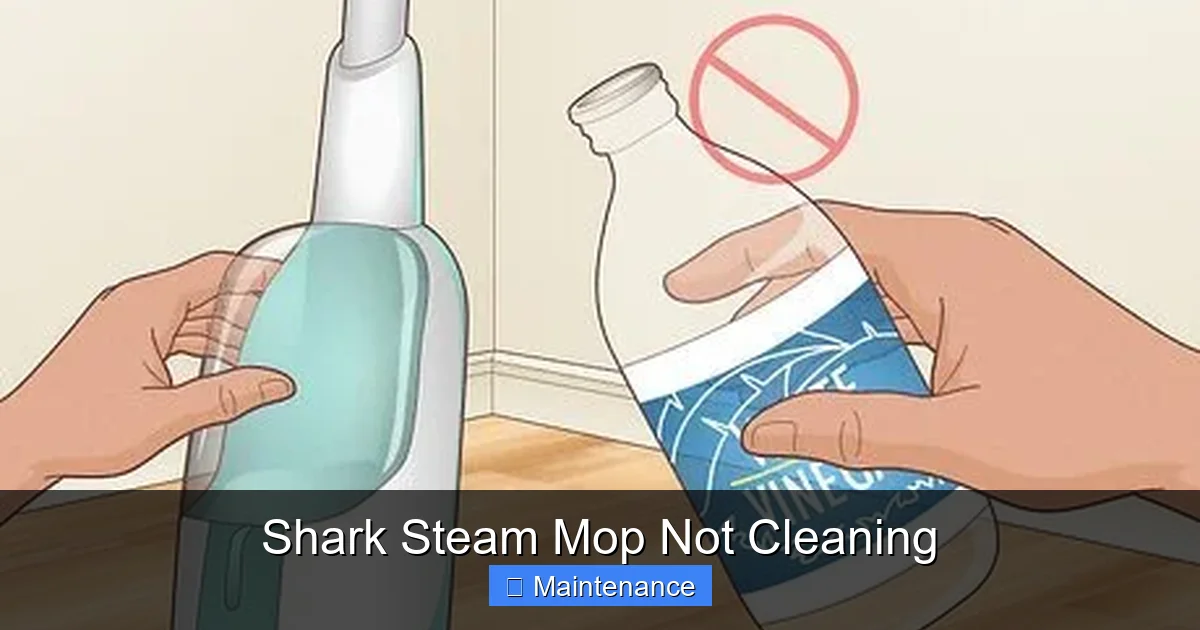
- Fill the tank with a 50/50 solution of white distilled vinegar and water (or use Shark’s recommended descaling solution).
- Run the mop (on a safe surface like a tile floor or in the garage) until the tank is nearly empty, generating steam to flush the vinegar solution through the internal system.
- Empty the tank again.
- Fill with fresh distilled water and run it through to rinse the system.
- Empty the tank completely and leave the tank lid off and the mop head detached to air-dry completely before storage.
This simple 5-minute process after each use flushes out fresh water residues and prevents mineral buildup from ever forming a hard, obstructive layer.
Deep Descaling for Existing Buildup
If you’ve been using tap water and now have clogged jets and poor steam, a deep descaling is needed. This is more aggressive than routine flushing.
- Ensure the mop is cool and unplugged.
- Fill the tank with a stronger solution: 1 part white distilled vinegar to 1 part water (or follow a commercial descaler’s instructions). Do not use bleach.
- Reattach the mop head (you’ll want to do this in a well-ventilated area, like a bathroom with the exhaust fan on, or outdoors).
- Plug in and run the mop on a hard surface until the tank is empty. You may see gunk coming out of the jets—this is the scale being dissolved.
- Unplug, empty the tank, and thoroughly rinse the system by running 2-3 full tanks of fresh distilled water through it as described in the routine flush.
- Clean the mop head separately. Soak the pad in the vinegar solution, then rinse it extremely well to remove all vinegar smell and residue.
Warning: Never mix vinegar with bleach or other cleaners. Always ensure the system is thoroughly rinsed after any descaling to avoid corrosive residue.
Proper Storage Prevents Mold and Mildew
A damp mop head stored in a closed closet is a recipe for mold and mildew, which can clog the pad plate vents and create foul odors. Always store your Shark steam mop completely dry: tank empty and open, pad detached and fully dry. Store it standing up, not leaning against a wall where pressure might warp components.
H2: Advanced Troubleshooting: When the Basics Aren’t Enough
If you’ve addressed water quality, pads, technique, and performed a deep descaling with no improvement, it’s time to look at less common, more internal issues.
Inspecting and Cleaning the Pad Plate Vents
Between the steam jets in the mop head and the pad itself, there is a metal or plastic plate with small vent holes. Dirt, debris, and pet hair can accumulate here, blocking steam from reaching the pad. Remove the mop head. Using a bright light, inspect the underside of this plate. Use a toothpick, a soft brush, or a blast of compressed air to gently clear any debris from each vent hole. This is a frequent hidden cause of the “Shark steam mop not cleaning” problem, especially in homes with pets or heavy carpet fuzz.
The Pump and Internal Seals
If your mop pumps water but produces only a weak, sputtering stream of steam (a “pulsing” sensation), the internal pump or its seals may be wearing out. These rubber seals can dry out and crack over time (2-3 years of regular use), failing to maintain the pressure needed for a consistent steam flow. This is not typically a user-serviceable part. Contact Shark customer support to inquire about warranty status or authorized repair centers. For an older unit, the cost of repair may approach the price of a new mop.
Heating Element Failure
This is rare but possible. Symptoms: the unit powers on, the pump may sound like it’s working, but the mop head never gets hot, and no steam is produced—only warm water might drip out. The ready light may not illuminate or may illuminate after an abnormally long time. A failed heating element requires professional replacement. Again, assess the age and warranty of your unit.
H2: When to Say Goodbye: Recognizing End-of-Life Signs
Steam mops, like all appliances, have a finite lifespan. With proper maintenance (distilled water, regular flushing), you can expect 3-5 years of reliable service. Here are the signs that your “Shark steam mop not cleaning” issue is likely terminal and repair is not economical:
- Persistent, Severe Clogging Despite Descaling: If you’ve performed multiple deep descales and the steam output remains weak, the scale damage is permanent and has corroded the internal waterways.
- Repeated Seal/Pump Failure: If you’ve had the pump or seals replaced once and they fail again quickly, the system is likely worn out.
- Corrosion or Physical Damage: Visible rust inside the water tank, a cracked housing, or a warped pad plate.
- It’s Older Than 4 Years: Technology improves, and the cost of a new, more efficient model may be worth it compared to repair fees on an aging unit.
- Repeated Electrical Issues: Tripping breakers, burning smells, or frayed cords are safety hazards. Stop using it immediately.
If your Shark is young (under 2 years) and exhibiting these issues, it may be a defective unit. Contact Shark support with your proof of purchase. They may offer a replacement under warranty.
Conclusion: Restoring Your Cleaning Power
The journey from “Shark steam mop not cleaning” to “My floors have never looked better” is almost always a path of elimination and simple care. Start with the most common culprits: switch to distilled water, check your pad, and slow down your mopping speed. Implement the ritual of flushing with vinegar water after every single use. This discipline alone will prevent 95% of future problems. If issues persist, methodically check for clogs in the jets and pad plate vents. Remember, your Shark steam mop is a precision instrument. It rewards attention and punishes neglect. By treating it with the care outlined in this guide—respecting its need for pure water, a clean pad, proper technique, and regular internal cleaning—you will extend its life dramatically and maintain its powerful, chemical-free sanitizing performance for years. Don’t give up on it quickly. Diagnose, maintain, and enjoy the sparkling results a well-cared-for steam mop delivers.
Frequently Asked Questions
Why is my Shark steam mop pumping water but not producing steam?
This usually indicates a severe mineral clog in the heating chamber or steam jets from using tap water, or a failed heating element. The pump is working to move water, but it can’t be heated into steam. A deep descaling with vinegar is the first step; if that fails, the heating element may need replacement.
Why does my Shark steam mop leave a white, powdery residue on my floors?
That is mineral deposit (scale) from using hard tap water. The mop is spraying microscopic calcium and magnesium particles onto your floor. Stop using tap water immediately, switch to distilled water, and perform a thorough descaling of the entire system with a vinegar-water solution.
Can I use any microfiber pad on my Shark steam mop?
No. Shark mops use specific, proprietary pad attachment systems. Using an incorrect pad will result in poor fit, bunching, and ineffective cleaning. Always use genuine Shark replacement pads or ones explicitly certified for your specific model number to ensure proper fit and function.
How often should I descale my Shark steam mop?
If you use only distilled water, you may never need a deep descale. If you accidentally use tap water, you should perform a deep descale immediately. As a preventive measure with distilled water, a routine flush with a vinegar-water solution after every 10-15 uses is highly recommended to maintain optimal performance.
My Shark steam mop gets hot but has very weak steam output. What’s wrong?
Weak steam with heat present points to a partial clog, most likely in the steam jets on the mop head or the internal tubing. First, clean the pad plate vents and visible steam jets with a toothpick. If that doesn’t help, a full system descaling is necessary to dissolve mineral blockages deeper in the lines.
Is it normal for my Shark steam mop to sputter or pulse?
A slight, rhythmic pulsing can be normal as the pump cycles to maintain pressure. However, heavy sputtering, coughing, or a very inconsistent steam stream is a sign of a problem—usually air in the system (ensure the tank is full and properly seated) or, more commonly, clogged jets from mineral buildup. A descaling treatment should resolve this.