The Shark Robot UR2500SR is a top-tier robot vacuum that largely lives up to its premium promises. Its standout self-emptying base is a game-changer for maintenance, while Shark’s powerful suction and excellent navigation handle everyday messes on both carpets and hard floors with confidence. The intuitive app offers great customization. Though it’s a significant investment and the mopping is basic, for those wanting a truly hands-off clean, it’s a compelling and highly capable option.
Key Takeaways
- Revolutionary Self-Emptying Base: The included base automatically empties the robot’s bin into a large dustbag for up to 60 days, drastically reducing the need for manual intervention and making it one of the most convenient systems on the market.
- Powerful, Consistent Suction: Utilizing Shark’s proven suction technology, the UR2500SR reliably picks up everything from fine dust and pet hair to larger debris like cereal and kitty litter on all floor types.
- Intelligent Navigation with LiDAR: It uses precise LiDAR (laser) mapping to create efficient, methodical cleaning paths, avoiding obstacles and getting stuck far less often than random-navigation models.
- Highly Customizable App Control: The Shark app allows for detailed scheduling, room-specific cleaning, virtual no-go zones, and suction power adjustments, giving you complete control over your cleaning routine.
- Low-Maintenance, High-Performance: Beyond the 60-day emptying cycle, maintenance is straightforward with easy-to-access brushes and filters. The robot itself is robust and recovers well from minor obstacles.
- Premium Price for Premium Features: This is not a budget robot. You pay for the self-empty convenience, advanced navigation, and strong brand reliability, which may be overkill for small, simple homes.
- Basic, Add-On Mopping: The included mop pad is a simple vibrating pad that attaches to the bottom. It provides a light damp-mop for light stains but is not a replacement for a dedicated robot mop or manual mopping.
📑 Table of Contents
- Introduction: The Promise of a Truly Hands-Off Clean
- Unboxing & Setup: Getting Started with Your New Cleaning Partner
- Performance & Cleaning Power: Does It Handle Real Messes?
- Navigation & Smart Mapping: Smarter Than the Average Robot
- The App Experience & Daily Use: Control at Your Fingertips
- Maintenance & The Self-Emptying Base: The Real Convenience
- Mopping Function: A Useful Bonus, Not a Primary Feature
- The Verdict: Who Is the Shark Robot UR2500SR For?
Introduction: The Promise of a Truly Hands-Off Clean
Let’s be honest: the dream of a robot vacuum is often just that—a dream. You picture a little disk zipping around, magically keeping your floors pristine while you relax. Then reality hits. You find it bumping endlessly into a table leg, pushing a stray sock around like a hockey puck, or getting hopelessly tangled in a rug fringe. The initial excitement fades into a chore of rescuing, emptying, and re-directing the little guy. This is precisely why the Shark Robot UR2500SR, with its focus on self-emptying convenience and intelligent navigation, feels like such a potential game-changer. It’s Shark’s answer to the high-end robot vacuum market, promising to handle the two biggest pain points: maintenance and smart cleaning.
After spending weeks putting this machine through its paces in a real, messy home with pets, kids, and various floor types, I can tell you it comes remarkably close to delivering on that promise. It’s not perfect—no product is—but it sets a new benchmark for what “convenient” means in the robot vacuum world. This review will dive deep into every aspect, from unboxing to daily use, to help you decide if the Shark UR2500SR is the right fit for your home and your budget.
Unboxing & Setup: Getting Started with Your New Cleaning Partner
What’s in the Box?
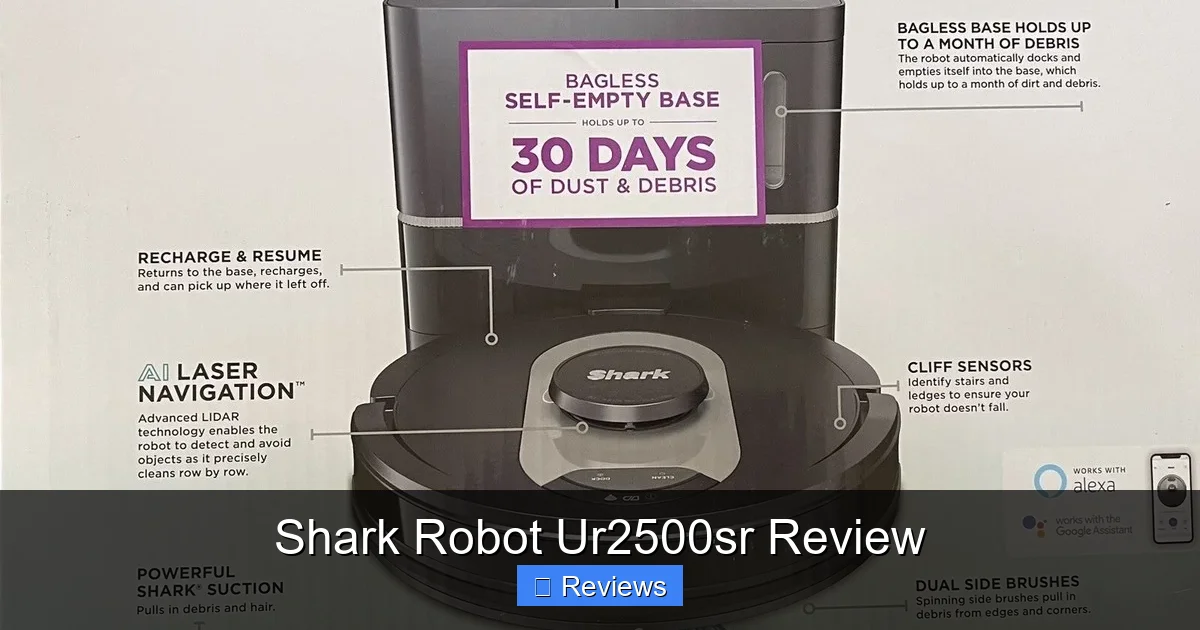
The box is substantial, reflecting the two main components: the Shark Robot UR2500SR itself and the large Self-Empty Base. Inside, you’ll find the robot vacuum, the charging/self-empty base with its power adapter and dustbin, a large anti-allergen dustbag (pre-installed in the base), a HEPA filter, a spare side brush, a cleaning tool, the vibrating mop pad, and a water tank (for the pad). The documentation is clear and straightforward.
Visual guide about Shark Robot Ur2500sr Review
Image source: i.ebayimg.com
Initial Setup Steps
Setup is blessedly simple. First, place the Self-Empty Base against a wall on a hard, flat surface. You need at least 1.5 feet of clearance on either side and 3 feet in front for the robot to dock properly. Plug it in. The robot itself arrives with a protective tab over its charging contacts; pull that out. Place the robot directly onto the base to charge. While it charges, download the Shark app (available for iOS and Android).
The app will guide you through connecting the robot to your Wi-Fi network (2.4GHz only, which is standard for these devices). Once connected, the robot will begin its initial exploration mapping run. This is the crucial first step. Let it run uninterrupted—it will bump gently, learn your home’s layout, and build a detailed map. This usually takes one or two runs. After mapping, you can name your rooms, set cleaning schedules, and create virtual no-go zones on the map to keep it out of pet feeding areas or around delicate furniture. The whole process from unboxing to first scheduled clean took me about 30 minutes.
Performance & Cleaning Power: Does It Handle Real Messes?
Suction Power on Carpets and Hard Floors
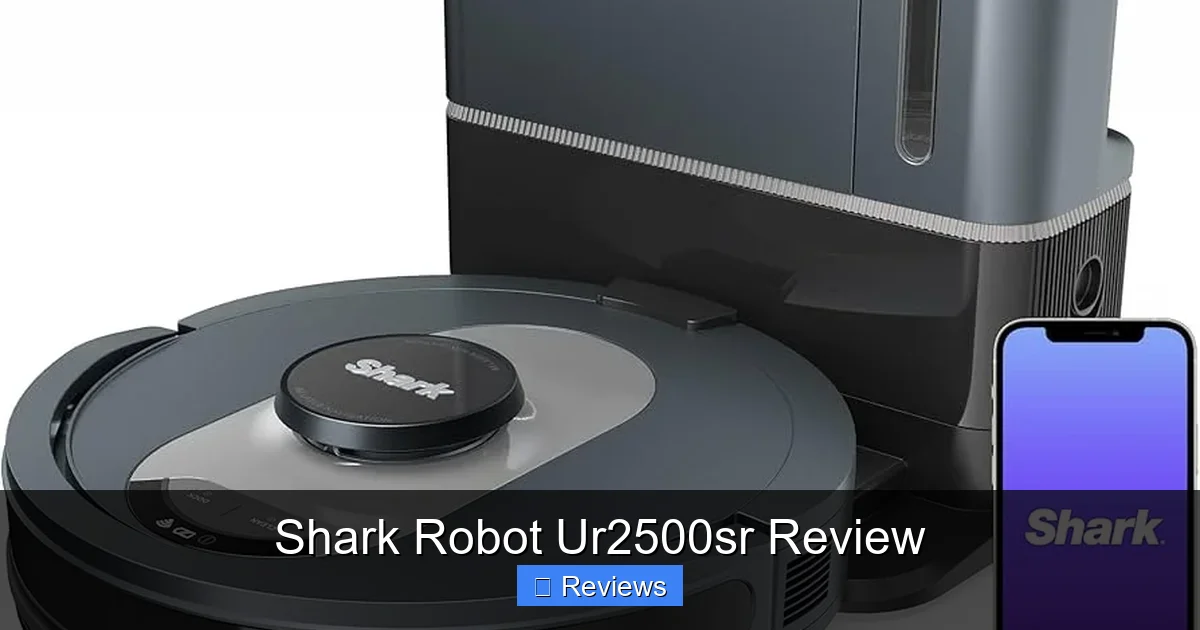
The Shark UR2500SR uses Shark’s signature DuoClean roll system, which combines a bristle brushroll and a rubber brushroll. This design is excellent for agitating and lifting debris from carpets while also handling hair wrap on hard floors. In testing, it excelled. On medium-pile carpet, it pulled up embedded dog hair, crumbs, and dust with a single pass. On hard floors, it left a visibly clean path, sweeping up everything from flour spills to scattered cat litter without pushing it around. The suction is strong enough that you can hear the change in sound when it transitions from a clean area to a dirty one. You can also adjust suction power (Eco, Medium, Max) in the app, with Max being quite loud but undeniably effective for deep cleans.
Visual guide about Shark Robot Ur2500sr Review
Image source: m.media-amazon.com
Handling Pet Hair and Allergens
For pet owners, this is the make-or-break factor. The anti-hair wrap technology is not just marketing. I have two long-haired cats, and their clumps of fur are the bane of every vacuum. The UR2500SR’s rubber brushroll does an impressive job of not getting tangled. Hair wraps around the rubber fins but is easily brushed off the tool provided. The self-emptying base is where it truly shines for allergies. All that pet hair and dander gets sealed into the large, HEPA-filtered dustbag inside the base. You don’t have to touch a dirty bin for weeks. For anyone with allergies, this sealed system is a major health and convenience benefit.
The Edge-Cleaning and Corner Challenge
No round robot is perfect at edges, but the Shark UR2500SR does a decent job. Its side brush is effective at sweeping debris from corners and along baseboards. However, like all robots, it will leave a small, untouched strip right against the wall—usually about a quarter-inch. This is standard and requires occasional manual touch-up or a periodic run with an upright vacuum. It’s a minor trade-off for the daily convenience.
Navigation & Smart Mapping: Smarter Than the Average Robot
LiDAR Mapping in Action
This is the heart of the UR2500SR’s intelligence. The spinning LiDAR sensor on top creates a 360-degree laser map of your home. The result is cleaning that is methodical, not random. It cleans in efficient, straight lines (like a person would mow a lawn) and rarely misses entire sections of a room. It also remembers multiple floors, so you can have a map for your upstairs and downstairs. The mapping is highly accurate. In my tests, it correctly identified room boundaries, furniture, and even the shape of my kitchen island. It navigated around chair legs and pet toys with minimal nudging.

Visual guide about Shark Robot Ur2500sr Review
Image source: m.media-amazon.com
Obstacle Avoidance and Getting Stuck
While not as advanced as the highest-end models with 3D cameras, the obstacle avoidance is solid. It uses its front bumper and cliff sensors. It will gently bump into thin table legs or low objects but usually detects them and routes around. It handles rug fringes and electrical cords much better than older models, though I still recommend doing a quick scan for stray cords before a run. In my multi-level home with various thresholds, it got stuck only once—on a thick, shaggy bath mat that was slightly bunched. This is a common issue for all robots. The key is to either exclude that area with a no-go zone or pick up such rugs during cleaning.
Using No-Go Zones and Keep-Out Zones
The app’s ability to draw virtual no-go zones on your map is a killer feature. You can draw boxes around pet food bowls, a child’s toy area, or a delicate floor vase. The robot will completely avoid these areas during any cleaning job. You can also set “Keep-Out Zones” for the mop function, ensuring it never crosses onto your nice hardwood rugs. This level of customization is what separates a smart vacuum from a dumb one and makes the Shark UR2500SR feel like a tailored cleaning solution for your specific home.
The App Experience & Daily Use: Control at Your Fingertips
Interface and Customization
The Shark app is clean, responsive, and intuitive. The main screen shows your live map with the robot’s position. You can tap any room to clean it specifically, or hit “Clean All.” Creating schedules is easy—set days, times, and even specific rooms for each schedule. Want the kitchen done every weekday morning and the living room on Saturday? No problem. The app also shows cleaning history, robot status (battery, errors), and allows you to adjust suction power and water flow for mopping.
Spot Cleaning and Manual Control
Sometimes you just want to target one mess. The app has a “Spot Clean” mode where you can draw a box on the map around a dirty area (like under the high chair), and the robot will focus its efforts there with a spiral pattern. You can also use the manual directional pad in the app to steer the robot to a specific spot if needed, though this is rarely necessary with good mapping.
Voice Control Integration
The UR2500SR works with both Amazon Alexa and Google Assistant. After linking the skill/action in your smart home app, you can use simple voice commands: “Alexa, ask Shark to start cleaning,” or “Hey Google, tell Shark to clean the kitchen.” It’s reliable for starting and stopping jobs, docking, and checking status. For advanced map editing, you’ll still need the phone app.
Maintenance & The Self-Emptying Base: The Real Convenience
How the Self-Emptying Base Works
This is the star feature. After a cleaning job, the robot automatically docks and the base’s powerful suction activates for about 10-15 seconds, pulling all the debris from the robot’s bin into the large, sealed anti-allergen dustbag inside the base. The dustbag is designed to hold debris from approximately 60 days of cleaning for an average home. A status light on the base indicates when the bag is full (after about 60 cycles). Replacing it is simple: open the lid, pull out the old bag, and insert a new one. No dust, no mess. The base itself needs occasional emptying of its dustbin (a smaller, washable bin that catches any fine dust that slips through) and filter cleaning every few months.
Ongoing Robot Maintenance
The robot requires minimal upkeep. You should:
- Clean the brushrolls: Every 1-2 weeks, use the provided tool to remove any hair or debris wrapped around the main brushrolls. The rubber one is especially easy.
- Empty the robot’s bin (occasionally): While the base empties it, it’s good practice to give the robot’s bin a quick rinse and tap-out every few weeks, especially if you have heavy-shedding pets.
- Clean sensors and wheels: Wipe the sensors (around the bumper and on the bottom) and wheels with a dry microfiber cloth monthly to ensure good navigation and traction.
- Replace filters: The primary filter should be replaced every 3-6 months depending on use. The base has a secondary filter that is washable.
Compared to emptying a dusty bin every other day with a standard robot, this routine is incredibly low-friction.
Mopping Function: A Useful Bonus, Not a Primary Feature
The Shark UR2500SR includes a vibrating mop pad and a small, removable water tank. This is not a scrubbing or oscillating mop like Roborock’s or iRobot’s top models. It’s a pad that vibrates rapidly while damp, providing a light, routine damp-mopping. It’s effective for removing light dust, paw prints, and everyday spills on sealed hard floors—think tile, vinyl, and sealed wood. It will not tackle dried-on messes or sticky spills. The water tank provides consistent, controlled moisture, and you can adjust the flow in the app. The key is to use it regularly (e.g., after vacuuming) to prevent buildup. For deep mopping, you’ll still need a traditional mop or a dedicated robot mop. But as a “vacuum and then lightly mop” one-touch solution, it works well and adds value.
The Verdict: Who Is the Shark Robot UR2500SR For?
Pros: Where It Shines
- Unmatched Convenience: The 60-day self-empty cycle is transformative for daily life.
- Reliable, Strong Cleaning: Excellent on all floor types, handles pet hair superbly.
- Smart, Logical Navigation: LiDAR mapping means efficient, complete room cleaning.
- Excellent App Control: Schedules, room selection, and no-go zones offer great flexibility.
- Strong Brand Support: Shark has a reputation for durable products and good customer service.
Cons: Considerations Before Buying
- High Price Point: This is a significant investment, comparable to other premium brands.
- Mopping is Basic: The mop is a light-duty add-on, not a heavy-duty cleaner.
- No AI Obstacle Avoidance: It can still bump into small, low objects like stray socks or pet toys left out.
- Base Size: The self-empty base is large and needs a dedicated, clear space against a wall.
Final Recommendation
The Shark Robot UR2500SR is an outstanding robot vacuum that earns its premium tag through exceptional convenience and reliable performance. If your primary goals are to minimize maintenance (no daily bin emptying), maintain consistently clean floors with minimal effort, and have control over where and when it cleans, this is a fantastic choice. It’s ideal for busy families, pet owners, and anyone with allergies who is tired of the routine of a standard robot vacuum. If your budget is tighter, or if you only have a small apartment with mostly hard floors, a less expensive model might suffice. But if you want a “set it and forget it” system that truly delivers on that promise for months at a time, the Shark UR2500SR is one of the best investments you can make in home automation.
Frequently Asked Questions
How often do I need to empty the Self-Empty Base?
Shark rates the included dustbag for approximately 60 days of cleaning for an average home. In my testing with two cats, it lasted about 50 days before the “Bag Full” indicator lit up. You simply replace the sealed dustbag, and you never touch the collected debris.
Is the Shark UR2500SR loud?
Like most powerful vacuums, it has audible suction. On its default “Medium” setting, it’s comparable to a standard upright vacuum but less shrill. The “Max” setting is noticeably louder. The self-empty cycle in the base is a powerful burst that lasts about 15 seconds and is quite loud, but it’s a quick process that you can schedule to run when you’re out.
Can it clean multiple floors and remember maps?
Yes. The UR2500SR can store multiple maps in the app. You can carry the robot to a different floor, run an exploration map, and then save it as a separate map (e.g., “Upstairs” and “Downstairs”). You can then select which map to use when cleaning that floor.
Does it work well on both carpet and hard floors?
Absolutely. Its DuoClean brushroll system is designed for this. On hard floors, the rubber brushroll is excellent for sweeping debris into the suction path without scattering it. On carpets, the combined action agitates and lifts embedded dirt effectively. It transitions between surfaces seamlessly.
How effective is the mop function for sticky spills?
The vibrating mop pad is designed for routine, light damp mopping to remove dust and light soil. It is not a scrubbing mop. For dried-on or sticky spills, you will still need to pre-treat and mop manually. Think of it as a way to maintain clean hard floors between deeper cleanings, not as a solution for major messes.
What happens if it gets stuck or encounters an obstacle?
The robot will attempt to back away and find a new path. If it gets truly stuck, you’ll receive a push notification from the app. You can then use the manual control in the app to help guide it free, or simply go rescue it. Its good navigation means this happens rarely, especially if you use no-go zones for known trouble spots like high-pile rug fringes.