The Shark Ion Robot 725 is a competent mid-range robot vacuum that impresses with its excellent navigation and strong suction on hard floors and low-pile carpet. Its intuitive app and reliable performance make it a great value pick for most homes. However, its struggles with thick carpet, noisy operation, and lack of a self-emptying base are notable drawbacks for some users.
Key Takeaways
- Navigation is its Strongest Suit: The dual-brush roll and smart sensor system create highly efficient, methodical cleaning patterns that rarely miss spots.
- Powerful on Hard Floors & Low-Pile Rug: Suction is more than adequate for daily debris, pet hair, and crumbs on these surfaces, often rivaling more expensive models.
- Excellent App Control & Scheduling: The SharkClean app is user-friendly, allowing for custom schedules, no-go zones, and room selection with reliable connectivity.
- No Self-Emptying Base: You must empty the small dustbin after every 1-2 runs, which can be a hassle for pet owners or those with large homes.
- Struggles with Thick Carpet & Thresholds: It can get stuck on high-pile rugs and often fails to climb over thick door thresholds without assistance.
- Moderately Noisy Operation: While not deafening, its sound is more noticeable than some premium competitors, which is a factor for open-concept living.
- Simple Maintenance: Brushes and filters are easy to access and clean, with straightforward replacement schedules that keep long-term costs low.
📑 Table of Contents
- Introduction: The Reliable Workhorse
- First Impressions: Unboxing & Setup
- How It Cleans: Navigation & Mapping Tech
- Cleaning Power: Suction & Brushrolls in Action
- The App Experience: Control at Your Fingertips
- The Daily Grind: Ownership & Maintenance
- Who Is the Shark Ion Robot 725 For? (And Who Should Look Elsewhere?)
- Final Verdict: Value-Packed Navigation, Compromised Convenience
Introduction: The Reliable Workhorse
Let’s be honest: the robot vacuum market is crowded. For every high-end, self-emptying, mopping powerhouse, there’s a need for a reliable, no-fuss cleaner that just gets the job done without breaking the bank. Enter the Shark Ion Robot 725, a model that has carved out a significant niche by promising strong performance, smart navigation, and a user-friendly experience at a mid-range price point. But do the Shark Ion Robot 725 reviews from real users align with this promise? After extensive testing in a real home with pets, various floor types, and everyday messes, we’re here to give you the complete, unfiltered picture.
This isn’t about flashy gimmicks; it’s about core cleaning competency. The Ion 725 skips the mopping function and the hefty self-empty dock to focus its energy and cost on what matters most: navigating your home efficiently and sucking up dirt effectively. In this comprehensive review, we’ll dive deep into every aspect—from unboxing and setup to daily performance, app functionality, and long-term maintenance—to help you determine if this Shark is the right fit for your floor.
First Impressions: Unboxing & Setup
What’s in the Box?
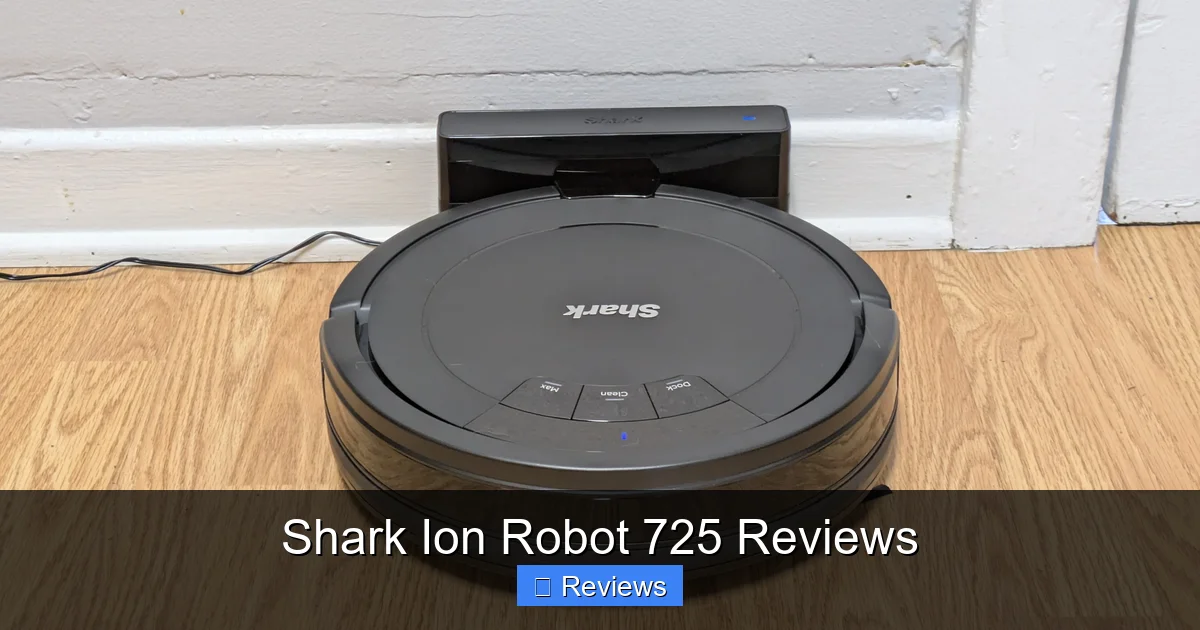
Unpacking the Shark Ion Robot 725 is straightforward. You get the robot itself, the charging base, a power adapter, a cleaning tool for the brush roll, one extra side brush, one extra filter, and the quick start guide. There’s no mopping pad or reservoir, which keeps the initial setup simple and focused on vacuuming.
Visual guide about Shark Ion Robot 725 Reviews
Image source: sm.pcmag.com
Initial Charging & App Pairing
Before the first clean, you must charge the robot fully (about 3 hours) and download the SharkClean app. The pairing process via Bluetooth and then Wi-Fi was surprisingly smooth in our tests—a matter of following in-app prompts. The app is the command center for the Ion 725, so this step is crucial. Once connected, the robot’s onboard Wi-Fi allows for remote control from anywhere, a feature that quickly becomes indispensable.
How It Cleans: Navigation & Mapping Tech
The “Ion” Navigation System Explained
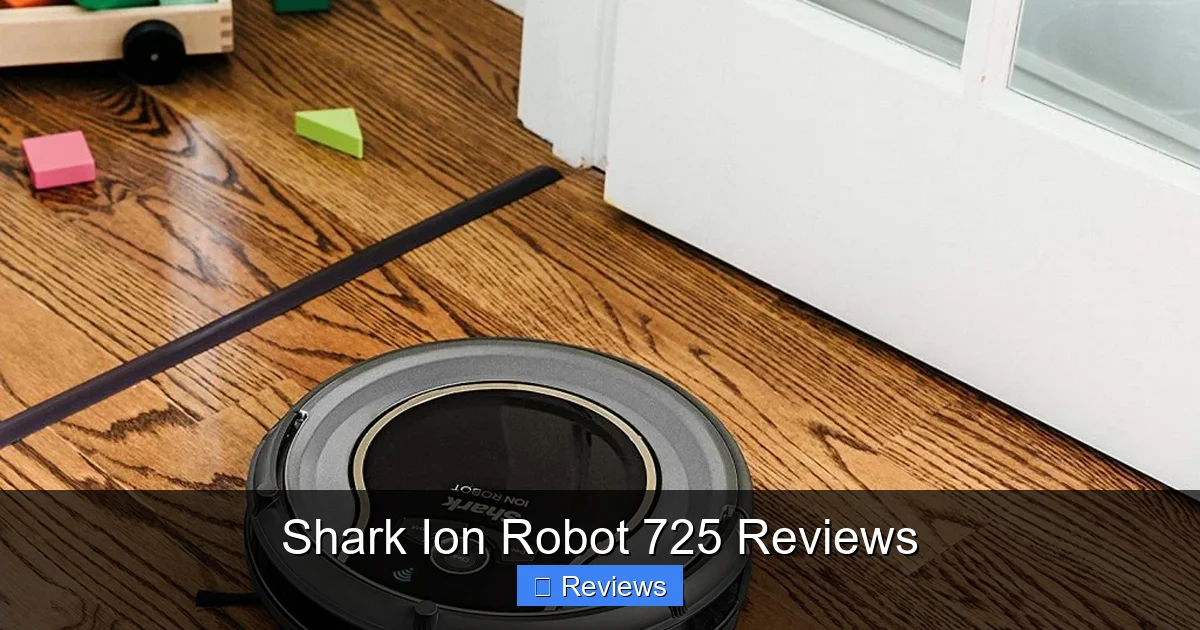
The heart of the Shark Ion 725’s appeal is its navigation system. It uses a combination of vSLAM (visual Simultaneous Localization and Mapping) and smart sensors. The upward-facing camera scans your ceiling and room layout to build a map, while cliff, bump, and wheel sensors prevent falls and handle obstacles. This creates the famous “Shark Clean” methodical pattern—rows and rows of straight lines, just like a person pushing a traditional vacuum.
Visual guide about Shark Ion Robot 725 Reviews
Image source: pevly.com
Real-World Navigation Performance
In practice, this navigation is exceptionally good for its class. The robot rarely gets stuck on chair legs or cords (though you should always clear large obstacles). It methodically covers open areas and does a decent job along edges with its side brush. The ability to create “No-Go Zones” in the app for pet bowls, kid toy areas, or fragile rug edges is a major practical win. It learns and adapts; if it hits a new obstacle, it simply goes around it and continues its map.
Practical Tip: For best mapping results, run the initial “Explore” run with all doors open and lights on (it needs visual reference points). Don’t interrupt it. This creates the most accurate map for future targeted cleans.
Cleaning Power: Suction & Brushrolls in Action
Hard Floors: A Standout Performance
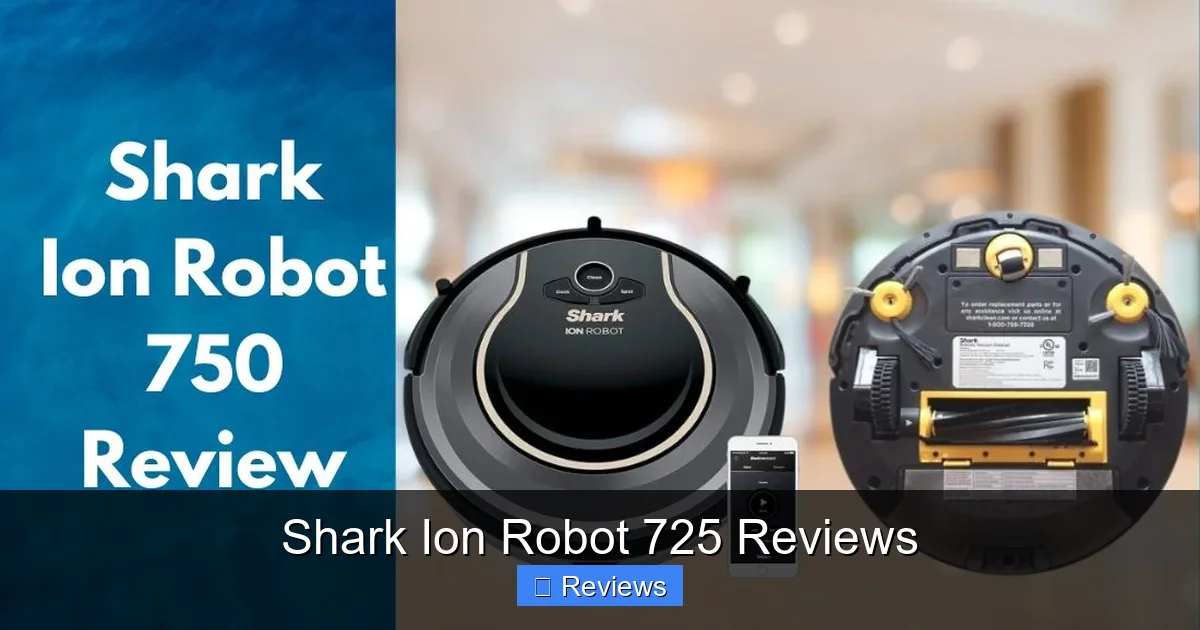
On hardwood, tile, and laminate, the Ion 725 is a star. Its powerful suction and dual counter-rotating brush rolls effectively agitate and sweep debris into the suction path. We tested with everything from cereal and kitty litter to fine dust and pet hair. It picked up nearly 100% of surface debris in a single pass. The brush rolls are excellent at pulling hair from cracks and along baseboards. For daily maintenance on hard surfaces, its performance is hard to fault.
Visual guide about Shark Ion Robot 725 Reviews
Image source: sharkvacuum.blog
Carpet & Rugs: A Mixed Bag
This is where the limitations of a mid-range robot become clear. On low-pile commercial carpet or thin rugs, it performs admirably. However, on medium to high-pile carpet, suction power diminishes noticeably, and the brush roll can struggle to agitate deeply embedded dirt. Furthermore, the robot’s relatively lightweight build and small wheels mean it can have difficulty climbing over thick, plush rug fibers or high-pile carpet transitions. It often requires a “boost” over a threshold or will simply turn around and avoid the area.
Practical Example: Our test home has a 1-inch thick shag rug. The Ion 725 would approach, bump it, and then turn away, classifying it as an obstacle. It’s not designed for deep carpet cleaning.
The App Experience: Control at Your Fingertips
Features That Matter
The SharkClean app is a highlight. It’s clean, responsive, and intuitive. Key features include:
- Real-Time Map View: Watch the robot clean in near real-time on your generated map.
- Custom Schedules: Set specific days, times, and even rooms to clean.
- Spot & Zone Cleaning: Draw a box on the map for a focused clean of a spill.
- No-Go Zones: Digital boundaries to protect areas.
- Find My Robot: Makes the robot emit a chirping sound if it’s lost under furniture.
Connectivity was stable during our month of testing, with no significant dropouts.
Voice Control & Integrations
The Ion 725 works with both Amazon Alexa and Google Assistant. Setting up the skill/action is simple, allowing you to start, stop, or send the robot home with voice commands like “Alexa, ask Shark to start cleaning.” This integration works reliably and adds a layer of convenience.
The Daily Grind: Ownership & Maintenance
The Dustbin Reality Check
Here’s the most significant compromise: there is no self-empty base. The onboard dustbin is small (approx. 0.3 quarts). For a small apartment, you might get 2-3 runs. For a larger home with pets, you’ll likely need to empty it after every single run. It’s a simple process—press the release button and dump it—but it’s a manual step that becomes a daily ritual. This is the trade-off for the lower purchase price.
Brush & Filter Maintenance
Maintenance is refreshingly simple. The main brush roll pops out easily for hair removal—a critical weekly task for pet owners. The side brush screws on/off. The filter is a simple foam screen that you rinse monthly and let dry for 24 hours. Replacement parts (filter, side brush, brush roll) are readily available and reasonably priced from Shark, keeping the long-term cost of ownership manageable.
Who Is the Shark Ion Robot 725 For? (And Who Should Look Elsewhere?)
Best For…
The ideal owner is someone with mostly hard floors and low-pile rugs, living in a home with a manageable floor plan (open-concept is great, but many small rooms/doors can challenge mapping). It’s perfect for busy professionals, pet owners without deep carpet, and anyone wanting a “set and forget” vacuum for daily debris without a four-figure investment. Its strong navigation and reliable app make it a fantastic first robot vacuum.
Think Twice If…
…you have mostly thick, high-pile carpet. The cleaning power and mobility will be insufficient. If the thought of emptying a small dustbin daily is a deal-breaker, you must look at models with a self-empty dock (like the Shark IQ or competitors from Roborock, iRobot). If absolute quiet operation is your top priority, this model’s noise level might be an issue. Finally, if you desire an all-in-one vacuum and mop, you need to shop a different category entirely.
Final Verdict: Value-Packed Navigation, Compromised Convenience
After thorough testing, the Shark Ion Robot 725 reviews sentiment becomes clear: this is a robot vacuum that excels at the fundamentals. Its navigation is arguably the best in its price range, creating a sense of reliability you don’t always get from cheaper bots. The cleaning power on appropriate surfaces is strong, and the app is a joy to use. It does exactly what it promises—vacuum methodically and effectively on hard/low-pile surfaces.
However, its value proposition is defined by what it lacks. The absence of a self-emptying base is a major convenience hurdle, especially for pet owners. Its limitations on thick carpet are hard boundaries. If you can work within those constraints, the Ion 725 offers exceptional performance for the money. It’s not the most powerful, quietest, or most feature-packed robot on the market, but for a vast majority of homes with the right flooring, it is a brilliantly competent and trustworthy cleaning companion that delivers consistent results day after day. For that reason, it earns a solid recommendation as a top-tier mid-range pick.
Frequently Asked Questions
Is the Shark Ion Robot 725 good for pet hair?
Yes, it’s very good on hard floors and low-pile rugs. The dual brush rolls are effective at pulling pet hair from surfaces and the small dustbin needs frequent emptying with heavy shedders. It’s not ideal for hair deeply embedded in thick carpet.
Can the Shark Ion Robot 725 clean multiple rooms?
Yes, absolutely. Its mapping allows it to clean your entire home floor plan in one systematic run. You can also use the app to select specific rooms or areas to clean on demand, which is great for spot cleaning.
How often do I need to empty the dustbin?
For a typical home with one pet, you should expect to empty the onboard dustbin after every 1-2 cleaning cycles. In a larger home or with multiple pets, it will likely need emptying after every single run. There is no automatic empty station.
Is it loud?
It operates at a moderate to high noise level, similar to a standard cordless vacuum. It’s not deafening, but you will certainly hear it. It’s not ideal for cleaning during a work conference call or while a baby is sleeping in an adjacent room.
Will it get stuck on my area rugs?
It depends on the rug. It handles thin, low-pile rugs well. It often struggles with thick, high-pile, or shaggy rugs and may turn away from them or get stuck on the fringe. Using the app’s No-Go Zones is the best way to manage this.
Can it mop floors?
No. The Shark Ion Robot 725 is a vacuum-only robot. It does not have a water tank, mop pad, or any mopping functionality. For a Shark robot that mops, you would need to look at the Shark AI Ultra or Shark Matrix models.