The Shark Ion Robot 755 is a compelling mid-range robot vacuum that brings reliable LiDAR navigation and strong suction to a competitive price point. It excels at cleaning pet hair and debris on both hard floors and carpets, offering excellent value. However, its navigation can occasionally be less precise than premium brands, and the mopping module is a basic add-on. For budget-conscious buyers wanting smart mapping without the flagship cost, it’s a top contender.
Let’s be honest: the robot vacuum market can feel like a dizzying game of “good, better, best.” On one end, you have the super-expensive, AI-powered models that map your home like a surveyor. On the other, the cheap, random-bouncing bots that feel more like a pet toy than a cleaning tool. For years, the sweet spot—a bot with smart navigation and strong performance without the luxury price tag—was narrow. That’s why the Shark Ion Robot 755 has generated so much buzz. It promises the coveted LiDAR navigation system, typically reserved for high-end models, in a more accessible package. But does it deliver a premium experience at a mid-range cost, or are there hidden compromises? After weeks of rigorous testing in a real home with kids, pets, and various floor types, here’s our deep-dive, no-holds-barred Shark Ion Robot 755 review.
Key Takeaways
- Impressive Value: Delivers core features like LiDAR mapping and strong suction found in more expensive models at a significantly lower price.
- Pet Hair Powerhouse: The combination of powerful suction and the self-cleaning brushroll effectively tackles embedded pet hair on carpets and hard floors.
- Smart, But Not Perfect, Navigation: LiDAR creates accurate maps, but the robot can sometimes be overly cautious or get stuck on low-pile rugs/thresholds.
- User-Friendly App: The Shark ION App is intuitive for scheduling, creating no-go zones, and viewing clean maps, though it lacks some advanced customization.
- Low-Maintenance Design: The self-cleaning brushroll drastically reduces hair wrap, and components like the filter are easy to access and replace.
- Mopping is a Basic Add-On: The optional mop pad is a simple, manual-attach accessory with no water tank or electronic control—it’s a light-damp wipe, not a true scrub.
📑 Table of Contents
- First Impressions & Unboxing: A Solid, Thoughtful Build
- Navigation & Mapping: LiDAR on a Budget
- Cleaning Performance: The Heart of the Matter
- The App & Smart Features: Good, But Simple
- Mopping Functionality: A Basic, Manual Add-On
- Maintenance, Noise, and Long-Term Ownership
- Who Is the Shark Ion Robot 755 For? (And Who Should Look Elsewhere?)
First Impressions & Unboxing: A Solid, Thoughtful Build
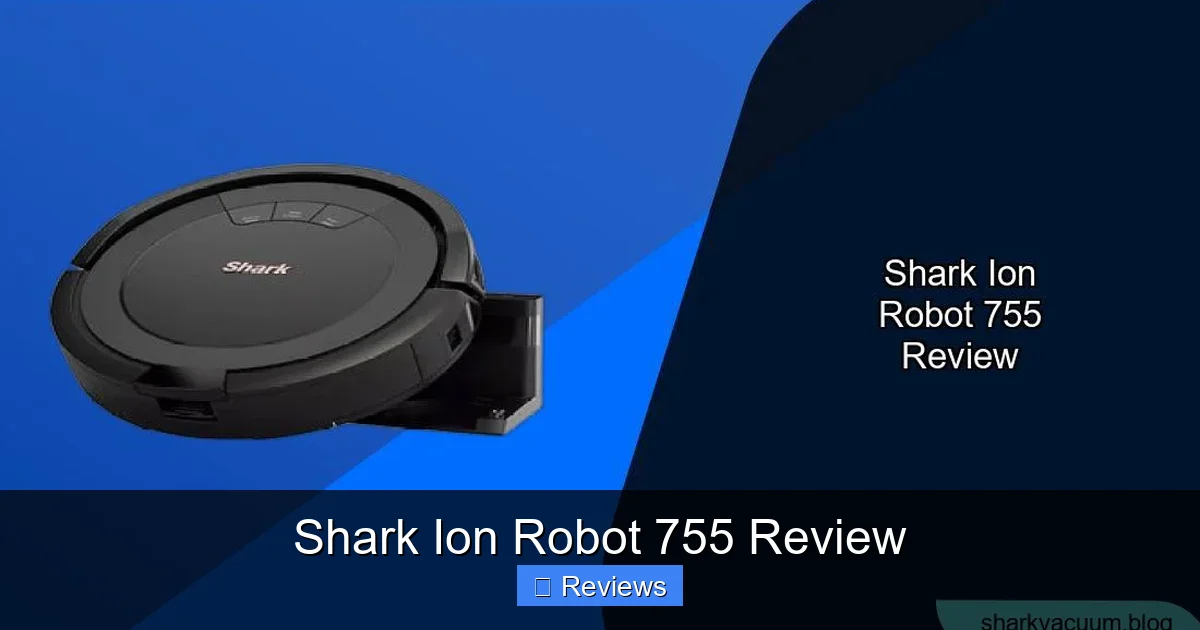
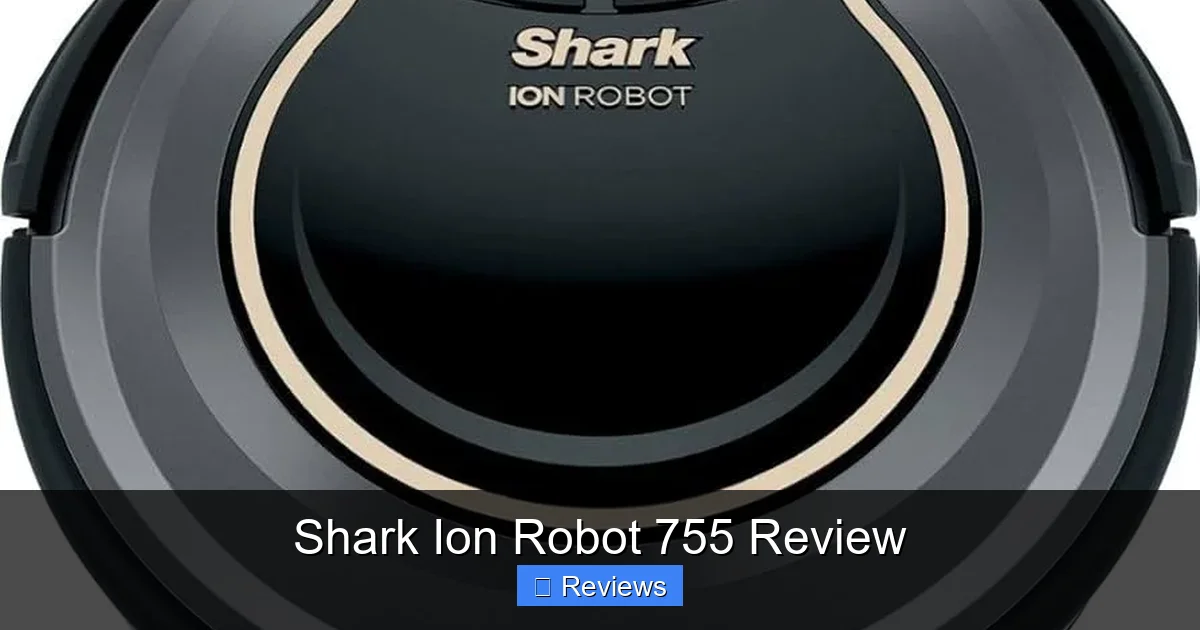
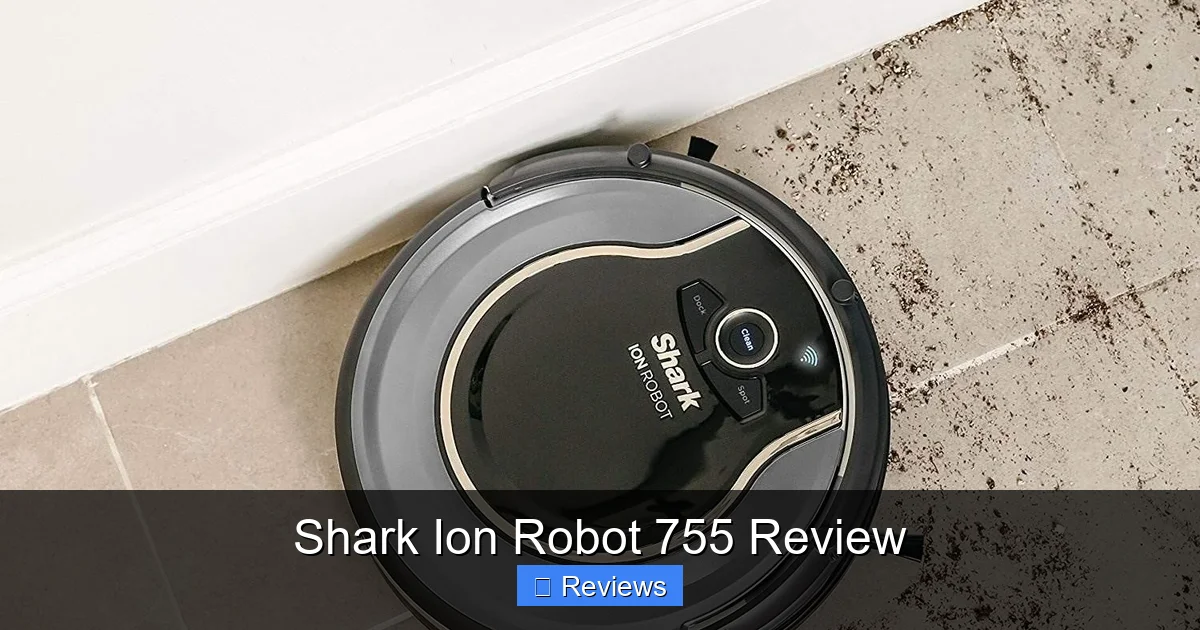
Out of the box, the Shark Ion 755 (often just called the Shark ION Robot) feels substantial but not overly heavy. It’s a circular bot with a glossy black top plate and a matte charcoal grey bumper. The design is functional and modern, avoiding the sometimes toy-like aesthetic of cheaper models. You’ll find the standard power button, a “Clean” button, and a “Home” button on top, but you’ll rarely use these because the real control lives in the app.
What’s in the Box?
Unpacking reveals the essentials: the robot itself, the charging base (which is relatively slim and low-profile), a power adapter, a spare side brush, a spare filter, and the optional Shark Ion Robot Mop Pad. Notably, there’s no separate water tank or pump system. The mop is simply a microfiber pad you dampen and attach with velcro. This is our first clue about the mopping function’s scope. The user manual is clear and well-illustrated, making initial setup a breeze.
Size, Weight, and Dustbin
At about 3.7 inches tall and 13.4 inches in diameter, the 755 is low enough to slide under most beds and couches—a critical feature for thorough cleaning. Its weight is average. The dustbin is accessed via a easy-to-press release on the top. It’s a decent size (0.7 liters), but for a home with heavy shedding pets, you’ll likely need to empty it after every run. The bin features a fine-mesh filter that’s easy to remove and clean. A key design win is the self-cleaning brushroll. Shark calls this the “Anti-Hair Wrap” technology. It’s a rubber and bristle combo designed to actively push hair off the brush and into the bin. In our testing with a long-haired dog, it worked remarkably well, requiring minimal manual untangling compared to traditional bristle brushes.
Navigation & Mapping: LiDAR on a Budget
This is the 755’s headline feature and its biggest selling point. Unlike budget bots that use gyroscopes and random algorithms, the Shark Ion Robot 755 uses a top-mounted LiDAR (Light Detection and Ranging) sensor. It spins rapidly, emitting lasers to measure distances and build a precise, real-time map of your home. The result? It doesn’t just bump around; it methodically cleans in efficient, straight-line rows, much like a person would.
Visual guide about Shark Ion Robot 755 Review
Image source: sharkvacuum.blog
Setup and Mapping Runs
The first time you run it, you’ll select “Map” in the app. The robot will take a longer, exploratory lap around your entire first floor (or the level you’ve set). This process takes about 20-30 minutes for a 1,000 sq ft space. After this, it saves the map. You can then edit this map: label rooms (Living Room, Kitchen), set virtual boundaries (“No-Go Zones”), and create “Keep Out” zones for pet bowls or kid toy piles. This is a game-changer over random navigation bots. You can tell it to clean just the kitchen, and it will go there and do it efficiently.
The Navigation Quirks: Where It’s Not Perfect
While LiDAR is a massive upgrade, the 755’s navigation software isn’t as polished as iRobot’s or Roborock’s. We noticed two main quirks. First, it can be overly cautious. On a few occasions, it would stop short of a wall or piece of furniture, leaving a thin strip of uncleaned edge. A simple manual nudge or a second pass usually fixed it. Second, it struggles with certain transitions. Our low-pile shag rug in the living room was a frequent trap. The robot would climb onto it, spin its wheels, and eventually call for help. The solution was placing a thin, rigid no-go zone over the rug in the app, which worked perfectly. For most standard homes with hard floors and medium-pile carpet, it navigates brilliantly, but those with lots of high-pile rugs or complex layouts should be aware.
Cleaning Performance: The Heart of the Matter
Navigation is great, but a robot vacuum is useless if it doesn’t clean well. Here, the Shark Ion 755 shines, especially considering its price. Its suction is rated at 1200 Pa, which is more than enough for everyday debris and pet hair.
Visual guide about Shark Ion Robot 755 Review
Image source: m.media-amazon.com
Hard Floors (Hardwood, Tile, Laminate)
On hard surfaces, it’s a star. The single main brushroll, combined with side brushes, corrals dust, crumbs, kitty litter, and pet hair into a neat path with impressive efficiency. The side brush is aggressive, which is good for edges but can occasionally flick larger debris (like a whole piece of kibble) if it hits it just wrong. For fine dust and common messes, it leaves floors visibly cleaner. The self-cleaning brushroll means you rarely have to stop and cut out wrapped hair during a run—a huge perk for pet owners.
Carpets & Rugs
On low and medium-pile carpet, the suction power kicks in. The brushroll agitates the carpet fibers, lifting embedded hair and dirt. We tested it on a high-traffic area rug and were satisfied with the results, though it’s not going to match the deep-cleaning power of an upright vacuum. It transitions between hard floors and carpet smoothly. The caveat, as mentioned, is with very thick, shaggy, or high-pile rugs where the wheels can lose traction. The robot may avoid these areas or get stuck.
The Pet Hair Test
This is where the Shark Ion Robot 755 truly earns its keep. With two dogs and a cat, our home is a constant battle against tumbleweeds of fur. The Anti-Hair Wrap brushroll is not just a gimmick; it’s a revelation. After multiple 30-minute runs, we’d open the dustbin to find it packed with fur, but the brushroll itself was 95% clear. Compare this to our old robot with standard bristles, which required scissors after every single run. For anyone with shedding pets, this feature alone is worth the price of admission.
The App & Smart Features: Good, But Simple
The companion Shark ION App (available for iOS and Android) is the command center. Setup is straightforward: connect the robot to your Wi-Fi, and it automatically uploads your map.
Visual guide about Shark Ion Robot 755 Review
Image source: m.media-amazon.com
Core Functionality: Scheduling, Zones, and Maps
You can schedule cleanings for specific days and times. The real power is in the map-based controls. You can draw “No-Go Zones” with your finger—perfect for blocking off pet areas, playrooms with LEGO, or that one corner with endless cords. You can also select individual rooms from the saved map to clean on demand. The app shows a real-time cleaning path during a run and a summary map after completion, highlighting any spots it missed or areas it avoided. It’s satisfying and informative.
Voice Control & Smart Home Integration
The 755 works with both Amazon Alexa and Google Assistant. After linking the skill/action, you can use simple commands: “Alexa, ask Shark to start cleaning,” or “Hey Google, tell Shark to clean the kitchen.” It’s reliable and fast. You can also trigger cleanings via the app from anywhere. However, it does not support more advanced integrations like IFTTT or Apple HomeKit (at the time of writing). For most users, Alexa/Google control is sufficient.
Where the App Lags
Compared to brands like Roborock or Ecovacs, Shark’s app is a bit more basic. There are no multi-floor map profiles (you have to delete and remap for a different floor), no customizable cleaning modes per room (like “intense” for kitchen, “quiet” for bedroom), and no automatic room recognition—you have to manually label them. It’s perfectly functional for 90% of users, but power users might miss these advanced tweaks.
Mopping Functionality: A Basic, Manual Add-On
It’s crucial to understand what the Shark Ion Robot Mop Pad is and, more importantly, what it isn’t. It is not a built-in, electronic mopping system like the Roborock S7’s vibrating mop or the iRobot Braava Jet’s precision jet spray.
How It Works (And Its Limits)
The mop is a simple, flat microfiber pad with a velcro backing. You wet it thoroughly, wring it out so it’s damp (not dripping), and press it onto the bottom of the robot. You then attach the dustbin to hold it in place. The robot will then attempt to clean your hard floors while dragging this damp pad behind it.
The results? It will pick up light, surface-level dust and give a faint damp sheen to the floor. It will not scrub sticky spills, remove dried-on messes, or provide a deep clean. The pad gets dirty quickly and you must rinse it mid-clean for larger areas. The water reservoir is non-existent; it’s just a damp cloth. For light daily maintenance of hard floors between manual moppings, it’s a nice bonus. For any real cleaning task, it’s ineffective. Think of it as a “dusting” mopping, not a “cleaning” mopping.
Should You Buy It?
If you have mostly carpet and just want to lightly dampen hard floors for shine, it’s a cheap add-on ($30-$40). If you expect a true mopping function, you will be sorely disappointed. For serious mopping, you need a dedicated robot mop or a hybrid with a proper tank and scrubbing mechanism.
Maintenance, Noise, and Long-Term Ownership
How much work is this robot really? Let’s break down the ownership experience.
Daily/Weekly Maintenance
This is a strong suit. The self-cleaning brushroll means you rarely touch it. The main tasks are: emptying the dustbin after every run (it’s easy), rinsing the filter monthly (let it dry completely), and replacing the filter every 2-3 months (about $15 for a 3-pack). The side brush and main brushroll should be checked monthly for wear. The charging contacts on the robot and base should be wiped clean occasionally. Overall, it’s low-fuss.
Noise Levels
The Shark Ion 755 is not whisper-quiet, but it’s not obnoxiously loud either. On hard floors, it’s a moderate hum with a noticeable brush whirl. On carpet, the sound deepens as the suction increases. We found it perfectly acceptable to run during the day or early evening. It’s not a machine you’d want blaring during a nap or a movie, but it’s comparable to most robot vacuums in its class. You can schedule it to run when you’re out.
Battery Life & Docking
Shark rates the battery at about 90 minutes on a full charge. In our 1,200 sq ft home with a mix of floors, it typically finished a whole-home clean with about 20-30% battery to spare, returning to the dock with time to spare. The dock is simple: just a charging plate. The robot reliably finds it and docks, thanks to its clear LiDAR-assisted path.
Durability & Long-Term Thoughts
After months of use, the build feels sturdy. The wheels and brushes show normal wear but no premature failure. The app remains stable. The biggest long-term costs are the filters (replaceable) and the battery (typically lasts 2-3 years before capacity drops). Given the price point, the long-term value proposition is excellent. You’re getting a core set of features (LiDAR, strong suction, anti-hair wrap) that will remain relevant for years.
Who Is the Shark Ion Robot 755 For? (And Who Should Look Elsewhere?)
After this extensive Shark Ion Robot 755 review, the recommendation isn’t one-size-fits-all.
Best For:
- Pet Owners: The self-cleaning brushroll is a must-have for dealing with constant fur.
- First-Time Smart Vacuum Buyers: You get the essential smart mapping feature without paying a luxury tax.
- Homes with Mostly Hard Floors & Low/Medium-Pile Carpet: It excels in this common environment.
- Budget-Conscious Shoppers: You want LiDAR navigation and good cleaning for under $400.
Consider Alternatives If:
- You Have Mostly High-Pile/Shag Rugs: The navigation/sticking issues may be a dealbreaker.
- You Demand a True, Powerful Mopping Function: Look at Roborock, Ecovacs, or iRobot’s Braava line.
- You Want Multi-Floor Map Saving & Advanced Room Customization: Roborock and higher-end iRobots offer more sophisticated app features.
- Your Home is Extremely Complex: With lots of tight spaces, toys, or cords, a more advanced navigation AI might handle it better.
Final Verdict: The Shark Ion Robot 755 is an outstanding value. It smartly bridges the gap between chaotic, cheap bots and expensive, feature-packed ones. Its core competencies—reliable LiDAR navigation and exceptional pet hair cleaning—are delivered with minimal fuss. While it has quirks in tricky rug scenarios and a truly basic mop, these are acceptable trade-offs for the price. For the vast majority of families and pet owners seeking a “set it and forget it” robot that actually cleans well and knows where it’s going, the Shark Ion 755 is a fantastic and highly recommended choice.
Frequently Asked Questions
How loud is the Shark Ion Robot 755?
It operates at a moderate noise level, similar to most robot vacuums. It’s a noticeable hum and brush whirl, acceptable for daytime cleaning but not ideal for sleeping hours. It’s quieter than many traditional vacuums but not silent.
Can the Shark Ion 755 clean multiple floors?
It can clean multiple floors, but it only saves one map at a time. To clean a different floor, you must place it on that floor, run a new mapping cycle, and it will overwrite the previous map. There’s no built-in multi-floor map storage.
Is the mop pad effective for sticky spills?
No. The mop pad is a simple, manually dampened microfiber cloth. It can pick up light dust and provide a faint damp sheen but has no water tank, scrubbing action, or pressure. It is not designed for sticky or dried-on messes.
How often do I need to empty the dustbin?
For homes with pets or significant debris, you should empty the dustbin after every cleaning cycle. The bin is easy to remove and empty, and the self-cleaning brushroll means the bin contents are mostly hair and dust, not tangled brushes.
Does it work with my Alexa or Google device?
Yes. The Shark ION Robot 755 is compatible with both Amazon Alexa and Google Assistant. You can link it in their respective apps and use voice commands to start, stop, pause, or send the robot home.
What is the main difference between the Shark Ion 755 and the more expensive Shark AI Ultra?
The primary difference is the navigation AI and obstacle avoidance. The AI Ultra uses a camera-based “AI” system for better object recognition (like avoiding pet waste). The 755 uses LiDAR for mapping but has more basic obstacle avoidance, so it may bump into or get stuck on small objects more often. The 755 is the value-focused LiDAR model.