A Shark charger light that isn’t lighting up is a common but usually fixable problem. It often points to issues with the power source, the charger itself, the vacuum’s battery connection, or the battery’s health. Systematic troubleshooting, starting with the simplest checks like the outlet and cable, can diagnose and resolve the issue in minutes. This guide walks you through every potential cause and solution, from basic resets to battery replacement.
You go to charge your trusty Shark vacuum, only to find that little indicator light on the charger or the vacuum itself is dark. No glow, no flash, no reassuring sign that power is flowing. Panic sets in—is my vacuum dead? Did the charger fry? Before you resign yourself to an expensive replacement, take a deep breath. A Shark charger light not lighting is one of the most common issues owners face, and the vast majority of the time, it’s not a catastrophic failure. It’s a puzzle with several straightforward pieces you can check yourself. This guide will be your complete roadmap, turning that frustrating dark light into a solved mystery.
We’ll move from the absolute basics you can check in 30 seconds to more in-depth diagnostics. Think of it as a friendly conversation with a technician. We’ll talk about what that light should be doing, what it means when it’s not, and exactly what you can do about it. By the end, you’ll know more about your Shark’s charging system than most people, and you’ll have a clear action plan. Let’s plug in and get started.
Key Takeaways
- The charging light is a vital diagnostic tool: Its behavior (solid, flashing, off) tells you exactly what’s happening with your Shark vacuum’s charging system and battery health.
- Always start with the simplest fixes first: Check the wall outlet, power cable, and charger connection before assuming a major component has failed.
- A dirty or faulty charging contact is a frequent culprit: Debris on the vacuum’s charging pins or inside the charging port is a leading cause of charging failures.
- The battery is a consumable part: After 2-3 years of regular use, a Shark battery will naturally lose its ability to hold a charge, often indicated by a non-functional light.
- Model-specific quirks exist: Different Shark series (Ion, Vertex, Stratos) have unique light patterns and charging port designs; knowing yours is key to accurate diagnosis.
- Safety first: Always unplug the charger from the wall before inspecting cables or connections to avoid electric shock.
- When in doubt, contact Shark Support: If troubleshooting fails, your charger may be under warranty, or a genuine replacement part is needed for safety and performance.
📑 Table of Contents
- Understanding Your Shark’s Charging Light Language
- Step One: The Power Source & Charger Check
- Step Two: The Connection Point – Cleaning the Contacts
- Step Three: Battery Health and Reset Procedures
- Model-Specific Considerations and Quirks
- When to Replace: Charger vs. Battery
- Preventive Care for a Healthy Charging System
- Conclusion: Your Path to a Glowing Light
Understanding Your Shark’s Charging Light Language
Before we start poking at things, we need to understand what the light is supposed to tell you. Shark vacuums use simple LED light signals, but the meaning can vary slightly between models. Generally, a functioning charging system has three states:
The Normal Charging Sequence
When you first plug a charger into a wall outlet and then connect it to your Shark, the light on the charger (or on the vacuum’s handle) should illuminate immediately. This is your “power is present” signal. For a completely depleted battery, this light is often a steady amber or orange. As the battery charges, the light may remain solid amber. Once the battery reaches full capacity (usually 100%), the light should switch to a steady green on most models. Some newer models use a blue light for a full charge. This solid green/blue is your “ready to go” signal.
What a Non-Lighting Light Means
When you plug everything in and see absolutely no light, it’s a universal red flag that says: “No charging circuit is complete.” The problem lies somewhere in the path from the wall socket to the battery. The light itself isn’t broken; it’s being told not to turn on because a switch in the system has been flipped. That “switch” could be a physical break in a cable, a dirty connection preventing communication, a tripped safety feature, or a dead battery that refuses to accept a charge. Our job is to find where that circuit is broken.
Step One: The Power Source & Charger Check
This is the “is it plugged in?” stage, but we’re going to be thorough. Over 30% of “charger light not working” cases are solved right here.
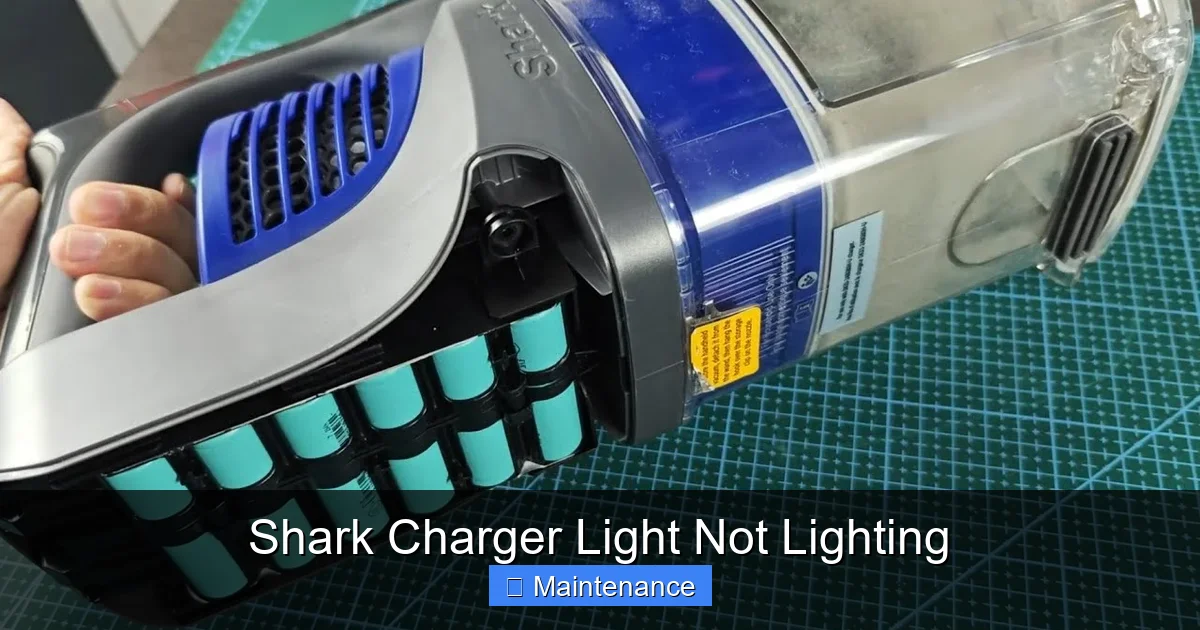
Visual guide about Shark Charger Light Not Lighting
Image source: i.ytimg.com
Verify the Wall Outlet is Live
This seems too simple, but it’s crucial. The outlet you’re using might be on a switch, or a circuit breaker might have tripped for that specific room. Test the outlet with a known, working device. Plug in your phone charger or a lamp. If that device doesn’t power on, the problem is your home’s electrical system, not your Shark. Check your breaker panel for a tripped switch. If the outlet is on a wall switch, make sure the switch is on. For added certainty, try a different outlet in a different room, ideally on a different circuit.
Inspect the Charger Cable and Brick
Unplug everything. Now, give your charger a full physical inspection. Look for any of these red flags:
- Fraying, cuts, or kinks in the cable, especially near the ends where it connects to the wall plug and the vacuum.
- Bent or broken pins on the charger’s barrel plug (the part that goes into the vacuum). Use a flashlight to check.
- Burn marks, melting, or a warped casing on the power brick itself. This indicates a serious internal failure, and the charger must be replaced immediately for safety.
- Loose connections. Wiggle the cable where it enters the brick and where it enters the vacuum plug. If the light flickers on when you wiggle it, you have a broken wire inside the cable.
If your charger has a small LED light on the brick itself (some models do), that should be lit when plugged into the wall. If that brick light is off, the charger is dead and needs replacement.
Step Two: The Connection Point – Cleaning the Contacts
This is the second most common fix. Shark vacuums charge via metal pins on the vacuum’s base (or handle) that connect to metal pads in the charging dock or the port of a wall charger. If these connection points are dirty, the electrical circuit is broken, and the light won’t turn on.
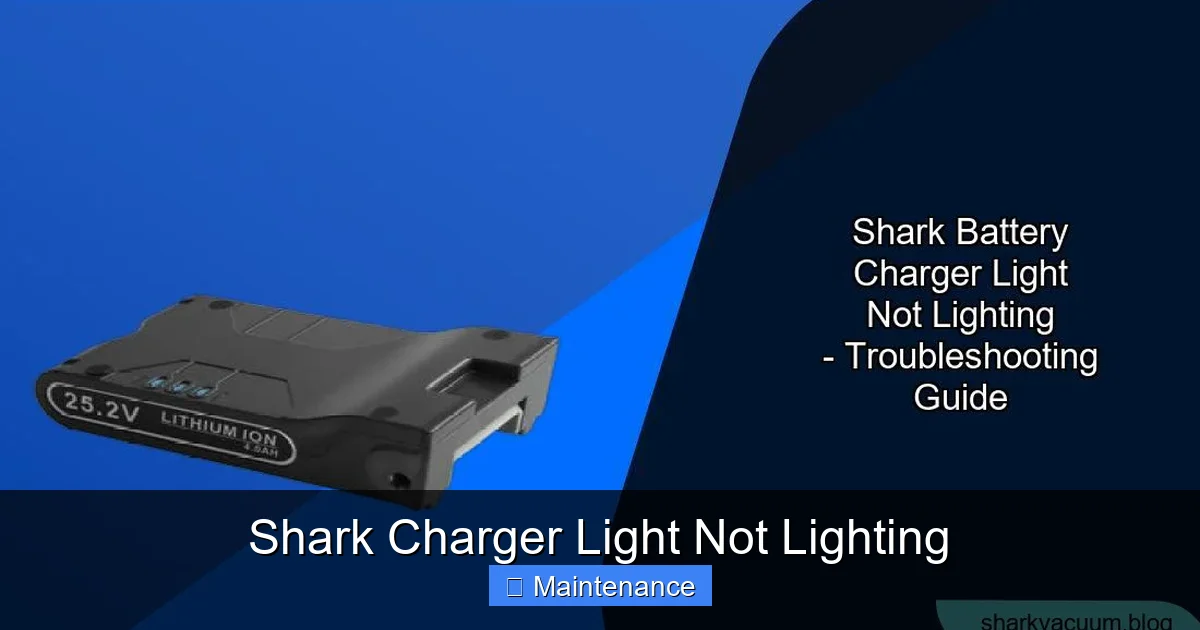
Visual guide about Shark Charger Light Not Lighting
Image source: sharkvacuum.blog
Locating and Identifying the Contacts
On most Shark stick vacuums (like the IZ, Vertex, Stratos series), the charging pins are two small metal circles on the back of the battery pack or the main body, just above the wheels. On the charging dock, there are two corresponding metal pads. On a wall charger, there is a rectangular port with two metal strips inside. On older canister models, the connection might be a round barrel plug.
The Proper Cleaning Method
Dirt, dust, hair, and carpet fibers are the enemies here. Here’s how to clean effectively and safely:
- Unplug the charger from the wall. Safety is non-negotiable.
- Use a dry, lint-free microfiber cloth. Gently wipe the metal pins on the vacuum and the pads/port on the charger or dock. Do not use liquids or sprays directly on the contacts.
- For stubborn debris: Use a dry cotton swab (Q-tip) to gently dislodge packed-in lint from around the pins. You can also use a can of compressed air to blow out debris from the charging port on the vacuum or charger. Hold the can upright and use short bursts.
- Check for damage: While cleaning, ensure the metal pins aren’t bent, broken, or corroded. A bent pin can sometimes be gently straightened with needle-nose pliers, but be extremely careful.
- Reassemble and test. Plug the charger into the wall first, then connect it firmly to the vacuum. Listen for a satisfying “click” or firm seating. The light should now activate.
Step Three: Battery Health and Reset Procedures
If power and connections are good, the battery itself becomes the prime suspect. A battery that is completely depleted, has entered a deep protection state, or has simply worn out can prevent the charging light from activating.
Visual guide about Shark Charger Light Not Lighting
Image source: rigshark.co.uk
The “Battery Reset” for Shark Models
Shark lithium-ion batteries have built-in protection circuits. If the battery was fully drained and sat unused for a long time, or if it experienced a voltage irregularity, it can go into a deep sleep state. A simple reset often brings it back:
- Remove the battery from the vacuum (if your model allows it—most stick vacs have a release button).
- Press and hold the power button on the vacuum (with the battery removed) for 10-15 seconds. This drains any residual power from the vacuum’s circuitry.
- Reinsert the battery firmly until it clicks into place.
- Plug in the charger and connect it to the vacuum. Watch for the light.
For models with a non-removable battery, simply leave the vacuum unplugged for 60 seconds, then plug the charger back in.
Assessing Battery Age and Health
Lithium-ion batteries have a lifespan of about 2-3 years or 300-500 charge cycles. As they age, their capacity drops, and they can become inconsistent. An old battery may not “communicate” properly with the charger, causing the light to stay off. If your vacuum is over three years old and you’ve exhausted all other troubleshooting, the battery is the most likely part needing replacement. Look for a swollen or puffy battery case—if you see this, stop immediately and do not charge it. A swollen battery is a fire hazard and must be disposed of properly.
Model-Specific Considerations and Quirks
While the fundamentals are the same, Shark’s wide range of models has some specific details to be aware of.
Shark ION Series (F, H, etc.)
These models often have the charging pins on the back of the handheld unit. The charging light is typically on the charger brick itself. If the light on the brick is off but the vacuum’s handle light (if it has one) is also off, the issue is almost certainly with the charger or the connection. The ION battery is usually removable and relatively easy to replace.
Shark Vertex & Stratos Series
These premium models often feature a self-sealing charging port and a more complex light system. The charging light is usually on the vacuum’s handle. A common issue is debris getting into the sealed charging port. Use extra care with compressed air here to avoid pushing debris further in. Some Vertex models have a “charging dock” that must be plugged into the wall. Ensure the dock’s power cable is securely connected to the dock itself.
Shark Navigator Lift-Away (Canister Vacs)
These often use a traditional barrel plug charger. The light is on the charger brick. If the light is off, check the barrel plug for lint in the vacuum’s charging socket. Also, these models sometimes have a “reset” button on the body of the vacuum—consult your manual.
Pro Tip: Always have your exact model number (found on the rating plate, usually on the back or underside) handy. A quick search for “[Your Model Number] charging light not on” can yield model-specific advice from Shark’s support site or user forums.
When to Replace: Charger vs. Battery
After thorough troubleshooting, you’ll need to determine which part has failed. Here’s how to decide.
Signs of a Failed Charger
Replace the charger if:
- It shows no signs of life (no light on the brick) when plugged into a known-good outlet, and you’ve confirmed the outlet works.
- It’s physically damaged (frayed cable, cracked casing, burnt smell).
- It gets excessively hot during use, even when not charging a vacuum.
- It works to power something else (if it’s a universal output charger), but not your Shark. (Note: Shark chargers are often proprietary, so this test isn’t always possible).
Using a third-party or incorrect voltage/amperage charger can damage your battery and vacuum. Always use a genuine Shark charger or a certified replacement with identical specs.
Signs of a Failed Battery
Replace the battery if:
- The charger light comes on (solid or flashing), but the vacuum’s battery gauge shows no charge after hours, or it dies in minutes.
- The battery is over 3 years old.
- The battery case is swollen, misshapen, or hot to the touch.
- The vacuum runs fine on a different, known-good battery (if you can borrow or test one).
Shark batteries are designed to be user-replaceable in most models. Purchase a genuine Shark replacement battery for your specific model number to ensure safety, fit, and performance.
Preventive Care for a Healthy Charging System
An ounce of prevention saves you from future troubleshooting headaches. Incorporate these simple habits.
Store Your Vacuum on the Dock or Charged
Don’t let your Shark sit completely dead for months. Lithium-ion batteries degrade fastest when stored at 0% charge. If you won’t use it for a while, charge it to about 50%, store it in a cool, dry place, and check/refresh the charge every few months.
Keep It Clean, Always
Once a month, quickly wipe down the charging pins on your vacuum and the contact pads on your dock/charger with a dry microfiber cloth. A quick blast of air into the charging port prevents the slow accumulation of dust that causes connection failures.
Handle the Charger with Care
Don’t yank the charger from the wall by the cable. Always pull from the plug. Don’t wrap the cable too tightly around the charger brick for storage; create loose loops. Keep the charger away from moisture, extreme heat, and being crushed under heavy objects.
Mind the Environment
Charge your Shark in a room-temperature environment. Charging in a freezing garage or a hot attic stresses the battery and can trigger protection circuits, making it seem like the charger is broken.
Conclusion: Your Path to a Glowing Light
So, your Shark charger light isn’t lighting. It’s an annoying hiccup, but it’s almost never the end of the world. We’ve walked through the diagnostic tree: you’ve checked the power, inspected the cable, meticulously cleaned the contacts, performed a battery reset, and considered your model’s quirks. You’ve weighed the evidence to decide if it’s the charger or the battery at fault. This methodical approach solves the problem 90% of the time.
Remember, that little light is your vacuum’s way of talking to you. A steady green means all is well. A dark light means “check the connection.” By becoming fluent in this simple language, you’ve gained the power to maintain your Shark vacuum independently, saving you time, money, and frustration. Your clean home depends on a charged battery, and now you know exactly how to keep it that way. Now, go plug it in, and welcome back that reassuring glow.
Frequently Asked Questions
Why is my Shark charger plugged in but the light is off?
This usually means no power is reaching the charger or the connection to the vacuum is broken. First, test your wall outlet with another device. If the outlet works, inspect the charger cable for damage and clean the metal contacts on both the charger and the vacuum.
How do I reset my Shark vacuum battery?
For models with a removable battery, take the battery out, press and hold the vacuum’s power button for 10-15 seconds to drain residual power, reinsert the battery firmly, and then plug in the charger. For models with a fixed battery, unplug the charger for 60 seconds before reconnecting.
What does a flashing red light on my Shark charger mean?
A flashing red or amber light typically indicates a charging error or a battery fault. It could mean the battery is too hot or too cold to charge, there’s a poor connection, or the battery has failed. Clean all contacts and try charging in a room-temperature environment. If it persists, the battery may need replacement.
Can I use a third-party charger for my Shark vacuum?
While possible, it’s not recommended. Shark chargers provide specific voltage and amperage. An incorrect third-party charger can damage the battery, cause the light to malfunction, or create a fire risk. Always use a genuine Shark charger or a certified replacement with identical specifications.
My Shark is 4 years old and won’t charge. Is the battery dead?
Very likely. Shark’s lithium-ion batteries typically last 2-3 years. After this, they lose significant capacity and can fail to hold a charge or communicate with the charger, causing the light to stay off. A swollen battery is a definite sign it needs immediate, safe replacement.
The charging pins on my Shark look dirty. Can I clean them with water?
No. Never use liquids, cleaners, or abrasives on the charging contacts. Moisture can cause short circuits. Use a dry, lint-free microfiber cloth, a dry cotton swab, or a can of compressed air to gently remove dust, hair, and debris. Ensure the vacuum is unplugged before cleaning.