If your Shark IR70 vacuum’s roller brush has stopped spinning, the issue is usually a simple clog, a worn or broken drive belt, or a tripped reset. You can often fix it yourself in under 30 minutes by checking for blockages in the nozzle and hose, inspecting the belt for damage, and pressing the reset button. Always unplug the vacuum first for safety. If these steps don’t work, the motor or internal switch may need professional service.
There’s nothing more frustrating than grabbing your trusty Shark IR70 upright vacuum, ready to tackle a mess, only to find that the roller brush isn’t spinning. That vital spinning action is what agitates carpet fibers and lifts dirt, so when it stops, your vacuum’s cleaning power plummets. Before you panic or call for an expensive service call, take a deep breath. The problem is often straightforward to diagnose and fix yourself. This guide will walk you through every possible cause, from the simplest clog to more complex internal issues, giving you the confidence to get your Shark IR70 rolling again.
Key Takeaways
- Unplug First: Always disconnect the Shark IR70 from power before inspecting or attempting any repairs to prevent injury or damage.
- Check for Clogs: The most common cause is a blockage in the roller housing, hose, or wand. Clear debris like hair, string, or carpet fibers.
- Inspect the Drive Belt: A broken, stretched, or slipped belt will stop the roller. Access it by removing the bottom plate and check its condition.
- Use the Reset Button: The IR70 has a thermal reset switch on the back. If the motor overheated, pressing this can restore function after it cools.
- Listen for Sounds: A humming motor with no roller movement often points to a belt or clutch issue, while complete silence may indicate a tripped reset or motor failure.
- Clean Regularly: Preventing clogs by cleaning the roller brush and checking the belt monthly is the best way to avoid a non-spinning roller.
- Know When to Seek Help: If you’ve checked clogs, the belt, and reset with no luck, the motor or internal wiring likely needs a professional technician.
📑 Table of Contents
Understanding How the Shark IR70 Roller System Works
To troubleshoot effectively, it helps to understand the basic mechanics. When you turn on your Shark IR70, the motor powers two critical things: the suction fan and the roller brush. The roller is connected to the motor via a drive belt (in most models) or a direct-drive clutch system. This belt loops around a motor shaft pulley and the roller brush’s end cap. If any link in this chain is broken—be it a blockage jamming the roller, a snapped belt, or a motor that won’t engage—the roller will cease to spin while the motor may still run and produce suction.
The Role of the Drive Belt
The drive belt is a consumable part. Made of rubber, it can wear out, stretch, crack, or even snap entirely over time. It can also slip off its pulleys if the roller gets jammed suddenly. A worn belt might look intact but will be too loose to grip the roller properly, causing it to sit still while the motor pulley spins futilely.
The Importance of Airflow
Your vacuum’s motor relies on proper airflow to stay cool. A severe clog anywhere in the air path—from the roller housing up through the hose and wand—can cause the motor to overheat and trigger a thermal safety switch. This is a protective feature that cuts power to the motor to prevent damage. The result is a vacuum that seems completely dead or a motor that hums briefly then stops, with the roller never having spun.
Most Common Causes of a Non-Spinning Roller
Let’s categorize the usual suspects. In our experience helping users, the breakdown typically looks like this: about 60% of cases are simple clogs, 25% are belt-related, 10% are reset switch issues, and the remaining 5% involve failed motors or internal components. Knowing this probability can save you time—start by checking the easiest and most likely problems first.
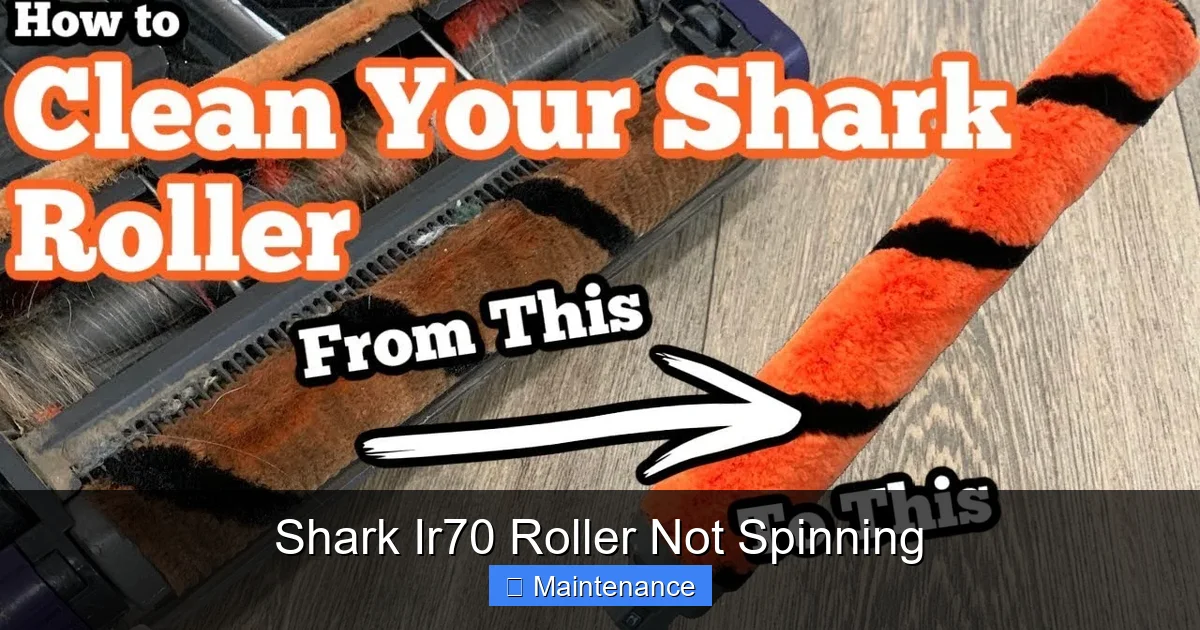
Visual guide about Shark Ir70 Roller Not Spinning
Image source: i.ytimg.com
1. Blockages and Jams
This is the #1 culprit. The roller brush itself gets wrapped with hair, string, carpet fibers, or even small items like socks or toy pieces. This buildup can tighten around the roller axles, physically preventing it from turning. Simultaneously, debris can clog the air passages right at the roller housing or further up in the wand. A complete airway blockage will cause the motor to strain, overheat, and shut down.
2. Drive Belt Failure
If you can see the belt or access it, this is the second thing to check. Belts degrade with use. Signs of failure include: visible cracks, fraying, glazing (a shiny, hardened surface), stretching that leaves it sagging, or it being completely off the pulleys. Sometimes a belt will snap entirely and fall into the vacuum’s body cavity.
3. Tripped Thermal Reset
The Shark IR70 has a red, circular reset button located on the back of the vacuum body, near the cord wrap. If the motor overheated due to a clog, a full dust bag/canister, or extended heavy use, this switch will trip. The vacuum will appear completely unresponsive. This is a safety feature, not a breakdown.
4. Roller Brush Bearing Seizure
Less common but possible. The bearings inside the roller brush end caps can freeze up due to lack of lubrication or corrosion. You’ll know if you try to spin the roller by hand and it doesn’t turn freely, making a grinding or scraping sound.
5. Motor or Clutch Failure
This is the least common and most serious. If the motor itself has burned out or the direct-drive clutch mechanism (if your model has one instead of a belt) is broken, the roller won’t spin. You might hear a faint humming or clicking from the motor, but no movement. This usually requires professional repair or part replacement.
Step-by-Step Diagnostic and Repair Guide
Follow this systematic approach. By working from the outside in, you’ll likely solve the problem without disassembling the entire machine.
Step 1: The Preliminary Safety and Reset Check
Always unplug the vacuum first. This is non-negotiable for your safety. Once unplugged, locate the red reset button on the back of the vacuum’s main body. Press it firmly until you feel it click. Sometimes it’s recessed and requires a pen tip. Plug the vacuum back in and test. If the roller spins, the issue was an overheating motor, likely caused by a temporary blockage. If it doesn’t spin, proceed.
Step 2: Inspect and Clean the Roller Brush Housing
Lay the vacuum on its side for better access. Flip it over and examine the roller brush area through the clear plastic hood or by removing the bottom plate (usually held by 4-6 screws or quarter-turn clips). Use a flashlight. Look for any visible缠绕 of hair, string, or rug fringe around the roller or its end caps. Use scissors or a seam ripper to carefully cut and remove all debris. Be meticulous here—even a small piece of string caught on one side can act as a brake. After clearing, try to spin the roller by hand. It should rotate smoothly and freely in both directions. If it’s stiff or gritty, the bearings may be bad, requiring a new roller brush assembly.
Step 3: Check for Internal Clogs
With the bottom plate still off, look up into the air intake port that connects the roller housing to the hose. Shine a light. You may see a clog of dirt and hair lodged right there. Reach in with needle-nose pliers or a long, flexible brush (like a bottle brush) to dislodge it. Next, detach the hose from the wand and the vacuum body. Look through both. A common clog spot is the sharp bend where the hose meets the wand. Use a broom handle or a straightened coat hanger (wrapped in tape to avoid scratches) to gently push through any obstruction.
Step 4: Access and Examine the Drive Belt
If the previous steps found nothing, the belt is the prime suspect. With the vacuum still on its side and the bottom plate removed, you should see the belt. It’s a black rubber loop connecting the motor pulley (usually near the back) to the roller brush. Gently pull the belt away from the roller. Inspect it thoroughly:
- Cracks or Cuts: Any visible fracture means it will break soon.
- Stretching: If you can pull it more than an inch away from the roller without resistance, it’s too loose.
- Glazing: A shiny, smooth surface indicates it’s hardened and can’t grip.
- Position: Is it sitting properly on both pulleys? If it’s slipped off the roller pulley, it won’t drive it.
If the belt is damaged, missing, or loose, it needs replacement. Shark IR70 belts are specific and inexpensive, usually part number Shark Belt 112 or similar—confirm with your model number on the vacuum’s label. To replace it, you’ll need to remove the roller brush entirely (usually by pulling it out after releasing its end caps) to slip the new belt over the roller and then onto the motor pulley. It can be tricky to stretch the belt onto the motor pulley; you may need to rotate the pulley while guiding the belt on. Consult your user manual for exact instructions.
When the Motor Might Be the Issue
If you’ve cleared all clogs, the roller spins freely by hand, and the drive belt is new and correctly installed, but the roller still doesn’t move when the vacuum is on, the fault likely lies with the motor or its engagement system.
Symptoms of Motor Problems
Turn the vacuum on (with the roller area clear). Listen closely. Do you hear a strong whirring sound? That’s the suction fan, meaning the motor is running. If the fan runs but the roller doesn’t, the power isn’t reaching the roller drive. This points to a broken belt (which you’d have seen), a faulty motor pulley, or a failed clutch mechanism. If you hear nothing—complete silence—the motor may not be getting power at all due to a failed switch, cord issue, or a motor that has burned out.
The Direct-Drive/Clutch System
Some Shark IR70 models use a plastic clutch assembly instead of a rubber belt. This clutch can wear out, break teeth, or become jammed with debris. If your model has a clutch, you’ll see a plastic gear-like component on the motor shaft instead of a belt. Diagnosing a bad clutch usually requires its replacement, which is a more involved repair.
When to Call a Professional
Diagnosing a failed motor requires electrical testing with a multimeter. If you’re not comfortable with this, or if you’ve replaced the belt and cleaned everything and it still doesn’t work, it’s time to call an authorized Shark appliance repair technician. The cost of a service call plus a new motor may approach the price of a new vacuum, depending on its age. Get a quote first.
Preventive Maintenance to Avoid Future Problems
The best repair is the one you never need. A few minutes of monthly care will keep your Shark IR70 performing optimally and drastically reduce the chance of a non-spinning roller.
Routine Cleaning After Every Use
Make it a habit. After vacuuming, turn off and unplug the machine. Tilt it and visually inspect the roller brush. Use your fingers or scissors to remove any hair or fibers wrapped around it. Wipe the roller with a dry cloth. Empty the dust cup and tap out the filters (if washable). This prevents buildup that leads to clogs and belt strain.
Monthly Deep Clean
Once a month, remove the bottom plate and take out the roller brush. Wash it with warm, soapy water, especially the rubber blades. Let it dry completely for 24 hours before reinserting. While it’s out, check the belt for wear and clean the roller housing and suction port with a vacuum crevice tool or a damp cloth. This is also the time to check the brushroll bearings—spin it; it should be whisper-quiet.
Mind What You Vacuum
Your Shark IR70 is powerful, but it’s not invincible. Avoid vacuuming large, hard objects (coins, paperclips), wet messes, or extremely fine powders like baby powder or plaster dust, which can clog the system. Be extra cautious with small items and long hair—pick up larger debris items first.
Conclusion: Getting Back to Clean Floors
A Shark IR70 roller not spinning is a common and usually fixable issue. By methodically working through the potential causes—starting with the simple reset, then hunting for clogs, and finally inspecting the drive belt—you can resolve the problem in most cases without professional help. Remember, safety first: always unplug before you probe. Regular, proactive maintenance is your greatest ally, keeping your vacuum’s roller spinning freely and maintaining the powerful cleaning performance you expect from your Shark. With this knowledge, you’re equipped to diagnose, fix, and prevent this headache, ensuring your home stays clean and your vacuum stays reliable.
Frequently Asked Questions
Will a Shark IR70 with a non-spinning roller still have suction?
Yes, often it will. The motor typically powers both the suction fan and the roller separately. If the roller is jammed or the belt is broken, the fan may still run, so you’ll feel suction at the hose but the floor won’t be agitated. However, a severe clog can also reduce suction significantly.
My Shark IR70 roller spins but very slowly. What causes this?
A slowly spinning roller usually indicates a belt that is worn, stretched, or glazed and can’t grip properly. It could also mean the roller bearings are worn out, creating friction. Start by replacing the drive belt, as it’s the most common and cheapest fix.
How often should I replace the drive belt on my Shark IR70?
There’s no set mileage, but as a preventive measure, inspect the belt every 3-6 months for cracks, stretching, or glazing. With normal use in a typical home, a belt can last 1-2 years. If you have pets or lots of carpet, check it more frequently.
Can I use a generic belt instead of a Shark-branded one?
While generic belts are cheaper, we strongly recommend using the exact Shark replacement part (like the 112 belt). Generic belts may be the wrong length, thickness, or material, leading to poor performance, premature failure, or even damage to the motor pulley or roller.
Is it worth repairing an old Shark IR70, or should I just buy a new one?
If the only issue is a clog, belt, or reset, repair is very cost-effective. If a motor or internal component needs replacement, get a repair quote first. For vacuums over 5-7 years old, the cost of a professional repair plus parts might be more than 50% of a new comparable Shark model, making replacement the better financial choice.
My roller spins freely by hand but still doesn’t work when on. I’ve checked the belt and it’s fine. Now what?
If the belt is new and properly installed, the roller spins freely, and the reset is on, the fault is likely internal. This could be a broken motor pulley, a failed clutch mechanism (if equipped), a faulty roller drive switch, or a burned-out motor. At this point, diagnostic work requires opening the vacuum’s main housing, which is best left to a qualified technician to avoid causing further damage.