When your Shark vacuum suddenly stops working, the cause is often simpler than you think—ranging from a tripped breaker or full dust cup to a clogged hose or a worn battery. Before you call for service or buy a new one, methodically check the most common failure points: power source, filters, clogs, and brush roll obstructions. This guide walks you through each potential issue with clear, safe steps to diagnose and often fix the problem yourself, saving you time and money.
You’re in the middle of cleaning, the vacuum is humming along, and then… nothing. It just stops. No warning, no gradual loss of power. One second it’s working, the next it’s a silent, useless hunk of plastic on your floor. That sinking feeling is real. But before you resign yourself to an expensive repair bill or the hassle of shopping for a new vacuum, take a deep breath. A Shark vacuum that suddenly stopped working is often suffering from a problem you can diagnose and fix yourself in under ten minutes. The key is to remain calm and work through a logical troubleshooting sequence. This guide is your comprehensive manual for doing exactly that. We’ll break down every possible reason, from the ridiculously simple to the more complex, with clear, safe instructions you can follow.
Shark vacuums are popular for their powerful suction and relative reliability, but like any machine with moving parts and electronics, they can fail. The word “suddenly” is important—it points away from gradual wear and toward an acute event: a clog that finally sealed shut, a filter that finally became impassable, a battery that finally gave up, or a safety switch that finally tripped. Our approach will be methodical. We start with the absolute basics you can check in 60 seconds, then move to more involved but still DIY-friendly steps. By the end of this article, you’ll be equipped with the knowledge to become your own vacuum technician and likely have your Shark back up and running.
Key Takeaways
- Always start with the simplest checks: Verify the outlet works, the switch is on, and the dust cup isn’t overflowing before moving to complex diagnostics.
- Clogs are the #1 culprit: A blockage in the hose, wand, or brush roll head is the most frequent reason a Shark vacuum loses suction and shuts down.
- Clean filters regularly: Clogged or dirty pre-motor and post-motor filters restrict airflow, causing the motor to overheat and automatically shut off.
- Cordless models need battery care: A degraded or faulty battery is a primary reason for sudden failure in Shark stick/handheld vacuums; reset or replace it.
- The brush roll can jam completely: Hair, string, and carpet fibers wound tightly around the brush roll bearings will stall the motor and trigger a shutdown.
- Safety features are designed to protect: Thermal cutoffs and motor protection circuits will stop the vacuum to prevent fire or damage; resetting them is often possible.
- Know when to seek professional help: If basic troubleshooting fails, the issue may be a failed motor, internal wiring fault, or electronic control board requiring a technician.
📑 Table of Contents
- The Power Problem: Is It Really “On”?
- The #1 Suspect: Clogs and Airflow Blockages
- Brush Roll Jams: The Tangled Nightmare
- Cordless Conundrums: Battery and Charging Issues
- Sensor and Safety Switch Failures
- When DIY Isn’t Enough: Internal Component Failure
- Preventive Maintenance: Your Best Defense
- Warranty and Professional Repair: Knowing Your Options
- Conclusion: You’ve Got This
The Power Problem: Is It Really “On”?
It sounds absurd, but the first thing to verify is the most fundamental: power. When a Shark vacuum suddenly stops, the power delivery chain is the first place to look. This isn’t just about seeing if it’s plugged in; it’s about systematically eliminating every point in that chain.
Check the Obvious: Outlet and Switch
First, ensure the vacuum is firmly plugged into a working wall outlet. Test the outlet with another device you know works, like a phone charger or lamp. If the other device doesn’t work, the outlet is dead. Check for a tripped GFCI outlet (those with “Test” and “Reset” buttons, common in kitchens and bathrooms) or a tripped circuit breaker in your electrical panel. A tripped breaker is a frequent, overlooked cause, especially if you’re using the vacuum on a circuit with other high-draw appliances. Reset the breaker and try again. For cordless models, ensure the power button is depressed firmly and the battery is properly seated in its dock or compartment.
The Hidden Culprit: Your Circuit Breaker
Many Shark vacuums, especially the powerful upright and canister models, draw significant amperage. If you’re running it on a circuit that’s already near capacity (e.g., with a space heater, microwave, or hair dryer), the vacuum’s motor startup surge can trip the breaker silently. Locate your home’s breaker panel (often in a basement, garage, or utility closet). Look for a breaker switch that is flipped to the “off” position or sits in a neutral, middle position. Flip it fully to “off” and then back to “on” to reset it. This simple step solves a surprising number of “sudden death” vacuum cases.
Cord and Connection Inspection
For corded models, closely inspect the entire length of the power cord. Look for cuts, frays, or areas where the cord has been pinched or pinched under furniture. A broken internal wire will cause an intermittent or complete loss of power. Flex the cord gently along its length while the vacuum is plugged in and switched on; if it cuts in and out, the cord is damaged and needs replacement (a service center can do this). Also, check where the cord enters the vacuum body; this is a common stress point. Ensure the plug itself isn’t loose or has bent prongs.
The #1 Suspect: Clogs and Airflow Blockages
If power is confirmed, the next most common reason for a Shark vacuum to suddenly stop working is a severe airflow restriction. Vacuums work by creating suction. If that suction pathway is blocked, pressure builds, the motor labors, and thermal protection switches often shut it down to prevent burnout. A complete clog can cause an immediate stop.
Visual guide about Shark Vacuum Suddenly Stopped Working
Image source: sharkvacuum.blog
Where to Look: The Complete Path
You must check the entire air path from the floor to the exhaust. Start at the business end: the brush roll head. Flip the vacuum over. Use a flashlight to look into the suction opening where the brush roll spins. Is it packed with hair, carpet fibers, or a large piece of debris? Use scissors or a seam ripper to carefully cut and remove any wrapped material. Be sure to unplug the vacuum first!
Next, detach the wand or hose from the main body. Look through it. Shine a light from one end. If you can’t see light through it, it’s clogged. Use a long, flexible brush (like a closet rod cleaning brush) or a straightened wire coat hanger (wrapped in tape to avoid scratching) to gently dislodge the obstruction. A common trick is to use the suction of another vacuum (or even a strong breath) from the opposite end to blow the clog out.
The Dust Cup and Filters: Not Just for Dirt
A full or improperly seated dust cup is a classic cause. On many Shark models, if the cup isn’t clicked fully into place, a safety interlock switch won’t allow the vacuum to run. Empty the dust cup completely. Then, remove it and check the rubber seal around its opening. Is it torn, missing, or covered in debris that would prevent a tight seal? Clean the seal and the mating surface on the vacuum body. Reinstall the cup with a firm click until you hear/feel it lock.
Now, examine the filters. Shark vacuums typically have at least two: a pre-motor foam filter (which catches large particles) and a post-motor HEPA or pleated filter (which catches fine dust). If either is severely clogged with dirt, no air can pass. Remove them according to your manual’s instructions. The pre-motor foam filter is usually washable with cold water—let it dry completely (24+ hours) before reinserting. The post-motor filter is often not washable; tap it gently over a trash can to dislodge debris, or replace it if it’s visibly dirty. Running a vacuum with a clogged post-motor filter is a surefire way to overheat the motor.
Brush Roll Jams: The Tangled Nightmare
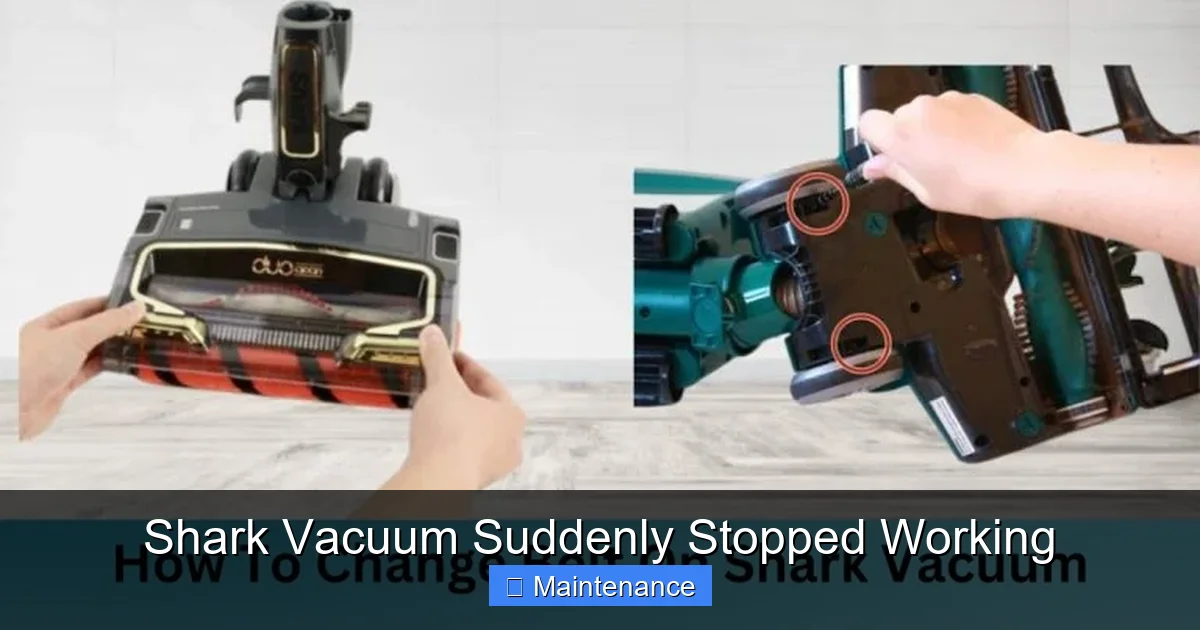
The rotating brush roll (or “agitator”) is vital for carpet cleaning. But it’s also a magnet for hair, string, and fibers. When these materials wind tightly around the brush roll’s bearings or end caps, they create immense resistance. The motor struggles, draws more current, and the thermal fuse trips, causing a sudden stop. This is especially common in homes with pets or long-haired individuals.
Visual guide about Shark Vacuum Suddenly Stopped Working
Image source: sharkvacuum.blog
Diagnosing a Brush Roll Jam
Unplug the vacuum. Flip it over. Manually rotate the brush roll with your fingers. Does it spin freely? Or is it stiff, gritty, or completely locked? If it doesn’t spin easily, you have a jam. The solution is extraction. You’ll need a small, sharp pair of scissors (seam rippers are ideal) and possibly a flathead screwdriver. Carefully cut any hair or string wrapped around the brush roll. Pay special attention to the areas where the brush roll meets the plastic housing on each side—this is where fibers cinch tight. You may need to pry the brush roll out of its housing to fully clean it. Note the position of any belts if your model uses one to drive the brush roll; you may need to remove the belt to free the roll completely.
Checking the Brush Roll Motor and Belt
On some Shark models, a separate small motor (the “brush roll motor” or “power head motor”) drives the brush roll via a rubber belt. If this belt is broken, stretched, or slipped off, the brush roll won’t spin, which can sometimes cause a different error or reduced performance, but not always a sudden full stop. However, if the brush roll is jammed, it can also stall this smaller motor. Visually inspect the belt if accessible. If the brush roll spins freely by hand but doesn’t rotate when the vacuum is on (and there’s no clog), the belt may be broken or the brush roll motor failed.
Cordless Conundrums: Battery and Charging Issues
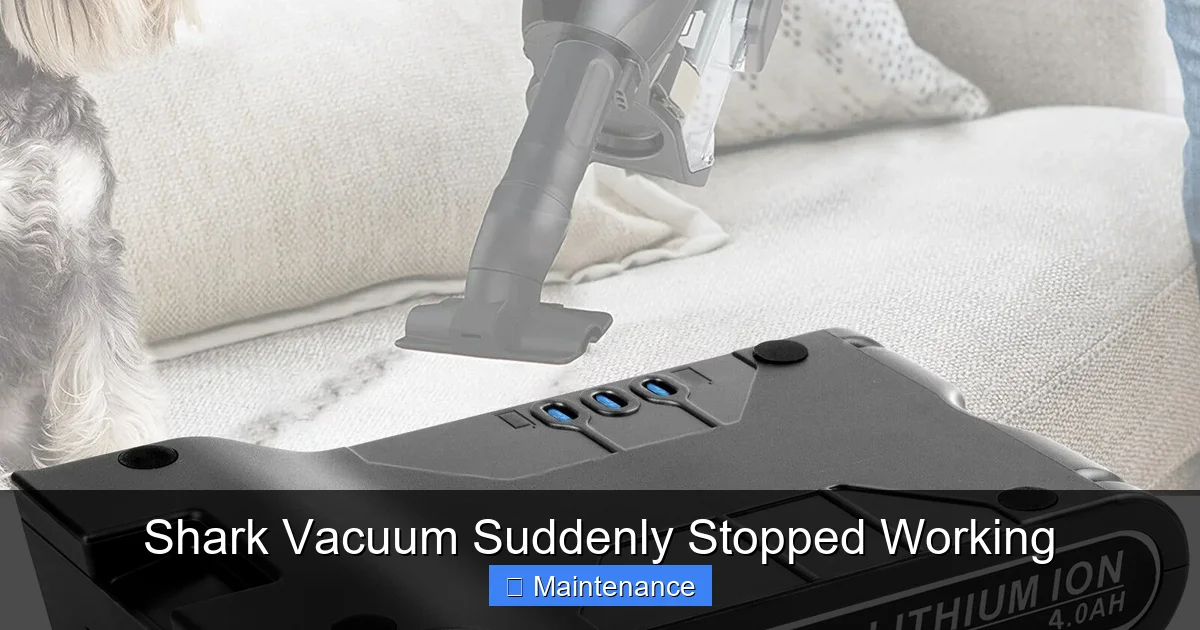
For Shark stick vacuums (like the popular IZ, Stratos, or Vertex models), the power source is an internal lithium-ion battery. “Suddenly stopped working” on a cordless model almost always points to the battery or its charging system.
Visual guide about Shark Vacuum Suddenly Stopped Working
Image source: itechbatt.com
The Reset Ritual
Lithium-ion batteries have built-in protection circuits. If the battery is deeply discharged, overheated, or experiences a voltage anomaly, this circuit can “trip,” making the battery appear dead. The fix is often a reset. Unplug the charger from the wall. Remove the battery from the vacuum (if removable). Let it sit for 30 minutes. Reinsert the battery firmly. Plug the charger directly into a known-good wall outlet (not a power strip). Let it charge for a full 4-6 hours without interruption. After a full charge, try using it. This reset procedure solves many “bricked” battery issues.
Testing and Replacing the Battery
If a reset doesn’t work, the battery may be at the end of its life (typically 2-3 years with regular use). Batteries lose capacity over time. A battery that only lasts 5 minutes when new might only last 30 seconds when degraded, and the vacuum’s low-voltage cutoff will kill it instantly. You can sometimes test a battery’s voltage with a multimeter, but the easiest test is comparative: if you have a friend with the same Shark model, try their battery in your vacuum. If it works, your battery is dead. Replacement batteries are available from Shark and third-party sellers. Ensure you get the exact model number for your vacuum (found on the label on the body or battery).
Sensor and Safety Switch Failures
Modern vacuums are packed with safety sensors. A Shark vacuum suddenly stopping could be a sensor doing its job correctly, or a faulty sensor giving a false alarm.
The Dust Cup Full Sensor
Many Shark Navigator and Rotator models have a sensor that detects when the dust cup is full. A small window on the cup gets dirty, and an infrared sensor reads it. If the window is caked with dust or the sensor is misaligned, the vacuum will think the cup is full and shut down. Locate the sensor—usually a small plastic piece with a clear lens on the dust cup or the vacuum body. Clean the lens meticulously with a cotton swab and rubbing alcohol. Ensure the dust cup is seated perfectly straight; even a slight tilt can trigger it.
Brush Roll Height and Carpet Sensor
On some models with automatic height adjustment, a sensor monitors the brush roll’s resistance. If it detects excessive strain (from a jam or very thick carpet), it may shut down to protect the motor. Ensure the vacuum is set to the correct floor type (carpet vs. hard floor) via the dial or switch. Try using it on a bare floor to see if it stays on. If it does, the issue might be related to the brush roll height mechanism or the sensor itself.
Thermal Fuse and Overheat Protection
All vacuums have thermal protection. If the motor overheats due to clogs, dirty filters, or simply being used for too long on a high setting, a thermal fuse or cutoff will open the circuit and stop the vacuum. This is a safety feature, not a breakdown. The fix is to address the overheating cause (clean all filters, clear all clogs) and let the vacuum cool down completely for 45-60 minutes. It should then reset automatically. If it overheats and stops again immediately after cooling, there is a persistent blockage or a failing motor drawing too much current.
When DIY Isn’t Enough: Internal Component Failure
If you’ve methodically worked through all the above—power, clogs, filters, brush roll, battery (for cordless), and sensors—and the vacuum still refuses to run, the problem is likely internal. This is the realm of professional repair or replacement.
Failed Motor
The heart of the vacuum is its motor. Over years of use, motor brushes wear out, windings can short, or bearings can seize. A failed motor will often produce a humming or buzzing sound but not spin, or it will be completely dead. Diagnosing a motor requires a multimeter to check for continuity and resistance, which is beyond typical DIY. If you suspect the motor (especially if you smell a burnt electrical odor), it’s time to call a Shark authorized service center or consider a new vacuum, as motor replacement can be costly.
Faulty Switch or Wiring
The on/off pedal or button has an internal switch that can wear out. Similarly, internal wiring can become loose at a solder joint or get pinched and break. These issues cause intermittent or complete power loss. You can sometimes test the switch for continuity with a multimeter, but accessing and repairing internal wiring requires disassembly skill and knowledge of the specific model’s construction.
Electronic Control Board Failure
Higher-end Shark models have electronic circuit boards that control power, brush roll engagement, and suction settings. A power surge, moisture, or component failure on this board can render the entire vacuum inert. Symptoms include no lights, no sound, and a vacuum that appears completely dead even with a good battery/plug. Board replacement is a specialized repair best left to professionals.
Preventive Maintenance: Your Best Defense
The best way to deal with a sudden failure is to prevent it. Incorporating a few simple habits into your cleaning routine will drastically reduce the chances of your Shark vacuum quitting on you unexpectedly.
Establish a Cleaning Schedule
After Every Use: Tap out the dust cup and rinse the pre-motor foam filter (if washable). Let it air dry completely before the next use. Wipe the exterior and check the brush roll for immediate tangles.
Monthly: Thoroughly clean the post-motor filter according to the manual (some are washable, some are not). Inspect and clean the hose, wand, and all attachments for hidden clogs. Use a bottle brush to clean inside the hose connections. Check the brush roll bearings for hair buildup.
Every 6-12 Months: Perform a deep inspection. Remove the bottom plate to fully access and clean the brush roll housing and belt (if applicable). Check the wheels for debris. Inspect the power cord for damage. If your model has a brush roll motor, listen for unusual noises.
Smart Usage Habits
- Avoid Large Debris: Don’t vacuum up hard objects, coins, pins, or large amounts of string. These cause immediate jams.
- Mind the Thresholds: Lift the vacuum over doorway thresholds and thick rug edges instead of running the brush roll over them. This prevents fibers from jamming the brush roll.
- Don’t Overfill the Dust Cup: Empty it when it’s half to two-thirds full. A full cup restricts airflow and can trigger the full-sensor shutdown.
- Store Properly: Coil the power cord loosely (don’t kink it). Store the vacuum in a cool, dry place away from direct sunlight, which degrades plastic and electronics.
Warranty and Professional Repair: Knowing Your Options
Shark offers varying warranties (typically 5-7 years on the motor and 1-2 years on parts/labor, depending on the model and registration). If your vacuum is still under warranty and the issue isn’t caused by neglect or misuse (like a clog from vacuuming wet debris), you may be covered. Do not attempt major disassembly if your vacuum is under warranty, as this can void it. Contact Shark customer support first. They may provide troubleshooting, send replacement parts (like a filter or dust cup), or authorize a repair at an authorized service center.
For out-of-warranty units, get a repair estimate. For newer, mid-range models, replacement might be more cost-effective. For high-end or beloved older models, a repair could make sense. Always ask for a diagnosis fee upfront; sometimes the fee is waived if you proceed with the repair. When seeking help, have your exact model number ready (it’s on the rating label on the vacuum body).
Conclusion: You’ve Got This
A Shark vacuum that suddenly stopped working is a major inconvenience, but it’s rarely a hopeless situation. The vast majority of these failures stem from three things: a power delivery issue (outlet, breaker, cord), a severe airflow blockage (hose, dust cup, filters), or a brush roll jam. By following the structured, step-by-step troubleshooting guide above—starting with the 60-second power check and moving logically through clogs, filters, and brush roll—you can diagnose and resolve the problem yourself in most cases. This saves you the cost and wait time of a professional service call. Remember to always unplug the vacuum before inspecting or cleaning internal components. Adopt the preventive maintenance habits outlined, and your Shark vacuum will provide years of reliable, powerful cleaning. Now, go find that clog, reset that breaker, and get your vacuum humming again.
Frequently Asked Questions
My Shark vacuum stopped working and won’t turn on at all. No lights, no sound. What’s the first thing I check?
First, check the outlet with another device to confirm it has power. Next, inspect your home’s circuit breaker panel for a tripped breaker, especially if the vacuum is on a circuit with other appliances. For cordless models, ensure the battery is properly seated and try the full reset procedure (remove battery, wait 30 minutes, reinsert and charge for 4+ hours).
The vacuum turns on but immediately shuts off after a few seconds. Why?
This is classic for a severe clog or a full dust cup. The motor strains against the blockage, overheats, and the thermal protection trips. Immediately unplug it, empty the dust cup completely, and check the entire suction path (hose, wand, brush roll head) for blockages. Also, clean or replace all filters, as a clogged post-motor filter causes the same symptom.
My cordless Shark stick vacuum dies after 10 seconds. Is the battery dead?
Likely, yes. A battery that dies that quickly is usually at the end of its life (2-3 years). First, try the reset procedure: remove the battery, let it sit 30 minutes, reinsert, and charge fully. If it still dies quickly, the battery has lost its capacity and needs replacement. Ensure you buy the correct model-specific replacement battery.
The brush roll isn’t spinning. Is that why it stopped?
A jammed brush roll can absolutely cause a sudden stop, as it creates massive resistance on the motor. Unplug the vacuum, flip it over, and try to rotate the brush roll by hand. If it’s stiff or locked, you have a hair/fiber jam. Carefully cut and remove all material wrapped around it and in the bearings. If it spins freely by hand but doesn’t spin when on, the drive belt may be broken or the brush roll motor failed.
I cleaned everything, but it still overheats and stops. What could it be?
If all clogs are cleared and filters are clean, repeated overheating points to a failing motor that is drawing excessive current, or a faulty thermal cutoff switch itself. This is less common and typically requires professional diagnosis and repair, as motor replacement is a major job.
Should I attempt to open the vacuum’s main body to fix it?
We strongly advise against major disassembly unless you are experienced. Opening the main housing can void your warranty, and you risk damaging plastic clips or wiring. For issues beyond simple clogs, filter cleaning, brush roll jams, or battery resets, your best course is to consult the official Shark support site for your model’s manual and troubleshooting guide, or contact an authorized service center.