When your Shark Rotator power brush stops working, it’s often a fixable issue, not a failed vacuum. The problem typically stems from clogs, tangled bristles, a worn drive belt, or a tripped reset. This guide provides clear, step-by-step troubleshooting and maintenance advice to diagnose and resolve the problem yourself, saving you time and money before considering a repair call or replacement.
You’re in the middle of vacuuming, and you notice it. That familiar, efficient scrubbing sound from your Shark Rotator’s power head has gone silent. You look down, and the brush roll—that crucial spinning barrel of bristles—has completely stopped. Your heart sinks a little. Is this vacuum, a trusted workhorse in so many homes, headed for the landfill? Before you panic or reach for your wallet, take a deep breath. The fact that your Shark Rotator power brush stops working is a specific symptom, and like a good detective, we can follow the clues to find the cause. In most cases, this is an annoying but entirely fixable problem that you can solve at home with a few simple tools and about 15 minutes of your time. This guide will walk you through every possible reason, from the simplest clog to more complex internal issues, so you can get your Shark spinning like new again.
Understanding why the power brush quits is key. The Shark Rotator’s brush roll is powered by a small electric motor, either housed in the power head itself (in some models) or driven by a belt from the main vacuum motor. Its job is to agitate carpet fibers to loosen dirt. When it stops, the vacuum still sucks air, but it’s just gliding over the surface without that deep-cleaning agitation. This means your carpets aren’t getting truly clean. The causes range from a five-second fix to a part replacement. We’ll start with the most frequent and easiest solutions and work our way to the less common, more involved ones. Let’s get started.
Key Takeaways
- Clogs are the #1 culprit: Hair, string, and carpet fibers wrapping around the brush roll or blocking the suction path are the most common reason the power brush stops.
- Always check the reset button: Shark vacuums have a thermal reset switch on the brush roll housing; a simple press often revives a stopped brush after an overheating event.
- The brush roll itself needs regular maintenance: Removing it to cut away hair wraps and check for worn or broken bristles is a critical, often overlooked, monthly task.
- Battery issues affect cordless models: For the Shark Rotator (cordless), a degraded battery or poor charging connection can cause the brush motor to lose power.
- A broken drive belt means no power transfer: If the motor runs but the brush doesn’t spin, the rubber belt connecting them is likely snapped or stretched and needs replacement.
- Simple cleaning is powerful prevention: Regularly clearing debris from the brush roll housing, suction intake, and hose connections prevents 80% of brush failures.
- Know when to seek help: If troubleshooting reveals a burnt smell, a seized motor, or electronic failure, contact Shark Support or a professional appliance repair service.
📑 Table of Contents
Understanding Your Shark Rotator’s Power Brush System
Before we dive into fixes, a quick primer on how the brush roll actually works will save you confusion later. Not all Shark Rotator models are identical, but the core principles are the same. The “power brush” or “power head” is the floor attachment with the spinning brush roll inside. In most Shark Rotator uprights, a rubber drive belt connects the main vacuum motor shaft (up in the handle or body) to a small pulley on the brush roll. When the vacuum is on, the main motor spins, turning the belt, which in turn spins the brush roll. In some newer or cordless models, the brush roll has its own dedicated motor inside the power head, powered directly by the vacuum’s battery or corded power supply.
The Role of the Thermal Reset Switch
Every Shark power head has a safety feature: a thermal reset switch. This is a small, usually red or black, button located on the brush roll housing (the plastic casing you see from the bottom). If the brush roll jams—say, you vacuumed up a thick rug fringe or a child’s sock—the motor can overheat quickly. The thermal switch trips, cutting power to the brush motor to prevent it from burning out. It’s a brilliant safety feature, but it means your brush will just stop working with no warning. The fix is often as simple as letting the vacuum cool for 10-15 minutes and then pressing that reset button firmly until you hear a click. This is always the first step you should take when the brush stops unexpectedly.
Power Sources: Corded vs. Cordless
Diagnosis differs slightly based on your model. With a corded Shark Rotator, if the main vacuum suction is strong but the brush doesn’t spin, the issue is isolated to the power head or its connection. With a cordless Shark Rotator (like the IZ400 series), the brush roll has its own motor powered by the main battery. If the battery is weak, the brush motor may not have enough juice to start under load, even if the suction fan runs. So, always note: is the main vacuum still picking up air? That’s your first clue.
Most Common Cause: Clogs and Tangles
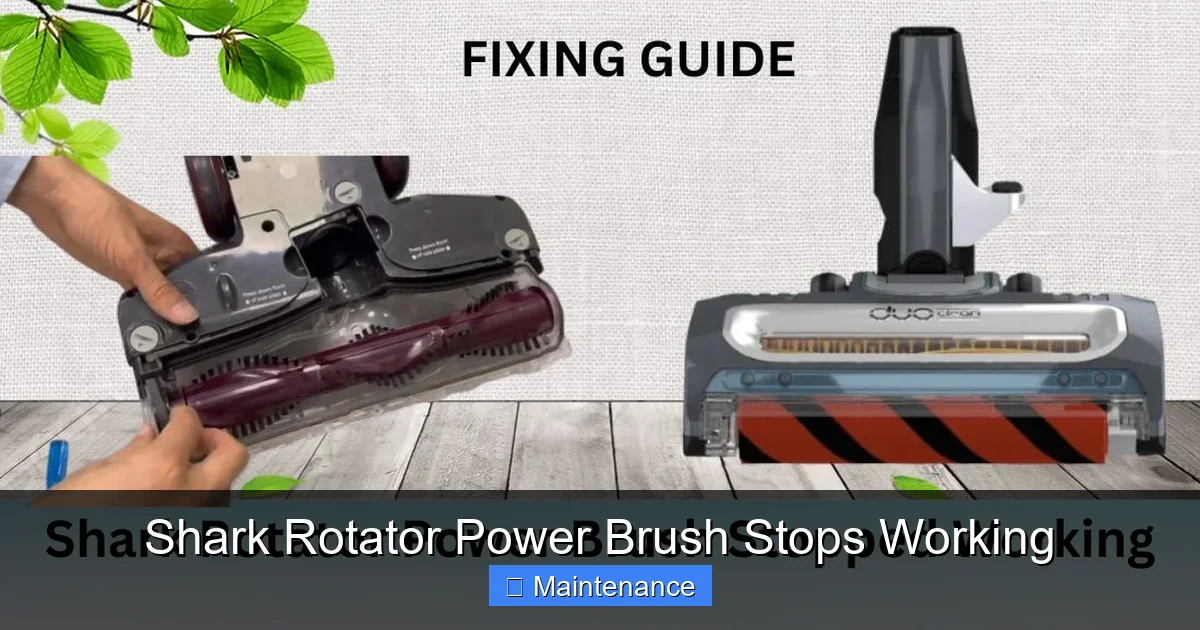
Let’s address the elephant in the room: hair, string, and carpet fibers. They are the arch-nemesis of any vacuum’s brush roll. As the bristles rotate, they act like a fantastic lint roller, collecting everything in their path. This material doesn’t just sits on the bristles; it wraps tightly around the axle and between the bristles themselves, eventually binding the roll so tight the motor can’t turn it. This is the cause of a Shark Rotator power brush stops working in a huge majority of cases. The solution is direct removal.
Visual guide about Shark Rotator Power Brush Stops Working
Image source: sharkvacuum.blog
Step-by-Step: Unclogging the Brush Roll
Always unplug the vacuum or remove the battery first. Safety is paramount. Then, flip the vacuum over onto its back so you can see the brush roll clearly. You’ll need a pair of blunt-tipped scissors or a seam ripper. Do not use sharp knives. Start by cutting any visible hair or string wrapped around the brush roll. Be careful not to nick the bristles or the rubber belt underneath. Once you’ve cut the major wraps, use your fingers or the tip of the scissors to pull the debris away from the bristles and off the metal axle. You’ll be amazed at how much you can pull out—it often looks like a small animal!
Next, check the suction intake. This is the opening on the back or bottom of the power head housing, just behind the brush roll. Reach in with your fingers and pull out any matted fur or debris clogging this hole. A clog here creates immense backpressure, making it harder for the motor to spin the brush roll and can trigger the thermal reset. Use a flashlight to see deep into the housing. A straightened wire coat hanger (with a small hook bent on the end) can help dislodge stubborn bits, but be gentle to avoid damaging internal components.
Cleaning the Brush Roll Housing Thoroughly
After clearing the roll and intake, you should remove the brush roll entirely for a full inspection. Most Shark power heads have a release clip or a couple of screws on the bottom. Consult your manual if unsure, but it’s usually intuitive. Once the roll is out, you’ll see the belt (if your model uses one) and the motor pulley. Check the belt for cracks, stretching, or melting. A compromised belt slips or breaks, stopping power transfer. Also, spin the brush roll by hand. It should rotate smoothly and freely on its bearings. If it’s gritty, stiff, or makes noise, it needs a good cleaning or replacement. Wash the brush roll with warm, soapy water to remove oily grime, let it dry completely for 24 hours, and then reinstall. This deep clean every 1-2 months prevents most brush failures.
The Drive Belt: The Silent Saboteur
If your brush roll is completely clean and spins freely by hand, but still doesn’t move when the vacuum is on, the drive belt is the next suspect. This rubber band is the crucial link between the motor’s power and the brush’s motion. Over time, belt tension, heat, and general wear cause it to stretch, lose grip, or snap entirely. A snapped belt is obvious—it’s broken. A stretched belt is trickier; it may look intact but will slip on the pulleys under load, causing the brush to spin slowly or not at all.
Visual guide about Shark Rotator Power Brush Stops Working
Image source: i.ytimg.com
Inspecting and Replacing the Belt
With the brush roll removed, you should see the belt looped around the motor pulley and the brush roll pulley. Gently pull it. If it’s loose, sagging significantly, or has visible cracks/fraying, it needs replacement. Shark uses specific belt models (like the Shark Belt 186, but verify for your exact model number). You can find the correct replacement belt online or at many hardware stores. Replacing it is straightforward: stretch the new belt over the motor pulley first, then hook it onto the brush roll pulley and rotate the roll to seat it fully. Ensure it’s sitting properly in the grooves of both pulleys. Reinstall the brush roll, and test. The sound of that belt engaging and the brush spinning should be music to your ears.
Pro Tip: When you replace the belt, it’s a perfect time to also clean out the entire brush roll housing channel. Dust and hair accumulate in the track where the belt sits. A clean channel ensures the new belt runs true and lasts longer.
Battery and Electrical Issues (Cordless Models)
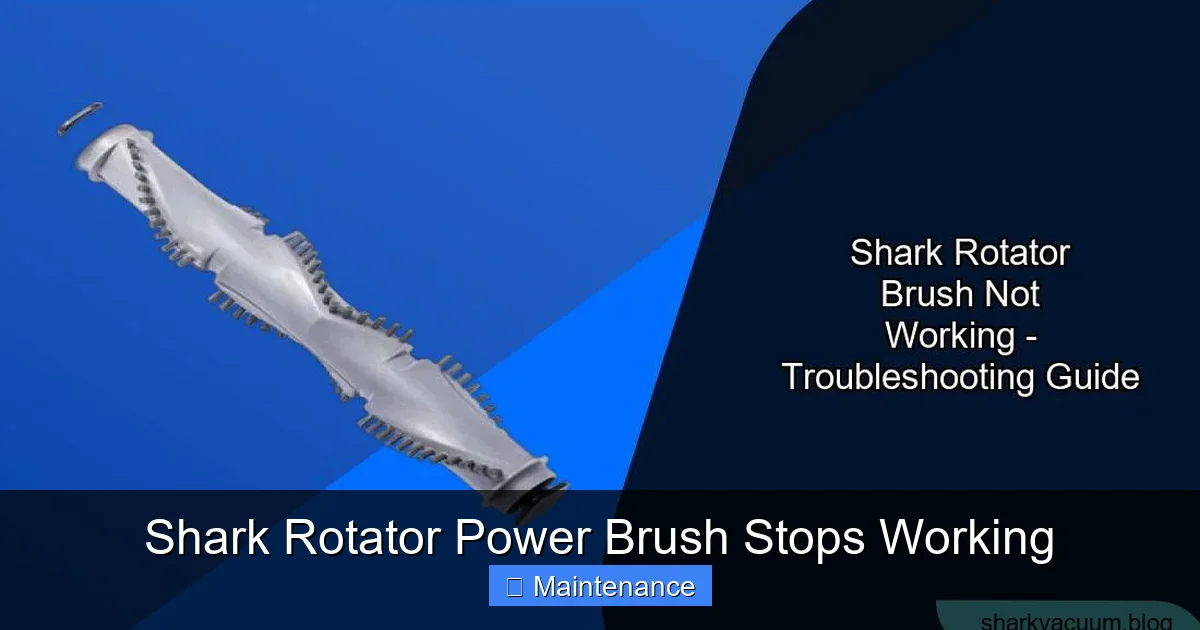
For owners of cordless Shark Rotator vacuums, the equation changes slightly. The brush roll has its own motor powered directly from the main battery pack. If your Shark Rotator power brush stops working but the vacuum still powers on and has suction, the culprit is often the battery or its connection to the brush motor circuit.
Visual guide about Shark Rotator Power Brush Stops Working
Image source: sharkvacuum.blog
Battery Health and Connections
Lithium-ion batteries degrade over time. An old or faulty battery may still provide enough power for the suction fan (which has a lower starting current) but fails to deliver the higher surge current needed to start the brush motor under load. First, ensure the battery is fully seated in its dock and the vacuum is on the charger for a complete cycle. If the problem persists, try using a different, known-good battery if possible. If the brush works with a different battery, your original battery is at the end of its life and needs replacement.
Next, inspect the electrical contacts. On the power head, there are metal pins or pads that connect to corresponding contacts on the vacuum’s main body or wand. These can get dirty or corroded. Use a dry cotton swab to gently clean both sets of contacts. Ensure they are not bent or damaged. A poor connection here means the brush motor gets intermittent or no power. Also, check the wiring that runs from the main body to the power head. If the vacuum has a flexible hose or wand connection, look for any pinched, frayed, or broken wires, especially near the swivel joints. This is a less common but possible failure point.
When the Motor Itself Fails
We’ve covered the external and peripheral causes. What if you’ve cleared every clog, replaced the belt, checked the battery, and the brush roll still won’t budge? The problem may lie within the motor itself. The small motor that spins the brush roll can burn out. You might smell a distinct electrical burning odor, or the motor might feel hot to the touch after a brief attempt to run. A seized motor will not turn, even with the belt removed. This is a more serious failure.
Diagnosing a Failed Motor
To confirm, you must isolate the motor. With the brush roll and belt removed, try to manually turn the motor shaft (the small metal rod the belt attaches to). It should turn smoothly. If it’s locked solid, the motor bearings have failed or the internal windings have burned and fused. This is not a DIY repair for most people; the motor is sealed and needs professional rewinding or, more commonly, replacement. At this point, you must weigh the cost of a new power head assembly versus the age and value of your entire vacuum. Shark typically sells the complete power head as a replacement part. If your vacuum is older, investing in a new power head might not be cost-effective.
Signs of Imminent Motor Failure
Before it dies completely, a failing motor often gives warnings. You might hear a high-pitched whining or grinding noise from the power head. The brush might start and stop intermittently. It might feel hot after very short use. These are signs to stop using the vacuum immediately and investigate, as continuing to run it can cause further damage. If you encounter these symptoms and the belt and brush roll are in perfect condition, the motor is the likely suspect.
Essential Maintenance to Prevent Future Stops
An ounce of prevention is worth a pound of cure. The best way to deal with a Shark Rotator power brush stops working scenario is to prevent it from ever happening. Incorporating a few quick habits into your vacuuming routine will dramatically extend the life of your brush roll and its components.
The Monthly Deep Clean Routine
At least once a month, perform a full brush roll extraction and cleaning. Unplug, flip over, and use scissors to remove all hair and fibers. Remove the brush roll completely. Wash it with mild soap and water, using an old toothbrush to scrub between the bristles. Rinse thoroughly and let it air dry for a full 24 hours—never use a hair dryer, as the heat can warp the plastic. While it’s out, use a vacuum crevice tool or a compressed air canister to blow out all dust and debris from the housing, the belt channel, and the suction intake port. A clean machine is an efficient machine.
Mind Your Vacuuming Environment
Be aware of what you’re picking up. While the Shark is powerful, it’s not designed for large, wet debris, hard objects, or extremely long, synthetic fibers that can instantly bind a brush roll. If you have area rugs with long fringe, consider using the suction-only hose attachment on them. After vacuuming a pet-heavy home or a room with a lot of carpet, spend an extra 30 seconds checking the brush roll for buildup. These small habits prevent the massive clogs that cause the most common stoppages.
Conclusion: Your Action Plan
So, your Shark Rotator’s power brush has given up the ghost. Don’t despair. Follow this logical path: First, press the thermal reset button and wait 15 minutes. If that fails, unplug and perform a full hair/string extraction on the brush roll and housing. Next, remove the brush roll to inspect and, if needed, replace the drive belt. For cordless models, check battery health and all electrical contacts. If all these steps are completed and the brush still won’t spin, the internal motor has likely failed. At that point, assess the cost of a new power head versus a new vacuum. But in nine out of ten cases, the solution was a five-minute hair removal or a $10 belt replacement. Your Shark Rotator is built to last, and with this knowledge and a bit of proactive maintenance, its power brush will keep spinning—and cleaning—for years to come. You’ve got this!
Frequently Asked Questions
Why does my Shark Rotator brush stop spinning but the vacuum still has suction?
This is the classic symptom of a localized power brush failure. The main suction fan is still working, but the brush roll motor isn’t receiving power or is jammed. The causes are almost always a clog/tangle in the brush roll, a tripped thermal reset, a broken/stretched drive belt (on corded models), or a dead battery/poor connection on cordless models. Start by checking the reset button and cleaning the brush roll.
How do I locate and press the reset button on my Shark Rotator?
The thermal reset switch is a small button, usually red or black, located on the underside of the power head housing. You’ll see it near the brush roll, often in a small circular or rectangular recess. With the vacuum unplugged or the battery removed, press it firmly until you hear a click. Wait 10-15 minutes for the motor to cool completely before trying again.
My brush roll looks clean, but it still doesn’t spin. What next?
If the roll is free of debris and spins easily by hand, the next step is to check the drive belt (if your model has one). Remove the brush roll and inspect the rubber belt for cracks, stretching, or melting. If it’s compromised, replace it with the correct Shark belt model. For cordless models, focus on battery health and the electrical contacts between the wand/handle and the power head.
How often should I clean my Shark Rotator’s brush roll?
For optimal performance and prevention, you should do a quick hair check and cutaway after every few uses, especially if you have pets or long hair. Perform a full removal, deep cleaning, and housing inspection at least once a month. This simple habit prevents the vast majority of brush roll stoppages and extends the life of the belt and motor.
Is a burning smell from the power head a sign my motor is dead?
Yes, a distinct electrical burning odor is a strong indicator of motor failure. If you smell this, immediately unplug the vacuum or remove the battery. Do not continue to use it. A burnt smell means the motor windings have overheated and are damaged. This usually requires a professional repair or replacement of the entire power head assembly.
Will Shark replace my power head under warranty?
It depends on the warranty status and the failure cause. Shark warranties typically cover defects in materials and workmanship. If the failure is due to normal wear and tear (like a stretched belt) or user-inflicted damage (like a major clog that burned out the motor), it’s likely not covered. If the motor fails prematurely under normal use, contact Shark Support with your model and serial number to initiate a warranty claim. Always have your proof of purchase ready.