Turning off the brush roll on your Shark vacuum is a crucial skill for protecting hard floors, using attachments, and performing above-floor cleaning. This feature, often called “brush roll shut-off” or “hard floor mode,” disables the spinning bristles to prevent scattering debris and scratching surfaces. The process varies slightly by model series but universally involves a switch, dial, or automatic sensor system. Mastering this simple function extends your vacuum’s life, improves cleaning efficiency on specific surfaces, and prevents common mistakes like pushing around large debris.
So, you just bought a Shark vacuum, and you’re loving the powerful suction. But wait—what’s this switch or button that says “Brush Roll Off” or shows a picture of a hard floor? Maybe your vacuum seems to shut the brush roll down by itself sometimes. Understanding how to control your Shark’s brush roll isn’t just a minor feature; it’s one of the most important skills for getting the best clean and protecting your home. Let’s break down everything you need to know about turning off the brush roll on a Shark vacuum, from the “why” to the “how” for every major model line.
Key Takeaways
- Primary Purpose: The brush roll off function protects hard floors from scratches and prevents scattering large debris like cereal or kitty litter.
- Model Variations: The activation method differs—look for a dedicated switch, a dial setting, a button on the handle, or an automatic sensor in newer models.
- Not for Deep Carpet Cleaning: Disengaging the brush roll significantly reduces agitation and deep-cleaning power on carpets and rugs.
- Essential for Attachments: You must turn the brush roll off when using the hose and any wand/hand tool attachments to avoid damage.
- Maintenance Indicator: If your Shark automatically shuts the brush roll off, it often signals a jam or tangled brush roll that needs immediate inspection.
- Listen & Look: The easiest way to confirm it’s off is by listening—the loud spinning/bristle sound ceases—and by visually checking the brush roll isn’t moving.
- Safety First: Always turn the vacuum off and unplug it before manually inspecting or cleaning the brush roll area, even if the switch is off.
📑 Table of Contents
- What Is the Brush Roll and Why Would You Turn It Off?
- How to Turn Off the Brush Roll: A Model-by-Model Guide
- The Incredible Benefits: Why You Should Master This Feature
- Troubleshooting: What If It Won’t Turn Off (Or On)?
- Brush Roll Maintenance: Keeping the System Healthy
- Advanced Tips and Best Practices
- Conclusion: Empower Your Cleaning
What Is the Brush Roll and Why Would You Turn It Off?
First, let’s get to know the star of the show: the brush roll. Also called a roller brush or agitator, this is the cylindrical bar with bristles (or sometimes rubber fins) that spins rapidly at the front of your vacuum’s floor head. Its job is to agitate carpet fibers, kicking up embedded dirt, dust, and pet hair so the suction can pull it away. It’s the reason your carpet looks so refreshed after a pass.
The Great for Carpets, Not-So-Great for Hard Floors Dilemma
That aggressive agitation is perfect for carpets, but on hard floors—hardwood, tile, laminate, linoleum—it can cause problems. The spinning bristles can act like a fan, scattering larger debris (think cereal, kibble, or clumps of dust) across the room instead of sucking it up. Worse, if your floor has any texture or grout lines, the brush can kick debris out of the suction path entirely. On delicate surfaces like unfinished wood or expensive vinyl planks, stiff bristles can even cause fine scratches over time.
The Magic of Above-Floor Cleaning
The second huge reason to turn off the brush roll is for every cleaning task that isn’t “on the floor.” When you detach the wand to clean stairs, upholstery, car interiors, or ceiling cobwebs, the brush roll must be off. If it’s spinning while you’re not even touching the floor, it can damage fabrics, tear upholstery, and is simply a waste of power. The suction alone is more than enough for these tasks.
How to Turn Off the Brush Roll: A Model-by-Model Guide
Shark has dozens of models across several series (Vertex, IZ, Stratos, Navigator, etc.), and the brush roll control mechanism has evolved. Don’t worry, the logic is consistent. Here’s how to find and use the control on your specific Shark.
Visual guide about Turn Off Brush Roll on Shark
Image source: images.saymedia-content.com
The Classic: The Physical Switch on the Floor Head
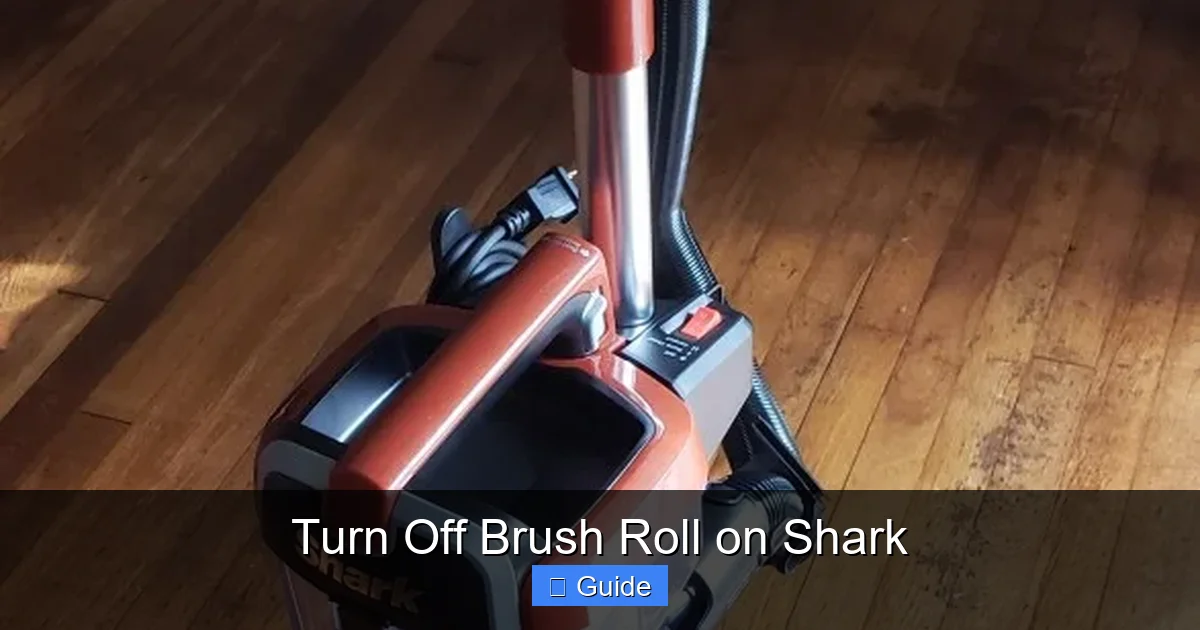
This is the most common and straightforward method, found on many Navigator, Rotator, and earlier Professional series models. Look at the top or back of the floor head (the part that contacts the floor). You’ll see a small, often red or gray, plastic toggle switch. It might have icons: a brush roll for “On” and a hard floor or a line through the brush for “Off.”
- How to use: Simply slide or flip the switch to the “Off” (hard floor) position. You should hear an immediate change in sound—the brush roll will stop spinning, and the vacuum may feel slightly easier to push.
- Pro Tip: Do this before you even turn the vacuum on. Flip the switch to “Off,” then press the power button. The brush roll will never engage.
The Handle-Mounted Button
On many newer uprights and some stick vacs (like certain Shark Vertex models), the control is on the wand or handle itself. Look for a button, often labeled “Brush Roll” or with the same icon, located near where your hand grips the wand or on the back of the handheld portion.
- How to use: With the vacuum powered on, press this button. You’ll typically hear a distinct click and a change in motor sound. An LED light next to the button may illuminate or turn off to indicate status.
- Why this design? It allows you to switch modes without bending over to the floor head, which is handy when moving from a living room rug to a kitchen floor.
The Dial or “Eco” Mode
Some models, particularly in the Shark IQ or certain European variants, use a rotating dial on the floor head or main body. One of the dial positions will be a hard floor icon. Others integrate it into an “Eco” or “Hard Floor” mode selected on a main control panel.
- How to use: Turn the dial until the hard floor symbol aligns with an indicator arrow.
The Automatic Sensor System: “Brush Roll Shut-Off”
This is Shark’s smart tech, found on premium models like the Shark Vertex, Stratos, and some IZ series. The vacuum uses sensors to detect the surface type. When you transition from carpet to a hard floor, it automatically and instantly shuts off the brush roll. You might see a light on the floor head or handle illuminate to show it’s in “Hard Floor Mode.”
- How to use: You don’t have to do anything! Just vacuum normally. The system handles it. However, you can often override this. Consult your manual for a button combo (like holding the power button for 3 seconds) to lock the brush roll off if you know you’ll be on hard floors for a long time.
- Important Note: This system can also trigger a shut-off if the brush roll gets jammed with hair or string. So if your vacuum suddenly stops agitating on carpet, it’s likely a jam, not a sensor error.
Stick Vacuums (Shark Vertex Pro, IZ, etc.)
For cordless stick vacs, the control is almost always a button on the main handheld unit or just above the floor head connection. The principle is identical: press to toggle between carpet/hard floor modes. On some models, the “Max” suction mode automatically engages the brush roll, while lower settings may keep it off for hard floors—check your specific manual.
The Incredible Benefits: Why You Should Master This Feature
Knowing how to turn off the brush roll isn’t just about following instructions. It directly impacts your cleaning results, the longevity of your machine, and the safety of your floors.
Visual guide about Turn Off Brush Roll on Shark
Image source: sharkvacuum.blog
1. Protecting Your Investment: Hardwood, Laminate, and Tile
As mentioned, the number one reason is floor protection. Even if your floor is sealed, constant abrasion from stiff bristles can dull the finish and create a hazy look over years. For hand-scraped or textured hardwoods, bristles can catch on the grooves. Turning the brush roll off uses pure suction to pull debris away without any physical contact, making it the only safe choice for these surfaces.
2. Winning the War on Large Debris
Ever vacuumed up a pile of cheerios only to have them rocket across the kitchen? That’s the brush roll at work. With it off, the suction inlet sits flush with the floor head’s base, creating a wide, direct path to the hose. Larger particles are sucked straight in without being batted around. This makes cleaning up after kids or pets in the kitchen dramatically more efficient.
3. Seamless Transitions Between Rooms
Most homes have a mix of surfaces. With a manual switch, you can flip it as you walk from a carpeted living room onto a hardwood hallway. With an automatic sensor, it happens without you even thinking. This means you don’t have to stop, change attachments, or do a half-hearted job on one surface because you’re worried about the other.
4. Unlocking the Full Potential of Your Attachments
Your Shark comes with a crevice tool, dusting brush, upholstery tool, and maybe a pet tool. Every single one of these is designed for use with the brush roll OFF. If you leave the brush roll on while using the dusting brush on a lampshade, you’ll likely damage the shade. The same goes for car interiors. Turning the brush roll off is non-negotiable for above-floor cleaning.
5. Diagnosing Problems and Saving Money
Understanding this feature helps you troubleshoot. If your vacuum suddenly loses suction only on carpets, is the brush roll spinning? If not, the brush roll shut-off feature (either manual or automatic) might be engaged. Conversely, if your automatic shut-off kicks in on hard floors, you know to check for a jam. This knowledge can save you an unnecessary service call.
Troubleshooting: What If It Won’t Turn Off (Or On)?
Sometimes the system doesn’t work as expected. Here’s a guide to the most common issues.
Visual guide about Turn Off Brush Roll on Shark
Image source: m.media-amazon.com
Scenario A: The Brush Roll Won’t Stop Spinning on Hard Floors
- Manual Switch Model: Ensure the switch is fully clicked into the “Off” position. Sometimes it can get stuck halfway. Listen for the sound change after flipping it while the vacuum is running.
- Automatic Sensor Model: Make sure the floor head sensors (small clear or black windows on the underside) are clean. Wipe them with a dry microfiber cloth. Dust or debris can block the sensor, fooling it into thinking it’s on carpet. Also, ensure you’re on a truly hard surface; some textured vinyl can confuse sensors.
- Stick Vac: Check if you’re in a suction-only mode. Some cordless models have a “Hard Floor” or “Eco” mode on the power button cycle that disables the brush roll. Cycle through all power settings.
Scenario B: The Brush Roll Won’t Spin on Carpet (No Agitation)
This is the most common complaint and is usually a jam, not a setting error.
- Step 1: Turn the vacuum OFF and unplug it (for corded models).
- Step 2: Flip the manual brush roll switch to “On” to be sure it’s set correctly.
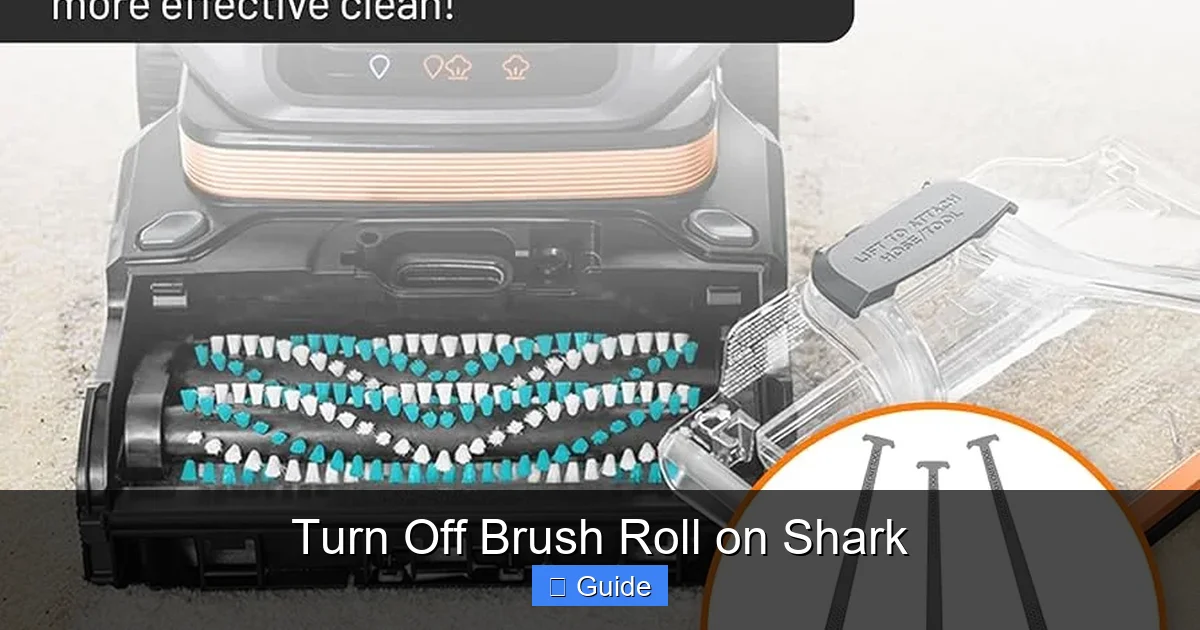
- Step 3: Lay the vacuum on its side. Locate the brush roll. It’s usually held by two plastic caps. Press the release tabs and remove the caps.
- Step 4: Pull the brush roll straight out. You will almost certainly find a thick wrapping of hair, string, or carpet fiber around the ends or the core. This jams the bearings, preventing it from spinning. Use scissors or a seam ripper to carefully cut and remove all debris. Clean the bristles themselves.
- Step 5: Check the belt (if your model has one—many newer Sharks are beltless). If there’s a belt, ensure it’s not broken or slipped off the motor pulley. Reinsert the brush roll, ensuring it’s seated properly and the caps are locked.
- Step 6: Test on carpet. The agitation should be back.
Scenario C: The Vacuum Automatically Shuts the Brush Roll Off Mid-Pass
This is a safety feature, not a malfunction. The Shark’s motor is designed to detect excessive resistance. If the brush roll is jammed with debris, the motor will automatically disengage the brush roll to prevent burning out. Follow the jam-clearing steps in Scenario B. Once the jam is cleared, it should work normally.
Brush Roll Maintenance: Keeping the System Healthy
Your brush roll is a wear item. Bristles can fray, rubber fins can harden and crack, and bearings can get gunked up. Regular maintenance ensures the on/off function works smoothly and your cleaning is effective.
A Monthly Visual and Physical Check
Every month or two, give your brush roll a quick inspection. Look for:
- Worn or Missing Bristles: If a large section is bald, it’s time for a replacement.
- Cuts or Gouges in Rubber Fins: These reduce agitation on carpets.
- Debris Buildup: Even if it’s not jammed, a thin layer of lint and hair around the axles will slow it down.
The Deep Clean (Do This Every 3-6 Months)
1. Remove the Brush Roll: As described in troubleshooting, remove it from the floor head.
2. Wash It: For bristle brushes, use a mild dish soap and warm water. Gently scrub the bristles and the plastic core. For rubber fin rollers, soap and water is fine; avoid harsh chemicals that can degrade the rubber.
3. Rinse Thoroughly: Make sure all soap is gone.
4. Dry Completely: This is critical. Shake off excess water and let it air dry for at least 24 hours. Do NOT reassemble and use a damp brush roll—it can damage the motor and cause mildew.
5. Clean the Housing: While the brush roll is out, use a vacuum crevice tool or a damp cloth to clean out the floor head housing where the brush roll sits. This area collects a shocking amount of hair and dust.
When to Replace the Brush Roll
Most Shark brush rolls last 1-3 years depending on use. Replace it if:
- Bristles are significantly worn, melted (from heat), or missing.
- The roller wobbles excessively or doesn’t spin freely when removed (bearing failure).
- It’s permanently stained or smells despite cleaning.
- You’ve cut deep grooves into a rubber fin roller.
Replacement is usually simple and inexpensive. Find the exact part number in your manual or on the Shark website by entering your model number.
Advanced Tips and Best Practices
Now that you’re a brush roll pro, here’s how to integrate this knowledge into a flawless cleaning routine.
The “Flip Before You Step” Habit
As you approach a threshold from a carpet to a hard floor, make it a habit to reach down and flip the switch *before* you cross over. This prevents you from forgetting and scattering debris at the exact moment you want a clean transition. With an automatic model, just be mindful of the sensor’s limitations.
Using the Right Tools for the Job
On hard floors with the brush roll off, your standard floor head is great. But for textured tile with deep grout lines, consider using the “Dust-Away” hard floor attachment (if your model has it) or even the bare minimum: the crevice tool held slightly above the floor to suck debris out of grout. The brush roll off function makes these specialized tools possible and effective.
For Pet Owners: A Special Note
Pet hair on hard floors is famously tricky—it clings and rolls. Using the brush roll OFF setting with the standard floor head is actually more effective than with it on. The static-clinging hair gets pulled directly into the suction path instead of being blown around. Follow up with the dusting brush attachment on baseboards and furniture.
Understanding Your Shark’s “Language”
Listen to your vacuum. A healthy vacuum on carpet with the brush roll on has a deep, rhythmic, slightly rough sound. On hard floor with the brush roll off, it’s a higher-pitched, smoother whir of pure suction. If the sound changes dramatically mid-use, pause and check the brush roll status and for jams.
Conclusion: Empower Your Cleaning
Turning off the brush roll on your Shark vacuum is a deceptively simple act that unlocks the machine’s full versatility. It’s the key to being a respectful cleaner of all surfaces, from plush carpets to antique hardwood. It protects your investment in your home and your vacuum. Whether you have a switch to flip, a button to press, or a smart sensor that does it for you, understanding this function means you’re no longer just pushing a vacuum around—you’re strategically managing it.
Take five minutes now to locate the brush roll control on your specific Shark model. Flip it on and off while it’s running. Listen to the difference. Then, adopt the habit of consciously selecting the right mode for the surface under your feet. This small step transforms your cleaning from a chore into a precise, effective, and floor-friendly practice. Your floors—and your vacuum—will thank you for it.
Frequently Asked Questions
Do all Shark vacuums have a brush roll shut-off feature?
Yes, all modern Shark uprights, stick vacs, and canisters (sold in the last 10+ years) have the ability to disable the brush roll, either via a manual switch/button or an automatic sensor system. Some very old or specific commercial models may differ, but this is a standard feature across the consumer line.
How can I be 100% sure the brush roll is off?
The best way is to look and listen. With the vacuum powered on, tilt it so you can see the brush roll. If it’s not spinning, it’s off. You’ll also hear a distinct change—the loud, rattling agitation sound stops, leaving only a steady suction whir. If your model has an indicator light, that will confirm it.
Can I use the brush roll off setting on area rugs?
It depends on the rug. For low-pile, dense rugs, you can often use the brush roll off for a gentle clean. For high-pile, shag, or delicate Oriental rugs with long fibers, it’s best to either use the brush roll on a low suction setting (to avoid pulling threads) or, better yet, use a dedicated rug tool or the crevice tool to gently lift debris without agitation.
My Shark automatically turns the brush roll off on hard floors—is that normal?
Absolutely, that is the intended function of the automatic brush roll shut-off sensor system in models like the Vertex and Stratos. It’s designed to protect hard floors and improve cleaning efficiency. If it happens on carpet, that indicates a jam or a sensor error that needs troubleshooting.
Will turning the brush roll off damage the vacuum or the belt?
No. The brush roll is designed to be engaged or disengaged. Running it with the brush roll off on hard floors is perfectly safe and is the recommended practice. It does not harm the motor, belt (if present), or any other components. The only “damage” is that you won’t get deep carpet cleaning while it’s off, which is the point.
My brush roll switch feels loose or doesn’t click. What’s wrong?
A loose or unresponsive switch is usually a sign of wear, a broken internal tab, or debris jammed in the mechanism. Unplug the vacuum, remove the floor head if possible, and inspect the switch housing. Often, a small piece of hair or carpet fiber can work its way in and prevent a full click. If cleaning doesn’t fix it, the switch assembly may need to be replaced—a simple fix for a technician or handy homeowner with the correct part.