The Shark Ion RV850 Find Docking Station is the critical, often overlooked, component that transforms your robot vacuum from a random cleaner into a smart, self-sufficient system. It’s not just a charger; it’s the communication hub that enables the “Find” feature, automatic emptying (with the compatible base), and reliable returns home. Proper placement, regular maintenance, and understanding its role are essential for hassle-free, truly hands-off cleaning.
Let’s be honest. You bought a Shark Ion RV850 robot vacuum to reclaim your time. You wanted to set it and forget it, coming home to clean floors without lifting a finger. But then, you start noticing it. Your RV850 seems to wander aimlessly after its cleaning cycle, sometimes bumping into walls before finally finding its way home. Or worse, it dies in the middle of the living room, nowhere near its charging station. The culprit is almost always the same: the docking station. Not the robot itself, but its relationship with its home base—the Shark Ion RV850 Find Docking Station. This unassuming gray slab is the nervous system of your entire automated cleaning operation. If it’s not working perfectly, your robot is just a expensive, random-moving floor sweeper. This guide will turn you into a docking station expert. We’ll dive deep into what this thing actually is, why its specific “Find” technology matters, how to set it up for 100% success, and exactly how to keep it maintained so your RV850 truly earns its keep. Forget frustration; let’s get your smart home cleaning system working as intended.
Key Takeaways
- It’s More Than a Charger: The Find Docking Station is a two-way communication hub. It charges the RV850 *and* receives its “Find Me” signal, guiding it home precisely.
- Placement is Everything: Location dictates performance. Place it against a wall on a hard floor, with clear, open approach paths and no clutter within 3 feet.
- Compatibility is Specific: This docking station is designed exclusively for the Shark Ion Robot Vacuum RV850. It will not work with other Shark models like the RV750 or older series.
- Maintenance Prevents Failure: Dirty charging contacts and a dusty base are the #1 reasons for docking failures. A quick weekly wipe-down is non-negotiable for reliability.
- Troubleshooting is Often Simple: Most “not docking” issues are solved by cleaning contacts, checking for obstacles, or performing a simple reboot of both the robot and the dock.
- It Enables Full Automation: Without a properly functioning Find Dock, your RV850 cannot use its self-empty capability (with the compatible dustbin) or reliably return after cleaning, defeating its main purpose.
📑 Table of Contents
- What Exactly *Is* the Shark Ion RV850 Find Docking Station?
- Why Placement is Non-Negotiable: The Golden Rules of Dock Location
- Step-by-Step Setup and Initial Calibration
- Troubleshooting Common Docking Failures
- Routine Maintenance: Keeping the Find System Alive
- Is It Worth Buying a Replacement? Compatibility and Future-Proofing
- Maximizing the “Find” Feature: Pro Tips for Flawless Returns
What Exactly *Is* the Shark Ion RV850 Find Docking Station?
At first glance, it looks like any other robot vacuum charging base: a flat platform with two metal charging contacts and a little wall against which the robot parks. But the Shark Ion RV850 Find Docking Station is a sophisticated piece of communication equipment. The “Find” in its name isn’t just marketing fluff—it describes its core function. This dock emits a low-frequency, omnidirectional infrared (IR) signal, like a homing beacon. When your RV850’s cleaning cycle is complete or its battery gets low (around 20%), it doesn’t just randomly search. It actively scans for this specific IR signal. Once detected, it follows the signal back to the source with surprising accuracy, even from another room.
The Two-Way Street: Charging and Communication
Think of the relationship as a two-way street. The dock provides the physical charging connection through its metal contacts. Simultaneously, it’s broadcasting the “Find Me” signal. The RV850’s sensors are tuned to listen for this unique signal. When the robot decides it’s time to return, it starts sweeping its own IR sensor in a wide arc. Upon locking onto the dock’s signal, it navigates directly toward it. This is fundamentally different from cheaper robots that simply reverse along their path or use basic cliff sensors to avoid falling off edges. The “Find” system allows for true point-to-point navigation back to base, which is crucial for large homes where the robot might clean far from its starting point.
The Self-Empty Ecosystem Partner
For owners of the Shark Ion Robot with the Self-Empty Base (often sold as a bundle or separately), the Find Docking Station is the first critical link in the automation chain. The self-empty base is a larger unit that the standard Find Dock plugs into. The RV850 first docks with the Find Station, which then triggers the self-empty cycle in the larger base, sucking all the debris from the robot’s dustbin into a sealed disposable bag. If your RV850 doesn’t reliably dock with the Find Station, it can never initiate this self-empty process. The entire “set and forget” promise falls apart. Therefore, the health and placement of this small dock are paramount to the entire self-cleaning ecosystem.
Why Placement is Non-Negotiable: The Golden Rules of Dock Location
You can have the most advanced robot vacuum in the world, but if its docking station is in a bad spot, it will fail. This isn’t a suggestion; it’s engineering reality. The IR homing signal works best in open, direct line-of-sight conditions. Obstacles, reflective surfaces, and clutter can confuse or block the signal. Here are the unbreakable rules for placing your Shark Ion RV850 Find Docking Station.
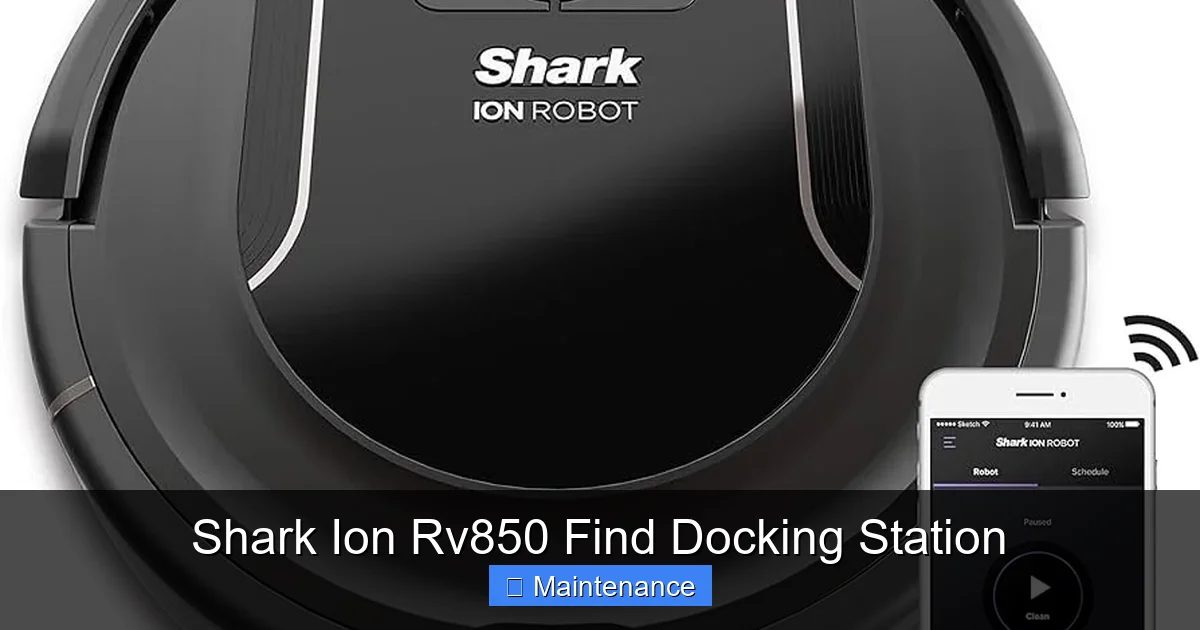
Visual guide about Shark Ion Rv850 Find Docking Station
Image source: m.media-amazon.com
Rule 1: Against a Solid Wall, Centered
Always place the dock flat against a solid, non-reflective wall. Avoid placing it near mirrors, glass doors, or shiny baseboards, as these can reflect the IR signal and create false echoes, making the robot think the dock is somewhere it isn’t. Center the dock on the wall segment you choose, leaving at least 1.5 feet of clear space on either side. This gives the robot a wide, unobstructed approach corridor. If you place it too close to the corner of a wall, the robot might try to approach at an angle that causes it to bump the adjacent wall first, confusing its navigation.
Rule 2: The 3-Foot “Clear Zone”
Draw an imaginary 3-foot semicircle (or rectangle, if against a wall) in front of the docking station. This zone must be completely clear. No furniture legs, no shoe racks, no charging cables, no throw rugs, no pet beds. The RV850 approaches the dock at a specific angle and speed. Any obstacle in this zone can cause it to nudge the obstacle instead of the dock’s guide walls, resulting in a failed docking attempt. This is the most common mistake people make—tucking the dock into a “convenient” corner that’s actually full of obstacles.
Rule 3: Hard, Level Floor Only
The dock must sit on a hard, level surface—hardwood, tile, linoleum, or low-pile carpet. Never place it on a thick rug or carpet, as the soft surface can cause the dock to wobble or sink slightly when the robot bumps it. This misalignment can prevent the metal charging contacts from connecting properly. Also, ensure the floor is clean. A layer of dust or debris under the dock can cause the same instability. Use a small piece of non-slip rug pad under the dock if you have very smooth floors to prevent it from sliding when the robot parks.
Rule 4: Proximity to Power and Wi-Fi
While not directly related to the “Find” signal, practical logistics matter. The dock needs to be near a standard wall outlet. Don’t use an extension cord if you can avoid it; a loose connection can interrupt charging. Also, consider your home’s Wi-Fi layout. The RV850 connects to your network to enable app control and scheduling. While the dock itself doesn’t need Wi-Fi, the robot does. Placing the dock in a Wi-Fi dead zone isn’t a docking issue per se, but it means the robot might not receive its scheduled clean commands or map updates reliably, which can indirectly affect its behavior and timing for returning to base.
Step-by-Step Setup and Initial Calibration
Unboxing and setting up the Shark Ion RV850 and its Find Docking Station is straightforward, but skipping steps leads to problems later. Follow this precise sequence for the best results.
Unboxing and Initial Inspection
When you first open the box, locate the main robot body, the charging/find dock, the power adapter, and the cleaning tool. Before you do anything else, inspect the dock’s two metal charging contacts. They should be shiny and clean. Sometimes, a protective plastic film is on them—peel it off. Also, check the corresponding contacts on the bottom of the RV850 (you’ll see two small, spring-loaded metal pins). Ensure they are clean and undamaged. Any oxidation or gunk here will prevent a solid electrical connection.
Position and Secure the Dock
Based on the placement rules above, choose your spot. Place the dock on the floor and plug in the power adapter. You’ll know it’s powered on because a small LED light on the front or top will illuminate (usually blue or white). This light indicates it’s broadcasting its “Find” signal. Do not move the dock after this point unless absolutely necessary, as the robot learns its location relative to this fixed point during mapping.
Power On and Initial Docking
Place the RV850 directly onto the dock, aligning the metal contacts. You should hear a audible chime and see a light on the robot (often a battery indicator) change to show it’s charging. Let it charge fully (100%) before its first cleaning run. This initial full charge calibrates the battery management system. Do not start a cleaning run with a partially charged battery for the first time.
First Cleaning Run: Let It Map and Return
Using the SharkClean app (after connecting the robot to your Wi-Fi), start a “Clean All” cycle. For the first 2-3 runs, let the robot complete the entire cycle without interrupting it. Its primary goal is to build a complete, accurate map of your home. During these initial runs, watch it at the end of the cycle. It should navigate purposefully back to the dock and connect seamlessly. If it struggles, pause and check your “3-foot clear zone” again. This initial mapping phase is when the robot learns the layout and the optimal path back to its beacon.
Troubleshooting Common Docking Failures
Even with perfect setup, occasional docking hiccups happen. Don’t panic. Most issues are simple to fix. Here’s a diagnostic flowchart for when your RV850 won’t dock.
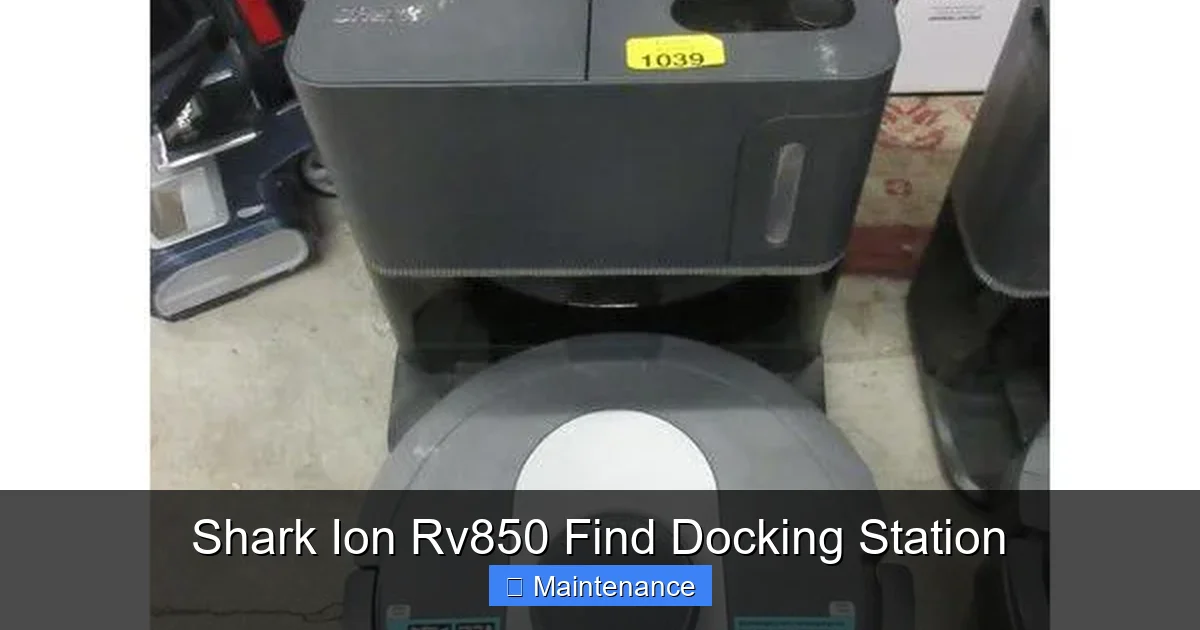
Visual guide about Shark Ion Rv850 Find Docking Station
Image source: dygtyjqp7pi0m.cloudfront.net
Symptom: “Docking Failed” or “Cannot Find Base” on App
This is the most common alert. The robot’s sensors saw the signal but couldn’t complete the physical connection.
- First, Clean: Power off the dock (unplug it). Use a dry microfiber cloth to thoroughly wipe the two metal charging contacts on the dock. Then, use the included cleaning tool or a dry cotton swab to gently clean the corresponding contact pins on the bottom of the robot. Dust and hair are insulators.
- Check the Clear Zone: Get down on your hands and knees. Look from the robot’s perspective. Is there a stray cord, a chair leg, or a rug fringe within 3 feet of the dock? Remove it.
- Level Check: Place a small level on top of the dock. Even a slight tilt can prevent proper mating. Shim the dock’s back or front with a piece of cardboard if needed.
Symptom: Robot Bumps Dock but Doesn’t Connect
The robot finds the dock physically but the electrical connection isn’t made.
- Contact Alignment: The RV850 uses spring-loaded pins. If the dock is against a thick carpet or on an uneven surface, the robot might bump it and bounce off before the pins compress enough to touch the dock’s contacts. Ensure a hard, level surface.
- Contact Cleanliness (Again): This is 80% of the problem. Even a thin film of dust or oxidation acts as a barrier. Clean both sets of contacts until they gleam.
- Manual Dock Test: Manually lift the robot and gently lower it straight down onto the dock. You should feel a slight magnetic pull and hear a definitive *click* or chime. If not, the contacts are misaligned or dirty.
Symptom: Robot Ignores Dock and Just Stops
The robot finishes its cycle and powers down in the middle of the room, never attempting to return.
- IR Signal Interference: The dock’s IR beacon might be blocked or jammed. Check that nothing is stacked on top of or immediately in front of the dock. Also, other strong IR sources (like some TV remotes pointed at the robot) can theoretically interfere, though rare.
- Dock Power: Is the LED on the dock lit? If not, the adapter is faulty or the outlet is switched off. Test the outlet with another device.
- Robot Reboot: Power cycle the robot. Hold the power button for 10 seconds until it shuts off. Wait 30 seconds, then turn it back on and place it on the dock to charge for a few minutes before trying again.
Routine Maintenance: Keeping the Find System Alive
Your docking station is a simple device, but it needs weekly attention to perform its job flawlessly. Integrate these steps into your regular robot maintenance routine (e.g., every Sunday after the robot runs).
The Weekly Wipe-Down
Once a week, unplug the dock. Take a dry microfiber cloth and wipe down the entire top surface, the guide walls, and especially the two metal charging contacts. If you see any visible dust, hair, or debris in the contact area, use a dry cotton swab to gently dislodge it. Never use liquids, solvents, or abrasive cleaners on the contacts. For stubborn grime, a tiny amount of isopropyl alcohol on the swab can be used, but ensure it’s completely dry before plugging the dock back in.
The Monthly Deep Clean
Once a month, do a more thorough inspection. Check the bottom of the dock for any accumulated dust or carpet fuzz that might have been dragged in by the robot. Use the crevice tool of your vacuum cleaner to suck out any debris from the contact well. Inspect the power adapter and cord for any damage. Ensure the dock is still level; furniture shifts and floors can settle over months, changing the angle.
Sensor and Environment Check
The dock doesn’t have filters, but its environment does. Ensure the area around the dock remains clear. If you have a self-empty base, you must also empty the disposable bag in the upper chamber of that base when the app alerts you (usually when it’s full). A clogged self-empty system can cause the RV850 to fail its docking sequence because it can’t complete the full empty cycle. Follow the manufacturer’s guide for emptying the self-empty base.
Is It Worth Buying a Replacement? Compatibility and Future-Proofing
Docking stations can fail. The power adapter might die, the contacts can corrode, or the IR beacon can burn out. If yours stops working, should you buy a new one? And what about if you upgrade your robot in the future?
Strict Model Compatibility
This is the most critical point. The Shark Ion RV850 Find Docking Station is engineered specifically for the RV850 model. Its IR signal frequency, contact spacing, and physical dimensions are unique to that model. It will not work with the Shark Ion RV750, RV720, or any other Shark robot vacuum series. The connectors are different, the signal is different, and the shape is different. Do not attempt to use a dock from another model. You must purchase the exact part number for the RV850, typically listed as “Shark ION Robot Vacuum RV850 Charging Dock” or “Find Dock.” You can find genuine replacements on the Shark website, Amazon, or authorized retailers.
When to Replace vs. Repair
Dock failures are usually total. The IR emitter is a solid-state component; if it fails, the dock is dead. The charging circuit can also fail. Given the low cost of a replacement dock (usually $40-$60) compared to the time and frustration of a non-functioning robot, replacement is almost always the better economic choice. Before ordering, try all troubleshooting steps—especially the contact cleaning and power check. If the dock’s LED doesn’t light when plugged in, it’s dead. If the LED lights but the robot still won’t dock or charge after a thorough contact clean, the dock’s charging circuit or signal emitter is likely faulty. Replace it.
Will It Work with Future Shark Robots?
Almost certainly not. Shark, like all manufacturers, updates its technology with each new generation. The next model after the RV850 likely uses a different navigation system (perhaps vSLAM instead of relying solely on a beacon) and a different physical dock design. Do not buy a spare RV850 dock now expecting to use it in 5 years. If and when you upgrade your robot, you will almost certainly need a new dock designed for that specific model. Think of the dock as a consumable accessory paired to your robot’s generation.
Maximizing the “Find” Feature: Pro Tips for Flawless Returns
You have the dock placed perfectly and it’s clean. But can you squeeze even more reliability out of the system? Yes. These advanced tips will make your RV850’s returns feel like magic.
Use the Dock as a Cleaning Starting Point
Always start a scheduled clean or a manual “Clean All” with the robot sitting on its dock. This gives it a known, fixed starting point. If you manually place it in the middle of a room to start a spot clean, its internal map might get confused about where “home” is relative to its new position, potentially causing a failed return later. The dock is its true north.
Mind the Furniture During Runs
If you have chairs, stools, or ottomans that you normally tuck under a table, do this *before* starting a cleaning cycle. A chair leg placed directly in the robot’s approach path to the dock during its return trip is a classic cause of failed docking. The robot will see the obstacle, stop, and abort the return sequence. A quick pre-vacuum furniture tidy is a simple habit that pays dividends.
The “Battery Respite” Trick
If your home is very large and the RV850 is doing multiple cleanings in one go (e.g., a “Clean All” on a 3,000 sq ft home), it might need to recharge mid-cycle and then resume. For this to work flawlessly, the dock must be in a central, optimal location. If the robot has to travel a very long distance back to the dock from the far wing of the house, it might not have enough battery to get there on its first low-battery alert. In extremely large homes, consider if a second docking station (if your model supports it) is feasible, or break cleaning into “zones” via the app so the robot doesn’t have to traverse the entire house in one go.
Respecting the Self-Empty Cycle
If you have the self-empty base, understand its timing. After the robot docks, the self-empty process takes about 10-15 seconds. During this time, the robot is locked in place and its bin is being emptied. Do not move the robot or the dock during this process. Interrupting it can cause the robot to think docking failed and it may abandon the base. Also, ensure the self-empty base’s dustbin is not overflowing. A full bag creates high suction resistance, and the cycle might fail, confusing the robot. The app will alert you when the bag is full.
Frequently Asked Questions
Can I use the Shark Ion RV850 Find Docking Station with a different Shark robot model, like an RV750?
No. The RV850 Find Docking Station is specifically engineered for the RV850 model only. The physical dimensions, charging contact spacing, and infrared “Find” signal frequency are unique to that model. Using it with any other Shark robot will result in failed docking and potential damage. Always use the dock designed for your exact model number.
Will placing the docking station on a thick rug cause problems?
Yes, very likely. A thick or shaggy rug can cause the dock to sit unevenly or wobble. When the RV850 parks, it bumps the dock to align itself. If the dock moves or tilts during this impact, the metal charging contacts may not connect properly, leading to intermittent charging or docking failures. Always place the dock on a hard, level floor surface for optimal performance.
How often should I clean the docking station’s contacts?
For reliable performance, you should wipe the metal charging contacts on the dock with a dry microfiber cloth at least once a week as part of your robot maintenance routine. If you have pets that shed heavily or live in a dusty environment, clean them twice a week. For a deeper monthly clean, use a dry cotton swab to gently clean around the contacts. Never use liquids unless it’s a tiny amount of isopropyl alcohol on a swab, and ensure it’s completely dry before use.
My robot finds the dock but doesn’t fully charge. What’s wrong?
This is almost always a contact cleanliness or alignment issue. First, unplug the dock and thoroughly clean both the dock’s contacts and the robot’s contact pins (on its underside) with a dry microfiber cloth and cotton swab. Second, check the level. Use a small level on top of the dock; if it’s not perfectly flat, shim it until it is. Third, manually place the robot on the dock and gently press down to ensure the contacts are engaging. You should feel a slight resistance and hear a chime.
Is the “Find” docking station covered under warranty?
Yes, the docking station is considered a part of the Shark Ion RV850 system and is covered under the same limited warranty as the robot itself (typically 1-3 years depending on purchase date and region). Warranty coverage applies to defects in materials or workmanship. Damage from misuse, neglect, or attempting to use it with an incompatible model is not covered. Keep your proof of purchase. If you suspect a fault, contact Shark Customer Support before purchasing a replacement.
My RV850 worked perfectly for a year, but now it suddenly can’t find its dock. What changed?
The most common culprit for a sudden failure after a period of success is environmental change. Ask yourself: Have you added a new rug, moved a piece of furniture, or placed a reflective object (mirror, glass table) near the dock’s path? Have you changed the position of the dock itself, even slightly? Has the floor under the dock become uneven (e.g., a floorboard shifted)? Also, perform the essential contact cleaning. A gradual buildup of dust and oxidation on the contacts can eventually create enough resistance to break the connection. Start with a full, thorough cleaning of the dock and robot contacts, and then reassess the dock’s location and surroundings.