Is your Shark Nv680 N vacuum’s brushroll stubbornly refusing to spin? This is a very common issue, and the good news is that it’s almost always fixable without a costly service call. The problem typically stems from a simple obstruction like hair or carpet fibers, a tripped thermal reset, a worn or broken belt, or a faulty brushroll motor. This guide walks you through a systematic, safe diagnostic process, starting with the quickest, easiest fixes. You’ll learn how to inspect and clean the brushroll housing, perform the crucial reset procedure, check the drive belt, and ultimately determine if a part needs replacing. With basic tools and a few minutes of your time, you can diagnose and repair the “brushroll not spinning” problem yourself and get your Shark back to its powerful cleaning self.
You’re cruising across your living room carpet with your trusty Shark Nv680 N, enjoying that satisfying deep-clean hum, when you notice something’s off. The vacuum is still sucking up dust, but that powerful rotating brushroll that agitates carpet fibers has gone silent. You tilt the machine to look, and sure enough, the brushroll is just sitting there, motionless. Panic sets in for a moment. Is it broken for good? Do you need a new vacuum?
Take a deep breath. The scenario of a “Shark Nv680 N brushroll not spinning” is one of the most common issues owners face, and it’s rarely a death sentence for your machine. In fact, with a systematic approach, you can diagnose and fix this problem yourself in under 30 minutes, saving you a significant service fee. This guide will walk you through every possible cause, from the ridiculously simple to the more complex, with clear, step-by-step instructions. We’ll talk like friends troubleshooting together, no confusing jargon, just practical know-how.
Key Takeaways
- The #1 Culprit is Clogs: Hair, string, and carpet fibers wrapping around the brushroll and its bearings is the most frequent cause of a stopped brushroll. Regular cleaning is essential prevention.
- Always Start with a Reset: The Shark Nv680 N has a built-in thermal fuse that can trip if the motor overheats (often from a clog). Unplugging the vacuum for 45 seconds is the mandatory first troubleshooting step.
- The Belt is a Common Failure Point: The rubber drive belt that connects the motor shaft to the brushroll can stretch, wear out, break, or slip off. A visual inspection of the belt is a critical diagnostic step.
- Brushroll Itself Can Fail: The plastic bristles can wear down, the end caps can seize, or the internal bearings can lock up. Manually spinning the brushroll by hand is a key test.
- Diagnosis is a Process of Elimination: Work through the steps in order: Reset → Clean Brushroll Housing → Inspect/Replace Belt → Test Brushroll → Check Motor. This ensures you don’t replace a part that isn’t broken.
- Safety First: Always disconnect the vacuum from the wall outlet before performing any inspection, cleaning, or part replacement to prevent accidental startup.
- Parts are Readily Available: If a part is broken (belt, brushroll assembly), genuine Shark replacements are easily found online using your model number (usually NV680 or NV680N).
📑 Table of Contents
- Understanding Your Shark Nv680 N’s Brushroll System
- Step 1: The Mandatory Reset & Initial Checks
- Step 2: The Deep Dive – Inspection and Cleaning
- Step 3: The Drive Belt Inspection and Replacement
- Step 4: Testing the Brushroll and Motor
- Step 5: Prevention is the Best Medicine
- When to Call It Quits (or Call a Pro)
- Conclusion: Empowerment Through Understanding
Understanding Your Shark Nv680 N’s Brushroll System
Before we start pulling screws, it helps to understand what makes the brushroll spin. Your Shark Nv680 N uses a belt-driven system. A small electric motor inside the vacuum’s body spins a pulley. A rubber drive belt loops around that motor pulley and around a pulley on the end of the brushroll itself. When the motor runs, it turns the belt, which in turn rotates the brushroll. Simple, right?
This system has a few key failure points. The brushroll can jam. The belt can break or slip. The motor can overheat and shut off via a thermal fuse. Or the brushroll’s own bearings can seize. Our job is to check each of these points logically. The most important rule: always unplug your vacuum before touching any internal parts. This is non-negotiable for your safety.
The Role of the Thermal Reset Switch
Your Shark Nv680 N is smart. It has a built-in thermal protection device designed to prevent the motor from burning out if it gets too hot. This usually happens when airflow is blocked—you’re vacuuming a thick rug with a clogged brushroll, for instance. The motor labors, heats up, and the thermal fuse trips, cutting power to the brushroll motor. The vacuum might still run in “suction-only” mode (if it has one) or just shut down entirely. The fix for this is often beautifully simple: a reset.
Step 1: The Mandatory Reset & Initial Checks
Do not skip this step. It’s the fastest, easiest fix and solves a huge percentage of “brushroll not spinning” complaints.
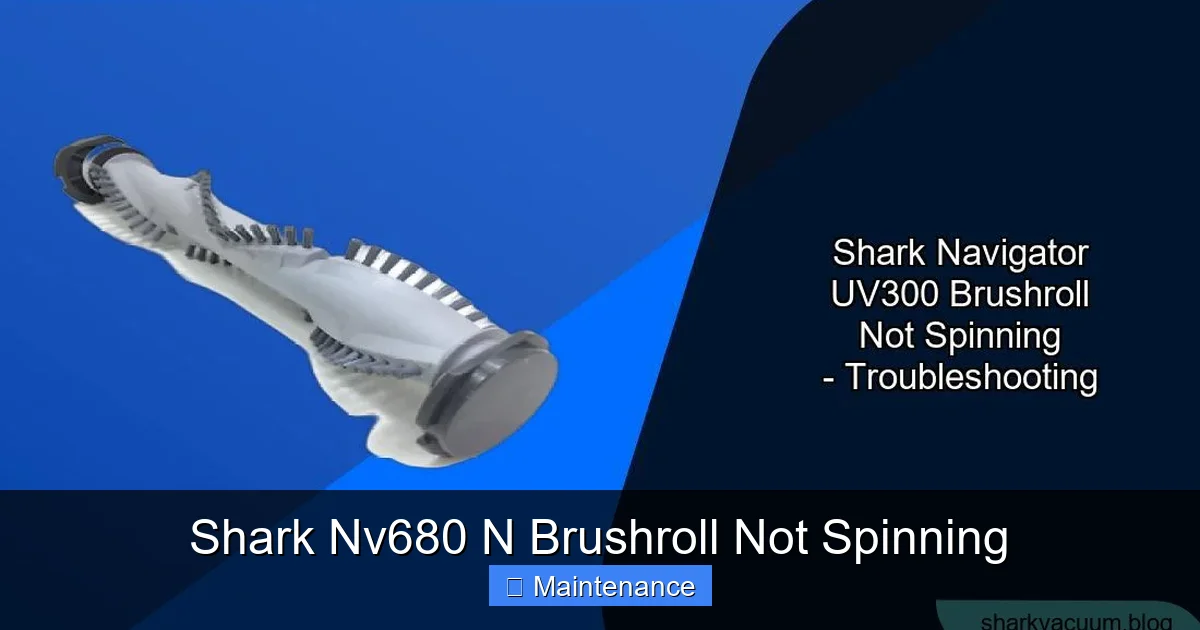
Visual guide about Shark Nv680 N Brushroll Not Spinning
Image source: sharkvacuum.blog
How to Perform the Thermal Reset
1. Unplug the Vacuum: Pull the power cord from the wall outlet. This is your first and most important action.
2. Locate the Reset Button: On the Shark Nv680 N, the reset button is typically a small, red or black circular button located on the back or underside of the vacuum’s main body. It might be recessed. You often need a pen cap or a small screwdriver to press it.
3. Press and Hold: Press the button firmly and hold it down for 10-15 seconds.
4. Reconnect and Test: Plug the vacuum back into the wall. Turn it on and engage the brushroll (usually by stepping on the foot pedal or flipping a switch). Try it on a bare floor first so you can see if the brushroll is spinning.
If it spins now, congratulations! You likely had a temporary overload. However, this is a warning sign. You should immediately inspect the brushroll area for clogs (we’ll do that next) to prevent it from happening again.
If it does NOT spin after a reset, proceed to the next steps. The thermal fuse may have failed permanently, or there is a physical obstruction or mechanical failure preventing the brushroll from turning.
Step 2: The Deep Dive – Inspection and Cleaning
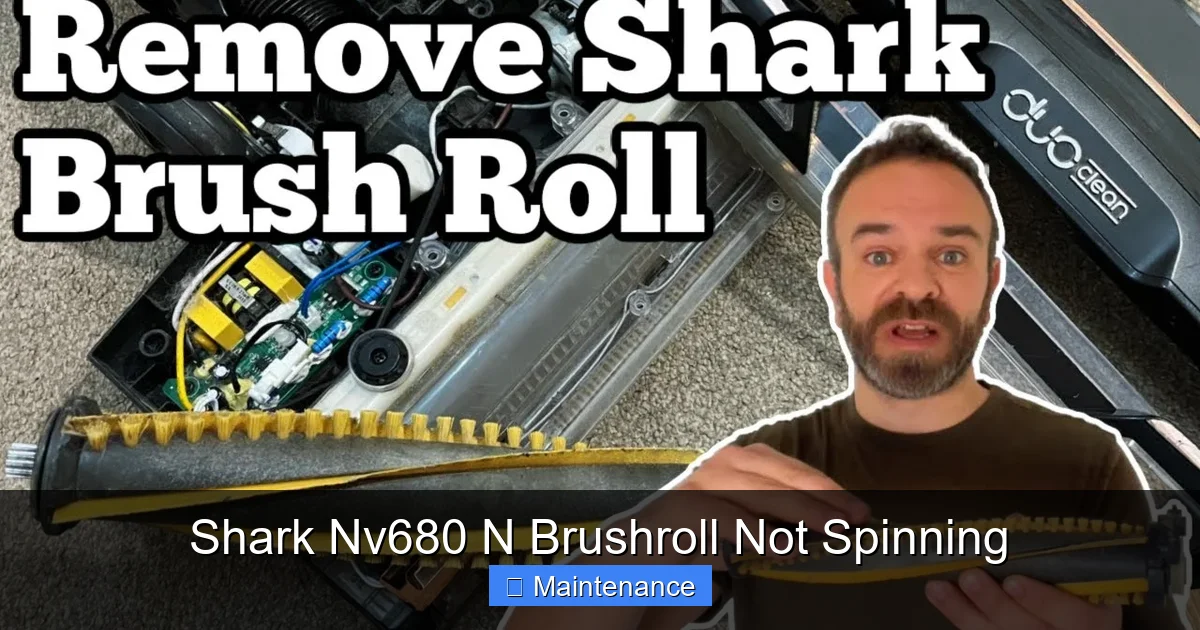
Now we get our hands dirty. Over 70% of brushroll stoppages are due to physical obstructions. Hair, string, carpet fibers, and even small items like socks or hair ties can wrap around the brushroll axle, jam the bearings, and bring rotation to a halt. This creates immense strain on the belt and motor.
Visual guide about Shark Nv680 N Brushroll Not Spinning
Image source: i.ytimg.com
Accessing the Brushroll Housing
1. Lay the Vacuum Down: Tip the Shark onto its side so you can access the underside.
2. Remove the Brushroll Cover: The brushroll is protected by a plastic hood or plate. On the NV680, this is usually secured by one or two release latches or a couple of screws. Look for large, square or rectangular gray/black plastic pieces on the suction head. Press the release tabs and lift the cover off. If it’s screwed, use a Phillips-head screwdriver.
3. Extract the Brushroll: Once the cover is off, you’ll see the brushroll itself. It’s a cylindrical tube with bristles, and on each end, there’s a plastic cap that fits into a socket in the vacuum’s housing. Gently pull the brushroll straight up and out. It might be stiff if something is jammed. Don’t force it; wiggle it gently.
Cleaning: The Most Critical Task
With the brushroll out, you’ll likely see the problem immediately. You’ll see a thick, disgusting mat of hair, string, and fibers wrapped around the core of the brushroll, binding it tight. This is your culprit.
Cleaning Method:
- Use a pair of scissors to carefully cut the hair and fibers. Do not try to pull it off; you’ll just tighten the wrap. Cut it lengthwise along the brushroll and it should release.
- For stubborn debris stuck in the bristles, use a seam ripper or a flea comb. The hook of a seam ripper is perfect for hooking and pulling out compacted lint from the base of the bristles.
- Check the bearing housings at each end of the brushroll. These are the plastic caps. Make sure they spin freely and aren’t packed with gunk. Wipe them clean.
- Finally, look inside the brushroll housing channel on the vacuum itself. This is the tunnel the brushroll sits in. Hair and debris love to accumulate here, especially on the sides. Use a long, thin tool (like a screwdriver handle or a dedicated cleaning tool) wrapped in a microfiber cloth to scoop out any accumulated mess. Ensure the belt pulley area is clear.
Once everything is spotless, manually spin the brushroll by hand. It should rotate smoothly and freely for several seconds with a slight whirring sound. If it’s gritty, stiff, or doesn’t spin, the brushroll itself is damaged and needs replacement.
Reassembly and Test
1. Slide the cleaned (or new) brushroll back into its sockets. It should drop in easily.
2. Reattach the brushroll cover, ensuring the latches click or screws are snug.
3. Do not plug it in yet. Manually rotate the brushroll by reaching into the housing through the cover gap (or by turning the vacuum on its side and spinning the brushroll with your finger). It should turn without binding against the housing. If it binds, it’s not seated correctly.
4. Plug in, reset (if you haven’t recently), and test.
If the brushroll now spins, you’ve solved it! You just had a classic clog. To prevent recurrence, check and clean the brushroll monthly if you have pets or long hair.
Step 3: The Drive Belt Inspection and Replacement
If you’ve cleaned everything thoroughly and the brushroll still won’t spin, the rubber drive belt is the next most likely suspect. Belts wear out, stretch, slip off pulleys, or snap.
Visual guide about Shark Nv680 N Brushroll Not Spinning
Image source: support.sharkclean.co.uk
Inspecting the Belt
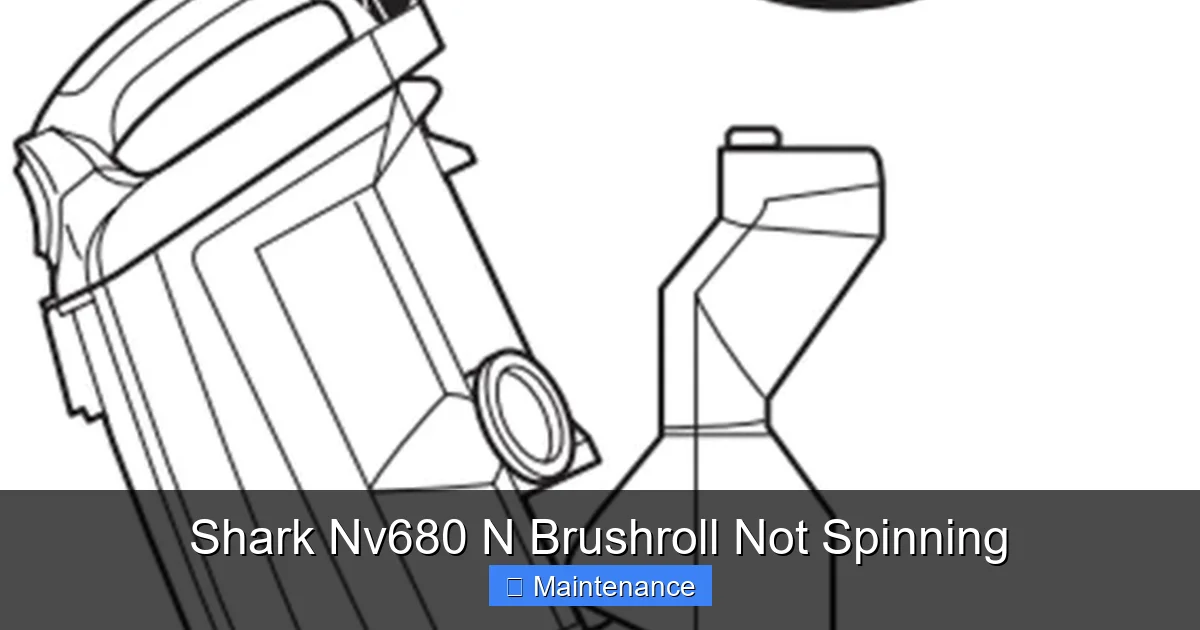
With the brushroll cover off and the brushroll removed, you will see the belt. It’s a thin, black rubber loop stretched between the motor pulley (a small wheel near the front of the housing) and the brushroll pulley (a larger wheel on the end of the brushroll).
- Is it there? Sometimes a broken belt falls off and gets lost inside the housing. If there’s no belt, that’s your problem.
- Is it intact? Look for cracks, fraying, or a visible break in the rubber.
- Is it stretched? A healthy belt is taut. A worn belt will sag significantly and may slip off the pulleys when the motor tries to turn it.
- Is it on the pulleys? Ensure it’s seated properly on both the motor pulley and the brushroll pulley.
Replacing the Drive Belt (Shark NV680)
Replacing the belt is a simple parts swap. You’ll need the correct replacement belt. Shark part number 112FF (or a compatible universal vacuum belt of the same size) is standard for many NV series models. You can find this on Amazon, eBay, or appliance parts sites.
Installation Steps:
- With the brushroll out, you should see the belt. Stretch it and unhook it from the motor pulley. It may have a small plastic clip or keeper; note how it was attached.
- Stretch the new belt. The trick is to hook one end onto the brushroll pulley first. It’s easier to stretch the belt over the smaller motor pulley last.
- Hook the belt onto the brushroll pulley. It should fit snugly.
- Now, stretch the belt and carefully work it over the motor pulley. You may need to rotate the motor pulley (by hand) to help the belt seat. Ensure it’s sitting in the groove of both pulleys.
- Reinstall the brushroll. The belt should now be inside the housing, looped around the brushroll.
- Reattach the brushroll cover.
- Plug in and test. You should hear a distinct change in sound—a higher-pitched whine as the belt engages—and see the brushroll spin.
If a new belt doesn’t solve the problem, the issue likely lies with the brushroll itself (seized bearings) or, less commonly, the motor that drives the belt.
Step 4: Testing the Brushroll and Motor
We’ve cleared clogs and replaced the belt. Time to isolate the remaining components.
The Brushroll Spin Test
Remove the brushroll from the vacuum. Hold it in your hands and spin each end cap by flicking it with your finger. A healthy brushroll will spin freely, smoothly, and for several seconds with minimal drag. If it feels gritty, stiff, or stops immediately, the internal bearings are shot. The entire brushroll assembly needs to be replaced. They are not serviceable; you buy a new one. This is a very common failure point, especially in vacuums used on a lot of carpeting.
The Motor Test (Advanced)
If you have a brand-new brushroll that spins freely and a new, correctly installed belt, but the brushroll still doesn’t turn when the vacuum is on, the motor that drives the belt may be dead. This is the least common failure but possible.
How to check: You’ll need to access the motor. This usually involves removing the top hood of the vacuum (the part you step on). Consult your user manual for screw locations. Once the motor is exposed, you can try to listen. When you turn the vacuum on (with the brushroll engaged), do you hear a faint whirring or humming from the motor area? If you hear nothing, the motor may not be getting power or is dead. If you hear a hum but the brushroll doesn’t move, the motor’s internal brushes or windings may be fried. Motor replacement is more involved and often not cost-effective on an older machine. At this point, comparing the repair cost (part + time) to the price of a new comparable Shark model is wise.
Step 5: Prevention is the Best Medicine
You’ve fixed your Shark. Now, let’s keep it running. A few minutes of monthly maintenance prevents 90% of brushroll issues.
Monthly Maintenance Ritual
- Clean the Brushroll: Even if it’s not jammed, use your seam ripper or scissors monthly to cut and remove any hair wrapped around the bristles. Do this before the mat gets thick.
- Check the Belt: While you have the cover off, glance at the belt. Look for cracks, glazing (a shiny surface), or signs of overheating (a burnt smell). A belt typically lasts 6-12 months with regular use.
- Lubricate the Bearings (Optional): Some Shark brushrolls have serviceable bearings. If yours does, a drop of lightweight machine oil (like 3-in-One) on each bearing axle once a year can extend life. Most modern ones are sealed, though.
- Inspect the Housing: Use a flashlight to look down the brushroll channel. Remove any debris that has settled there.
Smart Vacuuming Habits
- Don’t vacuum up large, hard objects (coins, paperclips, small toys). They can jam the brushroll or damage the housing.
- Be extra vigilant with long human hair and pet fur. These are the prime materials for creating a brushroll “mummy.”
- If you have thick shag carpet, consider using the vacuum in “suction-only” mode (if your NV680 has it) for light cleaning, and only engage the brushroll for deep cleans. This reduces wear.
When to Call It Quits (or Call a Pro)
We’ve covered the vast majority of cases. But there are scenarios where DIY might not be the best path.
- Motor Failure: As mentioned, a failed motor is a significant repair. For an older NV680, the cost of a motor and your time may approach the value of the machine. Shark’s customer service might offer a discounted replacement or trade-in program.
- Persistent Thermal Shutdowns: If you’ve cleared all clogs, cleaned everything, and the thermal fuse trips again immediately, there could be a deeper electrical issue or a failing motor drawing too much current. This requires professional electrical diagnosis.
- You’re Uncomfortable: If opening up the vacuum feels daunting, or you’re not confident with basic tools, it’s okay to take it to a reputable small appliance repair shop. The diagnostic fee is often worth the peace of mind.
- The Vacuum is Very Old: If your NV680 is 8+ years old and has had multiple component failures (belt, brushroll), it might be time to consider an upgrade. Newer Shark models have improved designs and efficiency.
Remember, Shark offers a limited warranty. If your vacuum is still within the warranty period (check your paperwork), do not attempt repairs yourself. Opening the machine will likely void the warranty. Contact Shark customer support first. They may ship you a replacement part for free or guide you through their approved troubleshooting.
Conclusion: Empowerment Through Understanding
The dreaded “Shark Nv680 N brushroll not spinning” problem is almost always a solvable puzzle. It’s a testament to the machine’s design that the most common fixes—resetting the thermal fuse and clearing a hair clog—are things you can do in five minutes with no tools. By working methodically through the diagnostic tree we’ve laid out—Reset → Clean → Inspect Belt → Test Brushroll → Consider Motor—you transform from a frustrated user into a capable fixer.
This process teaches you about your vacuum. You learn where the brushroll lives, what a drive belt looks like, and how a simple mat of hair can bring a powerful machine to its knees. That knowledge is power. It saves you money, reduces waste, and gives you a deeper connection to the tools that keep your home clean. So the next time that brushroll goes silent, don’t panic. Unplug, reset, and start looking. The solution is almost certainly right there inside, waiting for you to find it. Your Shark Nv680 N is built to last; with a little TLC, it will spin strongly for years to come.
Frequently Asked Questions
My Shark Nv680 N brushroll spins for a second then stops. What’s wrong?
This is a classic sign of a severe clog. The brushroll starts to turn, but the jammed hair or debris creates so much resistance that the thermal fuse immediately trips. Perform the full reset procedure and then immediately remove and thoroughly clean the brushroll housing and the brushroll itself, cutting away all wrapped material.
I reset the thermal switch, but the brushroll still won’t spin. Now what?
After a successful reset, if the brushroll still doesn’t spin, the thermal fuse may have failed permanently or there is a physical obstruction. You must now proceed to Step 2: completely remove the brushroll cover and brushroll assembly to inspect for and clear any hair, string, or fiber clogs that are mechanically locking the brushroll.
Is it worth repairing my 5-year-old Shark Nv680 N?
Often, yes. The most common repairs—cleaning clogs (free), replacing the drive belt (~$10-15), or replacing the brushroll assembly (~$25-40)—are very inexpensive compared to the cost of a new vacuum. Only consider replacement if the motor fails or if the machine has a history of multiple major component failures.
How often should I clean my Shark’s brushroll to prevent this?
For households with pets or long hair, inspect and clean the brushroll monthly. For all others, a thorough cleaning every 2-3 months is good preventive maintenance. Getting in the habit of checking it when you empty the dust cup will prevent the vast majority of spin issues.
Can I use any universal vacuum belt for my NV680?
While many universal belts will fit, it’s critical to get the correct size. The Shark NV680 typically uses a belt that is approximately 11.5 inches long (part number 112FF). Using the wrong size belt (too long or too short) will cause slippage or put improper strain on the motor. Check your manual or the old belt for sizing markings.
What if I’ve tried everything and the brushroll still won’t spin?
If you have confirmed: 1) the thermal reset is successful, 2) the housing and brushroll are 100% clean and the brushroll spins freely by hand, 3) a new belt is properly installed, then the failure is likely in the brushroll motor itself. At this point, weigh the cost and hassle of motor replacement against purchasing a new vacuum. Contacting Shark support or a local appliance repair shop for a final diagnosis is your best next step.