A non-spinning brush roll is a common Shark Rocket issue, usually caused by hair/fiber wrap or a tripped reset button. Start by unplugging the vacuum, checking for obstructions, and pressing the reset button. If those fail, inspect the belt and motor for damage. Regular cleaning after each use prevents 90% of these problems. Most fixes are simple and require no tools beyond a seam ripper and screwdriver.
Key Takeaways
- Hair Wrap is the #1 Culprit: Fibers tightly wound around the brush roll shaft or bearings are the most frequent cause, stopping rotation instantly.
- Always Check the Reset Button First: Shark vacuums have a thermal reset button on the brush roll housing; pressing it solves many seemingly complex problems.
- The Belt is a Critical Link: A broken, stretched, or slipped drive belt will disconnect motor power from the brush roll, a very common failure point.
- Bearings Seize Over Time: Lack of lubrication and debris can cause the brush roll’s bearings to freeze, requiring cleaning or part replacement.
- Simple Maintenance Prevents Most Issues: A 2-minute brush roll cleaning after every few uses prevents 90% of “brush not spinning” complaints.
- Diagnosis is a Process of Elimination: Work from the simplest solution (obstructions, reset) to more complex (belt, motor) to efficiently find the root cause.
- Safety First: Always unplug the vacuum before any inspection or repair to avoid accidental startup and injury.
📑 Table of Contents
- Why Your Shark Rocket Brush Stopped Spinning: The Usual Suspects
- Immediate Troubleshooting: The 10-Minute Fix You Must Try First
- Deep Dive: Internal Components and When They Fail
- Maintenance Habits That Prevent Brush Issues Before They Start
- Deciding Between DIY Fixes and Professional Help
- Keeping Your Shark Rocket Performing for Years to Come
Why Your Shark Rocket Brush Stopped Spinning: The Usual Suspects
You’re halfway through cleaning your living room, and you notice it. That distinct, satisfying hum of your Shark Rocket’s brush roll has gone silent. The vacuum still sucks, but the agitation—the real cleaning power—is gone. That pile of carpet fluff isn’t getting any deeper clean. It’s a frustrating moment, but don’t panic. A Shark Rocket vacuum brush not spinning is one of the most common issues owners face, and it’s almost always fixable. Understanding why it happens is the first step to solving it.
Think of your vacuum’s brush roll as the workhorse. It’s a simple cylinder with bristles, rotated by a motor via a belt. Its job is to agitate carpet fibers, lifting embedded dirt so the suction can capture it. When it stops, the system breaks down. The causes typically fall into a few clear categories: physical obstruction, a tripped safety mechanism, a failed drive component, or a seized mechanical part. The good news? The first two categories account for the vast majority of problems and are things you can check and fix yourself in under five minutes with no special tools.
The Anatomy of a Stopped Brush: How It Works (And How It Fails)
To diagnose the issue, you need a mental picture of the path of power. The main motor creates suction. A separate, smaller motor (the brush roll motor) sits near the brush head. A rubber drive belt connects the motor’s pulley to the brush roll’s pulley. When the vacuum is on, the brush motor spins, turning the belt, which spins the brush roll. Anything that interrupts this chain—a belt that’s snapped, a pulley that’s jammed, a motor that’s overheated—will stop the brush. The brush roll itself has bearings on each end that allow it to spin freely. If those bearings are packed with hair and gunk, they can bind up, creating so much resistance that the motor can’t turn it, or the belt slips.
Immediate Troubleshooting: The 10-Minute Fix You Must Try First
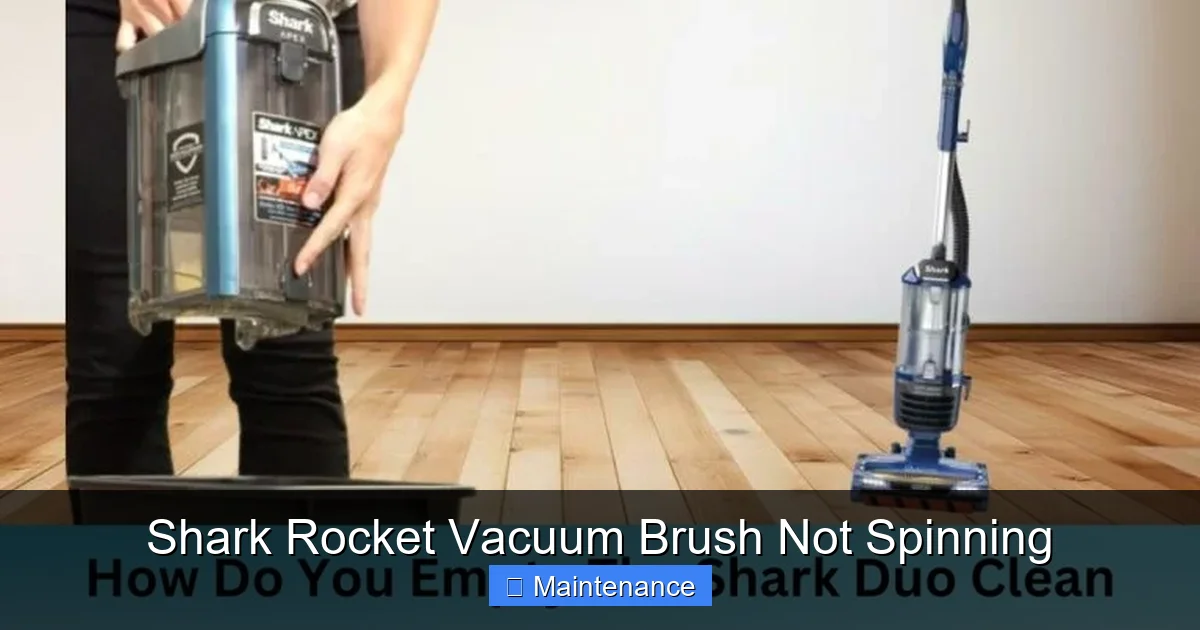
Before you disassemble anything or call for service, follow this exact sequence. It’s designed from simplest to most complex. You’ll likely solve the problem in Step 1 or 2. Always, always unplug your Shark Rocket from the wall outlet before beginning any inspection. This is non-negotiable for safety.
Visual guide about Shark Rocket Vacuum Brush Not Spinning
Image source: sharkvacuum.blog
Step 1: The Visual and Physical Obstruction Check
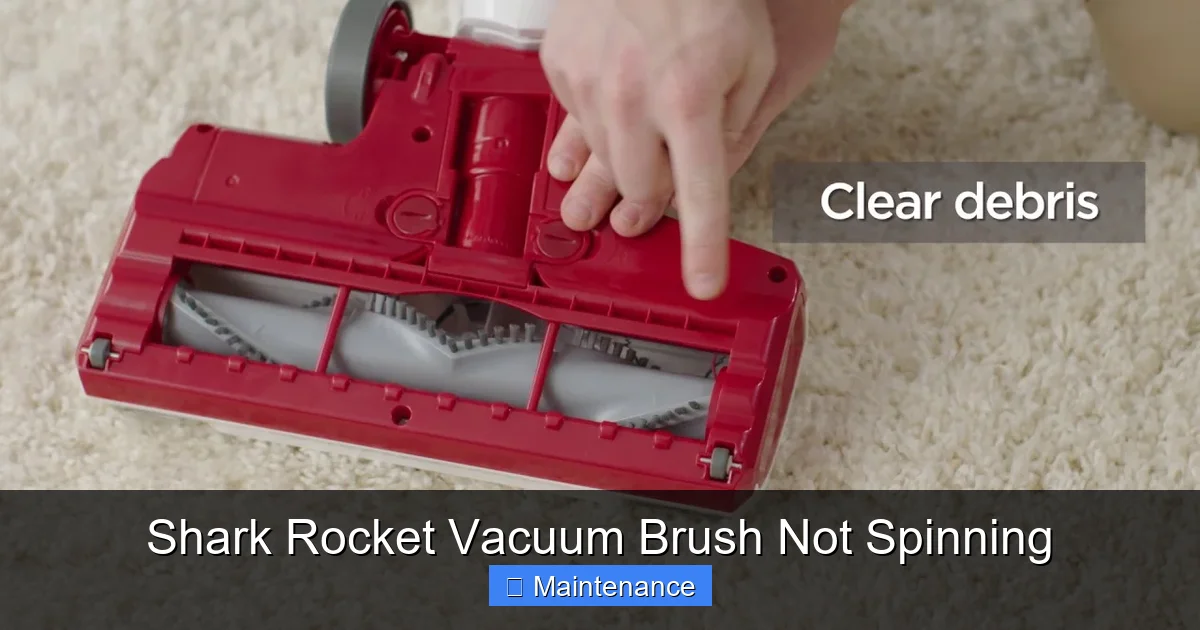
Flip your Shark Rocket over so the brush roll is accessible. Use a bright light. Look closely at the brush roll itself. Do you see a thick mat of hair, string, or carpet fibers wrapped around the bristles and axles? This is the prime suspect. Even a small amount of hair, if wound tightly, can act like a clamp, stopping the roll dead. Use your fingers or a pair of scissors (be careful!) to cut and remove as much as you can. Pay special attention to the ends where the brush roll inserts into the housing—this is where hair loves to hide and bind the bearings. Also, look inside the brush head housing for any large debris, like a sock or rug fringe, that could be jamming the brush roll’s rotation.
Step 2: Locate and Press the Reset Button
This is the secret weapon for many Shark owners. Your Shark Rocket has a built-in thermal safety switch. If the brush roll motor overheats (from excessive hair wrap, long runtime on thick carpet, or a clog), it will automatically shut down to prevent damage. The reset button is usually a small, red or black button on the brush roll housing or on the main body near the wand connection. Consult your manual for the exact location, but it’s typically on the underside of the brush head assembly. Press it firmly until you hear a click. Re-plug the vacuum and test the brush roll. If the reset button pops out again immediately after you start the vacuum, it means the underlying problem (like a jammed brush) is still present and is causing the motor to overheat again.
Step 3: The Belt Inspection
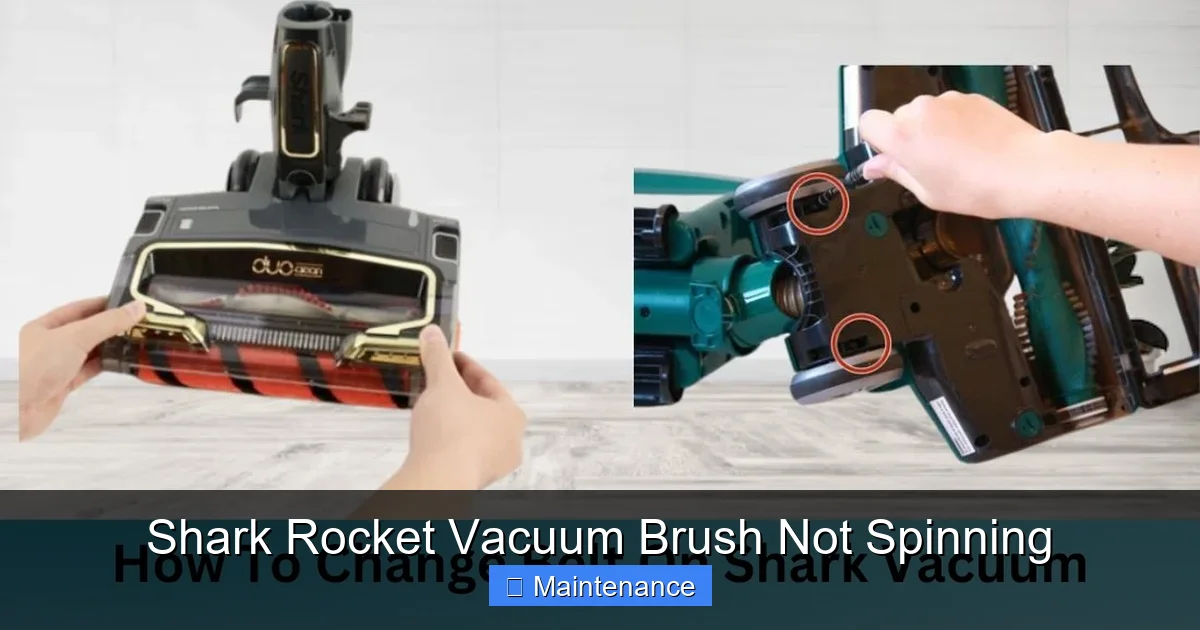
If the brush roll is clean and the reset button holds, the drive belt is your next target. You’ll need to remove the brush roll housing cover. Usually, there are a few screws (often Torx/star bits) on the bottom of the brush head. Remove them and lift off the plastic cover. You’ll see the rubber belt looped around the motor pulley and the brush roll pulley. First, check if the belt is even there! It can break and fall into the housing. Next, inspect it. Is it broken, frayed, or stretched out and loose? A loose belt will slip and not turn the brush. A broken one is obvious. Also, check that it’s properly seated on both pulleys. Sometimes it can jump off one pulley. If the belt is damaged, it needs replacement. Shark Rocket belts are inexpensive and easy to swap.
Deep Dive: Internal Components and When They Fail
If the quick fixes didn’t work, the problem is likely internal. This requires a bit more disassembly and diagnosis. Don’t worry; we’ll walk through it. The failure points narrow down to a few key components: the brush roll itself, the brush roll motor, or the wiring.
Visual guide about Shark Rocket Vacuum Brush Not Spinning
Image source: sharkvacuum.blog
The Brush Roll: Bearings and Balance
With the brush roll out of the housing (you usually just pull it straight out after removing the belt), spin it by hand. It should rotate smoothly and freely for several seconds with a slight whirring sound. If it feels gritty, stiff, or doesn’t spin at all, the bearings are seized. This is often due to old, dried-on gunk or compacted hair inside the bearing caps. You can sometimes clean this out with a needle or tweezers and a little isopropyl alcohol, but often a seized brush roll needs replacement. Also, check if the brush roll is bent or warped. A warped roll will wobble, causing belt slippage or even damaging the housing. Place it on a flat surface and roll it; if it wobbles, it’s bad.
The Brush Roll Motor: The Heart of the Operation
If the brush roll spins freely by hand and the belt is good, the motor that drives it may be dead. You can sometimes test this with a multimeter for continuity, but a simpler test is to listen. When you turn the vacuum on (with the brush head off the floor), do you hear a faint whirring or clicking from the brush head area? If it’s completely silent, the motor may have failed. Motor failures can be due to age, wear, or the result of a long-term jam that burned it out. Replacing the brush roll motor is a more advanced repair but is still a common and doable part swap for many Shark models.
Wiring and Connections: The Silent Saboteur
Less common, but possible, is a broken wire. The wiring from the main vacuum body to the brush roll motor runs through the wand and the hose. Constant flexing can cause wires to fatigue and break inside the insulation. Check the connection points where the wand plugs into the main body and where the brush head plugs into the wand. Are the pins clean and undamaged? Is there any visible fraying? A broken wire will stop power from reaching the brush motor entirely. This diagnosis can be trickier and might require a multimeter to trace the circuit.
Maintenance Habits That Prevent Brush Issues Before They Start
An ounce of prevention is worth a pound of cure. The best way to deal with a Shark Rocket vacuum brush not spinning is to ensure it never happens. Incorporating these quick habits into your cleaning routine will add years to your vacuum’s life and maintain its peak cleaning performance.
Visual guide about Shark Rocket Vacuum Brush Not Spinning
Image source: i.ytimg.com
The Post-Cleaning 60-Second Clean-Out
After every 2-3 uses, especially if you’ve vacuumed carpets or areas with pets, take one minute to do this: unplug the vacuum, flip it over, and use the provided tool (or a seam ripper) to cut and pull any hair or fibers from the brush roll. Don’t just pull; cut it first to avoid making a tighter knot. Then, use the crevice tool to suck out any debris from inside the brush head housing. This simple habit prevents the slow accumulation that leads to seized bearings and motor burnout.
Monthly Deep Clean and Inspection
Once a month, do a more thorough job. Remove the brush roll completely. Wash it with warm, soapy water (let it dry completely for 24 hours before reinserting). While it’s out, inspect the belt for cracks or wear. Check the motor pulley and brush roll pulley for any debris or smoothness. A clean, well-maintained system runs cooler, quieter, and more efficiently. This is also a great time to check the vacuum’s filters—clogged filters reduce overall suction and make the motors work harder, contributing to overheating.
Mind Your Surfaces
Be aware of what you’re vacuuming. While the Shark Rocket is powerful, it’s not designed for wet messes, large beads, or very long, silky threads (like from certain rugs or clothing). These items can instantly wrap the brush roll and jam it. If you must vacuum an area with high-risk debris, do a quick pre-check with the brush roll off (use suction-only mode if available) or be prepared for an immediate post-vacuum clean-out.
Deciding Between DIY Fixes and Professional Help
Most brush roll issues are within the DIY realm. But when should you stop and consider professional repair or replacement? The decision often comes down to cost, age of the machine, and your comfort level with tools.
When DIY is the Clear Winner
If your diagnosis points to a hair wrap, a broken belt, or a dirty brush roll, do it yourself. A replacement belt costs $8-$15. A new brush roll assembly might be $25-$40. With a screwdriver and 15 minutes, you can save $100+ in service fees. Shark’s design is generally user-friendly, with screws and clips rather than permanent adhesives. If your vacuum is less than 5 years old and you’ve maintained it, investing $30 in parts to get another 3-5 years of life is excellent value.
Signs It’s Time for a Professional (Or a New Vacuum)
If you’ve confirmed the brush roll spins freely, the belt is new and properly installed, the reset button works, and the vacuum is plugged into a working outlet—but the brush still doesn’t spin—the fault likely lies with the brush roll motor or internal wiring. Replacing the motor is a more involved job. Consider the age and cost. If your Shark Rocket is 8+ years old, a $60-$100 motor part plus labor might not be cost-effective compared to a new, more efficient model. Also, if you smell a burning odor or see smoke, unplug immediately. This indicates a severe motor or electrical failure that requires professional assessment for safety.
Keeping Your Shark Rocket Performing for Years to Come
Your Shark Rocket is a workhorse, but it’s a machine with moving parts that needs respect. The brush roll is its primary cleaning tool. Treating it with a little regular care transforms it from a potential point of failure into a reliable powerhouse. The cycle is simple: use it, check it, clean it. Integrate those 60 seconds after cleaning into your routine. Keep a small tool kit with your vacuum: a screwdriver, a seam riper, and maybe a pair of needle-nose pliers. When you do encounter the dreaded silence of a non-spinning brush, you’ll already have the knowledge and tools to diagnose and likely fix it on the spot. You’ll get back to your cleaning with minimal downtime, and your Shark Rocket will reward you with consistent, deep-cleaning performance for the life of the appliance. Remember, a spinning brush is a happy brush, and a happy brush means a cleaner home.
Frequently Asked Questions
My Shark Rocket brush spins for a second then stops. What is it?
This is almost always a classic sign of a severe hair wrap or jam. The motor starts, generates torque, but the jammed brush roll creates so much resistance that the thermal safety switch trips immediately. Unplug, remove the brush roll, and thoroughly cut away all hair and debris from the axles and bearings before pressing the reset button.
Is a non-spinning brush roll covered under the Shark warranty?
It depends on the cause and the warranty period. Defects in materials or workmanship (like a faulty motor or belt) are covered. However, damage from neglect, abuse, or lack of maintenance (like a brush roll destroyed by hair wrap) is typically not covered. Check your specific warranty terms, but most wear-and-tear items like belts and brush rolls have limited or no warranty coverage after the first year.
Can I use my Shark Rocket without the brush roll spinning?
You can use it in “suction-only” mode if your model has a switch to turn off the brush roll. However, you will lose all the agitation power for carpets. It will only perform like a basic suction vacuum, struggling to pull embedded dirt from carpet fibers. For hard floors, it’s less critical, but for carpets, the brush roll is essential for a proper clean.
Why does my brush roll stop spinning only on thick carpet?
This points to an overheating motor. On thick carpet, the brush roll meets more resistance, causing the motor to work harder and heat up faster. If the motor or its safety switch is marginal, it will trip on high-resistance surfaces but might run on low-pile carpet. This usually means the motor is failing or there is a slight jam (like partial hair wrap) that only manifests under load.
How do I know if I need a new brush roll or just a new belt?
Test the brush roll separately. With the vacuum unplugged, remove the brush roll from the housing. Spin it by hand. If it spins freely and smoothly, the brush roll is likely fine—the issue is the belt or motor. If it feels stiff, gritty, or doesn’t spin, the brush roll bearings are seized, and you need a new brush roll. Visually inspect the belt for cracks, glazing, or stretching. A belt that looks old or feels loose when stretched should be replaced.
My reset button keeps popping out. Is the motor dead?
Not necessarily. A repeatedly tripping reset button means the motor is still overheating. This is usually caused by a persistent problem that makes the motor work too hard: a jammed brush roll (even slightly), a belt that’s too tight or too loose causing drag, or clogged filters reducing overall airflow and cooling. Solve the mechanical obstruction or airflow problem first before assuming the motor itself is faulty.