A non-spinning brush roll is the most common issue with the Shark Rotator NV500, and it’s usually a simple fix. The problem almost always stems from a clog, a tangled brush roll, a worn or broken belt, or a tripped brush roll motor protector. You can diagnose and resolve 90% of these issues at home in under 30 minutes with basic tools, saving you from costly repair calls. Regular maintenance is the key to preventing this frustrating problem from recurring.
Key Takeaways
- Unplug First: Always disconnect the vacuum from power before inspecting or attempting any repair to ensure safety.
- Clogs Are King: The #1 cause is debris jamming the brush roll housing or the roll itself. A thorough clean often solves the problem.
- Check the Belt: A broken, stretched, or slipped drive belt is the second most common culprit and is easy to inspect/replace.
- Motor Protector Trips: The NV500 has a thermal fuse that can trip if the motor overheats from a jam. Let it cool, then reset.
- Hair & Fibers: Long hair, carpet fibers, and string are the primary enemies of the brush roll; regular cutting/removal is essential maintenance.
- Brush Roll Can Wear Out: The bristles themselves can become stiff, damaged, or fall out, requiring a replacement brush roll assembly.
- Simple Tools Needed: A Phillips screwdriver, scissors, and a microfiber cloth are typically all you need for most repairs.
📑 Table of Contents
- Introduction: The Frustration of a Silent Rotator
- Section 1: Understanding Your NV500’s Brush Roll System
- Section 2: The Most Common Cause – Clogs and Tangles
- Section 3: The Drive Belt: The Silent Saboteur
- Section 4: The Motor Protector and Electrical Issues
- Section 5: When the Brush Roll or Motor Itself Fails
- Section 6: Proactive Maintenance to Prevent Future Problems
- Conclusion: Get Back to Rotating
Introduction: The Frustration of a Silent Rotator
You’re in the middle of cleaning your living room. You press the switch, the motor hums powerfully, but the tell-tale whirring and agitation from the brush roll is absent. You look down, and the iconic Shark Rotator NV500’s brush roll is stubbornly still. That feeling of dread is all too familiar for many owners. A Shark Rotator NV500 brush roll not working doesn’t mean your vacuum is dead. In fact, it’s often the opposite—it’s a symptom of a very specific, usually very fixable, mechanical issue. The brush roll (or “roller brush”) is the heart of your vacuum’s carpet cleaning power. When it stops spinning, you lose the deep-cleaning agitation that lifts embedded dirt. But before you panic and search for a receipt or a repair shop, take a deep breath. This comprehensive guide will walk you through every possible cause, from the simplest clog to a more complex motor issue, with clear, step-by-step instructions to get your Shark NV500 back to its rotating best.
Section 1: Understanding Your NV500’s Brush Roll System
To diagnose the problem, you first need to understand the basic anatomy of how the brush roll spins in your Shark Rotator NV500. It’s a straightforward system, which is good news for troubleshooting.
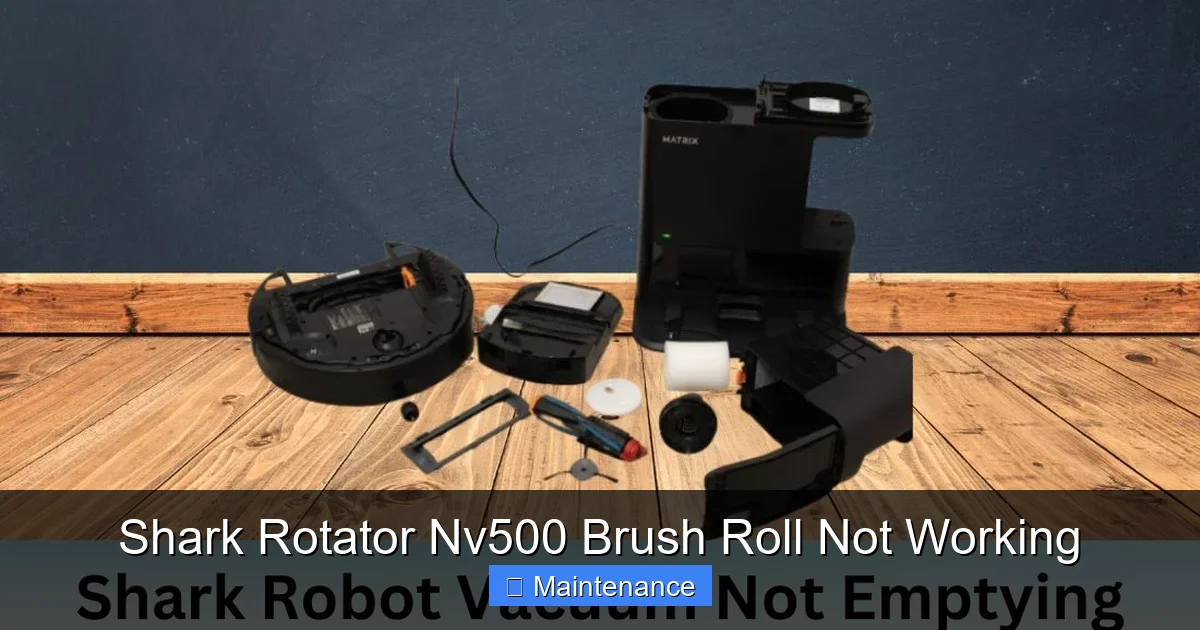
Visual guide about Shark Rotator Nv500 Brush Roll Not Working
Image source: sharkvacuum.blog
The Core Components: Motor, Belt, and Roller
The system has three key players: the main vacuum motor, a small dedicated brush roll motor, and the drive belt that connects them. When you press the “brush roll on” button (the one with the brush icon), it engages the small motor. This motor has a tiny pulley wheel. A rubber belt loops around this pulley and around the end of the brush roll itself. As the small motor spins, it turns the belt, which in turn spins the brush roll. If any link in this chain is broken, jammed, or disconnected, the brush roll will not work.
The Role of the Brush Roll Motor Protector
Your NV500 has a built-in safety feature: a thermal fuse or motor protector for the brush roll motor. If the motor gets too hot—usually because the brush roll is jammed and the motor is straining—this protector will trip and cut power to the brush roll motor. The main suction motor will continue to work, but the brush roll will stay still. This is a common cause of a sudden stop and is designed to prevent permanent motor damage.
Section 2: The Most Common Cause – Clogs and Tangles
By a wide margin, the most frequent reason for a Shark Rotator NV500 brush roll not working is a physical obstruction. This isn’t a mechanical failure; it’s a traffic jam of dirt, hair, and carpet fibers.
Visual guide about Shark Rotator Nv500 Brush Roll Not Working
Image source: sharkvacuum.blog
Inspecting the Brush Roll Housing and Nozzle
Start your diagnosis here. Always unplug the vacuum. Flip the NV500 over onto its back. Locate the rectangular brush roll housing at the front. Use a flashlight. You’re looking for visible clumps of hair, carpet fibers, or large debris (like a sock or piece of paper) wrapped around the brush roll or packed in the housing at either end. Hair is the worst offender; it wraps tightly around the axle and bristles, creating a solid, immovable bond. Use scissors to carefully cut any hair or string wrapped around the roll. Pull the debris away. You may need to reach into the housing with your fingers or a tool to dislodge packed material from the corners.
The Brush Roll Itself: The Ultimate Tangled Scenario
Sometimes the debris is wrapped directly on the brush roll bristles. To check this properly, you need to remove the brush roll. On the NV500, this is simple: lay the vacuum on its back. You’ll see two release latches on either side of the brush roll housing. Press them inward and pull the entire brush roll assembly up and out. Once it’s out, inspect it thoroughly. You’ll often find a “hairy donut” of material fused to the core. This requires patience. Use scissors to cut through the hair lengthwise along the core, then unwrap and pull the pieces off. Any debris stuck in the bearings at either end must be removed, as this will prevent the roll from spinning freely even if the belt is fine.
Section 3: The Drive Belt: The Silent Saboteur
If you’ve cleared every visible clog and the brush roll still won’t spin, the rubber drive belt is the next suspect. Over time, belts can break, stretch, slip off the pulleys, or become coated with a greasy film that causes them to slip.
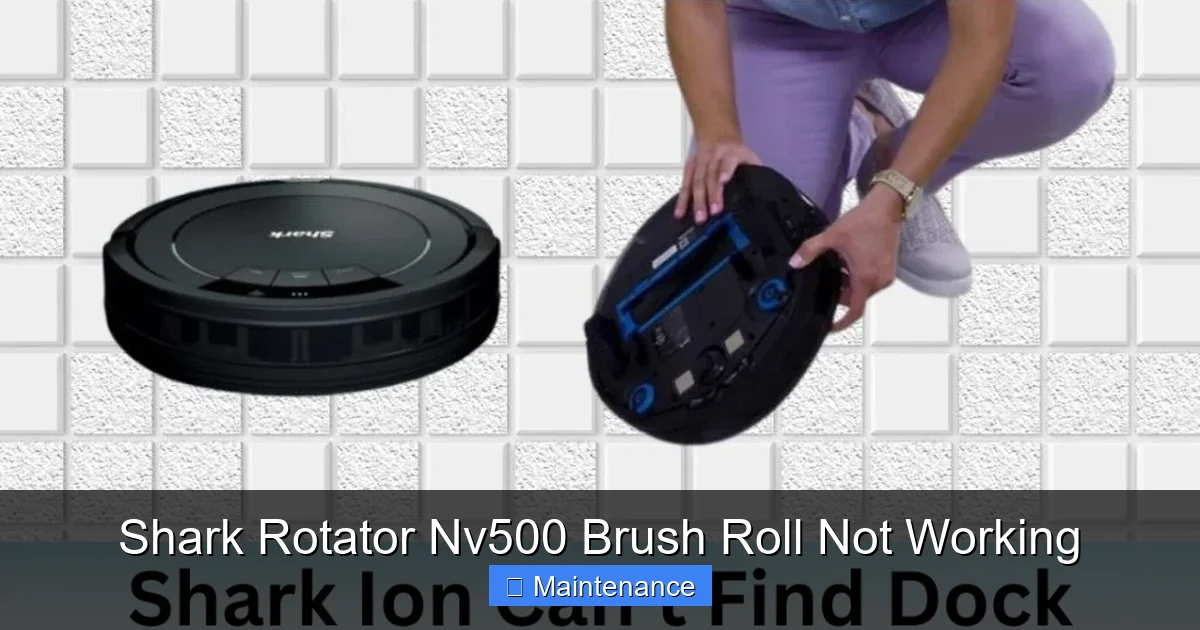
Visual guide about Shark Rotator Nv500 Brush Roll Not Working
Image source: sharkvacuum.blog
Accessing and Inspecting the Belt
With the brush roll already removed (as per Section 2), you have perfect access to the belt. Look into the opening where the brush roll was. You’ll see a small motor pulley on one side and a larger wheel on the other side that the belt rides on. The belt should be securely looped around both. Check its condition:
- Is it broken? Look for a snapped piece or a gap.
- Is it stretched? A loose, sagging belt won’t grip properly.
- Is it slipped off? It may have jumped off one of the pulleys.
- Is it shiny or glazed? This indicates slippage and wear; it needs replacement.
Replacing the Belt: A Simple Fix
Shark NV500 belts are inexpensive and easy to replace. Note the part number (usually on the old belt or in the manual) and order a replacement. To install: hook one end of the new belt onto the small motor pulley. Then, stretch the belt over the brush roll’s larger pulley (the one on the end of the roll itself). You will need to twist the brush roll slightly to get the belt over the flange. Ensure it’s seated properly in the groove on both pulleys. Reinsert the brush roll assembly, making sure the belt doesn’t fall off during reinstallation. Click the latches shut. This simple action resolves countless “brush roll not working” complaints.
Section 4: The Motor Protector and Electrical Issues
If the brush roll housing is spotless and the belt is in perfect condition, the issue may lie with the power supply to the brush roll motor.
Resetting the Thermal Protector
As mentioned, the brush roll motor has a thermal safety fuse. If it tripped, the brush roll won’t spin even though the vacuum powers on. The reset process is incredibly simple. Unplug the vacuum. Let it sit for at least 30-45 minutes to cool completely. During this time, the thermal fuse will automatically reset. After waiting, plug the vacuum back in and try the brush roll again. If it works, the problem was an overheating motor, likely caused by the previous clog you cleared. If it trips again quickly, there is still a jam or the motor itself may be failing.
Checking the Brush Roll Switch and Wiring
Faulty wiring or a broken switch is less common but possible. The switch that controls the brush roll can wear out. Visually inspect the switch on the handle/handle connector for damage. More likely is a wiring issue in the hose or wand connection. The electrical connection between the main body and the wand/handle is critical. Ensure the wand is pushed in all the way until it clicks. Check the connection points for dirt, corrosion, or bent pins. A poor connection here will prevent power from reaching the brush roll motor.
Section 5: When the Brush Roll or Motor Itself Fails
In rarer cases, the component itself has reached the end of its life.
A Worn-Out Brush Roll
Brush rolls are consumable parts. The bristles can become brittle, break off, or wear down flat. If your brush roll is several years old and you’ve cleaned it repeatedly, inspect the bristles. Are they stiff, missing in patches, or do they feel hard instead of flexible? A damaged brush roll won’t agitate carpet effectively and can also cause extra strain on the belt and motor. Replacing the entire brush roll assembly is the solution. It’s a straightforward pull-out, push-in job once you’ve mastered the latches.
A Failed Brush Roll Motor
If you’ve confirmed power is reaching the motor (you might hear a faint click from the motor when you press the button, but no movement), and the belt and roll are fine, the small brush roll motor itself may have burned out. This is the least common failure point. Diagnosis requires a multimeter to test for continuity, which is beyond a typical DIY fix. At this stage, you must weigh the cost of a replacement motor (if available) against the cost of a new vacuum. For an older NV500, a new vacuum might be more economical. Contact Shark customer support or a certified appliance repair shop for a definitive diagnosis and quote.
Section 6: Proactive Maintenance to Prevent Future Problems
The best fix is the one you never need. A few minutes of regular care will keep your Shark Rotator NV500’s brush roll spinning freely for years.
Make It a Habit: The Post-Clean Check
After every few uses, especially if you have pets or long hair, flip the vacuum over. Visually check the brush roll. If you see hair starting to wrap, cut it immediately with scissors. Don’t wait until it’s a solid mass. A quick 30-second check saves a 15-minute de-tangling session later.
Monthly Deep Clean
Once a month, remove the brush roll assembly completely. Wash it with mild soap and water. Remove all debris from the housing and the belt area. Let everything dry completely (24 hours is best) before reassembling. A damp, dirty belt can slip and degrade faster. Also, while you’re down there, check the suction path from the brush roll to the dirt cup for any blockages.
Mind What You Vacuum
Your NV500 is a powerful machine, but it has limits. Avoid vacuuming large, hard objects (coins, paperclips), wet materials, or very long, stringy items like fishing line or curtain cords. These are guaranteed to jam the brush roll or damage the belt. Use the hose and handheld tools for small areas, stairs, and hard floors where the brush roll isn’t needed.
Conclusion: Get Back to Rotating
A Shark Rotator NV500 brush roll not working is a common but almost always solvable problem. The journey from frustration to solution follows a logical path: unplug, inspect, clean, check the belt, and reset. Start with the most likely culprit—clogs and tangles—and work your way down the list. The vast majority of users find that a thorough hair removal and a belt check bring their vacuum back to life. Remember, this machine is built to last, and its simple, accessible design means you can perform its own maintenance. By adopting the proactive habits outlined, you’ll not only fix the current issue but also extend the life of your Shark Rotator NV500, ensuring it continues to deliver that powerful,deep-cleaning rotation for years to come. Now, go grab your scissors and Phillips screwdriver—your vacuum’s comeback starts now.
Frequently Asked Questions
Why did my Shark NV500 brush roll suddenly stop spinning while I was vacuuming?
The most likely reason is a large clump of hair or debris jamming the brush roll, which caused the motor’s thermal protector to trip. Unplug the vacuum, clear the jam, let it cool for 45 minutes, and it should reset and work again.
How do I know if my drive belt is broken?
Remove the brush roll. A broken belt will have a visible snap or gap. A worn belt will be stretched, shiny, or glazed. A slipped belt will be off one of the pulleys. If the belt is missing or damaged, it must be replaced for the brush roll to spin.
Can I wash the brush roll and belt with water?
Yes, you can remove the brush roll assembly and wash the plastic parts and bristles with mild soap and water. However, never submerge the belt in water, as this can degrade it. Wipe the belt down with a damp cloth and let everything dry completely for 24 hours before reassembling.
My vacuum hums but the brush roll doesn’t move. Is the motor burned out?
Not necessarily. First, ensure the brush roll is completely free to spin by hand (with the vacuum unplugged). If it’s jammed, clear it. If it spins freely, the issue is likely the belt, the thermal protector (reset it), or a faulty switch. A truly burned-out motor is rare and requires professional diagnosis.
How often should I replace the brush roll on my Shark NV500?
There’s no set timeline; it depends on use. With regular cleaning (monthly) and hair removal, a brush roll can last 2-3 years or more. Replace it when the bristles are significantly worn, broken, or stiff, or if the plastic core is cracked.
Is repairing a non-spinning brush roll worth it for an older Shark NV500?
Almost always, yes. The parts (belt, brush roll) are inexpensive ($15-$30). A repair taking 20 minutes of your time is vastly cheaper than a new vacuum. Only consider replacement if the main suction motor or the internal wiring is faulty, which is uncommon.