A non-functioning beater bar on your Shark Navigator is a common but usually fixable issue. The problem typically stems from clogs, a worn or broken belt, a tripped reset, or a seized motor. Most solutions involve thorough cleaning, inspecting/replacing the belt, or resetting the vacuum. With simple tools and a bit of patience, you can diagnose and often repair the issue yourself, saving on service costs and restoring your vacuum’s deep-cleaning power on carpets.
You’re pushing your trusty Shark Navigator across the living room carpet, but it just doesn’t feel right. That familiar, powerful agitation that pulls dirt from deep within the fibers is missing. You look down, and there it is: the beater bar, that spinning brush roll at the head of your vacuum, is sitting still. Your heart sinks a little. A vacuum without a working beater bar is just a weak suction device on carpets, leaving ground-in dirt and pet hair behind. But before you panic and start pricing out new vacuums or expensive repairs, take a deep breath. The fact that your Shark Navigator’s beater bar is not working is a symptom, not a death sentence. In the vast majority of cases, this is a problem you can solve yourself with some basic troubleshooting and a little elbow grease. This guide will walk you through every possible cause, from the simplest clog to more complex mechanical failures, in a clear, step-by-step manner. We’ll get that brush roll spinning again.
Key Takeaways
- Safety First: Always unplug your Shark Navigator before inspecting or attempting any repairs to the beater bar assembly.
- Clogs are the #1 Culprit: Hair, string, and carpet fibers wrapping around the beater bar or in the intake ports are the most frequent cause of jamming.
- The Belt is a Prime Suspect: A broken, stretched, or misaligned drive belt will prevent the beater bar from spinning, even if the motor is running.
- The Reset Button is Your Friend: A thermal overload switch may have tripped due to a jam or overheating; pressing the reset can often solve the problem.
- Motor Failure is Rare: While possible, a burned-out motor is less common than clogs or belt issues. Listen for the motor running before assuming it’s faulty.
- Prevention is Key: Regular, quick inspections and cleaning of the beater bar area can prevent 90% of these problems from occurring.
- Know When to Call a Pro: If you’ve cleaned, checked the belt, reset, and inspected for obstructions with no success, a professional diagnosis may be needed for internal electrical or motor faults.
📑 Table of Contents
- Understanding the Heart of Your Shark Navigator’s Cleaning Power
- Step 1: Immediate Troubleshooting – The Quick Fixes
- Step 2: Deep Dive – Accessing and Cleaning the Beater Bar Assembly
- Step 3: Addressing the Belt and Mechanical Components
- Step 4: Investigating Motor and Electrical Issues
- Step 5: When to Seek Professional Repair or Consider Replacement
- Step 6: Preventive Maintenance – Keeping Your Beater Bar Spinning
- Conclusion: You’ve Got This
Understanding the Heart of Your Shark Navigator’s Cleaning Power
Before we dive into fixing it, let’s quickly understand what the beater bar does and how it works. The beater bar, often called a brush roll, is a cylindrical core with bristles (or sometimes a rubber strip) that rotates rapidly as you push the vacuum. Its job is to agitate the carpet pile, loosening dirt, hair, and debris that are trapped deep down. This agitation is what makes a vacuum truly effective on carpets—it’s not just about suction. The Shark Navigator uses a belt-driven system. An electric motor inside the vacuum body turns a small drive pulley. A rubber belt loops around this pulley and another pulley attached to the beater bar, transferring that rotational motion. If any link in this chain—motor, belt, or beater bar itself—fails, the spinning stops. Knowing this simple mechanism is the key to diagnosing why your beater bar is not working on your Shark Navigator.
The Common Culprits: A Quick Diagnosis
When you approach your vacuum, your first questions should be: Is the motor running? Can I hear it? Is there suction? Place your hand over the vacuum’s exhaust port. If you feel strong airflow but the brush roll is still, the problem is isolated to the brush roll assembly. If there’s no suction and no brush roll action, the issue might be a severe clog or a tripped motor overload further back. For this guide, we’ll assume you have suction but no brush roll agitation, which is the classic symptom of a beater bar-specific failure.
Step 1: Immediate Troubleshooting – The Quick Fixes
Don’t jump straight to taking screws out. Start with the fastest, easiest checks that solve most problems. These steps take under five minutes and require no tools.
Visual guide about Beater Bar Not Working on Shark Navigator
Image source: i.ebayimg.com
Check for the Obvious: Jams and Clogs
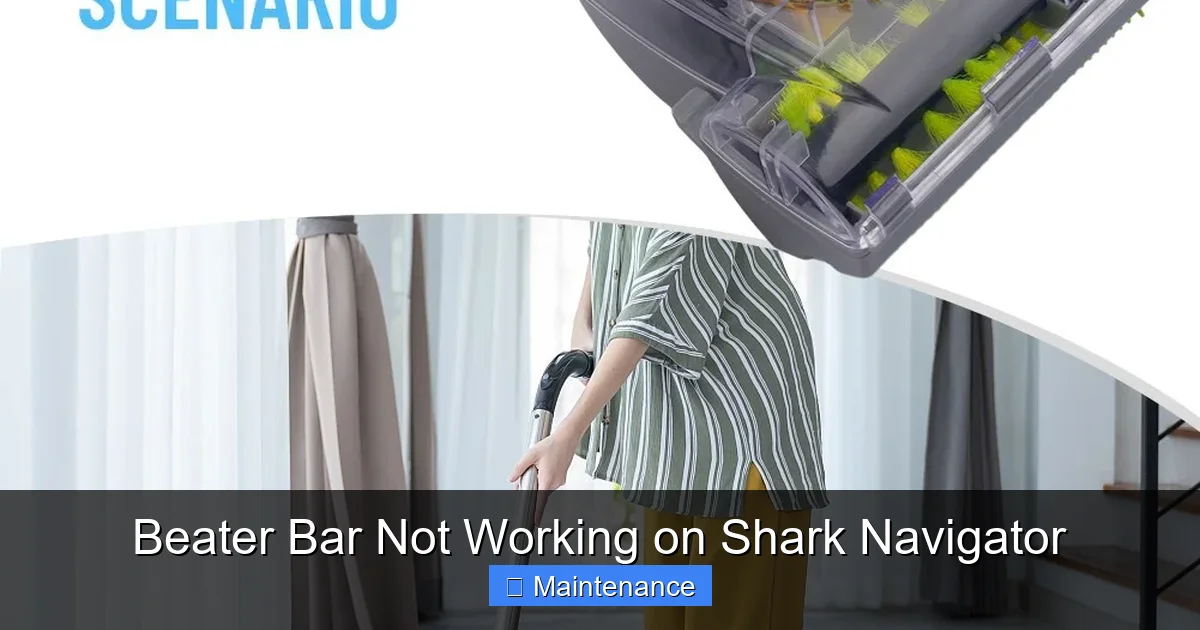
Flip your Shark Navigator over. Look directly at the beater bar housing. You’ll often see the cause immediately: a thick mat of hair, string, or carpet fiber wrapped tightly around the bristles, binding them. This is the most frequent reason a beater bar stops spinning. The friction from this jam can also cause the belt to slip or break. Use a pair of scissors or a seam ripper to carefully cut and remove the debris. Be gentle not to damage the bristles. Also, check the small intake ports on either side of the beater bar housing. These are common choke points for debris. A straightened paperclip or a dedicated vacuum cleaning tool can help dislodge material from these narrow openings.
The All-Important Reset Button
Shark vacuums, including most Navigator models, have a built-in thermal overload protector. If the motor or brush roll area overheats due to a severe jam, a small red or black reset button on the vacuum (usually near the power switch or on the back of the motor housing) will pop out, cutting power to the brush roll motor to prevent damage. Unplug the vacuum, press the reset button firmly until you hear/feel a click, then plug it back in. This simple action resolves a huge percentage of “beater bar not working” complaints. Always try this after clearing any visible clogs.
Is the Brush Roll Actually Locked?
Sometimes, the beater bar isn’t broken—it’s just stuck. With the vacuum unplugged, try to manually rotate the beater bar by hand. You should feel some resistance from the belt, but it should turn freely. If it’s completely immobile, the bearings inside the brush roll end caps may be seized with packed-in dirt and hair. This is a sign that the entire brush roll assembly needs a deep cleaning or replacement.
Step 2: Deep Dive – Accessing and Cleaning the Beater Bar Assembly
If the quick fixes didn’t work, it’s time for a more thorough investigation. You’ll need a Phillips-head screwdriver and possibly a flathead for some models. Always work with the vacuum unplugged.
Visual guide about Beater Bar Not Working on Shark Navigator
Image source: sharkvacuum.blog
Removing the Beater Bar Housing
Lay the vacuum on its side or back for better access. On the underside of the vacuum head, you’ll see the plastic housing that covers the beater bar. It’s typically held in place by 4-6 screws. Remove all of them and set them aside carefully. Some models may have clips instead of screws; gently pry with a plastic tool if needed. Once the screws are out, the housing should lift off, exposing the entire beater bar and belt assembly.
The Grand Inspection: Belt, Bar, and Pulleys
Now you have a clear view. This is your diagnostic window. First, locate the rubber drive belt. It’s a loop running from a small metal pulley on the motor shaft (usually tucked inside the vacuum body) to a larger pulley on one end of the beater bar.
- Is the belt there? It may have snapped or completely jumped off its pulleys. If it’s missing, that’s your problem.
- Is the belt broken or frayed? Look for obvious cracks, splits, or thinning. A belt under tension for years can degrade.
- Is the belt stretched? A loose, sagging belt won’t grip the pulleys properly and will slip, causing the beater bar to spin slowly or not at all.
- Is the belt on correctly? It should be seated fully in the groove of both pulleys. Sometimes a jam can knock it half-off.
- Inspect the beater bar end caps. Remove the beater bar itself (usually by sliding it out after removing the belt). Check the plastic end caps for cracks and the metal axles for smooth rotation. Spin the bar by hand—it should whirl freely. Any grinding or resistance means the bearings inside the caps are packed with gunk or are failing.
- Check the pulleys. Ensure the motor pulley and beater bar pulley are clean, not wobbly, and undamaged.
Cleaning Everything
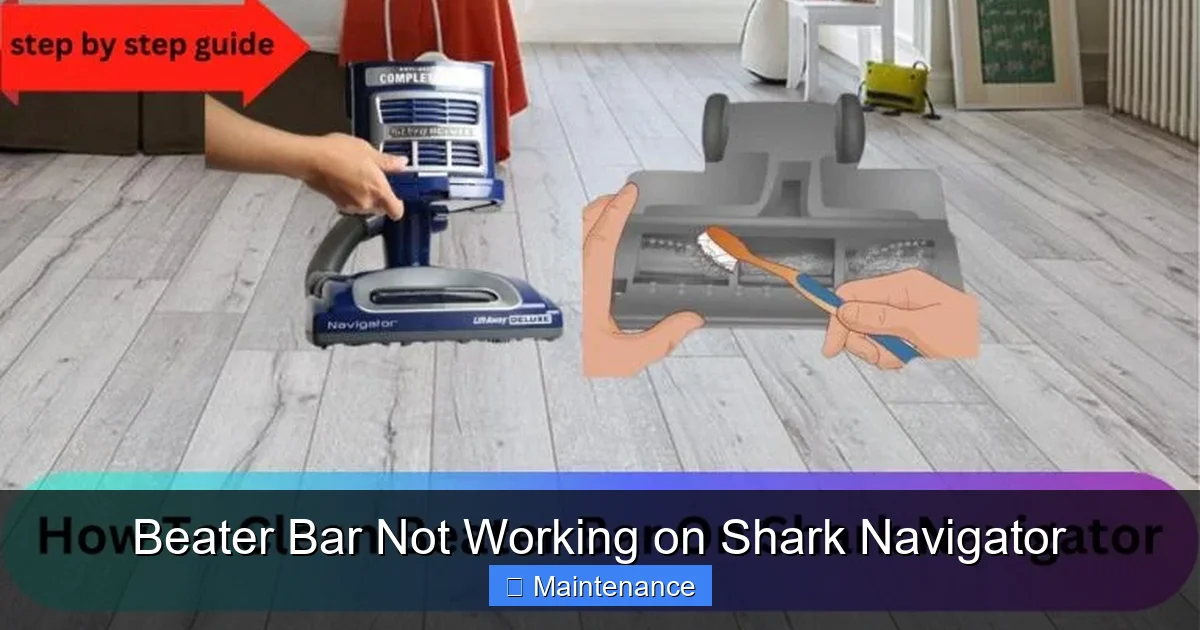
Regardless of what you find, give everything a good clean. Use a damp cloth to wipe down the housing, the beater bar bristles, and the pulleys. For packed-on hair in the end caps, use tweezers or a bent paperclip to pick it out. A clean system is a happy system. This deep clean alone often resolves issues where the beater bar was simply bogged down with debris.
Step 3: Addressing the Belt and Mechanical Components
Your inspection likely revealed the state of the belt. This is the most common replaceable part in this scenario.
Visual guide about Beater Bar Not Working on Shark Navigator
Image source: sharkvacuum.blog
Replacing the Drive Belt
If your belt is broken, stretched, or missing, you need a new one. You must use the exact replacement belt for your specific Shark Navigator model. Check your model number (on the label on the back of the vacuum) and order the correct belt from Shark’s website, an authorized dealer, or a reputable third-party seller like Amazon. Generic belts often have the wrong dimensions or thickness, leading to poor performance or premature failure. Replacing it is straightforward: loop the new belt around the beater bar pulley first, then stretch it over the motor pulley. It requires a bit of tension, but it should snap into place. Ensure it’s seated properly before reinstalling the housing.
When to Replace the Beater Bar Assembly
If the beater bar itself is damaged—cracked end caps, bent axles, or bristles that are worn down to nubs—it should be replaced. A damaged bar can create imbalance, causing excessive vibration and premature wear on the belt and motor. Like belts, buy a replacement brush roll assembly specific to your Navigator model. It’s usually a single part that you slide into the housing after fitting the new belt. While you can sometimes replace just the end caps or bearings, for most homeowners, replacing the entire pre-assembled brush roll is simpler and more cost-effective.
Step 4: Investigating Motor and Electrical Issues
You’ve cleaned everything, installed a new belt and brush roll, and the beater bar is still dead. Now we move to the less common, more complex possibilities.
Is the Brush Roll Motor Separate?
In many Shark Navigator models, the beater bar is driven by a small, separate universal motor (the “brush roll motor”) located in the cleaning head, distinct from the main suction motor. This motor can fail. If you’ve confirmed power is reaching the head (the reset button is in, no tripped breakers), and the belt and brush roll are new and moving freely by hand, this motor may be burned out. You might smell a burnt odor or see charring near its terminals. Diagnosing this requires a multimeter to check for continuity, which is beyond basic DIY. Replacing this motor is possible but often requires soldering skills and sourcing the exact part.
Wiring Harness and Switch Failures
The electrical connection between the vacuum body and the cleaning head (where the brush roll motor is) is made via a flexible wiring harness with plug connectors. These connectors can become corroded, loose, or damaged from general use and flexing. Unplug the vacuum, locate this connection point (usually under a small access panel on the back of the head), and ensure the plugs are seated tightly. Inspect the wires for any cuts or fraying. The brush roll on/off switch (often a button on the handle or a switch on the body) can also fail. If you’re comfortable, you can test these for continuity with a multimeter.
Step 5: When to Seek Professional Repair or Consider Replacement
You’ve been thorough. You’ve unclogged, reset, cleaned, replaced the belt and brush roll. The motor hums, there’s suction, but the beater bar remains still. The likely culprits are now the brush roll motor itself, a faulty wiring harness, or a failed switch.
Evaluating the Cost-Benefit
Shark Navigator vacuums are in the mid-price range. A professional diagnostic fee plus parts and labor for a motor or wiring repair can quickly approach or exceed the cost of a new Navigator (on sale) or even a newer model. Consider the age and overall condition of your vacuum. If it’s 5+ years old, has other wear-and-tear issues, or the repair estimate is more than 50% of a new unit’s price, replacement may be the smarter long-term financial decision.
Finding a Reputable Repair Shop
If you decide to repair, look for an authorized Shark service center or a highly-rated local small appliance repair shop. Explain the exact steps you’ve already taken (cleaned, new belt, reset). This saves them time and you money on diagnostics. Be prepared for the possibility that the part may be obsolete or very expensive if your model is older.
Step 6: Preventive Maintenance – Keeping Your Beater Bar Spinning
An ounce of prevention is worth a pound of cure. Incorporate these quick habits into your vacuuming routine to avoid the “beater bar not working” nightmare.
Weekly Visual Checks and Quick Cleans
Every few times you vacuum, flip the machine over and look at the brush roll. Do you see hair or string starting to wrap? If yes, take 30 seconds to cut it away with scissors before it becomes a jam. This is the single most effective habit you can develop.
Monthly Deep Cleaning Ritual
Once a month, or if you have pets, remove the beater bar housing for a full clean. Take out the brush roll, clip any stuck hair, wipe everything down, and check the belt for wear. This keeps everything operating smoothly and lets you spot a wearing belt before it breaks.
Mind What You Vacuum
Your Shark Navigator is powerful, but it’s not designed for everything. Avoid vacuuming hard objects (coins, tacks), wet materials, or very long, stringy items like holiday garlands or extension cords. These are instant recipes for jamming and belt damage.
Proper Storage
Store your vacuum with the brush roll in a neutral position, not bent or under tension. Avoid leaving it in hot garages or cold sheds, as extreme temperatures can degrade the rubber belt faster.
Conclusion: You’ve Got This
A Shark Navigator with a non-spinning beater bar can feel like a major setback, but as we’ve seen, it’s almost always a manageable problem. The journey starts with the simplest steps: unplug, reset, and remove obvious clogs. From there, a methodical inspection of the belt and brush roll assembly reveals the vast majority of issues. Armed with a new, correct belt and a clean machine, you’ll likely have your vacuum’s powerful carpet-cleaning action restored in under an hour. Remember, this machine is built to be serviced. By understanding its basic mechanics and performing regular, light maintenance, you not only solve the immediate problem but also extend the life of your Shark Navigator for years to come. So grab your screwdriver, flip that vacuum over, and get started. That satisfying sound of the brush roll spinning against the carpet is just a few careful steps away.
Frequently Asked Questions
Why does my Shark Navigator’s beater bar stop spinning but the suction still works?
This is the classic symptom of a problem isolated to the brush roll system. The main suction motor is fine. The issue is almost always a clog or jam around the beater bar, a broken/stretched drive belt, a tripped reset switch for the brush roll motor, or a seized brush roll bearing. Start by unplugging, clearing visible debris, and pressing the reset button.
How often should I clean my Shark Navigator’s beater bar?
For optimal performance, do a quick visual check and snip away any wrapped hair every 2-3 uses. Perform a full deep clean—removing the housing, taking out the brush roll, and wiping everything down—once a month if you have pets or high-pile carpets, or at least every 2-3 months for average use.
How do I know if my Shark Navigator’s drive belt needs replacing?
Signs include: the belt is visibly cracked, frayed, or has a glazed/shiny appearance; it’s stretched and sagging significantly; it’s broken into two pieces; or it’s jumped off the pulleys. Even if it looks okay, if your brush roll is slow or slipping, a new belt (the correct model-specific one) is a prime suspect and inexpensive to try.
Can a Shark Navigator beater bar motor burn out?
Yes, but it’s less common than belt or clog issues. The small brush roll motor can burn out if it’s repeatedly forced to work against a severe jam (which is why the reset button exists) or due to age and wear. Symptoms include a burnt smell, no sound from the brush roll area even with a new belt, and the reset button popping immediately after being pressed.
Is it worth repairing an old Shark Navigator with a broken beater bar?
Often, yes. Since the most common fixes (clog removal, belt replacement, brush roll cleaning) are very cheap and DIY-friendly, it’s almost always worth trying. For a motor or internal wiring failure in a vacuum over 4-5 years old, get a repair quote first. If the cost exceeds ~50% of a new comparable Shark model, replacement might be more economical.
What’s the most common mistake people make when fixing a Shark Navigator beater bar?
The most frequent error is using the wrong replacement belt. Shark models have specific belt sizes and profiles. A generic “one-size-fits-all” belt will often be too loose or tight, leading to immediate slippage or premature failure. Always verify your exact model number (e.g., NV350, NV501) and order the OEM or exact-equivalent part. The second most common mistake is not fully clearing clogs from the intake ports on the sides of the housing, which will cause the new belt to jam again quickly.