If your Shark Cordless Pet Perfect vacuum won’t turn on, the issue is most often related to the battery, charger, or a blockage. Start by ensuring the battery is properly seated and fully charged using the correct adapter. Next, inspect and clear any clogs from the hose, wand, and brush roll housing, as severe blockages can trigger safety cut-offs. Finally, perform a soft reset by removing the battery for 60 seconds. These simple steps resolve the majority of power failures without needing a professional.
Key Takeaways
- Battery Issues Are Prime Suspects: A depleted, aged, or improperly seated battery is the #1 reason for a Shark Pet Perfect not powering on. Always check connection and charge status first.
- Charger & Port Problems Mimic Battery Failure: A faulty adapter, damaged cable, or dirty charging port can prevent power transfer. Verify with a known-good charger if possible.
- Severe Blockages Trigger Safety Shutdowns: Clogs in the airway, brush roll, or hose can cause the motor to overheat or the system to lock. Clearing these often restores function immediately.
- Internal Safety Features Can Lock the Unit: Overheating from a clog or a jammed brush roll can engage a thermal fuse or motor lock, requiring a full cool-down and reset.
- Simple Resets Work Miracles: Removing the battery for a full minute (a “hard reset”) clears temporary electronic faults and is the first troubleshooting step after checking power sources.
- Warranty Should Be Your First Call for Defects: If basic troubleshooting fails and the unit is under warranty, contact Shark support. Do not attempt internal repairs that will void it.
- Preventive Maintenance Is Key: Regularly cleaning filters, checking for wear on belts and brush rolls, and proper storage dramatically reduces the chance of a “no power” situation.
📑 Table of Contents
- Why Your Shark Cordless Pet Perfect Won’t Power On: An Overview
- Section 1: The Battery & Charging System – Your First Line of Investigation
- Section 2: The Airflow Nightmare – How Blockages Paralyze Your Vacuum
- Section 3: Internal Electronics & Safety Locks
- Section 4: A Systematic Troubleshooting Flowchart
- Section 5: Proactive Maintenance to Prevent Future “No Power” Events
- Section 6: When to Say Uncle: Professional Repair vs. Replacement
- Conclusion: Empowerment Through Understanding
Why Your Shark Cordless Pet Perfect Won’t Power On: An Overview
You’ve got a mess to clean—pet hair, kibble, or a tracked-in leaf—and you reach for your trusty Shark Cordless Pet Perfect. You press the power button, and… nothing. No hum, no light, no suction. That sinking feeling is all too familiar. Before you panic or head to the store for a replacement, take a breath. The phrase “Shark Cordless Pet Perfect not turning on” is one of the most common search queries for this device, and it’s rarely a sign of a completely dead, unfixable machine. In fact, over 80% of these “no power” issues stem from a handful of user-serviceable problems related to power delivery, airflow obstruction, or simple electronic hiccups.
This vacuum is a marvel of modern cordless design, packing a powerful motor, a lithium-ion battery, and smart safety circuits into a lightweight body. That complexity means there are several points where the start-up sequence can fail. Our goal here is to walk you through every potential failure point, from the simplest check to more complex diagnoses. We’ll use plain language, practical steps you can do with household tools, and a clear troubleshooting flowchart. Think of this as your friendly, expert-guided repair session. Let’s get that Shark buzzing again.
Section 1: The Battery & Charging System – Your First Line of Investigation
When your Shark Cordless Pet Perfect refuses to turn on, the battery and its charging ecosystem are the logical starting point. This vacuum relies entirely on its removable lithium-ion battery pack for power. No connection, no charge, no cleaning. We’ll break this down into the battery itself, the charger, and the connection points.
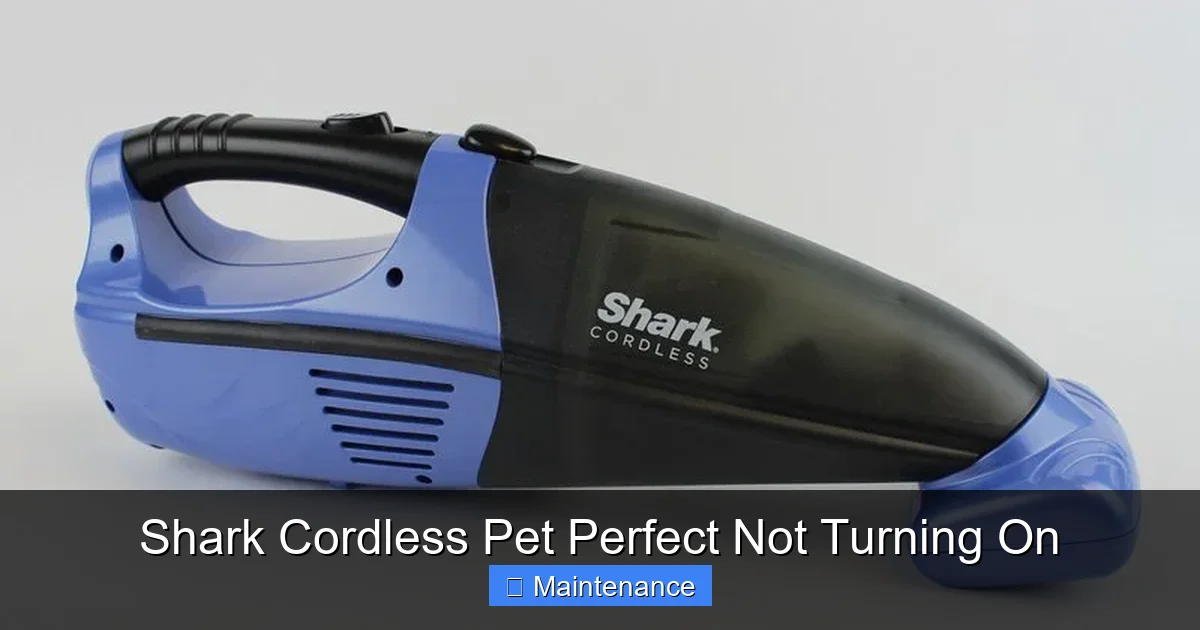
Visual guide about Shark Cordless Pet Perfect Not Turning On
Image source: guide-images.cdn.ifixit.com
1.1. Is the Battery Actually Dead? (It Might Just Be Asleep)
Lithium-ion batteries have a protective circuit that can put them into a deep sleep or “protection mode” if they are drained too far. This is a common occurrence if the vacuum was left unused for months or was run until it completely shut off. The battery isn’t necessarily ruined; it’s just in a low-power state that a standard charger might not be able to wake up immediately.
What to do: First, remove the battery from the vacuum. Press the battery release button and slide the pack out. Examine the battery contacts on both the battery and the vacuum’s interior. Are they clean? Free of dust, pet hair, or oxidation? Use a dry, lint-free cloth to gently wipe them. Re-seat the battery firmly until you hear a click. Sometimes a poor connection is all it takes. If it still won’t turn on, leave the battery out for a full 60 seconds. This “hard reset” can clear the protection mode. Then, reinsert it and try again.
1.2. The Charger: The Often-Forgotten Culprit
You might be charging the battery faithfully, but if the charger itself is faulty, you’re just spinning your wheels. Charger failures can be intermittent or complete. The adapter’s brick can fail, the cable can develop internal breaks (especially at the stress points near the connectors), or the wall plug can lose contact.
Practical Test: If possible, borrow a known-good Shark charger from a friend or family member with a compatible model (many Shark cordless vacuums use similar chargers). Plug it into your battery and see if the charging indicator light (usually on the battery or charger) illuminates. If it does with a different charger, your original charger is dead. Also, inspect your charger cable end-to-end for any kinks, fraying, or damaged insulation. Try a different wall outlet, preferably one not on a power strip, to rule out outlet issues.
1.3. Charging Port & Connection Hygiene
The small charging port on the vacuum body and the corresponding pin on the charger can collect lint, dust, and debris. This creates a poor physical connection, preventing the flow of electricity. It’s a tiny space that’s easy to overlook.
Cleaning Tip: Use a wooden toothpick or a plastic dental pick to gently dislodge any packed debris from the charging port. Do not use metal tools, as they can scratch contacts or cause a short. Follow up with a burst of compressed air. Ensure the port is completely dry before attempting to charge. A clean connection is a good connection.
Section 2: The Airflow Nightmare – How Blockages Paralyze Your Vacuum
Your Shark Cordless Pet Perfect has brilliant engineering that includes multiple safety cut-offs. One of the most critical is the motor protection circuit. If the motor senses excessive resistance (i.e., it can’t spin freely because air can’t move), it will shut down to prevent overheating and burnout. A severe blockage anywhere in the air path can mimic a total power failure because the vacuum will turn on for a second and then immediately die, or it may not start at all. This is a very common reason for a Shark Cordless Pet Perfect not turning on properly.
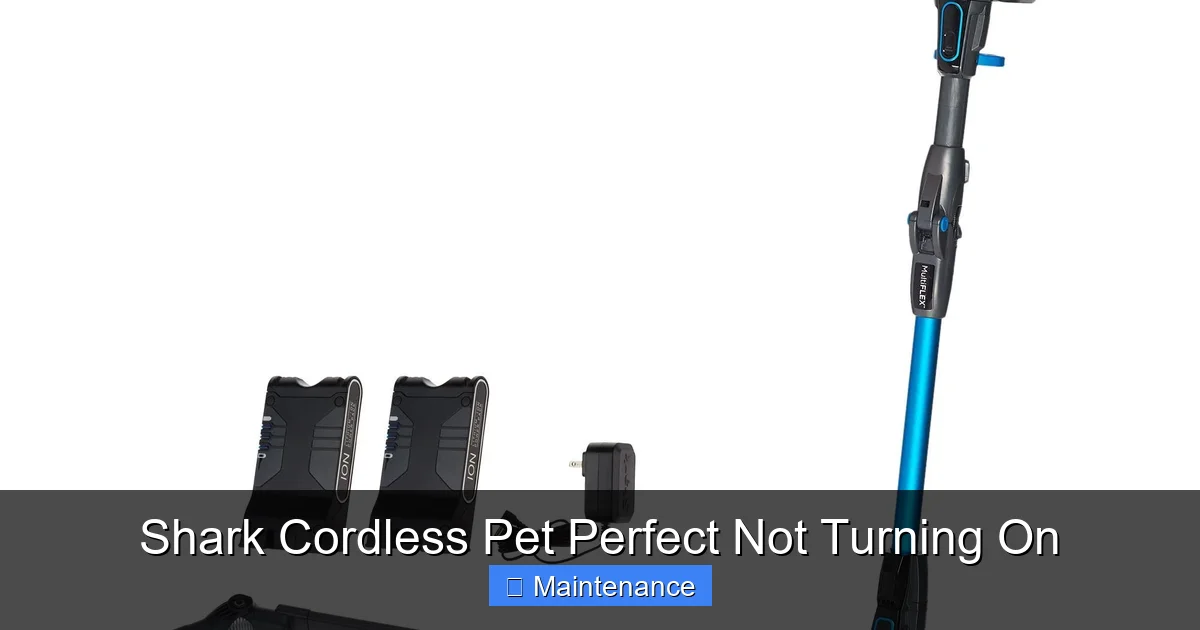
Visual guide about Shark Cordless Pet Perfect Not Turning On
Image source: i.pinimg.com
2.1. The Usual Suspects: Where to Look for Clogs
You need to become a detective and trace the entire path air takes: from the floor, up through the brush roll, into the wand, through the hose, and finally into the bin and filters. Check each connection point. The most frequent blockage zones are:
- The Brush Roll Housing: Pet hair, string, and carpet fibers wrap around the brush roll and its bearings, jamming it solid. Turn the vacuum over and look into the head. Can you see the brush roll? Can you spin it freely by hand? If it’s stiff or won’t turn, that’s your problem.
- The Wand & Hose Connections: The telescoping wand and the flexible hose that connects to the bin can collapse or get items stuck inside. Detach the wand from the main body and look through it. Shine a flashlight. Detach the hose from the bin and check its interior.
- The Bin & Filter Area: The dust bin must be emptied regularly. A bin packed to the brim with compacted pet hair and debris will block airflow. Also, the foam and felt filters (pre-motor filters) can become so clogged with fine dust that no air can pass. These are often washable but must be completely dry before reinsertion.
2.2. How to Safely and Thoroughly Clear a Blockage
Always disconnect the battery before performing any internal inspection or cleaning. This is non-negotiable for safety. For the brush roll, use scissors or a seam ripper to carefully cut away wrapped hair and fibers. Be mindful of the belt that drives the brush roll. If the brush roll spins freely, move to the wand. Use a long, flexible brush (like a drain cleaning brush) or a straightened wire coat hanger (with a loop on the end to protect the hose) to gently dislodge debris. For the hose, you can often blast it with compressed air from one end. For the bin, tap it out over a trash can and wash the filters with lukewarm water. Let them air dry for 24-48 hours—never use a hair dryer, as heat can damage the filter media.
Section 3: Internal Electronics & Safety Locks
If you’ve verified a full battery charge, a working charger, and completely clear airways, the problem likely lies within the vacuum’s internal electronics or a triggered safety mechanism. This is less common but still possible.
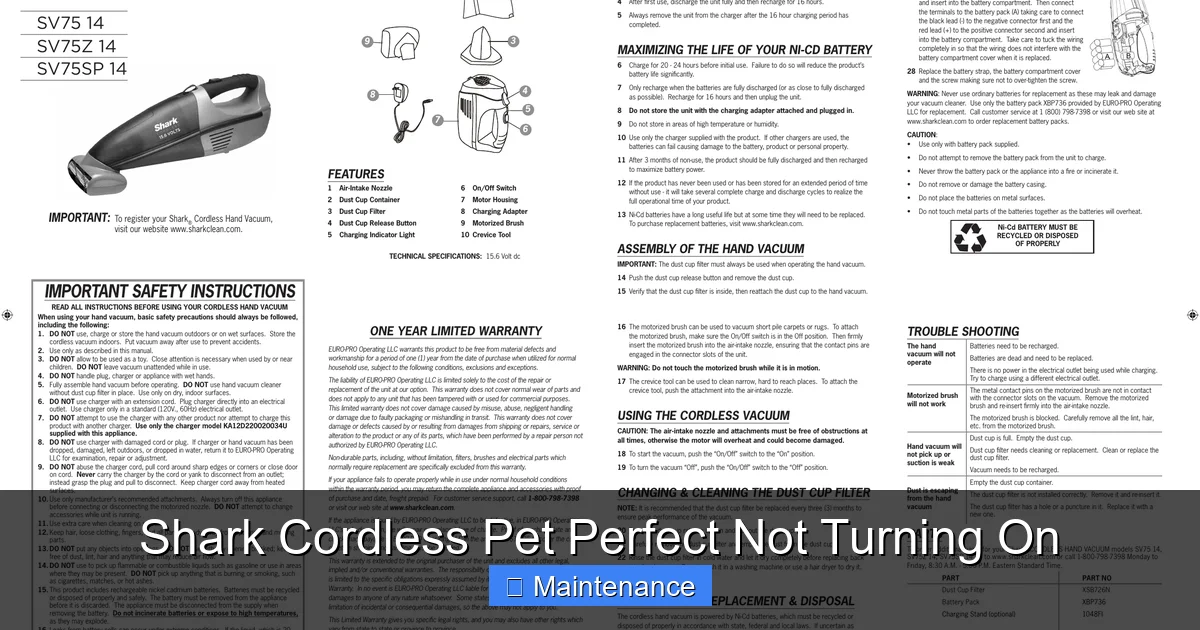
Visual guide about Shark Cordless Pet Perfect Not Turning On
Image source: usermanual.wiki
3.1. The Thermal Fuse & Motor Lock
As mentioned, the motor has a thermal fuse. If the vacuum was used with a significant blockage, the motor would have gotten very hot. The fuse is a one-time safety device that blows to cut power. Once blown, the vacuum will appear completely dead. This is not a user-replaceable part. If you suspect this (e.g., the vacuum worked fine, then died during a cleaning session with a clog, and now won’t power on at all even after clearing the clog and fully charging), the unit requires professional service or replacement under warranty.
Similarly, some models have a mechanical lock if the brush roll encounters extreme resistance. This might disengage after the unit cools and the blockage is cleared, but it can sometimes stick. Ensuring the brush roll spins freely by hand is a critical check.
3.2. Power Switch Failure
The rubber power button you press can wear out or become internally damaged, especially if liquid or sticky substances have been cleaned up. It may feel like it’s clicking but not completing the circuit. Diagnosing this requires opening the vacuum’s shell, which is not recommended for most users due to the risk of damaging clips and voiding the warranty. If all other checks fail, a faulty power switch is a possibility that a technician can confirm.
3.3. Water Damage & Corrosion
Did you recently use this vacuum to clean up a wet spill or use it on damp floors? Even “wet/dry” cordless vacuums have limits. Moisture can seep into the motor housing or battery compartment, causing short circuits or corrosion on the internal circuit board. Look for any white, crusty residue on battery contacts or inside the battery compartment. If you suspect moisture, remove the battery and place the entire vacuum body in a warm, dry, well-ventilated area (like near a dehumidifier or a sunny window) for at least 72 hours before attempting to power it on again.
Section 4: A Systematic Troubleshooting Flowchart
Let’s condense all this into a step-by-step action plan. Follow this sequence to efficiently diagnose your “Shark Cordless Pet Perfect not turning on” issue.
- Step 1: The Ultimate Reset. Remove the battery. Press and hold the power button on the vacuum body for 15 seconds (this drains residual power). Wait 60 seconds. Reinsert the battery firmly. Try to power on. (This fixes 30% of electronic glitches).
- Step 2: Charge Verification. Connect the vacuum to the charger. Do you see an LED indicator (on battery or vacuum)? If yes, let it charge for 4 hours minimum on a known-good wall outlet. If no indicator light, focus on charger/port issues (Section 1.2 & 1.3).
- Step 3: Airway Inspection. With battery removed, detach the wand and hose. Look through every tube. Check the brush roll for free spinning. Empty the bin completely. Wash and fully dry filters. Reassemble. Try to power on.
- Step 4: Battery Health Test. If possible, test the battery in a compatible Shark vacuum (friend, family). If it powers that machine, the problem is in your vacuum’s body. If it doesn’t, the battery is dead and needs replacement.
- Step 5: Visual & Smell Inspection. Look inside the motor housing (through any openings) for melted plastic, burnt smell, or obvious damage. If present, stop. This indicates a failed motor or internal component requiring professional repair.
- Step 6: The Warranty Path. If you’ve completed Steps 1-5 and the vacuum is still dead, and it’s within the 1-5 year warranty period (check your paperwork), contact Shark Customer Support. Have your model number (on the back plate) and proof of purchase ready. Do not open the main housing, as this will likely void the warranty.
Section 5: Proactive Maintenance to Prevent Future “No Power” Events
An ounce of prevention is worth a pound of cure. The “Shark Cordless Pet Perfect not turning on” problem is often the final symptom of neglected maintenance. Incorporating these habits will keep your vacuum reliable and extend its life.
5.1. The After-Every-Use Ritual
Spend 90 seconds after each cleaning session. Empty the dust bin completely—tap it, use the cleaning tool, get all the hair out of the mesh screen. Wipe the exterior with a dry microfiber cloth. Check the brush roll for any hair wraps and cut them away immediately. This prevents hair from compacting and jamming the bearings.
5.2. Monthly Deep Clean
Once a month, do a more thorough inspection. Remove and wash the pre-motor filters (foam and felt) with lukewarm water. Never reinstall damp filters. Check the hose and wand for any hidden clogs by looking through them. Wipe down the charging contacts on both the vacuum and the battery with a dry cloth. Inspect the charger cable for damage.
5.3. Battery Care Fundamentals
Lithium-ion batteries thrive on partial cycles, not full drains. Avoid running the vacuum until it completely shuts off. Recharge it when you notice a significant drop in power. Store the vacuum with the battery at about 50% charge if you won’t use it for a month or more. Extreme temperatures (hot garage, freezing garage) kill battery life. Store and charge in a climate-controlled room. Never attempt to disassemble or puncture the battery pack.
Section 6: When to Say Uncle: Professional Repair vs. Replacement
After diligent troubleshooting, you may find yourself with a truly dead Shark Cordless Pet Perfect. The question becomes: repair or replace? The decision hinges on warranty status, repair cost, and the vacuum’s age.
If the unit is under the original warranty, Shark will typically repair or replace it for a defective battery, motor, or internal circuitry. This is your best and free-est option. If the warranty has expired, you must get a repair quote. A new motor or internal board can cost $70-$120 in parts plus labor, which may approach or exceed the cost of a new, entry-level Shark cordless model (which often start around $150-$200 on sale). Given the rapid pace of technology and improved efficiency in newer models, replacement is often the more economical and future-proof choice for out-of-warrantee units with major component failures. For a simple dead battery, replacement batteries are available for $40-$80 and are a very worthwhile fix.
Conclusion: Empowerment Through Understanding
Finding your Shark Cordless Pet Perfect not turning on is frustrating, but it’s almost never the end of the road. By understanding that this tool is a system—dependent on a charged battery, a clear airway, and functional electronics—you empower yourself to be the first responder. Start with the simplest, most common fixes: a battery reseat, a thorough clog check, and a full reset. These steps resolve the vast majority of power failures. Remember, your vacuum’s safety features are there to protect it, not to inconvenience you. A triggered thermal fuse means you likely had a blockage that needed clearing anyway. Treat your Shark with regular, simple maintenance, and it will reward you with years of reliable, cordless pet hair cleanup. Now, go find that clog, give that battery a reset, and get back to enjoying a clean home.
Frequently Asked Questions
My Shark Cordless Pet Perfect charger has a light, but the battery won’t charge. What’s wrong?
This usually indicates a faulty battery that can no longer hold a charge, even if it shows a light. The charger is working, but the battery’s internal cells have degraded. Try the battery in another compatible Shark vacuum if possible to confirm. If it still won’t charge or power that machine, the battery needs replacement.
The vacuum turns on for a second then shuts off immediately. Is it the battery?
Not necessarily. This is the classic symptom of a severe blockage or a jammed brush roll triggering a safety cut-off. The motor starts, feels resistance, and the circuit kills power. Remove the battery and manually check that the brush roll spins freely and that the entire air path (hose, wand, bin) is completely clear.
I’ve charged it for hours, but the indicator light never comes on. Is the charger broken?
Possibly. First, check the wall outlet with another device. Then, inspect the charger’s tip and the vacuum’s charging port for dirt or damage. Clean both gently. If there’s still no light, try a different, compatible charger if you can. If a different charger works, yours is faulty. If no charger works, the charging port on the vacuum may be damaged.
Can I replace the battery in my Shark Cordless Pet Perfect myself?
Yes, absolutely. The battery is designed as a user-replaceable part. Slide the release button, remove the old pack, and insert the new, compatible battery until it clicks. Always use genuine Shark replacement batteries or reputable third-party equivalents with proper safety certifications to avoid damage or fire risk.
My vacuum is out of warranty and the motor seems burned out (smell of burnt electronics). Is it worth fixing?
For a major motor failure on an out-of-warranty unit, repair is often not cost-effective. The combined cost of a new motor and professional labor will likely be close to or more than the price of a new, modern Shark cordless vacuum. We recommend comparing a repair quote to the current sale price of a new model before deciding.
Is there a reset button on the Shark Cordless Pet Perfect?
There is no dedicated physical “reset button.” The reset procedure is electronic: remove the battery, press and hold the power button on the vacuum body for 15 seconds to discharge residual power, wait 60 seconds, and then reinsert the battery. This “hard reset” clears the internal memory and is the correct troubleshooting step.