If your Shark cordless vacuum isn’t switching to bare floor mode, the issue is usually a simple obstruction or sensor problem, not a major malfunction. The most common culprits are a jammed brush roll, dirty or blocked sensors, a faulty mode button, or software glitches. Start by thoroughly cleaning the brush roll and housing, checking the mode dial/button for debris, and performing a reset. In most cases, these maintenance steps resolve the issue quickly and restore your vacuum’s ability to transition between carpet and hard floors effectively.
Key Takeaways
- Obstructions are the #1 cause: Hair, string, and debris wrapping around the brush roll or jamming its bearings is the primary reason a Shark vacuum won’t disengage the brush roll for bare floors.
- Clean sensors are critical: The vacuum uses optical sensors to detect floor type. Dust, debris, or moisture on these sensors can blind the system, causing it to default to carpet mode.
- The mode button/dial needs attention: Grime or physical damage to the physical switch that controls the brush roll can prevent the signal from sending.
- A simple reset often works: Power cycling the vacuum and removing the battery for a few minutes can clear temporary electronic glitches and software hiccups.
- Regular maintenance prevents recurrence: A weekly cleaning routine for the brush roll, housing, and sensors is the most effective long-term strategy to keep your Shark switching modes properly.
- Model-specific quirks exist: Some Shark models (like certain IZ or Vertex series) have known design points where debris collects; knowing your model’s weak spots helps target cleaning.
- Hardware failure is rare: Before assuming a broken motor or switch, exhaust all cleaning and reset options. Most switching issues are resolved with diligent cleaning.
📑 Table of Contents
- The Frustration of a Stuck Switch: When Your Shark Won’t Go Bare
- Inside the Machine: How the Switching Mechanism Actually Works
- Top 5 Culprits: Why Your Shark Is Stuck on Carpet Mode
- Step-by-Step Troubleshooting: From Quick Fix to Deep Dive
- Preventive Maintenance: Keeping Your Shark Switching Smoothly
- Conclusion: Regaining Your Floor’s Best Friend
The Frustration of a Stuck Switch: When Your Shark Won’t Go Bare
You’ve just finished vacuuming your plush living room rug, and now it’s time to tackle the hardwood floors in the kitchen. You press the button, flip the dial, or rely on the automatic sensor—but the characteristic whir of the spinning brush roll doesn’t stop. Your Shark cordless vacuum is stubbornly stuck in “carpet mode,” with the bristles still churning against your delicate hardwood, tile, or laminate. It’s a common and deeply frustrating problem for Shark owners who value the brand’s promise of versatile, whole-home cleaning. The good news? This issue, while annoying, is almost always fixable with some targeted, user-friendly maintenance. You don’t need to be a technician. You just need to understand what’s happening and where to look. This guide will walk you through every possible reason your Shark cordless is not switching to bare floor mode, from the simplest hair wrap to more nuanced sensor issues, and provide clear, actionable steps to get your vacuum working perfectly again.
Before we dive into the “how-to,” it’s helpful to understand *why* this happens. Shark cordless vacuums, like most modern stick vacs, use one of two primary methods to switch between carpet and hard floor cleaning:
- Manual Switch: A physical button, dial, or slider on the vacuum body or handle that you press to engage or disengage the motorized brush roll. When disengaged, the brush roll stops spinning, allowing the suction and the smooth roller (or no roller at all) to gently clean bare floors without scattering debris.
- Automatic Sensor-Based Switch: Some higher-end Shark models (like those in the Vertex or Stratos lines) use an infrared sensor near the brush roll housing to detect the floor type. When it senses a hard surface, it automatically powers down the brush roll motor. This system is convenient but adds another potential point of failure.
Whether your model uses a manual switch or an automatic sensor, the underlying principle is the same: a signal must be sent to stop the brush roll motor. Anything that blocks that signal—physically or electronically—results in a vacuum that refuses to switch, leaving you with scratched floors and inefficient cleaning. Let’s systematically diagnose and solve this problem.
Inside the Machine: How the Switching Mechanism Actually Works
To troubleshoot effectively, you need to visualize the journey of that “switch” command. When you press the bare floor button or the sensor detects tile, a signal travels from the switch/sensor to the vacuum’s main control board (its tiny brain). The board then cuts power to the brush roll motor. The problem can lie anywhere along this chain: at the source (the dirty button), along the path (a disconnected wire), or at the destination (a failed motor). Understanding this flow helps you eliminate possibilities logically.
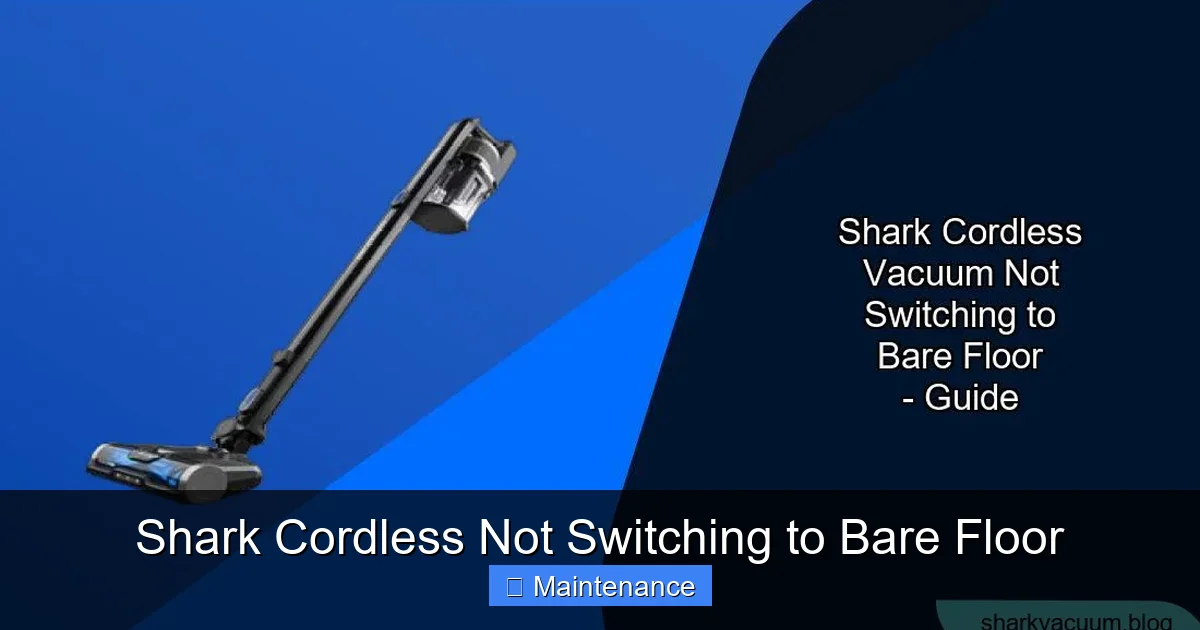
Visual guide about Shark Cordless Not Switching to Bare Floor
Image source: sharkvacuum.blog
The Manual Switch Pathway
On models with a physical switch, the mechanism is often a simple microswitch. When you depress the button, it completes an electrical circuit. Over time, dust, hair spray, and general grime can work their way into the tiny gap around the button, preventing it from clicking fully. The plastic housing can also crack or warp, misaligning the internal contact points. Furthermore, the wire connecting the switch to the main board can become loose from the soldering joint due to repeated vibration during use—a less common but possible failure point.
The Sensor-Based System
>
Automatic systems rely on a clean line of sight. Typically, an IR emitter and receiver sit on opposite sides of the brush roll housing, creating a “beam” that the brush roll itself or a small flag interrupts. On carpet, the brush roll’s presence or a raised flag breaks the beam, telling the vacuum “carpet mode—spin the brush.” On a hard floor, the beam is clear, signaling “bare floor—stop the brush.” If this sensor window is coated in dust, covered by a sticky film from cleaning solutions, or obstructed by a piece of tape or debris, the beam is permanently broken or permanently clear, locking the vacuum into one mode. Moisture from wet cleaning can also fog the sensor temporarily.
Top 5 Culprits: Why Your Shark Is Stuck on Carpet Mode
Now let’s identify the most frequent offenders. In order of likelihood, here is what’s probably keeping your Shark from switching to bare floor.
Visual guide about Shark Cordless Not Switching to Bare Floor
Image source: sharkvacuum.blog
1. The Brush Roll is Physically Jammed or Wrapped
This is the heavyweight champion of switching failures. When hair, string, carpet fibers, or even pet hair wraps tightly around the brush roll bearings or gets caught between the brush roll and its housing, it creates immense friction. The motor struggles to spin the jammed roller. Many Shark models have a safety clutch or torque limiter designed to disengage the brush roll if it encounters too much resistance—this is to protect the motor and your floors. However, this mechanism can sometimes fail or get stuck in the disengaged position, or conversely, the jam is so severe it prevents the clutch from functioning, causing the motor to strain and the control system to default to a “carpet” state to avoid damage. Even if the brush roll *can* spin, a thick layer of debris on the bristles can increase drag enough to trick the system.
2. Dirty or Obstructed Floor Detection Sensors
For sensor-based models, this is the prime suspect. The sensor windows are tiny, often just a few millimeters across, and are located right where dust and debris get kicked up. A fine layer of dust or a single spiderweb can block the infrared beam. Check the area just in front of and behind the brush roll housing. You might also find that a small piece of debris, like a sticker or a bit of tape, has been accidentally pasted to the housing and is now obstructing the sensor’s view. This is a silent failure—the vacuum isn’t “broken,” it’s just blind.
3. Faulty or Grimy Manual Mode Button/Dial
On manually switched models, the button itself is the source of the problem. The plastic cap can crack. The internal microswitch can get clogged with a gritty paste of dust and humidity. If the button doesn’t click with a satisfying tactile *snap*, it’s not making proper contact. Sometimes, the button can become stuck in the depressed position if a small object jams it. For dial-type switches, the electrical contacts on the rotating plate can become oxidized or dirty, preventing a clean connection in the “bare floor” position.
4. Software Glitch or Control Board Error
Like any electronic device, your Shark’s control board can experience a temporary glitch—a bit of corrupted data or a minor voltage spike that causes it to misinterpret signals. This is more common after a fall, a battery issue, or if the vacuum was used in a very dusty, static-prone environment. The logic gets stuck. A full power reset (not just turning it off) is often required to clear the board’s memory and reboot the system fresh.
5. Damaged or Disconnected Wiring
This is the least common but most serious cause. The flexible wiring harness that runs from the main body down into the brush roll housing is subjected to constant flexing and vibration. Over years of use, a wire can fatigue and break at the solder joint or within the insulation. A loose connector can also happen if the vacuum was dropped. You might notice intermittent function—sometimes it switches, sometimes it doesn’t—before it fails completely. Diagnosing this requires opening the vacuum, which may void the warranty if not done carefully.
Step-by-Step Troubleshooting: From Quick Fix to Deep Dive
Follow this diagnostic flowchart. Start with Step 1 and only proceed to the next if the problem persists. 90% of issues are resolved by Step 3.
Visual guide about Shark Cordless Not Switching to Bare Floor
Image source: sharkvacuum.blog
Step 1: The Immediate Reset
Before touching a screw, perform a full electronic reset. This clears temporary glitches.
- Turn the vacuum completely off using the power button.
- Remove the battery pack from the vacuum body. Hold the vacuum upright.
- Press and hold the power button for 15-30 seconds while the battery is out. This drains residual power from the capacitors.
- Reinsert the battery firmly until it clicks.
- Place the vacuum on a hard floor, turn it on, and try to engage bare floor mode.
If it works: You had a software glitch. Monitor it. If it happens again frequently, proceed to Step 2 for a deeper clean.
If it does NOT work: Move to Step 2.
Step 2: The Deep Clean (The Most Important Step)
Gather your tools: a microfiber cloth, a soft-bristle brush (an old toothbrush works perfectly), a pair of scissors or seam ripper, and possibly a can of compressed air.
- A. Remove and Inspect the Brush Roll: Flip the vacuum over. Locate the brush roll release (usually a lever or button). Remove the brush roll completely. Pro Tip: On many Shark models, you need to rotate the brush roll 90 degrees to align the notches with the housing slots before pulling it out. Consult your manual if unsure.
- B. De-hair and De-string: Using the scissors, carefully cut any hair or string wrapped around the brush roll bristles and axles. Never pull hair off with your fingers—you’ll pull out bristles. Use the seam ripper to slice through dense mats. Be meticulous. Check the bearings at each end; they should spin freely. If they’re gritty or don’t spin, the bearing is failing and the brush roll assembly may need replacement.
- C. Clean the Brush Roll Housing: This is critical. Shine a flashlight into the empty housing. You’ll likely see a canyon of debris—hair, dust bunnies, carpet fibers, bits of paper. Use the soft brush and cloth to scoop and wipe this out thoroughly. Pay special attention to the sensor windows (if your model has them). They are small, clear plastic pieces on the sides or top of the housing. Wipe them until spotless. Also, check for any small objects (toy parts, paperclips) that may have fallen in and are jamming the brush roll’s rotation path.
- D. Clean the Mode Button/Dial: If your model has a manual switch, find it. Use a cotton swab dipped in a tiny amount of isopropyl alcohol (rubbing alcohol) to clean around the button’s edges. Press it repeatedly while cleaning to work out grime. For a dial, rotate it back and forth while wiping the base and contact points.
- E. Reassemble Correctly: Ensure the brush roll is seated perfectly. It should rotate smoothly by hand with no binding. The notches must align correctly. A misaligned brush roll can trigger a fault or simply not spin freely, causing the switch to fail.
After this deep clean, reinsert the battery, test on a hard floor. Does it switch? If yes, success! If no, proceed.
Step 3: Check for Physical Obstructions & Sensor Alignment
With the brush roll clean, the issue might be elsewhere.
- Inspect the Brush Roll Housing Lid/Plate: The plastic cover that snaps over the brush roll (the part you step on to release) must close flush. If it’s warped or has debris on its sealing edge, it may not sit correctly. Some models have a safety switch that detects if the housing is properly closed. An improperly seated housing can prevent mode switching.
- Examine the Sensor Path: If you have an auto-sensing model, locate the two small IR sensors. Shine a bright light through them. They should be crystal clear. Use compressed air to blow out any dust from the emitter and receiver holes. Ensure nothing is taped or stuck to the housing in front of them.
- Check the Floor: Rarely, a very dark, non-reflective floor (like certain black laminates) can confuse optical sensors. Try the vacuum on a different hard surface (a white towel, a light-colored floor) to rule this out.
Step 4: Advanced Diagnostic & Reset
If the problem persists, we need to rule out a deeper electronic fault.
- Perform a “Hard Reset”: Some Shark models have a specific reset procedure involving holding buttons while powered on. Search online for “[Your Exact Model Number] factory reset.” The model number is on a sticker on the vacuum’s body or battery. A common method is: with the vacuum OFF and battery removed, hold the power button for 10 seconds, reinsert battery, then hold the mode button and power button together for 10 seconds while turning it on.
- Test with a Different Battery (if possible): A failing battery can deliver inconsistent voltage, confusing the control board. If you have access to a known-good Shark battery, try it.
- Listen and Feel: Turn the vacuum on in carpet mode (brush roll spinning). Now try to switch to bare floor. Do you hear a faint *click* from inside the body? That’s the relay or switch engaging. If you hear no click, the signal isn’t leaving the button/sensor. If you hear a click but the brush roll keeps spinning, the motor isn’t getting the signal or the motor itself is faulty.
Step 5: When to Consider Internal Hardware Failure
If you’ve completed all steps above—deep clean, sensor wipe, reset—and the vacuum still will not switch, the fault is likely internal:
- Failed Brush Roll Motor: The motor itself could be shorted or its internal windings damaged, causing it to run continuously regardless of signal.
- Faulty Control Board: The main PCB could have a failed component responsible for the brush roll circuit.
- Broken Wiring Harness: A wire inside the flexible conduit has fractured.
At this stage, professional repair or warranty service is recommended, especially if your vacuum is still under the typical 5-year limited warranty (check your proof of purchase). Opening the main body to diagnose these issues requires care and can void the warranty if not done by an authorized technician.
Preventive Maintenance: Keeping Your Shark Switching Smoothly
An ounce of prevention is worth a pound of cure. Incorporate these habits into your cleaning routine to avoid the “stuck switch” nightmare.
The 30-Second Post-Use Wipe Down
After every few uses, especially if you’ve vacuumed pet hair or carpet, do this:
- Remove the brush roll and use the cleaning tool (usually included) to scrape off any hair buildup on the bristles.
- Wipe the entire brush roll housing interior with a dry microfiber cloth.
- Use the crevice tool or a cotton swab to gently clean around the mode button and sensor windows.
- Tap out the dustbin and rinse the filter if it’s washable (let it dry completely for 24 hours).
This 2-minute routine prevents the slow accumulation that leads to jams and sensor blindness.
Know Your Model’s Weak Points
Certain Shark series have known debris traps:
- Shark IZ Series (IZ682, etc.): The brush roll housing is notorious for collecting hair in the small channel behind the roller. Pay extra attention to cleaning the *entire* cavity, not just the roller itself.
- Shark Vertex Series: The DuoClean (two rollers) system has more nooks. Ensure you clean between the two rollers and along the front brush bar guide.
- Models with Self-Cleaning Brush Roll: While designed to reduce hair wrap, the “self-cleaning” comb can still get clogged with fine dust. Use a thin tool to pick debris from between the comb teeth.
Storage and Usage Habits
- Never store the vacuum upright on its brush roll. Lay it flat or hang it on the wall mount. Storing it with the brush roll bearing under constant pressure can deform the housing slightly over time, increasing friction.
- Avoid vacuuming wet debris or large, sharp objects. These can damage bearings and sensors.
- Use the correct attachment for the job. For large debris on hard floors, use the crevice tool or dusting brush instead of the main floor head to reduce wear on the brush roll mechanism.
Conclusion: Regaining Your Floor’s Best Friend
Your Shark cordless vacuum is a powerful, engineered tool designed for effortless whole-home cleaning. When it fails to switch to bare floor mode, it’s not a sign of a doomed machine; it’s a cry for a little maintenance. By understanding that the heart of the problem is almost always a simple physical obstruction—a wrapped brush roll, a dusty sensor, a grimy button—you empower yourself to fix it quickly and cheaply. Start with the comprehensive deep clean of the brush roll and housing; it solves the vast majority of cases. Follow up with sensor care and a full reset. Only then should you consider internal hardware failure. Adopting the quick preventive habits outlined will keep your Shark performing flawlessly for years, seamlessly transitioning from the deepest carpet pile to the most delicate hardwood with a single touch or automatically. You’ve invested in a versatile cleaner; with this knowledge, you can ensure it lives up to that promise every single time you use it. Now, go enjoy those scratch-free, beautifully clean bare floors.
Frequently Asked Questions
Why does my Shark vacuum get stuck on carpet mode even after I clean the brush roll?
If cleaning the brush roll doesn’t fix it, the issue is likely a dirty or obstructed floor detection sensor (on auto-sensing models) or a faulty manual mode button/dial. Use a cotton swab and alcohol to clean around the button, or locate and meticulously clean the tiny IR sensor windows on the brush roll housing with a microfiber cloth and compressed air.
Can I manually force my Shark to stop the brush roll if the switch is broken?
As a temporary workaround, you can physically prevent the brush roll from spinning by placing a small piece of rigid plastic (like a cut-up old gift card) under the brush roll in its housing to lift it slightly off the floor. However, this is not a recommended long-term solution and will likely reduce suction efficiency. The correct fix is to clean or repair the switching mechanism.
Is a non-switching Shark vacuum covered under warranty?
Yes, a failure of the switching mechanism due to a manufacturing defect is typically covered under Shark’s limited warranty (usually 5 years for the motor and 1-2 years for parts). However, warranties do not cover damage from misuse, neglect, or lack of maintenance (like a brush roll jammed with hair). Keep your proof of purchase and contact Shark customer service for a warranty claim if you suspect a genuine defect after performing all basic troubleshooting.
My Shark is a manual switch model. I press the button and hear a click, but the brush roll doesn’t stop. What’s wrong?
>Hearing a click means the switch itself is likely working and sending a signal. The fault is probably downstream: either a loose or broken wire connecting the switch to the control board, a failed relay on the control board, or a faulty brush roll motor that is running continuously. This may require professional diagnosis.
Does using the vacuum on high power affect the bare floor mode?
No. The power setting (Eco, Max, etc.) controls the suction motor speed, not the brush roll motor. The brush roll should disengage regardless of suction power setting. If it only fails on “Max,” it could indicate a power delivery issue where the board prioritizes suction over brush roll control under high load, but this is rare and points to a control board problem.
How often should I deep clean my Shark’s brush roll to prevent switching issues?
For homes with pets, carpet, or long hair, perform a full brush roll removal and housing clean every 2-3 uses. For typical homes with mostly hard floors and short hair, a thorough clean every 5-7 uses is sufficient. The quick 30-second wipe-down after every use is the most important habit to prevent buildup.