The Shark cordless hand vacuum is your ultimate weapon against everyday messes. This lightweight, powerful tool excels at quick pick-ups on floors, cars, furniture, and more. Mastering its use involves proper charging, selecting the right attachment, and employing effective sweeping motions. Regular maintenance, like emptying the dust cup and cleaning the filter, ensures sustained peak performance. With this guide, you’ll transform frustrating spills into effortless, satisfying cleanups in seconds.
Let’s be honest: life is messy. Crumbs after breakfast, pet hair on the couch, dirt tracked in from the car, spilled kitty litter—these tiny disasters happen constantly. Getting out the big, bulky upright vacuum for a two-square-foot spill feels like overkill, but sweeping it up is tedious and often ineffective. This is the exact problem the Shark cordless hand vacuum was built to solve. It’s not just a smaller vacuum; it’s a different category of cleaning tool designed for immediacy, convenience, and power right in the palm of your hand.
But simply unboxing it and turning it on is only half the battle. To truly unlock its potential and make your cleaning routine wildly more efficient, you need to know how to use it. This isn’t about reading a dry manual; it’s about learning the techniques, understanding the attachments, and mastering the little habits that separate a frustrating, weak suction experience from a satisfying, “wow, that was easy!” moment. This guide will walk you through every step, from that first charge to advanced troubleshooting, transforming you into a Shark cordless hand vacuum expert.
Key Takeaways
- Fully charge before first use: Always initialize the battery by charging it completely (3-4 hours) to maximize long-term runtime and health.
- Select the right tool for the job: Use the motorized brush for carpets and pet hair, the crevice tool for tight spaces, and the dusting brush for delicate surfaces.
- Use slow, overlapping strokes: For maximum suction and debris pickup, especially on carpets, move the vacuum slowly and overlap your passes.
- Empty the dust cup frequently: Maintain strong suction by emptying the one-touch dust cup after every few uses, or when the “Full” indicator appears.
- Clean filters monthly: Remove and rinse the reusable foam and felt filters with cold water monthly; let them air-dry completely for 24 hours before reuse.
- Avoid liquids and large debris: This is for dry debris only. Never suction water, wet spills, or large objects like coins or toys to prevent damage.
- Store properly: Keep it on the charging base when not in use to maintain a ready charge, and store attachments on the built-in holders.
📑 Table of Contents
- 1. Unboxing and Initial Setup: Getting Started Right
- 2. Mastering the Controls and Core Cleaning Technique
- 3. Attachment Strategy: Using the Right Tool for Every Surface
- 4. Maintenance: Keeping Your Shark Performing Like New
- 5. Advanced Techniques and Problem Solving
- 6. Safety, Limitations, and Best Practices
- Conclusion: Embracing Effortless Cleanliness
1. Unboxing and Initial Setup: Getting Started Right
The excitement of a new gadget is real, but a proper start ensures everything functions perfectly for years to come. Rushing through setup can lead to confusion or missed features.
What’s in the Box?
Lay out all components. You should find the main handheld unit, the charging base (often with a wall mount), a power adapter, and a set of attachments. Common Shark attachments include:
- Motorized Brush Roll: The powerhouse for carpets and embedded pet hair. It has a small spinning brush bar.
- Crevi Tool: A long, narrow, rigid tube for getting into sofa cushions, car vents, and along baseboards.
- Dusting Brush: A soft-bristled brush for shelves, blinds, lampshades, and delicate surfaces.
- Wide Upholstery Tool: A flat, wide nozzle with a bristled edge for large furniture surfaces and car interiors.
Some models also include a pet multitool or a flexible extension hose. Familiarize yourself with each piece.
Charging for the First Time: The Critical First Step
This is the most important setup step. Before you use your Shark cordless hand vacuum for the first time, you must fully charge the battery. Lithium-ion batteries, like the one in your Shark, perform best when initialized with a complete charge cycle.
- Plug the power adapter into the charging base, then into a wall outlet.
- Align the metal contacts on the bottom of the handheld unit with the pins on the base and click it into place.
- An LED light will illuminate (usually red or orange) to indicate charging. This initial charge can take 3-4 hours.
- Do not attempt to use the vacuum while it’s charging for the first time. Let it reach 100% (the light will turn green or blue, depending on your model). This calibrates the battery management system.
Pro Tip: Once initialized, you can use “opportunity charging” (topping it up between uses) without harming the battery, but a full discharge every few months is good for its long-term health.
2. Mastering the Controls and Core Cleaning Technique
With a full charge, it’s time to clean. But holding the trigger and waving it around won’t yield optimal results. Understanding the controls and employing the right motion is key.
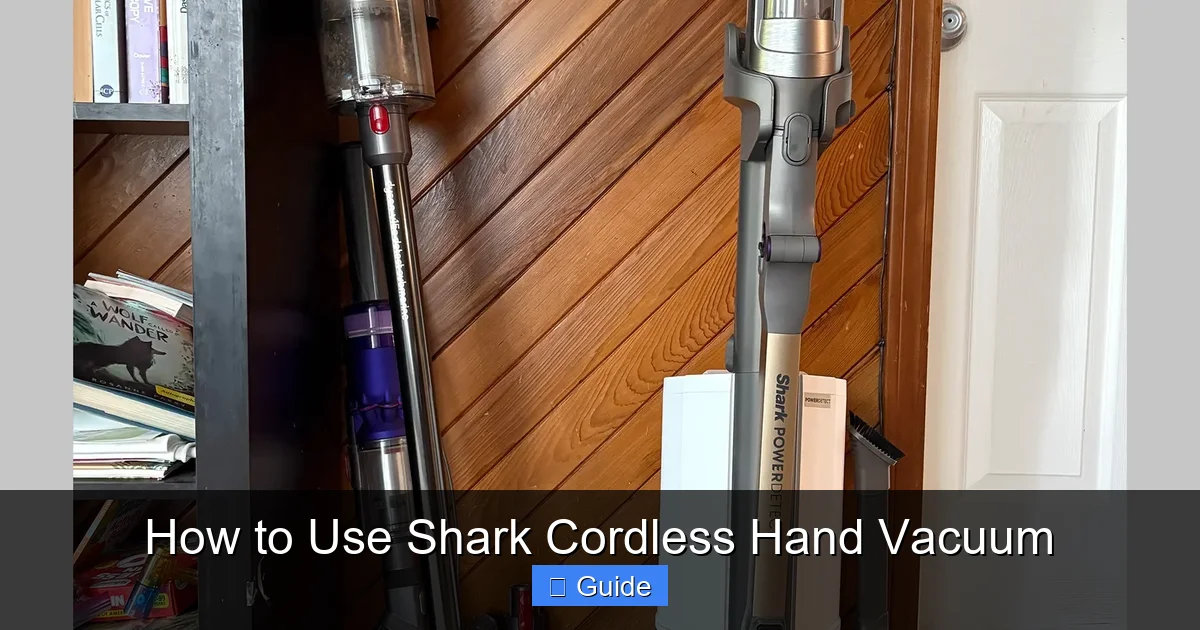
Visual guide about How to Use Shark Cordless Hand Vacuum
Image source: media.wired.com
Power and Suction Modes
Locate the power button, usually on the front or top of the handle. Most Shark cordless models feature at least two suction modes:
- Standard/IQ Mode: Balanced power for most everyday messes—crumbs, hair, light dirt. This conserves battery life.
- Max/Boost Mode: Activated by pressing the mode button (often a separate button or a second press of the power button). This unleashes maximum suction for tough jobs like deep carpet cleaning, heavy pet hair, or ground-in dirt. Be aware, this drains the battery significantly faster.
Start in Standard mode. Only switch to Max when you encounter resistance or see debris remaining after a pass.
The “Goldilocks” Motion: Not Too Fast, Not Too Slow
The biggest mistake users make is moving the vacuum too quickly. Suction needs time to agitate and lift debris, especially from carpet fibers.
- On Hard Floors (tile, laminate, hardwood): You can move a bit more briskly. Hold the nozzle slightly tilted so the front edge makes contact first, sweeping debris toward the suction path. A smooth, continuous stroke is effective.
- On Carpets and Rugs (especially with the motorized brush): Go slow. Push and pull the vacuum at a deliberate pace (about 1-2 feet per second). The rotating brush bar needs time to kick debris out of the pile and into the airflow. Overlap each stroke by about 50% to ensure you don’t miss strips.
- On Upholstery and Car Seats: Use short, controlled strokes. Press the nozzle gently into the fabric to engage the bristles or brush roll. For pet hair, a quick back-and-forth motion can help loosen it before suctioning.
Remember: the Shark cordless hand vacuum relies on its brush roll (when attached) for agitation. Without it, it’s purely suction-based. Adjust your speed accordingly.
3. Attachment Strategy: Using the Right Tool for Every Surface
The attachments aren’t just add-ons; they’re specialized tools that make the vacuum 10x more effective. Using the wrong tool is like using a hammer to turn a screw.
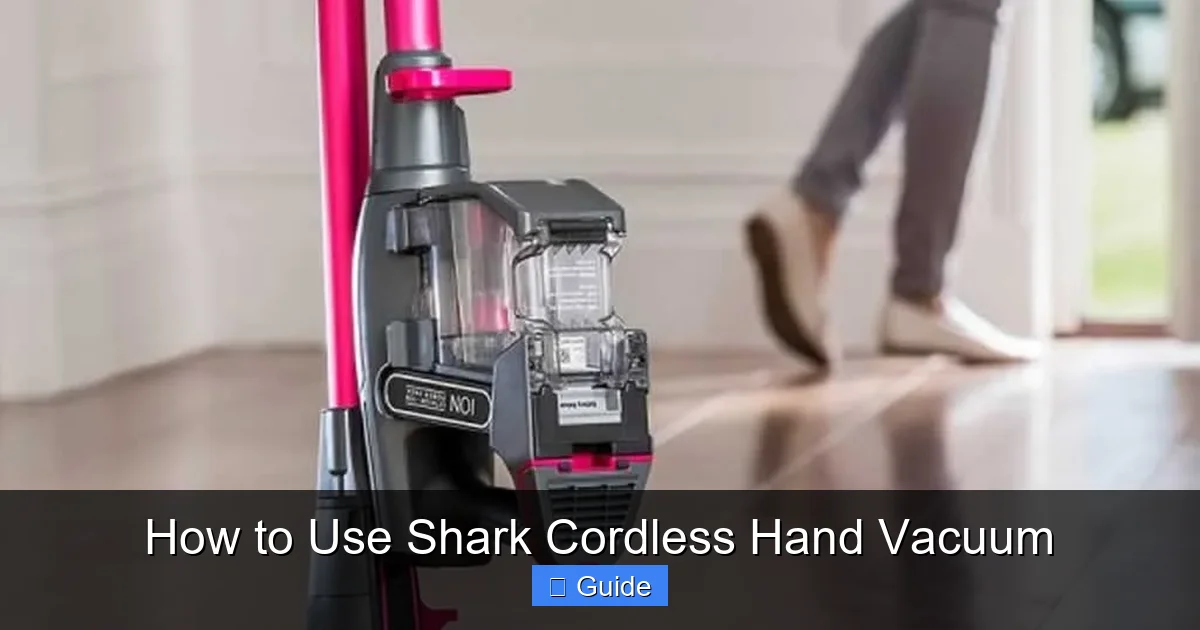
Visual guide about How to Use Shark Cordless Hand Vacuum
Image source: handymantips.org
Motorized Brush Roll: The Carpet & Pet Hair Specialist
This is the star attachment for a reason. The small, rubberized brush roll spins rapidly, beating debris out of carpet fibers and gathering pet hair into neat rolls.
- Ideal For: Area rugs, carpeted stairs, car floor mats, pet beds, upholstered furniture with a nappier fabric.
- Technique: Ensure it’s clicked securely into the vacuum’s front port. Use in Max mode on thicker carpets. On hard floors, you can use it, but a simpler nozzle might be quieter and just as effective.
- Maintenance Note: Hair and fibers can wrap around the brush roll bearings. Periodically (monthly or if performance drops) remove the brush roll (usually a release tab on the bottom) and clear any wrapped debris.
Crevi Tool: Your Tight-Space Hero
This long, skinny tool is arguably the most used attachment for its sheer versatility in hard-to-reach places.
- Ideal For: Between car seats and center console, along couch seams, radiator fins, keyboard crevices, tight corners, under appliances.
- Technique: Insert it into the space first, then turn the vacuum on. The narrow tip concentrates suction power. Use short jabbing motions to dislodge debris from tight corners.
- Pro Tip: For car cleaning, use this with the vacuum’s lightweight cordless design to easily reach every nook without dragging a cord.
Dusting Brush: For Delicate and Dusty Surfaces
The soft, synthetic bristles are gentle but effective, preventing scratches while lifting dust.
- Ideal For: Wooden furniture, shelves, window sills, baseboards, ceiling fan blades, blinds, electronics (monitors, TVs—keep a safe distance), picture frames.
- Technique: Use gentle, sweeping motions. The bristles trap dust particles, preventing them from just being blown around. For blinds, angle the brush to clean between the slats.
Upholstery Tool & Pet MultiTool: For Large Fabric Areas
The wide, flat nozzle with a bristled edge is perfect for large, flat surfaces.
- Ideal For: The seat and back of a sofa, car seats, mattress tops, large ottomans.
- Pet MultiTool: Often has a rubber edge to grab pet hair and a small brush. Excellent for clothing, small furniture, and direct pet hair pickup.
4. Maintenance: Keeping Your Shark Performing Like New
Neglecting maintenance is the #1 reason a powerful vacuum loses its edge. A few minutes of care after use preserves suction and extends the life of your machine.
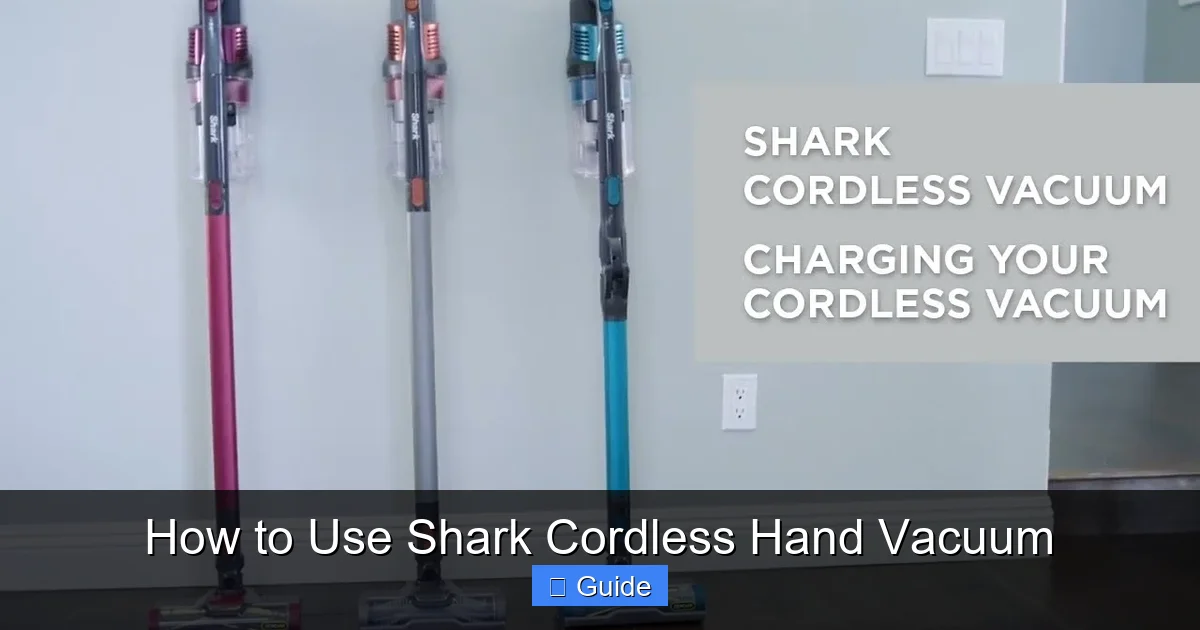
Visual guide about How to Use Shark Cordless Hand Vacuum
Image source: i.ytimg.com
Emptying the Dust Cup: Do It Often
The one-touch dust cup is a fantastic feature. Don’t wait until it’s bulging.
- How: Hold the vacuum over a trash can. Press the release button (usually near the handle). The bottom door swings open, dumping the debris. Give it a gentle tap or tap the sides to dislodge any fine dust caked in the corners.
- Why Often? A full dust cup restricts airflow, drastically reducing suction power. It’s a quick 10-second task that makes a huge difference. Empty it after every 2-3 uses, or immediately if cleaning a particularly dirty area.
- Check the Filter: While the cup is open, look at the cylindrical filter inside. If it’s visibly coated with dust, it’s time for a clean.
Filter Cleaning: The Monthly Essential
Your Shark likely has a two-stage filter system: a foam pre-motor filter and a felt post-motor filter (check your manual for exact configuration). Both are reusable and washable.
- Frequency: Clean them with cold water every 1-2 months, or more often if you use the vacuum frequently or in very dusty environments.
- Process:
- Remove the filter housing (usually twists off the back of the vacuum).
- Gently pull out the foam and felt filters.
- Rinse them thoroughly under cold running water. Do not use soap or detergent. Gently squeeze and press to remove debris. Do not wring.
- Shake off excess water and place them in a well-ventilated area to air-dry completely. This takes at least 24 hours. Never install a damp filter.
- Reassemble once fully dry.
- Warning: A clogged filter not only kills suction but can overheat the motor. Never operate the vacuum without the filters in place.
Brush Roll and Nozzle Care
- Brush Roll: Remove it periodically (check manual for tab location). Use scissors or a seam ripper to carefully cut away any hair or fibers wrapped around the bristles and bearings. Wipe the rubber blades clean.
- Nozzle and Air Path: Use a damp cloth to wipe the inside of the suction nozzle and the opening where the dust cup attaches. A cotton swab can help clear any small obstructions.
Battery Health
Store your Shark on its charging base when not in use. It will maintain a “trickle charge” to keep it ready. If you won’t use it for a month or more, store it with a 50% charge in a cool, dry place. Avoid extreme temperatures (hot garage, freezing car trunk).
5. Advanced Techniques and Problem Solving
Once you’ve mastered the basics, these tips will help you tackle specific challenges and diagnose common issues.
Tackling Specific Messes Like a Pro
- Pet Hair on Upholstery: Use the motorized brush roll in Max mode. A light mist of water or an anti-static spray on the fabric (test in an inconspicuous spot first) can help clump the hair, making it easier for the brush to gather.
- Car Detailing: Start with the crevice tool for all the tight spots (seams, vents, cup holders). Move to the wide upholstery tool for seats and floor mats, finishing with the dusting brush for the dashboard and console. The cordless design is perfect for cars—no hunting for an outlet.
- Kitchen Crumbs & Spills: For dry crumbs, the standard nozzle is fine. For sticky spills like dried cereal or sugar, first sweep the bulk with the crevice tool, then use a damp microfiber cloth on the surface. Never use the vacuum on wet liquids.
- Stairs: The cordless design is a game-changer. Use the motorized brush on the carpeted steps and the crevice tool for the narrow, dusty edges where the riser meets the tread.
Diagnosing Common Issues
- “Suction is weak.” 1) Empty the dust cup. 2) Clean the filters. 3) Check the nozzle and hose for blockages (a bent paperclip can help dislodge debris). 4) Ensure the correct attachment is fully clicked in. 5) Battery may be low; charge it.
- “Brush roll isn’t spinning.” 1) Ensure it’s fully seated in the vacuum body. 2) Check for hair/wrap jamming the bearings—remove and clean the brush roll. 3) The motorized brush function may be disabled if the battery is in protection mode (try a full recharge).
- “It smells musty.” This almost always means the filters are damp or dirty. Remove the filters immediately and wash/dry them thoroughly. Wipe out the dust cup and air path with a damp cloth, then let everything air out completely before reassembling.
- “Battery runs out too fast.” You’re likely using Max mode excessively. Stick to Standard mode for most tasks. Also, a heavily soiled filter or full dust cup forces the motor to work harder, draining the battery faster. Maintain it!
6. Safety, Limitations, and Best Practices
Your Shark is a powerful tool, but it has limits. Understanding them prevents damage to the vacuum and ensures safe operation.
What You SHOULD Vacuum
- Dry debris: dust, dirt, crumbs, hair, lint, cereal, kitty litter (clumping), dry pollen.
- Surfaces: carpets, rugs, hard floors, upholstery, car interiors, shelves, blinds, mattresses.
- Materials: fabric, wood, tile, laminate, plastic, vinyl.
What You MUST NOT Vacuum
- Liquids of any kind: Water, spills, wet mud, puddles. This will destroy the motor and filters. Use a mop or towel instead.
- Large, hard objects: Coins, buttons, toys, screws, nails, broken glass. These can damage the motor and jam the brush roll.
- Fine, powdery substances in large quantities: While it can handle some flour or powder, large clouds of fine dust (like from a drywall sander or huge bag of flour) can clog the filter instantly. Sweep first.
- Ashes (from fireplace/grill): Even cold ashes can contain hot embers and are extremely fine, clogging filters. Use a dedicated ash vacuum.
- Hazardous materials: Toxic chemicals, flammables, or anything that could release dangerous fumes when agitated.
General Safety and Storage
- Keep the vacuum away from children and pets when charging or in use.
- Do not use the vacuum if the cord or adapter is damaged.
- Ensure the charging base is on a stable, flat surface near an outlet.
- Store attachments on the provided holders to keep them organized and prevent loss.
- If the vacuum overheats (unlikely in normal use), turn it off and let it cool for 30 minutes.
Conclusion: Embracing Effortless Cleanliness
The Shark cordless hand vacuum is more than a gadget; it’s a mindset shift in home maintenance. It empowers you to clean up messes the moment they happen, preventing them from spreading, staining, or becoming a bigger headache later. That quick spill of coffee grounds? Gone in 10 seconds. The trail of kitty litter from the box to the door? Annihilated before you track it through the house. The dust bunnies multiplying under the bed? Vanquished without breaking a sweat.
By taking the time to understand its parts—the mighty motorized brush, the precise crevice tool, the gentle dusting brush—and mastering the simple techniques of proper charging, slow strokes on carpet, and diligent maintenance, you invest in a tool that will serve you faithfully for years. You’ll find yourself reaching for it instinctively, turning dreaded cleanup tasks into trivial, satisfying moments. It’s the little victories that make a clean home feel so good. Now, armed with this knowledge, go forth and conquer those everyday messes with confidence and ease.
Frequently Asked Questions
How long does the battery last on a full charge?
Battery life varies by model and usage. In Standard mode on mixed surfaces, expect 10-15 minutes of runtime. Using Max mode continuously can reduce this to 5-8 minutes. Always start with a full charge for best results.
Can I wash the filters with soap?
No. The reusable foam and felt filters should only be rinsed with cold water. Soap or detergent can damage the filter media and leave residues that reduce airflow. After rinsing, squeeze gently and air-dry completely for 24 hours.
Why is my vacuum not picking up debris as well as it used to?
>The most common causes are a full dust cup, clogged filters, or a blocked nozzle/air path. First, empty the dust cup. Then, clean the filters with cold water. Finally, check the suction opening and hose for obstructions and clear them.
Is it safe to use on wet carpets or spills?
Absolutely not. The Shark cordless hand vacuum is designed for dry debris only. Suctioning water or liquids can cause severe electrical damage to the motor and ruin the filters. Always clean up liquid spills with towels or a mop first.
How do I know when to replace the battery?
Signs of a failing battery include: drastically reduced runtime (e.g., from 15 mins to 5 mins on a full charge), the vacuum not holding a charge, or the charger light blinking abnormally. Battery replacement requires purchasing a specific replacement pack from Shark.
Can I use this vacuum on my hardwood floors without scratching them?
Yes. The plastic nozzles and soft dusting brush are safe for sealed hardwood, laminate, and tile. For extra protection, ensure the wheels and nozzle are clean before use. Avoid using the motorized brush roll on delicate hardwoods if you’re concerned; the standard nozzle is perfectly effective for dry debris.