A non-spinning brush roll on your Shark Navigator NV351WM1 is a common issue, usually caused by a clog, a broken belt, or a tripped brush motor shut-off. The fix is often a simple 10-minute DIY process involving cleaning, inspection, and part replacement. Follow our comprehensive guide to diagnose the exact cause and get your vacuum’s deep-cleaning power back.
You’re halfway through vacuuming your living room rug, and you notice it. That familiar, deep-cleaning agitation sound from your Shark Navigator NV351WM1 is missing. You look down, and the red brush roll is just sitting there, not spinning. Panic sets in for a second—did I break it? Is it expensive to fix? Take a deep breath. A Shark Navigator NV351WM1 carpet brush not spinning is one of the most common, and usually most fixable, problems with an upright vacuum. It’s rarely a death sentence for your machine. In this complete guide, we’ll walk through everything you need to know, from the simple “why” to the detailed “how,” so you can diagnose and solve the problem yourself and get back to a truly clean home.
Your Shark Navigator’s brush roll is its secret weapon for deep carpet cleaning. That spinning bar with bristles agitates carpet fibers, lifting embedded dirt, pet hair, and debris so the suction can whisk it away. When it stops, your vacuum becomes little more than a weak suction sweeper on hard floors. Understanding the simple mechanics behind it—a motor, a belt, and the brush roll itself—is the first step to becoming your own vacuum repair expert. This issue is so prevalent that Shark even designed their later models with easier brush roll access, but the NV351WM1 is still very serviceable by anyone with a screwdriver and a bit of patience. Let’s dive in.
Key Takeaways
- The #1 culprit is debris clog: Hair, string, and carpet fibers wrap around the brush roll bearings and axles, jamming it completely. Regular cleaning prevents this.
- The belt is a frequent failure point: The rubber drive belt can stretch, slip off, or snap, breaking the connection from the motor to the brush roll.
- A safety feature may be tripped: The brush motor has an automatic thermal shut-off if it overheats from a clog. Letting the vacuum cool often resets it.
- Brush roll bearings can seize: With enough grime and wear, the bearings inside the brush roll itself can weld shut, requiring brush roll replacement.
- Motor issues are rare but possible: If the brush roll spins freely by hand and the belt is intact, the dedicated brush motor may have failed and need professional repair.
- Always unplug before inspecting: Safety is paramount. Never troubleshoot with the vacuum powered on to avoid injury or damage.
- Use genuine Shark parts: For belts and brush rolls, genuine Shark Navigator NV351WM1 parts ensure proper fit, length, and performance.
📑 Table of Contents
- Understanding Your Shark Navigator NV351WM1’s Brush Roll System
- Common Causes for a Non-Spinning Brush Roll
- Step-by-Step Diagnostic & Repair Guide
- Essential Tools and Genuine Replacement Parts
- Preventive Maintenance: Keeping the Brush Spinning
- When to Call in the Professionals
- Conclusion: Your Vacuum’s Comeback Story
Understanding Your Shark Navigator NV351WM1’s Brush Roll System
Before we start pulling things apart, it helps to visualize the three-key component system that makes the brush roll spin. Think of it like a simple chain of power.
The Motor: The Heart of the Operation
Your Shark Navigator has two motors. The main suction motor is what you hear when you vacuum. There is a second, smaller motor dedicated solely to spinning the brush roll. This brush motor is located near the front of the machine, inside the hood or soleplate area. It has a small rubber pulley on its shaft.
The Belt: The Vital Link
Connecting the brush motor pulley to the brush roll is a thin, rubber drive belt. This is the most hardworking and failure-prone part of the system. It stretches slightly as it spins, can slip if too loose, and can snap if it gets jammed or just gets old and brittle. The belt for the NV351WM1 is a specific size and tread pattern; using the wrong one will cause slipping or premature failure.
The Brush Roll: The Agitator Itself
The brush roll is the long cylinder with black bristles (and sometimes rubber fins) that you see spinning at the front of your vacuum. It has two bearings, one on each end, that allow it to spin freely on a metal axle. If these bearings get clogged with hair and grime, the entire roll can seize up. The brush roll also has a small rubber pulley on one end that the drive belt fits over.
The power flow is: Brush Motor → Drive Belt → Brush Roll Pulley → Brush Roll Bearings → Spinning Action. A break anywhere in this chain stops the spin. Our troubleshooting will systematically check each link.
Common Causes for a Non-Spinning Brush Roll
Now that we know the parts, let’s identify the usual suspects. Over 90% of “brush not spinning” cases fall into one of these categories, starting with the most frequent.
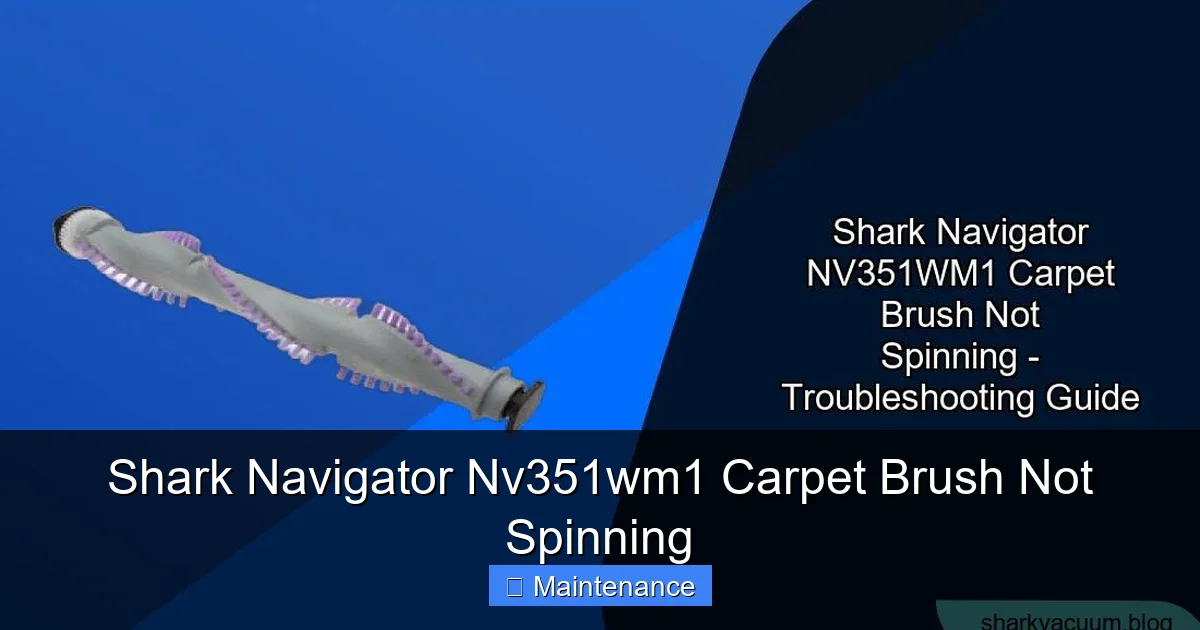
Visual guide about Shark Navigator Nv351wm1 Carpet Brush Not Spinning
Image source: sharkvacuum.blog
Cause #1: The Debris Clog (The Usual Suspect)
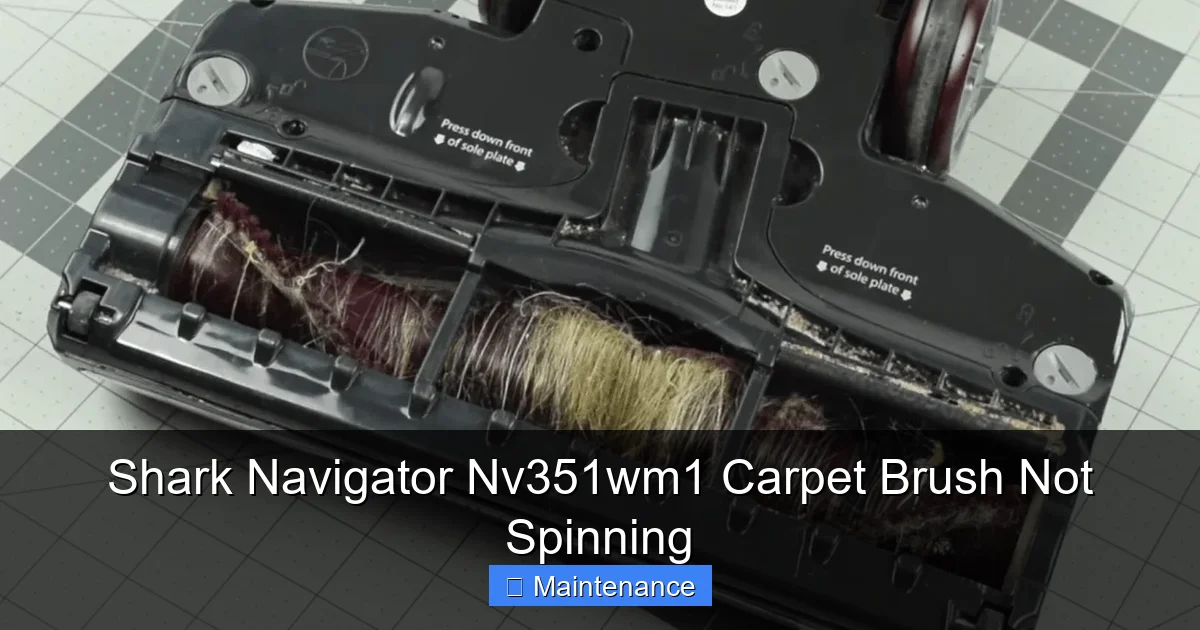
This is, by far, the number one cause. Long hair, carpet fibers, string, and even pet toys can wrap around the brush roll’s axle and bearings. It doesn’t take much. A thick layer of hair acts like a clamp, preventing the brush roll from turning. You might even notice a burning smell or the vacuum sounding strained before it shuts off. This is the brush motor working against a solid block. The debris can also pack into the space between the brush roll and the plastic housing, creating a physical barrier.
Cause #2: A Broken or Slipping Drive Belt
Rubber belts wear out. They can stretch over time, causing them to slip off the pulleys or slip on them without turning the brush roll. They can also snap completely, especially if the brush roll was jammed and the motor kept trying to turn it. If you hear the brush motor running (a higher-pitched whirring sound) but the brush roll is dead, a broken/slipping belt is the prime suspect. Sometimes, a belt will jump off the motor pulley but stay on the brush roll pulley, making it less obvious.
Cause #3: Tripped Brush Motor Thermal Shut-Off
Shark vacuums have a safety feature. If the brush motor gets too hot—usually from fighting a severe clog—a thermal fuse inside the motor will trip, cutting power to protect the motor from burning out. This is a good thing! The motor isn’t necessarily broken. It just needs to cool down. After a 30-45 minute cool-down period, the fuse often resets automatically. If your brush stopped after a period of heavy use on thick carpet, this is a strong possibility.
Cause #4: Seized Brush Roll Bearings
Even if you clear all the visible hair, the inner bearings of the brush roll can become permanently clogged with a fine mix of dust, carpet powder, and melted plastic (from vacuuming hot ashes or plastic wrappers). This grime can weld the bearing races together. You’ll be able to spin the brush roll by hand, but it will have a tight, gritty spot and stop quickly. A severely worn or water-damaged brush roll can also have rusted bearings.
Cause #5: Failed Brush Motor (Less Common)
If the brush roll spins freely by hand, the belt is intact and properly tensioned, and the thermal shut-off has had time to reset, then the dedicated brush motor itself may have failed. This is the least common issue but can happen, especially in older machines or after a major electrical surge. You might hear a faint click or hum from the motor area when turned on, but no rotation.
Step-by-Step Diagnostic & Repair Guide
Time to get your hands dirty—safely. Follow this sequence to diagnose and fix your Shark Navigator NV351WM1. Always start with the vacuum unplugged from the wall outlet.
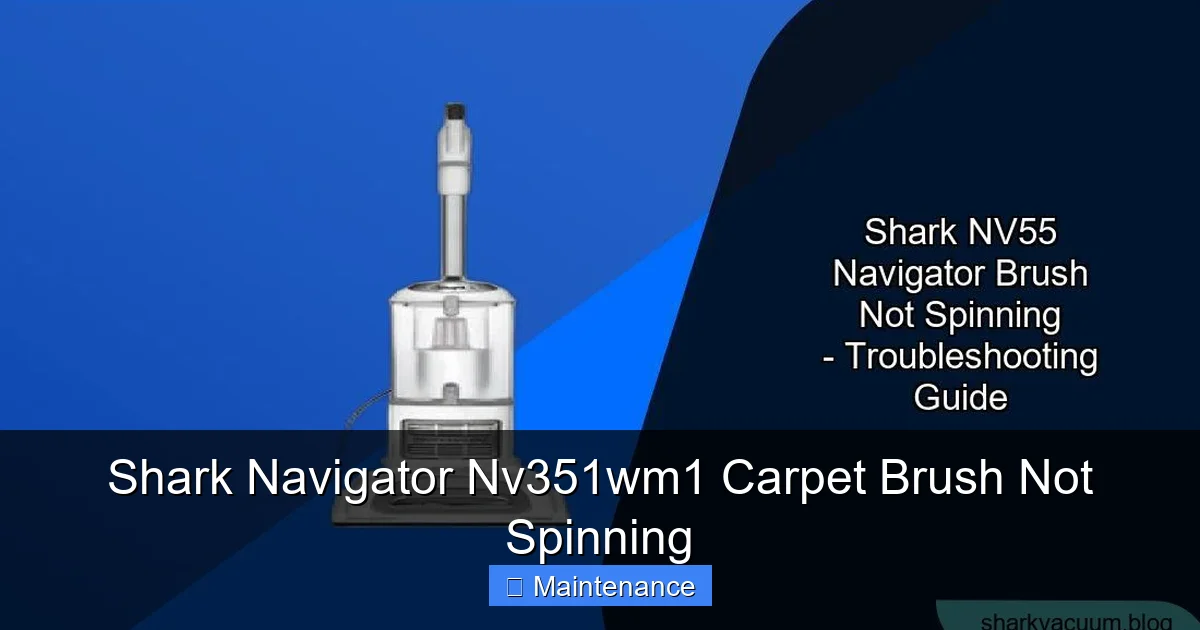
Visual guide about Shark Navigator Nv351wm1 Carpet Brush Not Spinning
Image source: sharkvacuum.blog
Step 1: The Initial Inspection & Safety
Lay the vacuum on its side for better access. Locate the red brush roll housing at the front. You’ll see four to six screws holding the plastic soleplate/hood onto the vacuum body. Using a Phillips-head screwdriver, remove all these screws. Gently lift the hood off. You will now see the entire brush roll, belt, and brush motor assembly. This is your workspace.
Step 2: Manual Brush Roll Test
With the hood off, try to spin the brush roll by hand. It should rotate smoothly and freely in both directions. Note what you feel:
- Smooth, easy spin: Bearings are likely okay. The problem is elsewhere (belt, motor, clog elsewhere).
- Stiff, gritty, or tight spot: Bearings are clogged or damaged. The brush roll needs cleaning or replacement.
- Completely locked: A major clog is binding it. Proceed to cleaning.
Step 3: The Deep Clean (Attack the Clog)
Even if it spins freely, clean it. Use a pair of scissors or a dedicated seam ripper tool. Carefully cut away any hair, string, or fibers wrapped around the brush roll bristles and, more importantly, around the metal axle and inside the bearing housings at each end. Pull the debris out with needle-nose pliers. Pay special attention to the area where the brush roll meets the plastic housing on both sides—this is a prime clog spot. Clean until you can see the bare metal axle and the housing is clear. Also, check the suction opening behind the brush roll for any lodged obstructions.
Step 4: Inspect and Replace the Drive Belt
Once the area is clean, locate the rubber belt. It’s a loop connecting the small pulley on the brush motor to the larger pulley on the brush roll. Pull it off. Inspect it thoroughly:
- Cracks, fraying, or stretching: Replace it. A belt that’s loose on the motor pulley when stretched will slip.
- Glazing or shiny spots: Indicates slippage has occurred; replace.
- Snap test: If it breaks in your hand, it’s dead.
Replacement Tip: Note how the belt sits on the pulleys. The NV351WM1 belt is not twisted. The smooth side usually faces the brush roll pulley. When installing the new belt, stretch it over the brush roll pulley first, then rotate the brush roll to work the belt onto the motor pulley. It’s a tight fit; you may need to twist the brush roll slightly to get the belt on.
Step 5: Reassemble and Test
With a clean brush roll and a new (or confirmed good) belt in place, carefully lower the hood back onto the vacuum body. Hand-start all the screws to avoid cross-threading, then tighten them securely with the screwdriver. Plug the vacuum in. Press the brush roll ON/OFF button (usually a red button on the top or handle). Turn the vacuum on. You should immediately hear and see the brush roll spinning. Listen: A healthy brush motor has a consistent whirring sound. A slipping belt will make a high-pitched squeal.
Step 6: If It’s Still Not Spinning…
If you’ve completed steps 2-5 and the brush roll is clean, spins freely, and has a good belt on it, but it still doesn’t turn, the fault likely lies with the brush motor or its electrical connection. At this stage, diagnosing requires more advanced skills and tools (like a multimeter to test for voltage at the motor). For most users, this is the point to consider professional repair or, if the vacuum is older, replacement. Before you give up, ensure the brush roll ON/OFF button isn’t accidentally turned off and that the main power switch is on.
Essential Tools and Genuine Replacement Parts
Being prepared makes any job easier. For this common repair, your toolkit is minimal.
Visual guide about Shark Navigator Nv351wm1 Carpet Brush Not Spinning
Image source: vacuupedia.net
Basic Toolkit You’ll Need
- Phillips-head screwdriver: The #2 size is perfect for the hood screws.
- Flat-head screwdriver or seam ripper: For prying and cutting hair/fibers.
- Needle-nose pliers: For pulling out stubborn debris.
- Flashlight: To see into the dark housing.
- Gloves: Optional, but good for keeping hands clean from dust and grime.
Why Genuine Shark Parts Matter
You’ll find universal belts and brush rolls online for cheap. Resist the temptation. The Shark Navigator NV351WM1 uses a specific belt length, width, and tread pattern. A belt that’s even 1/2 inch too long will slip. A brush roll with wrong-sized bearings won’t fit. Genuine Shark parts (part numbers are usually on the old parts or in the manual) are engineered for your exact model. They cost a bit more but save you from repeated disassembly, frustration, and potential damage to the motor from a slipping belt. You can find them directly from Shark, authorized retailers, or reputable vacuum part websites.
Preventive Maintenance: Keeping the Brush Spinning
An ounce of prevention is worth a pound of cure. A few minutes of monthly maintenance can prevent the “brush not spinning” nightmare entirely.
Monthly Cleaning Ritual
Make it a habit. Once a month, or more often if you have pets, remove the brush roll hood and do a thorough clean. Cut off all wrapped hair and fibers. Wipe down the brush roll with a dry cloth. Use a cotton swab or old toothbrush to clean out the bearing housings and the belt area. This simple habit extends the life of your belt and brush roll immensely.
Mind What You Vacuum
Your Shark Navigator is a carpet cleaning powerhouse, but it has limits. Never vacuum:
- Wet spills or puddles (risk of motor damage).
- Small hard objects (tacks, coins, pins—they damage bearings).
- Hot ashes or plastic wrap (they melt and weld to the brush roll).
- Large amounts of string or ribbon (they are clogging champions).
Listen to Your Vacuum
Your ears are a great diagnostic tool. A change in sound is the first warning sign. If you hear the brush motor straining, a new high-pitched squeal, or notice a loss of agitation, turn it off immediately. Continuing to run a jammed brush roll is what breaks belts and burns out motors. Address the issue right away.
When to Call in the Professionals
Not every problem is a DIY fix. Here’s when to pick up the phone.
Signs of a Failed Brush Motor
If you’ve verified:
- The brush roll spins perfectly freely by hand.
- The drive belt is new and properly installed with good tension.
- The brush ON/OFF switch is on.
- You’ve let the vacuum cool for an hour in case of a thermal shut-off.
…and the brush roll still doesn’t spin, the dedicated brush motor has likely failed. Replacing it involves electrical connections and is more complex. This is a job for an authorized Shark repair center or a qualified small appliance repair technician.
Warranty Considerations
Check your warranty status. If your NV351WM1 is still under Shark’s limited warranty (typically 1-5 years depending on registration), opening it up yourself may void the warranty for that component. Contact Shark Customer Support first. They may troubleshoot with you over the phone and, if the issue is covered, arrange for a repair center or a replacement part shipment. Always have your model number (NV351WM1) and serial number ready.
Cost-Benefit Analysis
If your vacuum is older and out of warranty, get an estimate for a brush motor replacement. Parts and labor can sometimes approach the cost of a new mid-range vacuum. At that point, investing in a new model with updated features (like the self-cleaning brush rolls in newer Sharks) might be the smarter long-term choice.
Conclusion: Your Vacuum’s Comeback Story
A Shark Navigator NV351WM1 carpet brush not spinning is a frustrating but almost always solvable problem. By understanding the simple chain of power—motor, belt, brush roll—you can methodically diagnose the failure point. Start with the most common culprit: debris clogs. A thorough cleaning solves the issue in most cases. If not, move on to the drive belt, a cheap and easy part to replace. Remember the safety thermal shut-off and allow the machine to cool. With a clean brush roll, a new genuine belt, and a bit of patience, you will almost certainly restore that vital spinning agitation to your vacuum.
This repair is a perfect example of how a little knowledge empowers you as a homeowner. You’re not just fixing a vacuum; you’re saving money, reducing waste by extending your appliance’s life, and gaining confidence in handling basic maintenance. Keep that screwdriver handy, adopt a monthly cleaning ritual, and listen to your Shark. It will reward you with years of powerful, deep-cleaning performance. Now, go tackle that carpet with your fully revived Shark Navigator!
Frequently Asked Questions
Why did my Shark Navigator’s brush roll suddenly stop spinning?
The most common reason is a debris clog—hair or string jamming the brush roll bearings. Another frequent cause is a broken or slipped drive belt. Less commonly, the brush motor’s thermal safety fuse may have tripped due to overheating from a previous clog.
Can I use the Shark Navigator without the brush roll spinning?
You can use it on hard floors, but you will lose all deep carpet cleaning agitation. The vacuum will only suction surface debris. For carpets, it will be ineffective at removing embedded dirt and pet hair, essentially making it a weak suction sweeper.
How often should I clean my Shark Navigator’s brush roll?
For optimal performance and to prevent clogs, you should remove the brush roll hood and clean the brush roll and bearings at least once a month. If you have pets or long hair, doing this every two weeks is highly recommended.
Is it worth fixing an old Shark Navigator NV351WM1?
Often, yes. The most common fixes (cleaning, belt replacement) cost under $20 and take 10 minutes. If the brush motor itself is faulty, compare the repair cost to the price of a new comparable Shark. For vacuums under 5-7 years old, repair is usually economical.
What part number is the drive belt for the NV351WM1?
The genuine Shark replacement drive belt part number is typically Shark Part # 112FF or # 112-FF. Always verify this number on your old belt’s packaging or by contacting Shark with your exact model number before purchasing.
My brush roll spins freely by hand and the belt looks fine, but it still doesn’t spin. What now?
This indicates a likely failure of the dedicated brush motor itself or a fault in its electrical circuit (switch, wiring). At this point, professional diagnosis is recommended unless you are comfortable testing for voltage at the motor connector with a multimeter.