Is your Shark Navigator NV501 DLX brush not spinning? This is a very common issue, and the good news is that it’s almost always fixable without a costly service call. The problem typically stems from a clogged brush roll housing, a worn or broken drive belt, or a tripped brush motor safety fuse. By following a systematic troubleshooting process—starting with a thorough cleaning and visual inspection—you can diagnose and resolve the issue yourself in under 30 minutes, saving you money and restoring your vacuum’s powerful deep-cleaning ability.
Key Takeaways
- Clogs are the #1 culprit: Hair, string, and carpet fibers wrap around the brush roll and axles, jamming it. A deep clean of the brush roll housing is the first and most effective step.
- The belt is a common failure point: The rubber drive belt stretches, slips off, or breaks. A visual inspection of the belt’s condition and tension is critical if cleaning doesn’t solve the problem.
- A hidden reset fuse can trip: The brush motor has an internal thermal fuse that shuts it off if it overheats from a jam. Unplugging the vacuum for 45 seconds often resets it.
- Motor failure is rare but possible: If the brush roll spins freely by hand, the belt is intact and properly tensioned, and the reset doesn’t work, the brush motor itself may have burned out.
- Prevention is key: Regular, quick maintenance—cutting wrapped hair from the brush roll every few uses and checking for obstructions—prevents 90% of “brush not spinning” problems.
- Safety first: Always disconnect the vacuum from the wall outlet before performing any inspection, cleaning, or part replacement to avoid injury or electrical damage.
📑 Table of Contents
Introduction: That Dreaded Loss of Agitation
You plug in your trusty Shark Navigator NV501 DLX, that workhorse of a vacuum that has kept your carpets and hard floors pristine for years. You hear the familiar, powerful suction, but something is off. The floor nozzle is gliding along, but it’s not doing its job. The deep-down dirt and embedded pet hair aren’t coming up. You look down and see it: the iconic red brush roll is sitting perfectly still. Your heart sinks a little. A Shark Navigator NV501 DLX brush not spinning means you’ve lost its primary cleaning weapon—the agitating brush roll that loosens and lifts debris so the suction can capture it. Suddenly, your vacuum is just a fancy, heavy air mover.
Before you panic and start searching for repair shops or a new vacuum, take a deep breath. This is one of the most frequent issues with all upright vacuums with brush rolls, and it’s almost always something you can diagnose and fix yourself. The problem is mechanical, not magical, and it usually points to one of a handful of common culprits. This guide will walk you through every single step, from the simplest 60-second check to more involved repairs. We’ll talk you through it like a friend showing you how, with clear instructions and no confusing jargon. By the end, you’ll not only have a fixed vacuum but also the confidence and knowledge to prevent it from happening again.
The Usual Suspects: Why Your Brush Roll Stops Spinning
To fix a problem, you first need to understand what could be wrong. The brush roll on your Shark Navigator NV501 DLX is a simple but vital component. It’s a cylinder with bristles, mounted on bearings, and driven by a rubber belt connected to the vacuum’s motor. For it to stop spinning, something has interrupted this system. Think of it like a bicycle wheel: if the chain (belt) breaks, the wheel won’t turn. If the axle (brush roll bearings) is jammed with mud, the wheel won’t turn. If the pedals (motor) aren’t engaging, the wheel won’t turn. Let’s identify the most likely offenders.
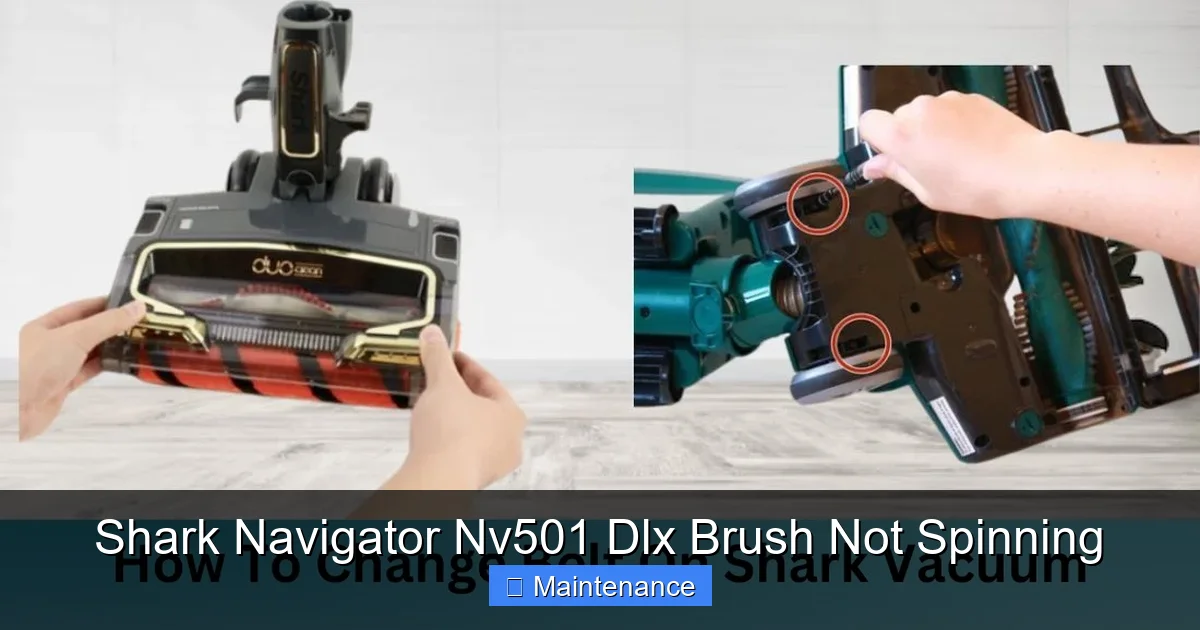
Visual guide about Shark Navigator Nv501 Dlx Brush Not Spinning
Image source: sharkvacuum.blog
The #1 Enemy: Debris Jams and Hair Wraps
This is the heavyweight champion of brush roll problems. Every time you vacuum, you’re sweeping up hair, string, carpet fluff, and small fibers. While much of it goes into the bag or dust cup, a significant amount gets caught in the brush roll itself. It wraps around the bristles, tightens around the axle (the metal rod the brush roll spins on), and gets packed into the plastic end caps. Over time, this creates a dense, felt-like plug that physically prevents the brush roll from rotating. This jam creates immense resistance, which can then cause the belt to slip or, in severe cases, trip the motor’s safety fuse. It’s the most common reason for a Shark Navigator NV501 DLX brush not spinning.
The Silent Saboteur: A Worn or Broken Drive Belt
That rubber belt is the crucial link between the vacuum’s motor and the brush roll. It’s a wear item, meaning it’s designed to be replaced periodically. Over months and years of use, the belt stretches, loses its elasticity, and can develop cracks or thin spots. A stretched belt will slip on the motor pulley or the brush roll pulley, especially when the brush roll encounters resistance (like a thick rug). Sometimes, the belt can literally snap or jump off its track entirely. If the belt is missing, broken, or too loose, there’s simply no mechanism to transfer the motor’s power to the brush roll, leaving it dead still.
The Safety Switch: A Tripped Thermal Fuse
Your Shark Navigator has a built-in safety feature to protect the brush roll motor. Inside the motor housing is a small thermal fuse. If the motor gets too hot—usually because it’s working too hard against a severe jam—this fuse will “trip” or blow, cutting power to the brush motor as a protective measure. This is a good thing! It prevents a minor jam from burning out your expensive motor. The downside is that until the fuse is reset (by unplugging the vacuum for a period of time) or replaced (if it’s a one-time fuse), the brush roll will not spin, even if you’ve cleared the original jam. It’s a common reason for a persistent Shark Navigator NV501 DLX brush not spinning issue after you’ve already cleaned it.
The Rare but Real: Brush Roll or Motor Failure
While less common, components can wear out completely. The bearings inside the brush roll itself can seize up, making it impossible to spin. You might feel or hear a grinding sensation if you try to turn it by hand. Similarly, the brush roll motor, a small separate motor from the suction motor, can burn out. If you’ve confirmed the belt is perfect and engaging, the brush roll spins freely by hand, and you’ve reset the fuse, but there’s still no movement or sound from the brush motor area, the motor may have reached the end of its life. This is the last box to check after ruling out the simpler, more frequent issues.
Step-by-Step Diagnostic and Repair Guide
Now that we know what could be wrong, let’s play detective. We will start with the quickest, easiest fix and move to the more involved. You will need a few simple tools: a Phillips head screwdriver, possibly a flathead screwdriver, a pair of scissors or a seam ripper (for cutting hair), and a good flashlight. Always, always unplug your vacuum from the wall outlet before beginning any work.
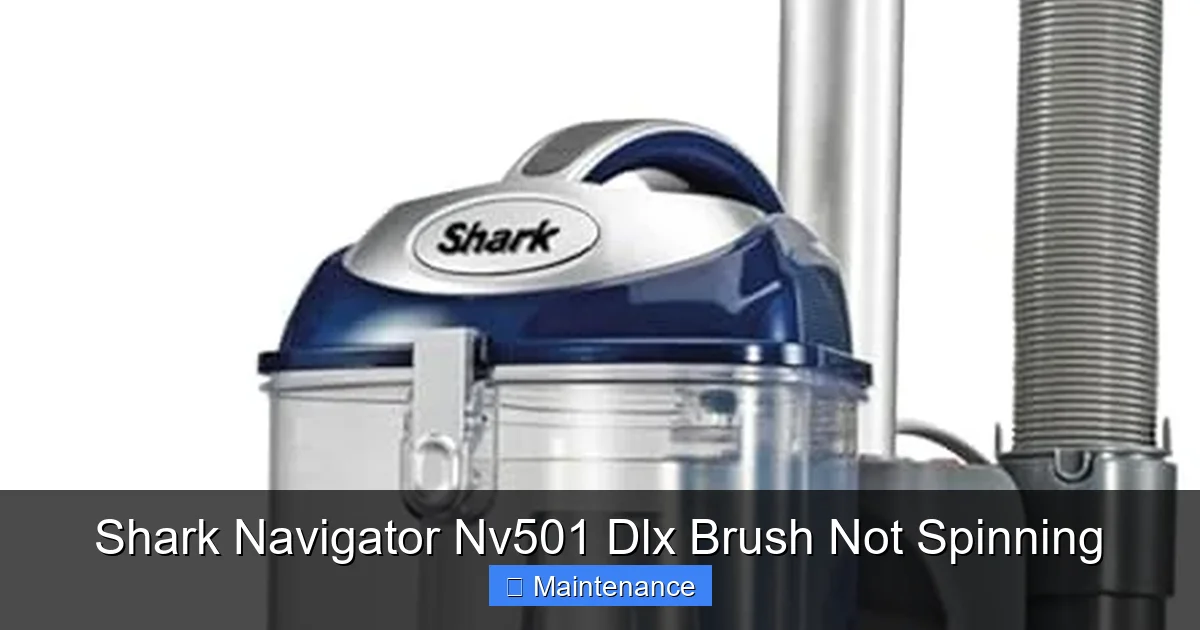
Visual guide about Shark Navigator Nv501 Dlx Brush Not Spinning
Image source: m.media-amazon.com
Step 1: The Quick Visual and Manual Check
Flip your Shark Navigator NV501 DLX onto its back so you can see the floor nozzle. Locate the brush roll—it’s the long, red cylinder with black bristles running across the width of the nozzle. First, try to spin it by hand. Use your fingers to try and rotate it. How does it feel?
- If it spins freely and easily: This is great news! The brush roll itself is not jammed on its bearings. The problem is likely with the belt (slipped/broken) or the motor/fuse system. Proceed to Step 2.
- If it doesn’t spin at all, or spins with great difficulty, grinding, or feels gritty: You have a jam. Proceed to Step 3 for the deep clean.
- If it spins but feels like it’s catching in spots: There’s a partial wrap or debris in the end caps. This still requires a cleaning.
While you’re down there, peer into the brush roll housing (the plastic casing that holds the brush roll). Can you see any obvious large objects—a sock, a thick rug tassel, a big wad of hair—blocking the brush roll? If you see something you can safely reach and pull out with needle-nose pliers or your fingers, do so now.
Step 2: Inspect and Re-seat the Drive Belt
If the brush roll spins freely by hand, the belt is our prime suspect. To inspect it, you’ll need to access the brush roll area more fully.
- Lay the vacuum on its back. Locate the two red or black release latches on either side of the floor nozzle, near where the handle connects. Press them and lift the nozzle hood off. This will expose the brush roll and the belt.
- Locate the belt. It’s a black rubber loop. One end is looped around the small metal pulley on the brush roll motor (usually on the right side). The other end is looped around the larger pulley on the brush roll itself.
- Check its condition. Look for cracks, fraying, thinning, or a glazed, shiny surface. Stretch it gently. Does it feel loose and floppy, or does it have some tension? A belt that’s overly loose or shows any damage needs to be replaced.
- Check its position. Is it still on both pulleys? Sometimes a jam can cause it to jump off the motor pulley or the brush roll pulley. If it’s simply off-track, you can carefully stretch it and loop it back onto both pulleys. You may need to rotate the brush roll by hand to help guide it on. Ensure it’s seated properly in the groove of each pulley.
Once the belt is secure and in good condition (or replaced with a new one—part numbers are usually on the old belt or in the manual), manually rotate the brush roll a full turn to ensure the belt is tracking correctly. Snap the nozzle hood back on, plug in the vacuum, and test it. If the brush roll now spins, you’ve solved it!
Step 3: The Deep Clean: Removing the Brush Roll
If the brush roll didn’t spin freely in Step 1, it’s jammed. You must remove it for a proper cleaning. Don’t worry; it’s easy.
- Remove the nozzle hood as described in Step 2.
- Remove the brush roll. On the NV501 DLX, the brush roll is held in place by two plastic caps on either end. Simply pull the brush roll straight out. It may require a firm tug. The belt will come off with it. Set the brush roll aside.
- Clear the housing. With the brush roll out, use your flashlight to look into the empty housing and at the two slots where the brush roll’s axles sat. You will almost certainly see a thick mat of hair, carpet fiber, and debris wrapped around those axles and packed into the corners. This is the core of your jam.
- Tools for the job. Use your scissors or a seam ripper to carefully cut through and remove this packed debris. A tool with a hooked end (like a crochet hook) is perfect for pulling out the tangled fibers from the deep corners. Be thorough. Clean both ends completely until the metal axles and the plastic housing slots are spotless.
- Clean the brush roll itself. With the brush roll out, use your scissors to cut all the hair wrapped around its bristles. Be careful not to cut the bristles themselves. Pull the cut sections off. You can also use a comb or brush to help dislodge debris from between the bristles.
- Lubricate (optional but helpful). Once clean, you can put a tiny drop of lightweight machine oil (like 3-in-1 oil) on each of the two metal axles where they enter the plastic end caps. Wipe off any excess. This helps it spin smoothly.
Reinstall the brush roll by aligning its axles with the slots in the housing and pushing it in firmly until it clicks. Reinstall the belt by stretching it over the motor pulley and the brush roll pulley. It’s often easier to put the belt on the brush roll pulley first, then stretch it onto the motor pulley. Snap the nozzle hood back on, plug in, and test. In most cases, this deep clean resolves the Shark Navigator NV501 DLX brush not spinning problem immediately.
Step 4: Addressing the Thermal Fuse Reset
If you’ve completed a deep clean and/or replaced the belt, but the brush roll still doesn’t spin, the thermal fuse may have tripped during the jam and needs a reset.
- The Reset Process: Unplug the vacuum from the wall outlet. Yes, unplug it. Now, wait. Wait for a full 45 seconds to 1 minute. This allows the electrical system to fully power down and the fuse to reset. Some models have a dedicated reset button, but for the NV501 DLX, the unplug-wait-replug method is the standard reset.
- After the wait: Plug the vacuum back in. Turn it on and engage the brush roll (usually by stepping on the front of the nozzle and tilting the handle back). Listen carefully. Do you hear a faint, high-pitched whirring sound from the brush motor area, but the brush isn’t turning? That sound means the motor is trying to spin but is mechanically blocked (meaning you missed a jam). If you hear nothing at all from the motor area, the fuse may have failed permanently or the motor is dead.
- If the reset doesn’t work: The fuse may be a one-time use component that needs replacement. This is a more advanced repair requiring disassembly of the motor housing. If you are not comfortable with this, it’s time to consider a professional or a replacement motor assembly.
Preventative Maintenance: Keep It Spinning
An ounce of prevention is worth a pound of cure. The best way to deal with a Shark Navigator NV501 DLX brush not spinning is to never have it happen. Incorporate these quick habits into your cleaning routine.
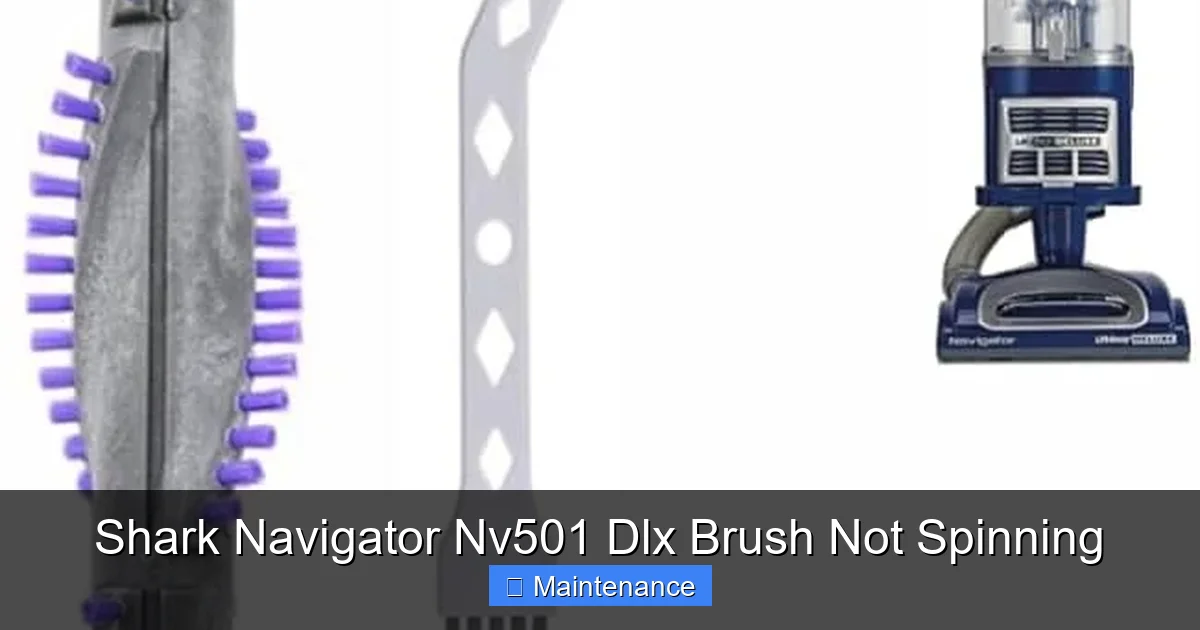
Visual guide about Shark Navigator Nv501 Dlx Brush Not Spinning
Image source: m.media-amazon.com
The 30-Second Post-Vacuum Check
After every few uses, especially if you have pets or long hair, take 30 seconds to inspect. With the vacuum unplugged, flip it over. Use your fingers to feel along the brush roll for any hair starting to wrap. Use scissors to snip any visible wraps before they tighten and pack in. This simple habit prevents the massive jams that cause fuse trips and belt stress.
Monthly Deep Clean Ritual
Once a month, or more frequently with heavy use, perform a simplified version of the deep clean from Step 3. Remove the brush roll, cut off all surface hair, and use a tool to scrape out any debris starting to accumulate in the housing slots. You don’t need to do the full disassembly every time, just keep the areas around the axles clear. This takes 5 minutes and adds years to your vacuum’s life.
Mind What You Vacuum
Your Shark Navigator is a powerful tool, but it has limits. Avoid vacuuming up large, stringy items like shoelaces, long drapery cords, or Christmas tree tinsel. These are guaranteed to wrap and jam the brush roll instantly. Also, be cautious with very thick, shaggy rugs; the dense fibers can pack into the brush roll housing. If you have these rugs, consider using the “hard floor” setting (which often turns off the brush roll) or a different vacuum designed for them.
Belt Replacement Schedule
Don’t wait for the belt to break. The drive belt is a consumable part. A good rule of thumb is to inspect it every 6 months and proactively replace it every 12-18 months, depending on your usage. A new, tight belt ensures optimal power transfer to the brush roll and prevents slippage that reduces cleaning performance. Keeping a spare belt on hand is a smart move.
When to Call It: Recognizing Major Component Failure
After following all the diagnostic steps—deep cleaning, belt inspection/replacement, and fuse reset—if your brush roll still refuses to spin, you may be facing a component failure. Here’s how to tell what’s what.
Diagnosing a Failed Brush Roll Motor
If you have a new, tight belt on correctly, the brush roll spins perfectly freely by hand with no resistance, and you’ve reset the fuse, but you get absolutely no sound or vibration from the brush motor area when you turn the vacuum on (with the brush roll switch engaged), the motor is the likely culprit. You might smell a faint electrical burning odor if it burned out recently. The motor is a sealed unit and not typically repairable by a user. Replacement is the solution. You can source a replacement motor assembly (part number will be on your original motor or in the manual) and replace it yourself if you are handy, or take it to an authorized Shark repair center.
Diagnosing a Seized Brush Roll
If, during your manual spin test, the brush roll feels completely locked—you cannot turn it even an inch—and you’ve removed all visible debris, the problem is inside the brush roll itself. The bearings have likely corroded or packed solid with fine dust. At this point, the brush roll is cheaper to replace than to repair. A new brush roll assembly is readily available and easy to install (it just slides in). Always replace the belt at the same time, as the old belt has been stressed.
Cost-Benefit Analysis: Repair vs. Replace
Consider the age and overall condition of your Shark Navigator NV501 DLX. If it’s 5+ years old and you’ve replaced belts and filters regularly, a motor or brush roll replacement ($30-$60 for parts) might still be worth it. However, if the vacuum is showing other signs of age—loss of suction, cracked hoses, a failing motor—it might be more economical to put that money toward a new model. The NV501 DLX is a mid-range model, and newer Shark models offer significant improvements in suction power, weight, and sealed allergen systems. But if the body is solid and you love it, a $50 part fix can give it another 3-5 years of service.
Conclusion: Empowerment Through Understanding
A Shark Navigator NV501 DLX brush not spinning is not a death sentence for your vacuum. It’s a symptom, and like any good mechanic, you now have the tools to diagnose that symptom. The vast majority of the time, the solution is deceptively simple: a thorough cleaning of the brush roll housing and axles. That’s it. You’ve now saved yourself a $100 service fee and the hassle of being without your vacuum. By understanding that hair and fiber are the primary enemy, you can adopt those quick preventative habits and turn a frustrating repair into a non-issue. You’ve moved from a frustrated user to an empowered owner who understands the machine. So next time you hear that lack of agitation, you’ll smile, flip it over, grab your scissors, and know exactly what to do. Here’s to many more years of powerful, deep-cleaning suction from your Shark Navigator.
Frequently Asked Questions
Is it safe to run my Shark Navigator with the brush roll not spinning?
Yes, it is safe for the vacuum itself, but it is highly inefficient. You will only be using the suction power, which is not designed to pick up embedded debris from carpets. It will work fine on hard floors, but for carpets, you’ll need to make multiple passes and still may not pick up deep dirt and pet hair. Prolonged use with a jammed brush roll can also overheat and trip the thermal fuse.
My brush roll spins freely by hand, and the belt is on and looks fine, but it still won’t spin when turned on. What now?
This points directly to an electrical issue. First, perform the 45-second full power reset by unplugging the vacuum. If that fails, the thermal fuse inside the brush motor may have blown permanently and needs replacement, or the brush motor itself has burned out. This requires diagnosis of the motor circuit and likely part replacement.
How often should I replace the drive belt on my Shark Navigator?
As a preventative measure, inspect the belt every 6 months for cracks, glazing, or stretching. Proactively replace it every 12-18 months with regular use, or immediately if you notice the brush roll slowing down on carpets or the belt slipping. A new belt ensures maximum power transfer and cleaning performance.
Can I use my Shark Navigator on hard floors without the brush roll spinning?
Yes, and you should! Most Shark Navigators, including the NV501 DLX, have a “hard floor” or “bare floor” setting. When you engage this (usually by stepping on the front of the nozzle), it automatically turns off the brush roll. This prevents scattering debris and protects delicate hard floor finishes. The suction alone is excellent for picking up dust and crumbs on hard surfaces.
What’s the difference between the brush roll on my NV501 DLX and a pet hair-specific one?
The standard brush roll on the NV501 DLX is a “dual-action” roll with both stiff nylon bristles and rubber fins, designed for general carpet and hard floor cleaning. Shark also sells a “Anti-Allergen” or “Pet Hair” brush roll (often sold separately) that typically has a different bristle pattern—often more rubberized fins and fewer bristles—to be more effective at grabbing pet hair and less likely to wrap with long hair. Both will fit your model if you wish to upgrade.
My vacuum smells like burning rubber when I try to use the brush roll. Is it the belt?
A burning rubber smell when the brush roll is engaged is a classic sign of a slipping or broken drive belt. The belt is rubbing against a pulley without engaging, causing it to overheat and smell. Immediately turn off the vacuum, unplug it, and inspect the belt as described in Step 2. You will likely find it is worn, stretched, or broken and needs replacement. Running it in this state will destroy the belt and could damage the motor pulley.