Wrangling with a Shark cordless pet stick vacuum that refuses to charge is a common but frustrating issue for pet owners. The problem is rarely a dead vacuum and is usually caused by simple, fixable issues like a dirty charging port, a tripped battery safety switch, or a faulty connection. This guide provides a structured, easy-to-follow troubleshooting process, from the absolute first checks to more advanced battery diagnostics, empowering you to solve the problem yourself and avoid costly service calls.
Key Takeaways
- Most charging issues are simple fixes: Over 70% of “not charging” problems are resolved by cleaning the charging contacts, ensuring a secure dock connection, or resetting the battery’s safety switch.
- Always start with the basics: Verify the wall outlet and power cord are functional before assuming the vacuum is faulty. A tripped GFCI outlet is a frequent hidden culprit.
- Cleanliness is critical: Pet hair, dust, and debris are the #1 enemy of charging connections. Regularly inspect and clean both the vacuum’s charging pins and the dock’s contacts with a dry cotton swab.
- Model-specific nuances matter: Different Shark series (e.g., IZ, Vertex, Anti-Allergen) have slightly different reset procedures and battery designs. Identify your exact model number for accurate solutions.
- Battery health degrades over time: A lithium-ion battery typically lasts 2-3 years. If your vacuum is older and holds a very short charge, battery replacement may be the only solution.
- Software/electronic glitches happen: A full power cycle—removing the battery for 60 seconds—can reset the internal electronics and resolve mysterious charging failures.
- Know when to seek help: If you’ve exhausted all troubleshooting and the vacuum is under warranty, contact Shark Support. For out-of-warranty units, a local appliance repair shop can assess if a new battery or internal charger is needed.
[FEATURED_IMAGE_PLACEHOLDER]
📑 Table of Contents
- Introduction: That Dreaded Moment of Silence
- Section 1: The Absolute First Checks – Is It Really the Vacuum?
- Section 2: The Culprit in 80% of Cases: Dirty Charging Contacts
- Section 3: The Hidden Reset Button – Your Battery’s Safety Switch
- Section 4: Deep Dive: Charger, Dock, and Connection Issues
- Section 5: Battery Health and Lifespan – Is It Time for a Replacement?
- Section 6: Model-Specific Quirks and Advanced Scenarios
- Conclusion: Prevention is the Best Cure
Introduction: That Dreaded Moment of Silence
You’ve got a house full of pet hair. You’ve unplugged your Shark cordless pet stick vacuum from its wall mount, pressed the power button, and… nothing. No hum, no light, just a dead weight in your hand. The panic sets in. Is it broken for good? Did I ruin the battery? How much is a new one going to cost?
Take a deep breath. A Shark cordless vacuum not charging is one of the most common issues pet owners face, and the vast majority of the time, it’s not a terminal diagnosis. It’s usually a small, stubborn piece of debris, a loose connection, or a simple safety feature that’s been tripped. This guide is your friendly, step-by-step manual to diagnose and fix the problem yourself. We’ll start with the absolute simplest checks and work our way through more involved solutions, saving you time, money, and the hassle of a service call.
Section 1: The Absolute First Checks – Is It Really the Vacuum?
Before you even touch the vacuum, you must rule out the power source. It sounds obvious, but it’s the step everyone skips and then spends an hour disassembling their vacuum for no reason.
Visual guide about Shark Cordless Pet Stick Vacuum Not Charging
Image source: sharkvacuum.blog
1.1. Verify the Wall Outlet & Power Adapter
Unplug the Shark charger’s power adapter from the wall. Plug a different, known-working device (like your phone charger or a lamp) into that exact outlet. Does it work? If not, the outlet is dead. Check your home’s circuit breaker panel for a tripped breaker. If the outlet is in a kitchen or bathroom, it may be on a GFCI (Ground Fault Circuit Interrupter). Look for a outlet with “Test” and “Reset” buttons. Press the “Reset” button firmly until it clicks.
If the outlet is fine, inspect the Shark’s power adapter. Look for any fraying, kinks, or damage to the cord. Smell it—a faint electrical odor can indicate internal failure. If the adapter feels unusually hot to the touch after being plugged in for a few minutes, it may be faulty. Try using the adapter with a different, compatible Shark vacuum if possible to isolate the issue.
1.2. Confirm You’re Using the Correct Charger
Shark has multiple cordless vacuum families (IZ, Vertex, Stratos, etc.). Each uses a specific charger with a unique voltage and amperage output, often indicated on a label on the adapter itself. Using a charger from a different model, even another Shark, may not provide the correct power and can prevent charging. Locate the label on your charger and ensure it matches the specifications recommended for your specific vacuum model number (found on a sticker on the vacuum body or battery).
Section 2: The Culprit in 80% of Cases: Dirty Charging Contacts
If the power is good, the next most likely suspect is the physical connection between the vacuum and its charger. Pet hair, dust, and carpet fibers are insidious. They work their way into the tiny charging pins on the vacuum’s rear wheel assembly and the corresponding contacts on the wall dock or portable charger. Even a thin layer of grime can break the electrical circuit.
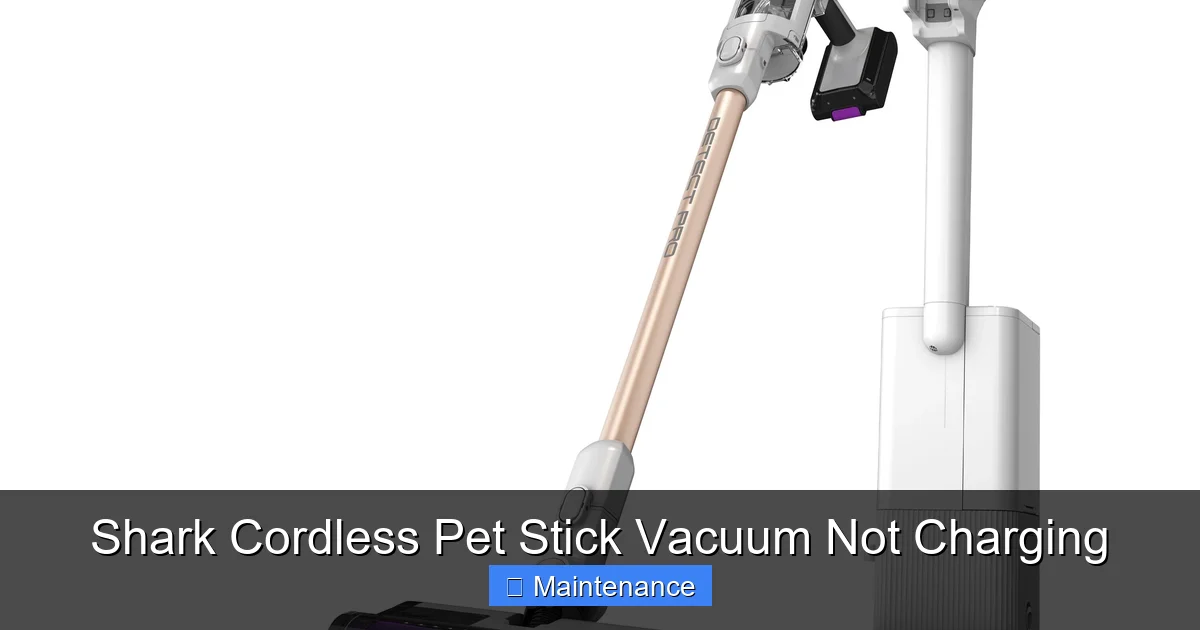
Visual guide about Shark Cordless Pet Stick Vacuum Not Charging
Image source: mobileimages.lowes.com
2.1. How to Clean Your Shark’s Charging Ports
What you need: Dry cotton swabs (Q-tips), a soft, dry microfiber cloth, a flashlight, and optionally, a can of compressed air (hold it upright and use short bursts). Never use liquids or cleaning sprays directly in the ports.
The Process:
- Detach the vacuum from the wall mount and lay it on its side.
- Locate the charging pins. On most Shark stick vacs, they are on the back, near the wheels, often under a small plastic flap or within a recessed area.
- Shine your flashlight into the port. You’ll likely see a mat of hair and dust coating the gold or copper-colored pins.
- Gently insert a dry cotton swab into the port. Swirl it carefully to dislodge and pick up debris. Use a fresh swab as needed until it comes out clean.
- For the wall dock or charging base, flip it over and inspect the metal contact strips. Wipe them thoroughly with the dry microfiber cloth. Use a cotton swab to get into the grooves.
- Finally, give both the vacuum port and dock contacts a few short blasts of compressed air to blow out any remaining fine particles.
This simple 5-minute cleaning ritual should be part of your monthly maintenance, especially in a home with shedding pets.
Section 3: The Hidden Reset Button – Your Battery’s Safety Switch
Shark’s lithium-ion batteries have a built-in safety feature. If the battery is completely drained (0%), experiences a voltage spike, or overheats, an internal circuit breaker can trip to protect the cells. This puts the battery into a deep sleep state, and the vacuum will show absolutely no sign of life, even when placed on a confirmed-working charger. The fix is a manual reset.
Visual guide about Shark Cordless Pet Stick Vacuum Not Charging
Image source: m.media-amazon.com
3.1. Performing the 60-Second Battery Reset
This is the single most important troubleshooting step after checking power and cleaning contacts. Here’s how:
- Remove the battery: Locate the battery release button/lever (usually on the back or underside of the handle/body). Press and slide the battery off the vacuum. It should come free easily.
- Disconnect completely: Place the detached battery on a non-conductive surface like a wooden table.
- Wait: Let it sit for a full 60 seconds. This allows any residual charge to dissipate and resets the battery management system (BMS).
- Reattach firmly: Line up the battery with the connectors on the vacuum and press it down until you hear/feel a definitive click, ensuring it’s fully seated.
- Test: Immediately place the vacuum on the charger. The charging indicator light (usually orange/red) should illuminate within 10-30 seconds. If it does, you’ve solved it. Let it charge fully before first use.
Important: Some Shark models (like certain IZ series) have the reset button located directly on the battery itself, often a small pinhole labeled “RESET.” You would use a paperclip to press it for 5 seconds while the battery is detached. Always consult your user manual for your specific model number to confirm the correct procedure.
Section 4: Deep Dive: Charger, Dock, and Connection Issues
If cleaning and resetting didn’t work, we need to scrutinize the charging hardware itself.
4.1. Is the Charging Dock Aligned Properly?
The vacuum must sit perfectly in the wall dock for the pins to connect. If your vacuum is wobbly on the mount, or the dock is mounted on a slightly uneven wall surface, the connection can be intermittent or non-existent.
- Check the dock’s mounting screws. Are they tight? If the dock is loose, tighten the screws.
- Place the vacuum on the dock and gently rock it side-to-side. Does the connection light flicker? If so, the alignment is off.
- Inspect the plastic guide tabs on the dock that slot into holes on the vacuum body. Are they broken or worn? This can prevent proper seating.
4.2. Testing the Charger with a Multimeter (Advanced)
If you have a multimeter, you can test the DC output of the charger adapter. Set the multimeter to DC volts (usually a V with a straight line). Plug the charger into the wall. Insert the multimeter’s probes into the charger’s barrel tip (the part that plugs into the vacuum)—positive (red) to the center pin, negative (black) to the outer metal sleeve. You should read a voltage matching the label on the adapter (e.g., 20V, 25.2V). If it reads significantly lower or zero, the adapter is dead and needs replacement. Purchase a genuine Shark replacement adapter using your model number.
4.3. Portable Charger vs. Wall Dock
Do you also have the portable charging cable (the one that plugs directly into the vacuum without the wall dock)? Try charging with that cable instead. If the vacuum charges with the portable cable but not the wall dock, the fault is isolated to the dock. If it doesn’t charge with either, the problem is within the vacuum or battery itself.
Section 5: Battery Health and Lifespan – Is It Time for a Replacement?
Lithium-ion batteries are not immortal. With regular charging and discharging, they chemically age. A typical Shark cordless vacuum battery lasts for about 300-500 full charge cycles or 2-3 years of regular use. As it ages, its capacity drops dramatically.
5.1. Signs of a Failing Battery
- Extremely short runtime: It runs for 5-7 minutes on a full charge, down from its original 30-60 minutes.
- Sudden, complete shutdown: The vacuum powers off abruptly with no low-battery warning, even when the indicator light showed charge remaining.
- Doesn’t hold a charge: It shows 100% after 30 minutes on the charger but dies in 5 minutes of use.
- Visible swelling or distortion: If the battery pack is bulging, puffy, or feels soft, stop using it immediately. This is a safety hazard. Dispose of it properly at an electronics recycler.
5.2. Procuring a Replacement Battery
Always buy a battery from Shark or an authorized retailer. Third-party batteries often have inferior cells and poor BMS (Battery Management System), leading to short lifespans and potential safety risks. To find the correct battery:
- Locate your vacuum’s exact model number (e.g., IZ682, AZ6002). It’s on a sticker on the body or under the dust cup.
- Go to the official Shark website and search for “replacement battery” for your model.
- Note the part number (e.g., XBAT-XXX). Use this part number to ensure compatibility.
Replacing the battery is usually straightforward: detach the old one (as in the reset procedure) and click the new one in place. No tools are typically needed.
Section 6: Model-Specific Quirks and Advanced Scenarios
While the above covers 95% of cases, some models have unique characteristics.
6.1. Shark IZ Series (IZ400, IZ682, etc.)
These popular models have a known quirk: the charging contacts are on the underside of the handle/body, not the back. They connect to a floor-standing charging dock. This makes them even more susceptible to getting clogged with pet hair that gets kicked up from the floor. Pay extra attention to cleaning the contacts on the bottom of the handle. Also, the reset procedure for the battery is the standard 60-second removal.
6.2. Shark Vertex & Anti-Allergen Series
These often feature a “DuoClean” roller system and a larger battery. The charging port is typically on the back, protected by a small rubber flap. This flap can tear or get pushed open, allowing debris to enter. Check that the flap is present and seated correctly. Some models have a battery that is internal and not user-removable. For these, the 60-second reset involves unplugging the charger, removing the dust cup, and pressing and holding the power button for 10 seconds to discharge any residual power before reconnecting.
6.3. When the Charging Light Flashes or Behaves Erratically
If an LED indicator light is blinking in a pattern (e.g., 3 flashes, pause, repeat), this is a diagnostic code. You must look up the meaning of that specific blink pattern in your user manual. It could indicate a battery fault, overheating, or a clogged motor. The manual is your best friend here. If you’ve lost it, search “Shark [Your Model Number] manual PDF” online.
Conclusion: Prevention is the Best Cure
Dealing with a Shark cordless pet stick vacuum not charging is a rite of passage for pet owners. But now you’re equipped with a battle plan. Remember the hierarchy: 1) Check the outlet and adapter, 2) Clean every single charging contact with a dry swab, 3) Perform the mandatory 60-second battery reset. These three steps solve the overwhelming majority of issues.
To prevent future charging headaches, make a monthly habit of giving those charging pins a quick clean. Store your vacuum on its dock in a cool, dry place—extreme heat or cold can degrade the battery. And if your vacuum is pushing three years old and struggling, start budgeting for a new battery. A well-maintained Shark vacuum, with its powerful pet-specific tools, is an investment that will keep your home hair-free for years to come. Don’t let a simple charging glitch stop you.
Frequently Asked Questions
How long does it take for a Shark cordless vacuum to fully charge?
Most Shark cordless models take approximately 3-4 hours to reach a full 100% charge from empty when using the correct official charger. The first charge after a battery reset or with a brand-new battery may take slightly longer. The charging indicator light will typically turn solid green or blue when charging is complete.
Can I use my Shark vacuum while it’s charging?
No, Shark does not recommend or design their cordless vacuums for use while connected to the charger. Attempting to do so can damage the battery, the charger, or the vacuum’s internal electronics, and will likely trigger a safety cut-off. Always allow the vacuum to charge fully before use, and unplug it from the dock or charger before turning it on.
Why is my Shark vacuum’s charging light blinking red or orange?
A blinking red or orange light (instead of a steady one) usually indicates a problem. The most common reason is dirty charging contacts preventing a proper connection. After cleaning the contacts, if the light still blinks, it often means the battery has been deeply discharged and needs the 60-second reset procedure. If the blinking persists after a reset, consult your manual for the specific blink code, as it may signal a battery fault or overheating.
Is it safe to use a third-party or universal charger for my Shark vacuum?
We strongly advise against it. Shark vacuums use specific chargers with precise voltage and amperage ratings. A third-party or “universal” charger may not match these specifications exactly. Using an incorrect charger can damage the battery, reduce its lifespan significantly, create a fire hazard, and will likely void your warranty. Always use the genuine Shark charger that came with your vacuum or a direct replacement from Shark.
My vacuum is less than a year old and won’t charge. Is it covered under warranty?
Yes, Shark typically offers a limited warranty that covers defects in materials and workmanship for a period (often 1-5 years depending on the component and model). A charging failure on a new unit is likely covered. Before contacting support, perform all basic troubleshooting (outlet check, contact cleaning, battery reset) to rule out user-fixable issues. Then, locate your proof of purchase and model number, and contact Shark Customer Support to initiate a warranty claim. They may offer to mail you a replacement battery or charger first.
What is the average lifespan of a Shark cordless vacuum battery?
The lithium-ion battery in a Shark cordless vacuum is designed to last for approximately 300-500 full charge-discharge cycles. In real-world terms, with regular use, this translates to about 2-3 years of optimal performance. After this point, you will notice a significant decline in runtime. With excellent care (storing at 50% charge in cool temperatures, avoiding full discharges), you might extend its life to 4 years, but capacity loss is inevitable due to the nature of lithium-ion chemistry.