A non-spinning side brush on your Shark Ion Robot 750 is a common issue, usually caused by hair, string, or debris tangles, a worn-out brush assembly, or a misaligned installation. Most fixes are simple and can be done at home in minutes with basic tools. Regularly checking and cleaning the side brush mechanism is the best prevention. If cleaning and inspection don’t work, the side brush motor module itself may need replacement.
You’ve set your Shark Ion Robot 750 off on its cleaning mission. You hear the main brushroll whirring, the gentle hum of the wheels, but something’s missing. That familiar, efficient *tick-tick-tick* of the spinning side brush against your baseboards and furniture legs is absent. You follow the robot and see it—the little white brush on the side is just sitting there, dragging limply or not moving at all. Panic? Frustration? Don’t worry. This is one of the most frequent, and thankfully most fixable, issues with the Shark Ion Robot 750 series. That side brush is your robot’s edge-cleaning specialist, and when it’s out of commission, you’ll notice more dust bunnies accumulating in corners. The good news is that diagnosing and fixing a Shark Ion Robot 750 side brush not spinning is a straightforward process you can handle yourself. Let’s get into the why and the how.
Key Takeaways
- Debris Tangles are the #1 Culprit: Hair, string, and carpet fibers wrap around the side brush axle and motor gear, stopping it cold. Regular cleaning prevents this.
- It’s Often a Mechanical Jam, Not an Electrical Failure: The small side brush motor is robust. Physical obstruction is far more likely than a burnt-out motor.
- Proper Reinstallation is Critical: If the side brush assembly isn’t seated correctly in its socket, the drive shaft won’t connect to the motor gear.
- Wear and Tear is Normal: The plastic bristles and internal components are consumables. The side brush assembly will need periodic replacement (often annually with heavy use).
- Listen for the Motor: When the robot runs, place your ear near the side brush. A faint whirring sound means the motor is working but the brush is jammed; silence points to a motor or connection issue.
- Compatibility Matters: Ensure any replacement side brush or motor module is specifically for the Shark Ion Robot 750 (RV750) model, as parts vary between Shark robot lines.
📑 Table of Contents
- Understanding the Side Brush’s Crucial Role
- First Steps: Immediate Diagnosis and Safety
- Primary Culprit: The Inevitable Tangle
- Mechanical Issues Beyond Tangles
- Installation and Alignment: The Silent Killer
- Maintenance: Preventing Future Heartbreak
- When All Else Fails: Advanced Troubleshooting
- Conclusion: Getting Back to Clean Edges
Understanding the Side Brush’s Crucial Role
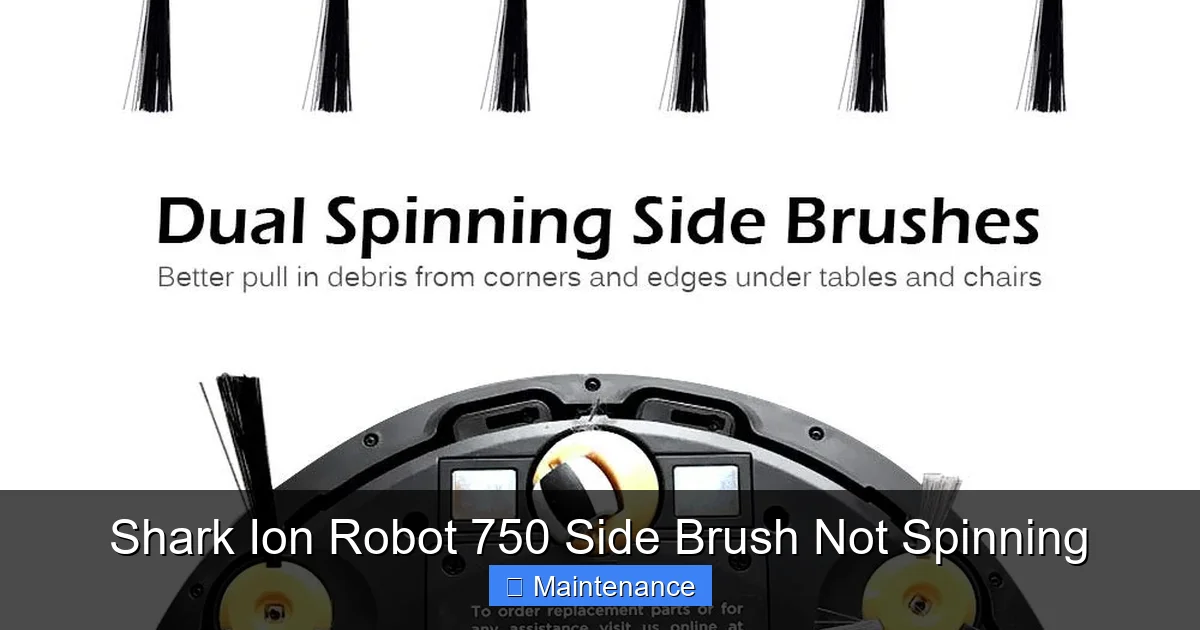
Before we dive into repairs, it helps to understand what this little part actually does. The side brush, sometimes called a edge brush, is a rotating brush mounted on a small, geared motor on the side of your robot vacuum. Its sole purpose is to sweep debris from along edges, into corners, and around furniture legs—places the main brushroll, which is centered, can’t reach. Think of it as a precision tool for the final sweep. When it stops spinning, your robot’s cleaning efficiency along walls drops dramatically. You’ll start seeing those tell-tale lines of dust and pet hair where the wall meets the floor. It’s a clear sign that the robot’s “cornering ability” is compromised.
How the Side Brush Mechanism Works
The system is elegantly simple. A tiny DC motor inside the robot’s side housing has a small gear on its output shaft. This gear is designed to mesh with another gear on the underside of the removable side brush assembly. When you press the assembly into its socket on the robot’s side, the two gears engage. The motor spins, turning the brush. There’s no clutch or complex mechanism—just direct drive. This simplicity is why most problems are physical (jams, misalignment) rather than electrical. Understanding this connection point is key to troubleshooting.
First Steps: Immediate Diagnosis and Safety
When you notice the side brush isn’t spinning, don’t immediately assume the worst. Your first steps should be observational and safe.
Visual guide about Shark Ion Robot 750 Side Brush Not Spinning
Image source: m.media-amazon.com
Step 1: The Visual and Auditory Check
Turn the robot over. Look at the side brush. Is it visibly tangled with hair, string, or carpet fibers? This is the most common issue. Now, place the robot on a hard floor and start a cleaning cycle (you can use the “Spot Clean” mode to just run it in one area). Get down and listen. Can you hear a faint, high-pitched whirring sound coming from the side brush housing? If you can hear the motor trying to turn but the brush isn’t moving, that’s a classic sign of a mechanical jam. If you hear absolutely nothing from that side—just the main brush and wheels—the problem could be a disconnected gear, a seized motor, or an electronic issue.
Step 2: Power Down and Remove the Brush
Always power off your robot completely before performing any maintenance. For the Ion Robot 750, flip it over and locate the side brush assembly. You’ll need to press the small release tab (usually a gray or black plastic nub) and pull the entire brush unit out firmly. It might require a bit of wiggling. Once removed, inspect it thoroughly. Look for fibers wrapped around the base where the plastic bristles meet the gear housing. This is the prime real estate for tangles.
Primary Culprit: The Inevitable Tangle
Let’s address the number one reason your Shark Ion Robot 750 side brush has stopped spinning: debris entanglement.
Visual guide about Shark Ion Robot 750 Side Brush Not Spinning
Image source: sharkvacuum.blog
Identifying the Tangle
Hair, especially long human or pet hair, is incredibly adept at finding its way around the rotating shaft of the side brush. It doesn’t just wrap around the bristles; it winds tightly around the metal axle that the brush spins on, inside the gear housing. Over time, this builds up a dense, felt-like mat. This mat exerts immense pressure on the motor gear and the brush’s own drive gear, eventually creating so much resistance that the motor stalls. The motor might whine, but the brush won’t turn. String, thread, and even small pieces of carpet fiber can cause the same problem.
How to Effectively Remove Tangles
This is a delicate operation. You need to remove the wrapping without damaging the internal gears.
- Use the Right Tools: Shark often includes a small cleaning tool with your robot—a plastic hook on a stick. If you don’t have it, a pair of needle-nose pliers or even a strong seam ripper works. Be extremely careful not to pierce or damage the soft plastic gears.
- The Process: With the brush assembly removed, use the hook or pliers to gently tease and pull the hair/string away from the metal axle in the center. You’ll often find it’s wound underneath the plastic brush head. Work slowly, cutting large mats into smaller pieces if necessary. Your goal is to get the axle completely clean and free to spin. You should be able to spin the brush head by hand with your finger freely.
- Clean the Gears: While you’re at it, use a dry cotton swab to gently wipe away any lint or debris from the plastic gear teeth on both the brush assembly and the motor gear inside the robot’s side housing (look into the socket where you pulled the brush out). A single grain of carpet fuzz can cause a bind.
After a thorough cleaning, reinstall the brush assembly by pressing it firmly into the socket until you hear/feel it click into place. The gears must be fully meshed. Run a test cycle. In most cases, this solves the problem.
Mechanical Issues Beyond Tangles
If the axle is clean and spins freely but the brush still doesn’t turn, or if the motor is silent, we need to look at other mechanical failures.
Visual guide about Shark Ion Robot 750 Side Brush Not Spinning
Image source: m.media-amazon.com
Worn or Broken Side Brush Assembly
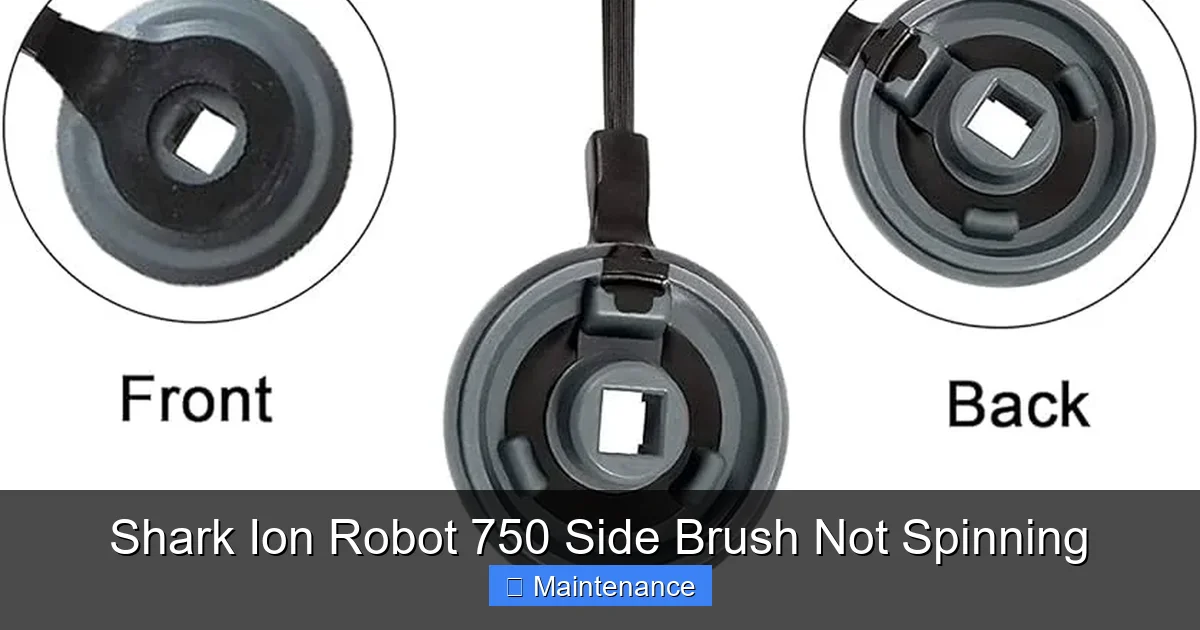
The side brush assembly itself is a wear item. The plastic bristles bend and break. More critically, the internal drive gear (often made of a softer plastic to be quieter) can strip its teeth over time. If the gear teeth are worn down or broken, it will slip against the motor gear and not transmit rotation. Inspect the gear on the underside of the brush assembly. Are the teeth sharp and uniform? If they’re rounded, chipped, or missing, the assembly needs to be replaced. Shark sells the Side Brush Assembly (part number often like “XSP-750” or similar for the RV750) as a standalone, inexpensive part.
Faulty or Disconnected Side Brush Motor Module
This is a more serious, but still DIY-possible, fix. The side brush motor is a small sealed unit attached to the main PCB (circuit board) inside the robot’s side. Its connector can sometimes work loose during a bump or impact. More commonly, the motor itself burns out after years of fighting against tangles and extra load.
- Checking the Connection: This requires opening your robot. You’ll need a Phillips-head screwdriver. Turn the robot over, remove the main brushroll and battery cover screws, and carefully pry off the bottom plate. Locate the side brush motor—it’s a small cylinder with two wires and a plastic gear on top, attached to the side wall. Gently press its electrical connector to ensure it’s fully seated in its socket on the main board.
- Testing the Motor: If the connection is secure, you can test the motor for continuity using a multimeter (set to ohms/continuity). With the robot powered off and battery disconnected, disconnect the motor’s plug. Touch the multimeter probes to the two metal terminals in the plug. You should get a low resistance reading (typically 5-20 ohms). If it reads “OL” (open loop) or infinite resistance, the motor is dead and needs replacement.
Replacing the motor module is more involved but doable. You’ll need to purchase the correct Side Brush Motor for the RV750. Search for “Shark Ion Robot RV750 side brush motor.” Replacement guides and videos are widely available online. The process involves desoldering or unclipping the old motor and installing the new one.
Installation and Alignment: The Silent Killer
Sometimes, the issue isn’t a broken part at all, but a simple installation error.
Improper Seating of the Side Brush
The side brush assembly must click fully into its housing. If you push it in at an angle or it feels only partially engaged, the drive gear on the brush will not mesh properly with the motor gear. The motor will strain silently or make a grinding noise, but the brush won’t spin. Always ensure you push the assembly straight in until you feel and hear a definite click. Give it a gentle tug afterward; it should not come out easily.
Debris in the Motor Socket
Look into the socket on the robot where the side brush plugs in. Is there a buildup of dust, hair, or grit? This debris can prevent the assembly from seating fully or can jam against the motor gear. Use a small, dry brush (like a clean paintbrush or the included cleaning tool) to sweep out this socket thoroughly before reinstalling the brush.
Maintenance: Preventing Future Heartbreak
An ounce of prevention is worth a pound of cure. A few minutes of regular maintenance will keep your side brush spinning reliably.
Create a Weekly Check Routine
Make checking the side brush part of your weekly robot maintenance ritual. Every time you empty the dustbin, take an extra 30 seconds to:
- Remove the side brush assembly.
- Spin it by hand. Does it feel gritty or stiff?
- Visually inspect and manually pick away any hair or fibers wrapped around the axle.
- Wipe the gears on both the brush and inside the robot’s socket with a dry cloth.
- Reinstall firmly.
This tiny habit prevents the vast majority of side brush failures. For homes with pets or long-haired individuals, you might need to do this twice a week.
Know When to Replace
The side brush bristles will splay and bend. The plastic will become brittle. As a general rule, plan on replacing the entire side brush assembly every 6-12 months with regular use. It’s a cheap, easy upgrade that restores optimal edge cleaning performance. Keep a spare on hand so you can swap it instantly when needed.
When All Else Fails: Advanced Troubleshooting
You’ve cleaned every tangle, inspected the gears, confirmed proper installation, and the brush still won’t spin. The motor is silent. Now what?
Testing for Power at the Socket
This is the final diagnostic step before concluding the main control board is faulty. With the robot on, you can carefully (and safely, if you know what you’re doing) use a multimeter to check for voltage at the side brush motor connector. You should see the battery voltage (around 14-16V) when the robot is actively cleaning and the side brush should be engaged. Warning: This involves probing a live circuit. Only attempt this if you are comfortable with electronics. If there is no voltage reaching the socket, the fault lies with the main PCB or its firmware, which is not a user-repairable part. In this case, Shark Support is your next call, especially if under warranty.
The Firmware Glitch
On rare occasions, a software bug can cause the robot to not send the signal to the side brush motor. Perform a full reset of your Shark Ion Robot 750. Power it off, remove the battery for 60 seconds, reinsert, and power on. Alternatively, use the Shark app to check for and install any available firmware updates. Sometimes a simple reboot can clear a communication error.
Conclusion: Getting Back to Clean Edges
A non-spinning side brush on your Shark Ion Robot 750 is a nuisance, but it’s almost never a death sentence for your robot. By following a logical troubleshooting path—starting with the most common cause (tangles) and moving through mechanical checks—you can diagnose and fix the problem yourself 90% of the time. The process reinforces a key truth about robot vacuums: they are tools that require a small amount of owner maintenance to perform at their best. That little side brush battles the toughest debris in your home every day. Show it some love with a quick weekly clean, and it will keep your baseboards dust-free for years to come. If you’ve walked through all these steps and the brush is still dead, don’t hesitate to reach out to Shark Customer Support with your model number (RV750) and a description of your troubleshooting—they can assist with warranty claims or confirm if a more complex repair is needed.
Frequently Asked Questions
Can I use my Shark Ion Robot 750 without the side brush working?
Yes, the robot will still clean open floor areas with its main brushroll and suction. However, you will see a significant drop in cleaning performance along walls, in corners, and around furniture legs where dust and debris accumulate. It’s highly recommended to fix it for complete cleaning.
How often should I replace the side brush on my Shark Ion Robot 750?
With regular use, plan to replace the entire side brush assembly every 6 to 12 months. The bristles wear down and the internal plastic gears can strip over time. Homes with pets or long hair may need replacements more frequently.
Are third-party side brush replacements safe and effective for the RV750?
Third-party replacements are widely available and can be cost-effective. Ensure the part is explicitly listed for the Shark Ion Robot 750 (RV750). Read reviews carefully. Poorly molded plastic gears or misaligned shafts from a cheap knock-off can cause premature failure or even damage the motor gear. Official Shark parts guarantee compatibility and material quality.
Is it normal for the side brush to feel loose when I remove it?
The side brush assembly should have a slight bit of play once removed, but it should click securely into the robot’s socket. If the entire assembly feels wobbly or loose when installed, the internal gears may be stripped, or the socket on the robot may be damaged. A properly installed brush should not wiggle excessively.
My side brush spins for a second then stops. What’s wrong?
This is a classic symptom of a severe tangle or jam. The motor has enough torque to start turning, but the resistance from the wrapped debris immediately stalls it. Remove the brush assembly and perform a very thorough cleaning of the axle and internal gears, as described in the tangle removal section.
Could a clogged filter or full dustbin cause the side brush not to spin?
No. The side brush motor has its own dedicated power circuit. A clogged filter or full dustbin will reduce overall suction power and may cause the main brushroll to struggle, but it will not affect the side brush motor’s ability to spin. The issues are separate.