A clean, intact Shark steam mop head is non-negotiable for effective cleaning. Over time, pads wear out, become stained, and lose their ability to scrub and absorb. Replacing them is a simple, crucial maintenance task. This guide walks you through identifying your exact Shark model, selecting the correct official or compatible replacement pad, and mastering the quick swap process. We also share pro-tips to extend your pad’s life and troubleshoot common issues, ensuring your steam mop performs like new for years.
You’ve just finished your weekly cleaning routine. You fill the reservoir, plug in your trusty Shark steam mop, and glide it across your beautiful hardwood or tile floors. But something feels… off. The mop doesn’t seem to pick up dirt like it used to. It leaves streaks, or perhaps it’s just not scrubbing away that stubborn spot near the stove. Before you blame the machine or the water, stop and look down. At your feet is the most likely culprit: a tired, worn-out, and profoundly dirty Shark steam mop head.
It’s easy to overlook this simple component. It’s just a pad, right? But in the world of steam cleaning, the mop head is the critical interface between the machine’s powerful steam and your floor’s surface. A pristine, fluffy, and absorbent pad is a cleaning powerhouse. A grimy, compacted, or torn pad is a ineffective and can even damage delicate finishes. Understanding when and how to perform a Shark steam mop head replacement is one of the most important skills for any homeowner who values a truly clean home. This isn’t just about buying a new part; it’s about reclaiming the performance you paid for. Let’s dive deep into everything you need to know, from identifying your specific model to mastering the swap and keeping your pads in top shape.
Key Takeaways
- Regular Replacement is Key: A worn, clogged, or torn mop pad drastically reduces cleaning power and can scratch floors. Plan to replace your Shark steam mop head every 30-50 uses or when visibly soiled.
- Model Identification is Crucial: Shark has dozens of steam mop models (S100, S3501, S3601, etc.). Your model number, found on the back/bottom, dictates the exact pad size, shape, and attachment system needed.
- Official vs. Compatible Pads: Genuine Shark pads guarantee a perfect fit and material quality. High-quality third-party “compatible” pads can be cost-effective but verify dimensions and clip designs before buying.
- Replacement is a 30-Second Job: The process typically involves releasing a clip or Velcro strap, removing the old pad, and securing the new one. No tools are required for most models.
- Maintenance Extends Pad Life: Rinse pads thoroughly after each use, wash them regularly in the machine (if machine-washable), and store them dry to prevent mildew and odor.
- Signs You Need a New Pad: Look for persistent stains, thinning fabric, broken scrubbing strips, loss of absorbency, or if the pad no longer stays attached securely during use.
- Proper Installation Prevents Issues: Ensure the pad is flat, fully aligned with the mop head base, and the attachment system (clips, straps, or elastic) is fully engaged to prevent slipping and ensure even steam distribution.
📑 Table of Contents
- Why Your Mop Head is the Heart of Your Shark Steam Mop’s Performance
- Step One: Identifying Your Exact Shark Steam Mop Model
- Choosing the Right Replacement: Genuine vs. Compatible
- The Step-by-Step Guide to Shark Steam Mop Head Replacement
- Maximizing the Lifespan of Your Shark Steam Mop Pads
- Troubleshooting: When a New Pad Doesn’t Fix the Problem
- Beyond the Pad: Other Consumables to Consider
- Conclusion: The Simple Secret to a Lifetime of Clean Floors
Why Your Mop Head is the Heart of Your Shark Steam Mop’s Performance
Think of your Shark steam mop as a high-performance car. The water tank is the fuel tank, the heating element is the engine, and the mop head? That’s the tires and the suspension system. No matter how powerful the engine (steam generator), if the tires (mop pad) are bald, deflated, and covered in mud, the car won’t grip the road, handle turns, or stop effectively. The same principle applies here.
The Multifunction Job of the Steam Mop Pad
Your Shark steam mop head does more than just hold water. It has three primary, simultaneous jobs:
- Steam Distribution: The pad’s absorbent fibers wick steam from the mop’s steam jets and spread it evenly across the cleaning surface. A clogged, stiff pad acts like a blanket, blocking steam from reaching your floor.
- Dirt Capture & Absorption: As the steam loosens grime, the pad’s fibers trap and hold that dirt, lifting it away from the floor. A saturated, dirty pad simply smears existing dirt around, redepositing it onto your clean floor.
- Light Scrubbing Action: Most Shark pads feature a textured “scrubbing strip” or a thicker, more abrasive weave on one side. This provides the gentle abrasion needed to tackle dried-on spills, grease, and footprints without scratching. When this strip wears down or gets clogged, that scrubbing power vanishes.
When you combine these functions, it’s clear why a fresh pad is transformative. A new pad glides smoothly, leaves a satisfying damp (not sopping) finish, and actually removes dirt rather than moving it. An old pad fights you, leaves residue, and makes you work twice as hard for half the result.
Recognizing the Tell-Tale Signs of a Failed Pad
You don’t need to wait for the pad to fall apart. Be proactive. Here are the unmistakable signals that your Shark steam mop head replacement is overdue:
- Persistent, Dark Stains: Even after multiple washes, the pad remains discolored with gray, brown, or black rings. This is ground-in dirt and mineral deposits from hard water.
- Loss of Fluffiness: New pads are thick and lofty. Worn pads become thin, compacted, and stiff, often feeling more like cardboard than microfiber. This kills absorbency.
- Damaged Scrubbing Strips: The raised scrubbing nubs are completely worn flat, or pieces of the strip have peeled off entirely.
- Tears or Holes: Any rip, no matter how small, will catch on floor grout or furniture legs and will only get worse. It also creates an uneven cleaning surface.
- Odor: A sour, mildew-like smell is a red flag. This means bacteria has taken root in the constantly damp fibers, and no amount of rinsing will fix it.
- Slippage: If the pad doesn’t stay firmly attached to the mop head base during use, the attachment system (clips, straps) is likely stretched or broken on the pad itself.
If you’re experiencing any of these, stop mopping immediately. Continuing with a bad pad is counterproductive and can potentially spread bacteria or scratch surfaces with trapped debris.
Step One: Identifying Your Exact Shark Steam Mop Model
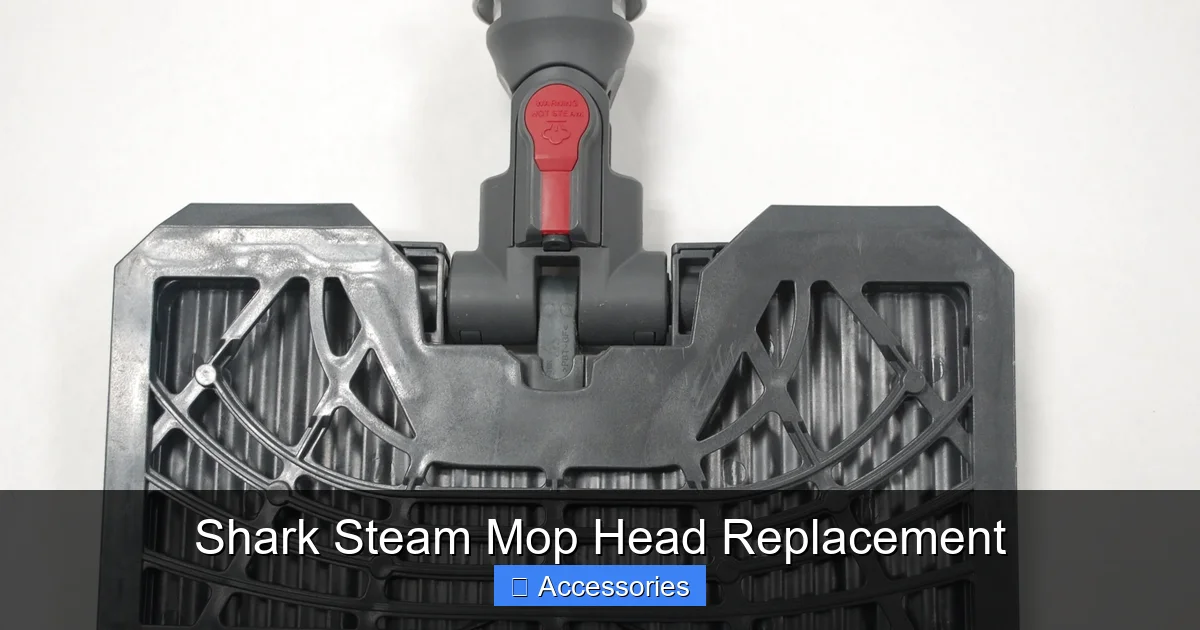
This is the most critical step. Shark has produced numerous steam mop lines over the years—the classic S100 series, the popular S3501/S3601, the newer S5000 series, and more. Each uses a uniquely shaped and sized mop pad with specific attachment points. Using the wrong pad means it won’t fit, won’t stay on, or won’t cover the steam jets properly.
Visual guide about Shark Steam Mop Head Replacement
Image source: d3nevzfk7ii3be.cloudfront.net
Where to Find Your Model Number
Your model number is a code like “S3501UK,” “S100EU,” or “S3601.” It’s always on a sticker or etched plate on the mop itself. Check these locations in order:
- The Back/Bottom of the Mop Handle: Flip the mop over. The most common location is a sticker on the plastic body of the handle, near where it meets the base.
- The Base/Foot of the Mop: Look on the underside of the rectangular mop head plate itself.
- The Original Box or Manual: If you still have them, the model number is prominently displayed.
- The Power Cord Strain Relief: Sometimes it’s on a tag near where the cord enters the handle.
Write down the full model number exactly as it appears. This is your key to finding the perfect replacement.
Using the Model Number to Find Your Pad
With your model number in hand, you have two primary paths:
- Official Shark Website/Retailers: Go to Shark’s official website and use their “Find Accessories” or “Parts & Accessories” section. Enter your model number, and it will list the exact replacement pad part number (e.g., “Shark Steam Mop Pads for S3501, Part # SV3501PAD”). This is the most reliable method.
- Major Online Retailers: Search on Amazon, Walmart, or Target using your full model number + “replacement pad” or “mop head.” For example: “Shark S3501 replacement pad.” Sellers often list compatibility in the product title and description. Read user reviews carefully to confirm fit.
Pro Tip: If you can’t find your model number, take a clear photo of the entire mop and the old pad (if you still have it). Post it in a Shark owner’s forum or group on Facebook. Enthusiasts can usually identify the model from the design within minutes.
Choosing the Right Replacement: Genuine vs. Compatible
Once you know your part number, you’ll face a choice: buy the official Shark-branded pad or a third-party “compatible” or “generic” pad. Both have pros and cons.
Visual guide about Shark Steam Mop Head Replacement
Image source: images-na.ssl-images-amazon.com
The Case for Genuine Shark Pads
Genuine Shark pads are manufactured to the exact specifications of your mop model.
- Guaranteed Fit: The dimensions, clip placements, and elastic strap lengths are perfect. You’ll never have a pad that’s slightly too big, too small, or with misaligned attachment points.
- Optimized Materials: Shark engineers its pads for the specific steam output and scrubbing needs of each model. The microfiber blend and scrubbing strip material are designed to work in harmony with the steam.
- Long-Term Reliability: The attachment clips and straps are made to the same durability standards as the mop itself. They’re less likely to break prematurely.
- Warranty Safety: Using non-genuine parts can, in rare cases, void aspects of your mop’s warranty if they cause damage. Sticking with official parts removes this risk.
The main drawback is cost. Genuine pads are typically the most expensive option.
Navigating the World of Compatible/Third-Party Pads
A thriving market exists for pads made by companies other than Shark. They are significantly cheaper, often sold in multi-packs.
- Cost Savings: You can often buy 3-4 compatible pads for the price of one genuine Shark pad.
- Material Variety: Some third-party brands offer pads with different material blends—extra plush for drying, extra abrasive for heavy scrubbing, or even bamboo charcoal-infused fabrics.
However, the risks are real:
- Inconsistent Fit: This is the biggest issue. A pad that’s 1/4 inch too wide will bunch up. Clips might not align, causing the pad to pop off mid-use.
- Variable Quality: The microfiber can be thinner, less absorbent, and shed more fibers. The scrubbing strip might be a flimsy piece of plastic that disintegrates quickly.
- Attachment Failure: Cheap plastic clips can snap, and elastic straps can stretch out after one wash.
How to Choose a Good Compatible Pad: Read reviews specifically for your mop model. Look for phrases like “fits my S3501 perfectly” or “clips secure.” Avoid listings that say “fits most Shark steam mops”—that’s a red flag for a one-size-fits-none approach. Check seller ratings and return policies.
The Step-by-Step Guide to Shark Steam Mop Head Replacement
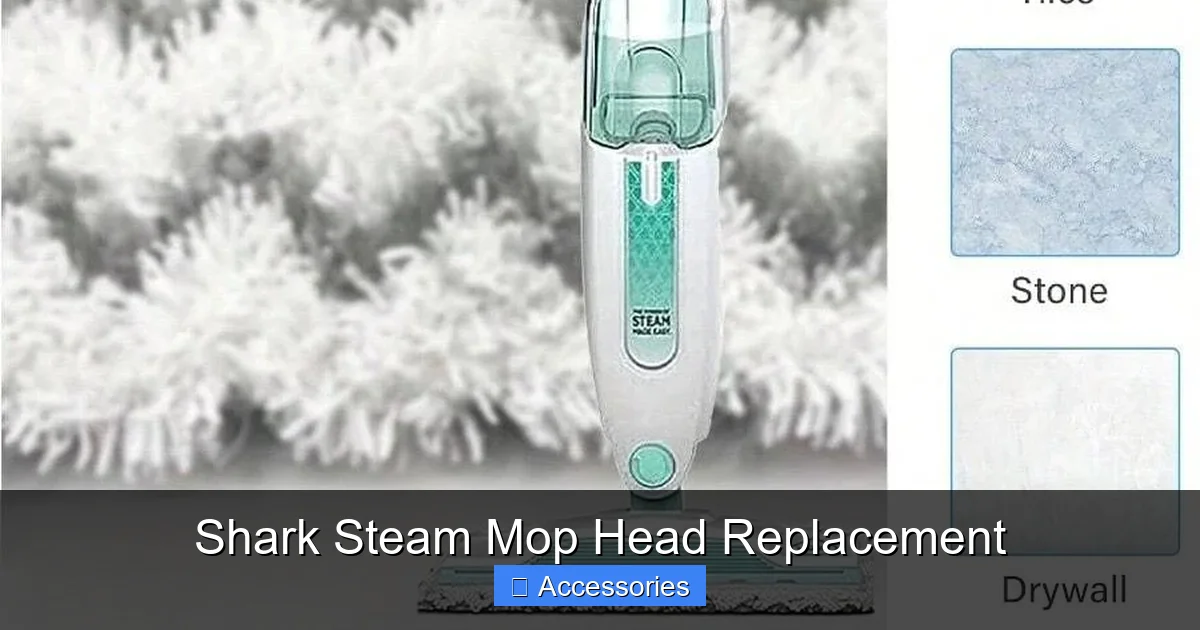
Once you have the correct new pad, the replacement process is refreshingly simple. It’s designed to be tool-free and quick. Here’s a universal guide that covers the three main attachment systems Shark uses.
Visual guide about Shark Steam Mop Head Replacement
Image source: img.ltwebstatic.com
System 1: The Clip & Loop System (Most Common on S100, S3501, S3601)
This system uses two small, flexible plastic clips on the front of the mop head base that hook into fabric loops on the pad’s front edge.
- Prepare the Mop: Ensure the mop is unplugged and completely cool. Place it upright on a flat surface.
- Release the Clips: On the front of the mop head (the part that leads as you push), locate the two plastic clips. Gently squeeze the top of each clip inward (toward the mop head) and pull it down and away from the pad. It should unhook from the fabric loop with a slight snap.
- Remove the Old Pad: Once the front clips are released, lift the front edge of the pad up and off the mop base. The back of the pad is usually held by a long elastic strap that stretches over a bar on the back of the mop head. Simply pull the pad forward and off this strap.
- Position the New Pad: Lay the new pad flat, with the scrubbing strip (usually the rougher side) facing down toward the floor. The fabric loops should be on the front edge.
- Attach the Back Strap: Stretch the elastic strap on the pad’s back edge over the metal or plastic bar on the rear of the mop head base. Ensure it’s seated fully.
- Secure the Front Clips: Align the front edge of the pad with the mop head base. Starting on one side, pull the pad’s fabric loop over the corresponding clip. Press the clip’s tab down until it clicks into place. Repeat for the second clip. Give the pad a firm tug forward to ensure it’s locked.
System 2: The Full Wrap & Strap System (Common on Some S200/S300 Series)
Here, the pad is a full rectangle that wraps around the entire mop head base, with a single long strap that velcros to itself.
- Release the Strap: Find the long elastic strap with Velcro on the front of the mop head. Unfasten the Velcro.
- Unwrap and Remove: The pad simply wraps around the sides and back of the mop head. Unroll it from the back and lift it off.
- Wrap the New Pad: Place the new pad with the scrubbing side down. Starting at the back, wrap the pad around the sides and front of the mop head base, ensuring it lies flat without twists.
- Secure the Strap: Pull the elastic strap tight across the front and press the Velcro ends together firmly. The strap should hold the pad snugly against the base.
System 3: The Simple Elastic Pocket (Found on Some Newer, Slim Models)
The mop head base has a deep fabric pocket. The pad is a simple rectangle that slides into this pocket.
- Open the Pocket: The pocket opening is usually at the back or one side. Pull it open.
- Slide Out the Old Pad: Reach in and grab the old pad, pulling it out completely.
- Insert the New Pad: Fold the new pad in half lengthwise (if needed) to make it easier to insert. Slide it fully into the pocket, making sure all corners are inside and the pad is lying flat inside the pocket.
- Smooth It Out: Pull the pocket opening closed and smooth the pad over the base of the mop. It should fit like a glove.
Final Check: After any installation, hold the mop upside down and give it a good shake. The pad should not shift or fall off. Plug in the mop, let it heat up, and make a few passes on a small, inconspicuous area. Check for even steam release and secure attachment.
Maximizing the Lifespan of Your Shark Steam Mop Pads
Replacement is inevitable, but you can stretch the time between Shark steam mop head replacements and maintain peak performance with proper care. Treat your pads like the essential cleaning tools they are.
The Golden Rule: Rinse Immediately After Use
Steam mops work with water, and water leaves behind mineral deposits (from hard water) and dissolved dirt. The single most important thing you can do is rinse the pad thoroughly under cool, running water immediately after you finish mopping. While the pad is still warm and damp, the dirt and minerals are easiest to wash out. Use your fingers to squeeze and agitate the fibers, flushing out as much grime as possible from the center to the edges. Wring it out as best you can.
Machine Washing: Do’s and Don’ts
Most Shark microfiber pads are machine-washable, but they need special care.
- DO: Wash pads in warm water (not hot) with a small amount of mild, fragrance-free detergent. Avoid fabric softeners and bleach at all costs—they coat the fibers, destroying absorbency.
- DO: Wash pads with other microfiber items or similar cleaning rags. Avoid mixing with cotton towels that produce a lot of lint.
- DO: Use an extra rinse cycle to ensure all detergent is removed.
- DON’T: Wash pads with anything that has hooks, zippers, or rough textures that could damage the delicate microfiber.
- DON’T: Overload the machine. Give pads room to agitate.
Drying: Air is Best
High heat is the enemy of microfiber. It can melt the fibers and damage the elastic straps and plastic clips.
- Best Method: Reshape the pad and hang it to air dry completely, away from direct heat or sunlight. This preserves the fibers and attachments.
- Acceptable Method: If you must use a dryer, use the lowest heat setting or air fluff only. Do not use dryer sheets.
Storage: Keep it Dry
Never store a damp pad. Ensure it is 100% bone dry before storing it in a cool, dry place. A sealed plastic bag with a damp pad is a mildew factory. Many owners store their pads in a mesh laundry bag or a dedicated bin to keep them clean.
Troubleshooting: When a New Pad Doesn’t Fix the Problem
You’ve replaced the pad, but your Shark steam mop still isn’t cleaning well. Don’t panic. The issue might lie elsewhere. Here’s your diagnostic checklist.
Issue: Poor Steam Output or No Steam
This is rarely a pad problem. First, ensure the water tank is filled with clean, cool water (never hot or distilled unless specified). The mop needs 1-2 minutes to heat up. If there’s still no steam, the machine may be in a “cool-down” cycle (indicated by a light). Unplug it for 30 minutes and restart. If the problem persists, the heating element or water pump may be faulty—contact Shark support.
Issue: Streaking or Smearing
This can have several causes:
- Wrong Pad: Double-check you have the correct model number. An ill-fitting pad won’t sit flat.
- Over-Saturation: You may be using a pad that is too thick/plush for your model, or you’re mopping an area that is already wet. Ensure you’re using the recommended pad and that your floor is dry to start.
- Dirty Pad: Even a new pad can be dirty from manufacturing. Wash it once before first use.
- Hard Water Deposits: If you have very hard water, mineral deposits can clog the steam jets on the mop head base. Use a descaling solution (like Shark’s own or a 50/50 white vinegar/water mix) in the reservoir and run the mop (without a pad) on a hard surface to flush the system.
Issue: Pad Slipping Off During Use
This is almost always an installation issue.
- Re-seat the Pad: Remove it and reinstall, ensuring the back strap is fully over the bar and the front clips are fully clicked. You should hear/feel a distinct snap for each clip.
- Check for Wear: The clip loops on the pad or the clips themselves on the mop may be worn out. If the pad is new but the mop’s clips are old and loose, the clips may need replacement (contact Shark for part).
- Pad Compatibility: A generic pad may have slightly off dimensions, causing constant tension that eventually pops the clips.
Issue: Unpleasant Odor Despite Washing
This indicates deep-set mildew or bacteria.
- Deep Clean: Wash the pad in the hottest water safe for microfiber (check care label) with a cup of baking soda and your detergent. Soak it for an hour before the wash cycle.
- Disinfect: Add a half-cup of white vinegar to the wash cycle (do not mix with bleach!).
- Sun Dry: After washing, dry the pad in direct sunlight. UV rays are a natural disinfectant and deodorizer.
- Last Resort: If the smell persists, the pad is likely permanently contaminated. It’s time for a Shark steam mop head replacement. Going forward, ensure it dries completely within a few hours of use.
Beyond the Pad: Other Consumables to Consider
While the pad is the star, your Shark steam mop has other wear items that affect performance and should be part of your maintenance routine.
- Demineralization Filters: If your model uses a water filter cartridge (like many S3000/S5000 series), it prevents mineral buildup inside the boiler. These typically last 2-3 months with regular use. A clogged filter reduces steam pressure and can cause overheating. Replace as per your manual.
- Gaskets & Seals: The rubber gasket on the water tank cap and seals around the steam vents can harden or crack over time, causing leaks or loss of pressure. Inspect these during cleaning.
- Mop Head Base: The plastic plate that holds the pad can crack or warp. If this happens, steam distribution will be uneven, and the pad won’t sit right. You can often purchase just the mop head base as a replacement part without buying a whole new mop.
Regularly inspecting these components alongside your pad ensures your entire steam mopping system operates at peak efficiency. A well-maintained Shark steam mop, with pads replaced on schedule and other parts checked, can easily last 5-10 years, providing exceptional value.
Conclusion: The Simple Secret to a Lifetime of Clean Floors
Mastering your Shark steam mop head replacement is more than just a chore—it’s the key to unlocking the full potential of your cleaning investment. That satisfying *whoosh* of steam, the effortless glide, the streak-free shine—it all starts with a fresh, clean pad in perfect condition. By taking the time to correctly identify your model, choosing a high-quality replacement (whether genuine or vetted compatible), and performing the quick swap with care, you restore your mop to its factory-fresh power.
But the work isn’t done after installation. The true mark of a cleaning pro is consistent maintenance. Rinse that pad after every single use. Wash it properly. Store it dry. This simple habit extends the life of every pad, saves you money in the long run, and ensures that every time you fill the tank and press the trigger, you’re met with maximum cleaning force, not disappointment. Your floors deserve the best. Your Shark mop deserves the best. Give it a clean head, and it will give you a spotless home, week after week.
Frequently Asked Questions
How often should I replace my Shark steam mop head?
For typical household use (cleaning 1-2 times per week), plan to replace your pad every 30 to 50 uses. If you have heavy traffic areas, pets, or very dirty floors, you may need to replace it more frequently. Always replace it immediately if you see tears, permanent stains, or loss of the scrubbing strip.
Can I wash and reuse my Shark steam mop pads?
Yes, most Shark microfiber pads are machine-washable. Rinse them thoroughly with cool water after each use to flush out dirt. Then, machine wash them in warm water with a small amount of mild detergent (no fabric softener or bleach) and air dry completely. This extends their life, but they will still need eventual replacement.
Are generic Shark steam mop pads as good as the official ones?
Generic pads can be a good, cost-effective option, but quality varies wildly. Official Shark pads guarantee a perfect fit and material quality. If buying generic, meticulously read reviews that specifically mention your exact Shark model (e.g., “for S3501”). Look for pads that confirm correct clip alignment and sturdy construction.
What happens if I use the wrong size replacement pad?
Using an incorrectly sized pad will cause problems. It may be too large, causing bunching and poor contact with the floor, or too small, leaving areas of the mop head base exposed and potentially scratching floors. It also likely won’t attach properly and will slip off during use, making cleaning impossible and unsafe.
My new pad doesn’t seem to absorb water or steam. Is it defective?
New pads can have a manufacturing residue that makes them water-repellent. Before first use, always wash your new pad once with a small amount of detergent (no softener) and rinse thoroughly. This removes the coating and restores the microfiber’s natural absorbency. If it’s still not absorbing after a wash, it may be a low-quality pad.
Can I use a Shark steam mop pad from a different model on my mop?
No. Even within the Shark brand, pad designs are not universal. The shape, size, and clip/strap attachment points are specific to each model series. A pad for an S100 will not fit an S3601. Using the wrong model’s pad is the most common cause of fit issues and poor performance. Always use the pad specified for your exact model number.